Cheat
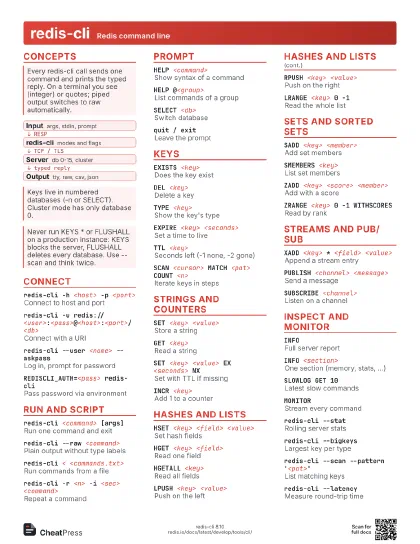
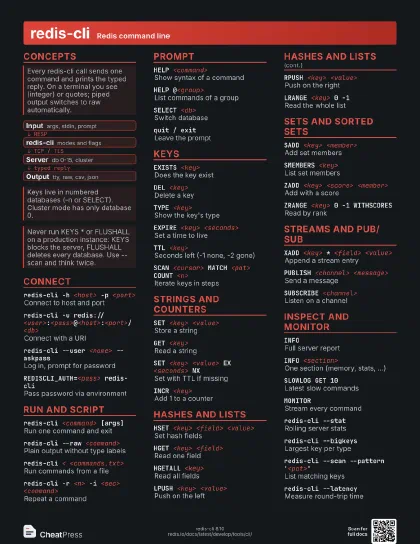
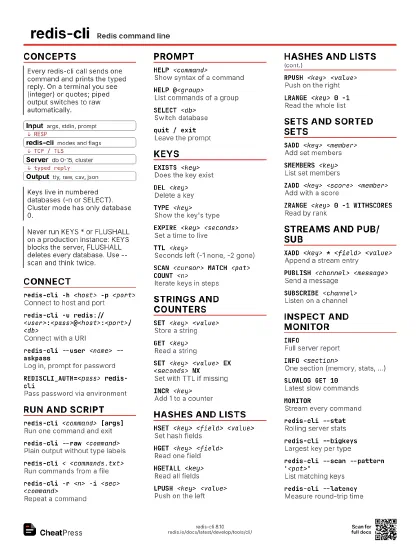
redis-cli Redis command line
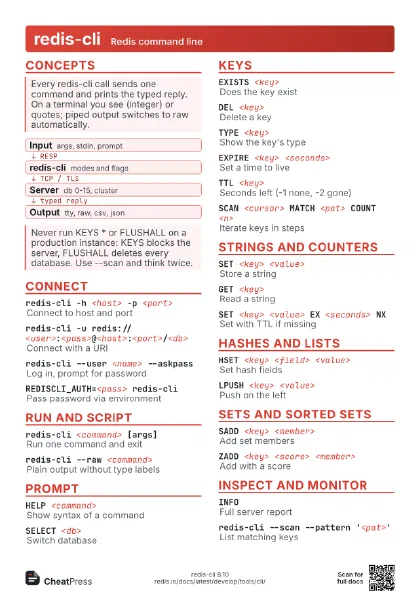
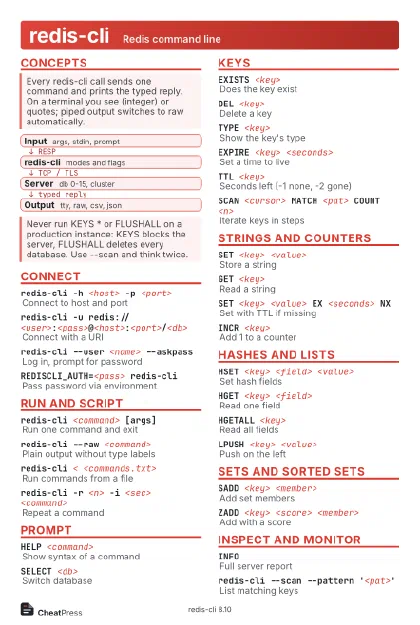 Light · Postcard
102 × 152 mm · PDF
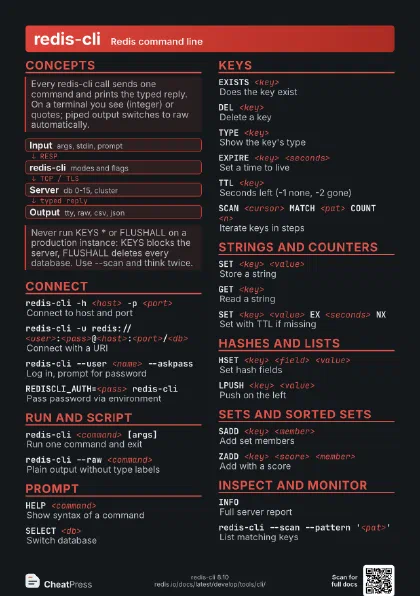
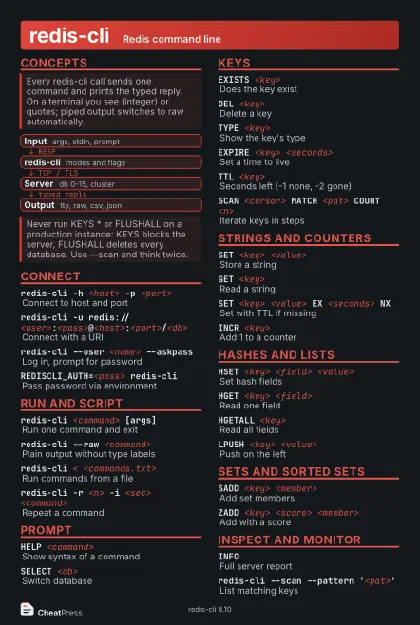 Dark · Postcard
102 × 152 mm · PDF
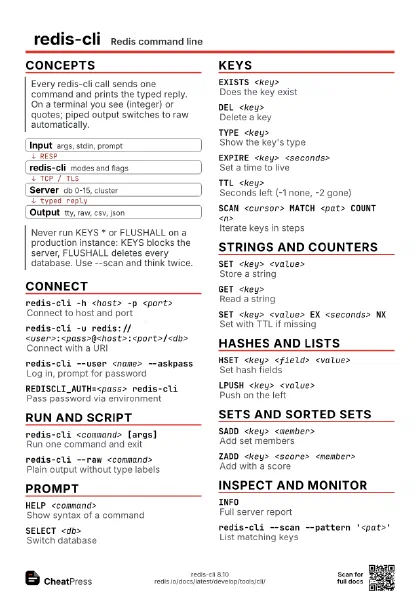
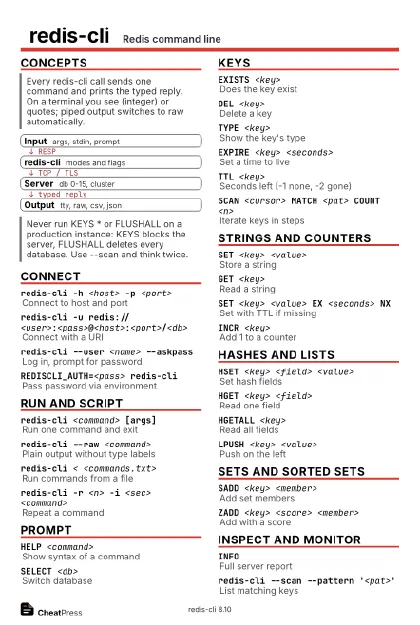 Ink saver · Postcard
102 × 152 mm · PDF
 Light · A4 landscape
297 × 210 mm · PDF
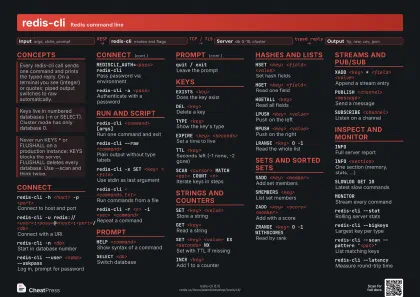 Dark · A4 landscape
297 × 210 mm · PDF
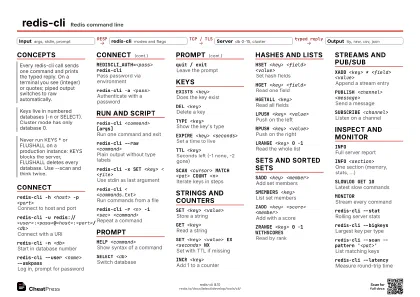 Ink saver · A4 landscape
297 × 210 mm · PDF
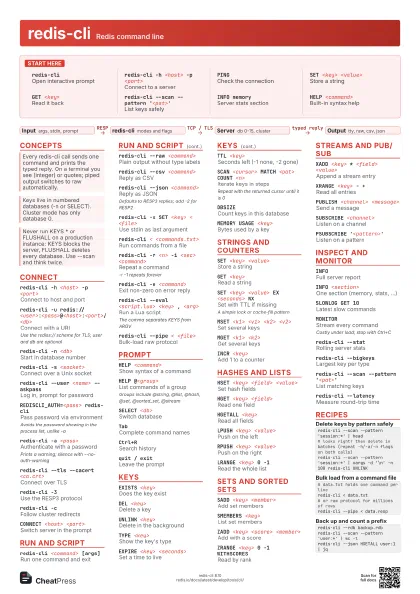
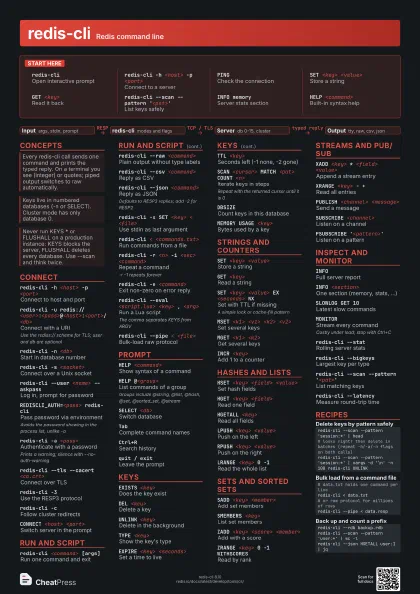
 Light · A3 landscape
420 × 297 mm · PDF
 Dark · A3 landscape
420 × 297 mm · PDF
 Ink saver · A3 landscape
420 × 297 mm · PDF
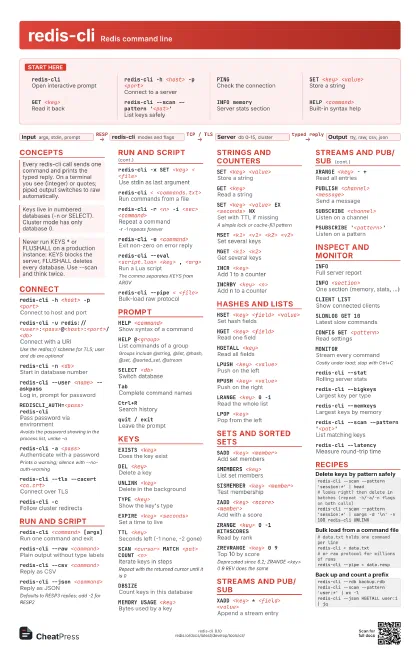
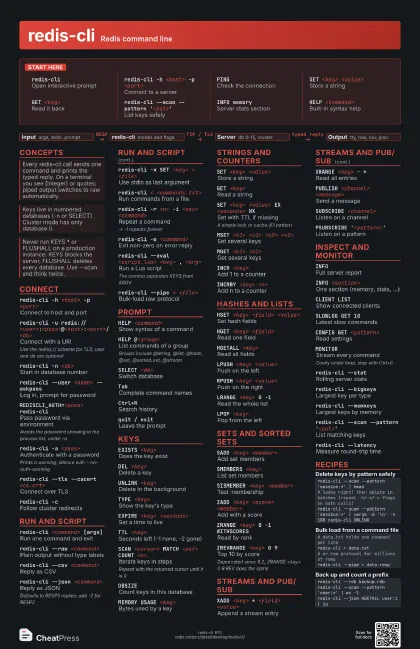
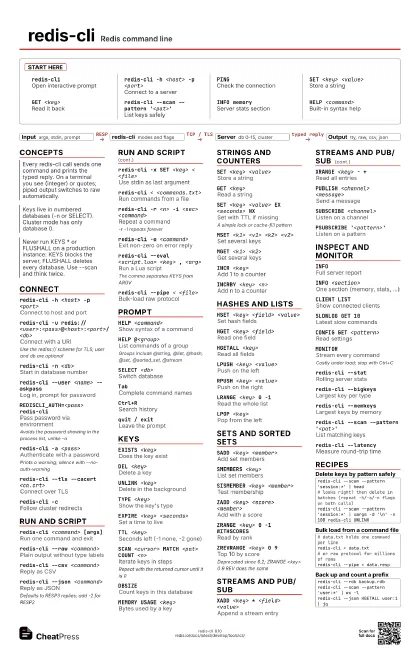
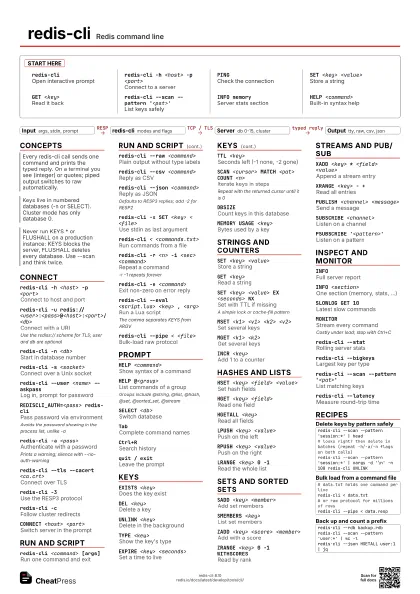
Start here
redis-cliOpen interactive prompt
redis-cli -h <host> -p <port>
Connect to a server
PINGCheck the connection
SET <key> <value>
Store a string
GET <key>Read it back
redis-cli --scan --pattern '<pat>'
List keys safely
INFO memoryServer stats section
HELP <command>
Built-in syntax help
Concepts
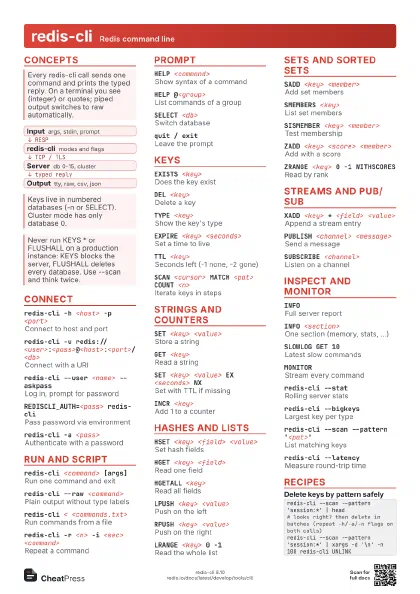
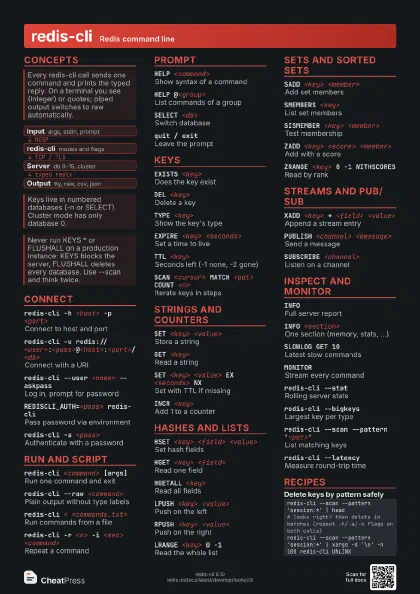
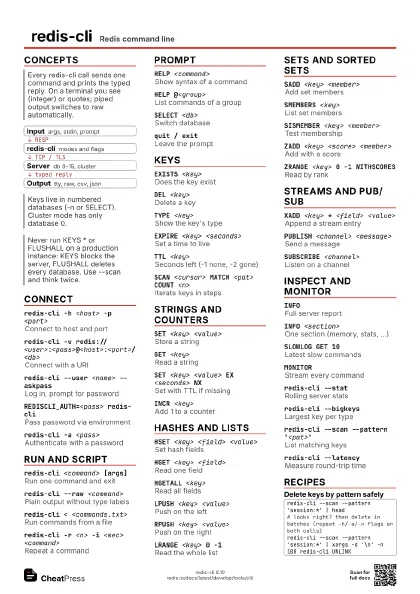
- Input args, stdin, prompt
- redis-cli modes and flags
- Server db 0-15, cluster
- Output tty, raw, csv, json
Connect
redis-cli -h <host> -p <port>
Connect to host and port
redis-cli -u
                    redis://<user>:<pass>@<host>:<port>/<db>
Connect with a URI
Use the rediss:// scheme for TLS; user and db are optional
redis-cli -n <db>
Start in database number
redis-cli -s <socket>
Connect over a Unix socket
redis-cli --user <name> --askpass
Log in, prompt for password
REDISCLI_AUTH=<pass> redis-cli
Pass password via environment
Avoids the password showing in the process list, unlike -a
redis-cli -a <pass>
Authenticate with a password
Prints a warning; silence with --no-auth-warning
redis-cli --tls --cacert <ca.crt>
Connect over TLS
redis-cli --tls --cert <crt> --key <key>
TLS with client certificate
redis-cli -3Use the RESP3 protocol
redis-cli -cFollow cluster redirects
redis-cli -t <seconds>
Set connection timeout
CONNECT <host> <port>
Switch server in the prompt
Run and script
redis-cli <command> [args]
Run one command and exit
redis-cli --raw <command>
Plain output without type labels
redis-cli --no-raw <command>
Force typed output when piped
redis-cli --csv <command>
Reply as CSV
redis-cli --json <command>
Reply as JSON
Defaults to RESP3 replies; add -2 for RESP2
redis-cli -x SET <key> < <file>
Use stdin as last argument
redis-cli < <commands.txt>
Run commands from a file
redis-cli -r <n> -i <sec> <command>
Repeat a command
-r -1 repeats forever
redis-cli -e <command>
Exit non-zero on error reply
redis-cli --eval <script.lua> <key> ,
                    <arg>
Run a Lua script
The comma separates KEYS from ARGV
redis-cli --pipe < <file>
Bulk-load raw protocol
redis-cli --quoted-input <command>
Parse arguments as quoted strings
Prompt
HELP <command>
Show syntax of a command
HELP @<group>
List commands of a group
Groups include @string, @list, @hash, @set, @sorted_set,
@stream
<n> <command>
Run a command n times
SELECT <db>
Switch database
CLEARClear the screen
TabComplete command names
Ctrl+RSearch history
:set hints / :set nohints
Toggle syntax hints
quit / exitLeave the prompt
Keys
EXISTS <key>
Does the key exist
DEL <key>Delete a key
UNLINK <key>
Delete in the background
TYPE <key>
Show the key's type
EXPIRE <key> <seconds>
Set a time to live
TTL <key>Seconds left (-1 none, -2 gone)
PERSIST <key>
Remove the expiry
RENAME <key> <new>
Rename a key
SCAN <cursor> MATCH <pat> COUNT <n>
Iterate keys in steps
Repeat with the returned cursor until it is 0
DBSIZECount keys in this database
OBJECT ENCODING <key>
Internal encoding
MEMORY USAGE <key>
Bytes used by a key
KEYS <pattern>
List matches (blocks server)
O(N) over the whole keyspace; fine on a dev box, risky in
production
FLUSHDBDelete all keys in this database
FLUSHALLDelete all keys in all databases
Irreversible; add ASYNC to free memory in the background
Strings and counters
SET <key> <value>
Store a string
GET <key>Read a string
SET <key> <value> EX <seconds> NX
Set with TTL if missing
A simple lock or cache-fill pattern
MSET <k1> <v1> <k2> <v2>
Set several keys
MGET <k1> <k2>
Get several keys
INCR <key>
Add 1 to a counter
INCRBY <key> <n>
Add n to a counter
APPEND <key> <value>
Append to a string
GETDEL <key>
Read and delete
Hashes and lists
HSET <key> <field> <value>
Set hash fields
HGET <key> <field>
Read one field
HGETALL <key>
Read all fields
HDEL <key> <field>
Remove a field
HINCRBY <key> <field> <n>
Increment a field
LPUSH <key> <value>
Push on the left
RPUSH <key> <value>
Push on the right
LRANGE <key> 0 -1
Read the whole list
LPOP <key>
Pop from the left
LLEN <key>
List length
BLPOP <key> <seconds>
Blocking pop for queues
Sets and sorted sets
SADD <key> <member>
Add set members
SMEMBERS <key>
List set members
SISMEMBER <key> <member>
Test membership
SINTER <k1> <k2>
Intersect sets
ZADD <key> <score> <member>
Add with a score
ZRANGE <key> 0 -1 WITHSCORES
Read by rank
ZRANGE <key> <min> <max> BYSCORE
Read by score range
ZREVRANGE <key> 0 9
Top 10 by score
Deprecated since 6.2; ZRANGE <key> 0 9 REV does the same
ZINCRBY <key> <n> <member>
Bump a score
ZRANK <key> <member>
Rank of a member
Streams and pub/sub
XADD <key> * <field> <value>
Append a stream entry
XRANGE <key> - +
Read all entries
XLEN <key>
Entries in a stream
XREAD COUNT <n> STREAMS <key> 0
Read from the start
PUBLISH <channel> <message>
Send a message
SUBSCRIBE <channel>
Listen on a channel
PSUBSCRIBE '<pattern>'
Listen on a pattern
Inspect and monitor
INFOFull server report
INFO <section>
One section (memory, stats, ...)
CLIENT LISTShow connected clients
SLOWLOG GET 10Latest slow commands
CONFIG GET <pattern>
Read settings
CONFIG SET <name> <value>
Change a setting at runtime
Not persisted unless you run CONFIG REWRITE
MONITORStream every command
Costly under load; stop with Ctrl+C
redis-cli --stat
Rolling server stats
redis-cli --bigkeys
Largest key per type
redis-cli --memkeys
Largest keys by memory
redis-cli --keystats
Sizes and distribution
redis-cli --scan --pattern '<pat>'
List matching keys
redis-cli --scan --pattern '<pat>' --count
                    <n>
Scan with larger batches
redis-cli --latency
Measure round-trip time
redis-cli --latency-history
Latency in 15 s windows
redis-cli --intrinsic-latency <sec>
Local system latency test
Run it on the server host, it does not connect
redis-cli --hotkeys
Sample hot keys
Needs an LFU maxmemory-policy
redis-cli --rdb <file>
Download an RDB snapshot
redis-cli --replica
Show the replication stream
redis-cli --cluster help
List cluster manager commands
Recipes
redis-cli --scan --pattern 'session:*' | head# looks right? then delete in batches (repeat -h/-a/-n flags on both calls)redis-cli --scan --pattern 'session:*' | xargs -d '\n' -n 100 redis-cli UNLINKredis-cli -r -1 -i 1 INFO memory | grep used_memory_human# data.txt holds one command per lineredis-cli < data.txt# or raw protocol for millions of rowsredis-cli --pipe < data.respredis-cli --rdb backup.rdbredis-cli --scan --pattern 'user:*' | wc -lredis-cli --json HGETALL user:1 | jq