Cheat
Docker Containers and images
 Light · Postcard
102 × 152 mm · PDF
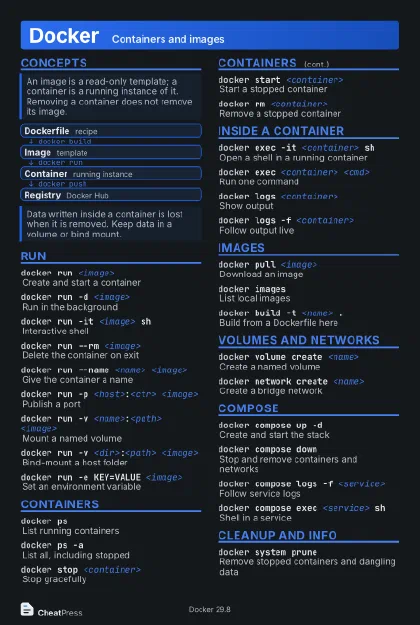 Dark · Postcard
102 × 152 mm · PDF
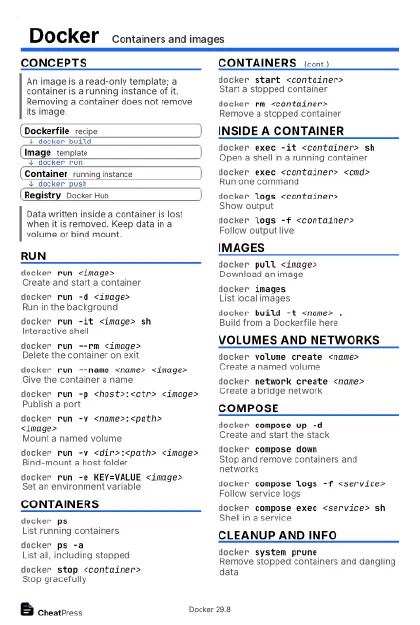 Ink saver · Postcard
102 × 152 mm · PDF
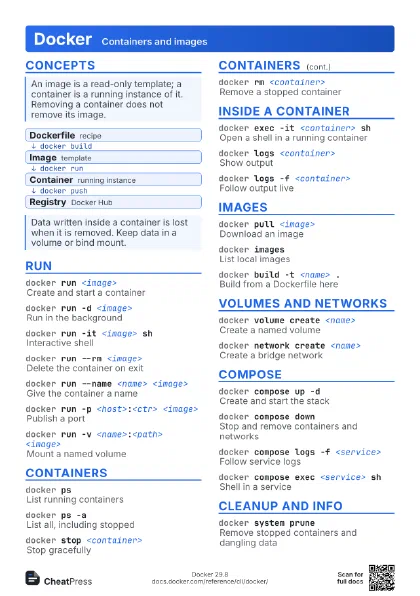
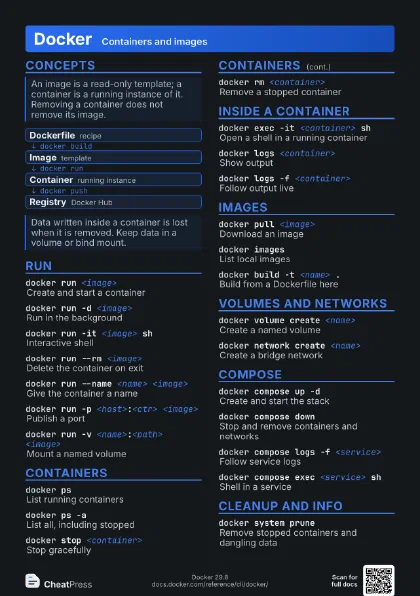

 Light · A4 landscape
297 × 210 mm · PDF
 Dark · A4 landscape
297 × 210 mm · PDF
 Ink saver · A4 landscape
297 × 210 mm · PDF
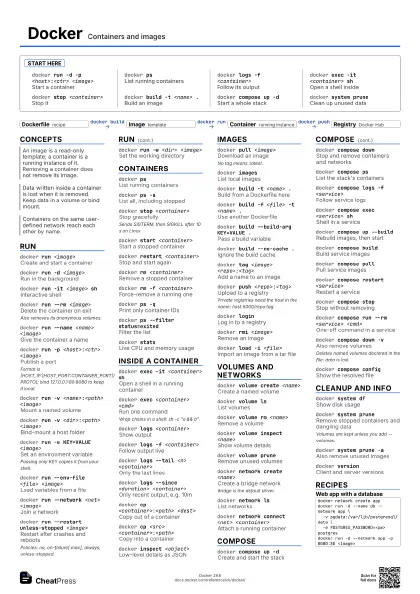
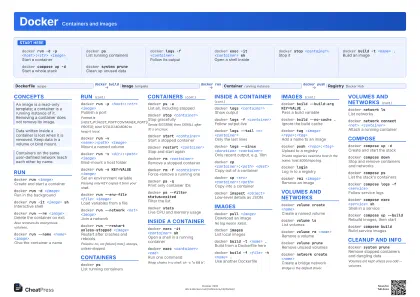 Light · A3 landscape
420 × 297 mm · PDF
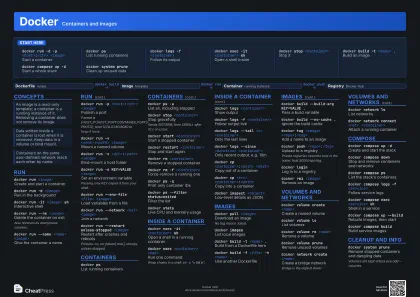 Dark · A3 landscape
420 × 297 mm · PDF
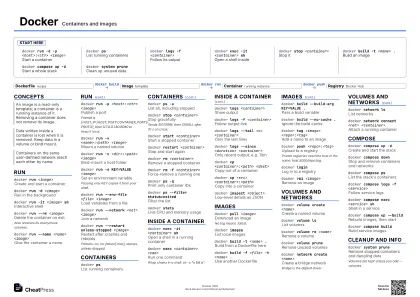 Ink saver · A3 landscape
420 × 297 mm · PDF
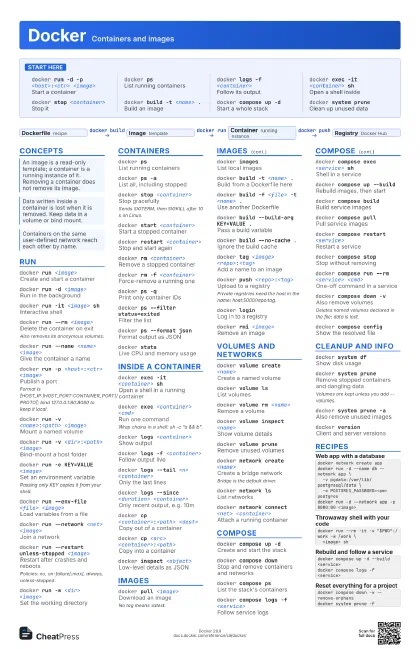
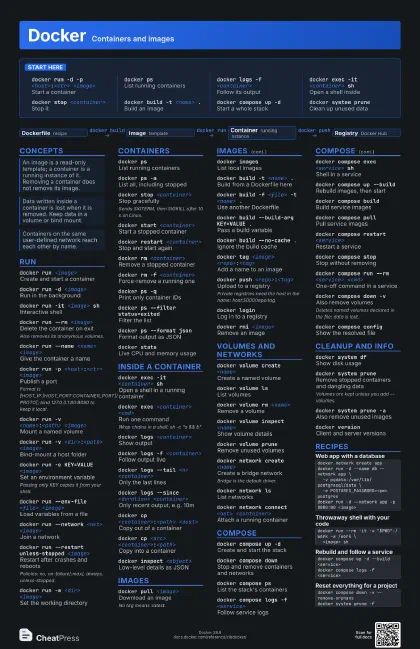
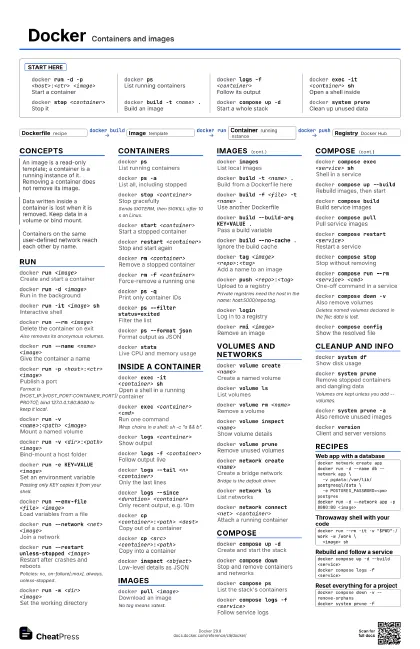
Start here
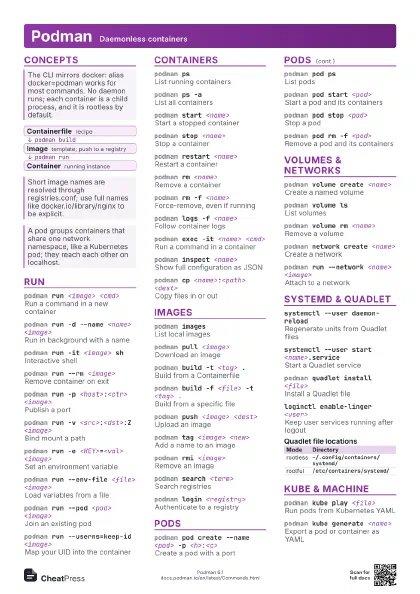
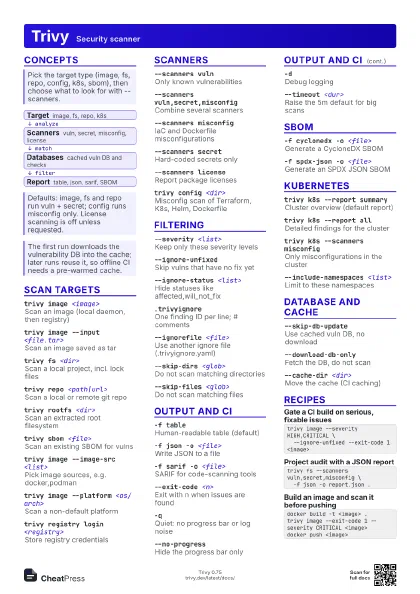
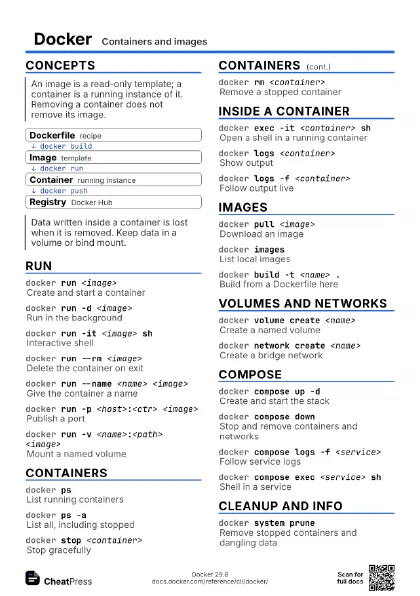
docker run -d -p <host>:<ctr>
                    <image>
Start a container
docker psList running containers
docker logs -f <container>
Follow its output
docker exec -it <container> sh
Open a shell inside
docker stop <container>
Stop it
docker build -t <name> .
Build an image
docker compose up -d
Start a whole stack
docker system prune
Clean up unused data
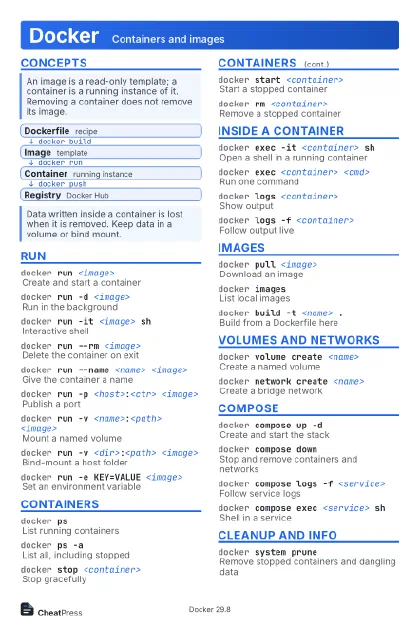
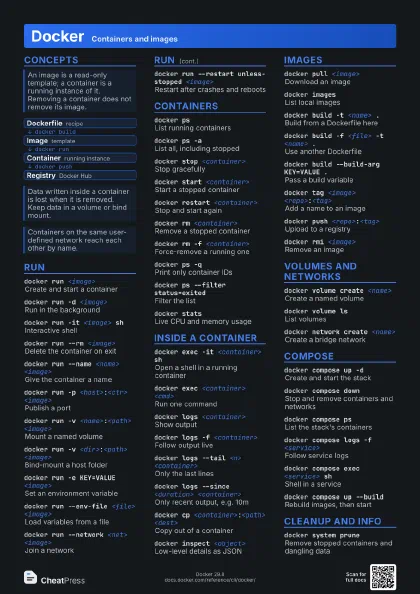
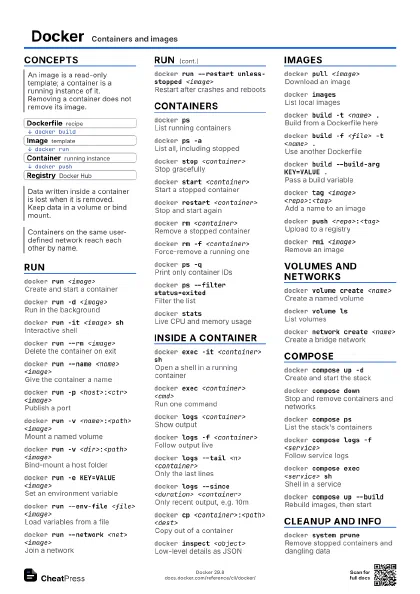
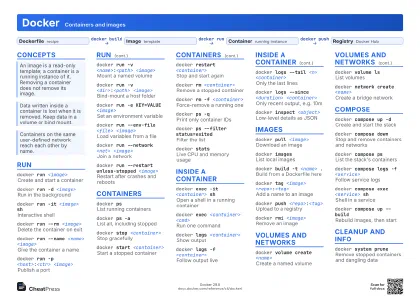
Concepts
- Dockerfile recipe
- Image template
- Container running instance
- Registry Docker Hub
Run
docker run <image>
Create and start a container
docker run -d <image>
Run in the background
docker run -it <image> sh
Interactive shell
docker run --rm <image>
Delete the container on exit
Also removes its anonymous volumes.
docker run --name <name> <image>
Give the container a name
docker run -p <host>:<ctr> <image>
Publish a port
Format is [HOST_IP:]HOST_PORT:CONTAINER_PORT[/PROTO]; bind
127.0.0.1:80:8080 to keep it local.
docker run -v <name>:<path> <image>
Mount a named volume
docker run -v <dir>:<path> <image>
Bind-mount a host folder
docker run -e KEY=VALUE <image>
Set an environment variable
Passing only KEY copies it from your shell.
docker run --env-file <file> <image>
Load variables from a file
docker run --network <net> <image>
Join a network
docker run --restart unless-stopped <image>
Restart after crashes and reboots
Policies: no, on-failure[:max], always, unless-stopped.
docker run -w <dir> <image>
Set the working directory
docker run -u <user> <image>
Run as another user
docker run --entrypoint <cmd> <image>
Replace the image entrypoint
docker run --mount type=bind,src=<a>,dst=<b>
                    <image>
Mount with explicit options
docker run --cpus <n> -m <limit>
                    <image>
Limit CPU and memory
Containers
docker psList running containers
docker ps -aList all, including stopped
docker stop <container>
Stop gracefully
Sends SIGTERM, then SIGKILL after 10 s on Linux.
docker start <container>
Start a stopped container
docker restart <container>
Stop and start again
docker rm <container>
Remove a stopped container
docker rm -f <container>
Force-remove a running one
docker ps -qPrint only container IDs
docker ps --filter status=exited
Filter the list
docker ps --format json
Format output as JSON
docker kill <container>
Force-stop a container
docker statsLive CPU and memory usage
docker top <container>
Processes in a container
Inside a container
docker exec -it <container> sh
Open a shell in a running container
docker exec <container> <cmd>
Run one command
Wrap chains in a shell: sh -c "a && b".
docker exec -u <user> <container>
                    <cmd>
Run as another user
docker exec -w <dir> <container>
                    <cmd>
Run in a directory
docker exec -e KEY=VALUE <container>
                    <cmd>
Set a variable for this command
docker exec -d <container> <cmd>
Run in the background
docker logs <container>
Show output
docker logs -f <container>
Follow output live
docker logs --tail <n> <container>
Only the last lines
docker logs --since <duration>
                    <container>
Only recent output, e.g. 10m
docker logs -t <container>
Add timestamps
docker cp <container>:<path> <dest>
Copy out of a container
docker cp <src> <container>:<path>
Copy into a container
docker inspect <object>
Low-level details as JSON
Images
docker pull <image>
Download an image
No tag means :latest.
docker imagesList local images
docker build -t <name> .
Build from a Dockerfile here
docker build -f <file> -t <name> .
Use another Dockerfile
docker build --build-arg KEY=VALUE .
Pass a build variable
docker build --target <stage> .
Build up to one stage
docker build --no-cache .
Ignore the build cache
docker build --platform <os/arch> .
Build for a platform
docker tag <image> <repo>:<tag>
Add a name to an image
docker push <repo>:<tag>
Upload to a registry
Private registries need the host in the name:
host:5000/repo:tag.
docker loginLog in to a registry
docker rmi <image>
Remove an image
docker images -f dangling=true
List untagged images
docker save -o <file> <image>
Export an image to a tar file
docker load -i <file>
Import an image from a tar file
docker history <image>
Show an image's layers
docker search <term>
Search Docker Hub
Volumes and networks
docker volume create <name>
Create a named volume
docker volume ls
List volumes
docker volume rm <name>
Remove a volume
docker volume inspect <name>
Show volume details
docker volume prune
Remove unused volumes
docker network create <name>
Create a bridge network
Bridge is the default driver.
docker network ls
List networks
docker network connect <net> <container>
Attach a running container
docker network disconnect <net>
                    <container>
Detach a container
docker network inspect <net>
Show network details
docker network rm <net>
Remove a network
Compose
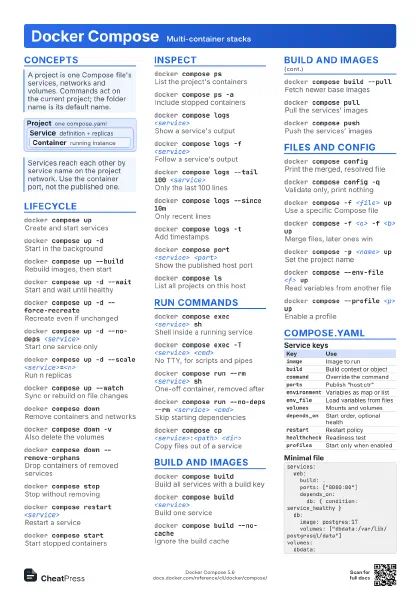
docker compose up -d
Create and start the stack
docker compose down
Stop and remove containers and networks
docker compose ps
List the stack's containers
docker compose logs -f <service>
Follow service logs
docker compose exec <service> sh
Shell in a service
docker compose up --build
Rebuild images, then start
docker compose build
Build service images
docker compose pull
Pull service images
docker compose restart <service>
Restart a service
docker compose stop
Stop without removing
docker compose run --rm <service> <cmd>
One-off command in a service
docker compose down -v
Also remove volumes
Deletes named volumes declared in the file: data is lost.
docker compose config
Show the resolved file
docker compose -f <file> up
Use another Compose file
docker compose -p <name> up
Set the project name
docker compose --profile <name> up
Enable a profile
docker compose up --force-recreate
Recreate even if unchanged
docker compose up --scale <svc>=<n>
Run several instances
docker compose up --wait
Wait until services are healthy
docker compose up --watch
Rebuild on file changes
docker compose up --remove-orphans
Remove containers of dropped services
docker compose cp <svc>:<path>
                    <dest>
Copy from a service
Cleanup and info
docker system df
Show disk usage
docker system prune
Remove stopped containers and dangling data
Volumes are kept unless you add --volumes.
docker system prune -a
Also remove unused images
docker system prune --volumes
Also remove unused anonymous volumes
docker system prune --filter until=24h
Only things older than a day
docker system prune -f
Skip the confirmation
docker builder prune
Clear only the build cache
docker versionClient and server versions
docker context ls
List daemon connections
docker debug <container>
Shell in a container without one
Recipes
docker network create appdocker run -d --name db --network app \ -v pgdata:/var/lib/postgresql/data \ -e POSTGRES_PASSWORD=<pw> postgresdocker run -d --network app -p 8080:80 <image>docker run --rm -it -v "$PWD":/work -w /work \ <image> shdocker compose up -d --build <service>docker compose logs -f <service>docker compose down -v --remove-orphansdocker system prune -f