Cheat
psql PostgreSQL shell
 Light · Postcard
102 × 152 mm · PDF
 Dark · Postcard
102 × 152 mm · PDF
 Ink saver · Postcard
102 × 152 mm · PDF
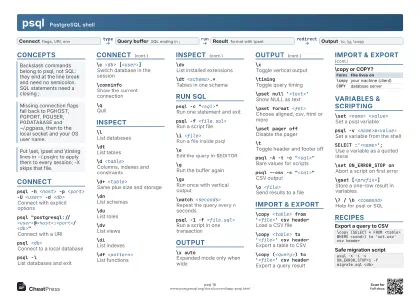 Light · A4 landscape
297 × 210 mm · PDF
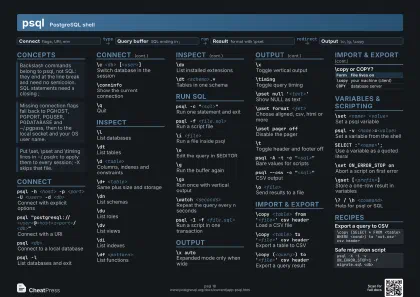 Dark · A4 landscape
297 × 210 mm · PDF
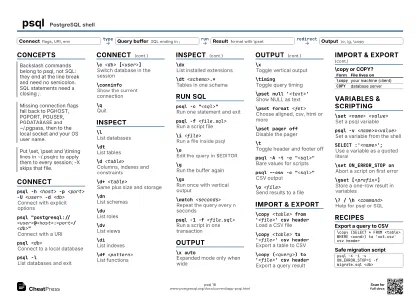 Ink saver · A4 landscape
297 × 210 mm · PDF
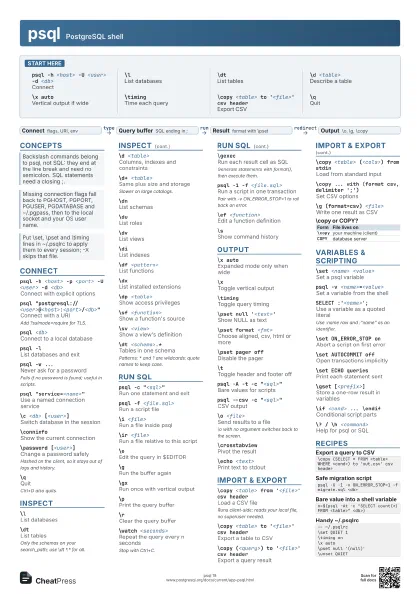
 Light · A3 landscape
420 × 297 mm · PDF
 Dark · A3 landscape
420 × 297 mm · PDF
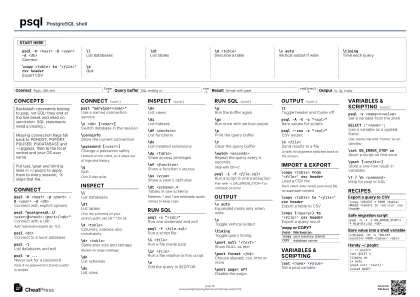 Ink saver · A3 landscape
420 × 297 mm · PDF
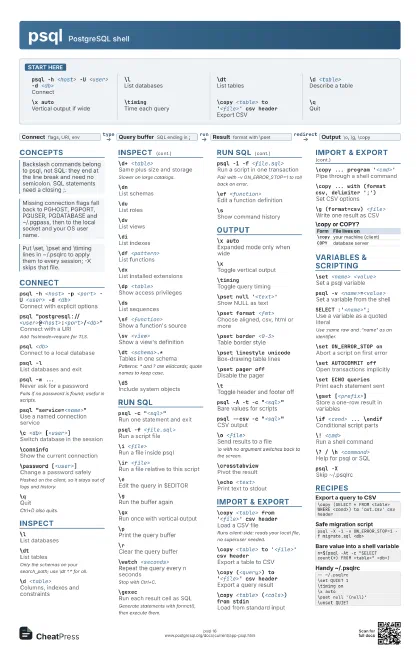
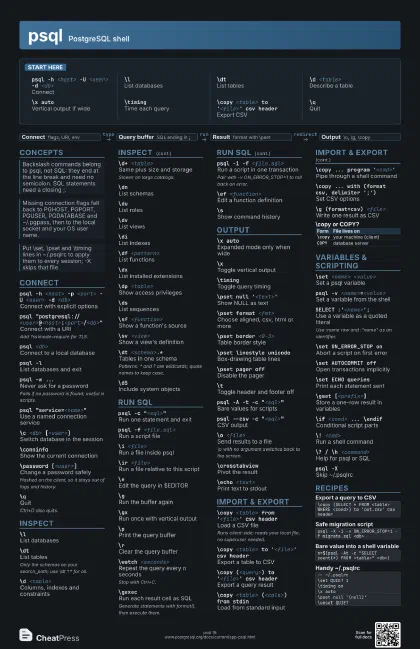
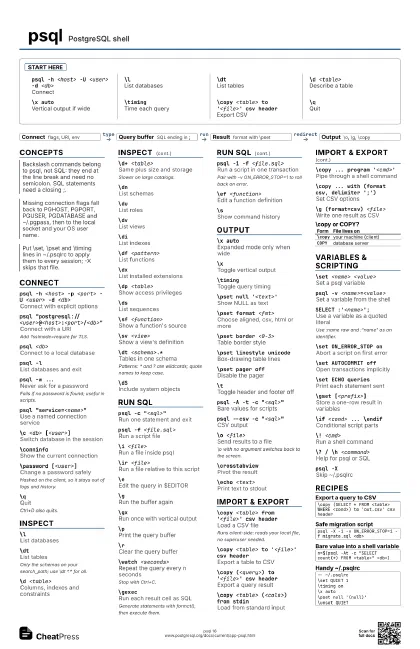
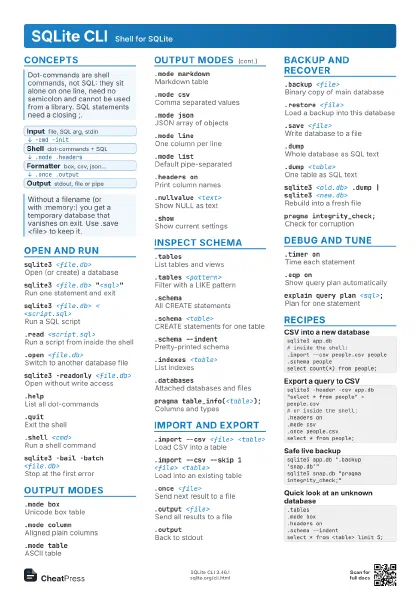
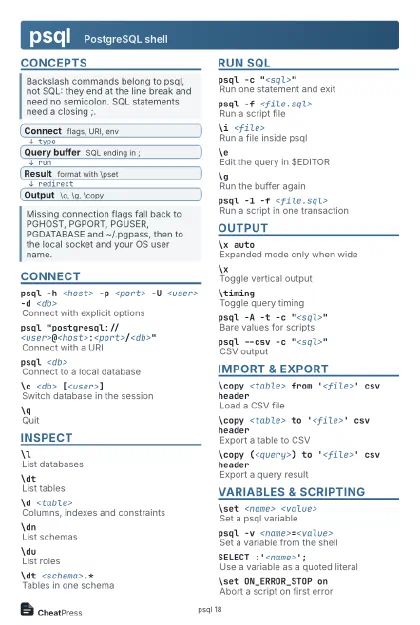
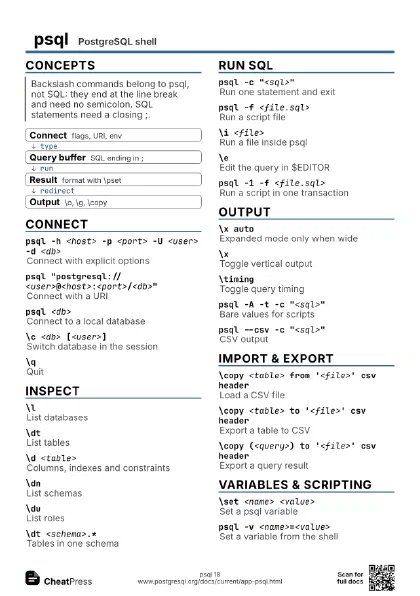
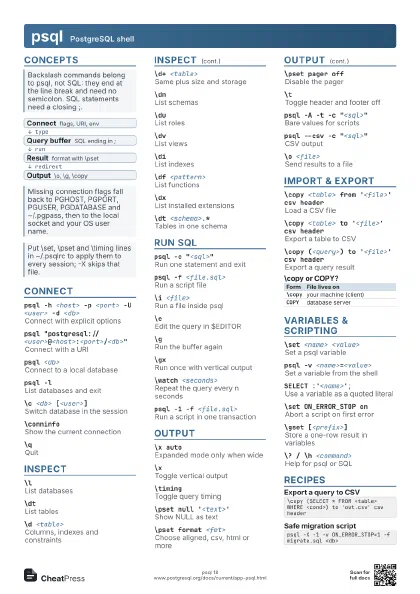
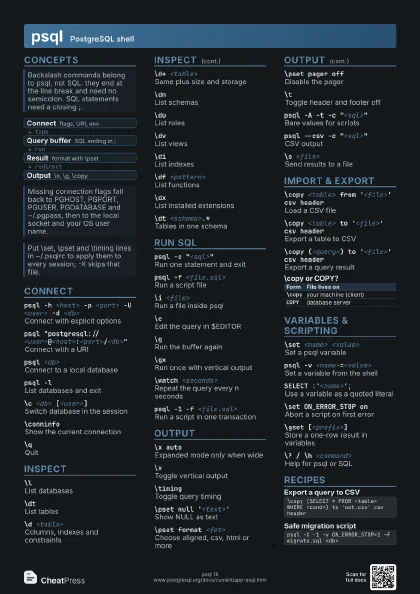
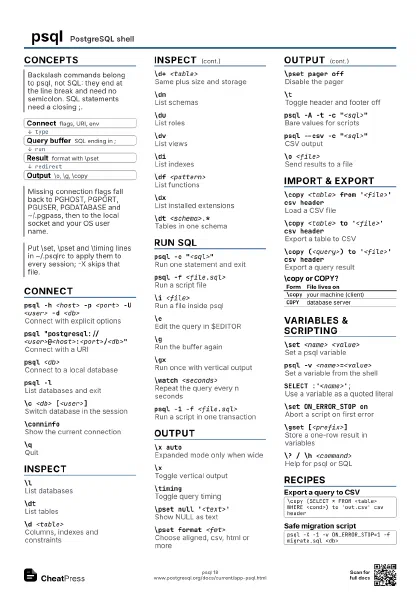
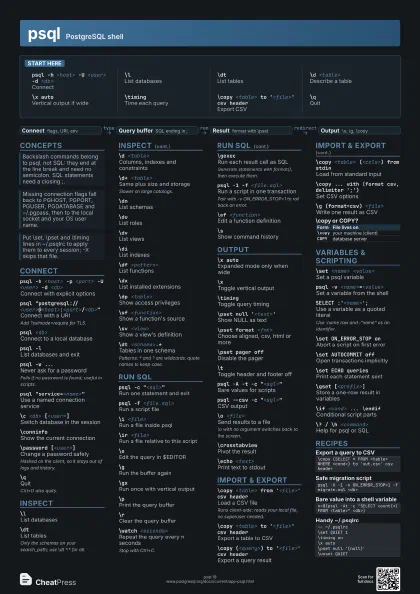
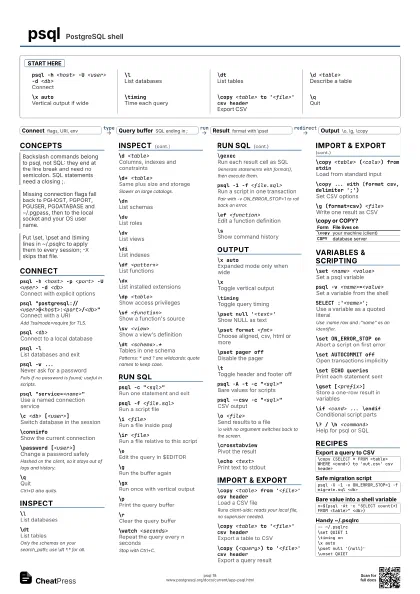
Start here
psql -h <host> -U <user> -d <db>
Connect
\lList databases
\dtList tables
\d <table>
Describe a table
\x autoVertical output if wide
\timingTime each query
\copy <table> to '<file>' csv
                    header
Export CSV
\qQuit
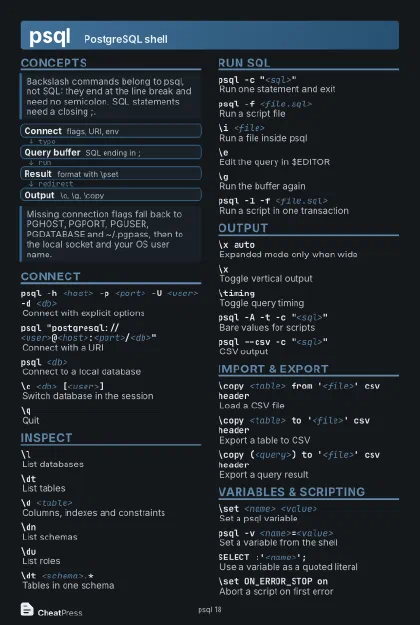
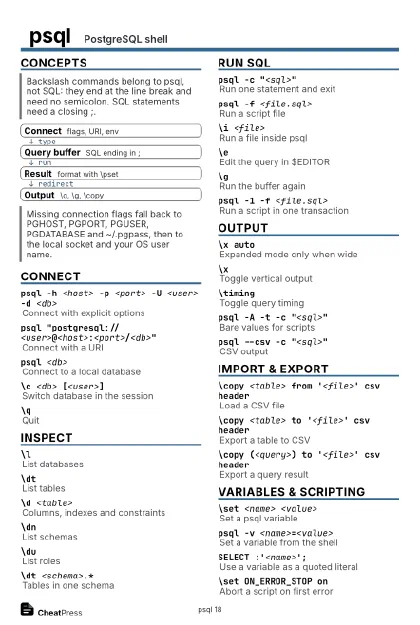
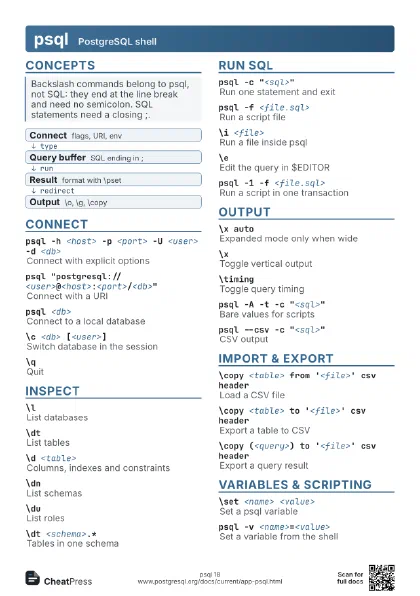
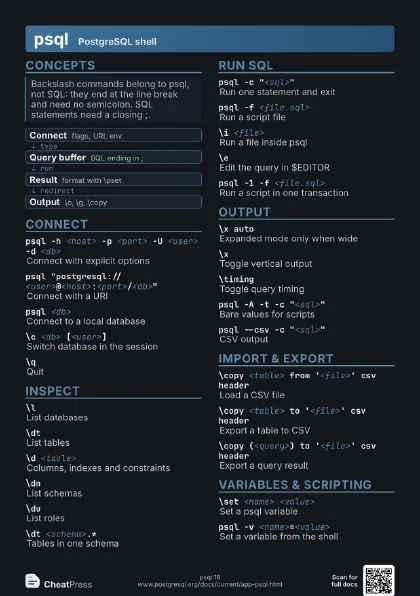
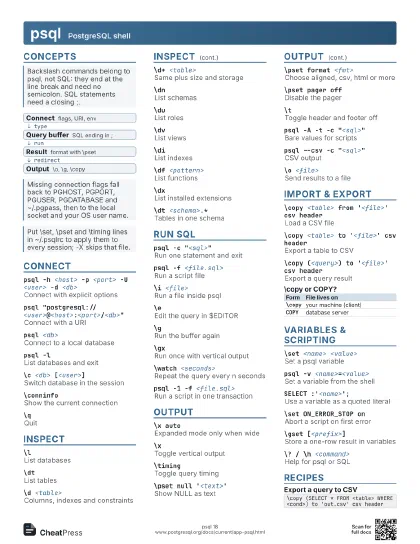
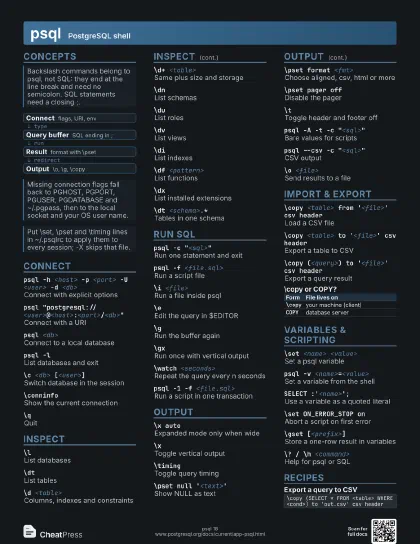
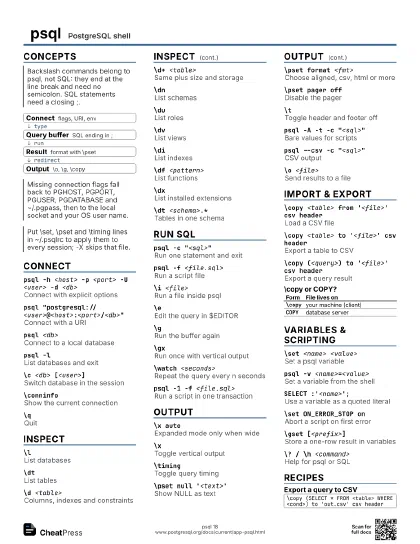
Concepts
- Connect flags, URI, env
- Query buffer SQL ending in ;
- Result format with \pset
- Output \o, \g, \copy
Connect
psql -h <host> -p <port> -U <user> -d
                    <db>
Connect with explicit options
psql
                    "postgresql://<user>@<host>:<port>/<db>"
Connect with a URI
Add ?sslmode=require for TLS.
psql <db>Connect to a local database
psql -lList databases and exit
psql -w ...Never ask for a password
Fails if no password is found; useful in scripts.
psql "service=<name>"
Use a named connection service
\c <db> [<user>]
Switch database in the session
\conninfoShow the current connection
\password [<user>]
Change a password safely
Hashed on the client, so it stays out of logs and history.
\qQuit
Ctrl+D also quits.
Inspect
\lList databases
\dtList tables
Only the schemas on your search_path; use \dt *.* for all.
\d <table>
Columns, indexes and constraints
\d+ <table>
Same plus size and storage
Slower on large catalogs.
\dnList schemas
\duList roles
\dvList views
\diList indexes
\df <pattern>
List functions
\dxList installed extensions
\dp <table>
Show access privileges
\dsList sequences
\sf <function>
Show a function's source
\sv <view>
Show a view's definition
\dt <schema>.*
Tables in one schema
Patterns: * and ? are wildcards; quote names to keep case.
\dSInclude system objects
Run SQL
psql -c "<sql>"
Run one statement and exit
psql -f <file.sql>
Run a script file
\i <file>Run a file inside psql
\ir <file>
Run a file relative to this script
\eEdit the query in $EDITOR
\gRun the buffer again
\gxRun once with vertical output
\pPrint the query buffer
\rClear the query buffer
\watch <seconds>
Repeat the query every n seconds
Stop with Ctrl+C.
\gexecRun each result cell as SQL
Generate statements with format(), then execute them.
psql -1 -f <file.sql>
Run a script in one transaction
Pair with -v ON_ERROR_STOP=1 to roll back on error.
\ef <function>
Edit a function definition
\sShow command history
Output
\x autoExpanded mode only when wide
\xToggle vertical output
\timingToggle query timing
\pset null '<text>'
Show NULL as text
\pset format <fmt>
Choose aligned, csv, html or more
\pset border <0-3>
Table border style
\pset linestyle unicode
Box-drawing table lines
\pset pager offDisable the pager
\tToggle header and footer off
psql -A -t -c "<sql>"
Bare values for scripts
psql --csv -c "<sql>"
CSV output
\o <file>Send results to a file
\o with no argument switches back to the screen.
\crosstabviewPivot the result
\echo <text>
Print text to stdout
Import & Export
\copy <table> from '<file>' csv
                    header
Load a CSV file
Runs client-side: reads your local file, no superuser needed.
\copy <table> to '<file>' csv
                    header
Export a table to CSV
\copy (<query>) to '<file>' csv
                    header
Export a query result
\copy <table> (<cols>) from stdin
Load from standard input
\copy ... program '<cmd>'
Pipe through a shell command
\copy ... with (format csv, delimiter ';')
Set CSV options
\lo_import <file>
Import a large object
\g (format=csv) <file>
Write one result as CSV
| Form | File lives on |
|---|---|
\copy |
your machine (client) |
COPY |
database server |
Variables & Scripting
\set <name> <value>
Set a psql variable
\setList all variables
\unset <name>
Remove a variable
psql -v <name>=<value>
Set a variable from the shell
SELECT :'<name>';
Use a variable as a quoted literal
Use :name raw and :"name" as an identifier.
\set ON_ERROR_STOP on
Abort a script on first error
\set AUTOCOMMIT off
Open transactions implicitly
\set ECHO queries
Print each statement sent
\gset [<prefix>]
Store a one-row result in variables
\if <cond> ... \endif
Conditional script parts
\! <cmd>Run a shell command
\? / \h <command>
Help for psql or SQL
psql -XSkip ~/.psqlrc
Recipes
\copy (SELECT * FROM <table> WHERE <cond>) to 'out.csv' csv headerpsql -X -1 -v ON_ERROR_STOP=1 -f migrate.sql <db>n=$(psql -At -c "SELECT count(*) FROM <table>" <db>)-- ~/.psqlrc\set QUIET 1\timing on\x auto\pset null '(null)'\unset QUIET