Cheat
zathura Keyboard PDF viewer
 Light · Postcard
102 × 152 mm · PDF
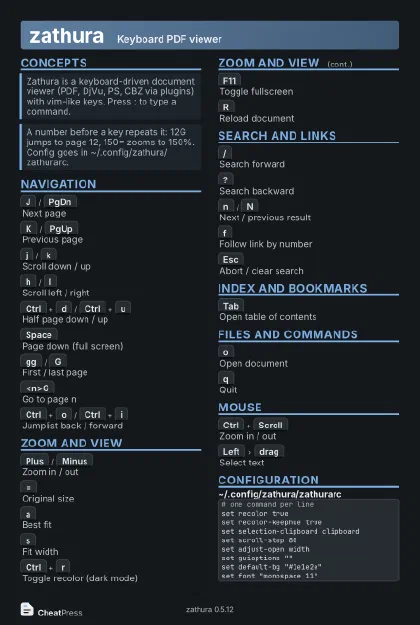 Dark · Postcard
102 × 152 mm · PDF
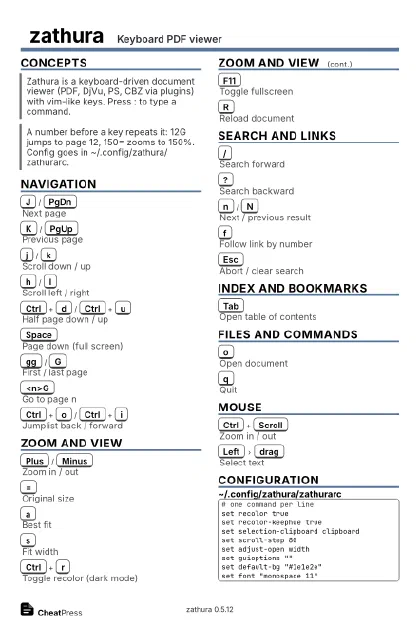 Ink saver · Postcard
102 × 152 mm · PDF
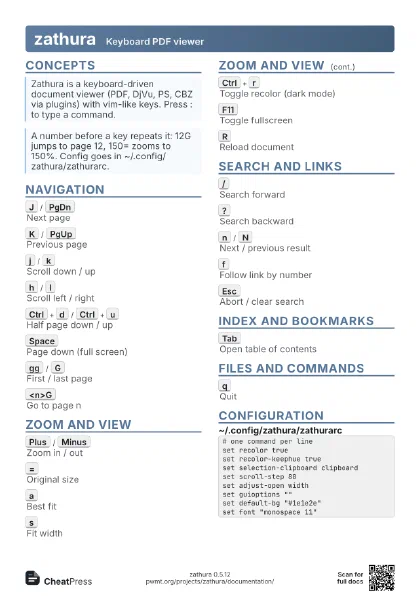
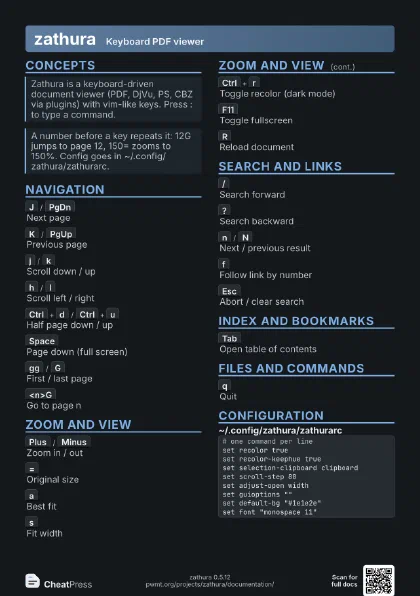
 Light · A4 landscape
297 × 210 mm · PDF
 Dark · A4 landscape
297 × 210 mm · PDF
 Ink saver · A4 landscape
297 × 210 mm · PDF
 Light · A3 landscape
420 × 297 mm · PDF
 Dark · A3 landscape
420 × 297 mm · PDF
 Ink saver · A3 landscape
420 × 297 mm · PDF
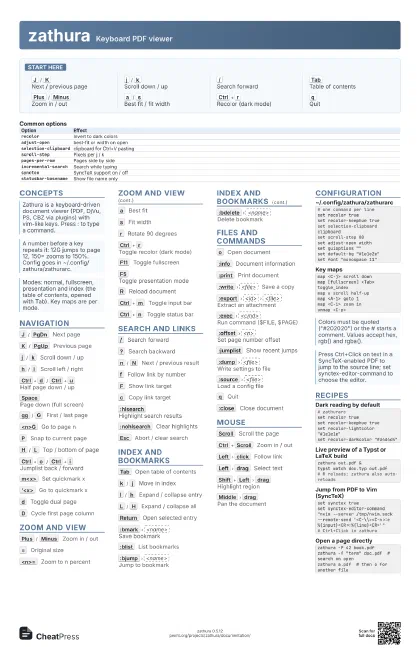
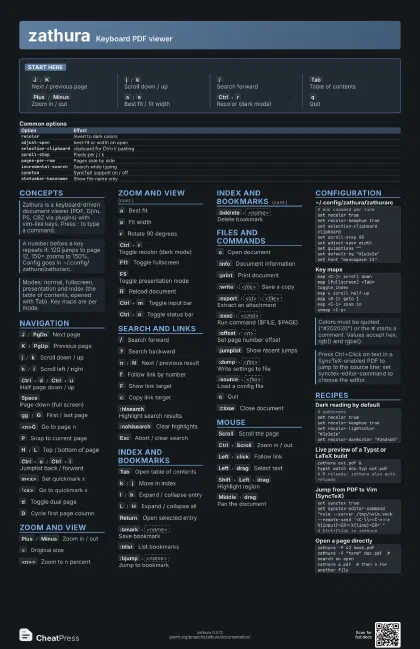
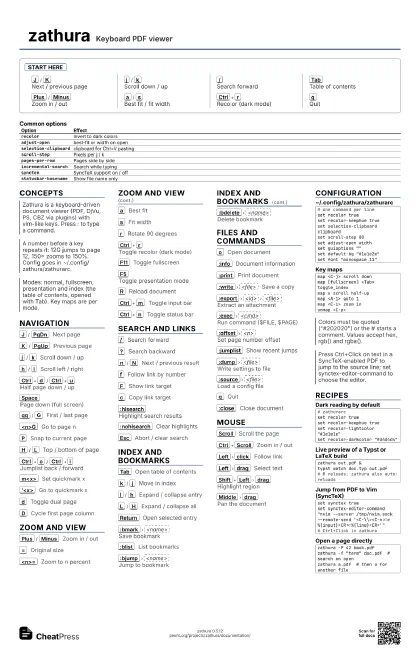
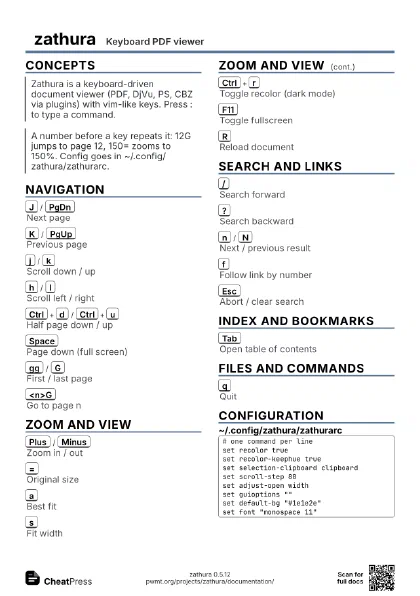
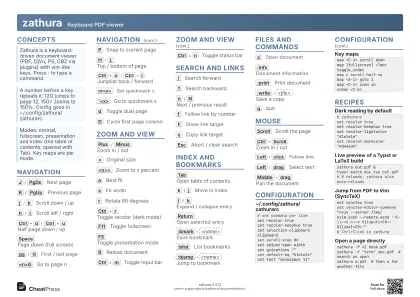
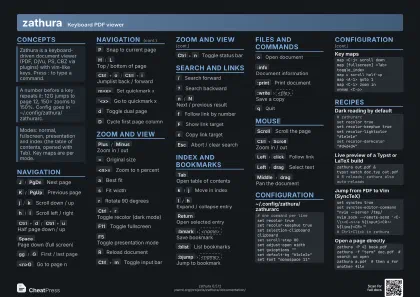
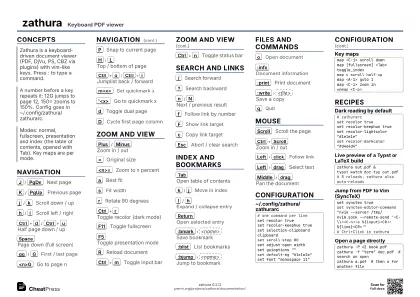
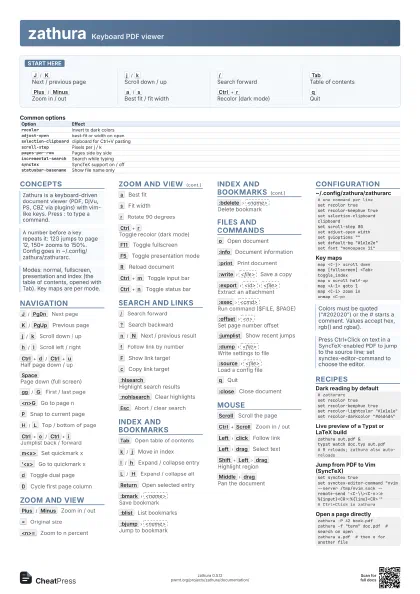
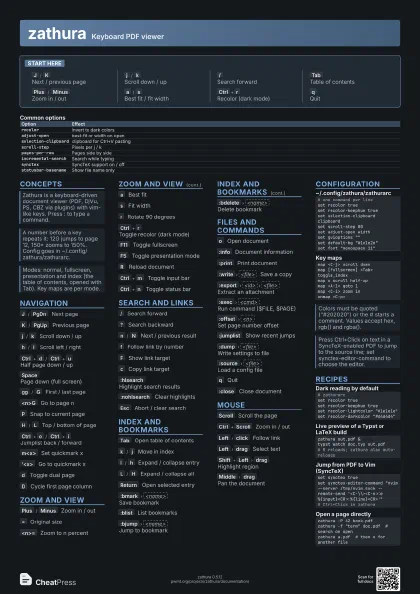
Start here
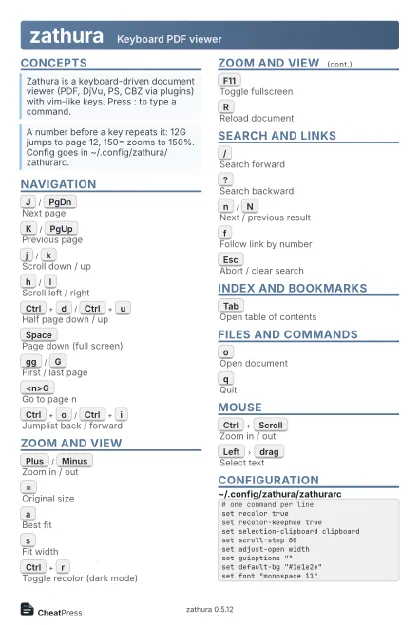
J
/
K
Next / previous page
j
/
k
Scroll down / up
/
Search forward
Tab
Table of contents
Plus
/
Minus
Zoom in / out
a
/
s
Best fit / fit width
Ctrl+r
Recolor (dark mode)
q
Quit
Concepts
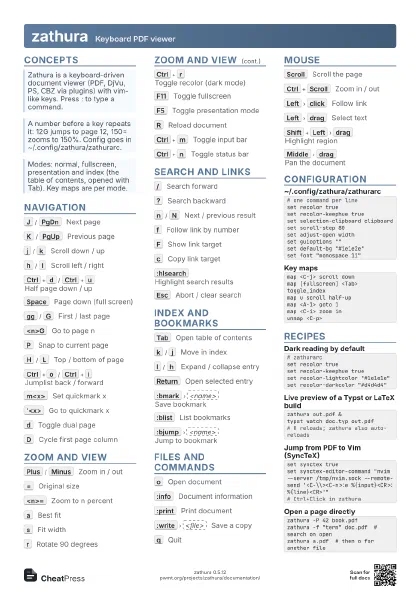
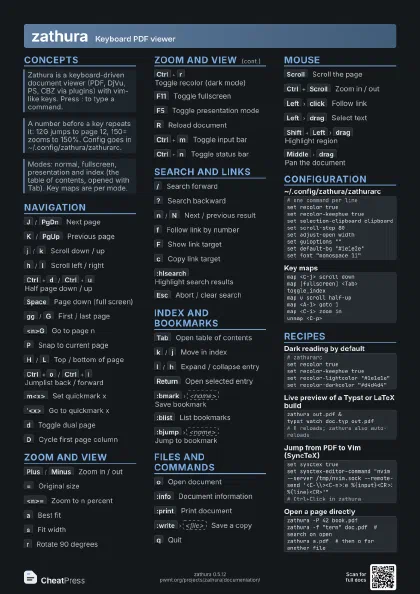
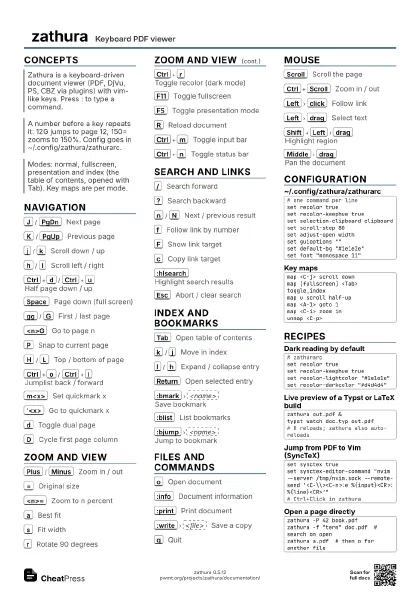
Navigation
J
/
PgDn
Next page
K
/
PgUp
Previous page
j
/
k
Scroll down / up
h
/
l
Scroll left / right
Ctrl+d
/
Ctrl+u
Half page down / up
Space
Page down (full screen)
gg
/
G
First / last page
<n>G
Go to page n
P
Snap to current page
H
/
L
Top / bottom of page
Ctrl+o
/
Ctrl+i
Jumplist back / forward
m<x>
Set quickmark x
'<x>
Go to quickmark x
d
Toggle dual page
D
Cycle first page column
Zoom and view
Plus
/
Minus
Zoom in / out
=
Original size
<n>=
Zoom to n percent
a
Best fit
s
Fit width
r
Rotate 90 degrees
Ctrl+r
Toggle recolor (dark mode)
F11
Toggle fullscreen
F5
Toggle presentation mode
R
Reload document
Ctrl+m
Toggle input bar
Ctrl+n
Toggle status bar
Search and links
/
Search forward
?
Search backward
n
/
N
Next / previous result
f
Follow link by number
F
Show link target
c
Copy link target
:hlsearch
Highlight search results
:nohlsearch
Clear highlights
Esc
Abort / clear search
Index and bookmarks
Tab
Open table of contents
k
/
j
Move in index
l
/
h
Expand / collapse entry
L
/
H
Expand / collapse all
Return
Open selected entry
:bmark
<name>
Save bookmark
:blist
List bookmarks
:bjump
<name>
Jump to bookmark
:bdelete
<name>
Delete bookmark
Files and commands
o
Open document
:info
Document information
:print
Print document
:write
<file>
Save a copy
:export
<id>
<file>
Extract an attachment
:exec
<cmd>
Run command ($FILE, $PAGE)
:offset
<n>
Set page number offset
:jumplist
Show recent jumps
:dump
<file>
Write settings to file
:source
<file>
Load a config file
q
Quit
:close
Close document
Mouse
Scroll
Scroll the page
Ctrl+Scroll
Zoom in / out
Left
click
Follow link
Left
drag
Select text
Shift+Left
drag
Highlight region
Middle
drag
Pan the document
Configuration
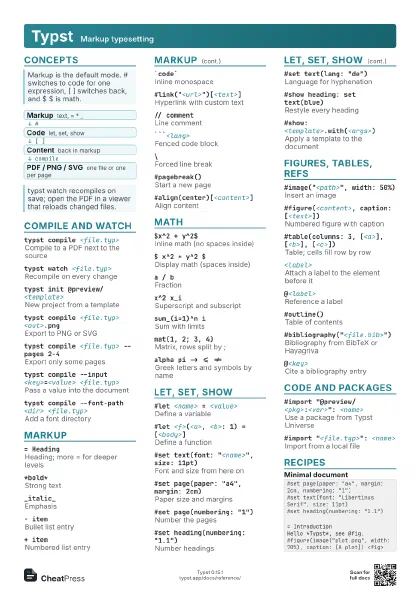
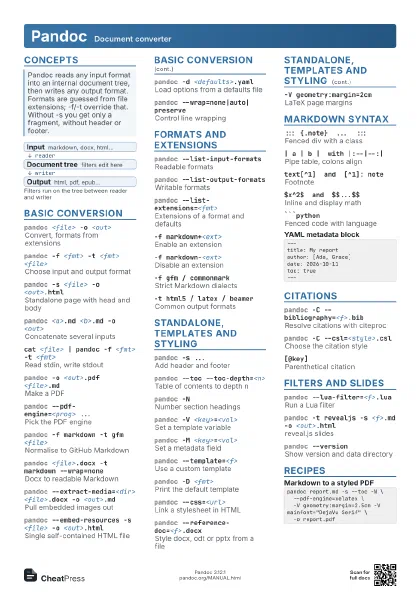
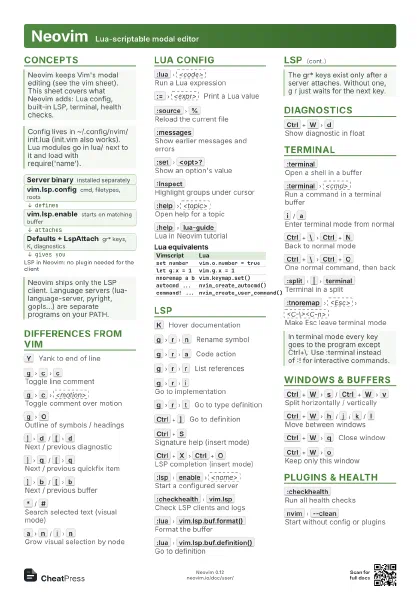
# one command per lineset recolor trueset recolor-keephue trueset selection-clipboard clipboardset scroll-step 80set adjust-open widthset guioptions ""set default-bg "#1e1e2e"set font "monospace 11"map <C-j> scroll downmap [fullscreen] <Tab> toggle_indexmap u scroll half-upmap <A-1> goto 1map <C-i> zoom inunmap <C-p>| Option | Effect |
|---|---|
recolor |
Invert to dark colors |
adjust-open |
best-fit or width on open |
selection-clipboard |
clipboard for Ctrl+V pasting |
scroll-step |
Pixels per j / k |
pages-per-row |
Pages side by side |
incremental-search |
Search while typing |
synctex |
SyncTeX support on / off |
statusbar-basename |
Show file name only |
Recipes
# zathurarcset recolor trueset recolor-keephue trueset recolor-lightcolor "#1e1e1e"set recolor-darkcolor "#d4d4d4"zathura out.pdf &typst watch doc.typ out.pdf# R reloads; zathura also auto-reloadsset synctex trueset synctex-editor-command "nvim --server /tmp/nvim.sock --remote-send '<C-\\><C-n>:e %{input}<CR>:%{line}<CR>'"# Ctrl+Click in zathurazathura -P 42 book.pdfzathura -f "term" doc.pdf # search on openzathura a.pdf # then o for another file