Cheat
Neovim Lua-scriptable modal editor
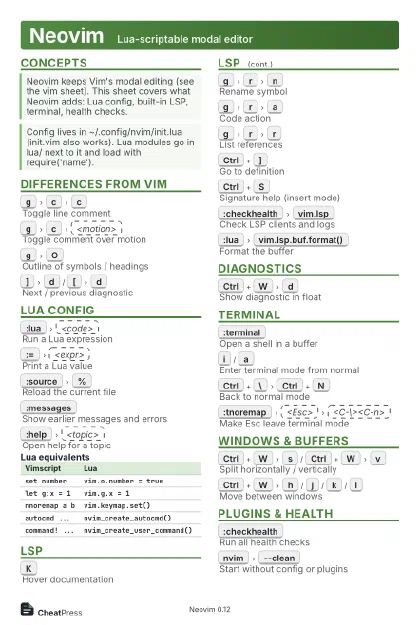 Light · Postcard
102 × 152 mm · PDF
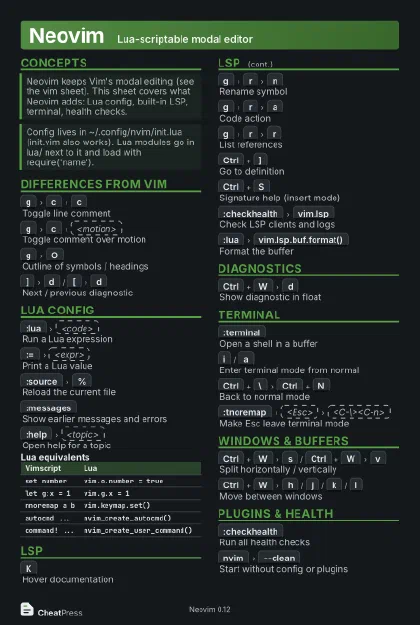 Dark · Postcard
102 × 152 mm · PDF
 Ink saver · Postcard
102 × 152 mm · PDF
 Light · A4 landscape
297 × 210 mm · PDF
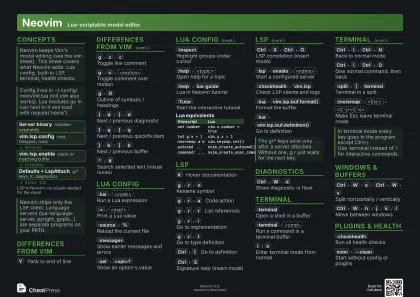 Dark · A4 landscape
297 × 210 mm · PDF
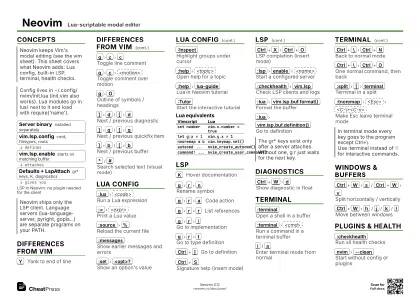 Ink saver · A4 landscape
297 × 210 mm · PDF
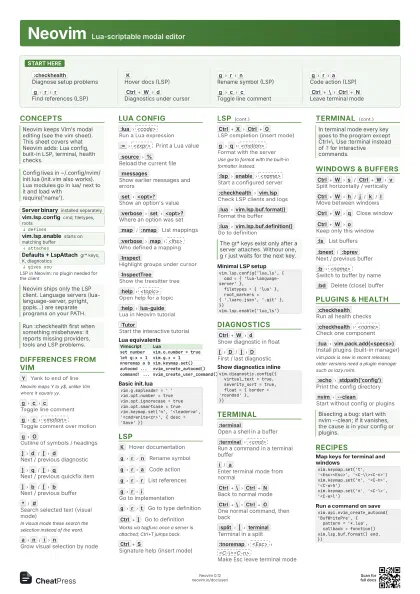
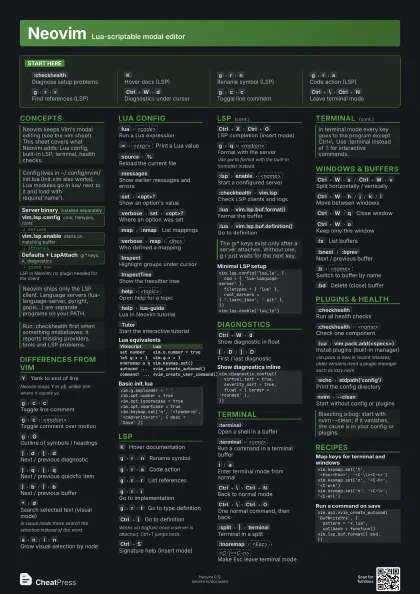
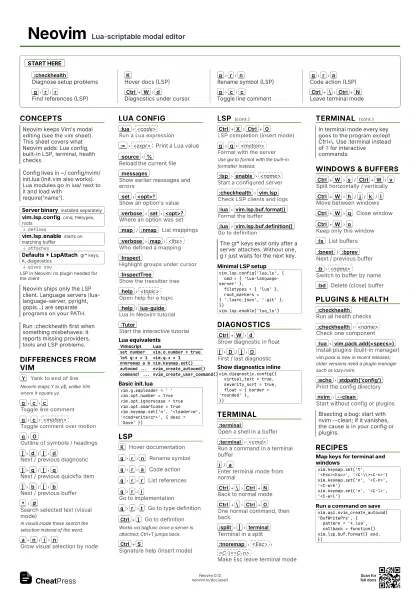
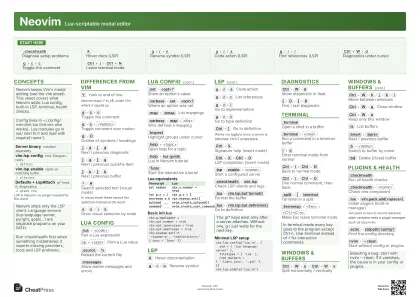 Light · A3 landscape
420 × 297 mm · PDF
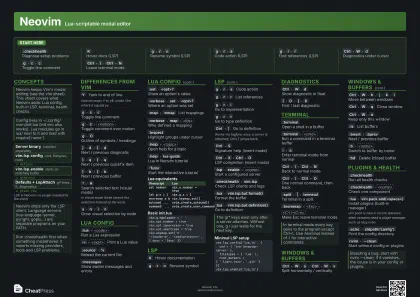 Dark · A3 landscape
420 × 297 mm · PDF
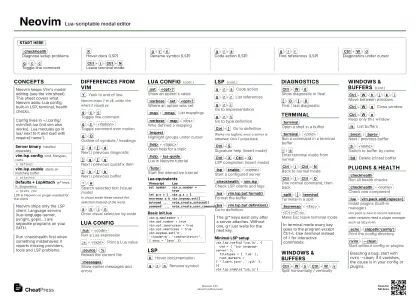 Ink saver · A3 landscape
420 × 297 mm · PDF
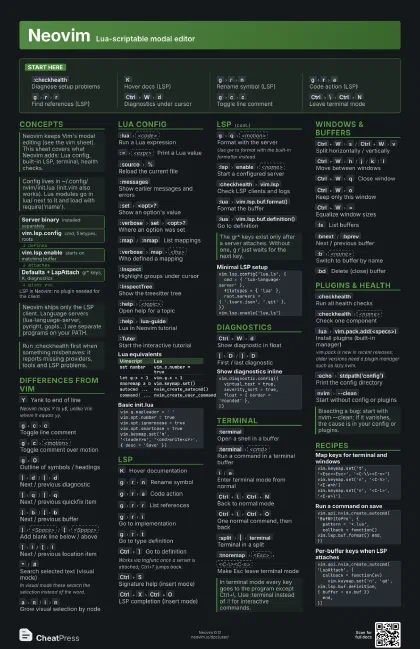
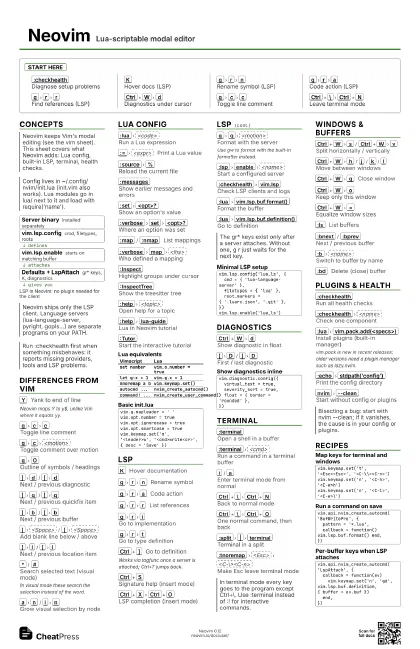
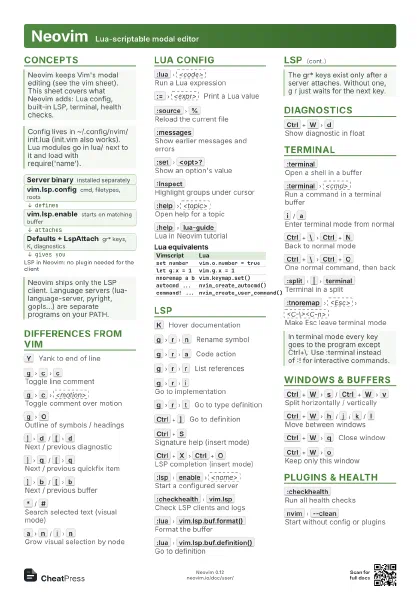
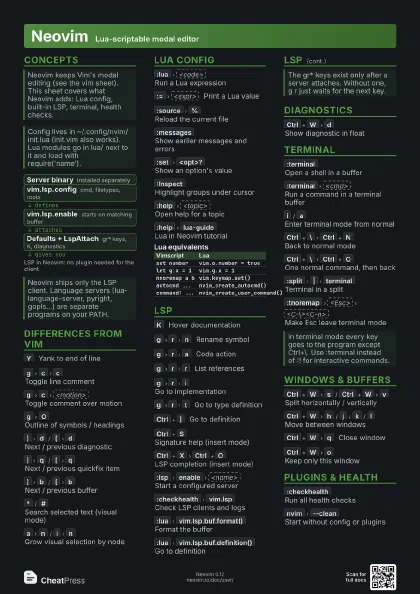
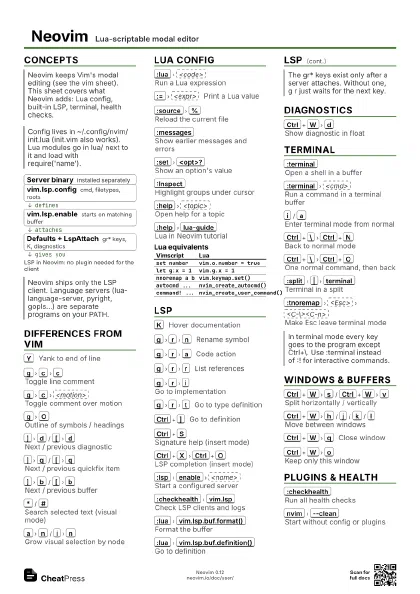
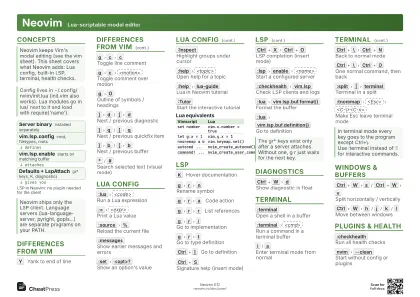
Start here
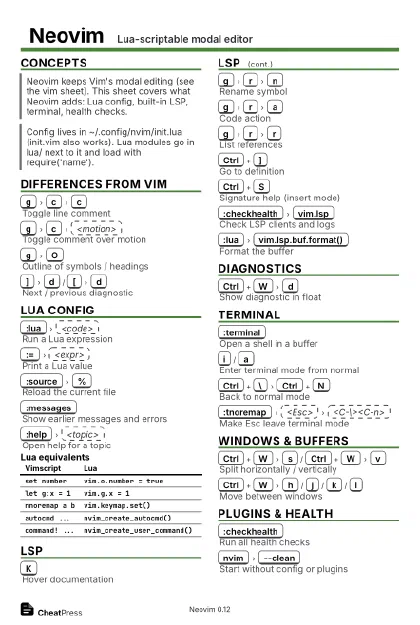
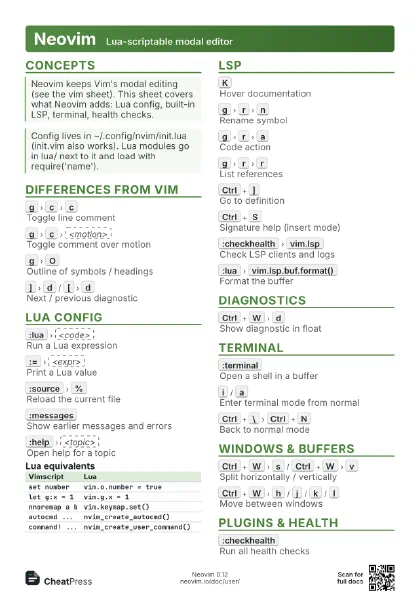
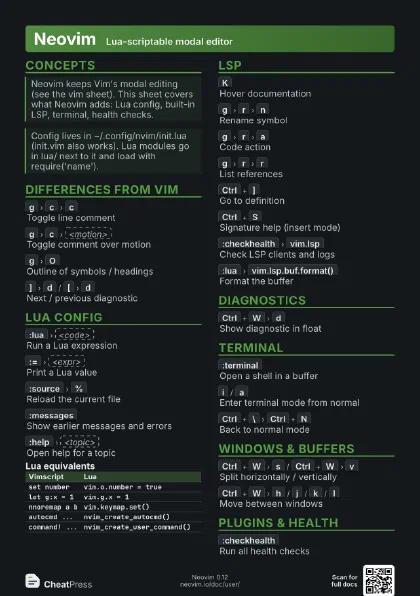
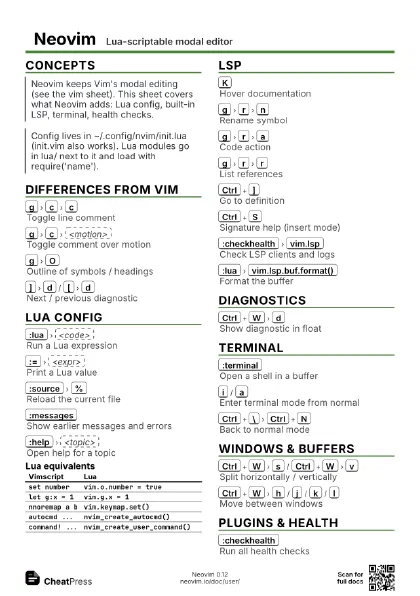
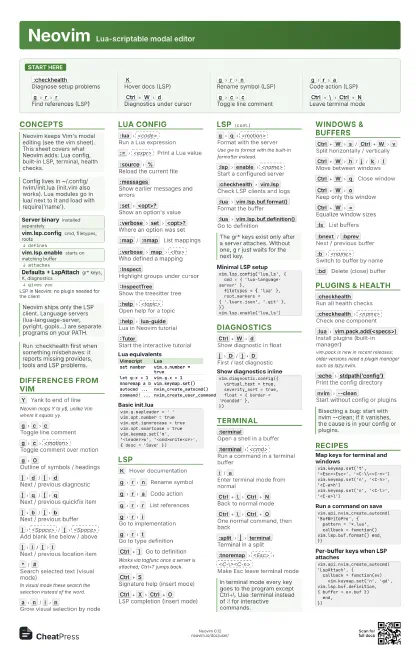
:checkhealth
Diagnose setup problems
K
Hover docs (LSP)
g
r
n
Rename symbol (LSP)
g
r
a
Code action (LSP)
g
r
r
Find references (LSP)
Ctrl+W
d
Diagnostics under cursor
g
c
c
Toggle line comment
Ctrl+\
Ctrl+N
Leave terminal mode
Concepts
- Server binary installed separately
- vim.lsp.config cmd, filetypes, roots
- vim.lsp.enable starts on matching buffer
- Defaults + LspAttach gr* keys, K, diagnostics
Differences from Vim
Y
Yank to end of line
Neovim maps Y to y$, unlike Vim where it equals yy.
g
c
c
Toggle line comment
g
c
<motion>
Toggle comment over motion
g
O
Outline of symbols / headings
]
d
/
[
d
Next / previous diagnostic
]
q
/
[
q
Next / previous quickfix item
]
b
/
[
b
Next / previous buffer
]
<Space>
/
[
<Space>
Add blank line below / above
]
l
/
[
l
Next / previous location item
]
a
/
[
a
Next / previous argument
Z
R
Restart Neovim (:restart)
*
/
#
Search selected text (visual mode)
In visual mode these search the selection instead of the word.
a
n
/
i
n
Grow visual selection by node
]
n
/
[
n
Visual: next / prev sibling node
Lua Config
:lua
<code>
Run a Lua expression
:=
<expr>
Print a Lua value
:source
%
Reload the current file
:messages
Show earlier messages and errors
:set
<opt>?
Show an option's value
:verbose
set
<opt>?
Where an option was set
:map
/
:nmap
List mappings
:verbose
map
<lhs>
Who defined a mapping
:Inspect
Highlight groups under cursor
:InspectTree
Show the treesitter tree
:help
<topic>
Open help for a topic
:help
lua-guide
Lua in Neovim tutorial
:Tutor
Start the interactive tutorial
| Vimscript | Lua |
|---|---|
set number |
vim.o.number = true |
let g:x = 1 |
vim.g.x = 1 |
nnoremap a b |
vim.keymap.set() |
autocmd ... |
nvim_create_autocmd() |
command! ... |
nvim_create_user_command() |
vim.g.mapleader = ' 'vim.opt.number = truevim.opt.ignorecase = truevim.opt.smartcase = truevim.keymap.set('n', '<leader>w', '<cmd>write<cr>', { desc = 'Save' })LSP
K
Hover documentation
g
r
n
Rename symbol
g
r
a
Code action
g
r
r
List references
g
r
i
Go to implementation
g
r
t
Go to type definition
Ctrl+]
Go to definition
Works via tagfunc once a server is attached; Ctrl+T jumps
back.
Ctrl+S
Signature help (insert mode)
Ctrl+X
Ctrl+O
LSP completion (insert mode)
g
q
<motion>
Format with the server
Use gw to format with the built-in formatter instead.
g
r
x
Run code lens
:lsp
enable
<name>
Start a configured server
:checkhealth
vim.lsp
Check LSP clients and logs
:lua
vim.lsp.buf.format()
Format the buffer
:lua
vim.lsp.buf.definition()
Go to definition
vim.lsp.config('lua_ls', { cmd = { 'lua-language-server' }, filetypes = { 'lua' }, root_markers = { '.luarc.json', '.git' },})vim.lsp.enable('lua_ls')Diagnostics
Ctrl+W
d
Show diagnostic in float
[
D
/
]
D
First / last diagnostic
:lua
vim.diagnostic.open_float()
Float for the cursor line
:lua
vim.diagnostic.enable(false)
Hide all diagnostics
vim.diagnostic.config({ virtual_text = true, severity_sort = true, float = { border = 'rounded' },})Terminal
:terminal
Open a shell in a buffer
:terminal
<cmd>
Run a command in a terminal buffer
i
/
a
Enter terminal mode from normal
Ctrl+\
Ctrl+N
Back to normal mode
Ctrl+\
Ctrl+O
One normal command, then back
:split
|
terminal
Terminal in a split
:tnoremap
<Esc>
<C-\><C-n>
Make Esc leave terminal mode
:startinsert
Enter insert / terminal mode
Windows & Buffers
Ctrl+W
s
/
Ctrl+W
v
Split horizontally / vertically
Ctrl+W
h
/
j
/
k
/
l
Move between windows
Ctrl+W
q
Close window
Ctrl+W
o
Keep only this window
Ctrl+W
=
Equalize window sizes
:ls
List buffers
:bnext
/
:bprev
Next / previous buffer
:b
<name>
Switch to buffer by name
:bd
Delete (close) buffer
:tabnew
New tab page
g
t
/
g
T
Next / previous tab
Plugins & Health
:checkhealth
Run all health checks
:checkhealth
<name>
Check one component
:lua
vim.pack.add(<specs>)
Install plugins (built-in manager)
vim.pack is new in recent releases; older versions need a
plugin manager such as lazy.nvim.
:lua
vim.pack.update()
Update plugins
:restart
Restart Neovim, keep the UI
:echo
stdpath('config')
Print the config directory
:echo
stdpath('data')
Print the data directory
nvim
--clean
Start without config or plugins
nvim
-u
NONE
Start without config
nvim
--headless
-c
<cmd>
Run commands without a UI
nvim
-d
<a>
<b>
Diff two files
nvim
--startuptime
<file>
Log startup timings
Recipes
vim.keymap.set('t', '<Esc><Esc>', '<C-\\><C-n>')vim.keymap.set('n', '<C-h>', '<C-w>h')vim.keymap.set('n', '<C-l>', '<C-w>l')vim.api.nvim_create_autocmd('BufWritePre', { pattern = '*.lua', callback = function() vim.lsp.buf.format() end,})vim.api.nvim_create_autocmd('LspAttach', { callback = function(ev) vim.keymap.set('n', 'gd', vim.lsp.buf.definition, { buffer = ev.buf }) end,})nvim --clean file.txt# then, inside Neovim::verbose set formatoptions?:messages