Cheat
Zellij Terminal workspace
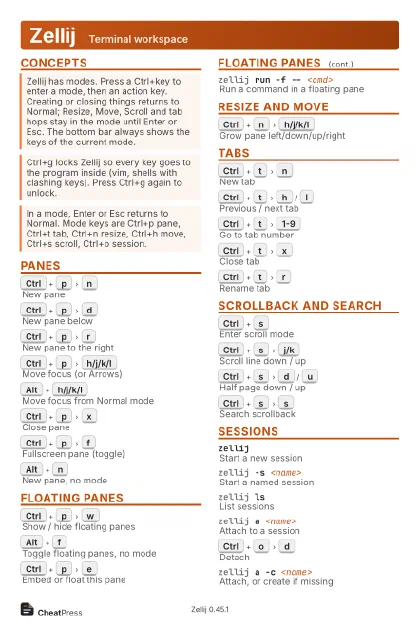 Light · Postcard
102 × 152 mm · PDF
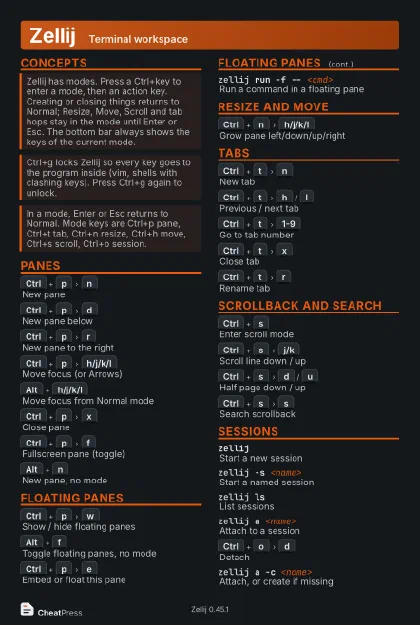 Dark · Postcard
102 × 152 mm · PDF
 Ink saver · Postcard
102 × 152 mm · PDF
 Light · A4 landscape
297 × 210 mm · PDF
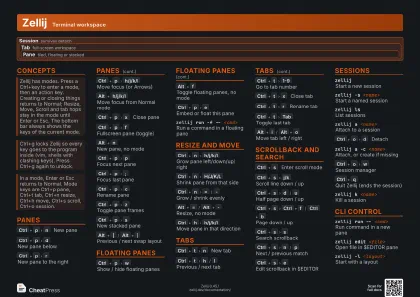 Dark · A4 landscape
297 × 210 mm · PDF
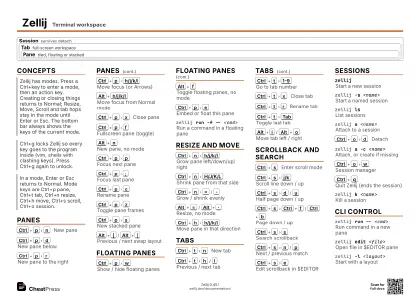 Ink saver · A4 landscape
297 × 210 mm · PDF
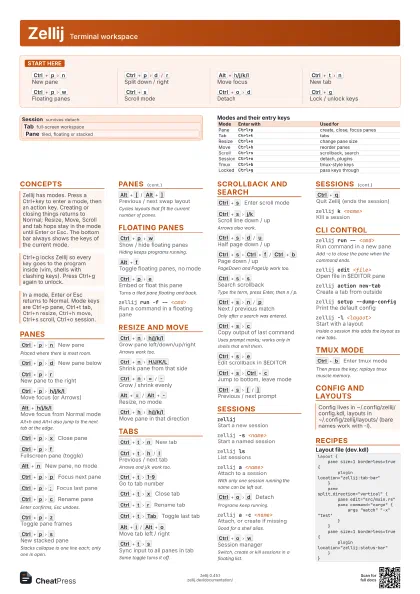
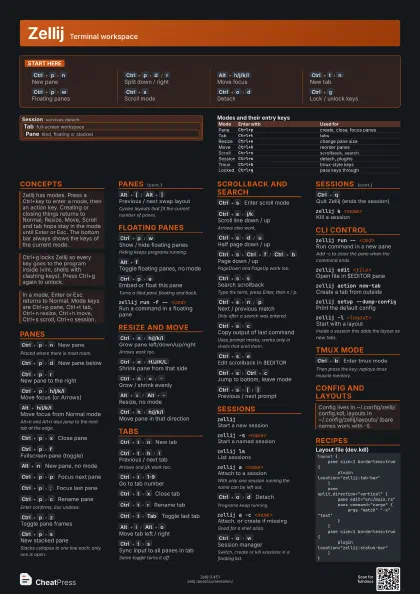
 Light · A3 landscape
420 × 297 mm · PDF
 Dark · A3 landscape
420 × 297 mm · PDF
 Ink saver · A3 landscape
420 × 297 mm · PDF
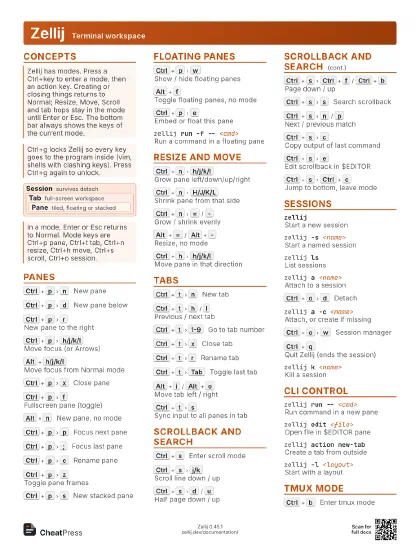
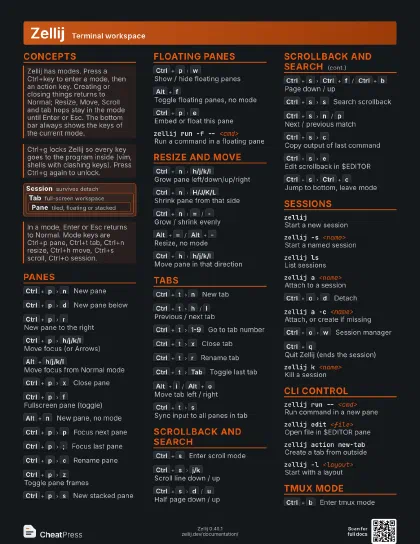
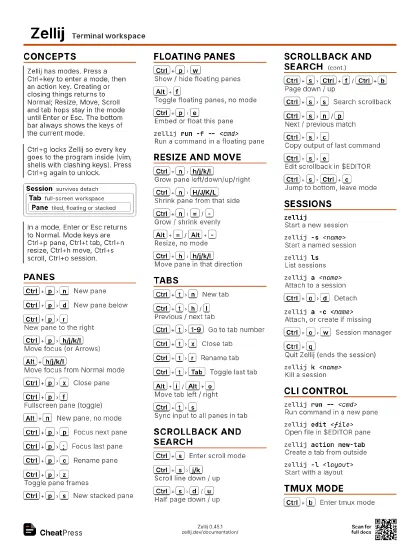
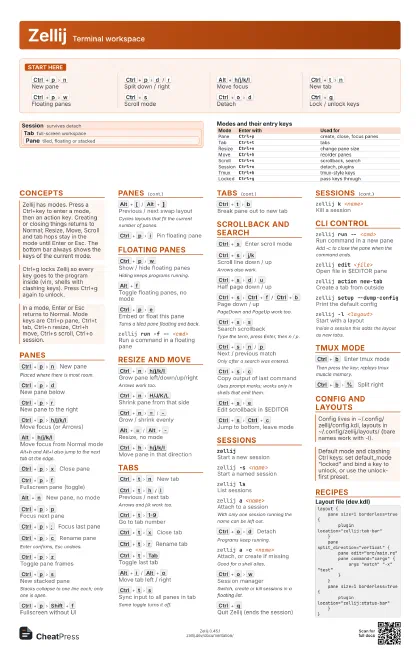
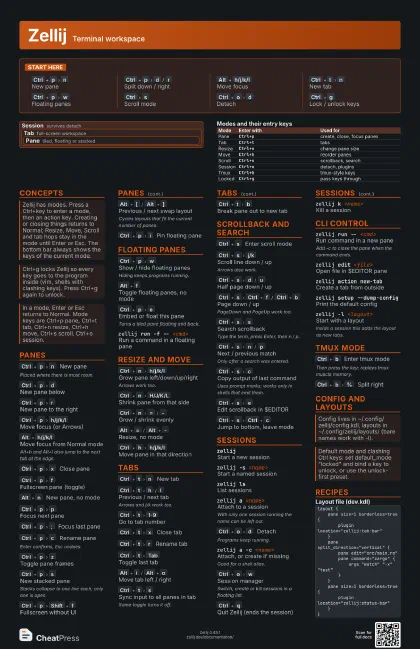
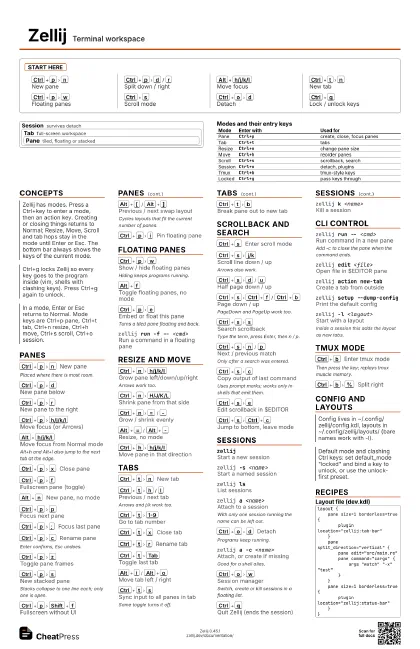
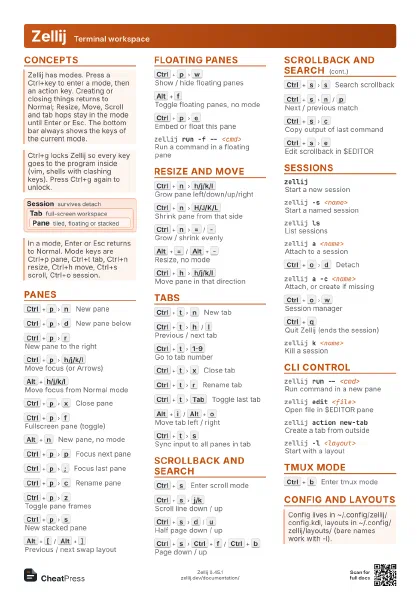
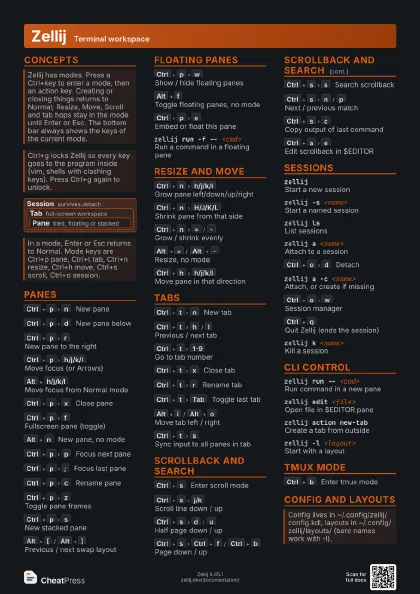
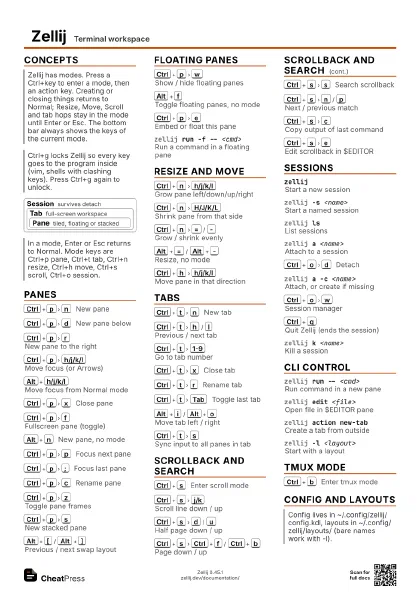
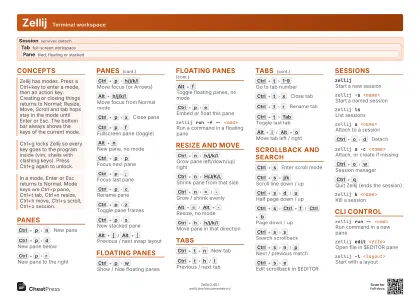
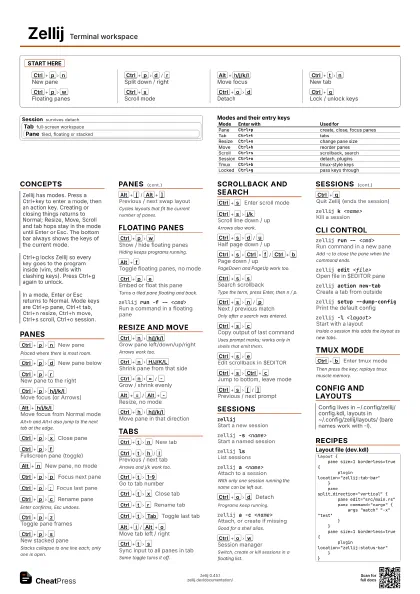
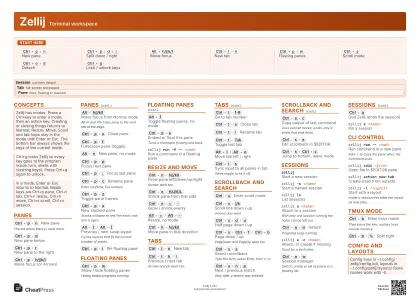
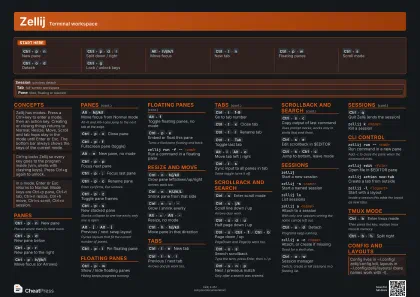
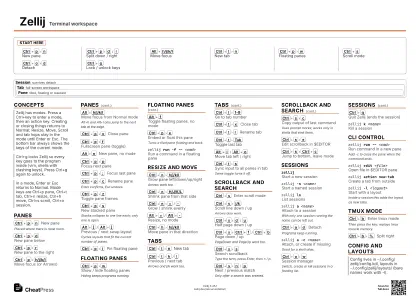
Start here
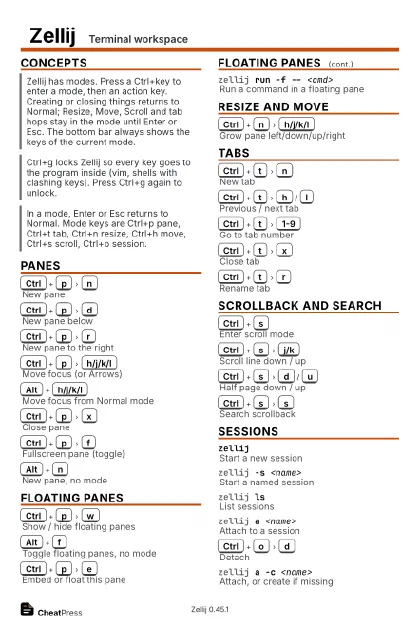
Ctrl+p
n
New pane
Ctrl+p
d
/
r
Split down / right
Alt+h/j/k/l
Move focus
Ctrl+t
n
New tab
Ctrl+p
w
Floating panes
Ctrl+s
Scroll mode
Ctrl+o
d
Detach
Ctrl+g
Lock / unlock keys
Concepts
Session survives detach
Tab full-screen workspace
Pane
tiled, floating or stacked
| Mode | Enter with | Used for |
|---|---|---|
| Pane | Ctrl+p |
create, close, focus panes |
| Tab | Ctrl+t |
tabs |
| Resize | Ctrl+n |
change pane size |
| Move | Ctrl+h |
reorder panes |
| Scroll | Ctrl+s |
scrollback, search |
| Session | Ctrl+o |
detach, plugins |
| Tmux | Ctrl+b |
tmux-style keys |
| Locked | Ctrl+g |
pass keys through |
Panes
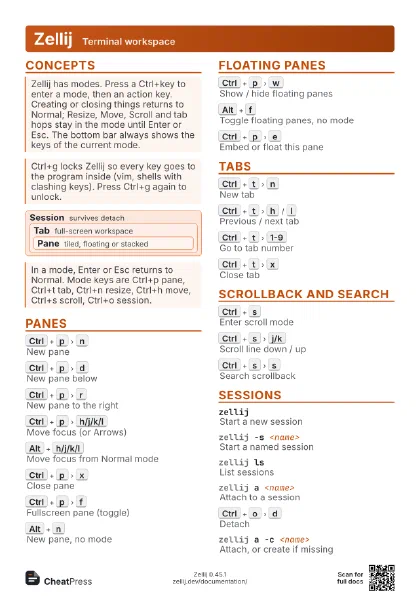
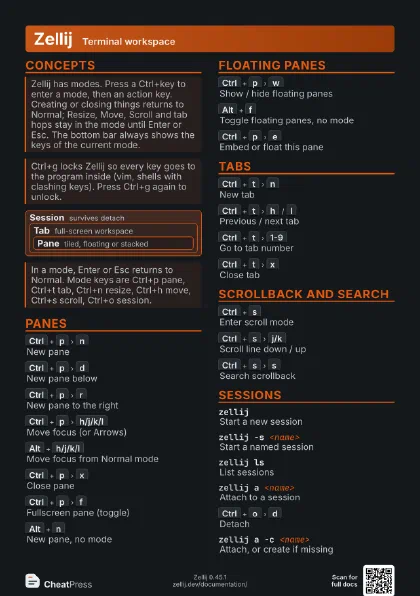
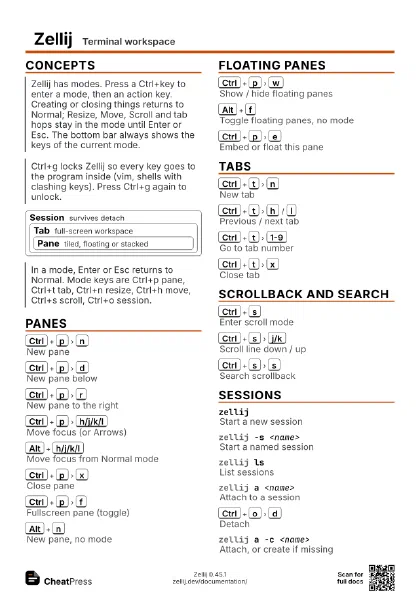
Ctrl+p
n
New pane
Placed where there is most room.
Ctrl+p
d
New pane below
Ctrl+p
r
New pane to the right
Ctrl+p
h/j/k/l
Move focus (or Arrows)
Alt+h/j/k/l
Move focus from Normal mode
Alt+h and Alt+l also jump to the next tab at the edge.
Ctrl+p
x
Close pane
Ctrl+p
f
Fullscreen pane (toggle)
Alt+n
New pane, no mode
Ctrl+p
p
Focus next pane
Ctrl+p
;
Focus last pane
Ctrl+p
c
Rename pane
Enter confirms, Esc undoes.
Ctrl+p
z
Toggle pane frames
Ctrl+p
s
New stacked pane
Stacks collapse to one line each; only one is open.
Ctrl+p
Shift+f
Fullscreen without UI
Alt+[
/
Alt+]
Previous / next swap layout
Cycles layouts that fit the current number of panes.
Ctrl+p
i
Pin floating pane
Alt+p
Toggle pane in group
Floating Panes
Ctrl+p
w
Show / hide floating panes
Hiding keeps programs running.
Alt+f
Toggle floating panes, no mode
Ctrl+p
e
Embed or float this pane
Turns a tiled pane floating and back.
zellij run -f -- <cmd>
Run a command in a floating pane
zellij run -f -x <x> -y <y> --width <w>
                    --height <h> -- <cmd>
Place and size a floating pane
Resize and Move
Ctrl+n
h/j/k/l
Grow pane left/down/up/right
Arrows work too.
Ctrl+n
H/J/K/L
Shrink pane from that side
Ctrl+n
=
/
-
Grow / shrink evenly
Alt+=
/
Alt+-
Resize, no mode
Ctrl+h
h/j/k/l
Move pane in that direction
Ctrl+h
n
/
p
Rotate pane forward / back
Tabs
Ctrl+t
n
New tab
Ctrl+t
h
/
l
Previous / next tab
Arrows and j/k work too.
Ctrl+t
1-9
Go to tab number
Ctrl+t
x
Close tab
Ctrl+t
r
Rename tab
Ctrl+t
Tab
Toggle last tab
Alt+i
/
Alt+o
Move tab left / right
Ctrl+t
s
Sync input to all panes in tab
Same toggle turns it off.
Ctrl+t
b
Break pane out to new tab
Ctrl+t
[
/
]
Break pane to tab on the left / right
Scrollback and Search
Ctrl+s
Enter scroll mode
Ctrl+s
j/k
Scroll line down / up
Arrows also work.
Ctrl+s
d
/
u
Half page down / up
Ctrl+s
Ctrl+f
/
Ctrl+b
Page down / up
PageDown and PageUp work too.
Ctrl+s
s
Search scrollback
Type the term, press Enter, then n / p.
Ctrl+s
n
/
p
Next / previous match
Only after a search was entered.
Ctrl+s
c
Copy output of last command
Uses prompt marks; works only in shells that emit them.
Ctrl+s
e
Edit scrollback in $EDITOR
Ctrl+s
Ctrl+c
Jump to bottom, leave mode
Ctrl+s
[
/
]
Previous / next prompt
Ctrl+s
m
Select command at position
Ctrl+s
s
Enter
c
/
w
/
o
Search option: case / wrap / whole word
After entering a term, toggle in search mode.
Sessions
zellijStart a new session
zellij -s <name>
Start a named session
zellij lsList sessions
zellij a <name>
Attach to a session
With only one session running the name can be left out.
Ctrl+o
d
Detach
Programs keep running.
zellij a -c <name>
Attach, or create if missing
Good for a shell alias.
Ctrl+o
w
Session manager
Switch, create or kill sessions in a floating list.
Ctrl+q
Quit Zellij (ends the session)
zellij k <name>
Kill a session
zellij kaKill all sessions (asks first)
zellij a -b -c <name> -- <cmd>
Create detached with a first command
zellij d <name>
Delete a session (incl. saved copy)
Exited sessions stay listed as resurrectable until deleted.
Ctrl+o
c
Settings screen
CLI Control
zellij run -- <cmd>
Run command in a new pane
Add -c to close the pane when the command ends.
zellij edit <file>
Open file in $EDITOR pane
zellij action new-tab
Create a tab from outside
zellij action dump-screen --path <file>
Save pane contents to a file
zellij action write-chars "<text>"
Type text into the focused pane
zellij action rename-session <name>
Rename the session
zellij setup --dump-config
Print the default config
zellij setup --check
Check config and paths
zellij -l <layout>
Start with a layout
Inside a session this adds the layout as new tabs.
tmux Mode
Ctrl+b
Enter tmux mode
Then press the key; replays tmux muscle memory.
Ctrl+b
%
Split right
Ctrl+b
"
Split down
Ctrl+b
c
New tab
Ctrl+b
n
/
p
Next / previous tab
Ctrl+b
d
Detach
Config and Layouts
Recipes
layout { pane size=1 borderless=true { plugin location="zellij:tab-bar" } pane split_direction="vertical" { pane edit="src/main.rs" pane command="cargo" { args "watch" "-x" "test" } } pane size=1 borderless=true { plugin location="zellij:status-bar" }}zellij -l dev# from a pathzellij -l ./dev.kdl -s work# in ~/.bashrcalias zj='zellij attach -c main'zellij -s buildmake all# Ctrl+o d to detachzellij a build # back later