Cheat
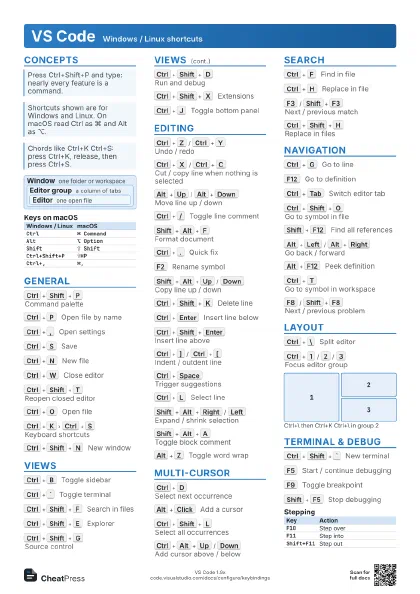
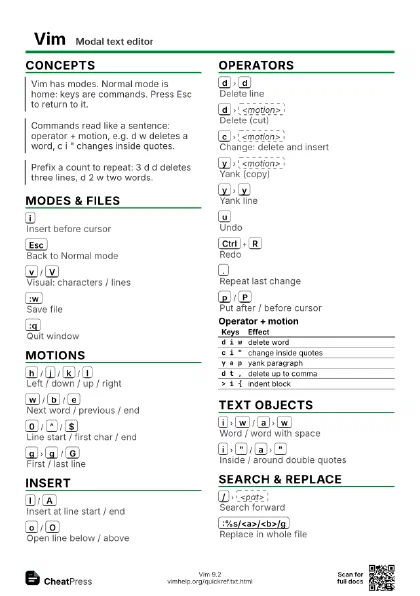
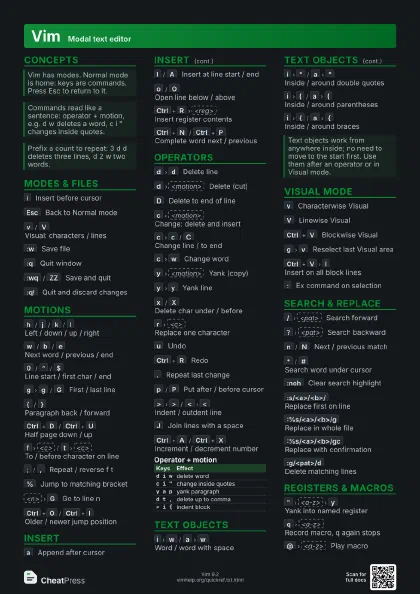
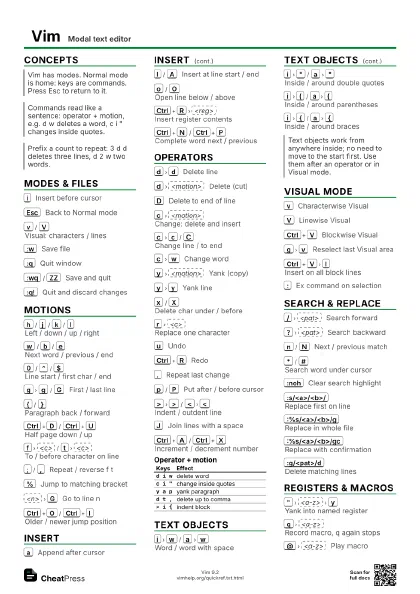
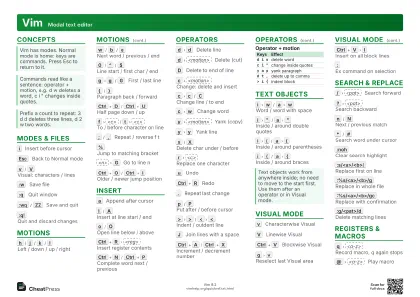
Vim Modal text editor
 Light · Postcard
102 × 152 mm · PDF
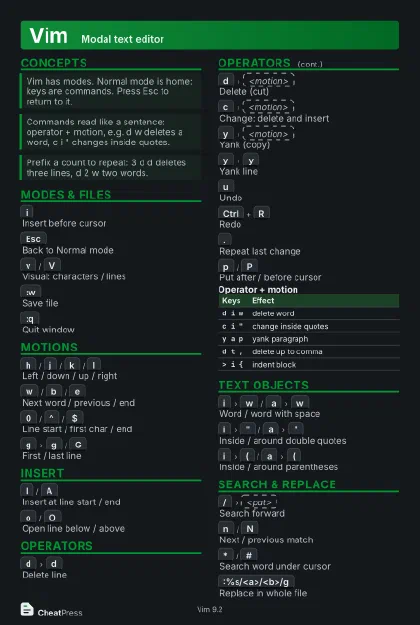 Dark · Postcard
102 × 152 mm · PDF
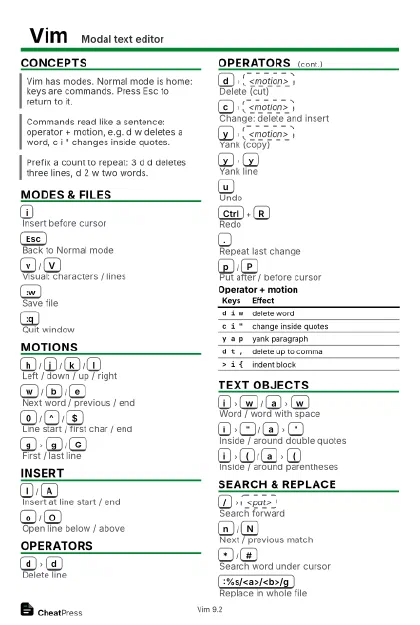 Ink saver · Postcard
102 × 152 mm · PDF
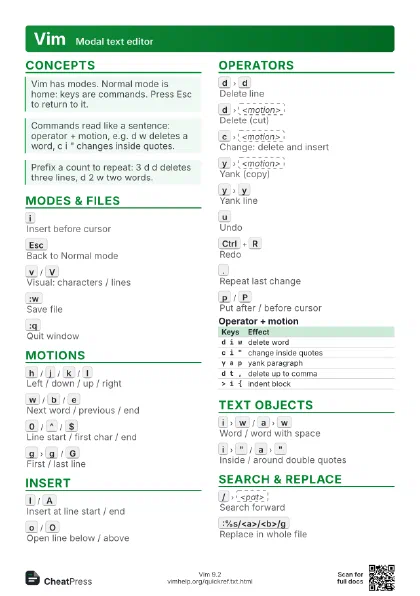

 Light · A4 landscape
297 × 210 mm · PDF
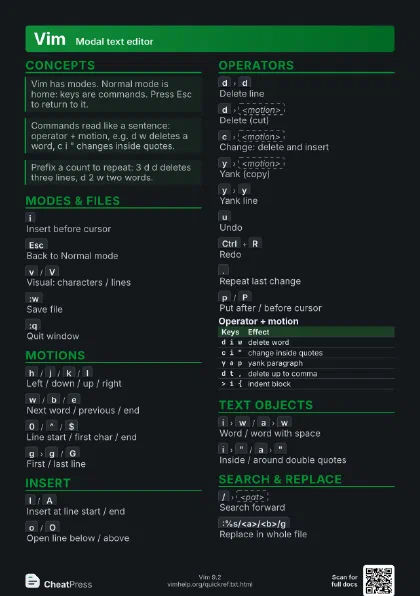
 Dark · A4 landscape
297 × 210 mm · PDF
 Ink saver · A4 landscape
297 × 210 mm · PDF
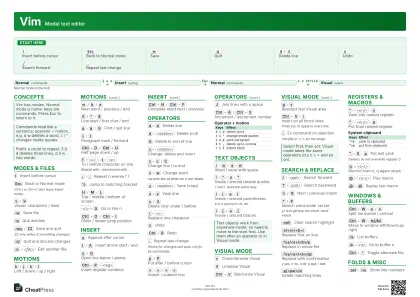 Light · A3 landscape
420 × 297 mm · PDF
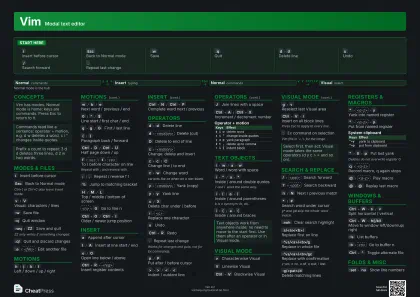 Dark · A3 landscape
420 × 297 mm · PDF
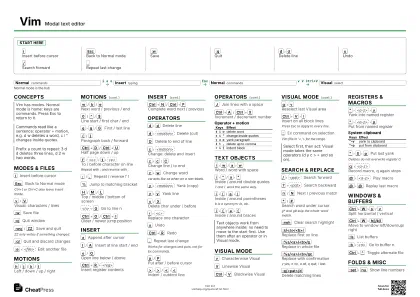 Ink saver · A3 landscape
420 × 297 mm · PDF
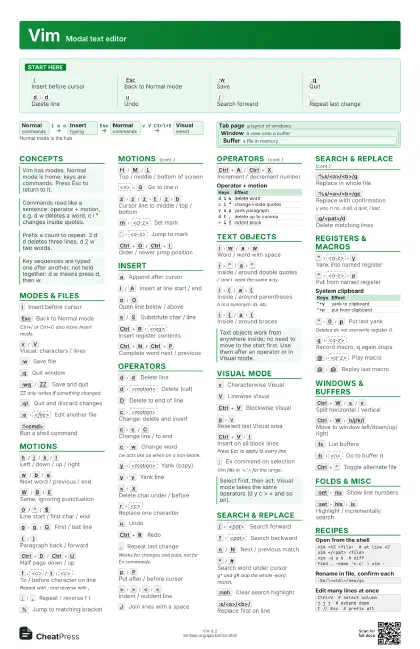
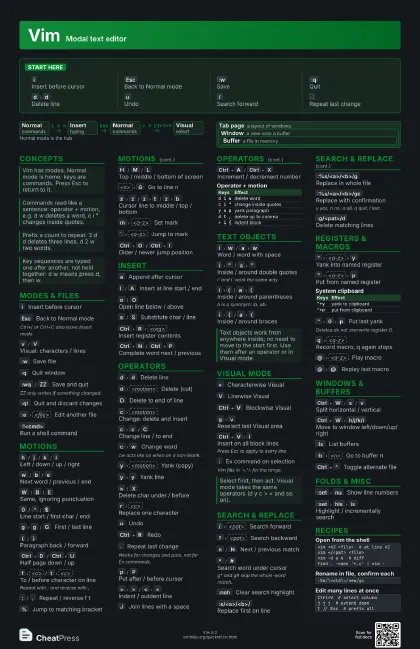
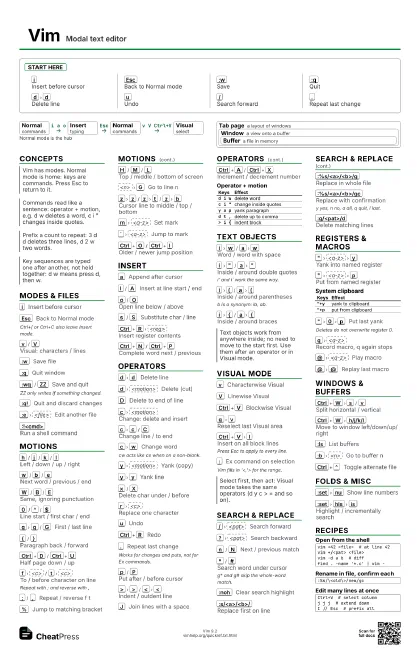
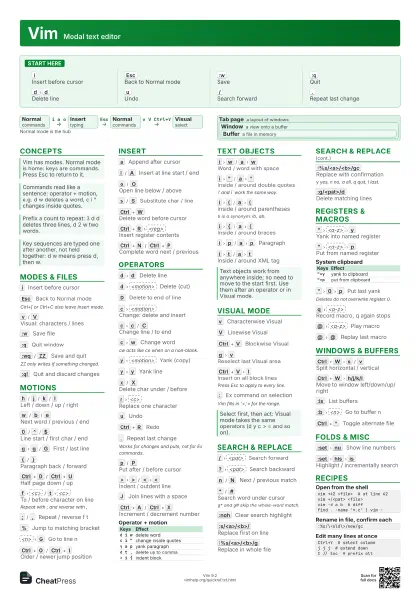
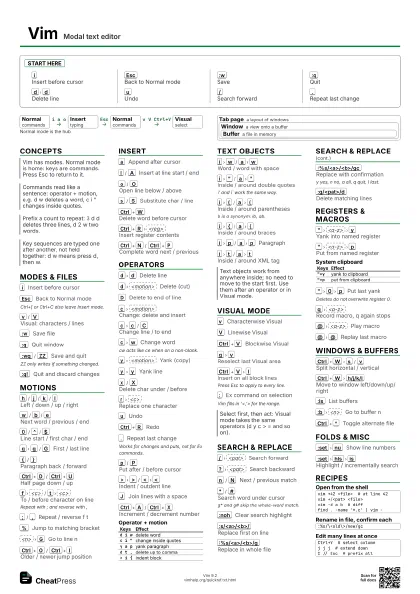
Start here
i
Insert before cursor
Esc
Back to Normal mode
:w
Save
:q
Quit
d
d
Delete line
u
Undo
/
Search forward
.
Repeat last change
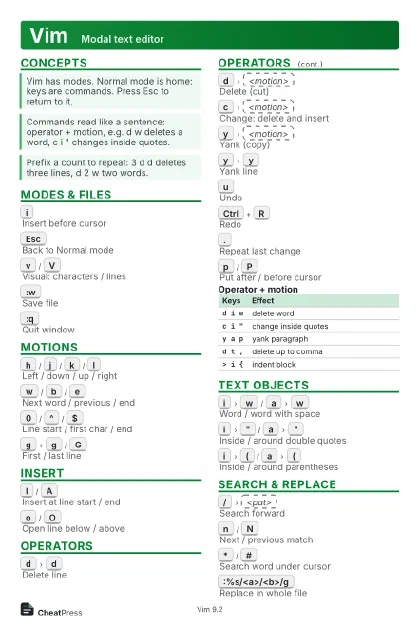
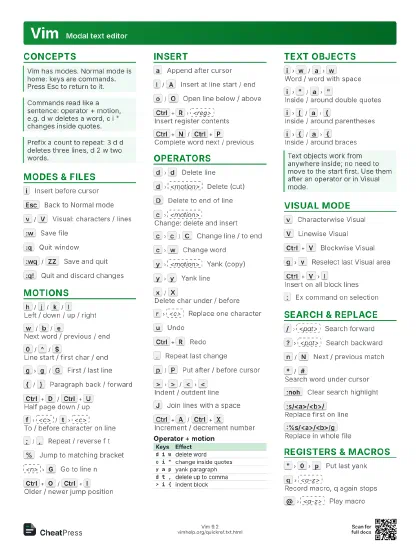
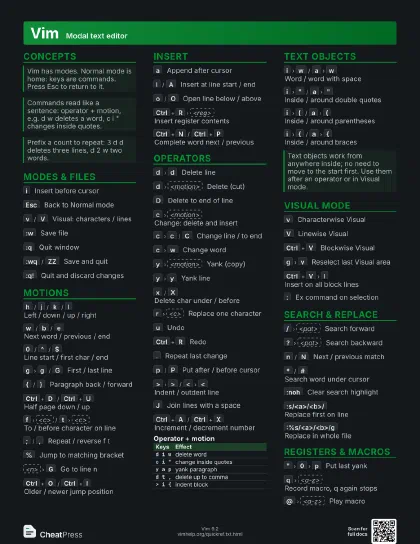
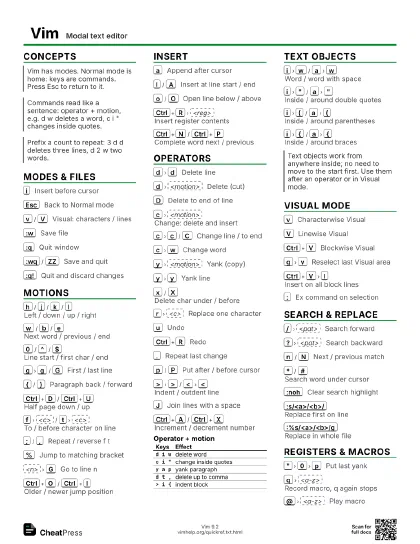
Concepts
- Normal commands
- Insert typing
- Normal commands
- Visual select
Modes & Files
i
Insert before cursor
Esc
Back to Normal mode
Ctrl+[ or Ctrl+C also leave Insert mode.
v
/
V
Visual: characters / lines
:w
Save file
:q
Quit window
:wq
/
ZZ
Save and quit
ZZ only writes if something changed.
:q!
Quit and discard changes
Z
Q
Quit and discard changes
:e
<file>
Edit another file
:e!
Reload, discarding changes
Ctrl+G
Show file name and position
:!<cmd>
Run a shell command
Motions
h
/
j
/
k
/
l
Left / down / up / right
w
/
b
/
e
Next word / previous / end
W
/
B
/
E
Same, ignoring punctuation
0
/
^
/
$
Line start / first char / end
g
g
/
G
First / last line
{
/
}
Paragraph back / forward
Ctrl+D
/
Ctrl+U
Half page down / up
Ctrl+F
/
Ctrl+B
Page down / up
f
<c>
/
t
<c>
To / before character on line
Repeat with ; and reverse with ,
;
/
,
Repeat / reverse f t
%
Jump to matching bracket
H
/
M
/
L
Top / middle / bottom of screen
<n>
G
Go to line n
(
/
)
Sentence back / forward
g
e
End of previous word
z
z
/
z
t
/
z
b
Cursor line to middle / top / bottom
Ctrl+E
/
Ctrl+Y
Scroll one line down / up
m
<a-z>
Set mark
`
<a-z>
Jump to mark
'
<a-z>
Jump to mark's line
Ctrl+O
/
Ctrl+I
Older / newer jump position
g
;
/
g
,
Older / newer change position
Insert
a
Append after cursor
I
/
A
Insert at line start / end
o
/
O
Open line below / above
g
I
Insert at column 1
s
/
S
Substitute char / line
Ctrl+W
Delete word before cursor
Ctrl+U
Delete to start of line
Ctrl+R
<reg>
Insert register contents
Ctrl+N
/
Ctrl+P
Complete word next / previous
Ctrl+O
Run one Normal command
Ctrl+T
/
Ctrl+D
Indent / outdent line
Ctrl+K
<c1>
<c2>
Insert digraph
g
i
Insert where Insert mode last stopped
Operators
d
d
Delete line
d
<motion>
Delete (cut)
D
Delete to end of line
c
<motion>
Change: delete and insert
c
c
/
C
Change line / to end
c
w
Change word
cw acts like ce when on a non-blank.
y
<motion>
Yank (copy)
y
y
Yank line
x
/
X
Delete char under / before
r
<c>
Replace one character
R
Replace mode
u
Undo
Ctrl+R
Redo
.
Repeat last change
Works for changes and puts, not for Ex commands.
p
/
P
Put after / before cursor
>
>
/
<
<
Indent / outdent line
=
=
Auto-indent line
J
Join lines with a space
g
J
Join without space
~
Toggle case of character
g
u
/
g
U
<motion>
Lower / upper case
g
~
<motion>
Toggle case
g
q
<motion>
Reformat to textwidth
g
?
<motion>
ROT13
Ctrl+A
/
Ctrl+X
Increment / decrement number
U
Undo all changes on last line
:earlier
10m
Go back in time
&
/
g
&
Repeat :s on line / on all lines
| Keys | Effect |
|---|---|
d i w |
delete word |
c i " |
change inside quotes |
y a p |
yank paragraph |
d t , |
delete up to comma |
> i { |
indent block |
Text Objects
i
w
/
a
w
Word / word with space
i
"
/
a
"
Inside / around double quotes
i' and i` work the same way.
i
(
/
a
(
Inside / around parentheses
b is a synonym: ib, ab.
i
{
/
a
{
Inside / around braces
i
p
/
a
p
Paragraph
i
t
/
a
t
Inside / around XML tag
i
s
/
a
s
Sentence
i
[
/
a
[
Inside / around brackets
i
<
/
a
<
Inside / around angle brackets
Visual Mode
v
Characterwise Visual
V
Linewise Visual
Ctrl+V
Blockwise Visual
o
Jump to other end of selection
g
v
Reselect last Visual area
Ctrl+V
I
Insert on all block lines
Press Esc to apply to every line.
$
Extend block to line ends
g
n
Select next search match
Then c, d or . to act on it.
:
Ex command on selection
Vim fills in '<,'> for the range.
u
/
U
Lowercase / uppercase selection
g
Ctrl+A
Number lines progressively
Search & Replace
/
<pat>
Search forward
?
<pat>
Search backward
n
/
N
Next / previous match
*
/
#
Search word under cursor
g* and g# skip the whole-word match.
:noh
Clear search highlight
:s/<a>/<b>/
Replace first on line
:%s/<a>/<b>/g
Replace in whole file
:%s/<a>/<b>/gc
Replace with confirmation
y yes, n no, a all, q quit, l last.
:s/<a>/<b>/gi
Replace ignoring case
:g/<pat>/d
Delete matching lines
:v/<pat>/d
Delete non-matching lines
:g/<pat>/<cmd>
Run Ex command on matches
g
d
Go to local definition
/
<pat>/e
Search, land at match end
| Pattern | Matches |
|---|---|
\<word\> |
whole word |
\v(a|b) |
very magic: no escapes |
\{-} |
non-greedy repeat |
\zs |
start of reported match |
\c |
ignore case |
Registers & Macros
"
<a-z>
y
Yank into named register
"
<a-z>
p
Put from named register
| Keys | Effect |
|---|---|
"+y |
yank to clipboard |
"+p |
put from clipboard |
"
0
p
Put last yank
Deletes do not overwrite register 0.
"
_
d
Delete without touching registers
"
A-Z
Append to a register (uppercase)
:reg
List registers
q
<a-z>
Record macro, q again stops
@
<a-z>
Play macro
@
@
Replay last macro
<n>
@
<a-z>
Play macro n times
Ctrl+R
.
Insert last inserted text
Windows & Buffers
Ctrl+W
s
/
v
Split horizontal / vertical
Ctrl+W
h/j/k/l
Move to window left/down/up/right
Ctrl+W
c
Close window
Ctrl+W
o
Close all other windows
Ctrl+W
=
Equalize window sizes
Ctrl+W
x
Exchange with next window
Ctrl+W
T
Move window to new tab
:sp
<file>
/
:vs
<file>
Split and open file
:ls
List buffers
:b
<n>
Go to buffer n
:bn
/
:bp
Next / previous buffer
:bd
Delete buffer
Ctrl+^
Toggle alternate file
g
t
/
g
T
Next / previous tab page
g
f
Open file under cursor
Tab page a layout of windows
Window a view onto a buffer
Buffer a file in memory
Folds & Misc
z
f
<motion>
Create fold
z
o
/
z
c
Open / close fold
z
R
/
z
M
Open / close all folds
g
a
Show character code
:make
Run make, jump to first error
:cn
/
:cp
Next / previous quickfix item
:norm
Run Normal keys from Ex
:set
nu
Show line numbers
:set
hls
is
Highlight / incrementally search
Ctrl+]
Jump to tag
Ctrl+T
Pop tag stack
Ctrl+L
Redraw screen
Recipes
vim +42 <file> # at line 42vim +/<pat> <file>vim -d a b # difffind . -name '*.c' | vim -:%s/\<old\>/new/gcCtrl+V # select columnj j j # extend downI // Esc # prefix allq a # record0 f , r ; # your editj q # stop5 @ a # play 5 times