Cheat
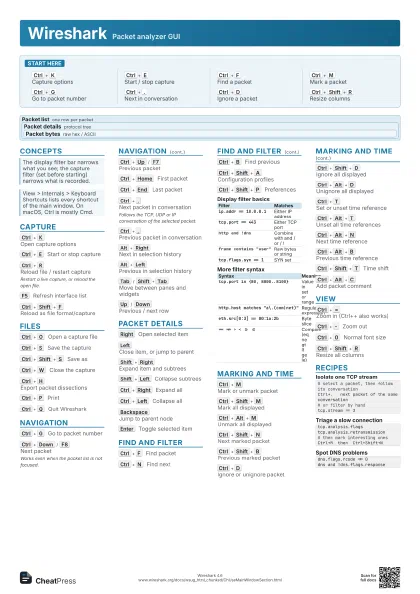
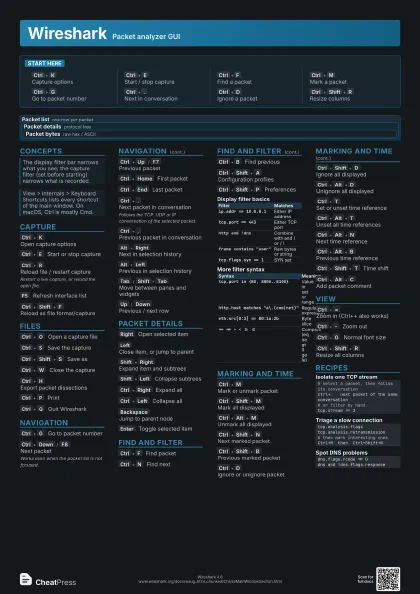
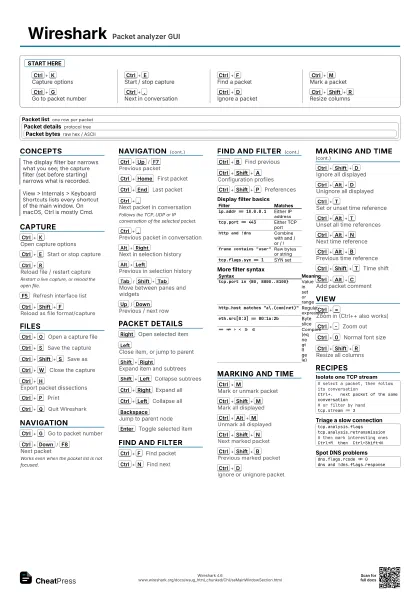
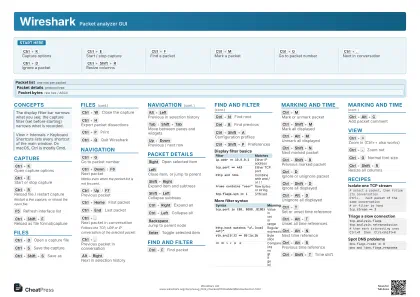
Wireshark Packet analyzer GUI
 Light · Postcard
102 × 152 mm · PDF
 Dark · Postcard
102 × 152 mm · PDF
 Ink saver · Postcard
102 × 152 mm · PDF
 Light · A4 landscape
297 × 210 mm · PDF
 Dark · A4 landscape
297 × 210 mm · PDF
 Ink saver · A4 landscape
297 × 210 mm · PDF
 Light · A3 landscape
420 × 297 mm · PDF
 Dark · A3 landscape
420 × 297 mm · PDF
 Ink saver · A3 landscape
420 × 297 mm · PDF
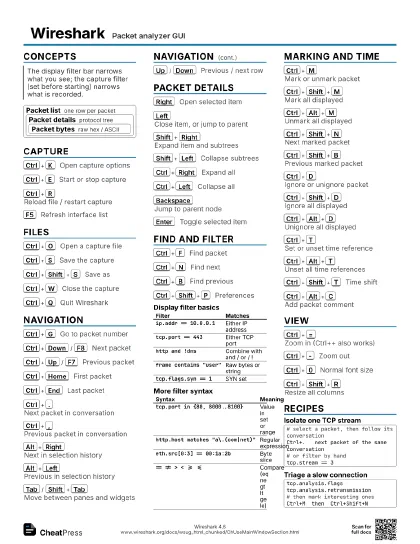
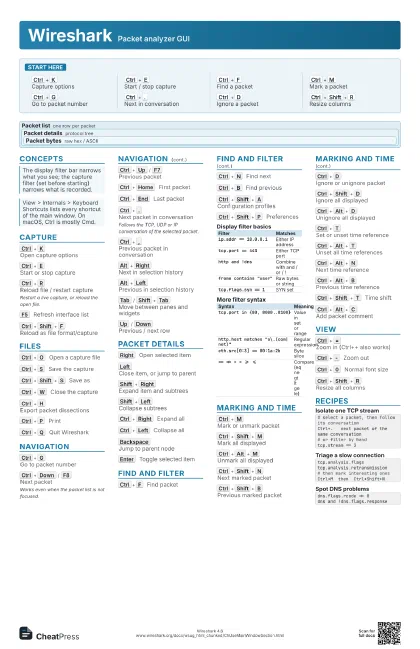
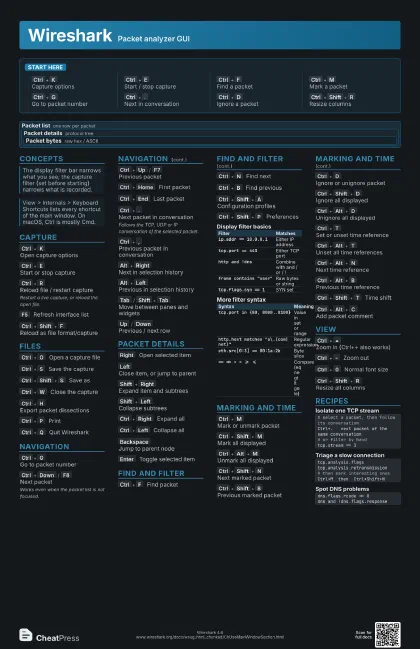
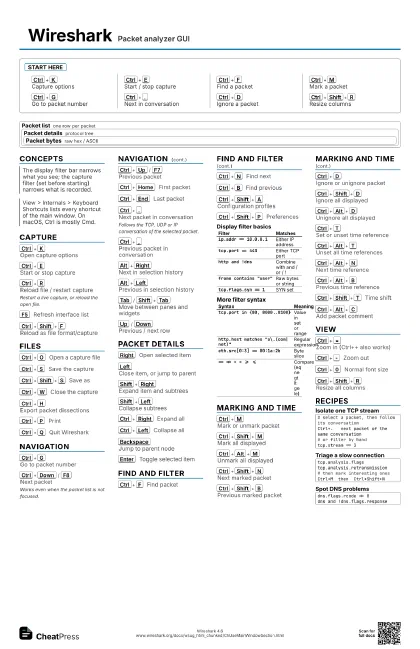
Start here
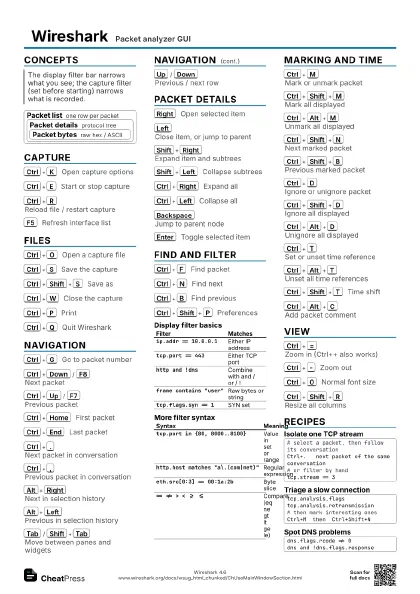
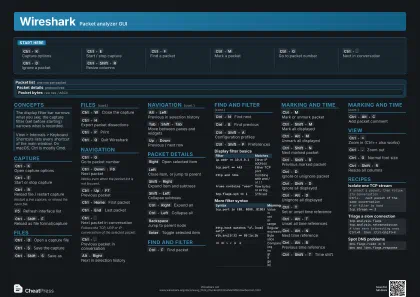
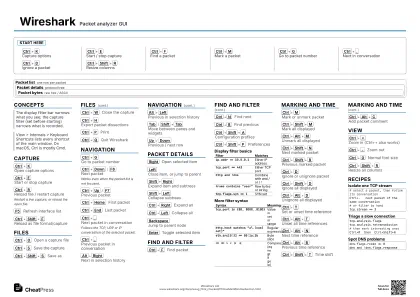
Ctrl+K
Capture options
Ctrl+E
Start / stop capture
Ctrl+F
Find a packet
Ctrl+M
Mark a packet
Ctrl+G
Go to packet number
Ctrl+.
Next in conversation
Ctrl+D
Ignore a packet
Ctrl+Shift+R
Resize columns
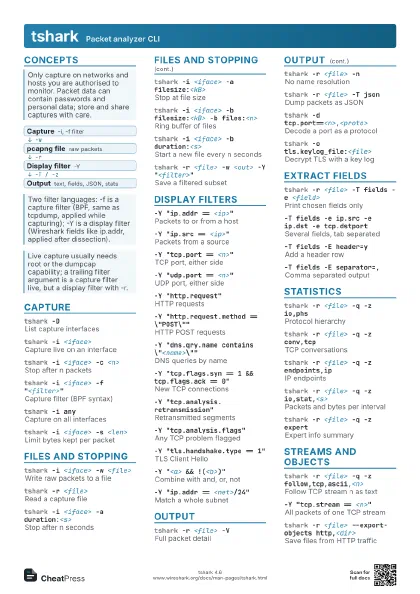
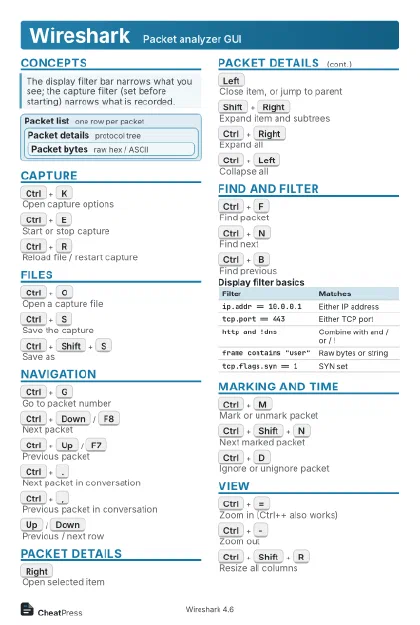
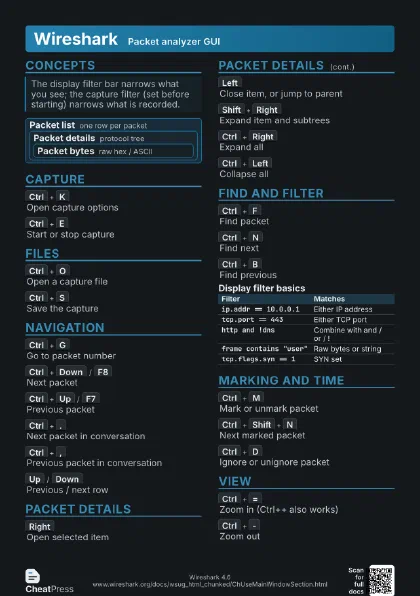
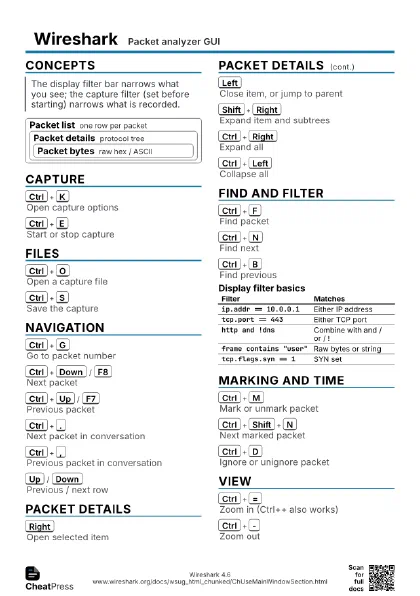
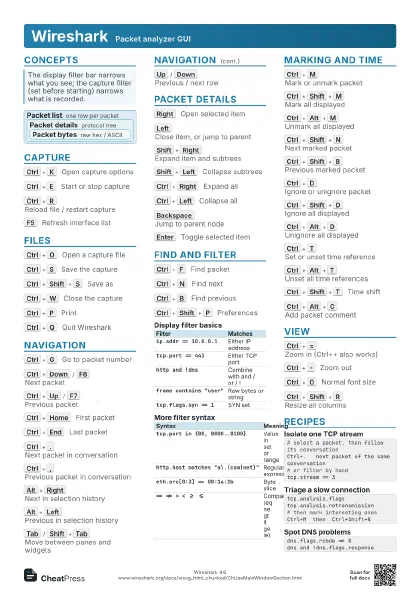
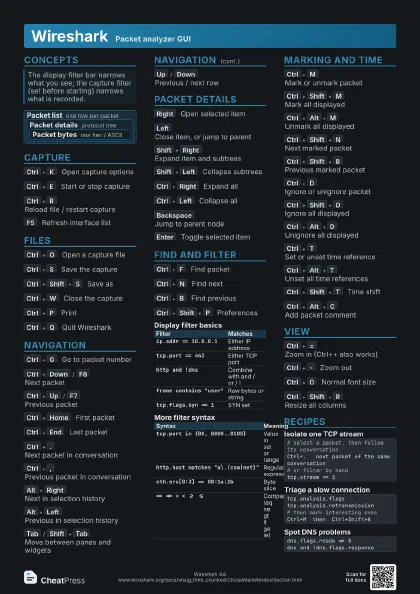
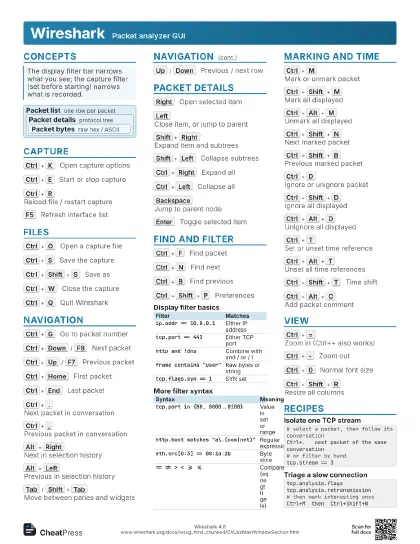
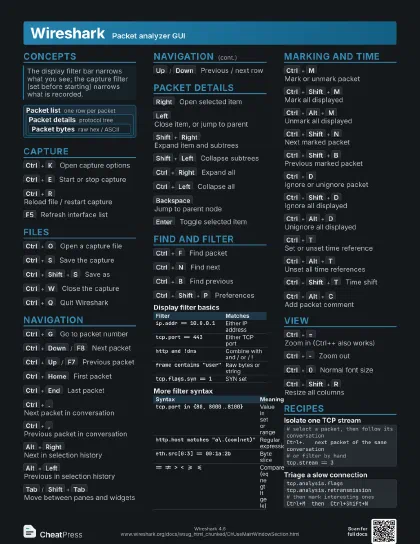
Concepts
Packet list one row per packet
Packet details protocol tree
Packet bytes
raw hex / ASCII
Capture
Ctrl+K
Open capture options
Ctrl+E
Start or stop capture
Ctrl+R
Reload file / restart capture
Restart a live capture, or reload the open file.
F5
Refresh interface list
Ctrl+Shift+F
Reload as file format/capture
Files
Ctrl+O
Open a capture file
Ctrl+S
Save the capture
Ctrl+Shift+S
Save as
Ctrl+W
Close the capture
Ctrl+H
Export packet dissections
Ctrl+P
Print
Ctrl+Q
Quit Wireshark
Navigation
Ctrl+G
Go to packet number
Ctrl+Down
/
F8
Next packet
Works even when the packet list is not focused.
Ctrl+Up
/
F7
Previous packet
Ctrl+Home
First packet
Ctrl+End
Last packet
Ctrl+.
Next packet in conversation
Follows the TCP, UDP or IP conversation of the selected
packet.
Ctrl+,
Previous packet in conversation
Alt+Right
Next in selection history
Alt+Left
Previous in selection history
Tab
/
Shift+Tab
Move between panes and widgets
Up
/
Down
Previous / next row
Packet details
Right
Open selected item
Left
Close item, or jump to parent
Shift+Right
Expand item and subtrees
Shift+Left
Collapse subtrees
Ctrl+Right
Expand all
Ctrl+Left
Collapse all
Backspace
Jump to parent node
Enter
Toggle selected item
Find and filter
Ctrl+F
Find packet
Ctrl+N
Find next
Ctrl+B
Find previous
Ctrl+Shift+A
Configuration profiles
Ctrl+Shift+P
Preferences
| Filter | Matches |
|---|---|
ip.addr == 10.0.0.1 |
Either IP address |
tcp.port == 443 |
Either TCP port |
http and !dns |
Combine with and / or / ! |
frame contains "user" |
Raw bytes or string |
tcp.flags.syn == 1 |
SYN set |
| Syntax | Meaning |
|---|---|
tcp.port in {80, 8000..8100} |
Value in set or range |
http.host matches "a\.(com|net)"
|
Regular expression |
eth.src[0:3] == 00:1a:2b |
Byte slice |
== != > < >= <= |
Compare (eq ne gt lt ge le) |
Marking and time
Ctrl+M
Mark or unmark packet
Ctrl+Shift+M
Mark all displayed
Ctrl+Alt+M
Unmark all displayed
Ctrl+Shift+N
Next marked packet
Ctrl+Shift+B
Previous marked packet
Ctrl+D
Ignore or unignore packet
Ctrl+Shift+D
Ignore all displayed
Ctrl+Alt+D
Unignore all displayed
Ctrl+T
Set or unset time reference
Ctrl+Alt+T
Unset all time references
Ctrl+Alt+N
Next time reference
Ctrl+Alt+B
Previous time reference
Ctrl+Shift+T
Time shift
Ctrl+Alt+C
Add packet comment
View
Ctrl+=
Zoom in (Ctrl++ also works)
Ctrl+-
Zoom out
Ctrl+0
Normal font size
Ctrl+Shift+R
Resize all columns
Recipes
# select a packet, then follow its conversationCtrl+. next packet of the same conversation# or filter by handtcp.stream == 3tcp.analysis.flagstcp.analysis.retransmission# then mark interesting onesCtrl+M then Ctrl+Shift+Ndns.flags.rcode != 0dns and !dns.flags.response