Cheat
nmap Network scanner
 Light · Postcard
102 × 152 mm · PDF
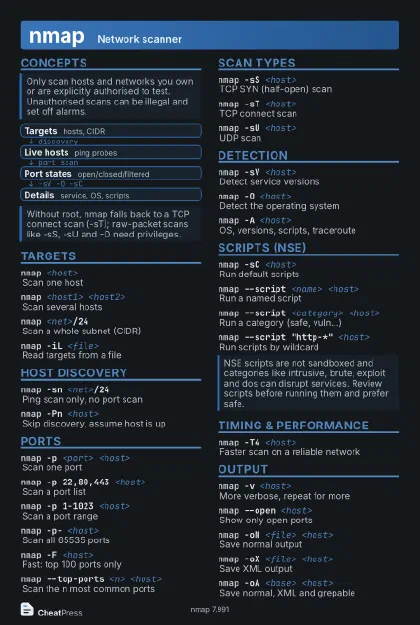 Dark · Postcard
102 × 152 mm · PDF
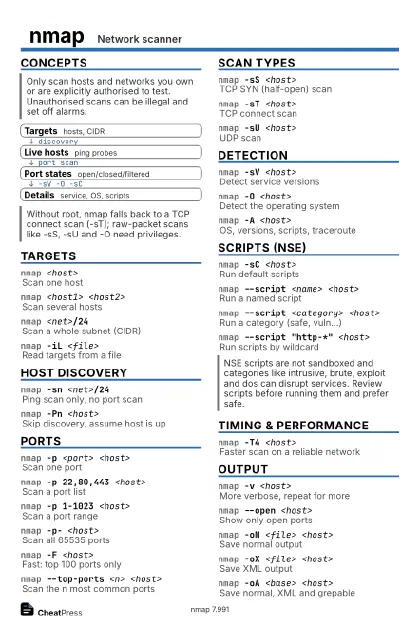 Ink saver · Postcard
102 × 152 mm · PDF
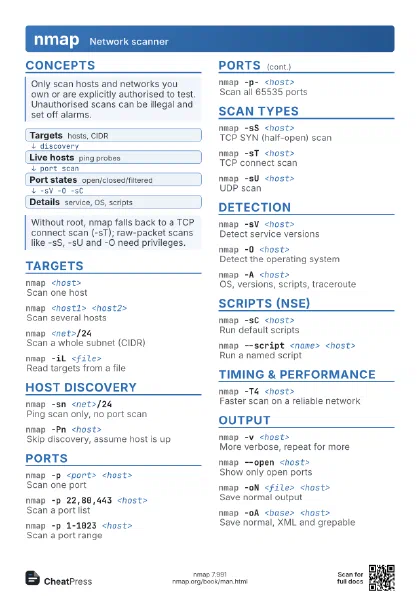
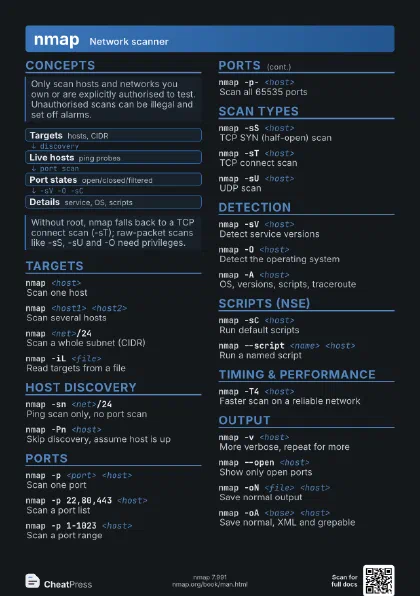
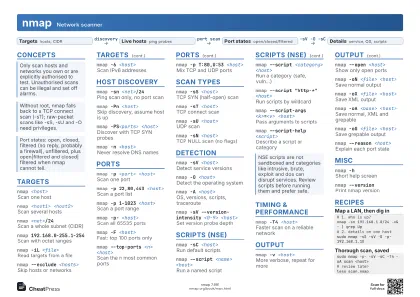 Light · A4 landscape
297 × 210 mm · PDF
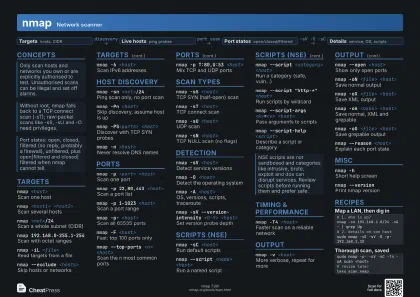 Dark · A4 landscape
297 × 210 mm · PDF
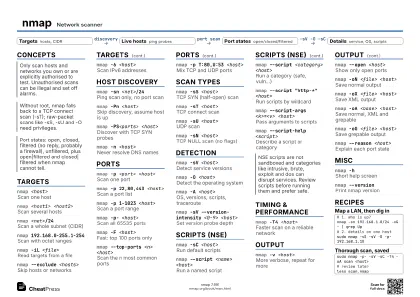 Ink saver · A4 landscape
297 × 210 mm · PDF
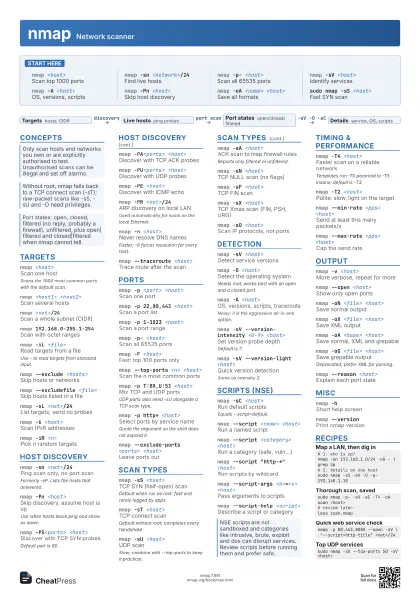
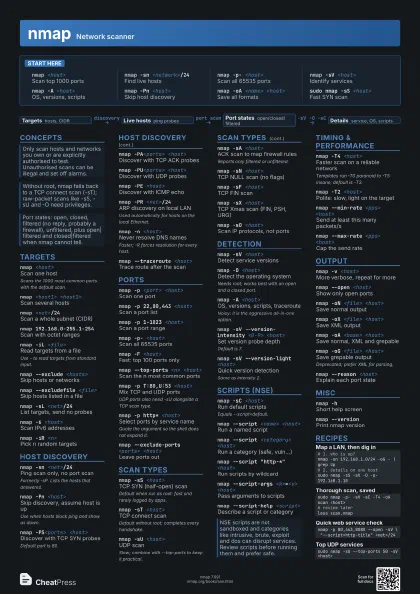
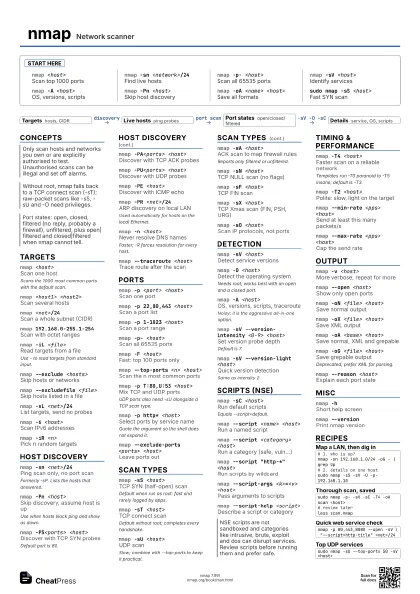
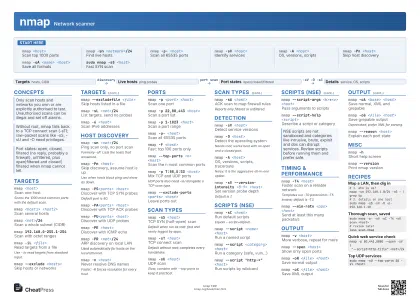 Light · A3 landscape
420 × 297 mm · PDF
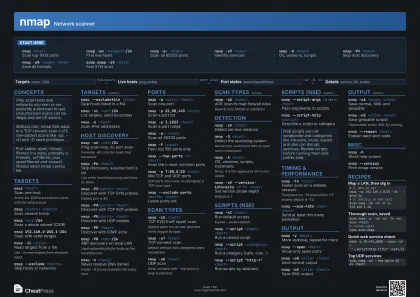 Dark · A3 landscape
420 × 297 mm · PDF
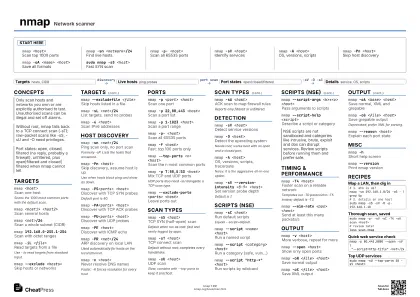 Ink saver · A3 landscape
420 × 297 mm · PDF
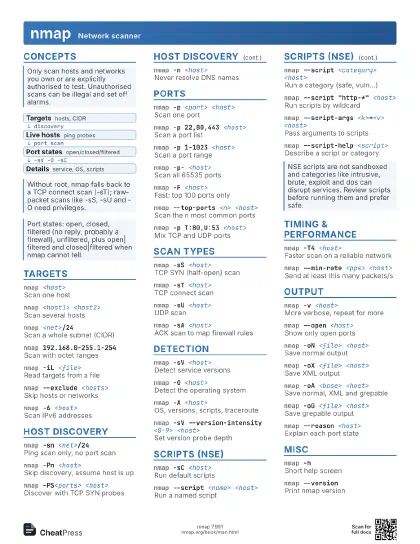
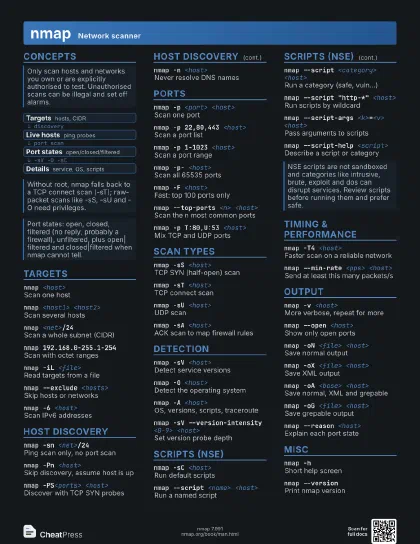
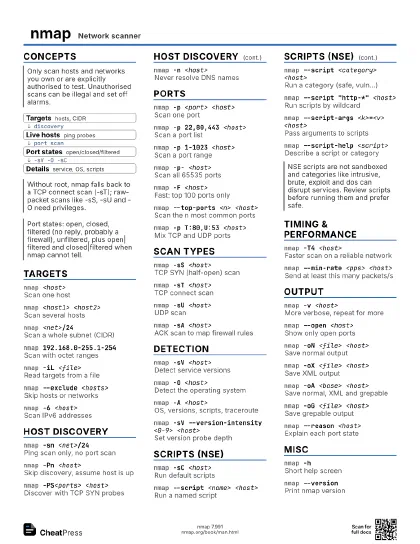
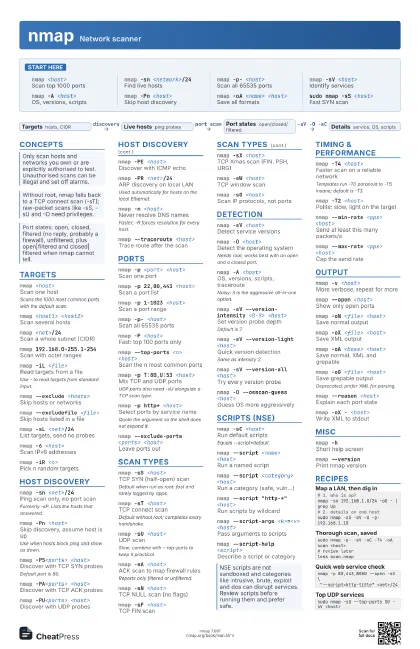
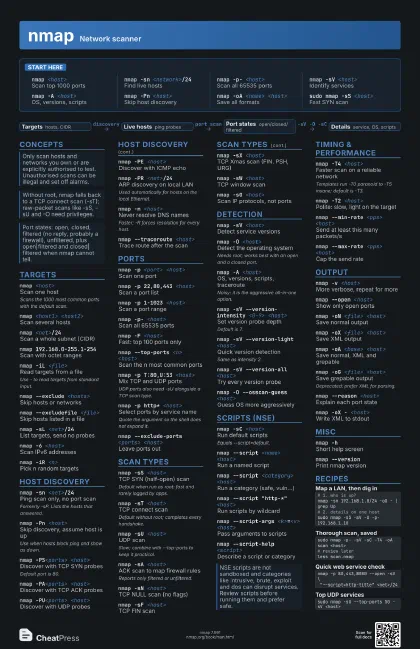
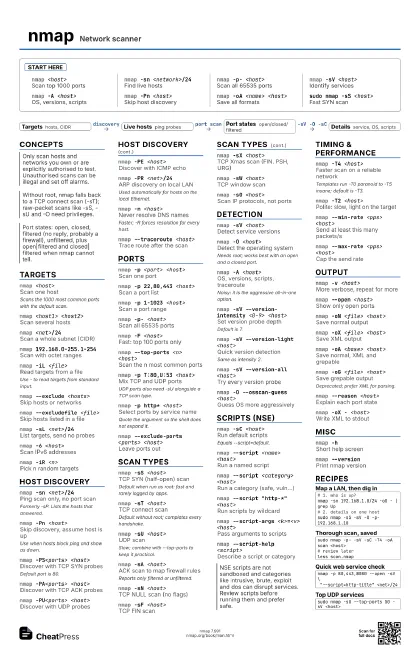
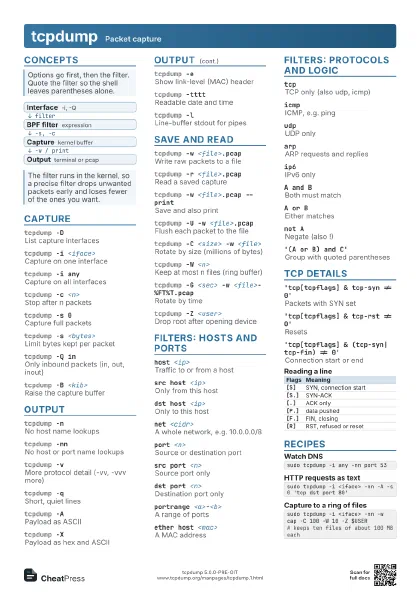
Start here
nmap <host>
Scan top 1000 ports
nmap -sn <network>/24
Find live hosts
nmap -p- <host>
Scan all 65535 ports
nmap -sV <host>
Identify services
nmap -A <host>
OS, versions, scripts
nmap -Pn <host>
Skip host discovery
nmap -oA <name> <host>
Save all formats
sudo nmap -sS <host>
Fast SYN scan
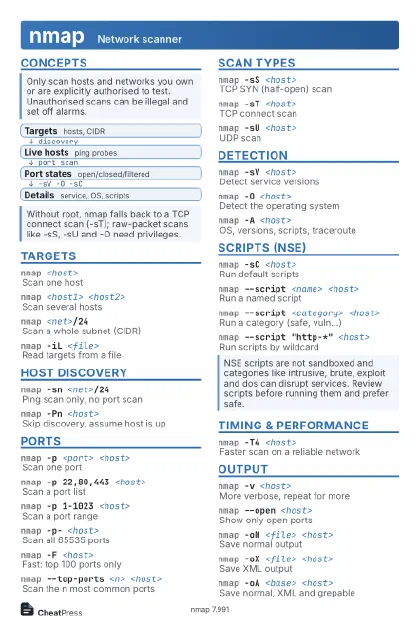
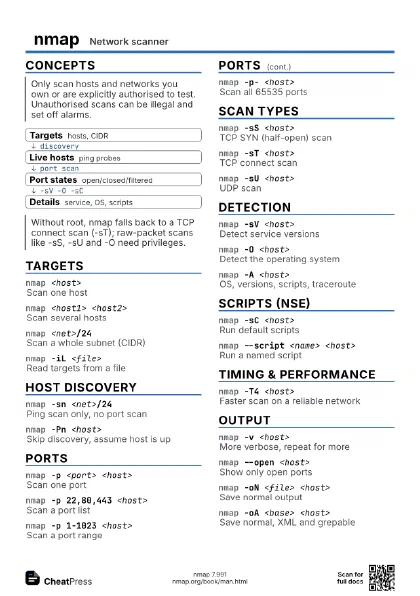
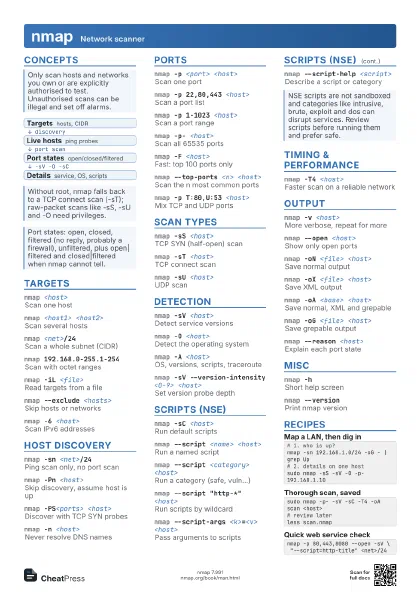
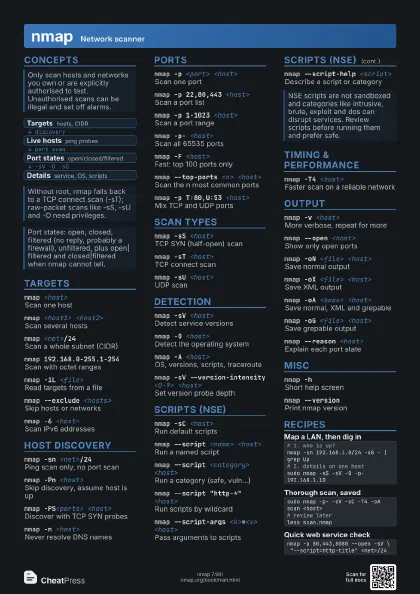
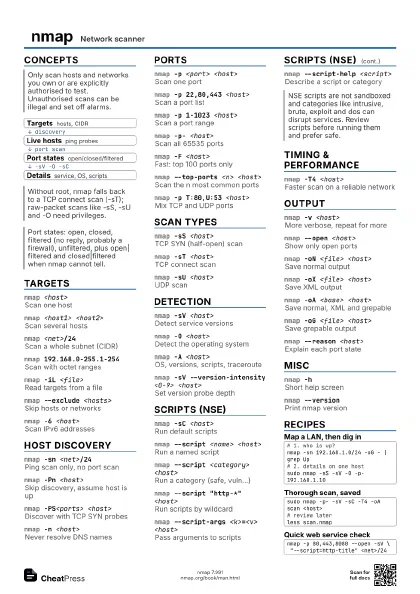
Concepts
- Targets hosts, CIDR
- Live hosts ping probes
- Port states open/closed/filtered
- Details service, OS, scripts
Targets
nmap <host>
Scan one host
Scans the 1000 most common ports with the default scan.
nmap <host1> <host2>
Scan several hosts
nmap <net>/24
Scan a whole subnet (CIDR)
nmap 192.168.0-255.1-254
Scan with octet ranges
nmap -iL <file>
Read targets from a file
Use - to read targets from standard input.
nmap --exclude <hosts>
Skip hosts or networks
nmap --excludefile <file>
Skip hosts listed in a file
nmap -sL <net>/24
List targets, send no probes
nmap -6 <host>
Scan IPv6 addresses
nmap -iR <n>
Pick n random targets
Host discovery
nmap -sn <net>/24
Ping scan only, no port scan
Formerly -sP. Lists the hosts that answered.
nmap -Pn <host>
Skip discovery, assume host is up
Use when hosts block ping and show as down.
nmap -PS<ports> <host>
Discover with TCP SYN probes
Default port is 80.
nmap -PA<ports> <host>
Discover with TCP ACK probes
nmap -PU<ports> <host>
Discover with UDP probes
nmap -PE <host>
Discover with ICMP echo
nmap -PR <net>/24
ARP discovery on local LAN
Used automatically for hosts on the local Ethernet.
nmap -n <host>
Never resolve DNS names
Faster; -R forces resolution for every host.
nmap --traceroute <host>
Trace route after the scan
Ports
nmap -p <port> <host>
Scan one port
nmap -p 22,80,443 <host>
Scan a port list
nmap -p 1-1023 <host>
Scan a port range
nmap -p- <host>
Scan all 65535 ports
nmap -F <host>
Fast: top 100 ports only
nmap --top-ports <n> <host>
Scan the n most common ports
nmap -p T:80,U:53 <host>
Mix TCP and UDP ports
UDP ports also need -sU alongside a TCP scan type.
nmap -p http* <host>
Select ports by service name
Quote the argument so the shell does not expand it.
nmap --exclude-ports <ports> <host>
Leave ports out
nmap -r <host>
Scan ports in order, not random
Scan types
nmap -sS <host>
TCP SYN (half-open) scan
Default when run as root: fast and rarely logged by apps.
nmap -sT <host>
TCP connect scan
Default without root; completes every handshake.
nmap -sU <host>
UDP scan
Slow; combine with --top-ports to keep it practical.
nmap -sA <host>
ACK scan to map firewall rules
Reports only filtered or unfiltered.
nmap -sN <host>
TCP NULL scan (no flags)
nmap -sF <host>
TCP FIN scan
nmap -sX <host>
TCP Xmas scan (FIN, PSH, URG)
nmap -sW <host>
TCP window scan
nmap -sO <host>
Scan IP protocols, not ports
nmap -sI <zombie> <host>
Idle scan via a zombie host
Detection
nmap -sV <host>
Detect service versions
nmap -O <host>
Detect the operating system
Needs root; works best with an open and a closed port.
nmap -A <host>
OS, versions, scripts, traceroute
Noisy: it is the aggressive all-in-one option.
nmap -sV --version-intensity <0-9> <host>
Set version probe depth
Default is 7.
nmap -sV --version-light <host>
Quick version detection
Same as intensity 2.
nmap -sV --version-all <host>
Try every version probe
nmap -O --osscan-guess <host>
Guess OS more aggressively
nmap -O --osscan-limit <host>
Only try OS on promising hosts
Scripts (NSE)
nmap -sC <host>
Run default scripts
Equals --script=default.
nmap --script <name> <host>
Run a named script
nmap --script <category> <host>
Run a category (safe, vuln...)
nmap --script "http-*" <host>
Run scripts by wildcard
nmap --script "default and safe" <host>
Combine selections with and/or/not
nmap --script-args <k>=<v> <host>
Pass arguments to scripts
nmap --script-help <script>
Describe a script or category
nmap --script-updatedb
Rebuild the script index
nmap --script-trace <host>
Show script network traffic
Timing & performance
nmap -T4 <host>
Faster scan on a reliable network
Templates run -T0 paranoid to -T5 insane; default is -T3.
nmap -T2 <host>
Polite: slow, light on the target
nmap --min-rate <pps> <host>
Send at least this many packets/s
nmap --max-rate <pps> <host>
Cap the send rate
nmap --max-retries <n> <host>
Fewer retransmissions
nmap --host-timeout <time> <host>
Give up on slow hosts
Time takes units, e.g. 30m or 90s.
nmap --scan-delay <time> <host>
Wait between probes
Output
nmap -v <host>
More verbose, repeat for more
nmap --open <host>
Show only open ports
nmap -oN <file> <host>
Save normal output
nmap -oX <file> <host>
Save XML output
nmap -oA <base> <host>
Save normal, XML and grepable
nmap -oG <file> <host>
Save grepable output
Deprecated; prefer XML for parsing.
nmap --reason <host>
Explain each port state
nmap --packet-trace <host>
Show every packet sent and received
nmap --append-output -oN <file> <host>
Append instead of overwrite
nmap --resume <file>
Resume an interrupted scan
Takes a previous -oN or -oG file and no other arguments.
nmap -oX - <host>
Write XML to stdout
Firewall evasion
nmap -f <host>
Fragment probe packets
nmap -D RND:<n> <host>
Mix in decoy source addresses
nmap -g <port> <host>
Use a fixed source port
nmap --data-length <n> <host>
Pad packets with random data
nmap --spoof-mac <mac|0|vendor>
Fake the MAC address
nmap -S <ip> -e <iface> <host>
Spoof source IP on an interface
nmap --randomize-hosts <net>
Shuffle target order
Misc
nmap -hShort help screen
nmap --versionPrint nmap version
nmap --iflistList interfaces and routes
nmap --privileged
Assume raw socket rights
nmap --unprivileged
Assume no raw socket rights
nmap --datadir <dir>
Use another data file directory
Recipes
# 1. who is up?nmap -sn 192.168.1.0/24 -oG - | grep Up# 2. details on one hostsudo nmap -sS -sV -O -p- 192.168.1.10sudo nmap -p- -sV -sC -T4 -oA scan <host># review laterless scan.nmapnmap -p 80,443,8080 --open -sV \ "--script=http-title" <net>/24sudo nmap -sU --top-ports 50 -sV <host>