Cheat
tshark Packet analyzer CLI
 Light · Postcard
102 × 152 mm · PDF
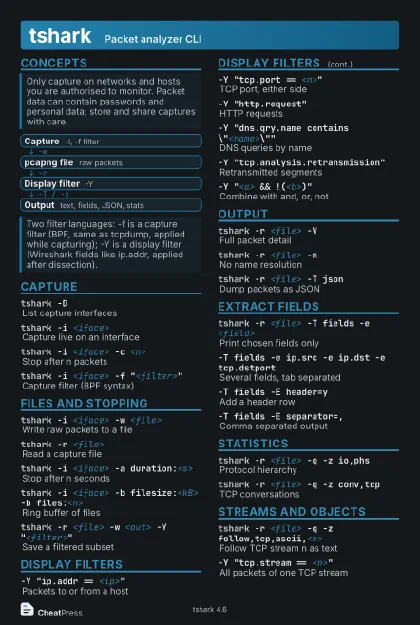 Dark · Postcard
102 × 152 mm · PDF
 Ink saver · Postcard
102 × 152 mm · PDF
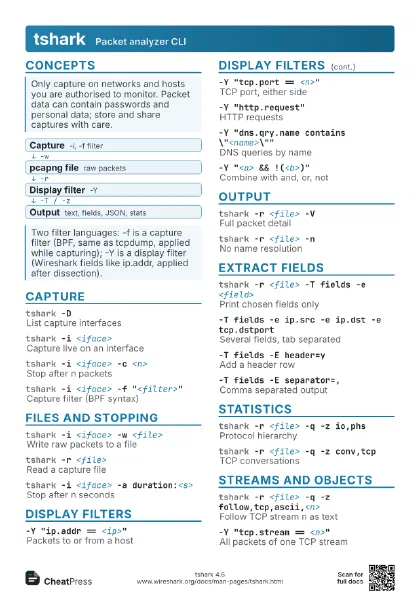
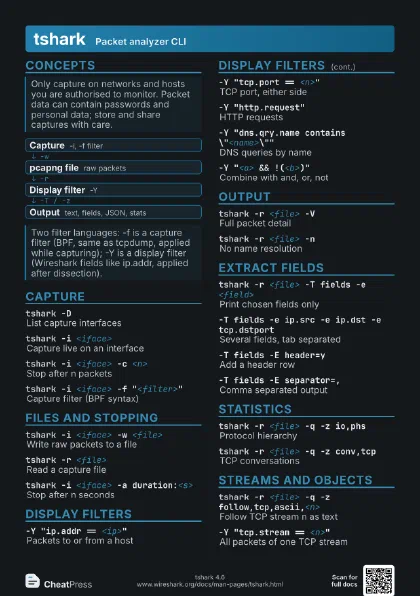
 Light · A4 landscape
297 × 210 mm · PDF
 Dark · A4 landscape
297 × 210 mm · PDF
 Ink saver · A4 landscape
297 × 210 mm · PDF
 Light · A3 landscape
420 × 297 mm · PDF
 Dark · A3 landscape
420 × 297 mm · PDF
 Ink saver · A3 landscape
420 × 297 mm · PDF
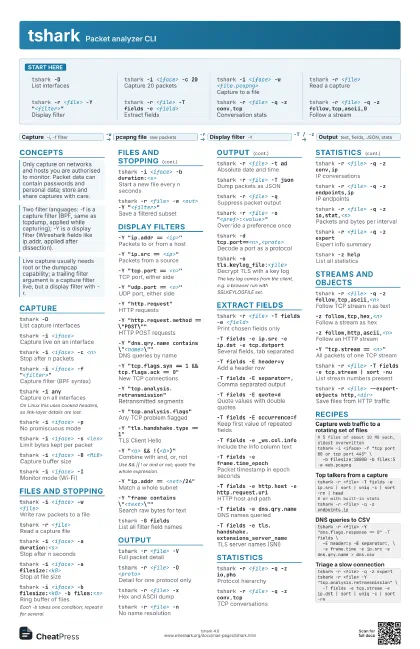
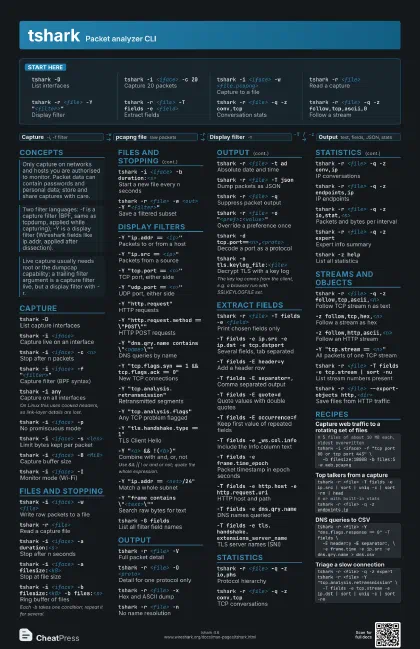
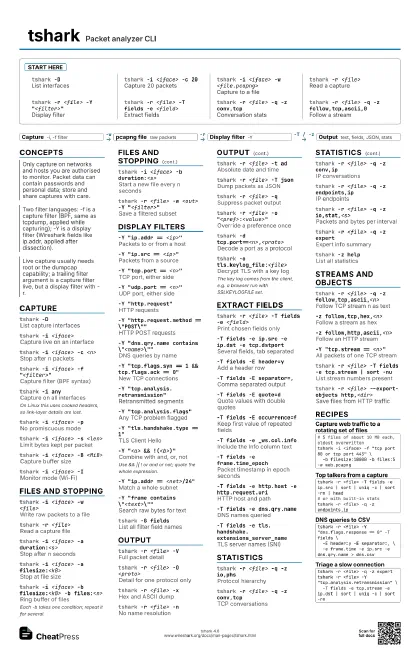
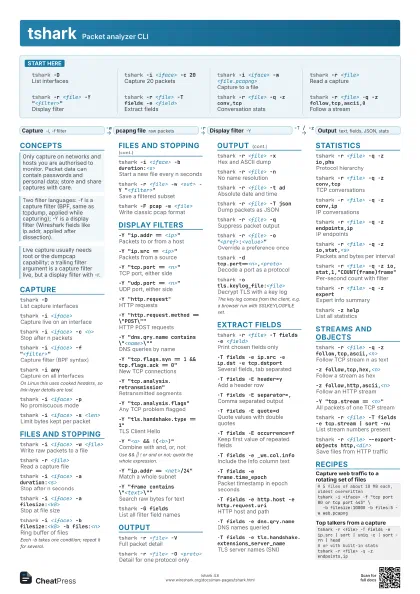
Start here
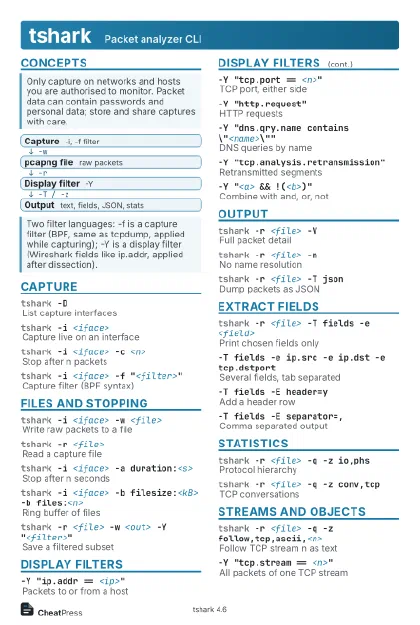
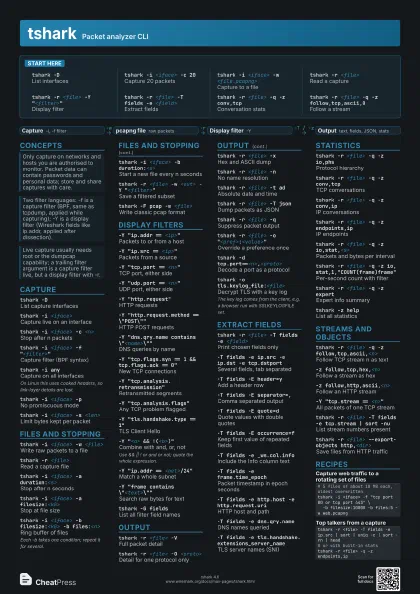
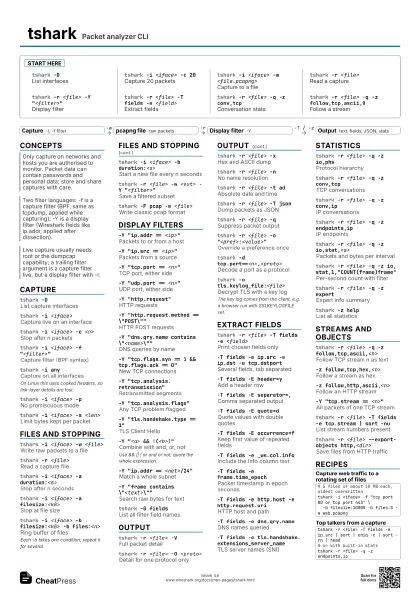
tshark -DList interfaces
tshark -i <iface> -c 20
Capture 20 packets
tshark -i <iface> -w <file.pcapng>
Capture to a file
tshark -r <file>
Read a capture
tshark -r <file> -Y "<filter>"
Display filter
tshark -r <file> -T fields -e <field>
Extract fields
tshark -r <file> -q -z conv,tcp
Conversation stats
tshark -r <file> -q -z follow,tcp,ascii,0
Follow a stream
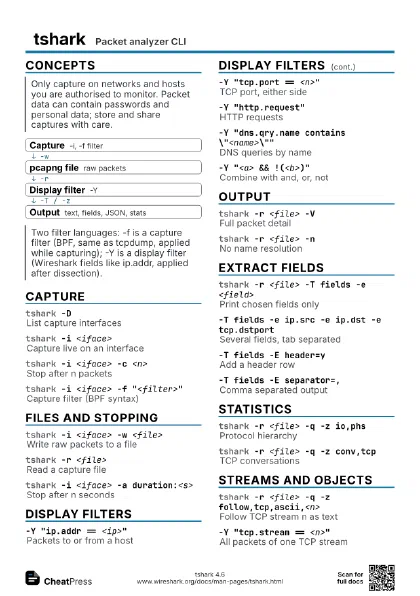
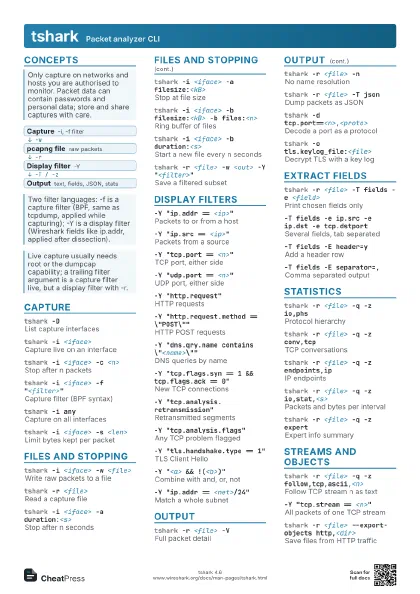
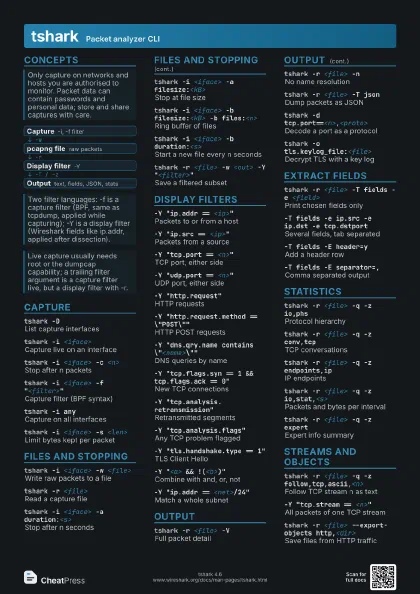
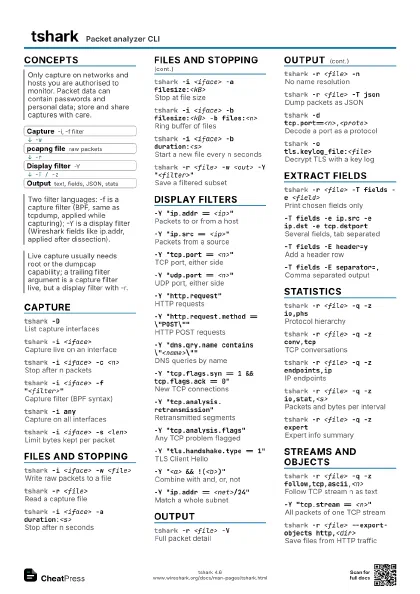
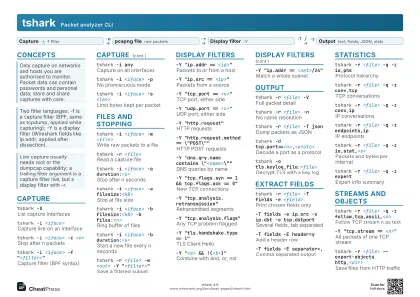
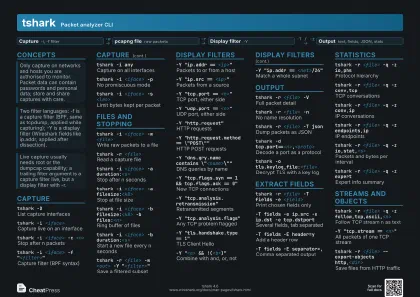
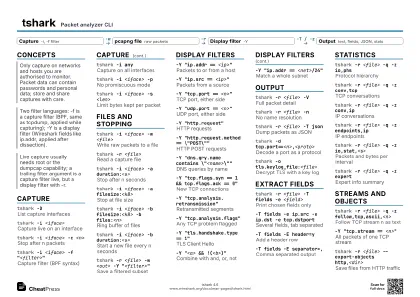
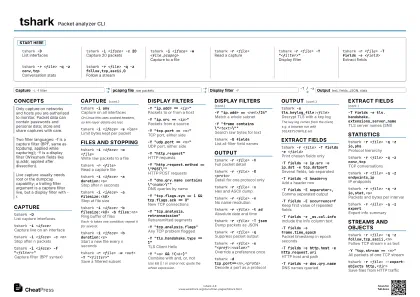
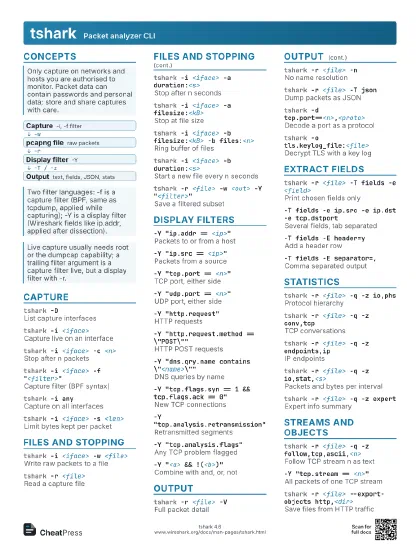
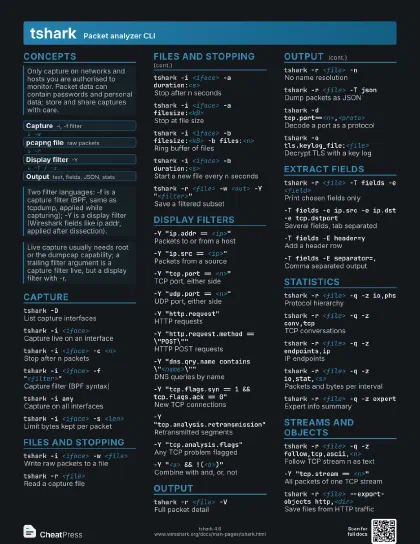
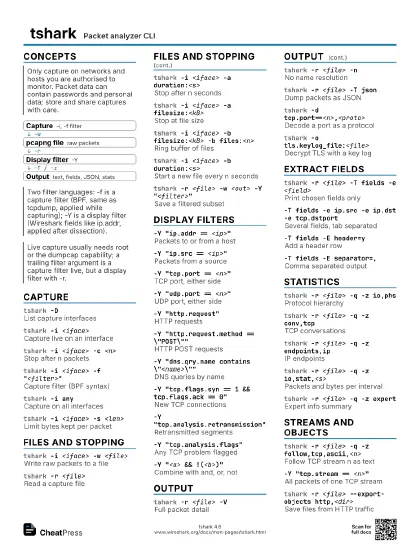
Concepts
- Capture -i, -f filter
- pcapng file raw packets
- Display filter -Y
- Output text, fields, JSON, stats
Capture
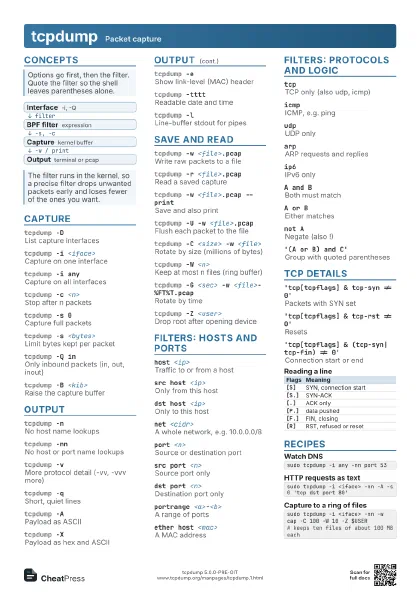
tshark -DList capture interfaces
tshark -i <iface>
Capture live on an interface
tshark -i <iface> -c <n>
Stop after n packets
tshark -i <iface> -f "<filter>"
Capture filter (BPF syntax)
tshark -i anyCapture on all interfaces
On Linux this uses cooked headers, so link-layer details are
lost.
tshark -i <iface> -p
No promiscuous mode
tshark -i <iface> -s <len>
Limit bytes kept per packet
tshark -i <iface> -B <MiB>
Capture buffer size
tshark -i <iface> -I
Monitor mode (Wi-Fi)
tshark -i -Read packets from stdin
tshark -L -i <iface>
List link types for interface
Files and stopping
tshark -i <iface> -w <file>
Write raw packets to a file
tshark -r <file>
Read a capture file
tshark -i <iface> -a duration:<s>
Stop after n seconds
tshark -i <iface> -a filesize:<kB>
Stop at file size
tshark -i <iface> -a files:<n>
Stop after n files
tshark -i <iface> -b filesize:<kB> -b
                    files:<n>
Ring buffer of files
Each -b takes one condition; repeat it for several.
tshark -i <iface> -b duration:<s>
Start a new file every n seconds
tshark -r <file> -w <out> -Y
                    "<filter>"
Save a filtered subset
tshark -F pcap -w <file>
Write classic pcap format
tshark -FList output file formats
tshark -i <iface> -w - | tshark -r -
Pipe a capture into a second run
tshark -i <iface> -P -w <file>
Also print packets while saving
Display filters
-Y "ip.addr == <ip>"
Packets to or from a host
-Y "ip.src == <ip>"
Packets from a source
-Y "tcp.port == <n>"
TCP port, either side
-Y "udp.port == <n>"
UDP port, either side
-Y "http.request"
HTTP requests
-Y "http.request.method == \"POST\""
HTTP POST requests
-Y "dns.qry.name contains
                    \"<name>\""
DNS queries by name
-Y "tcp.flags.syn == 1 && tcp.flags.ack ==
                    0"
New TCP connections
-Y "tcp.analysis.retransmission"
Retransmitted segments
-Y "tcp.analysis.flags"
Any TCP problem flagged
-Y "tls.handshake.type == 1"
TLS Client Hello
-Y "frame.time_delta > 1"
Gaps longer than 1 second
-Y "<a> && !(<b>)"
Combine with and, or, not
Use && || ! or and or not; quote the whole expression.
-Y "ip.addr == <net>/24"
Match a whole subnet
-Y "frame contains \"<text>\""
Search raw bytes for text
-Y "<field> in {<a> <b>}"
Match a set of values
-Y "<field> matches
                    \"<regex>\""
Regular-expression match
tshark -G fields
List all filter field names
tshark -G protocols
List known protocols
Output
tshark -r <file> -V
Full packet detail
tshark -r <file> -O <proto>
Detail for one protocol only
tshark -r <file> -x
Hex and ASCII dump
tshark -r <file> -n
No name resolution
tshark -r <file> -t ad
Absolute date and time
tshark -r <file> -t e
Epoch timestamps
tshark -r <file> -T json
Dump packets as JSON
tshark -r <file> -T ek
Newline-delimited JSON for Elastic
tshark -r <file> -T pdml
Full XML dissection
tshark -r <file> -T json -j
                    "<protos>"
Only some protocol layers in JSON
tshark -r <file> -q
Suppress packet output
tshark -r <file> -l
Flush after every packet
tshark -r <file> -2 -Y "<filter>"
Two-pass read, then filter
Fills in forward-looking fields such as 'response in
frame'; not for live capture or pipes. -R filters only the
first pass.
tshark -r <file> -o
                    "<pref>:<value>"
Override a preference once
tshark -r <file> -o
                    tcp.desegment_tcp_streams:FALSE
Don't reassemble TCP streams
tshark -d tcp.port==<n>,<proto>
Decode a port as a protocol
tshark -o tls.keylog_file:<file>
Decrypt TLS with a key log
The key log comes from the client, e.g. a browser run with
SSLKEYLOGFILE set.
Extract fields
tshark -r <file> -T fields -e <field>
Print chosen fields only
-T fields -e ip.src -e ip.dst -e tcp.dstport
Several fields, tab separated
-T fields -E header=y
Add a header row
-T fields -E separator=,
Comma separated output
-T fields -E quote=d
Quote values with double quotes
-T fields -E occurrence=f
Keep first value of repeated fields
-T fields -e _ws.col.info
Include the Info column text
-T fields -e frame.time_epoch
Packet timestamp in epoch seconds
-T fields -e http.host -e http.request.uri
HTTP host and path
-T fields -e dns.qry.name
DNS names queried
-T fields -e tls.handshake.extensions_server_name
TLS server names (SNI)
-T fields -e @<field>
Raw bytes of a field
Statistics
tshark -r <file> -q -z io,phs
Protocol hierarchy
tshark -r <file> -q -z conv,tcp
TCP conversations
tshark -r <file> -q -z conv,ip
IP conversations
tshark -r <file> -q -z endpoints,ip
IP endpoints
tshark -r <file> -q -z io,stat,<s>
Packets and bytes per interval
tshark -r <file> -q -z
                    io,stat,1,"COUNT(frame)frame"
Per-second count with filter
tshark -r <file> -q -z expert
Expert info summary
tshark -r <file> -q -z http,stat
HTTP status code stats
tshark -r <file> -q -z dns,tree
DNS statistics
tshark -r <file> -q -z hosts
Name-to-address pairs seen
tshark -r <file> -q -z plen,tree
Packet length distribution
tshark -r <file> -q -z credentials
Credentials seen in clear text
tshark -z helpList all statistics
Streams and objects
tshark -r <file> -q -z
                    follow,tcp,ascii,<n>
Follow TCP stream n as text
-z follow,tcp,hex,<n>
Follow a stream as hex
-z follow,udp,ascii,<n>
Follow a UDP stream
-z follow,http,ascii,<n>
Follow an HTTP stream
-z follow,tls,ascii,<n>
Follow a decrypted TLS stream
-Y "tcp.stream == <n>"
All packets of one TCP stream
tshark -r <file> -T fields -e tcp.stream | sort
                    -nu
List stream numbers present
tshark -r <file> --export-objects
                    http,<dir>
Save files from HTTP traffic
tshark -r <file> --export-objects help
List exportable protocols
Recipes
# 5 files of about 10 MB each, oldest overwrittentshark -i <iface> -f "tcp port 80 or tcp port 443" \ -b filesize:10000 -b files:5 -w web.pcapngtshark -r <file> -T fields -e ip.src | sort | uniq -c | sort -rn | head# or with built-in statstshark -r <file> -q -z endpoints,iptshark -r <file> -Y "dns.flags.response == 0" -T fields \ -E header=y -E separator=, \ -e frame.time -e ip.src -e dns.qry.name > dns.csvtshark -r <file> -q -z experttshark -r <file> -Y "tcp.analysis.retransmission" \ -T fields -e tcp.stream -e ip.dst | sort | uniq -c | sort -rn