Cheat
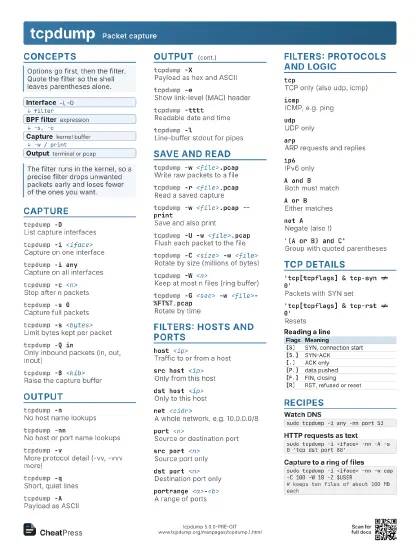
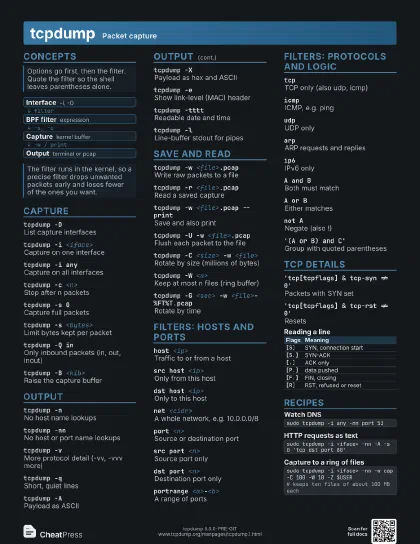
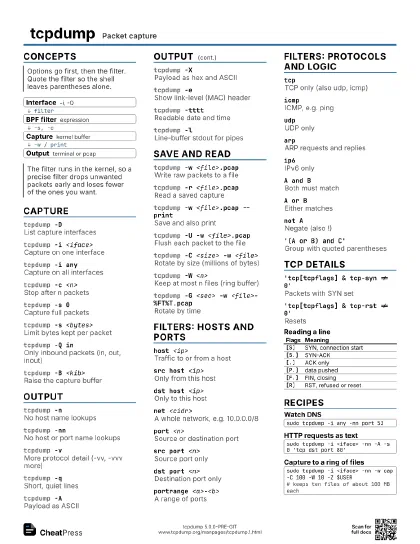
tcpdump Packet capture
 Light · Postcard
102 × 152 mm · PDF
 Dark · Postcard
102 × 152 mm · PDF
 Ink saver · Postcard
102 × 152 mm · PDF
 Light · A4 landscape
297 × 210 mm · PDF
 Dark · A4 landscape
297 × 210 mm · PDF
 Ink saver · A4 landscape
297 × 210 mm · PDF
 Light · A3 landscape
420 × 297 mm · PDF
 Dark · A3 landscape
420 × 297 mm · PDF
 Ink saver · A3 landscape
420 × 297 mm · PDF
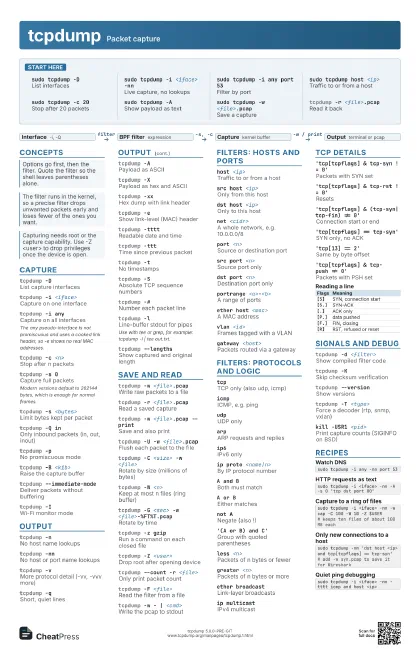
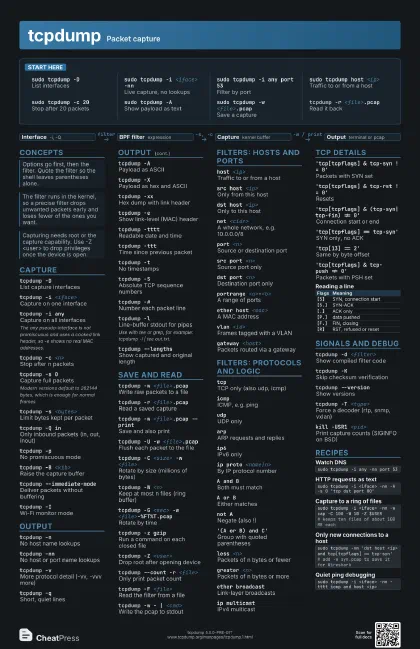
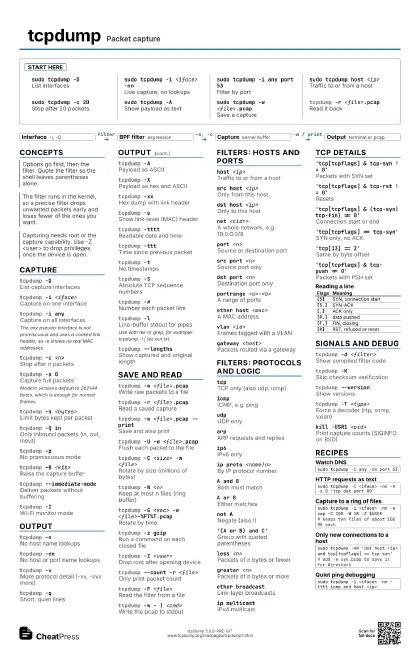
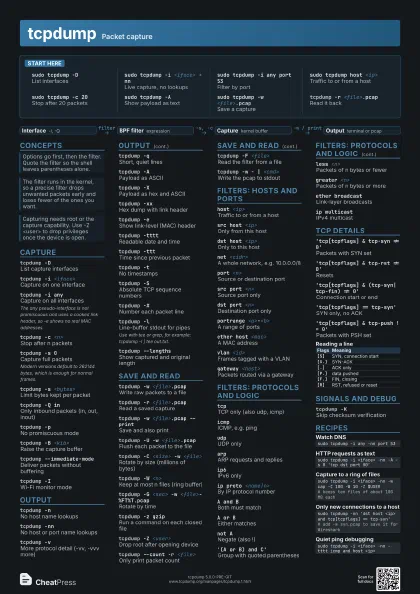
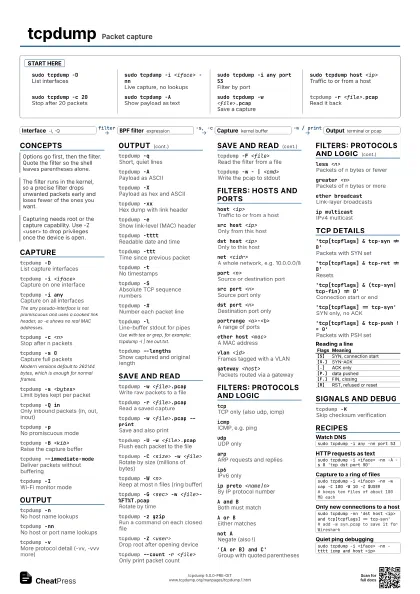
Start here
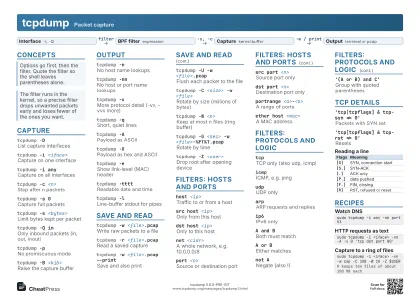
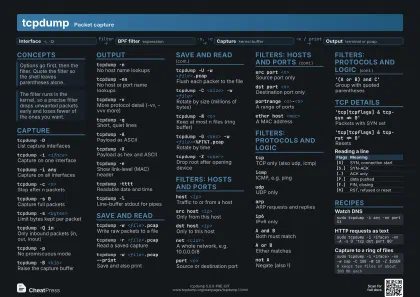
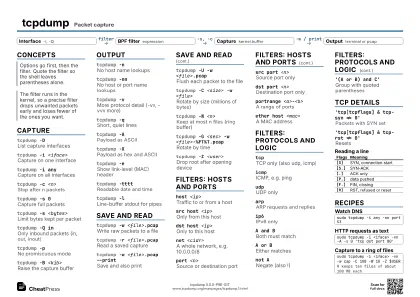
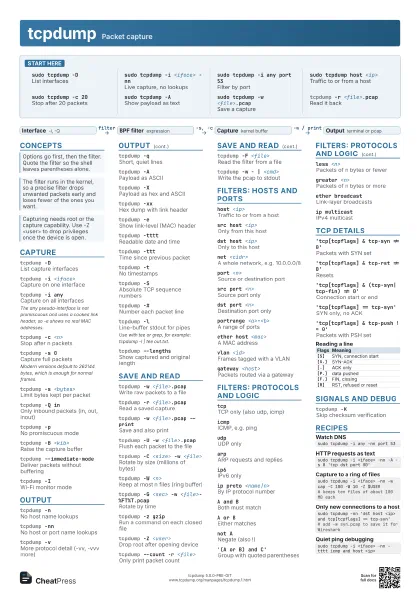
sudo tcpdump -DList interfaces
sudo tcpdump -i <iface> -nn
Live capture, no lookups
sudo tcpdump -i any port 53
Filter by port
sudo tcpdump host <ip>
Traffic to or from a host
sudo tcpdump -c 20
Stop after 20 packets
sudo tcpdump -AShow payload as text
sudo tcpdump -w <file>.pcap
Save a capture
tcpdump -r <file>.pcap
Read it back
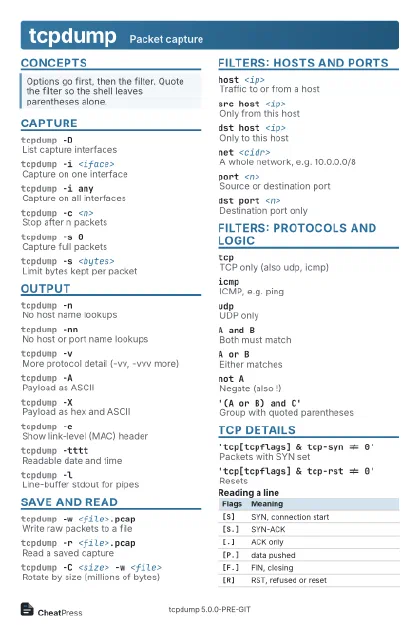
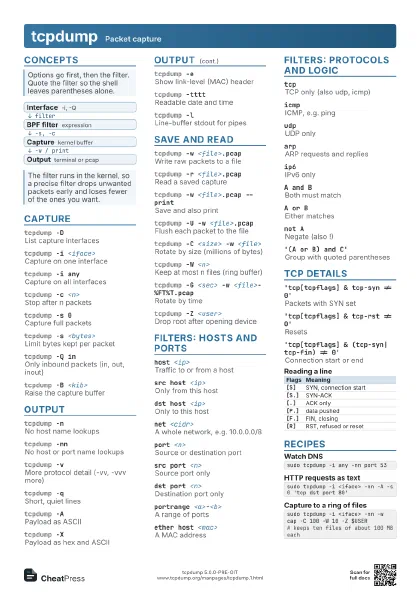
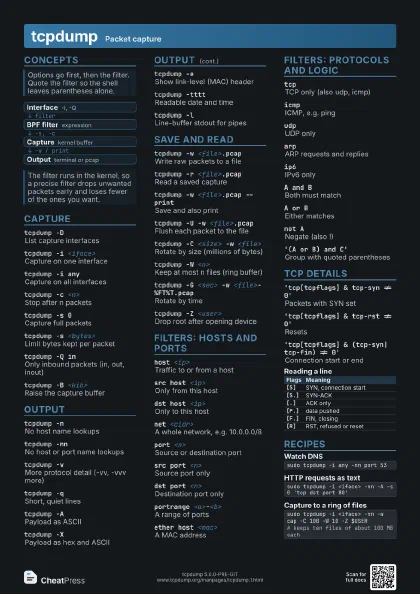
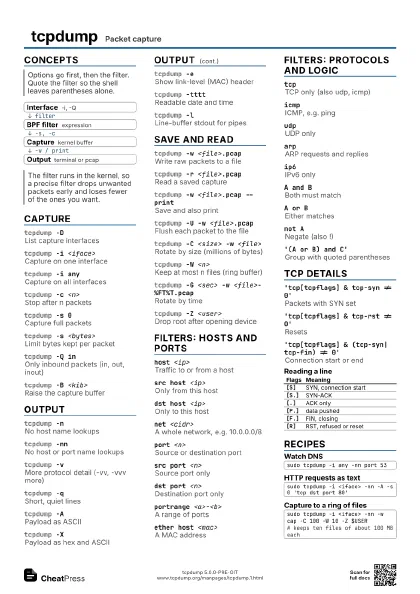
Concepts
- Interface -i, -Q
- BPF filter expression
- Capture kernel buffer
- Output terminal or pcap
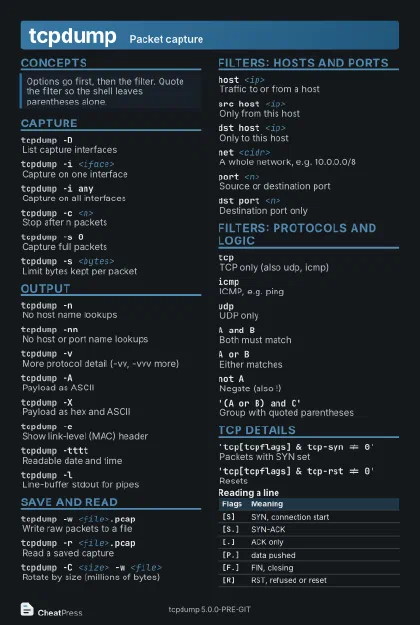
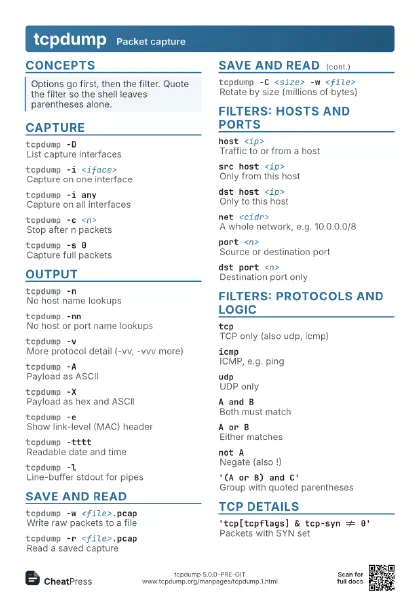
Capture
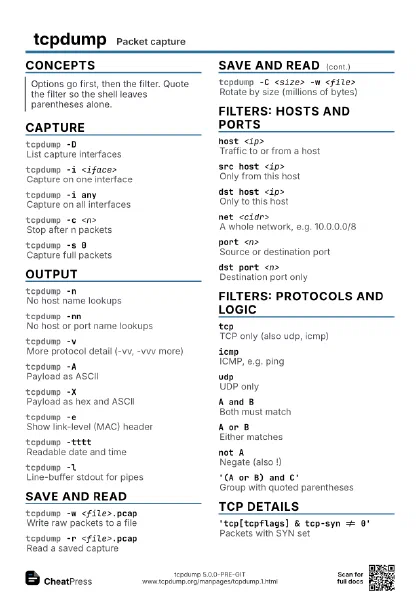
tcpdump -DList capture interfaces
tcpdump -i <iface>
Capture on one interface
tcpdump -i anyCapture on all interfaces
The any pseudo-interface is not promiscuous and uses a cooked
link header, so -e shows no real MAC addresses.
tcpdump -c <n>
Stop after n packets
tcpdump -s 0Capture full packets
Modern versions default to 262144 bytes, which is enough for
normal frames.
tcpdump -s <bytes>
Limit bytes kept per packet
tcpdump -Q inOnly inbound packets (in, out, inout)
tcpdump -pNo promiscuous mode
tcpdump -B <kib>
Raise the capture buffer
tcpdump --immediate-mode
Deliver packets without buffering
tcpdump -IWi-Fi monitor mode
Output
tcpdump -nNo host name lookups
tcpdump -nnNo host or port name lookups
tcpdump -vMore protocol detail (-vv, -vvv more)
tcpdump -qShort, quiet lines
tcpdump -APayload as ASCII
tcpdump -XPayload as hex and ASCII
tcpdump -xxHex dump with link header
tcpdump -eShow link-level (MAC) header
tcpdump -ttttReadable date and time
tcpdump -tttTime since previous packet
tcpdump -tNo timestamps
tcpdump -SAbsolute TCP sequence numbers
tcpdump -#Number each packet line
tcpdump -lLine-buffer stdout for pipes
Use with tee or grep, for example: tcpdump -l | tee out.txt.
tcpdump --lengths
Show captured and original length
Save and read
tcpdump -w <file>.pcap
Write raw packets to a file
tcpdump -r <file>.pcap
Read a saved capture
tcpdump -w <file>.pcap --print
Save and also print
tcpdump -U -w <file>.pcap
Flush each packet to the file
tcpdump -C <size> -w <file>
Rotate by size (millions of bytes)
tcpdump -W <n>
Keep at most n files (ring buffer)
tcpdump -G <sec> -w <file>-%FT%T.pcap
Rotate by time
tcpdump -z gzipRun a command on each closed file
tcpdump -Z <user>
Drop root after opening device
tcpdump --count -r <file>
Only print packet count
tcpdump -F <file>
Read the filter from a file
tcpdump -w - | <cmd>
Write the pcap to stdout
Filters: hosts and ports
host <ip>Traffic to or from a host
src host <ip>
Only from this host
dst host <ip>
Only to this host
net <cidr>
A whole network, e.g. 10.0.0.0/8
port <n>Source or destination port
src port <n>
Source port only
dst port <n>
Destination port only
portrange <a>-<b>
A range of ports
ether host <mac>
A MAC address
vlan <id>Frames tagged with a VLAN
gateway <host>
Packets routed via a gateway
Filters: protocols and logic
tcpTCP only (also udp, icmp)
icmpICMP, e.g. ping
udpUDP only
arpARP requests and replies
ip6IPv6 only
ip proto <name|n>
By IP protocol number
A and BBoth must match
A or BEither matches
not ANegate (also !)
'(A or B) and C'
Group with quoted parentheses
less <n>Packets of n bytes or fewer
greater <n>
Packets of n bytes or more
ether broadcastLink-layer broadcasts
ip multicastIPv4 multicast
TCP details
'tcp[tcpflags] & tcp-syn != 0'
Packets with SYN set
'tcp[tcpflags] & tcp-rst != 0'
Resets
'tcp[tcpflags] & (tcp-syn|tcp-fin) != 0'
Connection start or end
'tcp[tcpflags] == tcp-syn'
SYN only, no ACK
'tcp[13] == 2'
Same by byte offset
'tcp[tcpflags] & tcp-push != 0'
Packets with PSH set
| Flags | Meaning |
|---|---|
[S] |
SYN, connection start |
[S.] |
SYN-ACK |
[.] |
ACK only |
[P.] |
data pushed |
[F.] |
FIN, closing |
[R] |
RST, refused or reset |
Signals and debug
tcpdump -d <filter>
Show compiled filter code
tcpdump -KSkip checksum verification
tcpdump --version
Show versions
tcpdump -T <type>
Force a decoder (rtp, snmp, vxlan)
kill -USR1 <pid>
Print capture counts (SIGINFO on BSD)
tcpdump --print-sampling=<n>
Print every nth packet
Recipes
sudo tcpdump -i any -nn port 53sudo tcpdump -i <iface> -nn -A -s 0 'tcp dst port 80'sudo tcpdump -i <iface> -nn -w cap -C 100 -W 10 -Z $USER# keeps ten files of about 100 MB eachsudo tcpdump -nn 'dst host <ip> and tcp[tcpflags] == tcp-syn'# add -w syn.pcap to save it for Wiresharksudo tcpdump -i <iface> -nn -tttt icmp and host <ip>