Cheat
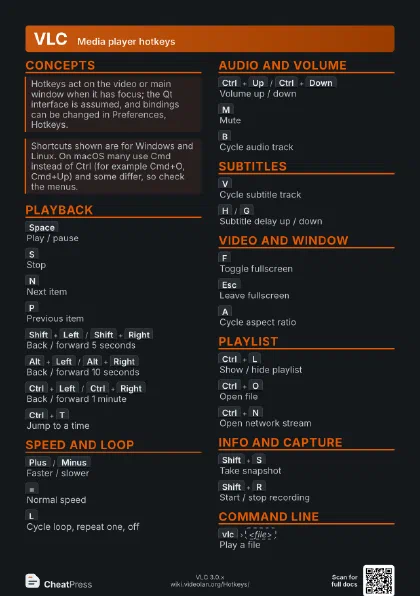
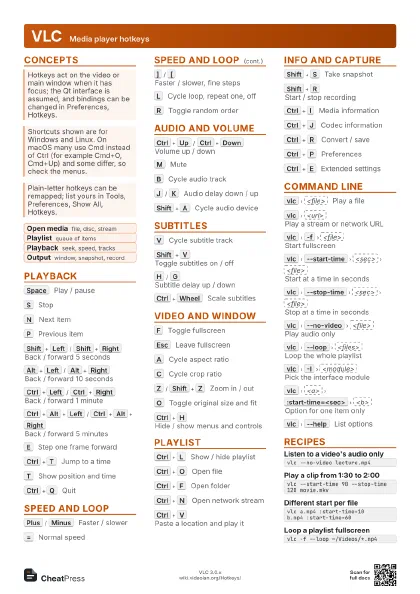
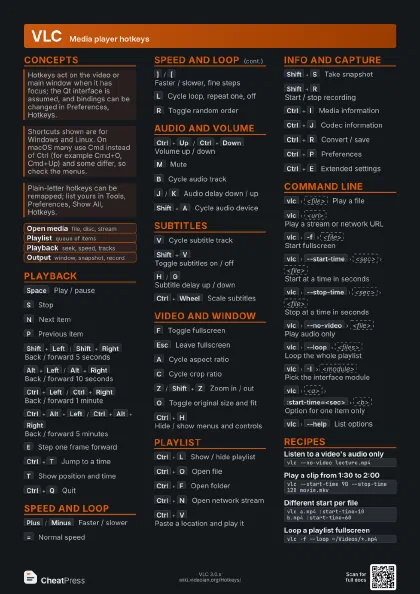
VLC Media player hotkeys
 Light · Postcard
102 × 152 mm · PDF
 Dark · Postcard
102 × 152 mm · PDF
 Ink saver · Postcard
102 × 152 mm · PDF
 Light · A4 landscape
297 × 210 mm · PDF
 Dark · A4 landscape
297 × 210 mm · PDF
 Ink saver · A4 landscape
297 × 210 mm · PDF
 Light · A3 landscape
420 × 297 mm · PDF
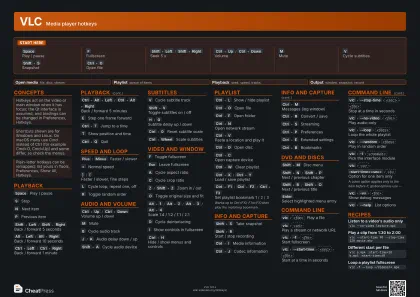 Dark · A3 landscape
420 × 297 mm · PDF
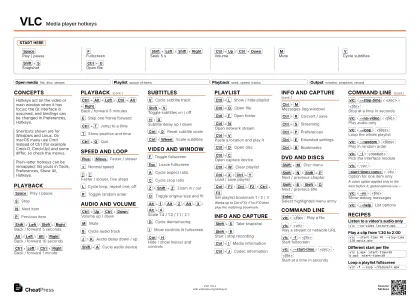 Ink saver · A3 landscape
420 × 297 mm · PDF
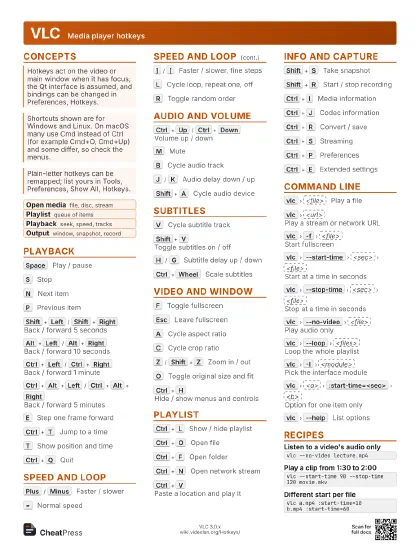
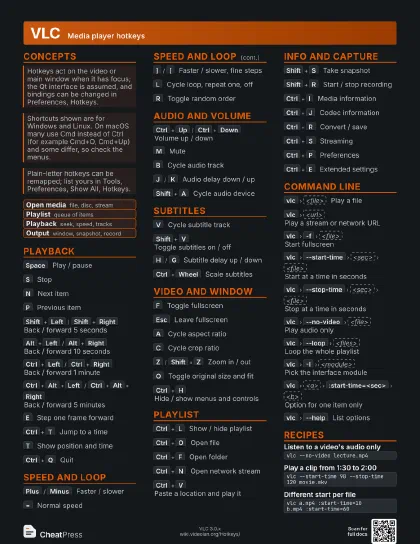
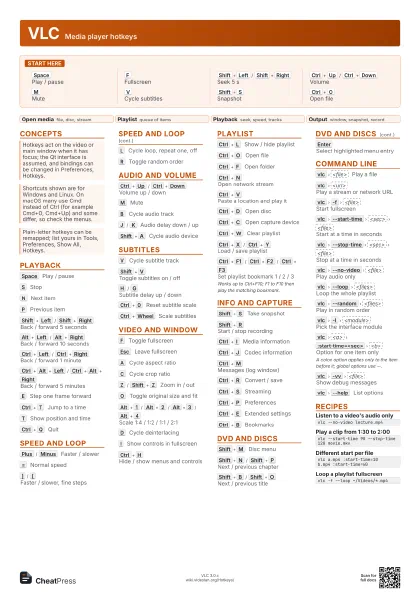
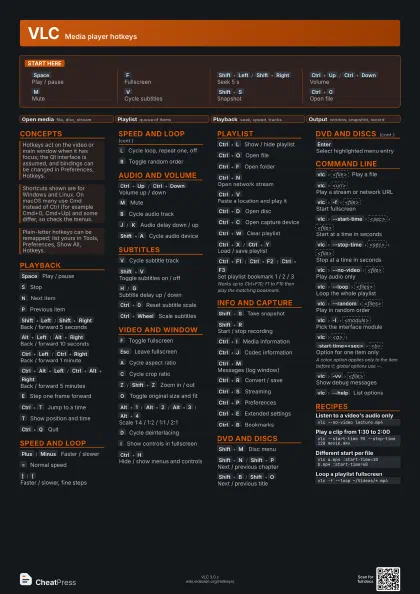
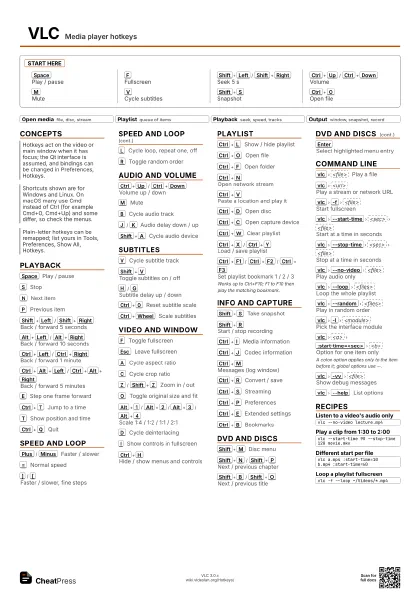
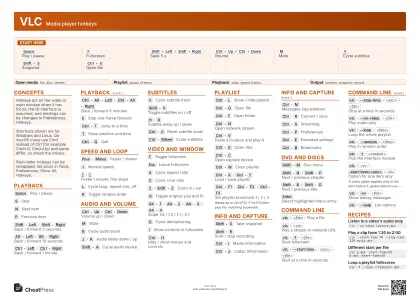
Start here
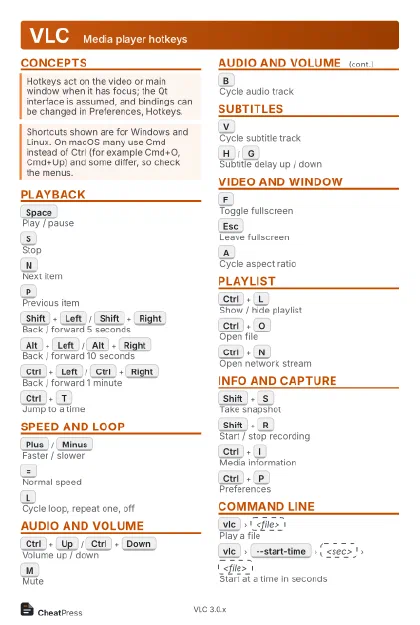
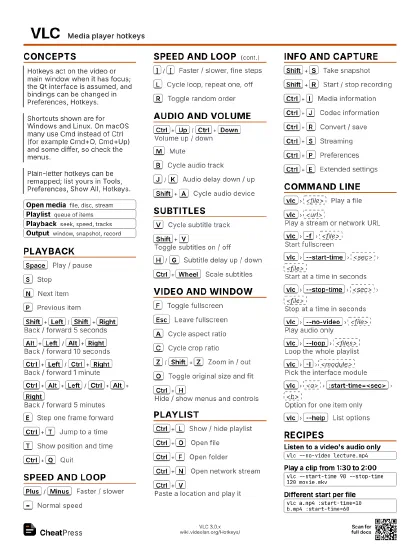
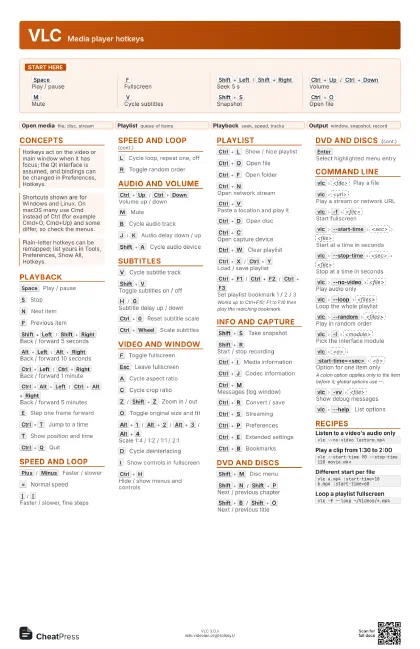
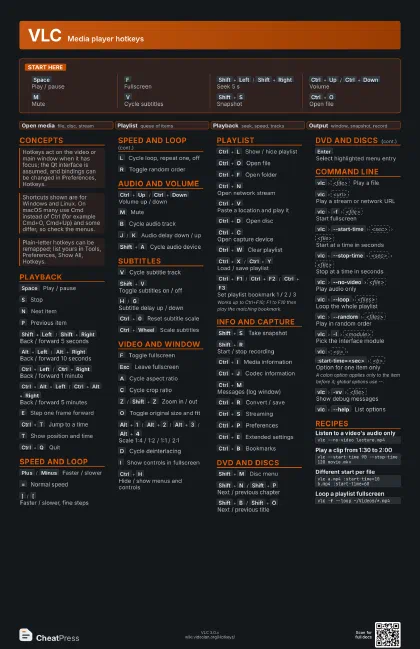
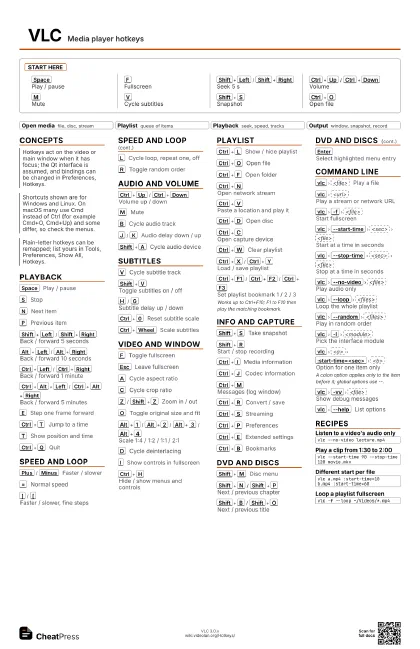
Space
Play / pause
F
Fullscreen
Shift+Left
/
Shift+Right
Seek 5 s
Ctrl+Up
/
Ctrl+Down
Volume
M
Mute
V
Cycle subtitles
Shift+S
Snapshot
Ctrl+O
Open file
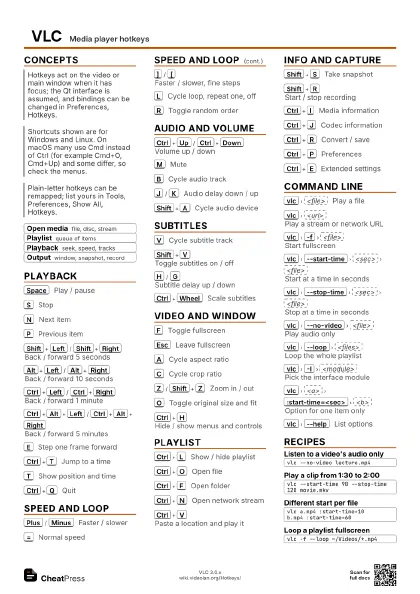
Concepts
- Open media file, disc, stream
- Playlist queue of items
- Playback seek, speed, tracks
- Output window, snapshot, record
Playback
Space
Play / pause
S
Stop
N
Next item
P
Previous item
Shift+Left
/
Shift+Right
Back / forward 5 seconds
Alt+Left
/
Alt+Right
Back / forward 10 seconds
Ctrl+Left
/
Ctrl+Right
Back / forward 1 minute
Ctrl+Alt+Left
/
Ctrl+Alt+Right
Back / forward 5 minutes
E
Step one frame forward
Ctrl+T
Jump to a time
T
Show position and time
Ctrl+Q
Quit
Speed and Loop
Plus
/
Minus
Faster / slower
=
Normal speed
]
/
[
Faster / slower, fine steps
L
Cycle loop, repeat one, off
R
Toggle random order
Audio and Volume
Ctrl+Up
/
Ctrl+Down
Volume up / down
M
Mute
B
Cycle audio track
J
/
K
Audio delay down / up
Shift+A
Cycle audio device
Subtitles
V
Cycle subtitle track
Shift+V
Toggle subtitles on / off
H
/
G
Subtitle delay up / down
Ctrl+0
Reset subtitle scale
Ctrl+Wheel
Scale subtitles
Video and Window
F
Toggle fullscreen
Esc
Leave fullscreen
A
Cycle aspect ratio
C
Cycle crop ratio
Z
/
Shift+Z
Zoom in / out
O
Toggle original size and fit
Alt+1
/
Alt+2
/
Alt+3
/
Alt+4
Scale 1:4 / 1:2 / 1:1 / 2:1
D
Cycle deinterlacing
I
Show controls in fullscreen
Ctrl+H
Hide / show menus and controls
Playlist
Ctrl+L
Show / hide playlist
Ctrl+O
Open file
Ctrl+F
Open folder
Ctrl+N
Open network stream
Ctrl+V
Paste a location and play it
Ctrl+D
Open disc
Ctrl+C
Open capture device
Ctrl+W
Clear playlist
Ctrl+X
/
Ctrl+Y
Load / save playlist
Ctrl+F1
/
Ctrl+F2
/
Ctrl+F3
Set playlist bookmark 1 / 2 / 3
Works up to Ctrl+F10; F1 to F10 then play the matching
bookmark.
Info and Capture
Shift+S
Take snapshot
Shift+R
Start / stop recording
Ctrl+I
Media information
Ctrl+J
Codec information
Ctrl+M
Messages (log window)
Ctrl+R
Convert / save
Ctrl+S
Streaming
Ctrl+P
Preferences
Ctrl+E
Extended settings
Ctrl+B
Bookmarks
DVD and Discs
Shift+M
Disc menu
Shift+N
/
Shift+P
Next / previous chapter
Shift+B
/
Shift+O
Next / previous title
Enter
Select highlighted menu entry
Command Line
vlc
<file>
Play a file
vlc
<url>
Play a stream or network URL
vlc
-f
<file>
Start fullscreen
vlc
--start-time
<sec>
<file>
Start at a time in seconds
vlc
--stop-time
<sec>
<file>
Stop at a time in seconds
vlc
--no-video
<file>
Play audio only
vlc
--loop
<files>
Loop the whole playlist
vlc
--random
<files>
Play in random order
vlc
-I
<module>
Pick the interface module
vlc
<a>
:start-time=<sec>
<b>
Option for one item only
A colon option applies only to the item before it; global
options use --.
vlc
-vv
<file>
Show debug messages
vlc
--help
List options
Recipes
vlc --no-video lecture.mp4vlc --start-time 90 --stop-time 120 movie.mkvvlc a.mp4 :start-time=10 b.mp4 :start-time=60vlc -f --loop ~/Videos/*.mp4