Cheat
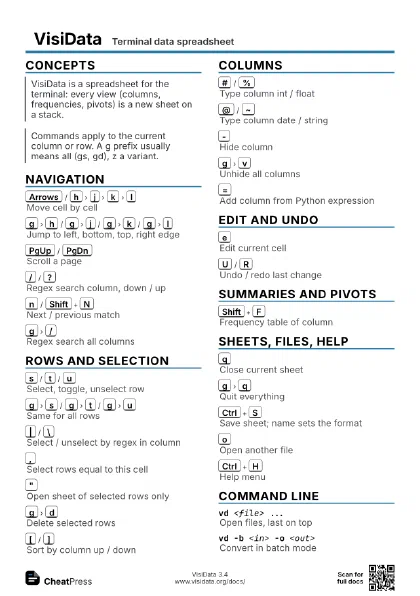
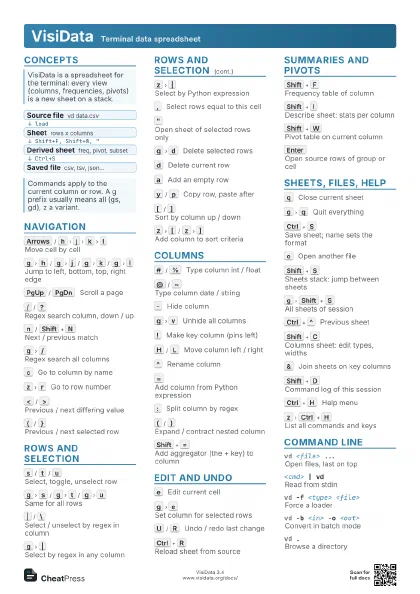
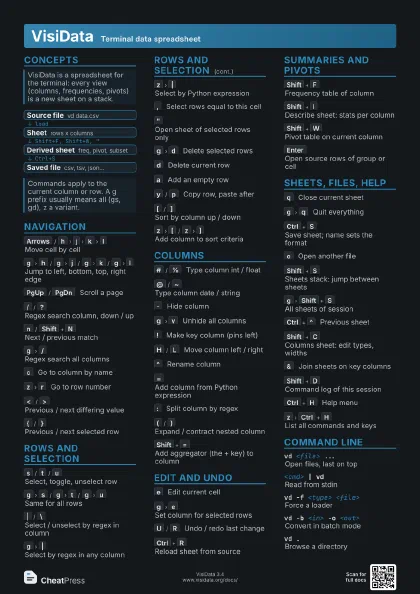
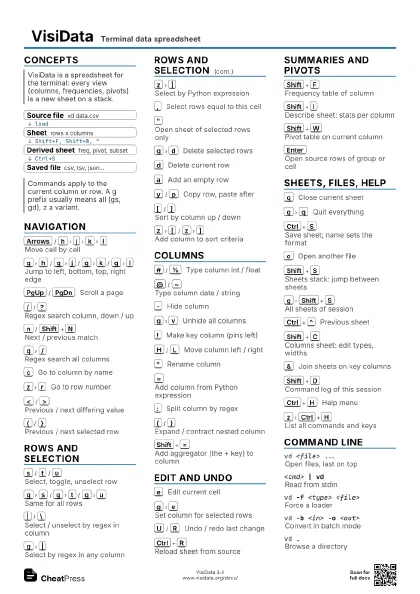
VisiData Terminal data spreadsheet
 Light · Postcard
102 × 152 mm · PDF
 Dark · Postcard
102 × 152 mm · PDF
 Ink saver · Postcard
102 × 152 mm · PDF
 Light · A4 landscape
297 × 210 mm · PDF
 Dark · A4 landscape
297 × 210 mm · PDF
 Ink saver · A4 landscape
297 × 210 mm · PDF
 Light · A3 landscape
420 × 297 mm · PDF
 Dark · A3 landscape
420 × 297 mm · PDF
 Ink saver · A3 landscape
420 × 297 mm · PDF
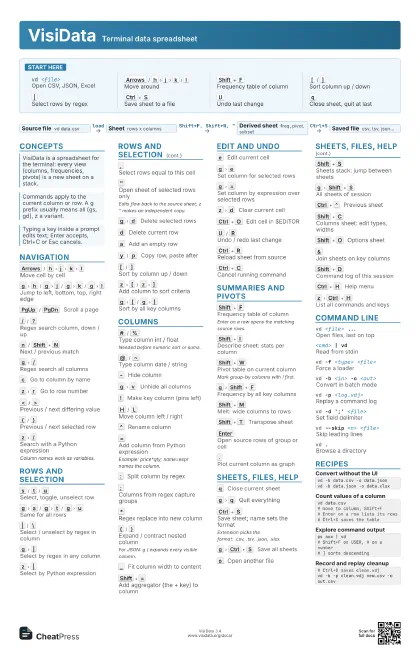
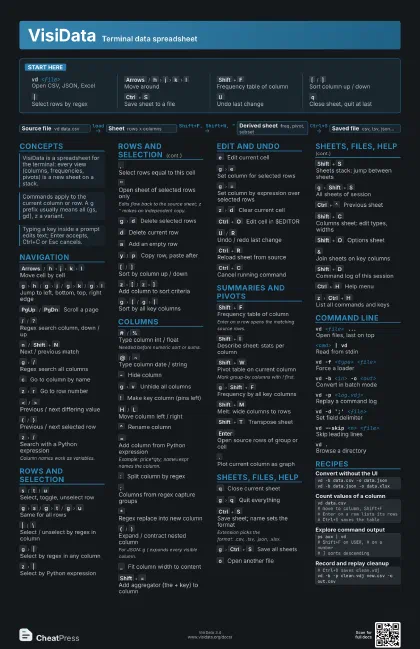
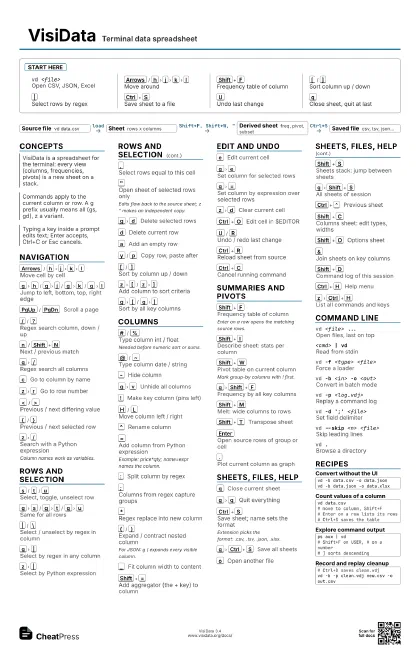
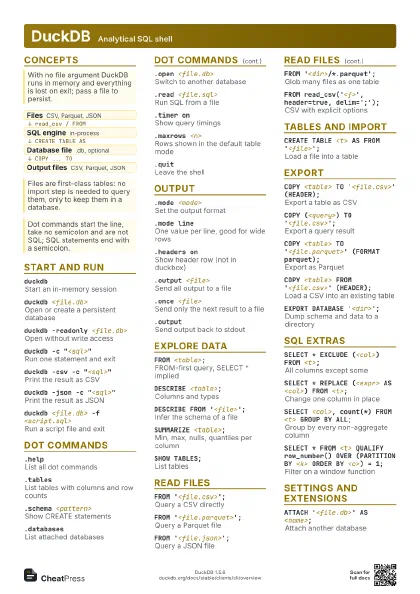
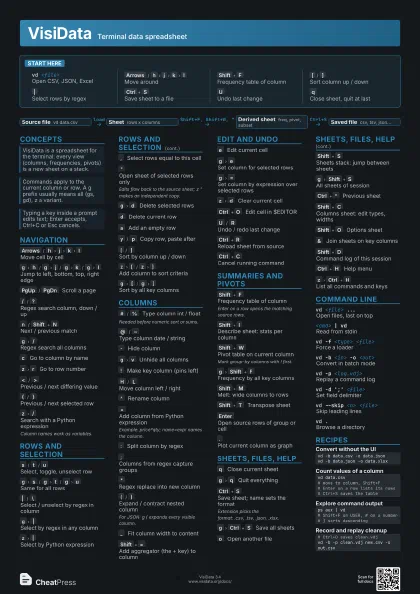
Start here
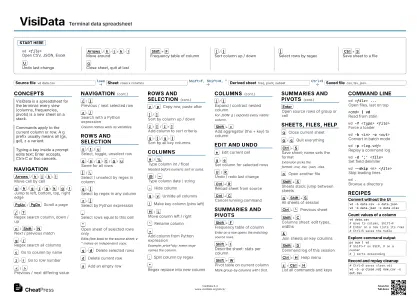
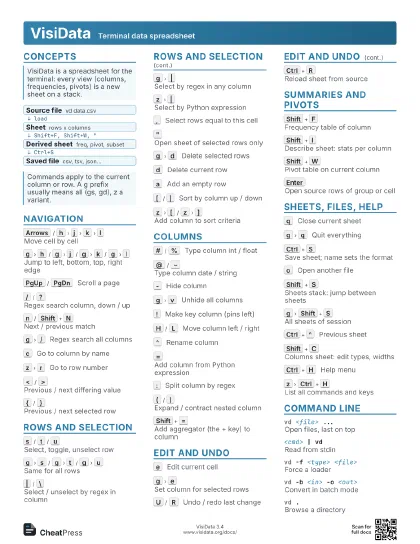
vd <file>Open CSV, JSON, Excel
Arrows
/
h
j
k
l
Move around
Shift+F
Frequency table of column
[
/
]
Sort column up / down
|
Select rows by regex
Ctrl+S
Save sheet to a file
U
Undo last change
q
Close sheet, quit at last
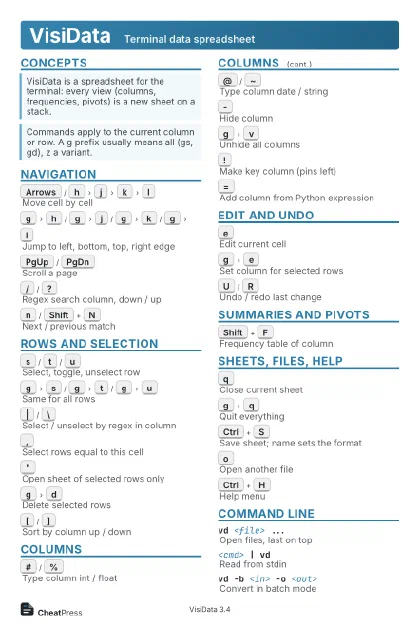
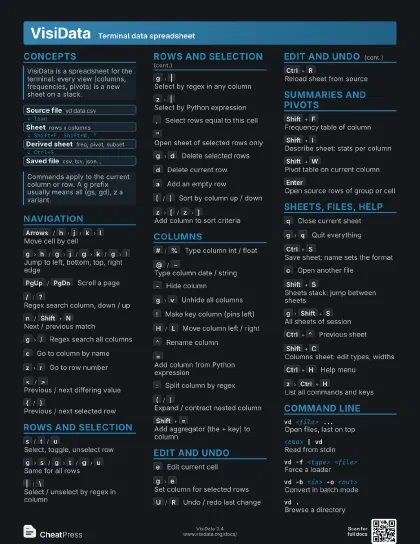
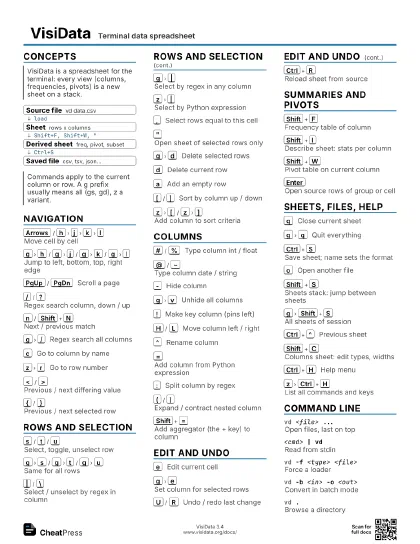
Concepts
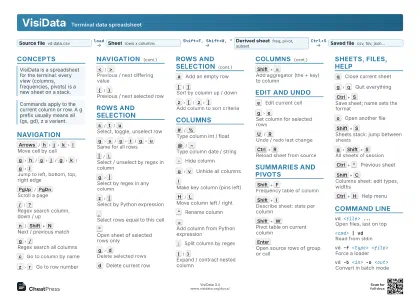
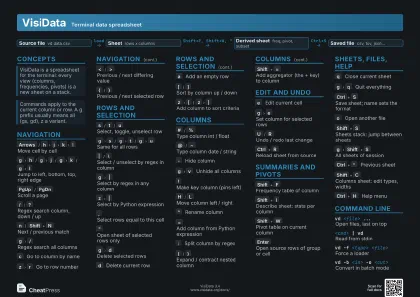
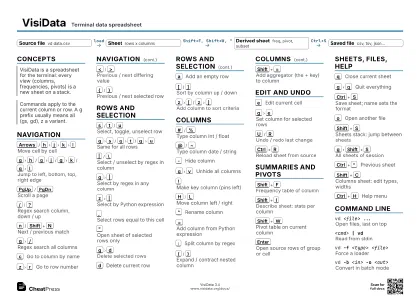
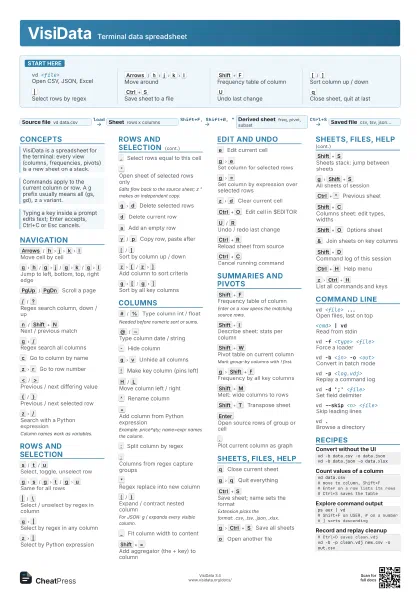
- Source file vd data.csv
- Sheet rows x columns
- Derived sheet freq, pivot, subset
- Saved file csv, tsv, json...
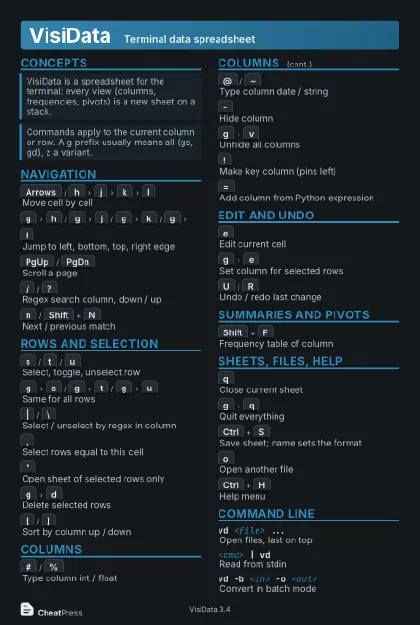
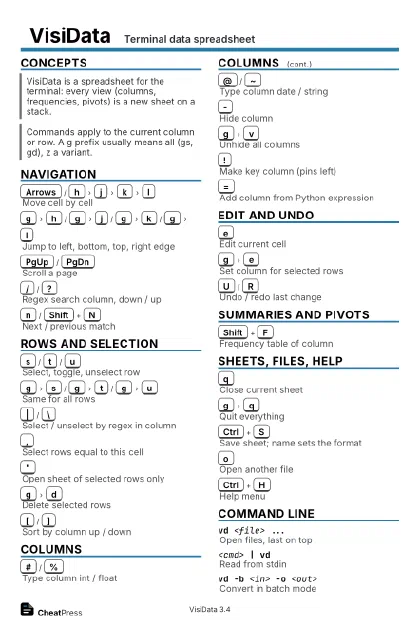
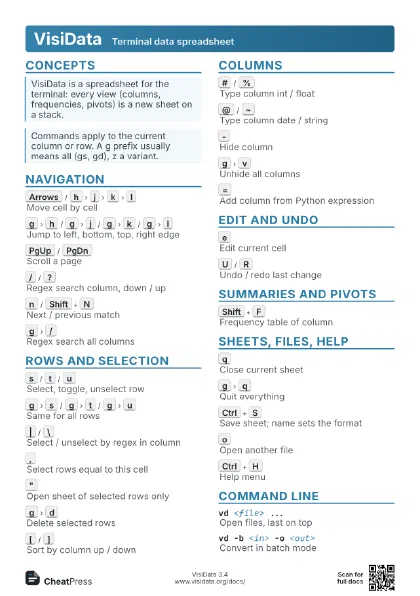
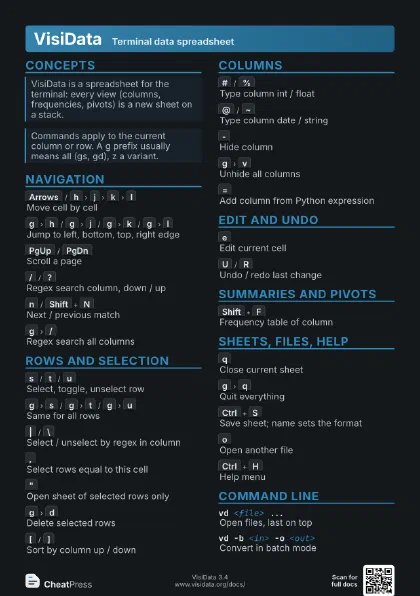
Navigation
Arrows
/
h
j
k
l
Move cell by cell
g
h
/
g
j
/
g
k
/
g
l
Jump to left, bottom, top, right edge
PgUp
/
PgDn
Scroll a page
/
/
?
Regex search column, down / up
n
/
Shift+N
Next / previous match
g
/
Regex search all columns
c
Go to column by name
z
r
Go to row number
<
/
>
Previous / next differing value
{
/
}
Previous / next selected row
z
/
Search with a Python expression
Column names work as variables.
Rows and selection
s
/
t
/
u
Select, toggle, unselect row
g
s
/
g
t
/
g
u
Same for all rows
|
/
\
Select / unselect by regex in column
g
|
Select by regex in any column
z
|
Select by Python expression
,
Select rows equal to this cell
"
Open sheet of selected rows only
Edits flow back to the source sheet; z " makes an
independent copy.
g
d
Delete selected rows
d
Delete current row
a
Add an empty row
y
/
p
Copy row, paste after
[
/
]
Sort by column up / down
z
[
/
z
]
Add column to sort criteria
g
[
/
g
]
Sort by all key columns
Columns
#
/
%
Type column int / float
Needed before numeric sort or sums.
@
/
~
Type column date / string
-
Hide column
g
v
Unhide all columns
!
Make key column (pins left)
H
/
L
Move column left / right
^
Rename column
=
Add column from Python expression
Example: price*qty; name=expr names the column.
:
Split column by regex
;
Columns from regex capture groups
*
Regex replace into new column
(
/
)
Expand / contract nested column
For JSON: g ( expands every visible column.
_
Fit column width to content
Shift+=
Add aggregator (the + key) to column
Edit and undo
e
Edit current cell
g
e
Set column for selected rows
g
=
Set column by expression over selected rows
z
d
Clear current cell
Ctrl+O
Edit cell in $EDITOR
U
/
R
Undo / redo last change
Ctrl+R
Reload sheet from source
Ctrl+C
Cancel running command
Summaries and pivots
Shift+F
Frequency table of column
Enter on a row opens the matching source rows.
Shift+I
Describe sheet: stats per column
Shift+W
Pivot table on current column
Mark group-by columns with ! first.
g
Shift+F
Frequency by all key columns
Shift+M
Melt: wide columns to rows
Shift+T
Transpose sheet
Enter
Open source rows of group or cell
.
Plot current column as graph
Sheets, files, help
q
Close current sheet
g
q
Quit everything
Ctrl+S
Save sheet; name sets the format
Extension picks the format: .csv, .tsv, .json, .xlsx.
g
Ctrl+S
Save all sheets
o
Open another file
Shift+S
Sheets stack: jump between sheets
g
Shift+S
All sheets of session
Ctrl+^
Previous sheet
Shift+C
Columns sheet: edit types, widths
Shift+O
Options sheet
&
Join sheets on key columns
Shift+D
Command log of this session
Ctrl+H
Help menu
z
Ctrl+H
List all commands and keys
Command line
vd <file> ...
Open files, last on top
<cmd> | vd
Read from stdin
vd -f <type> <file>
Force a loader
vd -b <in> -o <out>
Convert in batch mode
vd -p <log.vdj>
Replay a command log
vd -d ';' <file>
Set field delimiter
vd --skip <n> <file>
Skip leading lines
vd .Browse a directory
Recipes
vd -b data.csv -o data.jsonvd -b data.json -o data.xlsxvd data.csv# move to column, Shift+F# Enter on a row lists its rows# Ctrl+S saves the tableps aux | vd# Shift+F on USER, # on a number# ] sorts descending# Ctrl+D saves clean.vdjvd -b -p clean.vdj new.csv -o out.csv