Cheat
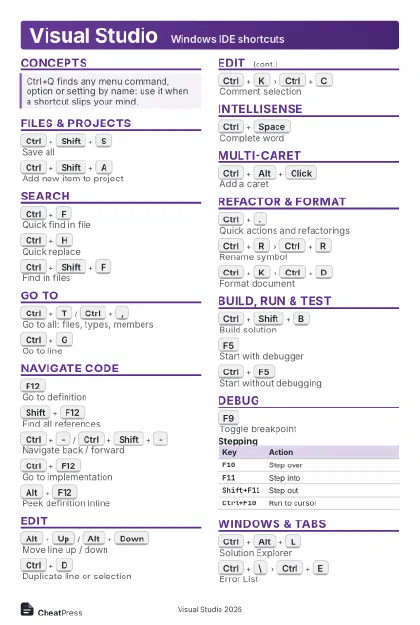
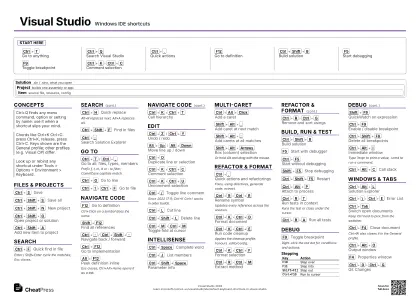
Visual Studio Windows IDE shortcuts
 Light · Postcard
102 × 152 mm · PDF
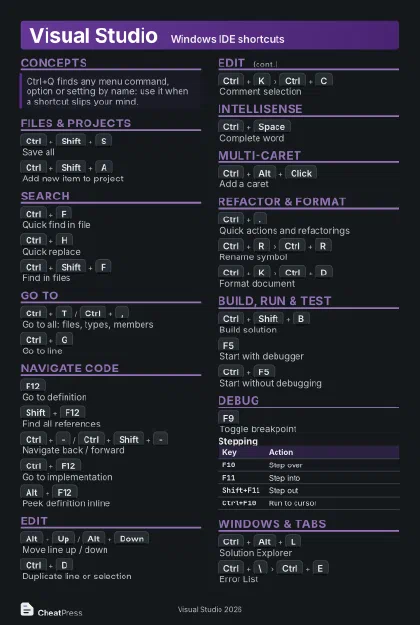 Dark · Postcard
102 × 152 mm · PDF
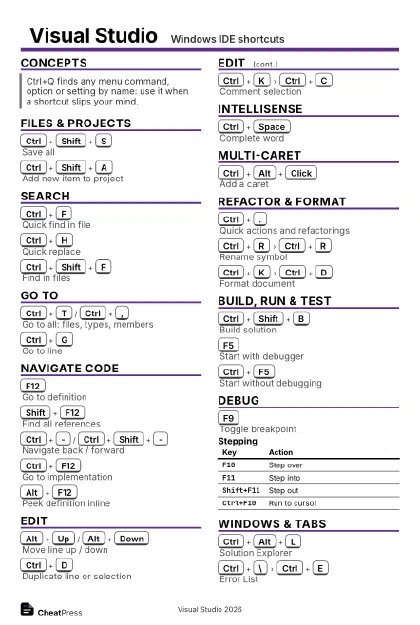 Ink saver · Postcard
102 × 152 mm · PDF
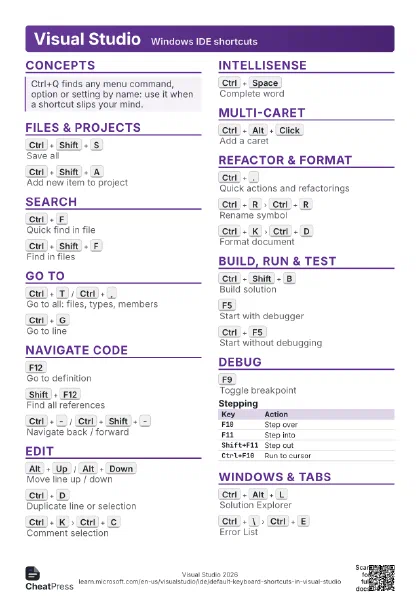
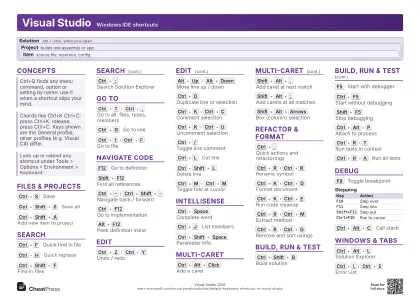 Light · A4 landscape
297 × 210 mm · PDF
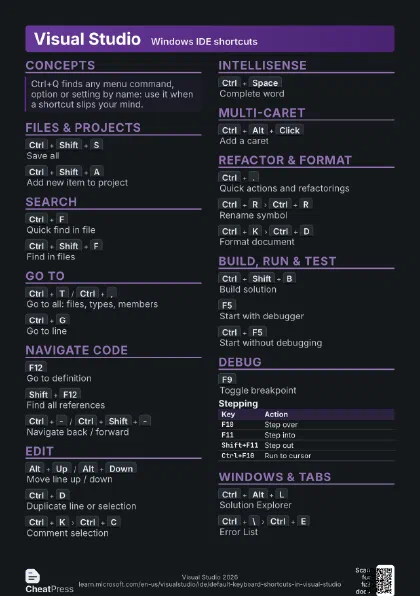
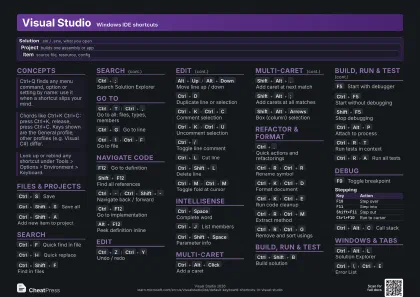 Dark · A4 landscape
297 × 210 mm · PDF
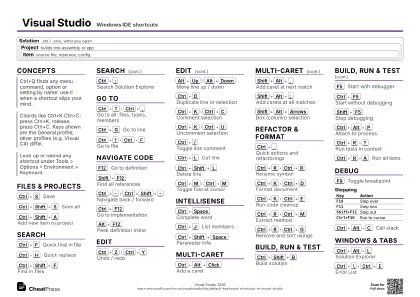 Ink saver · A4 landscape
297 × 210 mm · PDF
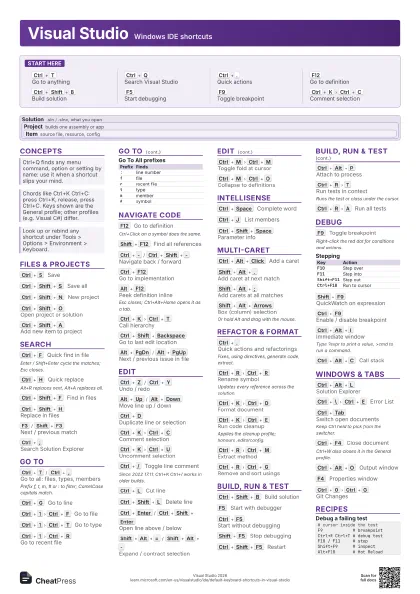
 Light · A3 landscape
420 × 297 mm · PDF
 Dark · A3 landscape
420 × 297 mm · PDF
 Ink saver · A3 landscape
420 × 297 mm · PDF
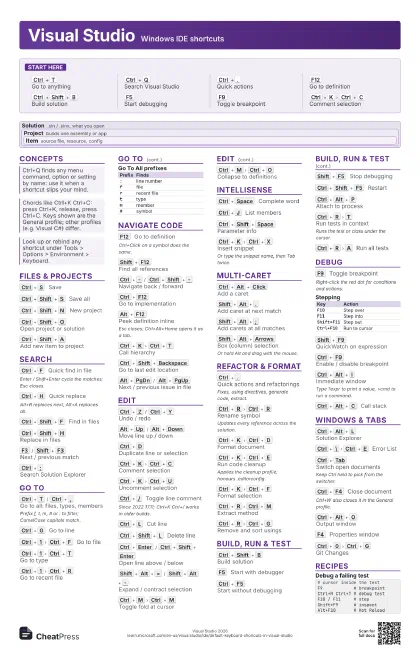
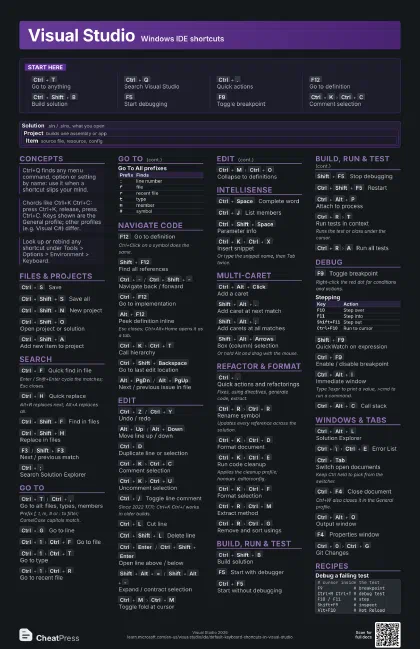
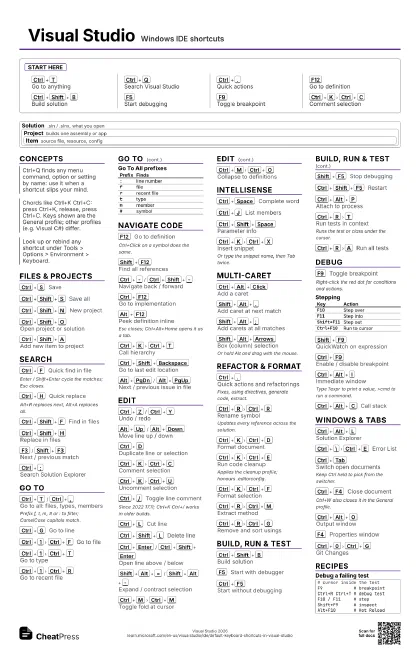
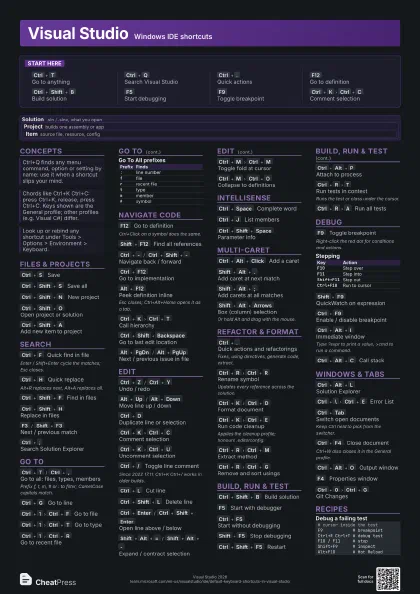
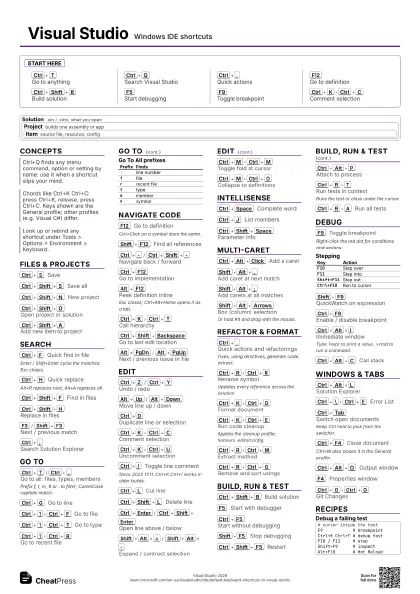
Start here
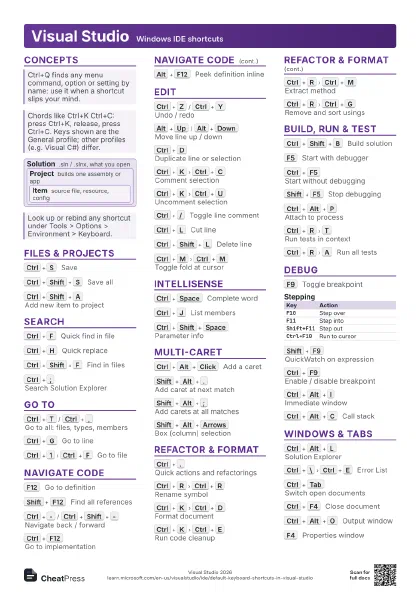
Ctrl+T
Go to anything
Ctrl+Q
Search Visual Studio
Ctrl+.
Quick actions
F12
Go to definition
Ctrl+Shift+B
Build solution
F5
Start debugging
F9
Toggle breakpoint
Ctrl+K
Ctrl+C
Comment selection
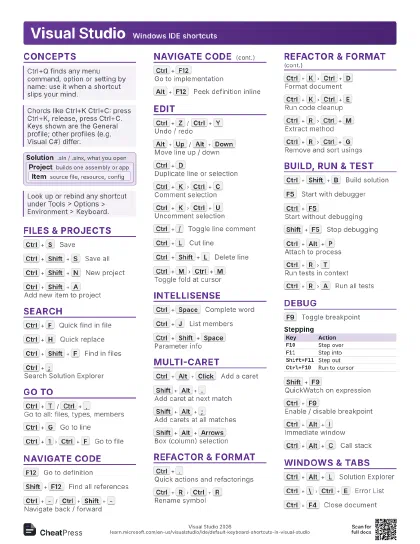
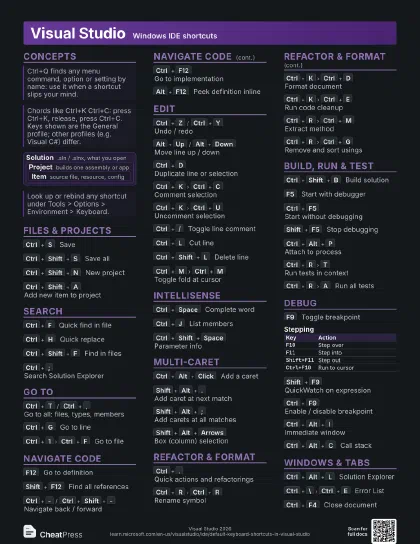
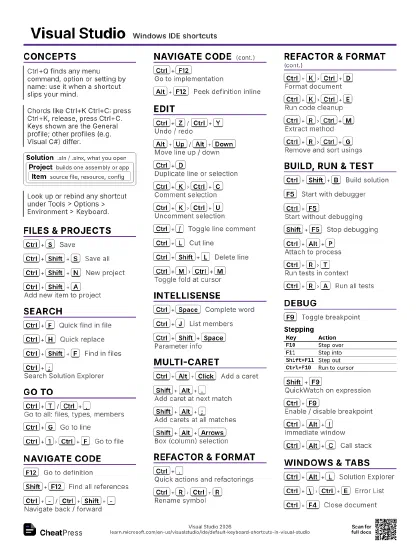
Concepts
Solution
.sln / .slnx, what you open
Project
builds one assembly or app
Item
source file, resource, config
Files & Projects
Ctrl+S
Save
Ctrl+Shift+S
Save all
Ctrl+Shift+N
New project
Ctrl+Shift+O
Open project or solution
Ctrl+Shift+A
Add new item to project
Search
Ctrl+F
Quick find in file
Enter / Shift+Enter cycle the matches; Esc closes.
Ctrl+H
Quick replace
Alt+R replaces next, Alt+A replaces all.
Ctrl+Shift+F
Find in files
Ctrl+Shift+H
Replace in files
F3
/
Shift+F3
Next / previous match
Ctrl+;
Search Solution Explorer
Go To
Ctrl+T
/
Ctrl+,
Go to all: files, types, members
Prefix f, t, m, # or : to filter; CamelCase capitals match.
Ctrl+G
Go to line
Ctrl+1
Ctrl+F
Go to file
Ctrl+1
Ctrl+T
Go to type
Ctrl+1
Ctrl+R
Go to recent file
| Prefix | Finds |
|---|---|
: |
line number |
f |
file |
r |
recent file |
t |
type |
m |
member |
# |
symbol |
Navigate Code
F12
Go to definition
Ctrl+Click on a symbol does the same.
Shift+F12
Find all references
Ctrl+-
/
Ctrl+Shift+-
Navigate back / forward
Ctrl+F12
Go to implementation
Alt+F12
Peek definition inline
Esc closes; Ctrl+Alt+Home opens it as a tab.
Ctrl+K
Ctrl+T
Call hierarchy
Ctrl+Shift+Backspace
Go to last edit location
Alt+PgDn
/
Alt+PgUp
Next / previous issue in file
F8
/
Shift+F8
Next / previous result in list
Steps through Error List, Find results or references.
Edit
Ctrl+Z
/
Ctrl+Y
Undo / redo
Alt+Up
/
Alt+Down
Move line up / down
Ctrl+D
Duplicate line or selection
Ctrl+K
Ctrl+C
Comment selection
Ctrl+K
Ctrl+U
Uncomment selection
Ctrl+/
Toggle line comment
Since 2022 17.11; Ctrl+K Ctrl+/ works in older builds.
Ctrl+L
Cut line
Ctrl+Shift+L
Delete line
Ctrl+Enter
/
Ctrl+Shift+Enter
Open line above / below
Shift+Alt+=
/
Shift+Alt+-
Expand / contract selection
Ctrl+Shift+V
Paste from clipboard history
Press repeatedly to cycle older entries.
Ctrl+E
Ctrl+W
Toggle word wrap
Ctrl+M
Ctrl+M
Toggle fold at cursor
Ctrl+M
Ctrl+O
Collapse to definitions
Ctrl+K
Ctrl+K
Toggle bookmark
IntelliSense
Ctrl+Space
Complete word
Ctrl+J
List members
Ctrl+Shift+Space
Parameter info
Ctrl+K
Ctrl+X
Insert snippet
Or type the snippet name, then Tab twice.
Ctrl+Alt+Space
Toggle suggestion mode
Stops completion from overwriting what you type.
Multi-Caret
Ctrl+Alt+Click
Add a caret
Shift+Alt+.
Add caret at next match
Shift+Alt+;
Add carets at all matches
Shift+Alt+Arrows
Box (column) selection
Or hold Alt and drag with the mouse.
Refactor & Format
Ctrl+.
Quick actions and refactorings
Fixes, using directives, generate code, extract.
Ctrl+R
Ctrl+R
Rename symbol
Updates every reference across the solution.
Ctrl+K
Ctrl+D
Format document
Ctrl+K
Ctrl+E
Run code cleanup
Applies the cleanup profile; honours .editorconfig.
Ctrl+K
Ctrl+F
Format selection
Ctrl+R
Ctrl+M
Extract method
Ctrl+R
Ctrl+G
Remove and sort usings
Ctrl+R
Ctrl+I
Extract interface
Build, Run & Test
Ctrl+Shift+B
Build solution
F5
Start with debugger
Ctrl+F5
Start without debugging
Shift+F5
Stop debugging
Ctrl+Shift+F5
Restart
Ctrl+Break
Cancel build
Ctrl+Alt+P
Attach to process
Ctrl+R
T
Run tests in context
Runs the test or class under the cursor.
Ctrl+R
A
Run all tests
Ctrl+R
L
Repeat last test run
Ctrl+E
T
Test Explorer
Ctrl+R
Ctrl+T
Debug tests in context
Debug
F9
Toggle breakpoint
Right-click the red dot for conditions and actions.
| Key | Action |
|---|---|
F10 |
Step over |
F11 |
Step into |
Shift+F11 |
Step out |
Ctrl+F10 |
Run to cursor |
Shift+F9
QuickWatch on expression
Ctrl+F9
Enable / disable breakpoint
Ctrl+Shift+F9
Delete all breakpoints
Ctrl+Shift+F10
Set next statement
Moves the execution point; skipped code does not run.
Ctrl+Alt+Break
Break all
Alt+F10
Apply code changes (Hot Reload)
Ctrl+Alt+I
Immediate window
Type ?expr to print a value, >cmd to run a command.
Ctrl+Alt+V
L
Locals
Ctrl+Alt+W
1
Watch 1
Ctrl+Alt+C
Call stack
Windows & Tabs
Ctrl+Alt+L
Solution Explorer
Ctrl+\
Ctrl+E
Error List
Ctrl+Tab
Switch open documents
Keep Ctrl held to pick from the switcher.
Ctrl+F4
Close document
Ctrl+W also closes it in the General profile.
Ctrl+Alt+O
Output window
F4
Properties window
Ctrl+[
Ctrl+S
Sync Solution Explorer to file
Ctrl+0
Ctrl+G
Git Changes
Ctrl+Alt+Down
List open files
Shift+Esc
Close tool window
Ctrl+Shift+.
/
Ctrl+Shift+,
Zoom editor in / out
Recipes
# cursor inside the testF9 # breakpointCtrl+R Ctrl+T # debug testF10 / F11 # stepShift+F9 # inspectAlt+F10 # Hot ReloadCtrl+R Ctrl+R # renameCtrl+R Ctrl+G # sort usingsCtrl+K Ctrl+E # cleanupCtrl+Shift+B # builddevenv app.sln /build Debugdevenv app.sln /rebuild Releasedevenv app.sln /build Debug /out log.txtdevenv /edit <file>devenv /safemode