Cheat
curl Transfer data by URL
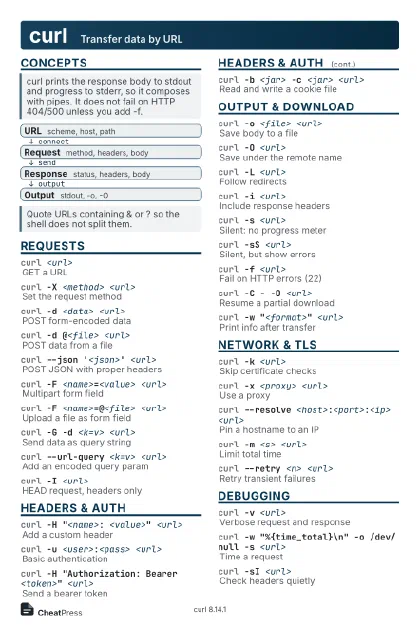 Light · Postcard
102 × 152 mm · PDF
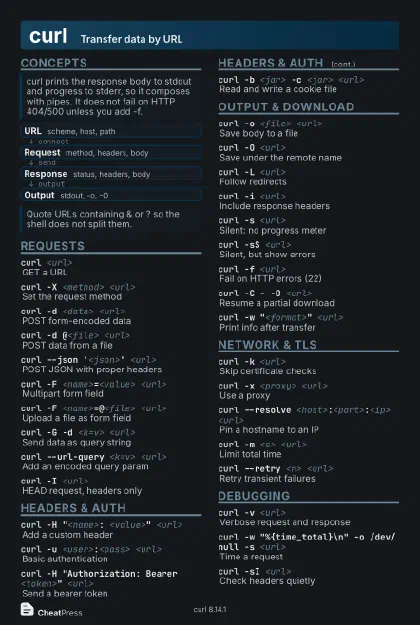 Dark · Postcard
102 × 152 mm · PDF
 Ink saver · Postcard
102 × 152 mm · PDF

 Light · A4 landscape
297 × 210 mm · PDF
 Dark · A4 landscape
297 × 210 mm · PDF
 Ink saver · A4 landscape
297 × 210 mm · PDF

 Light · A3 landscape
420 × 297 mm · PDF
 Dark · A3 landscape
420 × 297 mm · PDF
 Ink saver · A3 landscape
420 × 297 mm · PDF
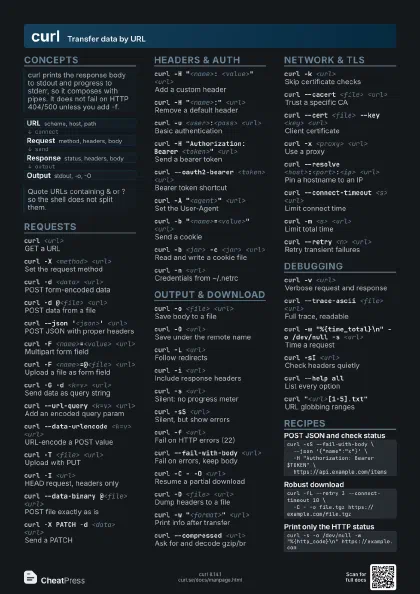
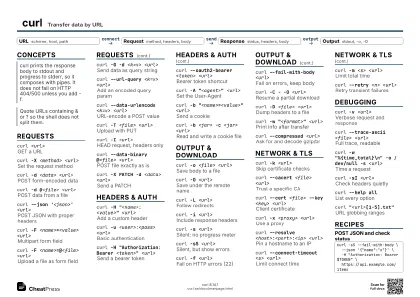
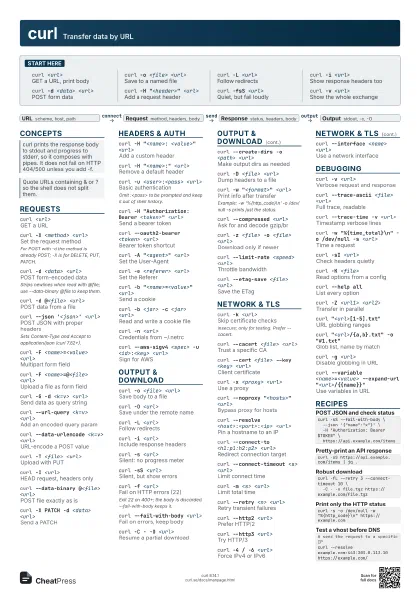
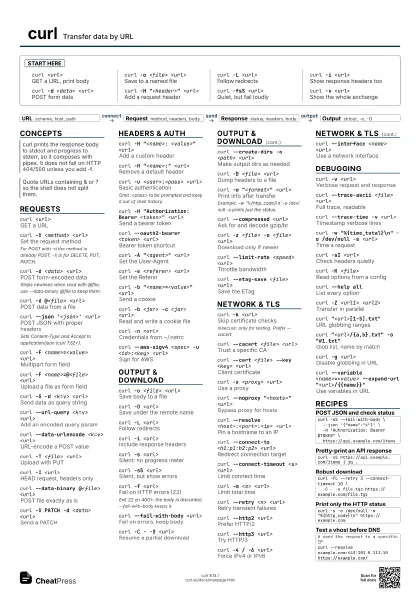
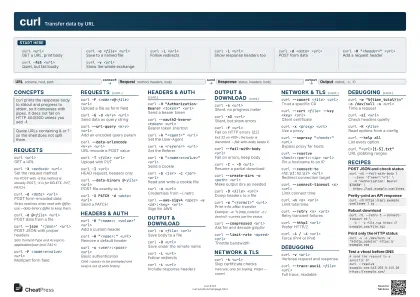
Start here
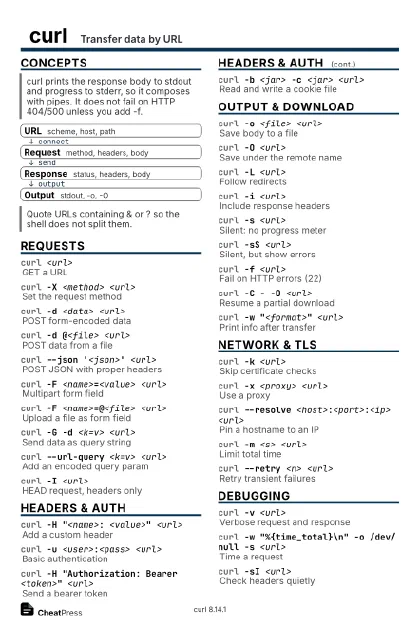
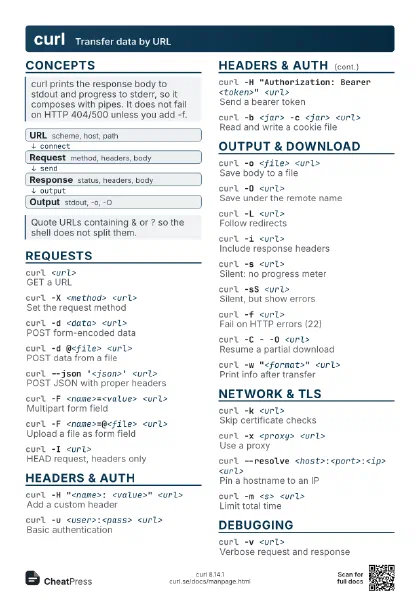
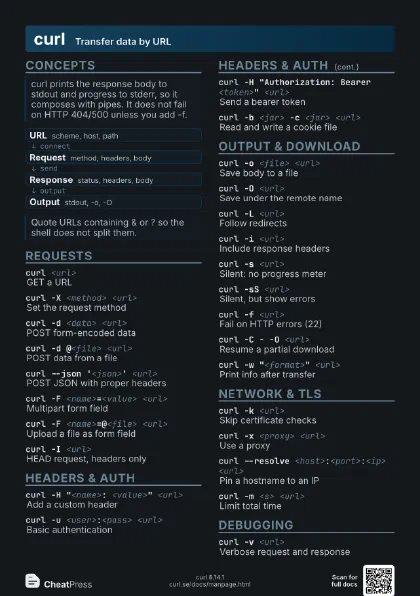
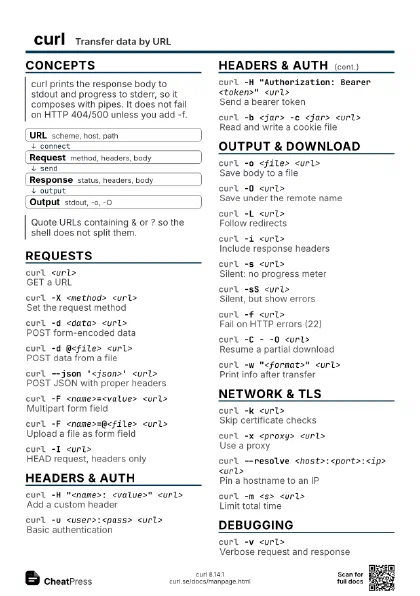
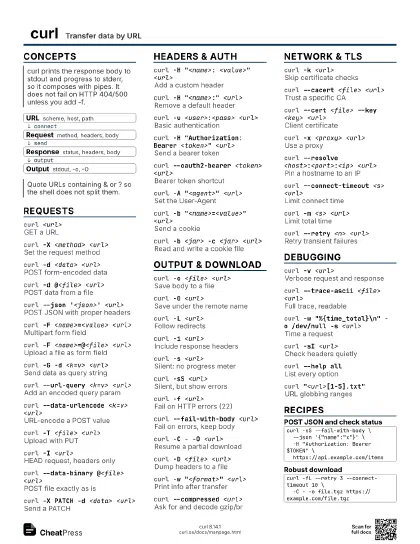
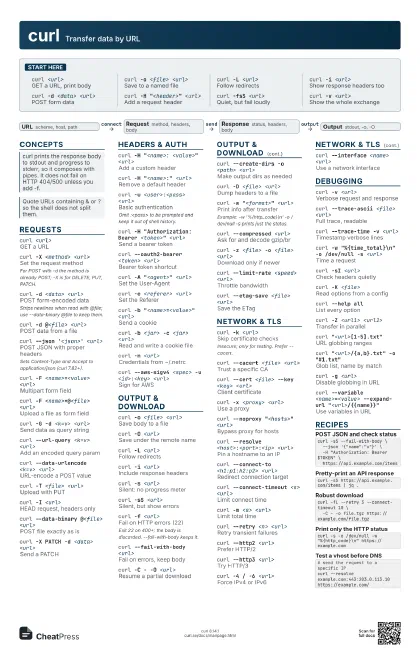
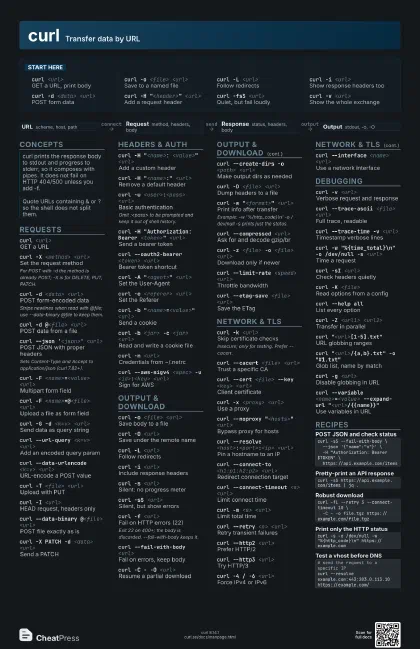
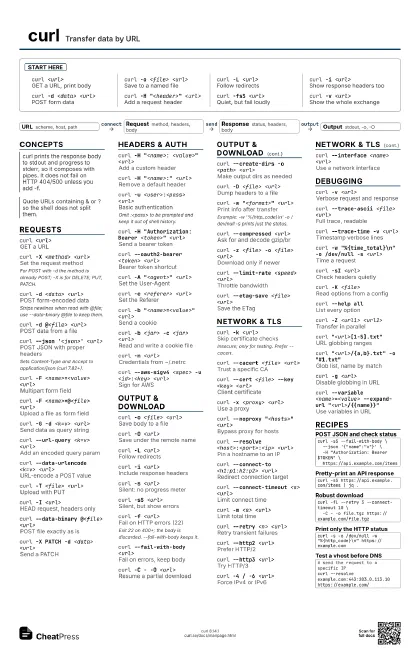
curl <url>
GET a URL, print body
curl -o <file> <url>
Save to a named file
curl -L <url>
Follow redirects
curl -i <url>
Show response headers too
curl -d <data> <url>
POST form data
curl -H "<header>" <url>
Add a request header
curl -fsS <url>
Quiet, but fail loudly
curl -v <url>
Show the whole exchange
Concepts
- URL scheme, host, path
- Request method, headers, body
- Response status, headers, body
- Output stdout, -o, -O
Requests
curl <url>
GET a URL
curl -X <method> <url>
Set the request method
For POST with -d the method is already POST; -X is for DELETE,
PUT, PATCH.
curl -d <data> <url>
POST form-encoded data
Strips newlines when read with @file; use --data-binary @file
to keep them.
curl -d @<file> <url>
POST data from a file
curl --json '<json>' <url>
POST JSON with proper headers
Sets Content-Type and Accept to application/json (curl
7.82+).
curl -F <name>=<value> <url>
Multipart form field
curl -F <name>=@<file> <url>
Upload a file as form field
curl -G -d <k=v> <url>
Send data as query string
curl --url-query <k=v> <url>
Add an encoded query param
curl --data-urlencode <k=v> <url>
URL-encode a POST value
curl -T <file> <url>
Upload with PUT
curl -I <url>
HEAD request, headers only
curl --data-binary @<file> <url>
POST file exactly as is
curl -X PATCH -d <data> <url>
Send a PATCH
Headers & Auth
curl -H "<name>: <value>"
                    <url>
Add a custom header
curl -H "<name>:" <url>
Remove a default header
curl -u <user>:<pass> <url>
Basic authentication
Omit :<pass> to be prompted and keep it out of shell
history.
curl -H "Authorization: Bearer <token>"
                    <url>
Send a bearer token
curl --oauth2-bearer <token> <url>
Bearer token shortcut
curl -A "<agent>" <url>
Set the User-Agent
curl -e <referer> <url>
Set the Referer
curl -b "<name>=<value>"
                    <url>
Send a cookie
curl -b <jar> -c <jar> <url>
Read and write a cookie file
curl -n <url>
Credentials from ~/.netrc
curl --aws-sigv4 <spec> -u <id>:<key>
                    <url>
Sign for AWS
Output & Download
curl -o <file> <url>
Save body to a file
curl -O <url>
Save under the remote name
curl -L <url>
Follow redirects
curl -i <url>
Include response headers
curl -s <url>
Silent: no progress meter
curl -sS <url>
Silent, but show errors
curl -f <url>
Fail on HTTP errors (22)
Exit 22 on 400+; the body is discarded. --fail-with-body
keeps it.
curl --fail-with-body <url>
Fail on errors, keep body
curl -C - -O <url>
Resume a partial download
curl --create-dirs -o <path> <url>
Make output dirs as needed
curl -D <file> <url>
Dump headers to a file
curl -w "<format>" <url>
Print info after transfer
Example: -w '%{http_code}\n' -o /dev/null -s prints
just the status.
curl --compressed <url>
Ask for and decode gzip/br
curl -z <file> -o <file> <url>
Download only if newer
curl --limit-rate <speed> <url>
Throttle bandwidth
curl --etag-save <file> <url>
Save the ETag
Network & TLS
curl -k <url>
Skip certificate checks
Insecure; only for testing. Prefer --cacert.
curl --cacert <file> <url>
Trust a specific CA
curl --cert <file> --key <key>
                    <url>
Client certificate
curl -x <proxy> <url>
Use a proxy
curl --noproxy "<hosts>" <url>
Bypass proxy for hosts
curl --resolve <host>:<port>:<ip>
                    <url>
Pin a hostname to an IP
curl --connect-to <h1:p1:h2:p2> <url>
Redirect connection target
curl --connect-timeout <s> <url>
Limit connect time
curl -m <s> <url>
Limit total time
curl --retry <n> <url>
Retry transient failures
curl --http2 <url>
Prefer HTTP/2
curl --http3 <url>
Try HTTP/3
curl -4 / -6 <url>
Force IPv4 or IPv6
curl --interface <name> <url>
Use a network interface
Debugging
curl -v <url>
Verbose request and response
curl --trace-ascii <file> <url>
Full trace, readable
curl --trace-time -v <url>
Timestamp verbose lines
curl -w "%{time_total}\n" -o /dev/null -s
                    <url>
Time a request
curl -sI <url>
Check headers quietly
curl -K <file>
Read options from a config
curl --help allList every option
curl -Z <url1> <url2>
Transfer in parallel
curl "<url>[1-5].txt"
URL globbing ranges
curl "<url>/{a,b}.txt" -o
                    "#1.txt"
Glob list, name by match
curl -g <url>
Disable globbing in URL
curl --variable <name>=<value> --expand-url
                    "<url>/{{name}}"
Use variables in URL
Recipes
curl -sS --fail-with-body \ --json '{"name":"x"}' \ -H "Authorization: Bearer $TOKEN" \ https://api.example.com/itemscurl -sS https://api.example.com/items | jq .curl -fL --retry 3 --connect-timeout 10 \ -C - -o file.tgz https://example.com/file.tgzcurl -s -o /dev/null -w "%{http_code}\n" https://example.com# send the request to a specific IPcurl --resolve example.com:443:203.0.113.10 https://example.com/