Cheat
systemd Services and logs
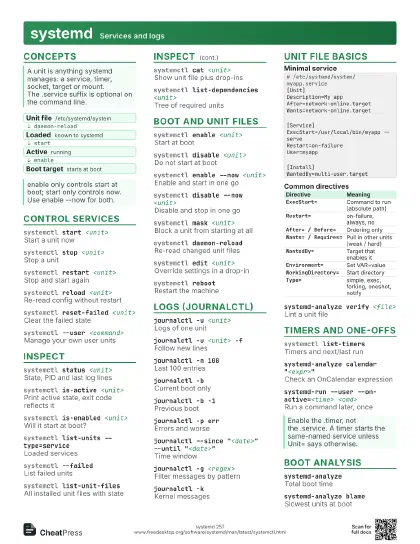
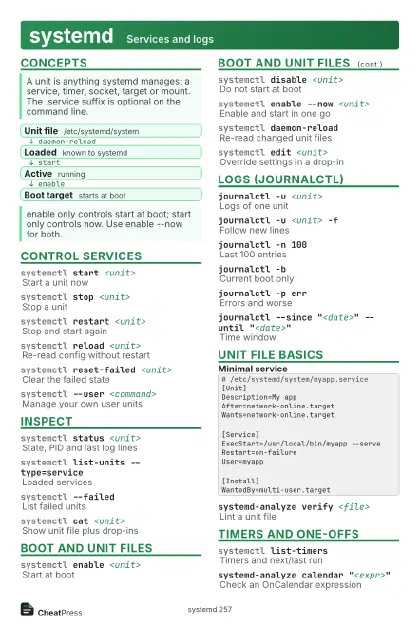 Light · Postcard
102 × 152 mm · PDF
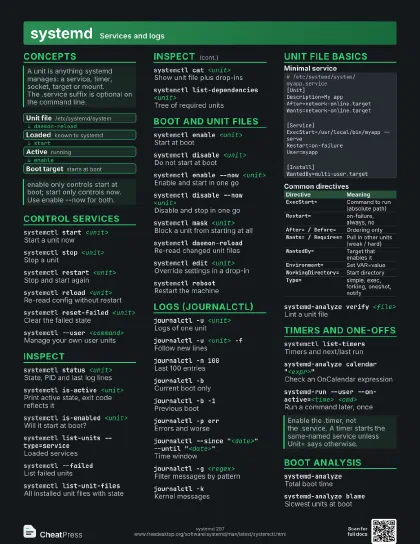
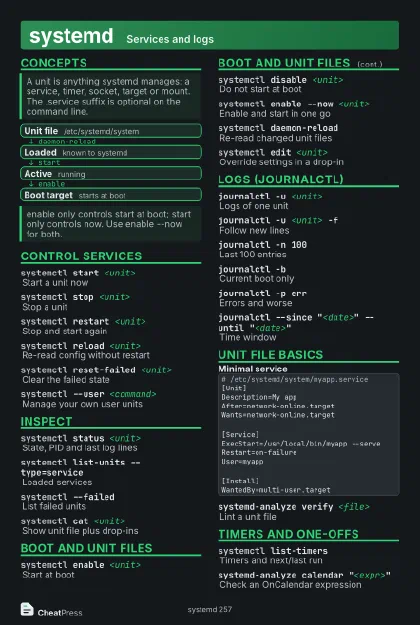 Dark · Postcard
102 × 152 mm · PDF
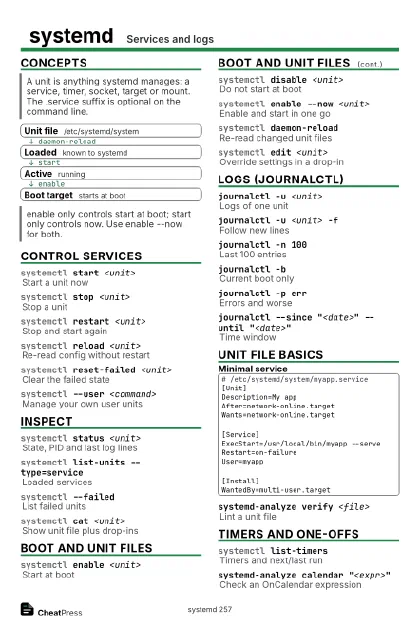 Ink saver · Postcard
102 × 152 mm · PDF
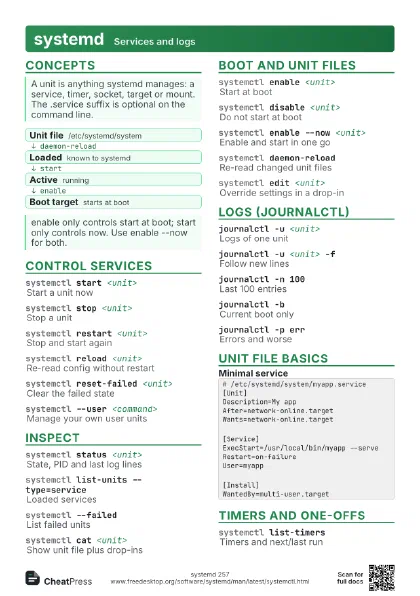
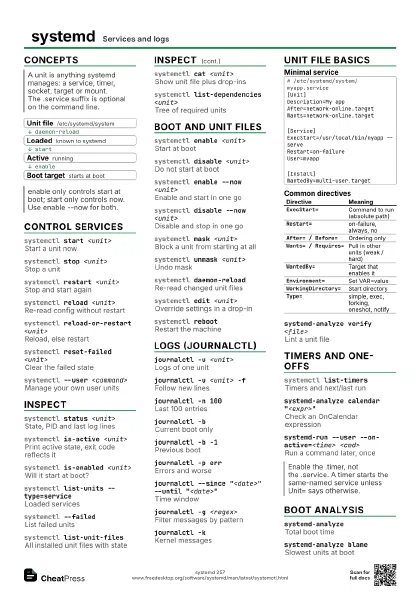
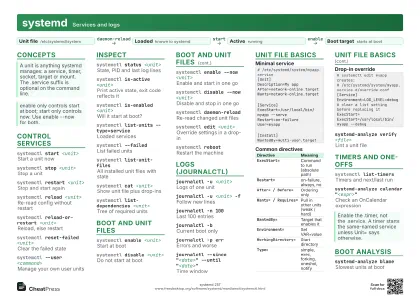 Light · A4 landscape
297 × 210 mm · PDF
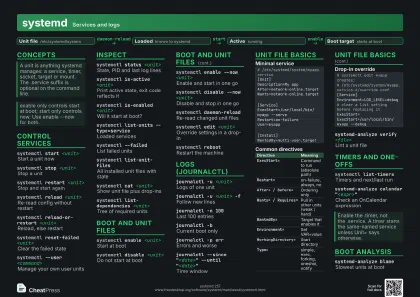 Dark · A4 landscape
297 × 210 mm · PDF
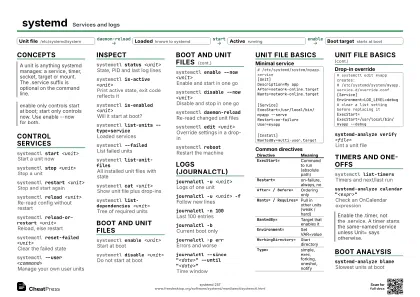 Ink saver · A4 landscape
297 × 210 mm · PDF
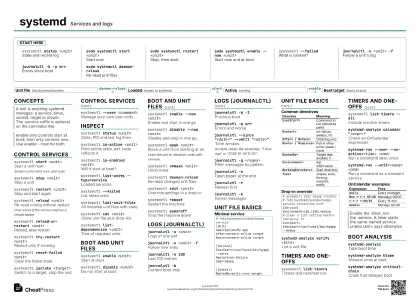
 Light · A3 landscape
420 × 297 mm · PDF
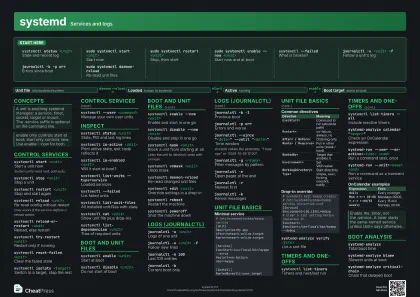 Dark · A3 landscape
420 × 297 mm · PDF
 Ink saver · A3 landscape
420 × 297 mm · PDF
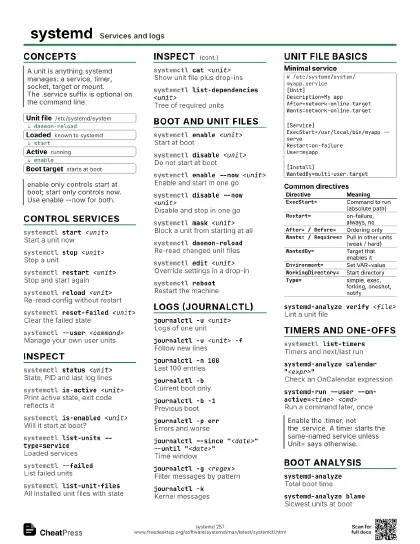
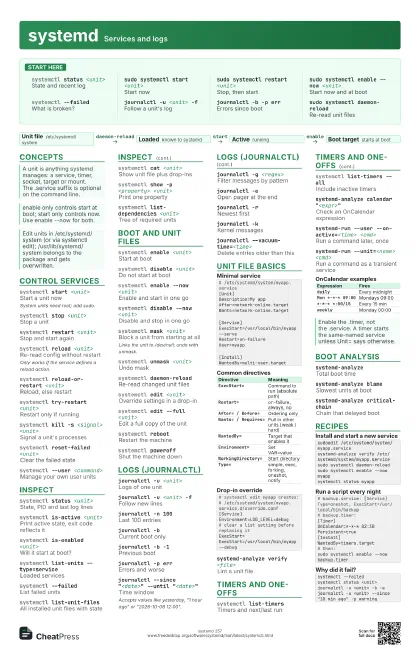
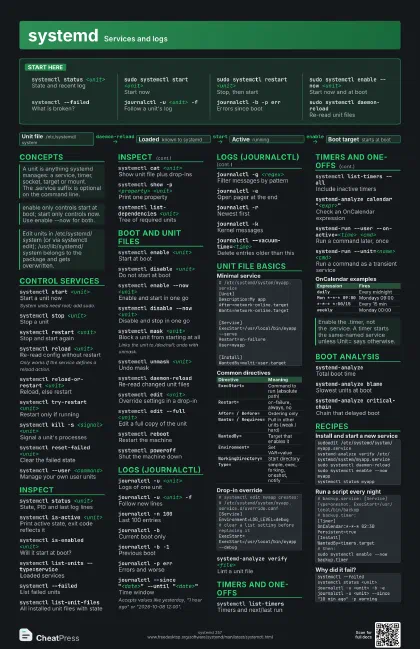
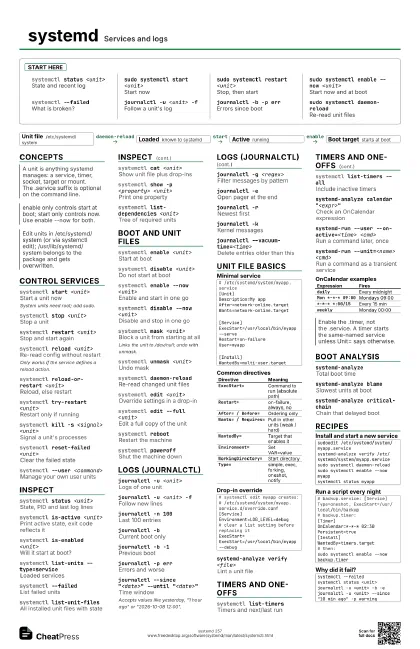
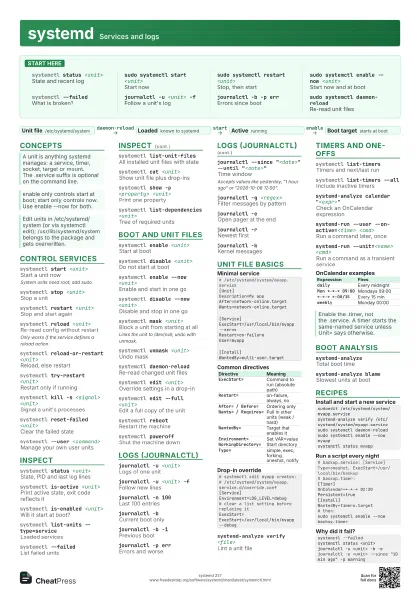
Start here
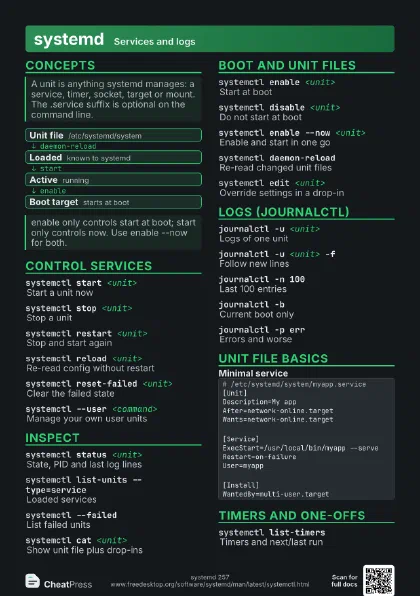
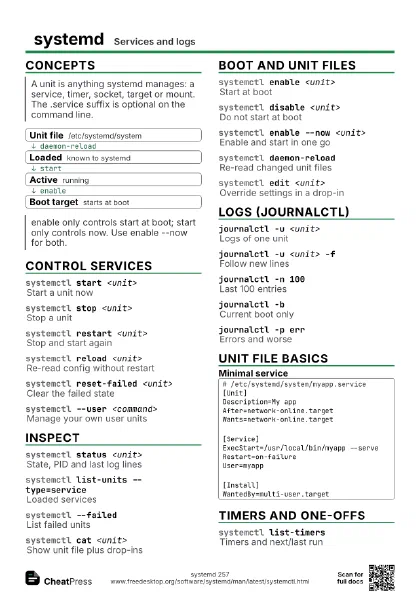
systemctl status <unit>
State and recent log
sudo systemctl start <unit>
Start now
sudo systemctl restart <unit>
Stop, then start
sudo systemctl enable --now <unit>
Start now and at boot
systemctl --failed
What is broken?
journalctl -u <unit> -f
Follow a unit's log
journalctl -b -p err
Errors since boot
sudo systemctl daemon-reload
Re-read unit files
Concepts
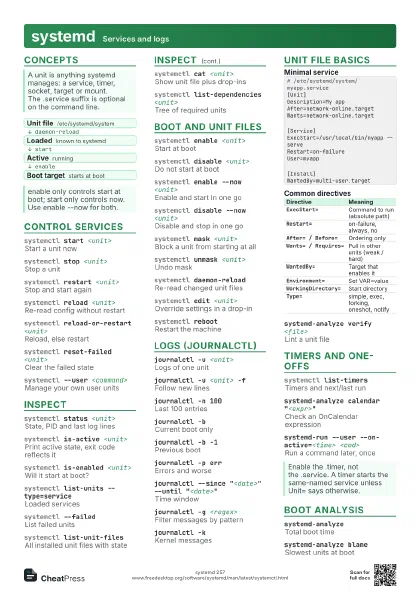
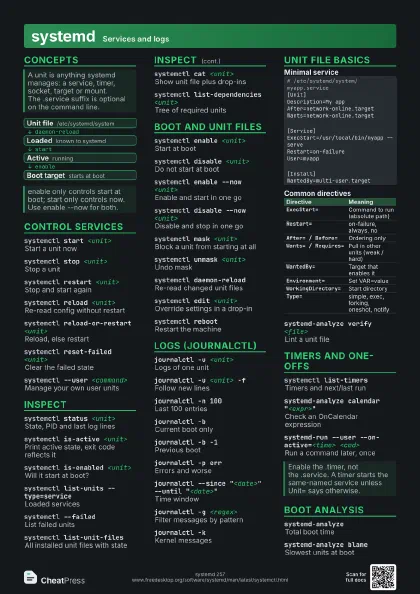
- Unit file /etc/systemd/system
- Loaded known to systemd
- Active running
- Boot target starts at boot
Control services
systemctl start <unit>
Start a unit now
System units need root; add sudo.
systemctl stop <unit>
Stop a unit
systemctl restart <unit>
Stop and start again
systemctl reload <unit>
Re-read config without restart
Only works if the service defines a reload action.
systemctl reload-or-restart <unit>
Reload, else restart
systemctl try-restart <unit>
Restart only if running
systemctl kill -s <signal> <unit>
Signal a unit's processes
systemctl reset-failed <unit>
Clear the failed state
systemctl isolate <target>
Switch to a target, stop the rest
systemctl --user <command>
Manage your own user units
Inspect
systemctl status <unit>
State, PID and last log lines
systemctl is-active <unit>
Print active state, exit code reflects it
systemctl is-enabled <unit>
Will it start at boot?
systemctl list-units --type=service
Loaded services
systemctl --failed
List failed units
systemctl list-unit-files
All installed unit files with state
systemctl cat <unit>
Show unit file plus drop-ins
systemctl show -p <property> <unit>
Print one property
systemctl list-dependencies <unit>
Tree of required units
systemctl status --full -n 50 <unit>
Untruncated status, more log lines
Boot and unit files
systemctl enable <unit>
Start at boot
systemctl disable <unit>
Do not start at boot
systemctl enable --now <unit>
Enable and start in one go
systemctl disable --now <unit>
Disable and stop in one go
systemctl mask <unit>
Block a unit from starting at all
Links the unit to /dev/null; undo with unmask.
systemctl unmask <unit>
Undo mask
systemctl daemon-reload
Re-read changed unit files
systemctl edit <unit>
Override settings in a drop-in
systemctl edit --full <unit>
Edit a full copy of the unit
systemctl revert <unit>
Drop local edits, back to vendor
systemctl get-default
Show default boot target
systemctl set-default <target>
Set default boot target
systemctl reboot
Restart the machine
systemctl poweroff
Shut the machine down
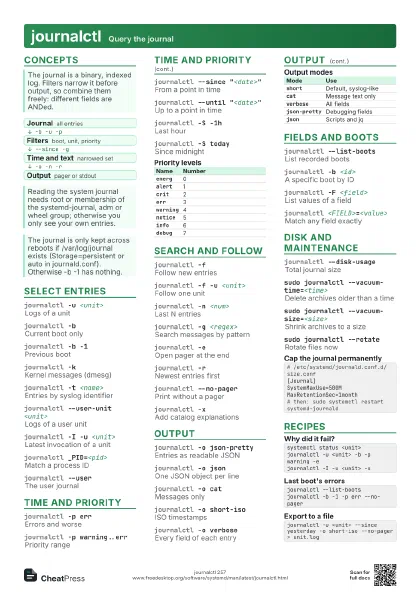
Logs (journalctl)
journalctl -u <unit>
Logs of one unit
journalctl -u <unit> -f
Follow new lines
journalctl -n 100
Last 100 entries
journalctl -bCurrent boot only
journalctl -b -1
Previous boot
journalctl -p err
Errors and worse
journalctl --since "<date>" --until
                    "<date>"
Time window
Accepts values like yesterday, "1 hour ago" or
"2026-10-08 12:00".
journalctl -g <regex>
Filter messages by pattern
journalctl -eOpen pager at the end
journalctl -rNewest first
journalctl -o json-pretty
Structured output
journalctl -kKernel messages
journalctl --list-boots
List recorded boots
journalctl --disk-usage
Space used by the journal
journalctl --vacuum-time=<time>
Delete entries older than this
journalctl --no-pager
Print without pager
Unit file basics
# /etc/systemd/system/myapp.service[Unit]Description=My appAfter=network-online.targetWants=network-online.target[Service]ExecStart=/usr/local/bin/myapp --serveRestart=on-failureUser=myapp[Install]WantedBy=multi-user.target| Directive | Meaning |
|---|---|
ExecStart= |
Command to run (absolute path) |
Restart= |
on-failure, always, no |
After= / Before= |
Ordering only |
Wants= / Requires= |
Pull in other units (weak / hard) |
WantedBy= |
Target that enables it |
Environment= |
Set VAR=value |
WorkingDirectory= |
Start directory |
Type= |
simple, exec, forking, oneshot, notify |
# systemctl edit myapp creates:# /etc/systemd/system/myapp.service.d/override.conf[Service]Environment=LOG_LEVEL=debug# clear a list setting before replacing itExecStart=ExecStart=/usr/local/bin/myapp --debugsystemd-analyze verify <file>
Lint a unit file
systemd-analyze security <unit>
Sandboxing exposure score
Timers and one-offs
systemctl list-timers
Timers and next/last run
systemctl list-timers --all
Include inactive timers
systemd-analyze calendar "<expr>"
Check an OnCalendar expression
systemd-run --user --on-active=<time>
                    <cmd>
Run a command later, once
systemd-run --unit=<name> <cmd>
Run a command as a transient service
| Expression | Fires |
|---|---|
daily |
Every midnight |
Mon *-*-* 09:00 |
Mondays 09:00 |
*-*-* *:00/15 |
Every 15 min |
weekly |
Monday 00:00 |
Boot analysis
systemd-analyzeTotal boot time
systemd-analyze blame
Slowest units at boot
systemd-analyze critical-chain
Chain that delayed boot
systemctl --state=failed
Filter units by state
Recipes
sudoedit /etc/systemd/system/myapp.servicesystemd-analyze verify /etc/systemd/system/myapp.servicesudo systemctl daemon-reloadsudo systemctl enable --now myappsystemctl status myapp# backup.service: [Service] Type=oneshot, ExecStart=/usr/local/bin/backup# backup.timer:[Timer]OnCalendar=*-*-* 02:30Persistent=true[Install]WantedBy=timers.target# then:sudo systemctl enable --now backup.timersystemctl --failedsystemctl status <unit>journalctl -u <unit> -b -ejournalctl -u <unit> --since "10 min ago" -p warningjournalctl --disk-usagesudo journalctl --vacuum-time=2weeks