Cheat
Syft Generate software SBOMs
 Light · Postcard
102 × 152 mm · PDF
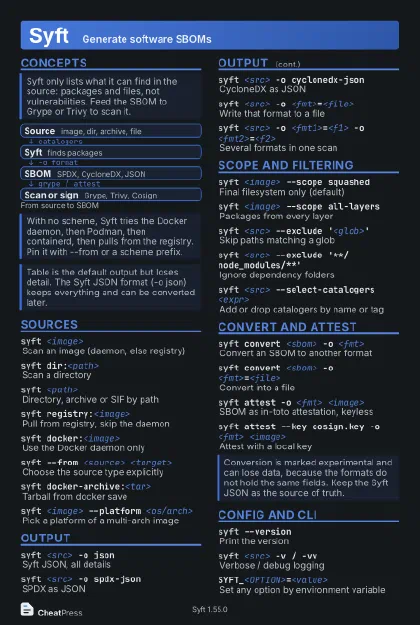 Dark · Postcard
102 × 152 mm · PDF
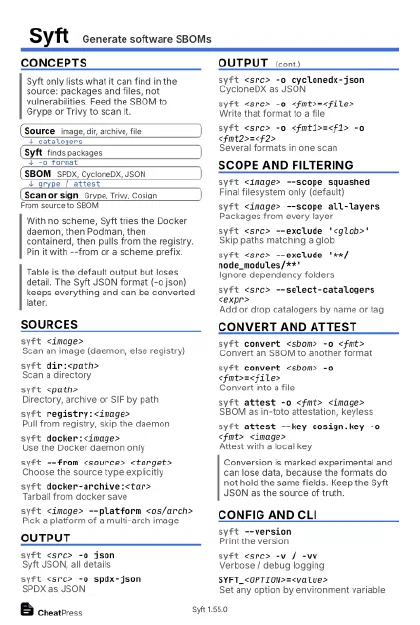 Ink saver · Postcard
102 × 152 mm · PDF
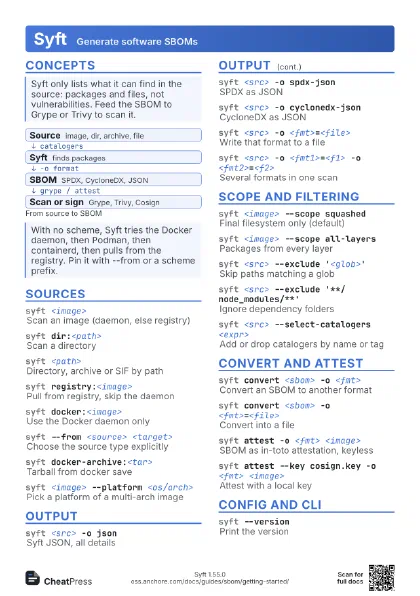
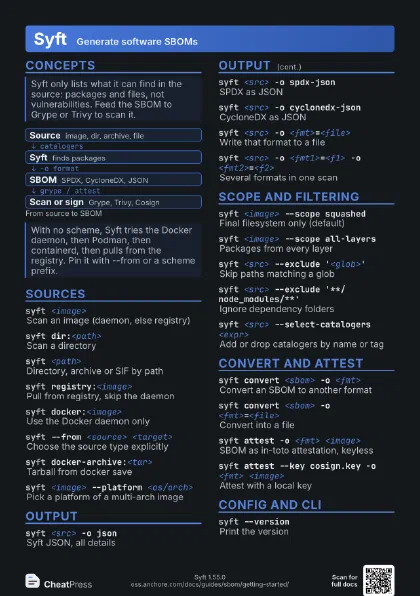
 Light · A4 landscape
297 × 210 mm · PDF
 Dark · A4 landscape
297 × 210 mm · PDF
 Ink saver · A4 landscape
297 × 210 mm · PDF
 Light · A3 landscape
420 × 297 mm · PDF
 Dark · A3 landscape
420 × 297 mm · PDF
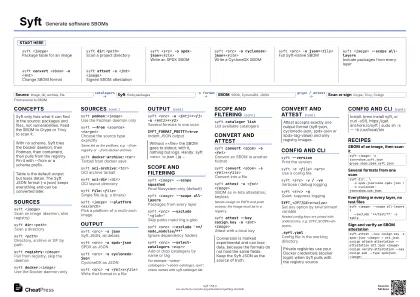 Ink saver · A3 landscape
420 × 297 mm · PDF
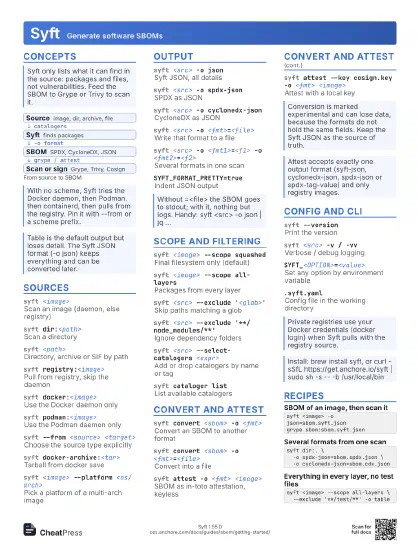
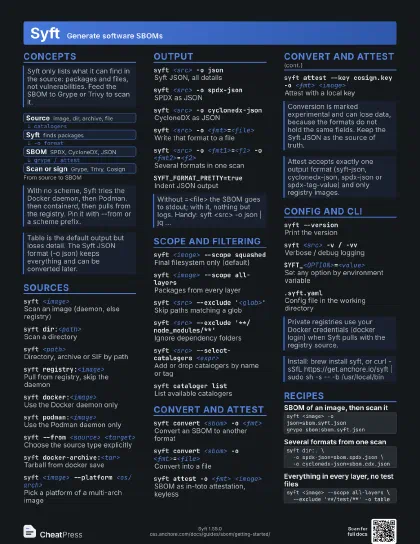
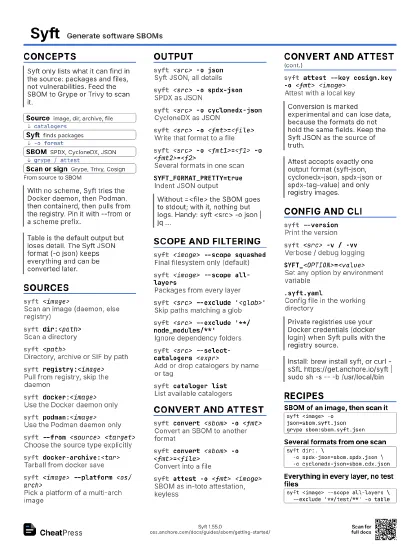
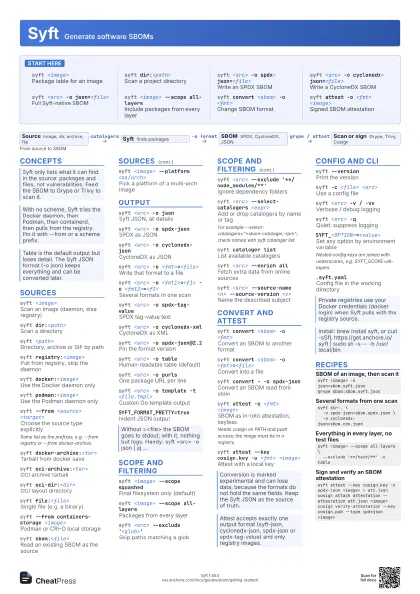
Start here
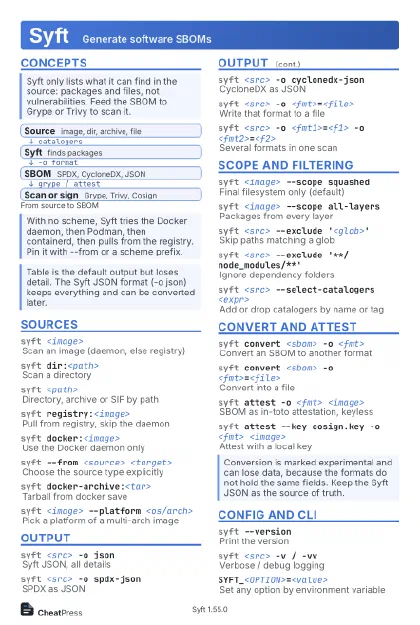
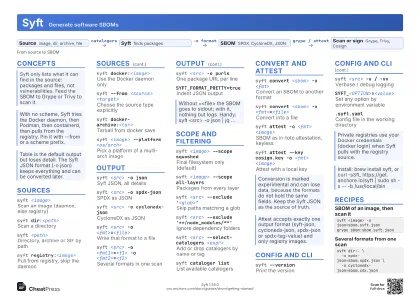
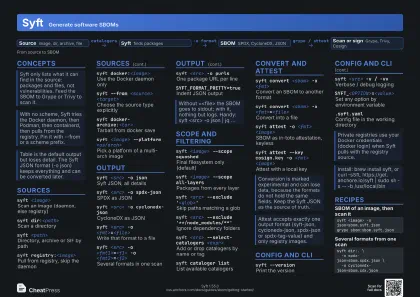
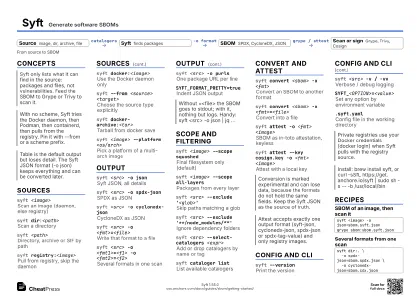
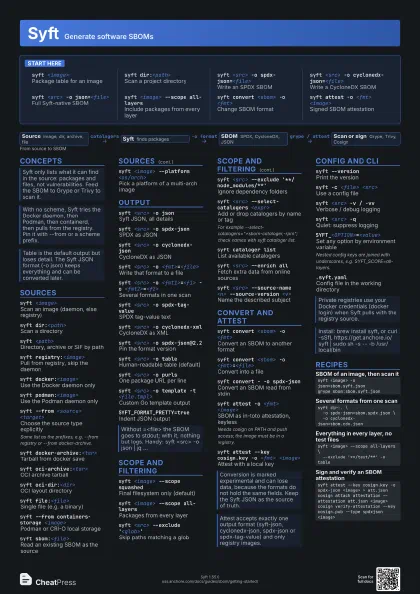
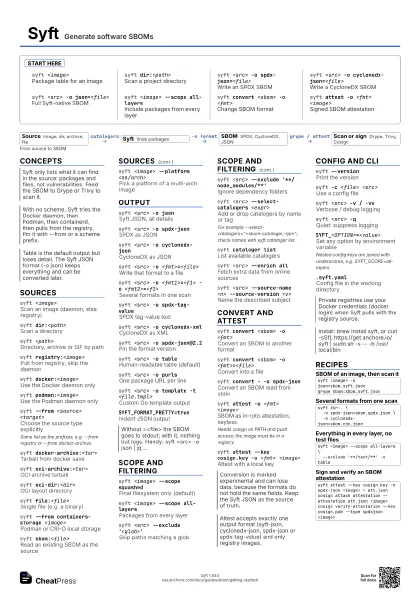
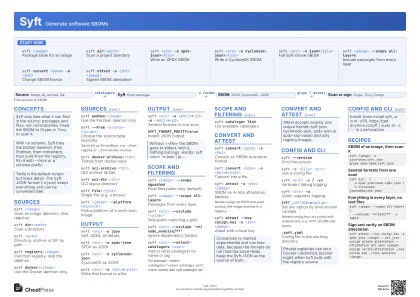
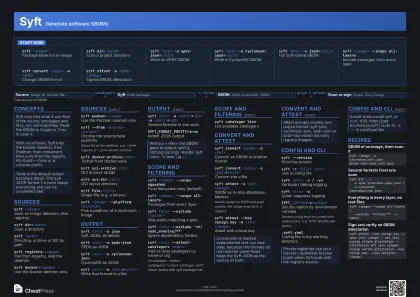
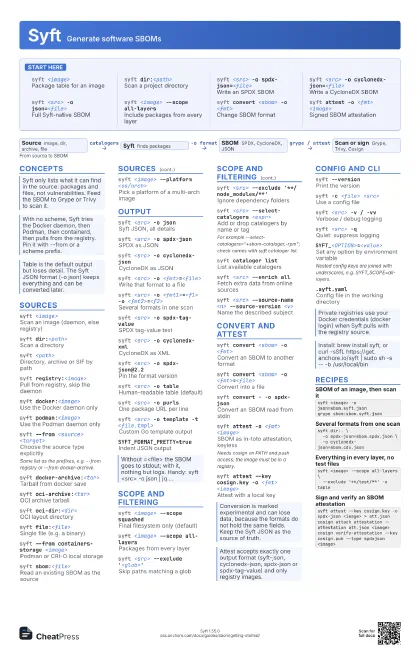
syft <image>
Package table for an image
syft dir:<path>
Scan a project directory
syft <src> -o spdx-json=<file>
Write an SPDX SBOM
syft <src> -o cyclonedx-json=<file>
Write a CycloneDX SBOM
syft <src> -o json=<file>
Full Syft-native SBOM
syft <image> --scope all-layers
Include packages from every layer
syft convert <sbom> -o <fmt>
Change SBOM format
syft attest -o <fmt> <image>
Signed SBOM attestation
Concepts
- Source image, dir, archive, file
- Syft finds packages
- SBOM SPDX, CycloneDX, JSON
- Scan or sign Grype, Trivy, Cosign
Sources
syft <image>
Scan an image (daemon, else registry)
syft dir:<path>
Scan a directory
syft <path>
Directory, archive or SIF by path
syft registry:<image>
Pull from registry, skip the daemon
syft docker:<image>
Use the Docker daemon only
syft podman:<image>
Use the Podman daemon only
syft --from <source> <target>
Choose the source type explicitly
Same list as the prefixes, e.g. --from registry or --from
docker-archive.
syft docker-archive:<tar>
Tarball from docker save
syft oci-archive:<tar>
OCI archive tarball
syft oci-dir:<dir>
OCI layout directory
syft file:<file>
Single file (e.g. a binary)
syft --from containers-storage <image>
Podman or CRI-O local storage
syft sbom:<file>
Read an existing SBOM as the source
syft <image> --platform <os/arch>
Pick a platform of a multi-arch image
Output
syft <src> -o json
Syft JSON, all details
syft <src> -o spdx-json
SPDX as JSON
syft <src> -o cyclonedx-json
CycloneDX as JSON
syft <src> -o <fmt>=<file>
Write that format to a file
syft <src> -o <fmt1>=<f1> -o
                    <fmt2>=<f2>
Several formats in one scan
syft <src> -o spdx-tag-value
SPDX tag-value text
syft <src> -o cyclonedx-xml
CycloneDX as XML
syft <src> -o spdx-json@2.2
Pin the format version
syft <src> -o table
Human-readable table (default)
syft <src> -o purls
One package URL per line
syft <src> -o template -t <file.tmpl>
Custom Go template output
SYFT_FORMAT_PRETTY=true
Indent JSON output
Scope and filtering
syft <image> --scope squashed
Final filesystem only (default)
syft <image> --scope all-layers
Packages from every layer
syft <src> --exclude '<glob>'
Skip paths matching a glob
syft <src> --exclude
                    '**/node_modules/**'
Ignore dependency folders
syft <src> --select-catalogers <expr>
Add or drop catalogers by name or tag
For example
--select-catalogers="+sbom-cataloger,-rpm"; check
names with syft cataloger list.
syft cataloger list
List available catalogers
syft <src> --enrich all
Fetch extra data from online sources
syft <src> --source-name <n> --source-version
                    <v>
Name the described subject
Convert and attest
syft convert <sbom> -o <fmt>
Convert an SBOM to another format
syft convert <sbom> -o <fmt>=<file>
Convert into a file
syft convert - -o spdx-json
Convert an SBOM read from stdin
syft attest -o <fmt> <image>
SBOM as in-toto attestation, keyless
Needs cosign on PATH and push access; the image must be in a
registry.
syft attest --key cosign.key -o <fmt>
                    <image>
Attest with a local key
Config and CLI
syft --versionPrint the version
syft -c <file> <src>
Use a config file
syft <src> -v / -vv
Verbose / debug logging
syft <src> -q
Quiet: suppress logging
SYFT_<OPTION>=<value>
Set any option by environment variable
Nested config keys are joined with underscores, e.g.
SYFT_SCOPE=all-layers.
.syft.yamlConfig file in the working directory
Recipes
syft <image> -o json=sbom.syft.jsongrype sbom:sbom.syft.jsonsyft dir:. \ -o spdx-json=sbom.spdx.json \ -o cyclonedx-json=sbom.cdx.jsonsyft <image> --scope all-layers \ --exclude '**/test/**' -o tablesyft attest --key cosign.key -o spdx-json <image> > att.jsoncosign attach attestation --attestation att.json <image>cosign verify-attestation --key cosign.pub --type spdxjson <image>