Cheat
rsync File sync tool
 Light · Postcard
102 × 152 mm · PDF
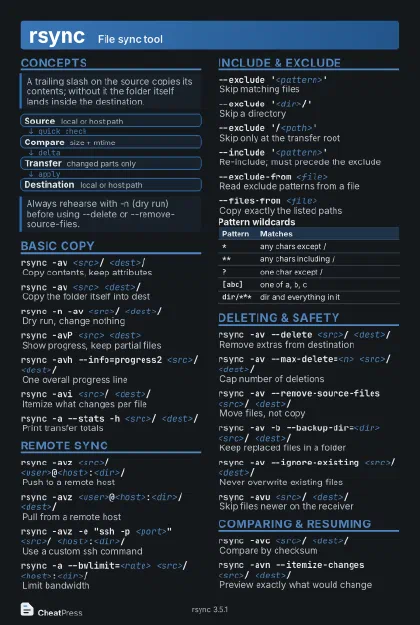 Dark · Postcard
102 × 152 mm · PDF
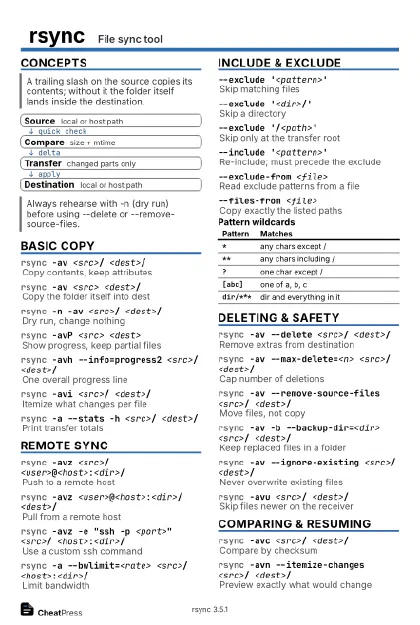 Ink saver · Postcard
102 × 152 mm · PDF
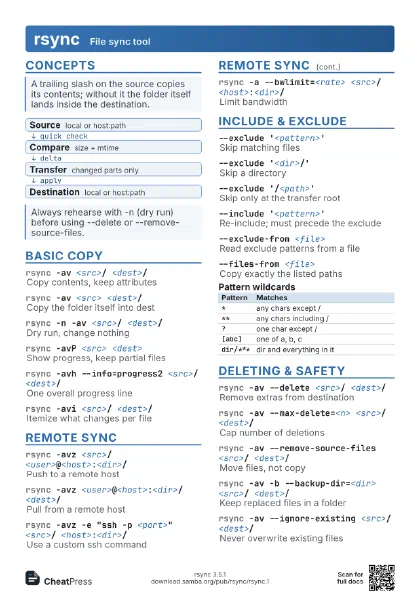

 Light · A4 landscape
297 × 210 mm · PDF
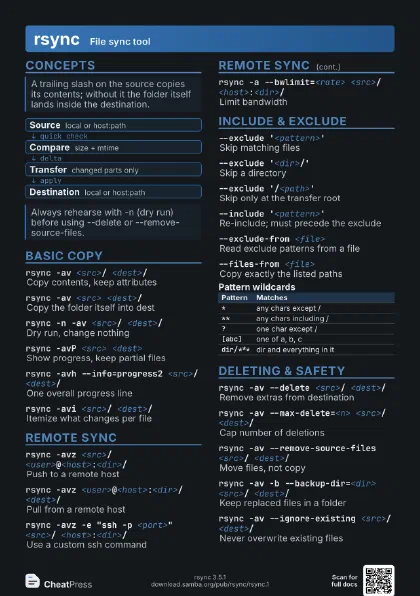
 Dark · A4 landscape
297 × 210 mm · PDF
 Ink saver · A4 landscape
297 × 210 mm · PDF
 Light · A3 landscape
420 × 297 mm · PDF
 Dark · A3 landscape
420 × 297 mm · PDF
 Ink saver · A3 landscape
420 × 297 mm · PDF
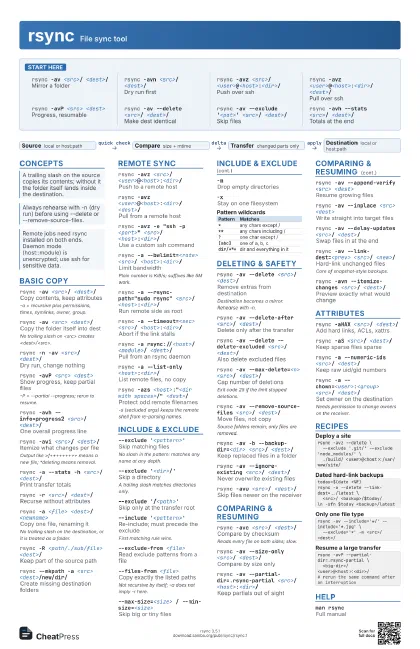
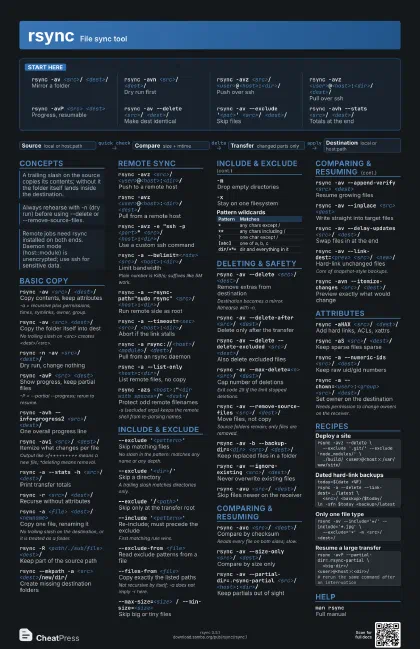
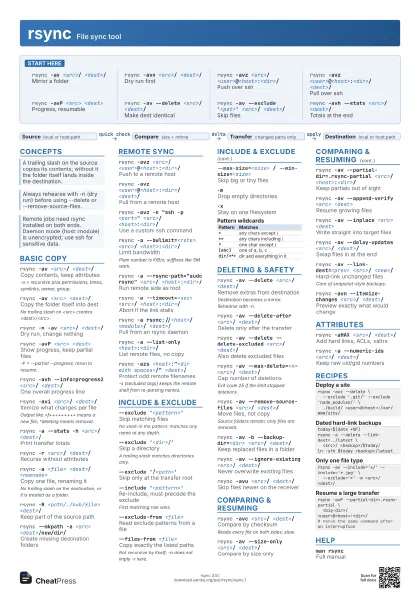
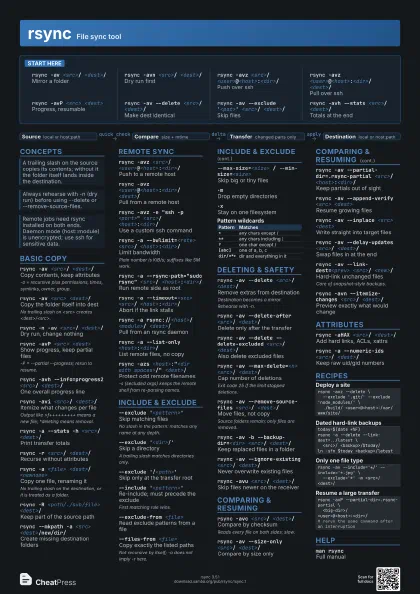
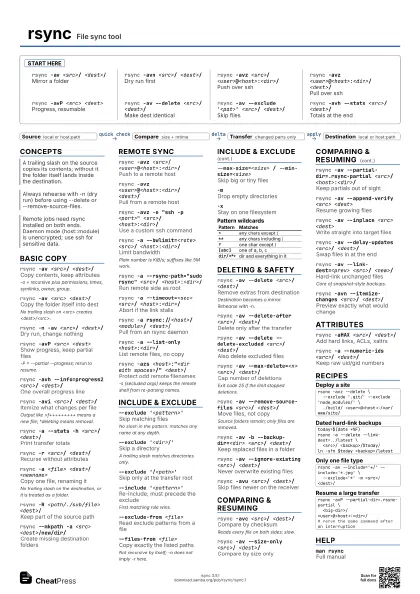
Start here
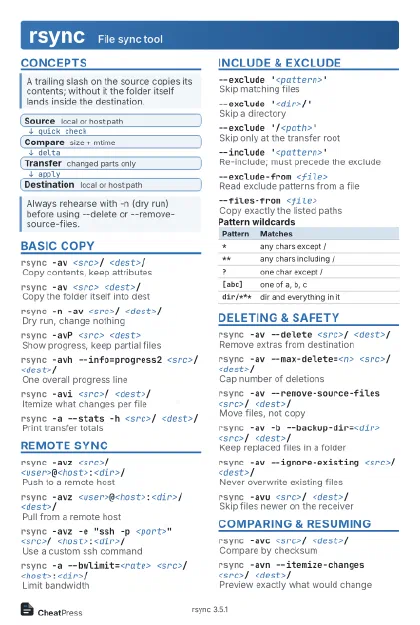
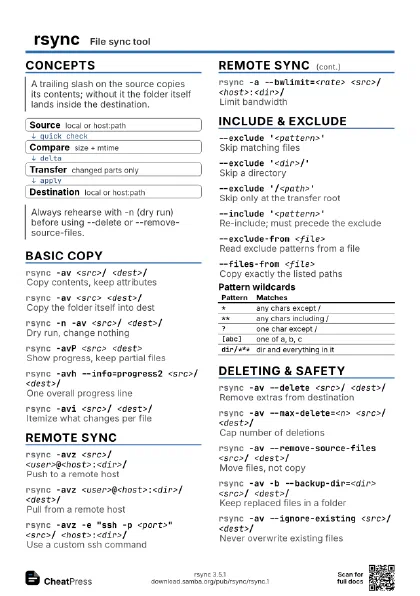
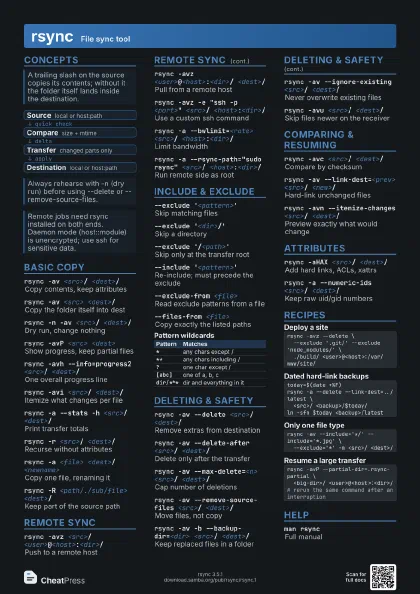
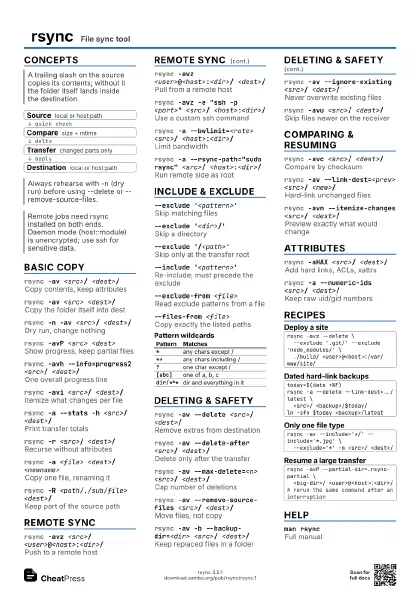
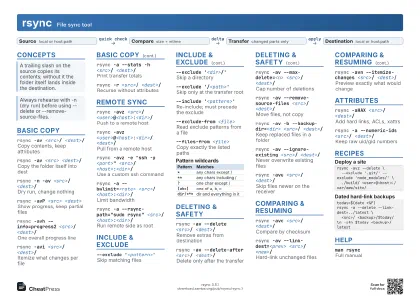
rsync -av <src>/ <dest>/
Mirror a folder
rsync -avn <src>/ <dest>/
Dry run first
rsync -avz <src>/
                    <user>@<host>:<dir>/
Push over ssh
rsync -avz <user>@<host>:<dir>/
                    <dest>/
Pull over ssh
rsync -avP <src> <dest>
Progress, resumable
rsync -av --delete <src>/ <dest>/
Make dest identical
rsync -av --exclude '<pat>' <src>/
                    <dest>/
Skip files
rsync -avh --stats <src>/ <dest>/
Totals at the end
Concepts
- Source local or host:path
- Compare size + mtime
- Transfer changed parts only
- Destination local or host:path
Basic copy
rsync -av <src>/ <dest>/
Copy contents, keep attributes
-a = recursive plus permissions, times, symlinks, owner,
group.
rsync -av <src> <dest>/
Copy the folder itself into dest
No trailing slash on <src> creates
<dest>/<src>.
rsync -n -av <src>/ <dest>/
Dry run, change nothing
rsync -avP <src> <dest>
Show progress, keep partial files
-P = --partial --progress; rerun to resume.
rsync -avh --info=progress2 <src>/
                    <dest>/
One overall progress line
rsync -avi <src>/ <dest>/
Itemize what changes per file
Output like >f+++++++++
means a new file; *deleting means removal.
rsync -a --stats -h <src>/ <dest>/
Print transfer totals
rsync -r <src>/ <dest>/
Recurse without attributes
rsync -a <file> <dest>/<newname>
Copy one file, renaming it
No trailing slash on the destination, or it is treated as a
folder.
rsync -R <path/./sub/file> <dest>/
Keep part of the source path
rsync --mkpath -a <src> <dest>/new/dir/
Create missing destination folders
Remote sync
rsync -avz <src>/
                    <user>@<host>:<dir>/
Push to a remote host
rsync -avz <user>@<host>:<dir>/
                    <dest>/
Pull from a remote host
rsync -avz -e "ssh -p <port>" <src>/
                    <host>:<dir>/
Use a custom ssh command
rsync -a --bwlimit=<rate> <src>/
                    <host>:<dir>/
Limit bandwidth
Plain number is KiB/s; suffixes like 5M work.
rsync -a --rsync-path="sudo rsync" <src>/
                    <host>:<dir>/
Run remote side as root
rsync -a --timeout=<sec> <src>/
                    <host>:<dir>/
Abort if the link stalls
rsync -a rsync://<host>/<module>/
                    <dest>/
Pull from an rsync daemon
rsync <host>::
List daemon modules
rsync -a --list-only <host>:<dir>/
List remote files, no copy
rsync -azs <host>:"<dir with spaces>/"
                    <dest>/
Protect odd remote filenames
-s (secluded args) keeps the remote shell from re-parsing
names.
Include & exclude
--exclude '<pattern>'
Skip matching files
No slash in the pattern: matches any name at any depth.
--exclude '<dir>/'
Skip a directory
A trailing slash matches directories only.
--exclude '/<path>'
Skip only at the transfer root
--include '<pattern>'
Re-include; must precede the exclude
First matching rule wins.
--exclude-from <file>
Read exclude patterns from a file
--files-from <file>
Copy exactly the listed paths
Not recursive by itself; -a does not imply -r here.
-FApply per-folder .rsync-filter files
--filter '- <pattern>'
Filter rule, same as exclude
--max-size=<size> / --min-size=<size>
Skip big or tiny files
-mDrop empty directories
-xStay on one filesystem
| Pattern | Matches |
|---|---|
* |
any chars except / |
** |
any chars including / |
? |
one char except / |
[abc] |
one of a, b, c |
dir/*** |
dir and everything in it |
Deleting & safety
rsync -av --delete <src>/ <dest>/
Remove extras from destination
Destination becomes a mirror. Rehearse with -n.
rsync -av --delete-after <src>/ <dest>/
Delete only after the transfer
rsync -av --delete --delete-excluded <src>/
                    <dest>/
Also delete excluded files
rsync -av --max-delete=<n> <src>/
                    <dest>/
Cap number of deletions
Exit code 25 if the limit stopped deletions.
rsync -av --remove-source-files <src>/
                    <dest>/
Move files, not copy
Source folders remain; only files are removed.
rsync -av -b --backup-dir=<dir> <src>/
                    <dest>/
Keep replaced files in a folder
rsync -av --ignore-existing <src>/
                    <dest>/
Never overwrite existing files
rsync -avu <src>/ <dest>/
Skip files newer on the receiver
Comparing & resuming
rsync -avc <src>/ <dest>/
Compare by checksum
Reads every file on both sides; slow.
rsync -av --size-only <src>/ <dest>/
Compare by size only
rsync -av --partial-dir=.rsync-partial <src>/
                    <host>:<dir>/
Keep partials out of sight
rsync -av --append-verify <src> <dest>
Resume growing files
rsync -av --inplace <src> <dest>
Write straight into target files
rsync -av --delay-updates <src>/ <dest>/
Swap files in at the end
rsync -av --link-dest=<prev> <src>/
                    <new>/
Hard-link unchanged files
Core of snapshot-style backups.
rsync -avn --itemize-changes <src>/
                    <dest>/
Preview exactly what would change
Attributes
rsync -aHAX <src>/ <dest>/
Add hard links, ACLs, xattrs
rsync -aS <src>/ <dest>/
Keep sparse files sparse
rsync -a --numeric-ids <src>/ <dest>/
Keep raw uid/gid numbers
rsync -a --chown=<user>:<group> <src>/
                    <dest>/
Set owner on the destination
Needs permission to change owners on the receiver.
rsync -rlt --no-perms <src>/ <dest>/
Skip permissions (FAT, shares)
rsync -a --chmod=D755,F644 <src>/ <dest>/
Force permissions
Recipes
rsync -avz --delete \ --exclude '.git/' --exclude 'node_modules/' \ ./build/ <user>@<host>:/var/www/site/today=$(date +%F)rsync -a --delete --link-dest=../latest \ <src>/ <backup>/$today/ln -sfn $today <backup>/latestrsync -av --include='*/' --include='*.jpg' \ --exclude='*' -m <src>/ <dest>/rsync -avP --partial-dir=.rsync-partial \ <big-dir>/ <user>@<host>:<dir>/# rerun the same command after an interruptionHelp
man rsyncFull manual
rsync --helpOption summary
echo $?
Last exit code (23 = partial, 24 = vanished)