Cheat
ripgrep Fast recursive search
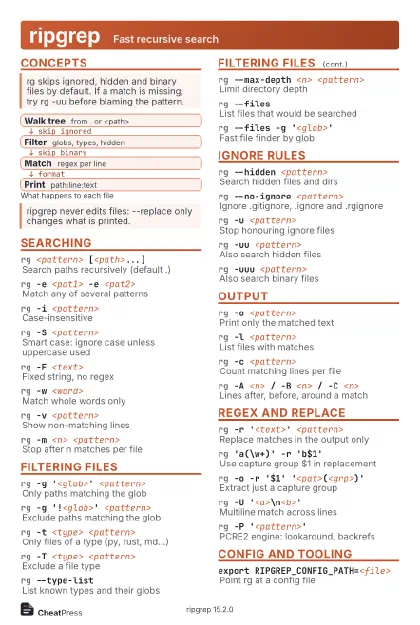 Light · Postcard
102 × 152 mm · PDF
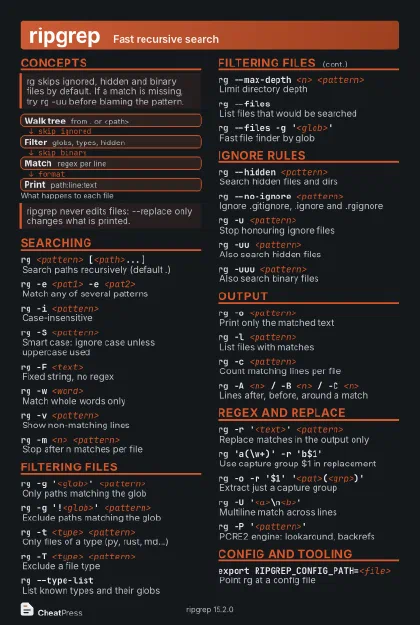 Dark · Postcard
102 × 152 mm · PDF
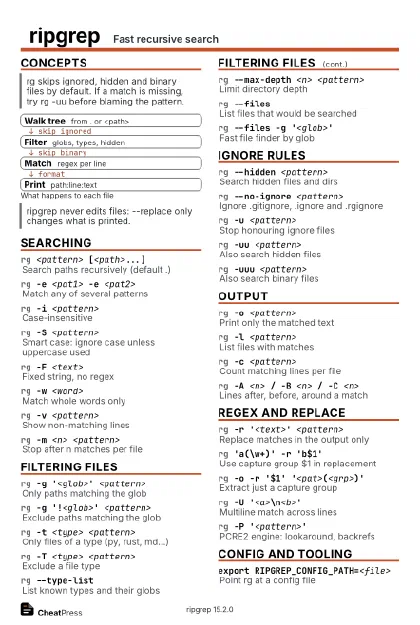 Ink saver · Postcard
102 × 152 mm · PDF
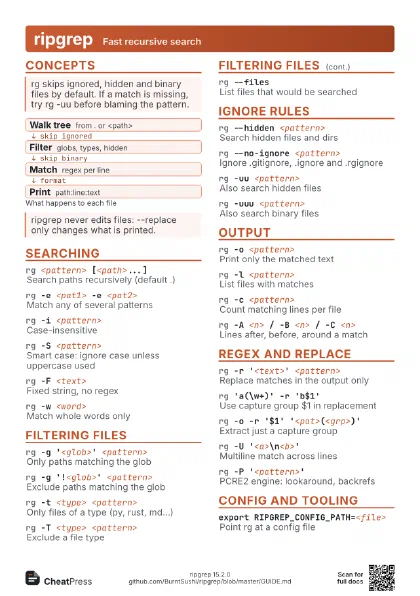
 Light · A4 landscape
297 × 210 mm · PDF
 Dark · A4 landscape
297 × 210 mm · PDF
 Ink saver · A4 landscape
297 × 210 mm · PDF
 Light · A3 landscape
420 × 297 mm · PDF
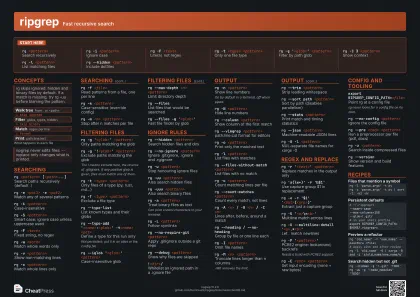 Dark · A3 landscape
420 × 297 mm · PDF
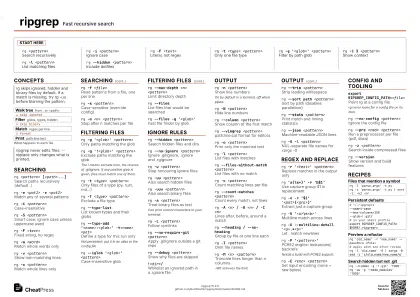 Ink saver · A3 landscape
420 × 297 mm · PDF
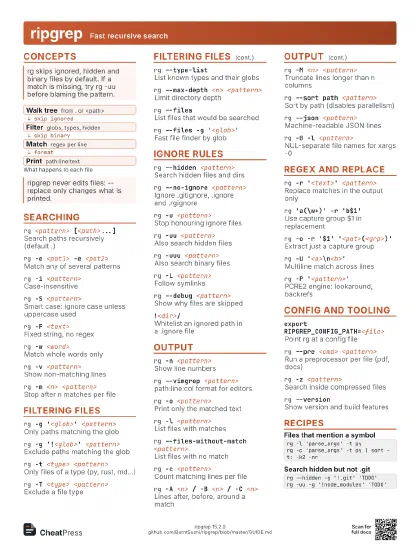
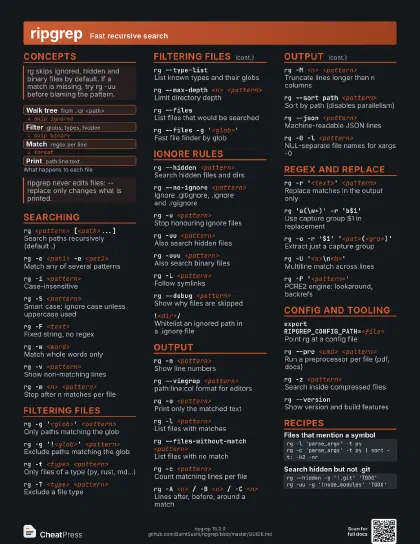
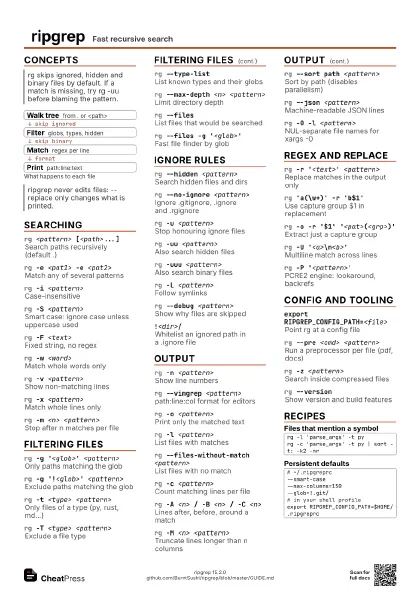
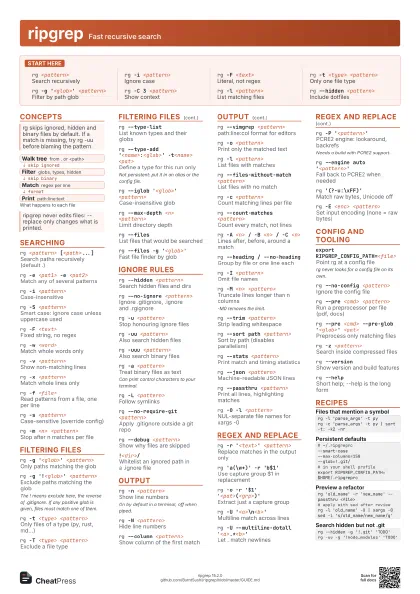
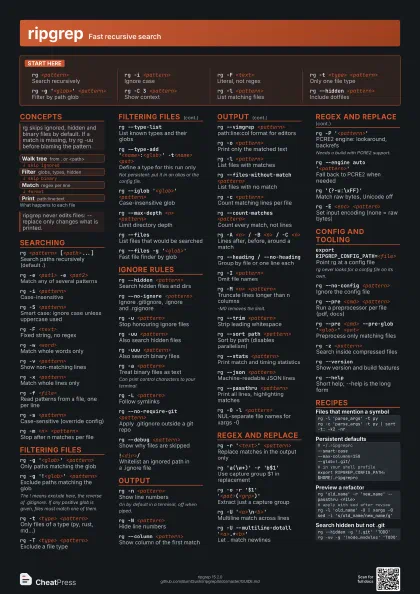
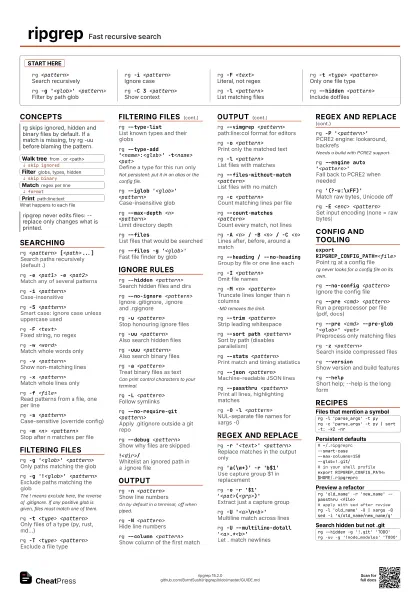
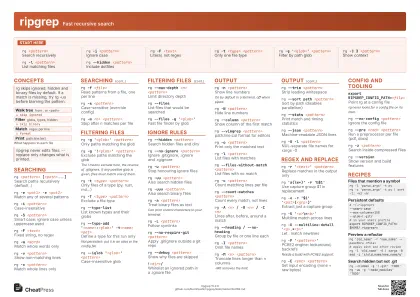
Start here
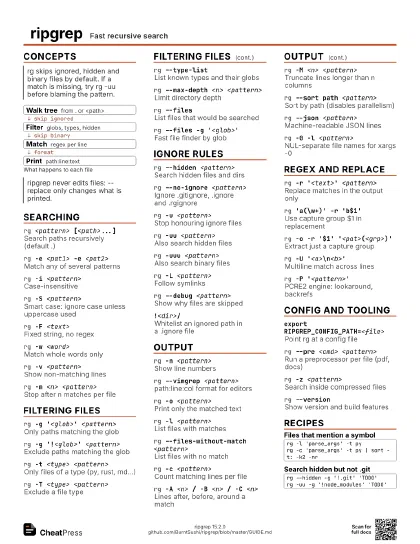
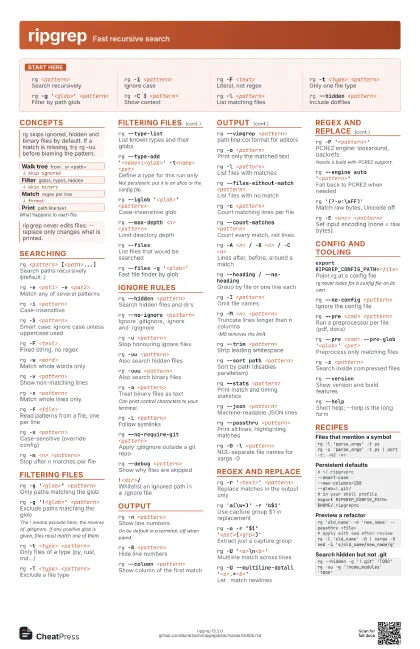
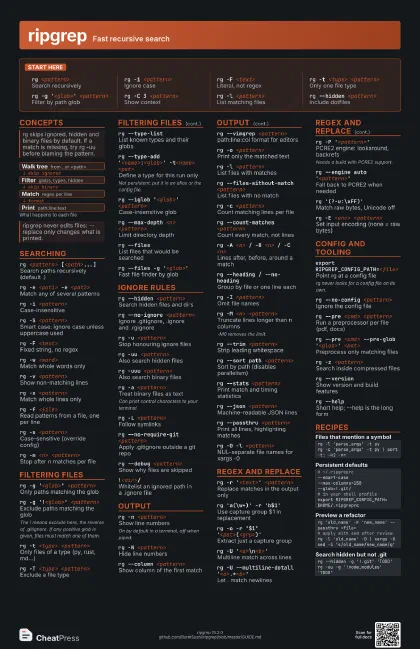
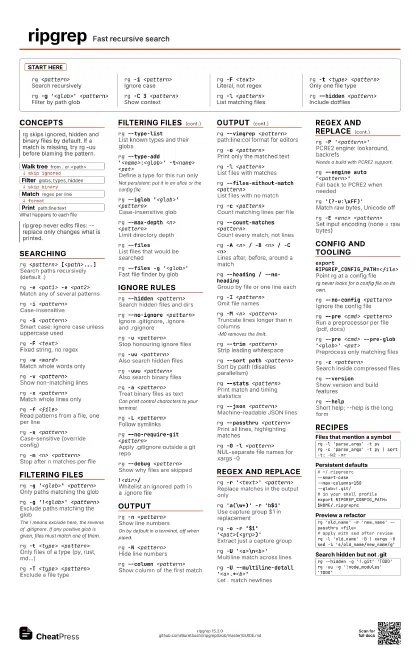
rg <pattern>
Search recursively
rg -i <pattern>
Ignore case
rg -F <text>
Literal, not regex
rg -t <type> <pattern>
Only one file type
rg -g '<glob>' <pattern>
Filter by path glob
rg -C 3 <pattern>
Show context
rg -l <pattern>
List matching files
rg --hidden <pattern>
Include dotfiles
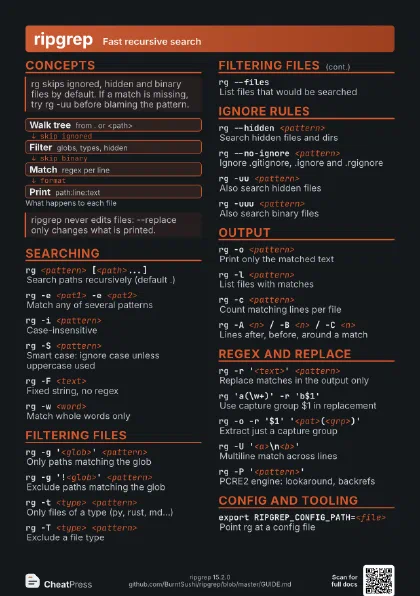
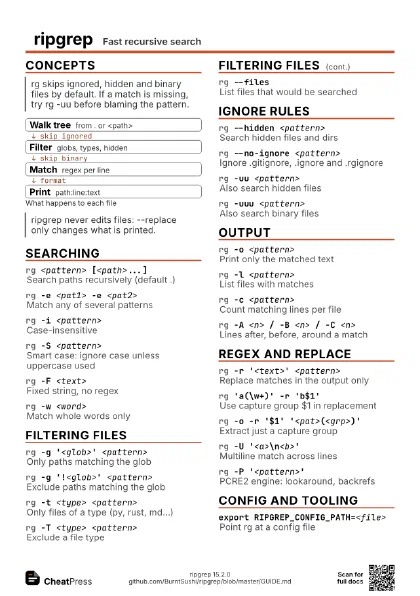
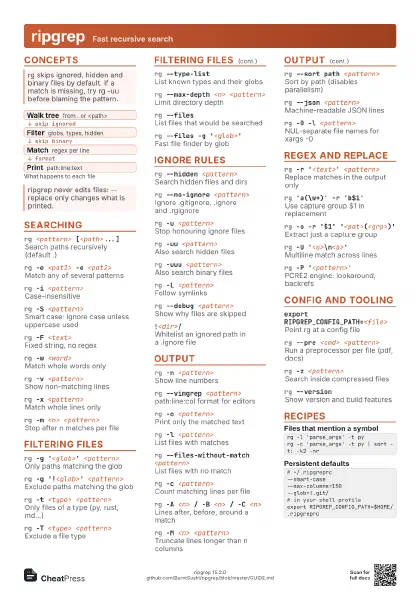
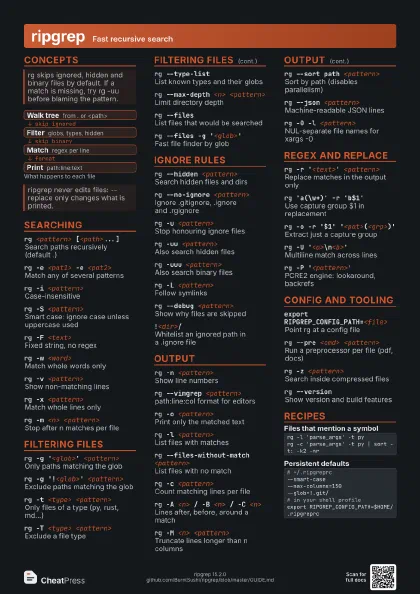
Concepts
- Walk tree from . or <path>
- Filter globs, types, hidden
- Match regex per line
- Print path:line:text
Searching
rg <pattern> [<path>...]
Search paths recursively (default .)
rg -e <pat1> -e <pat2>
Match any of several patterns
rg -i <pattern>
Case-insensitive
rg -S <pattern>
Smart case: ignore case unless uppercase used
rg -F <text>
Fixed string, no regex
rg -w <word>
Match whole words only
rg -v <pattern>
Show non-matching lines
rg -x <pattern>
Match whole lines only
rg -f <file>
Read patterns from a file, one per line
rg -s <pattern>
Case-sensitive (override config)
rg -m <n> <pattern>
Stop after n matches per file
Filtering files
rg -g '<glob>' <pattern>
Only paths matching the glob
rg -g '!<glob>' <pattern>
Exclude paths matching the glob
The ! means exclude here, the reverse of .gitignore. If any
positive glob is given, files must match one of them.
rg -t <type> <pattern>
Only files of a type (py, rust, md...)
rg -T <type> <pattern>
Exclude a file type
rg --type-listList known types and their globs
rg --type-add '<name>:<glob>'
                    -t<name> <pat>
Define a type for this run only
Not persistent: put it in an alias or the config file.
rg --iglob '<glob>' <pattern>
Case-insensitive glob
rg --max-depth <n> <pattern>
Limit directory depth
rg --filesList files that would be searched
rg --files -g '<glob>'
Fast file finder by glob
Ignore rules
rg --hidden <pattern>
Search hidden files and dirs
rg --no-ignore <pattern>
Ignore .gitignore, .ignore and .rgignore
rg -u <pattern>
Stop honouring ignore files
rg -uu <pattern>
Also search hidden files
rg -uuu <pattern>
Also search binary files
rg -a <pattern>
Treat binary files as text
Can print control characters to your terminal.
rg -L <pattern>
Follow symlinks
rg --no-require-git <pattern>
Apply .gitignore outside a git repo
rg --debug <pattern>
Show why files are skipped
!<dir>/
Whitelist an ignored path in a .ignore file
Output
rg -n <pattern>
Show line numbers
On by default in a terminal, off when piped.
rg -N <pattern>
Hide line numbers
rg --column <pattern>
Show column of the first match
rg --vimgrep <pattern>
path:line:col format for editors
rg -o <pattern>
Print only the matched text
rg -l <pattern>
List files with matches
rg --files-without-match <pattern>
List files with no match
rg -c <pattern>
Count matching lines per file
rg --count-matches <pattern>
Count every match, not lines
rg -A <n> / -B <n> / -C <n>
Lines after, before, around a match
rg --heading / --no-heading
Group by file or one line each
rg -I <pattern>
Omit file names
rg -M <n> <pattern>
Truncate lines longer than n columns
-M0 removes the limit.
rg --trim <pattern>
Strip leading whitespace
rg --sort path <pattern>
Sort by path (disables parallelism)
rg --stats <pattern>
Print match and timing statistics
rg --json <pattern>
Machine-readable JSON lines
rg --passthru <pattern>
Print all lines, highlighting matches
rg -0 -l <pattern>
NUL-separate file names for xargs -0
Regex and replace
rg -r '<text>' <pattern>
Replace matches in the output only
rg 'a(\w+)' -r 'b$1'
Use capture group $1 in replacement
rg -o -r '$1'
                    '<pat>(<grp>)'
Extract just a capture group
rg -U '<a>\n<b>'
Multiline match across lines
rg -U --multiline-dotall
                    '<a>.*<b>'
Let . match newlines
rg -P '<pattern>'
PCRE2 engine: lookaround, backrefs
Needs a build with PCRE2 support.
rg --engine auto '<pattern>'
Fall back to PCRE2 when needed
rg '(?-u:\xFF)'
Match raw bytes, Unicode off
rg -E <enc> <pattern>
Set input encoding (none = raw bytes)
Config and tooling
export RIPGREP_CONFIG_PATH=<file>
Point rg at a config file
rg never looks for a config file on its own.
rg --no-config <pattern>
Ignore the config file
rg --pre <cmd> <pattern>
Run a preprocessor per file (pdf, docs)
rg --pre <cmd> --pre-glob '<glob>'
                    <pat>
Preprocess only matching files
rg -z <pattern>
Search inside compressed files
rg --versionShow version and build features
rg --helpShort help; --help is the long form
Recipes
rg -l 'parse_args' -t pyrg -c 'parse_args' -t py | sort -t: -k2 -nr# ~/.ripgreprc--smart-case--max-columns=150--glob=!.git/# in your shell profileexport RIPGREP_CONFIG_PATH=$HOME/.ripgreprcrg 'old_name' -r 'new_name' --passthru <file># apply with sed after reviewrg -l 'old_name' -0 | xargs -0 sed -i 's/old_name/new_name/g'rg --hidden -g '!.git' 'TODO'rg -uu -g '!node_modules' 'TODO'