Cheat
restic Encrypted backups
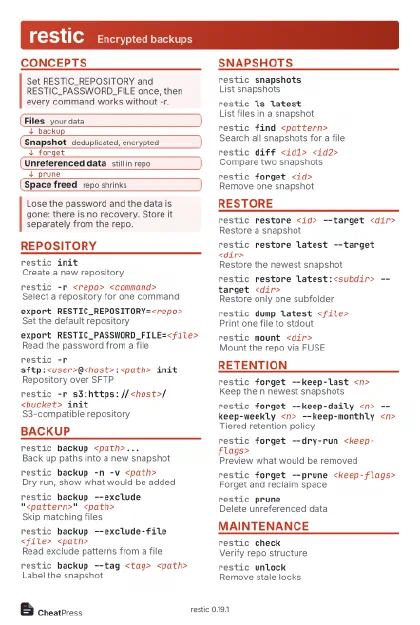 Light · Postcard
102 × 152 mm · PDF
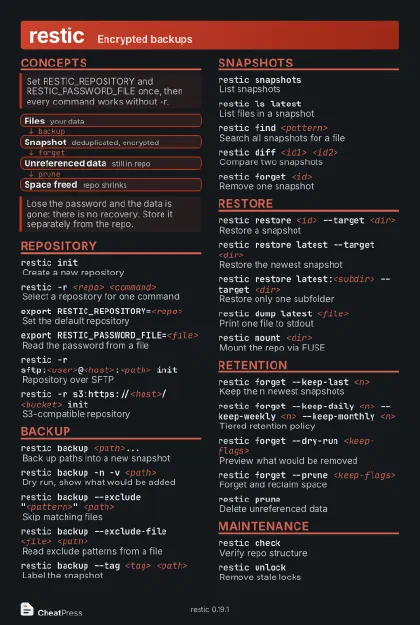 Dark · Postcard
102 × 152 mm · PDF
 Ink saver · Postcard
102 × 152 mm · PDF
 Light · A4 landscape
297 × 210 mm · PDF
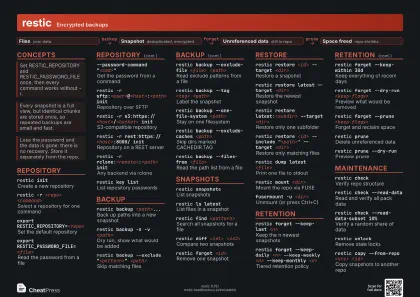 Dark · A4 landscape
297 × 210 mm · PDF
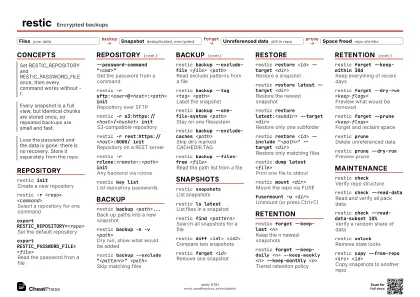 Ink saver · A4 landscape
297 × 210 mm · PDF
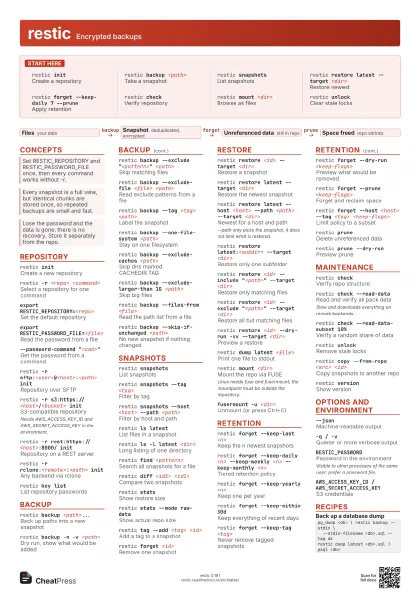
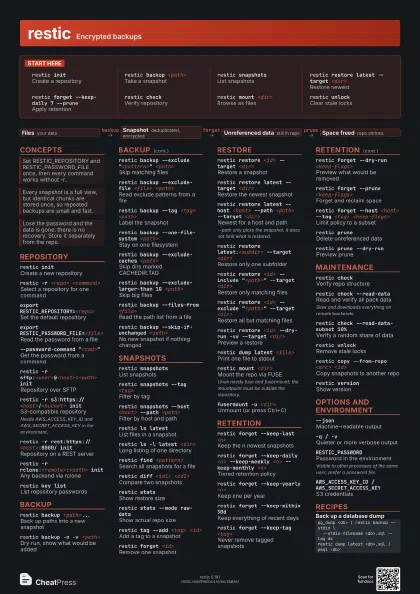
 Light · A3 landscape
420 × 297 mm · PDF
 Dark · A3 landscape
420 × 297 mm · PDF
 Ink saver · A3 landscape
420 × 297 mm · PDF
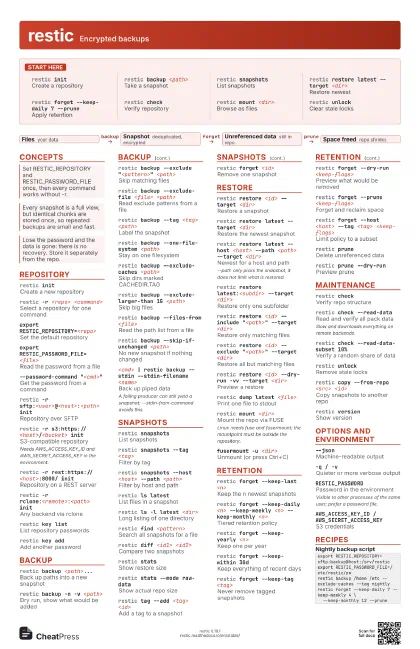
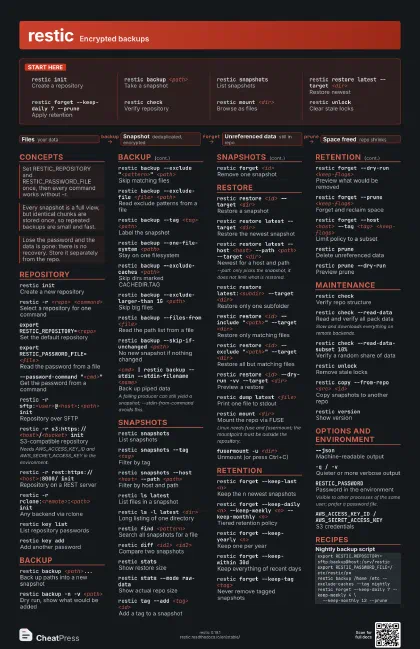
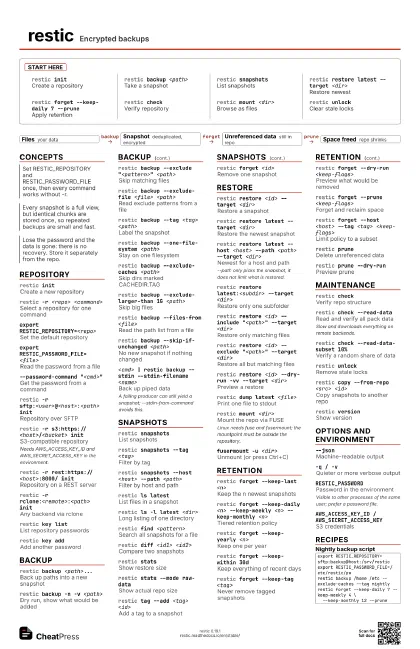
Start here
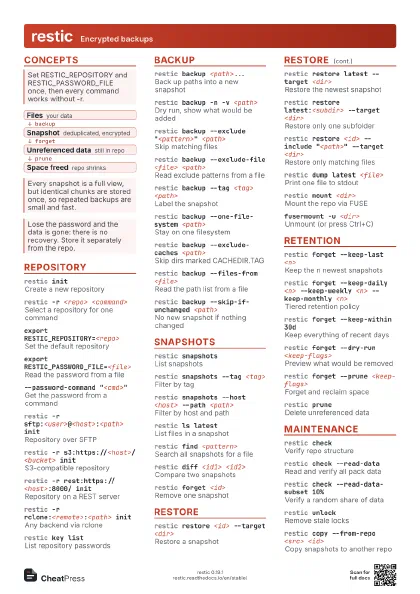
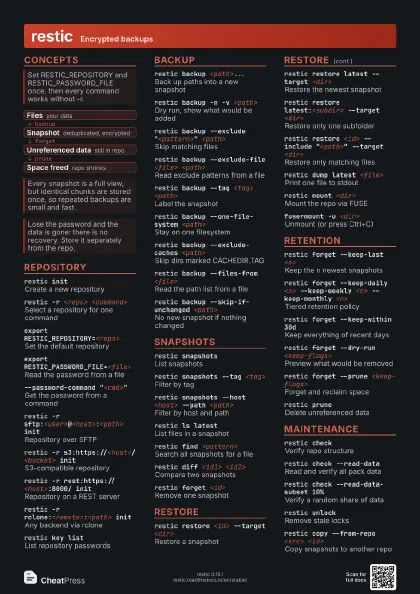
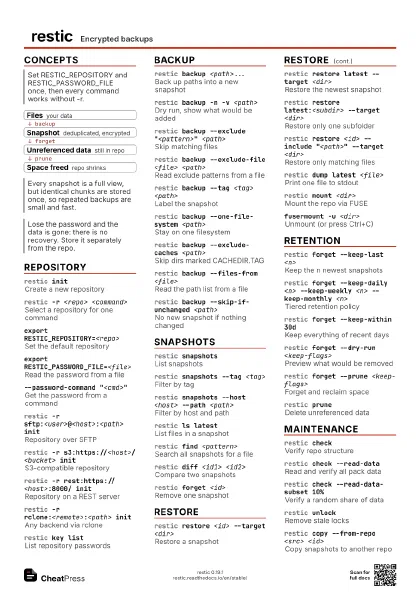
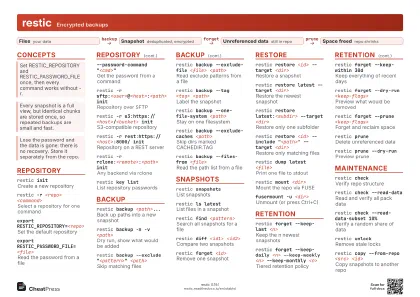
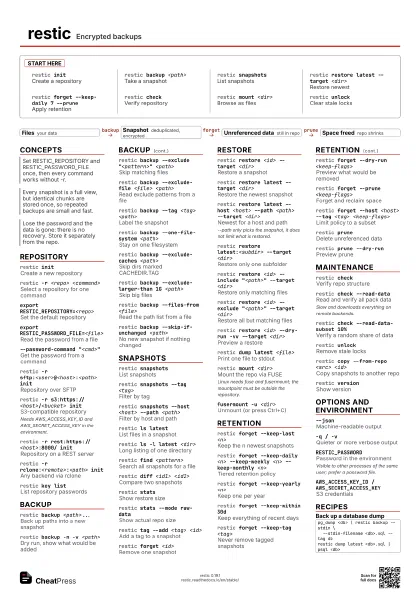
restic initCreate a repository
restic backup <path>
Take a snapshot
restic snapshots
List snapshots
restic restore latest --target <dir>
Restore newest
restic forget --keep-daily 7 --prune
Apply retention
restic checkVerify repository
restic mount <dir>
Browse as files
restic unlockClear stale locks
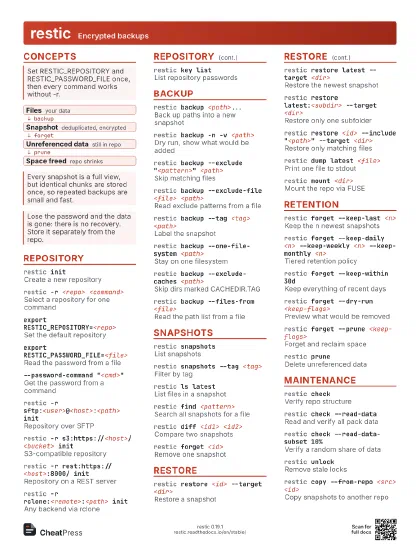
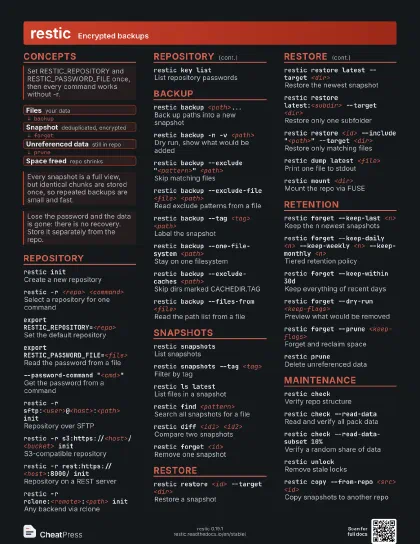
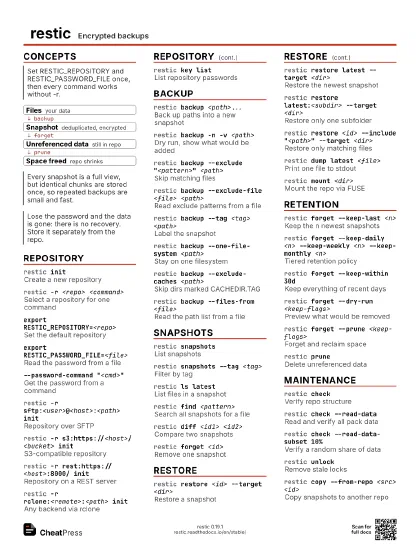
Concepts
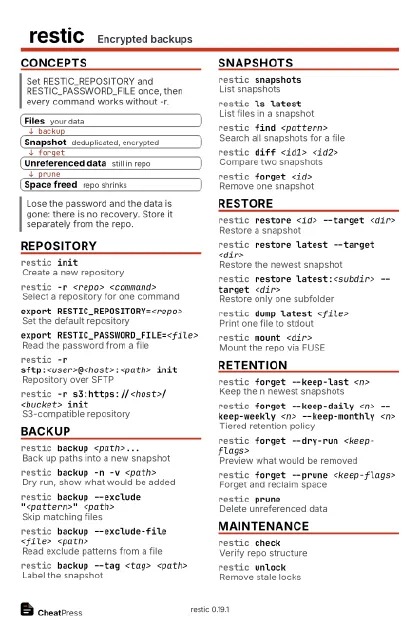
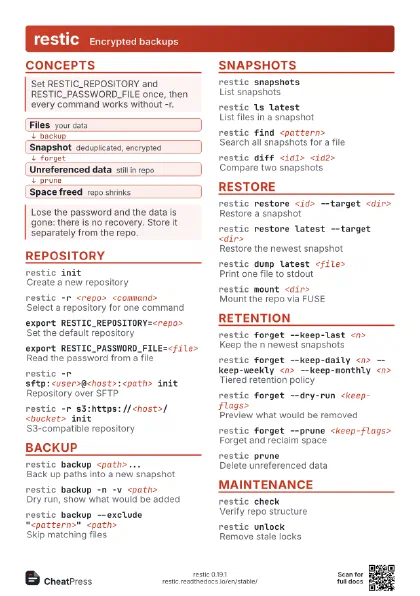
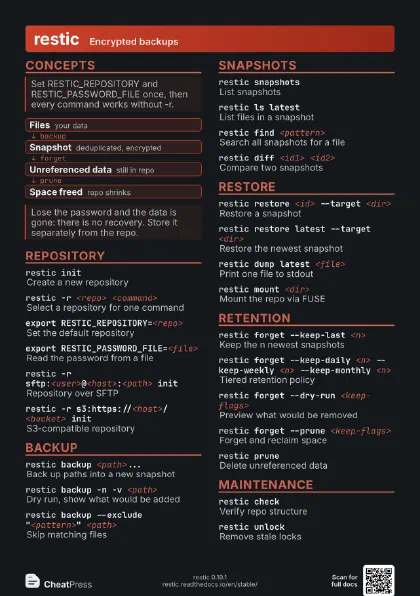
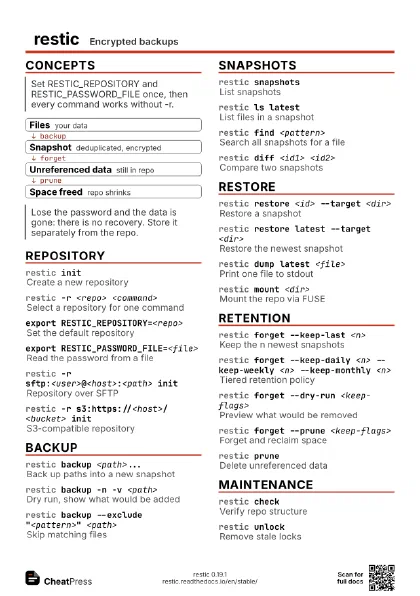
- Files your data
- Snapshot deduplicated, encrypted
- Unreferenced data still in repo
- Space freed repo shrinks
Repository
restic initCreate a new repository
restic -r <repo> <command>
Select a repository for one command
export RESTIC_REPOSITORY=<repo>
Set the default repository
export RESTIC_PASSWORD_FILE=<file>
Read the password from a file
--password-command "<cmd>"
Get the password from a command
restic -r sftp:<user>@<host>:<path>
                    init
Repository over SFTP
restic -r s3:https://<host>/<bucket> init
S3-compatible repository
Needs AWS_ACCESS_KEY_ID and AWS_SECRET_ACCESS_KEY in the
environment.
restic -r rest:https://<host>:8000/ init
Repository on a REST server
restic -r rclone:<remote>:<path> init
Any backend via rclone
restic key listList repository passwords
restic key addAdd another password
restic key passwd
Change the password
restic init --repository-version 2
Choose repository format
restic cache --cleanup
Remove old local caches
Backup
restic backup <path>...
Back up paths into a new snapshot
restic backup -n -v <path>
Dry run, show what would be added
restic backup --exclude "<pattern>"
                    <path>
Skip matching files
restic backup --exclude-file <file>
                    <path>
Read exclude patterns from a file
restic backup --tag <tag> <path>
Label the snapshot
restic backup --one-file-system <path>
Stay on one filesystem
restic backup --exclude-caches <path>
Skip dirs marked CACHEDIR.TAG
restic backup --exclude-larger-than 1G <path>
Skip big files
restic backup --files-from <file>
Read the path list from a file
restic backup --skip-if-unchanged <path>
No new snapshot if nothing changed
restic backup --iexclude "<pattern>"
                    <path>
Case-insensitive exclude
restic backup --exclude-if-present <name>
Skip dirs containing a marker file
restic backup --host <name> <path>
Override the recorded hostname
restic backup --force <path>
Rescan everything, ignore parent
<cmd> | restic backup --stdin --stdin-filename
                    <name>
Back up piped data
A failing producer can still yield a snapshot;
--stdin-from-command avoids this.
restic backup --stdin-from-command -- <cmd>
Back up a command's output
Snapshots
restic snapshots
List snapshots
restic snapshots --tag <tag>
Filter by tag
restic snapshots --host <host> --path
                    <path>
Filter by host and path
restic snapshots --group-by host
Group the listing
restic ls latest
List files in a snapshot
restic ls -l latest <dir>
Long listing of one directory
restic find <pattern>
Search all snapshots for a file
restic find --oldest "<date>"
                    <pattern>
Limit a search by date
restic diff <id1> <id2>
Compare two snapshots
restic statsShow restore size
restic stats --mode raw-data
Show actual repo size
restic tag --add <tag> <id>
Add a tag to a snapshot
restic tag --set <tag> <id>
Replace a snapshot's tags
restic forget <id>
Remove one snapshot
restic rewrite --exclude "<pattern>"
                    <id>
Drop files from an old snapshot
Creates a new snapshot tagged rewrite; add --forget to remove
the original, then prune.
restic cat snapshot <id>
Print raw snapshot metadata
Restore
restic restore <id> --target <dir>
Restore a snapshot
restic restore latest --target <dir>
Restore the newest snapshot
restic restore latest --host <host> --path
                    <path> --target <dir>
Newest for a host and path
--path only picks the snapshot, it does not limit what is
restored.
restic restore latest:<subdir> --target
                    <dir>
Restore only one subfolder
restic restore <id> --include "<path>"
                    --target <dir>
Restore only matching files
restic restore <id> --exclude "<path>"
                    --target <dir>
Restore all but matching files
restic restore <id> --dry-run -vv --target
                    <dir>
Preview a restore
restic restore <id> --overwrite if-changed --target
                    <dir>
Control overwriting
restic restore <id> --delete --include <path>
                    --target <dir>
Remove extras in target
--delete needs --include or --exclude; preview first with
--dry-run -vv.
restic restore <id> --sparse --target
                    <dir>
Restore zero runs as holes
restic dump latest <file>
Print one file to stdout
restic dump -a zip latest <dir> >
                    <out.zip>
Dump a directory as archive
restic mount <dir>
Mount the repo via FUSE
Linux needs fuse and fusermount; the mountpoint must be
outside the repository.
fusermount -u <dir>
Unmount (or press Ctrl+C)
Retention
restic forget --keep-last <n>
Keep the n newest snapshots
restic forget --keep-daily <n> --keep-weekly
                    <n> --keep-monthly <n>
Tiered retention policy
restic forget --keep-yearly <n>
Keep one per year
restic forget --keep-hourly <n>
Keep one per hour
restic forget --keep-within 30d
Keep everything of recent days
restic forget --keep-tag <tag>
Never remove tagged snapshots
restic forget --dry-run <keep-flags>
Preview what would be removed
restic forget --prune <keep-flags>
Forget and reclaim space
restic forget --group-by ''
                    <keep-flags>
Apply policy across all hosts
Default grouping is host,paths: each group is pruned
separately.
restic forget --host <host> --tag <tag>
                    <keep-flags>
Limit policy to a subset
restic pruneDelete unreferenced data
restic prune --max-unused 5%
Allow some waste to save repacking
restic prune --max-repack-size 10G
Cap the amount repacked
restic prune --dry-run
Preview prune
Maintenance
restic checkVerify repo structure
restic check --read-data
Read and verify all pack data
Slow and downloads everything on remote backends.
restic check --read-data-subset 10%
Verify a random share of data
restic check --read-data-subset 3/10
Verify one tenth, rotate n
restic unlockRemove stale locks
restic unlock --remove-all
Remove all locks, even active
Only when you are sure no other restic is running.
restic --retry-lock 5m <command>
Wait for a lock instead of failing
restic repair index
Rebuild a damaged index
restic repair snapshots <id>
Fix snapshots with missing data
restic copy --from-repo <src> <id>
Copy snapshots to another repo
restic migrate upgrade_repo_v2
Upgrade repository format
restic generate --bash-completion <file>
Create shell completion
restic self-update
Update the restic binary
restic versionShow version
Options and environment
--jsonMachine-readable output
-q / -vQuieter or more verbose output
--limit-upload <KiB/s>
Throttle uploads
--limit-download <KiB/s>
Throttle downloads
--compression max
Set compression (v2 repos)
--no-cacheDisable the local cache
--no-lockSkip locking for read-only commands
RESTIC_PASSWORDPassword in the environment
Visible to other processes of the same user; prefer a password
file.
RESTIC_PASSWORD_COMMAND
Command that prints the password
RESTIC_CACHE_DIR
Move the local cache
AWS_ACCESS_KEY_ID / AWS_SECRET_ACCESS_KEY
S3 credentials
B2_ACCOUNT_ID / B2_ACCOUNT_KEY
Backblaze B2 credentials
RESTIC_FROM_REPOSITORY
Source repo for copy
Recipes
export RESTIC_REPOSITORY=sftp:backup@host:/srv/resticexport RESTIC_PASSWORD_FILE=/etc/restic/pwrestic backup /home /etc --exclude-caches --tag nightlyrestic forget --keep-daily 7 --keep-weekly 4 \ --keep-monthly 12 --prunepg_dump <db> | restic backup --stdin \ --stdin-filename <db>.sql --tag dbrestic dump latest <db>.sql | psql <db>restic check --read-data-subset 5%restic restore latest --target /tmp/verify \ --include "<path>"restic diff <old-id> <new-id>restic -r <dst> init --from-repo <src> \ --copy-chunker-paramsrestic -r <dst> copy --from-repo <src>