Cheat
ranger Console file manager
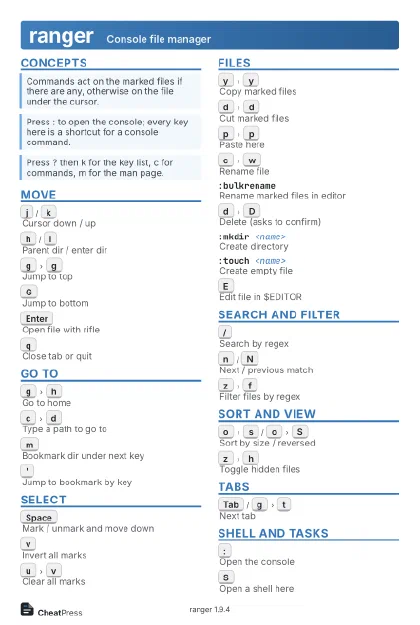 Light · Postcard
102 × 152 mm · PDF
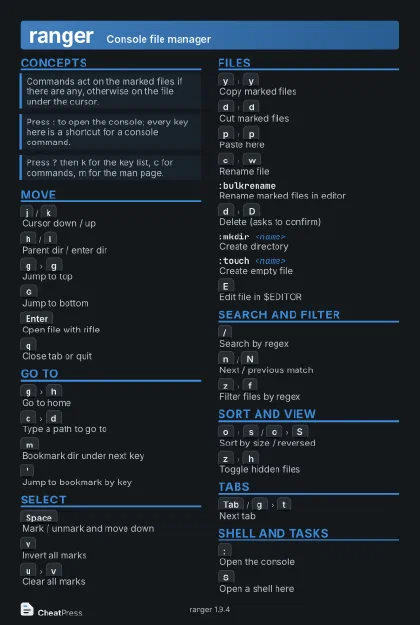 Dark · Postcard
102 × 152 mm · PDF
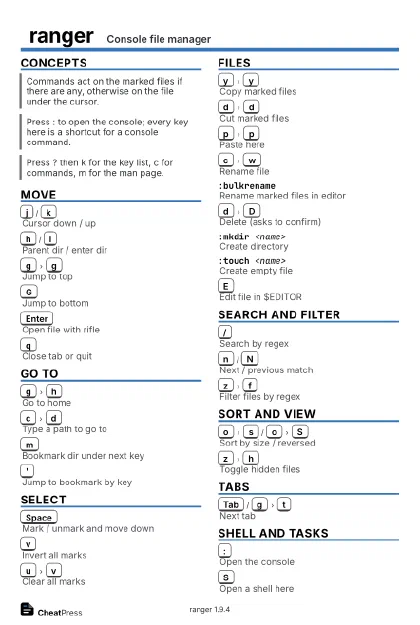 Ink saver · Postcard
102 × 152 mm · PDF
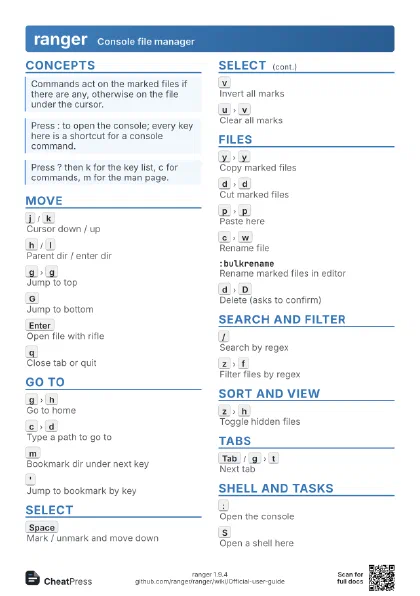
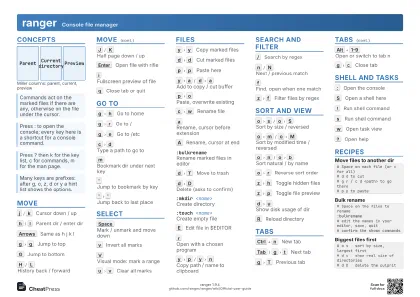 Light · A4 landscape
297 × 210 mm · PDF
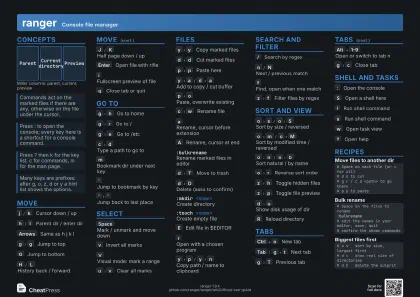 Dark · A4 landscape
297 × 210 mm · PDF
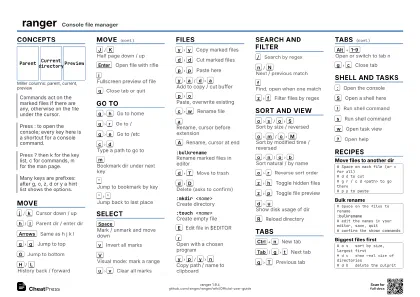 Ink saver · A4 landscape
297 × 210 mm · PDF
 Light · A3 landscape
420 × 297 mm · PDF
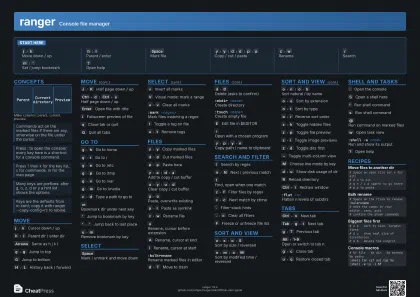 Dark · A3 landscape
420 × 297 mm · PDF
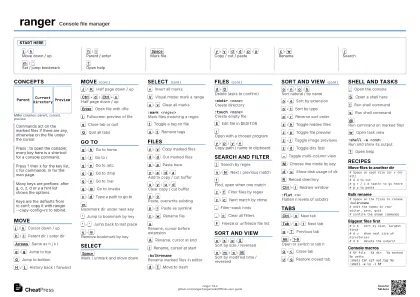 Ink saver · A3 landscape
420 × 297 mm · PDF
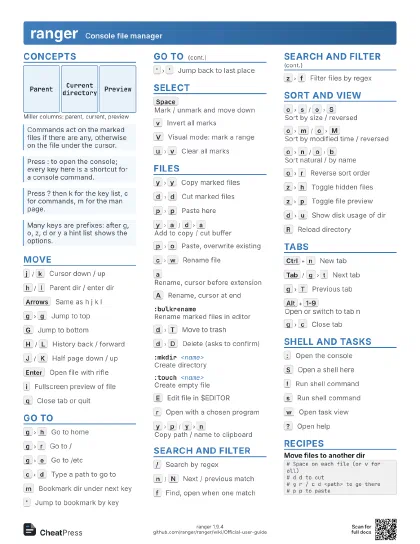
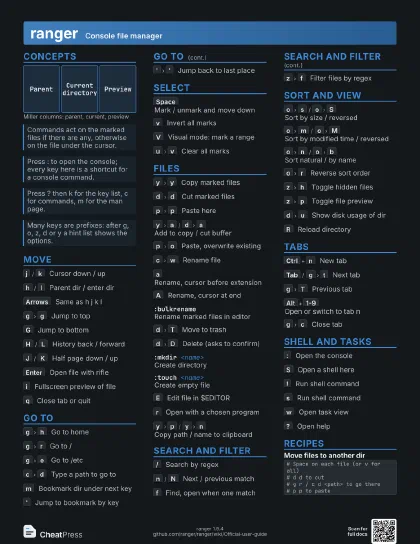
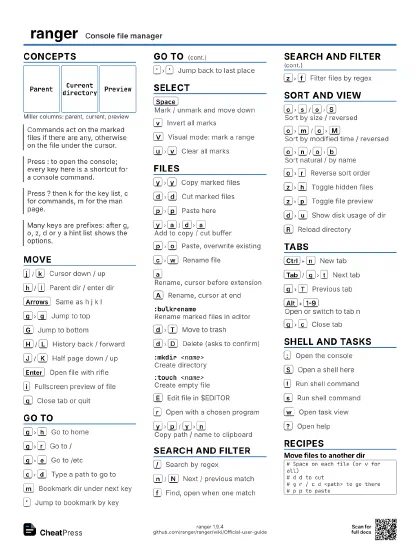
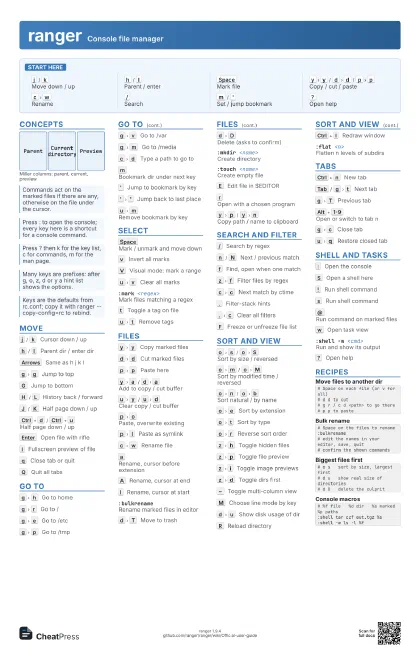
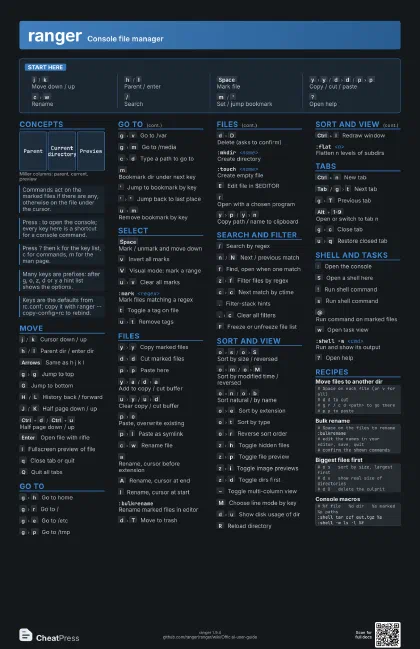
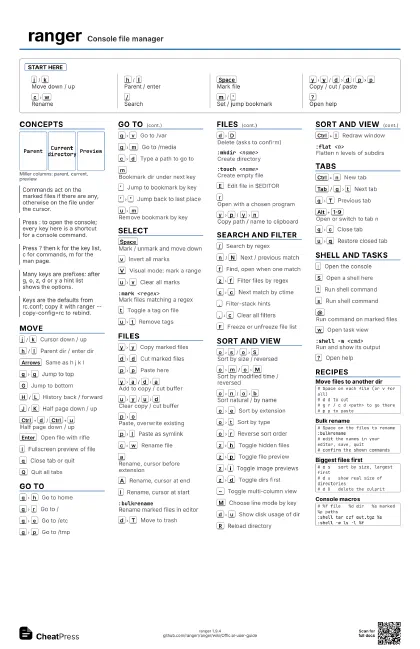
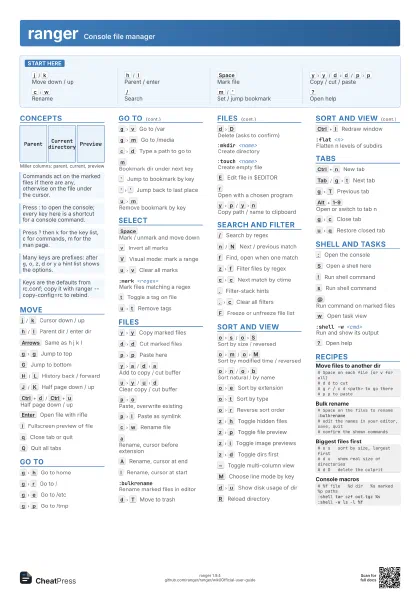
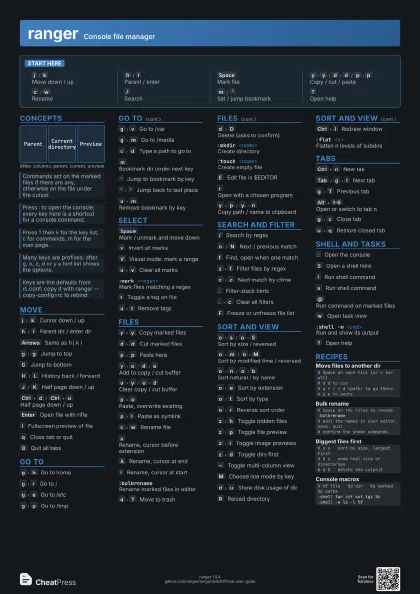
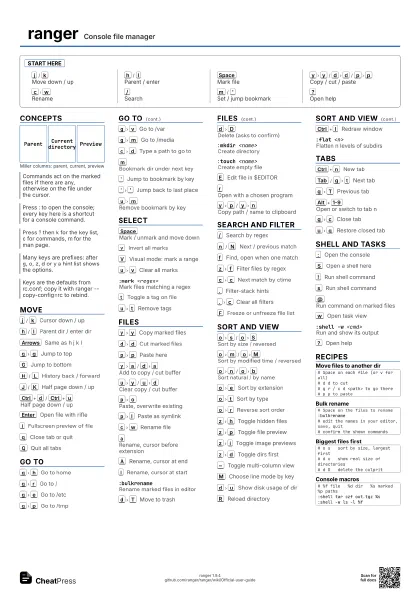
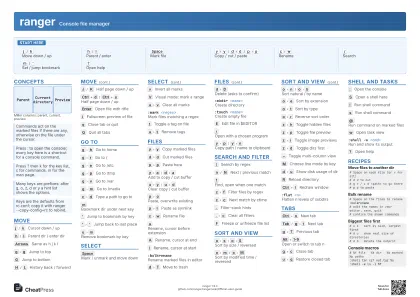
Start here
j
/
k
Move down / up
h
/
l
Parent / enter
Space
Mark file
y
y
/
d
d
/
p
p
Copy / cut / paste
c
w
Rename
/
Search
m
/
'
Set / jump bookmark
?
Open help
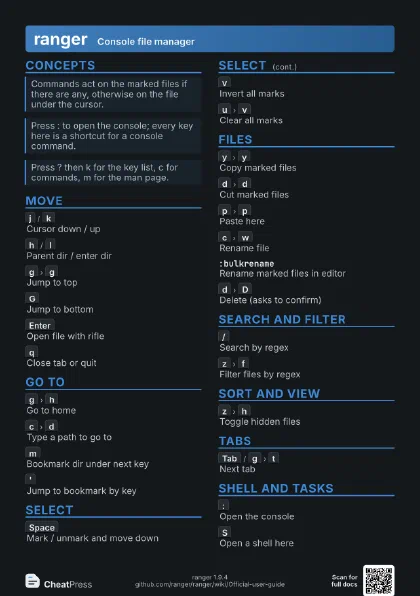
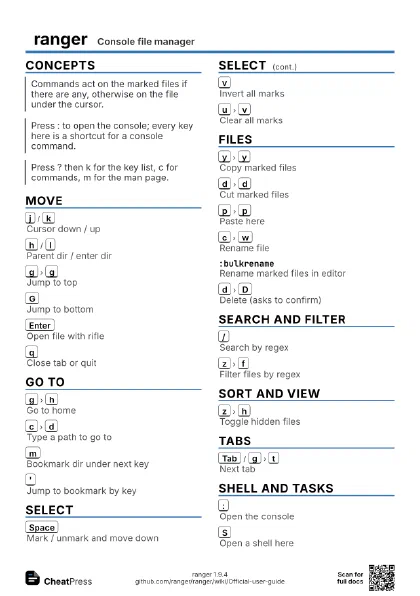
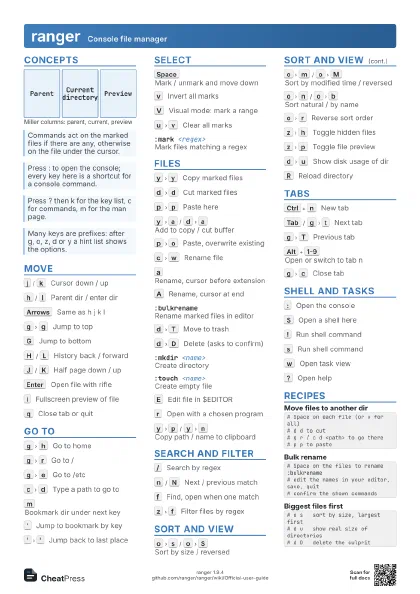
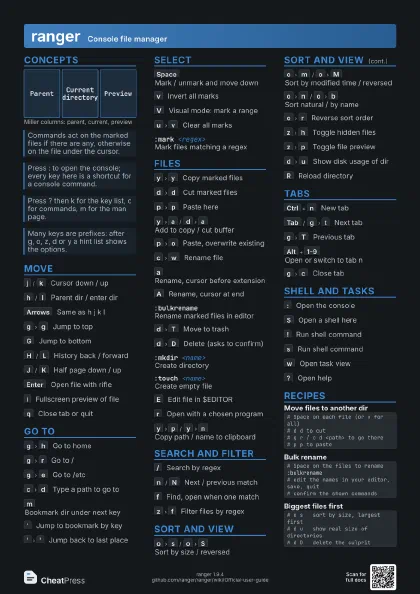
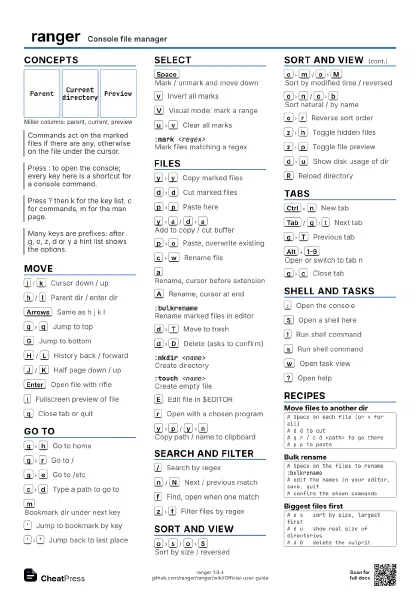
Concepts
Parent
Current directory
Preview
Move
j
/
k
Cursor down / up
h
/
l
Parent dir / enter dir
Arrows
Same as h j k l
g
g
Jump to top
G
Jump to bottom
H
/
L
History back / forward
J
/
K
Half page down / up
Ctrl+d
/
Ctrl+u
Half page down / up
Enter
Open file with rifle
i
Fullscreen preview of file
q
Close tab or quit
Q
Quit all tabs
Go to
g
h
Go to home
g
r
Go to /
g
e
Go to /etc
g
p
Go to /tmp
g
v
Go to /var
g
m
Go to /media
c
d
Type a path to go to
m
Bookmark dir under next key
'
Jump to bookmark by key
'
'
Jump back to last place
u
m
Remove bookmark by key
Select
Space
Mark / unmark and move down
v
Invert all marks
V
Visual mode: mark a range
u
v
Clear all marks
:mark <regex>
Mark files matching a regex
t
Toggle a tag on file
u
t
Remove tags
Files
y
y
Copy marked files
d
d
Cut marked files
p
p
Paste here
y
a
/
d
a
Add to copy / cut buffer
u
y
/
u
d
Clear copy / cut buffer
p
o
Paste, overwrite existing
p
l
Paste as symlink
c
w
Rename file
a
Rename, cursor before extension
A
Rename, cursor at end
I
Rename, cursor at start
:bulkrenameRename marked files in editor
d
T
Move to trash
d
D
Delete (asks to confirm)
:mkdir <name>
Create directory
:touch <name>
Create empty file
E
Edit file in $EDITOR
r
Open with a chosen program
y
p
/
y
n
Copy path / name to clipboard
Search and filter
/
Search by regex
n
/
N
Next / previous match
f
Find, open when one match
z
f
Filter files by regex
c
c
Next match by ctime
.
Filter-stack hints
.
c
Clear all filters
F
Freeze or unfreeze file list
Sort and view
o
s
/
o
S
Sort by size / reversed
o
m
/
o
M
Sort by modified time / reversed
o
n
/
o
b
Sort natural / by name
o
e
Sort by extension
o
t
Sort by type
o
r
Reverse sort order
z
h
Toggle hidden files
z
p
Toggle file preview
z
i
Toggle image previews
z
d
Toggle dirs first
~
Toggle multi-column view
M
Choose line mode by key
d
u
Show disk usage of dir
R
Reload directory
Ctrl+l
Redraw window
:flat <n>Flatten n levels of subdirs
Tabs
Ctrl+n
New tab
Tab
/
g
t
Next tab
g
T
Previous tab
Alt+1-9
Open or switch to tab n
g
c
Close tab
u
q
Restore closed tab
Shell and tasks
:
Open the console
S
Open a shell here
!
Run shell command
s
Run shell command
@
Run command on marked files
w
Open task view
:shell -w <cmd>
Run and show its output
?
Open help
Recipes
# Space on each file (or v for all)# d d to cut# g r / c d <path> to go there# p p to paste# Space on the files to rename:bulkrename# edit the names in your editor, save, quit# confirm the shown commands# o s sort by size, largest first# d u show real size of directories# d D delete the culprit# %f file %d dir %s marked %p paths:shell tar czf out.tgz %s:shell -w ls -l %f