Cheat
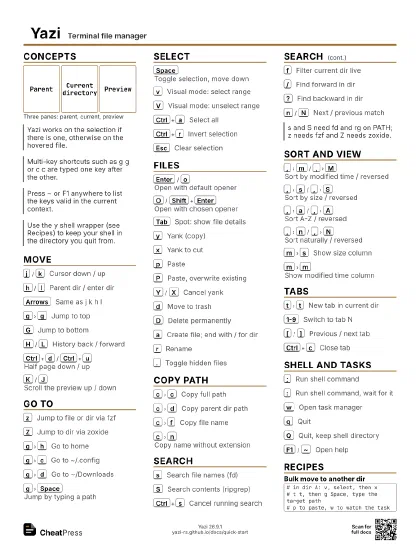
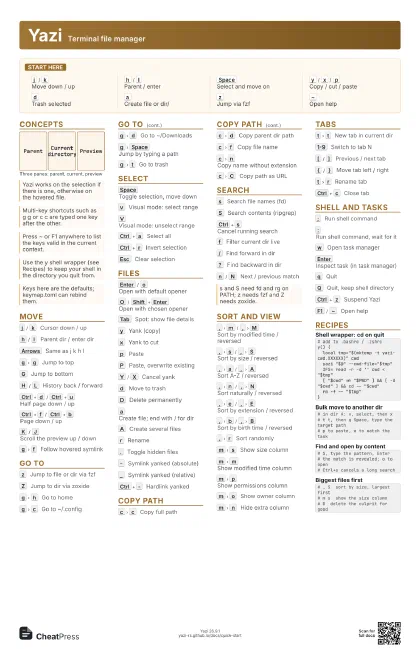
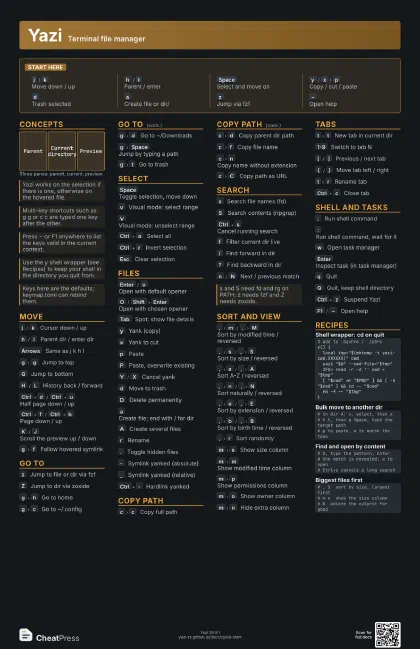
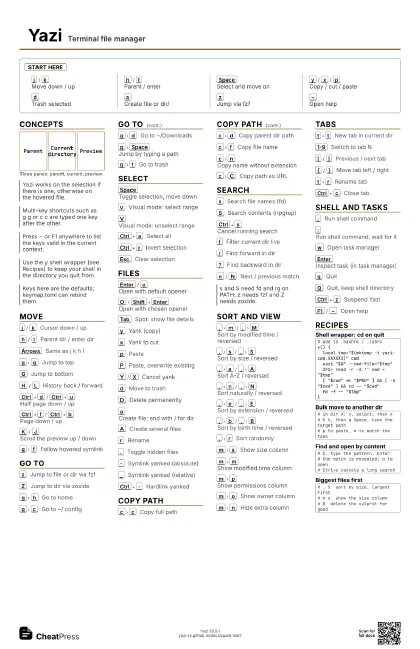
Yazi Terminal file manager
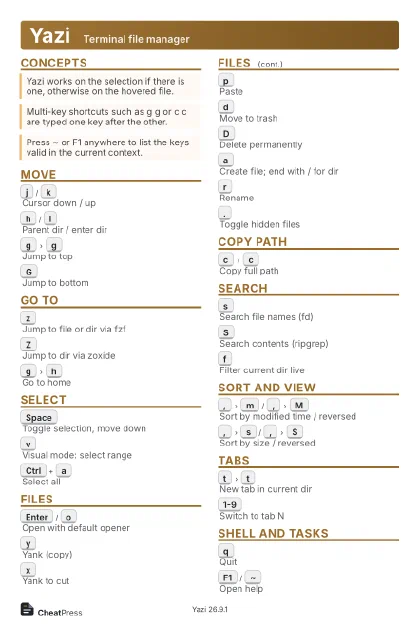 Light · Postcard
102 × 152 mm · PDF
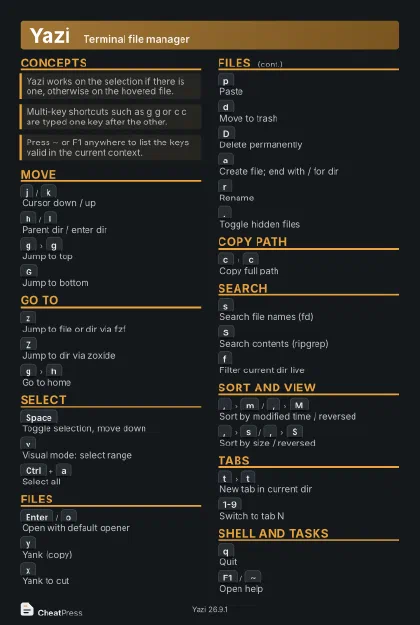 Dark · Postcard
102 × 152 mm · PDF
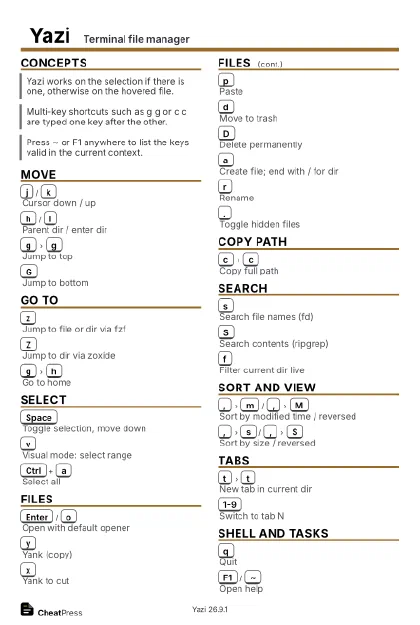 Ink saver · Postcard
102 × 152 mm · PDF
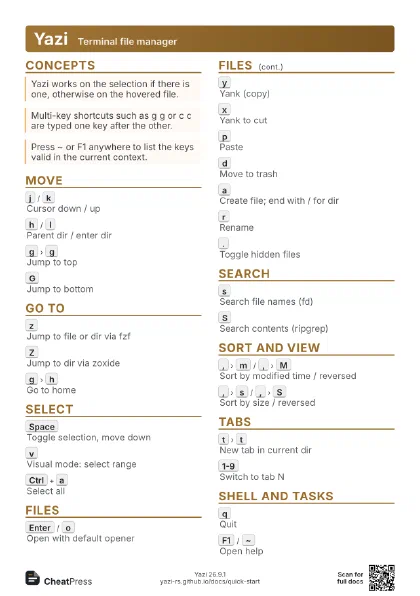
 Light · A4 landscape
297 × 210 mm · PDF
 Dark · A4 landscape
297 × 210 mm · PDF
 Ink saver · A4 landscape
297 × 210 mm · PDF
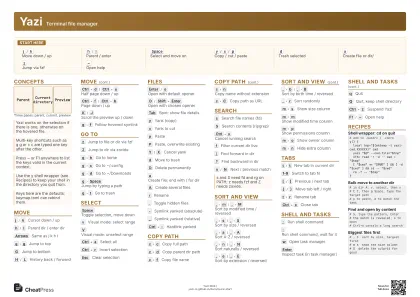 Light · A3 landscape
420 × 297 mm · PDF
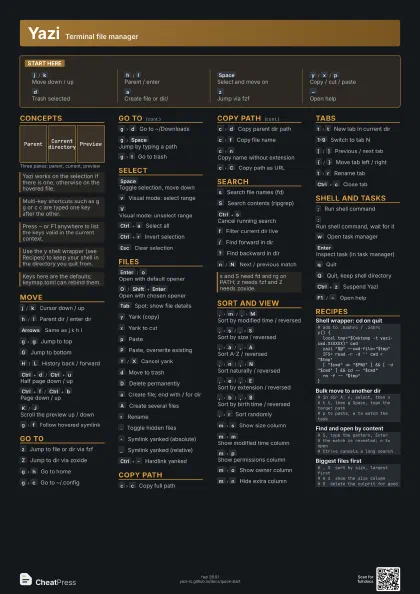
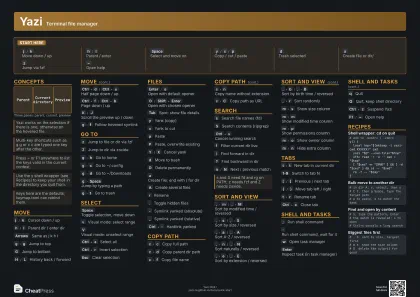 Dark · A3 landscape
420 × 297 mm · PDF
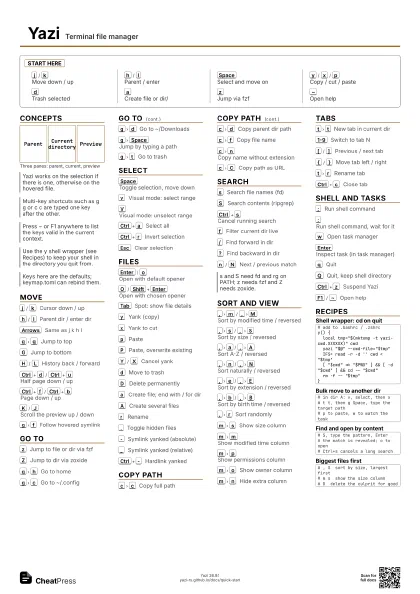
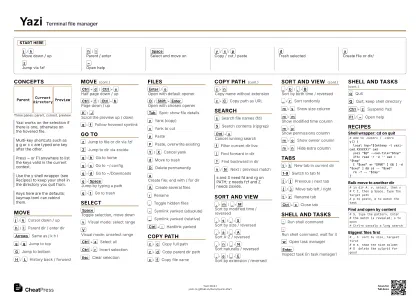 Ink saver · A3 landscape
420 × 297 mm · PDF
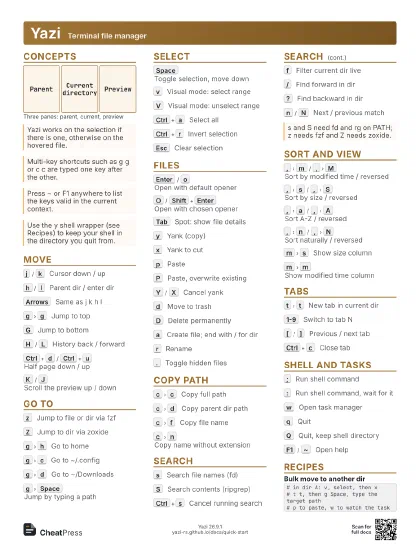
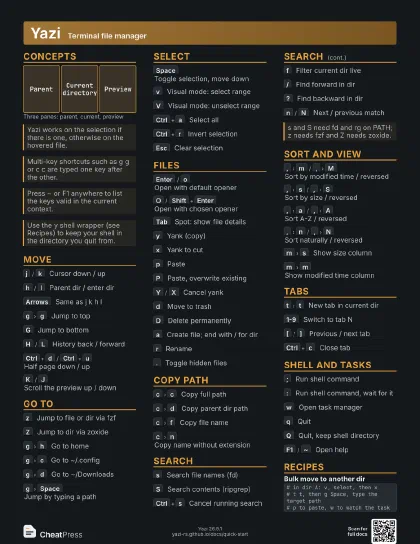
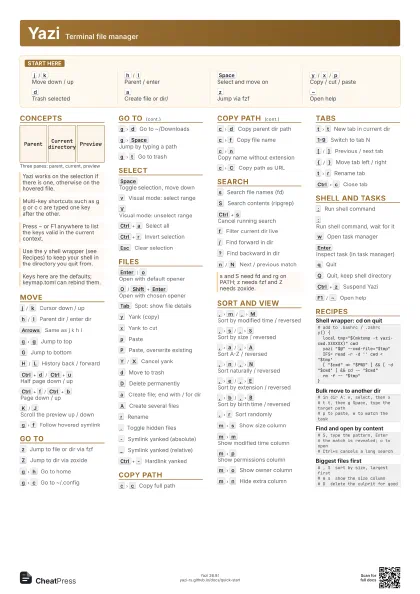
Start here
j
/
k
Move down / up
h
/
l
Parent / enter
Space
Select and move on
y
/
x
/
p
Copy / cut / paste
d
Trash selected
a
Create file or dir/
z
Jump via fzf
~
Open help
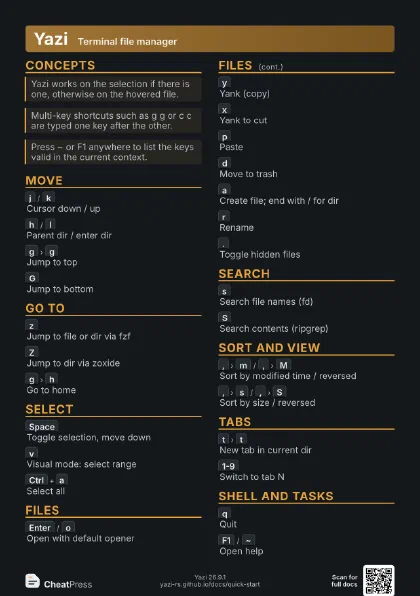
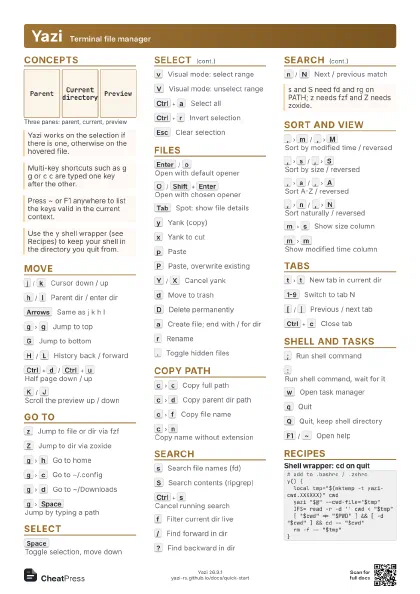
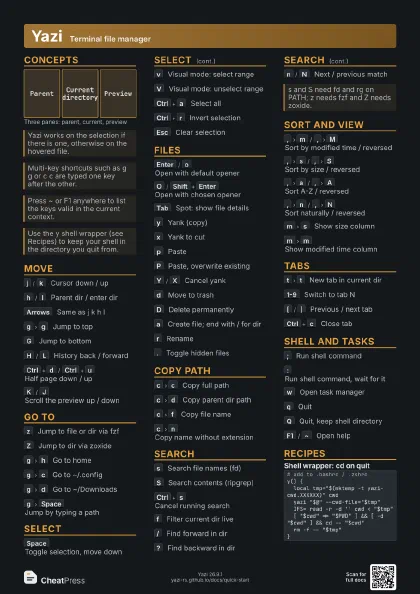
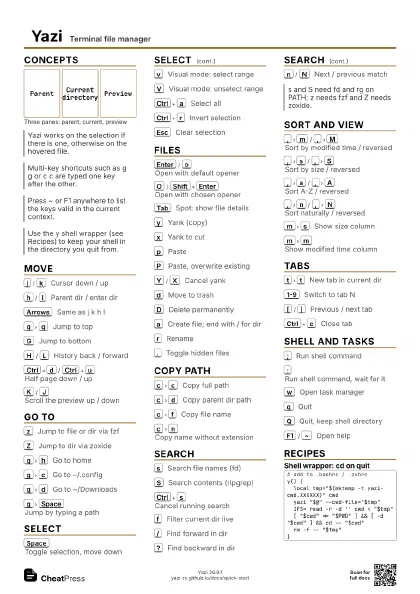
Concepts
Parent
Current directory
Preview
Move
j
/
k
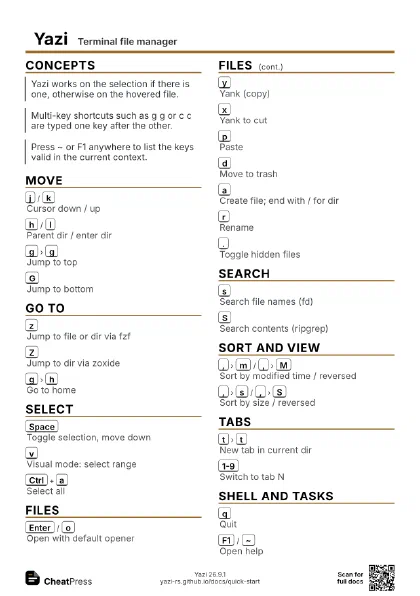
Cursor down / up
h
/
l
Parent dir / enter dir
Arrows
Same as j k h l
g
g
Jump to top
G
Jump to bottom
H
/
L
History back / forward
Ctrl+d
/
Ctrl+u
Half page down / up
Ctrl+f
/
Ctrl+b
Page down / up
K
/
J
Scroll the preview up / down
g
f
Follow hovered symlink
Go to
z
Jump to file or dir via fzf
Z
Jump to dir via zoxide
g
h
Go to home
g
c
Go to ~/.config
g
d
Go to ~/Downloads
g
Space
Jump by typing a path
g
t
Go to trash
Select
Space
Toggle selection, move down
v
Visual mode: select range
V
Visual mode: unselect range
Ctrl+a
Select all
Ctrl+r
Invert selection
Esc
Clear selection
Files
Enter
/
o
Open with default opener
O
/
Shift+Enter
Open with chosen opener
Tab
Spot: show file details
y
Yank (copy)
x
Yank to cut
p
Paste
P
Paste, overwrite existing
Y
/
X
Cancel yank
d
Move to trash
D
Delete permanently
a
Create file; end with / for dir
A
Create several files
r
Rename
.
Toggle hidden files
-
Symlink yanked (absolute)
_
Symlink yanked (relative)
Ctrl+-
Hardlink yanked
Copy path
c
c
Copy full path
c
d
Copy parent dir path
c
f
Copy file name
c
n
Copy name without extension
c
C
Copy path as URL
Search
s
Search file names (fd)
S
Search contents (ripgrep)
Ctrl+s
Cancel running search
f
Filter current dir live
/
Find forward in dir
?
Find backward in dir
n
/
N
Next / previous match
Sort and view
,
m
/
,
M
Sort by modified time / reversed
,
s
/
,
S
Sort by size / reversed
,
a
/
,
A
Sort A-Z / reversed
,
n
/
,
N
Sort naturally / reversed
,
e
/
,
E
Sort by extension / reversed
,
b
/
,
B
Sort by birth time / reversed
,
r
Sort randomly
m
s
Show size column
m
m
Show modified time column
m
p
Show permissions column
m
o
Show owner column
m
n
Hide extra column
Tabs
t
t
New tab in current dir
1-9
Switch to tab N
[
/
]
Previous / next tab
{
/
}
Move tab left / right
t
r
Rename tab
Ctrl+c
Close tab
Shell and tasks
;
Run shell command
:
Run shell command, wait for it
w
Open task manager
Enter
Inspect task (in task manager)
q
Quit
Q
Quit, keep shell directory
Ctrl+z
Suspend Yazi
F1
/
~
Open help
Recipes
# add to .bashrc / .zshrcy() { local tmp="$(mktemp -t yazi-cwd.XXXXXX)" cwd yazi "$@" --cwd-file="$tmp" IFS= read -r -d '' cwd < "$tmp" [ "$cwd" != "$PWD" ] && [ -d "$cwd" ] && cd -- "$cwd" rm -f -- "$tmp"}# in dir A: v, select, then x# t t, then g Space, type the target path# p to paste, w to watch the task# S, type the pattern, Enter# the match is revealed; o to open# Ctrl+s cancels a long search# , S sort by size, largest first# m s show the size column# D delete the culprit for good