Cheat
PM2 Node process manager
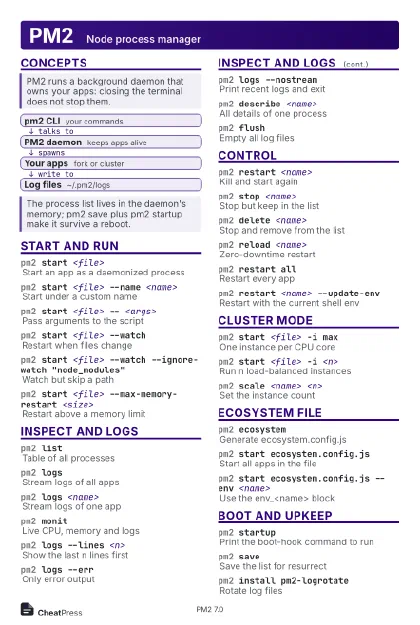 Light · Postcard
102 × 152 mm · PDF
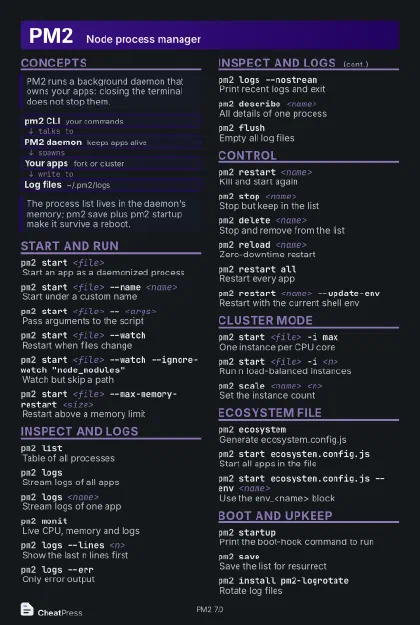 Dark · Postcard
102 × 152 mm · PDF
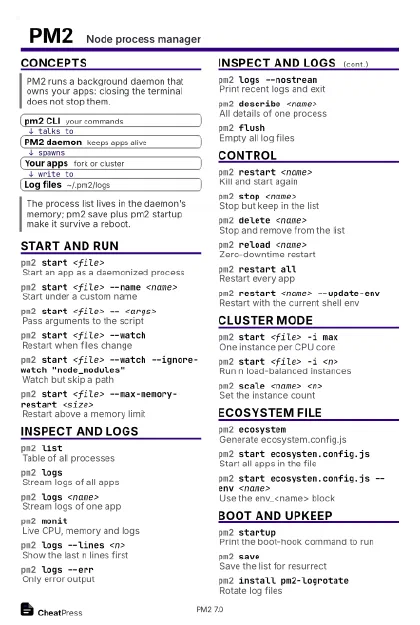 Ink saver · Postcard
102 × 152 mm · PDF
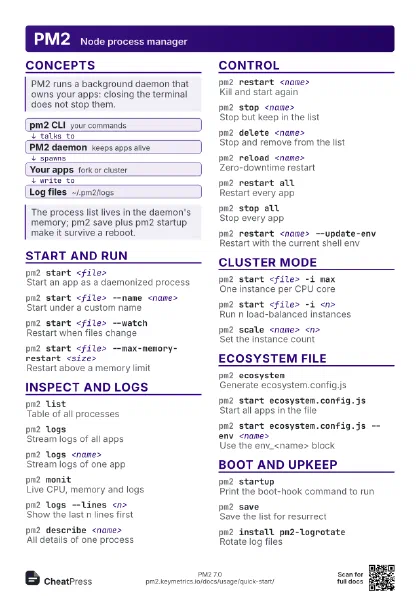
 Light · A4 landscape
297 × 210 mm · PDF
 Dark · A4 landscape
297 × 210 mm · PDF
 Ink saver · A4 landscape
297 × 210 mm · PDF
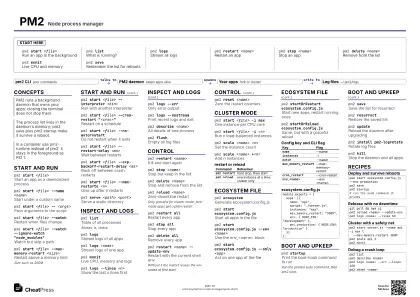
 Light · A3 landscape
420 × 297 mm · PDF
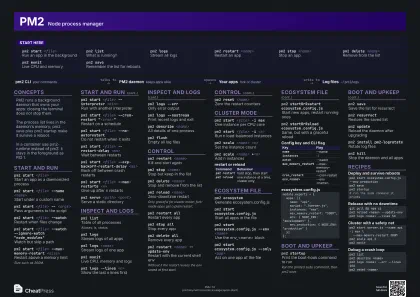 Dark · A3 landscape
420 × 297 mm · PDF
 Ink saver · A3 landscape
420 × 297 mm · PDF
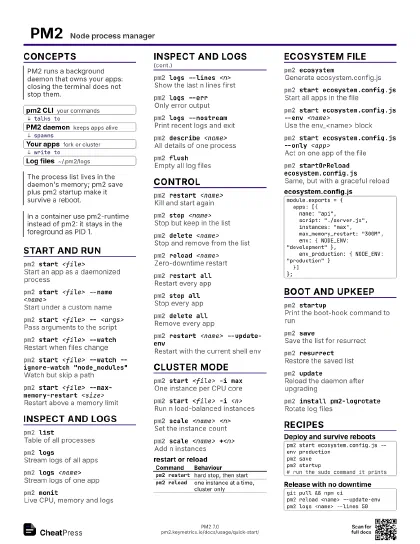
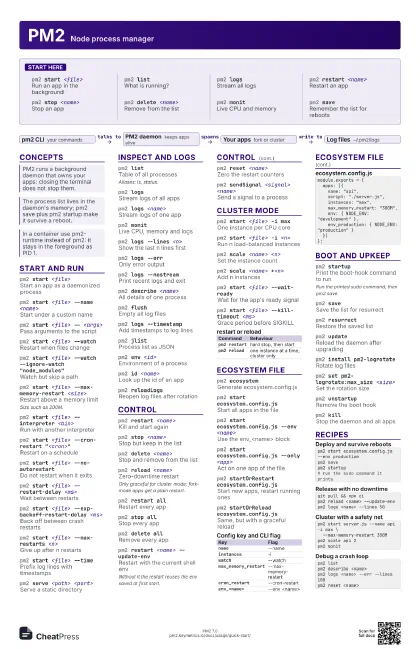
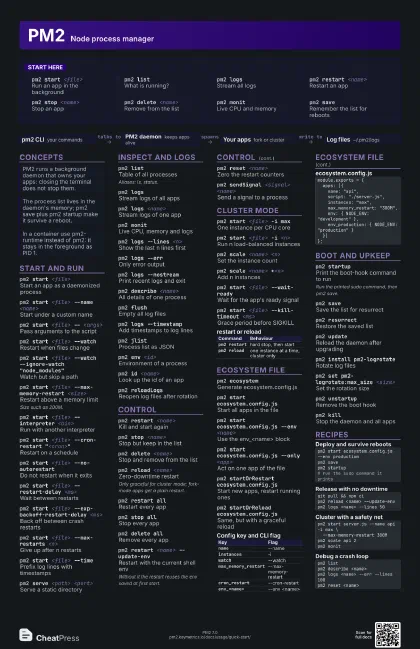
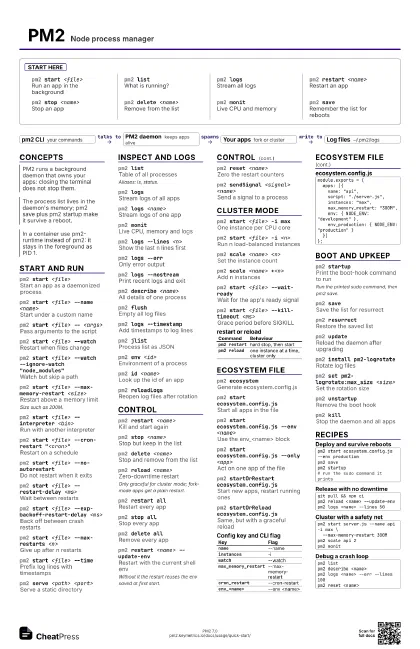
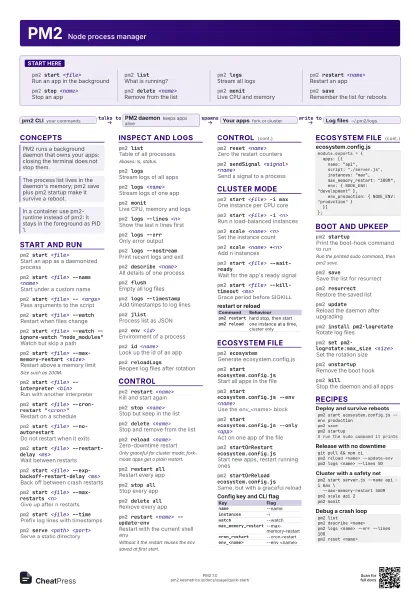
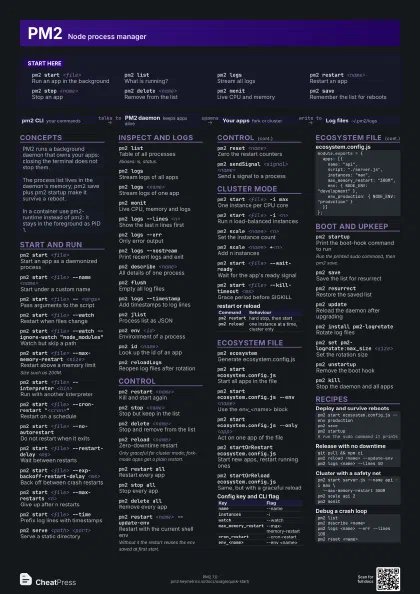
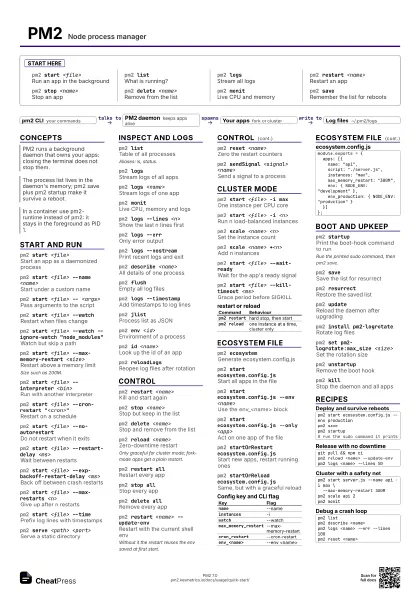
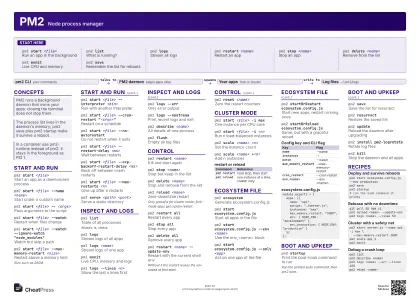
Start here
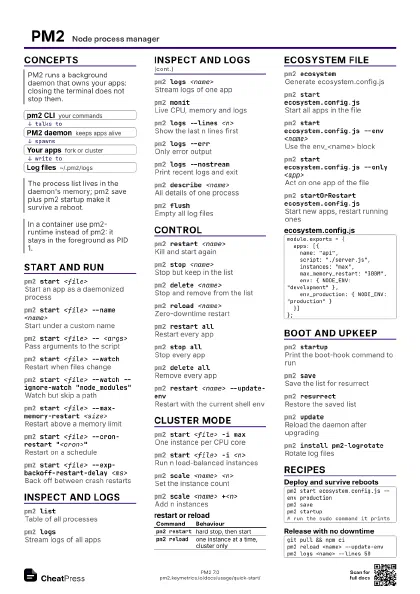
pm2 start <file>
Run an app in the background
pm2 listWhat is running?
pm2 logsStream all logs
pm2 restart <name>
Restart an app
pm2 stop <name>
Stop an app
pm2 delete <name>
Remove from the list
pm2 monitLive CPU and memory
pm2 saveRemember the list for reboots
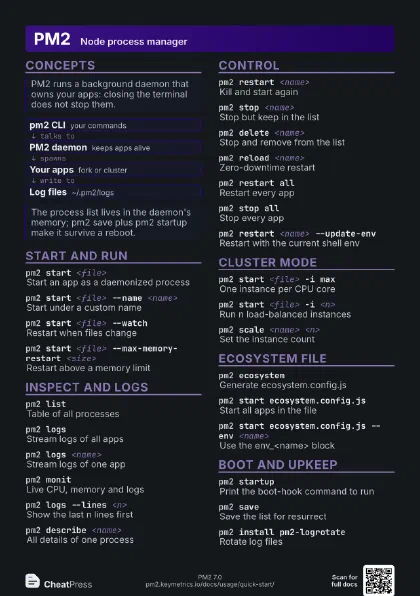
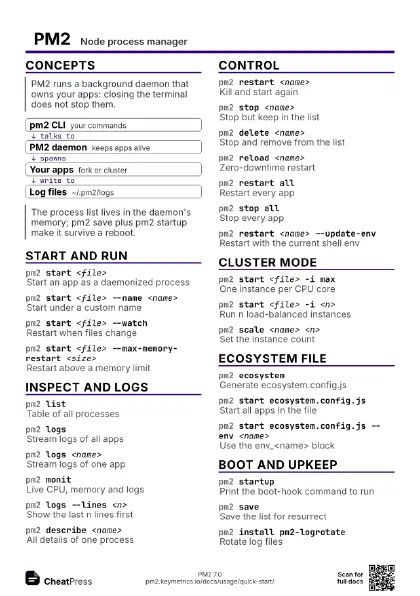
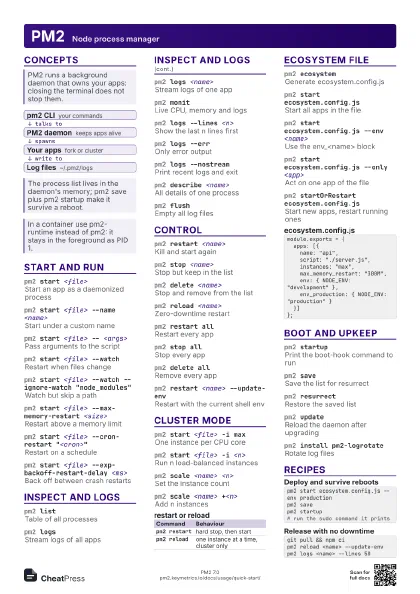
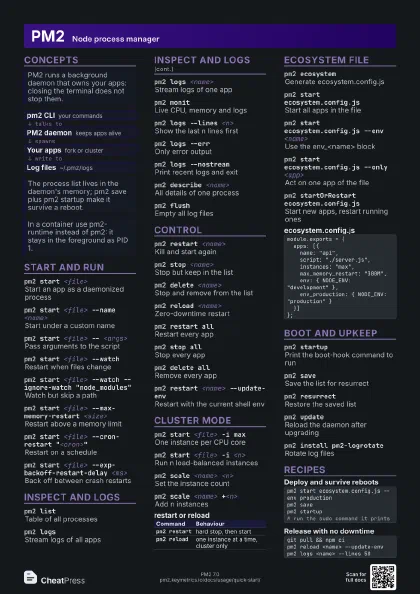
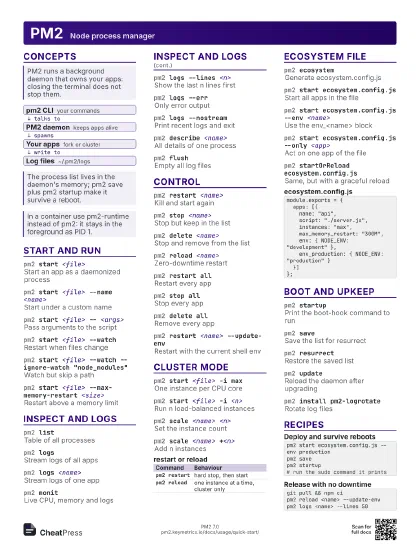
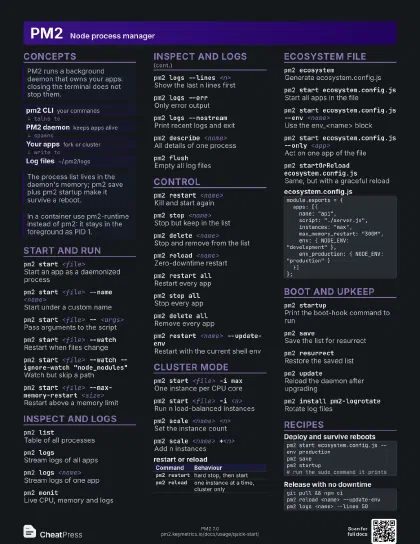
Concepts
- pm2 CLI your commands
- PM2 daemon keeps apps alive
- Your apps fork or cluster
- Log files ~/.pm2/logs
Start and run
pm2 start <file>
Start an app as a daemonized process
pm2 start <file> --name <name>
Start under a custom name
pm2 start <file> -- <args>
Pass arguments to the script
pm2 start <file> --watch
Restart when files change
pm2 start <file> --watch --ignore-watch
                    "node_modules"
Watch but skip a path
pm2 start <file> --max-memory-restart
                    <size>
Restart above a memory limit
Size such as 200M.
pm2 start <file> --interpreter <bin>
Run with another interpreter
pm2 start <file> --cron-restart
                    "<cron>"
Restart on a schedule
pm2 start <file> --no-autorestart
Do not restart when it exits
pm2 start <file> --restart-delay <ms>
Wait between restarts
pm2 start <file> --exp-backoff-restart-delay
                    <ms>
Back off between crash restarts
pm2 start <file> --max-restarts <n>
Give up after n restarts
pm2 start <file> --time
Prefix log lines with timestamps
pm2 serve <path> <port>
Serve a static directory
Inspect and logs
pm2 listTable of all processes
Aliases: ls, status.
pm2 logsStream logs of all apps
pm2 logs <name>
Stream logs of one app
pm2 monitLive CPU, memory and logs
pm2 logs --lines <n>
Show the last n lines first
pm2 logs --errOnly error output
pm2 logs --nostream
Print recent logs and exit
pm2 describe <name>
All details of one process
pm2 flushEmpty all log files
pm2 logs --timestamp
Add timestamps to log lines
pm2 jlistProcess list as JSON
pm2 env <id>
Environment of a process
pm2 id <name>
Look up the id of an app
pm2 reloadLogsReopen log files after rotation
Control
pm2 restart <name>
Kill and start again
pm2 stop <name>
Stop but keep in the list
pm2 delete <name>
Stop and remove from the list
pm2 reload <name>
Zero-downtime restart
Only graceful for cluster mode; fork-mode apps get a plain
restart.
pm2 restart allRestart every app
pm2 stop allStop every app
pm2 delete allRemove every app
pm2 restart <name> --update-env
Restart with the current shell env
Without it the restart reuses the env saved at first start.
pm2 reset <name>
Zero the restart counters
pm2 sendSignal <signal> <name>
Send a signal to a process
Cluster mode
pm2 start <file> -i max
One instance per CPU core
pm2 start <file> -i <n>
Run n load-balanced instances
pm2 scale <name> <n>
Set the instance count
pm2 scale <name> +<n>
Add n instances
pm2 start <file> --wait-ready
Wait for the app's ready signal
pm2 start <file> --kill-timeout <ms>
Grace period before SIGKILL
| Command | Behaviour |
|---|---|
pm2 restart |
hard stop, then start |
pm2 reload |
one instance at a time, cluster only |
Ecosystem file
pm2 ecosystemGenerate ecosystem.config.js
pm2 start ecosystem.config.js
Start all apps in the file
pm2 start ecosystem.config.js --env <name>
Use the env_<name> block
pm2 start ecosystem.config.js --only <app>
Act on one app of the file
pm2 startOrRestart ecosystem.config.js
Start new apps, restart running ones
pm2 startOrReload ecosystem.config.js
Same, but with a graceful reload
| Key | Flag |
|---|---|
name |
--name |
instances |
-i |
watch |
--watch |
max_memory_restart |
--max-memory-restart |
cron_restart |
--cron-restart |
env_<name> |
--env <name> |
module.exports = { apps: [{ name: "api", script: "./server.js", instances: "max", max_memory_restart: "300M", env: { NODE_ENV: "development" }, env_production: { NODE_ENV: "production" } }]};Boot and upkeep
pm2 startupPrint the boot-hook command to run
Run the printed sudo command, then pm2 save.
pm2 saveSave the list for resurrect
pm2 resurrectRestore the saved list
pm2 updateReload the daemon after upgrading
pm2 install pm2-logrotate
Rotate log files
pm2 set pm2-logrotate:max_size <size>
Set the rotation size
pm2 unstartupRemove the boot hook
pm2 killStop the daemon and all apps
Recipes
pm2 start ecosystem.config.js --env productionpm2 savepm2 startup# run the sudo command it printsgit pull && npm cipm2 reload <name> --update-envpm2 logs <name> --lines 50pm2 start server.js --name api -i max \ --max-memory-restart 300Mpm2 scale api 2pm2 monitpm2 listpm2 describe <name>pm2 logs <name> --err --lines 100pm2 reset <name>