Cheat
Notion Windows / Linux shortcuts
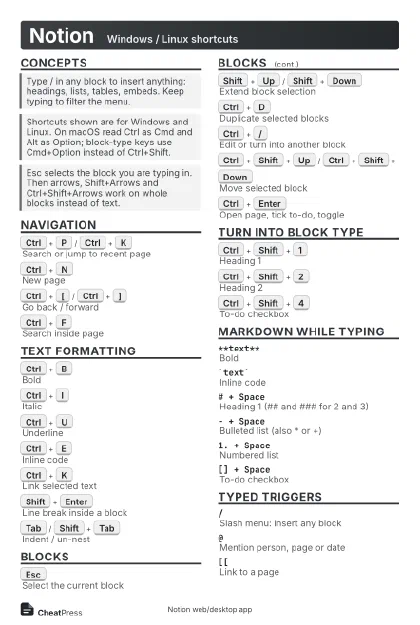 Light · Postcard
102 × 152 mm · PDF
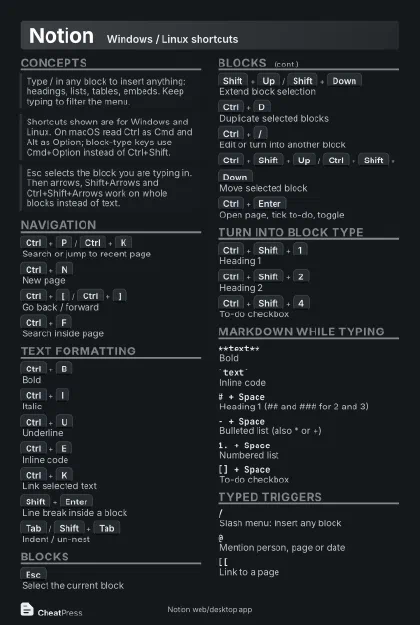 Dark · Postcard
102 × 152 mm · PDF
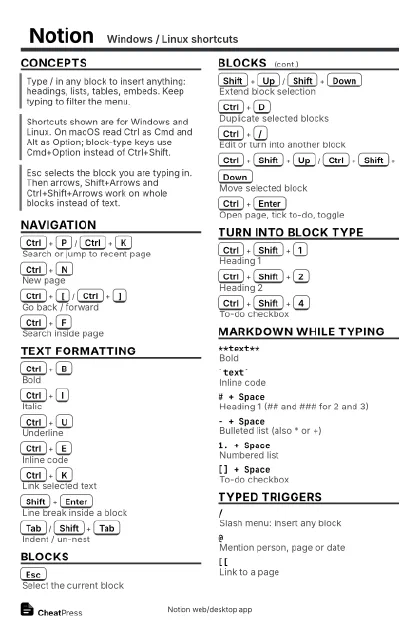 Ink saver · Postcard
102 × 152 mm · PDF
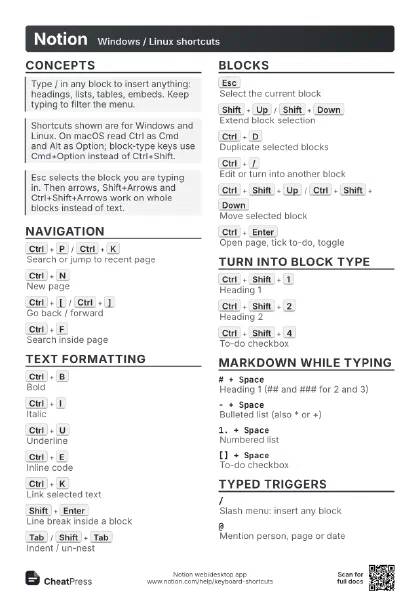
 Light · A4 landscape
297 × 210 mm · PDF
 Dark · A4 landscape
297 × 210 mm · PDF
 Ink saver · A4 landscape
297 × 210 mm · PDF
 Light · A3 landscape
420 × 297 mm · PDF
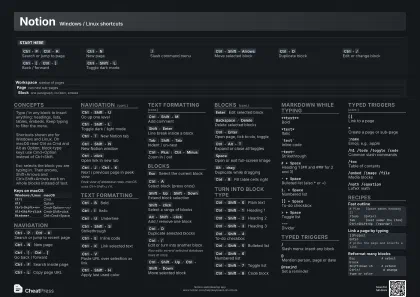 Dark · A3 landscape
420 × 297 mm · PDF
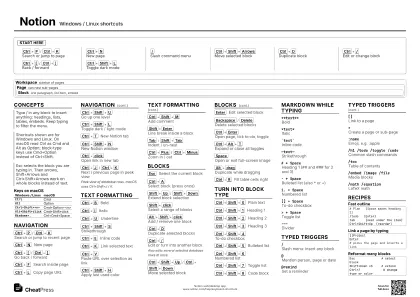 Ink saver · A3 landscape
420 × 297 mm · PDF
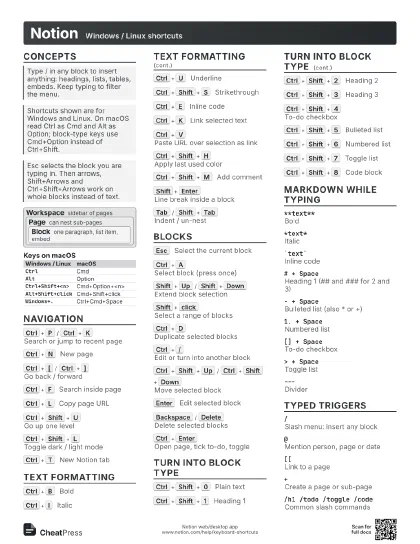
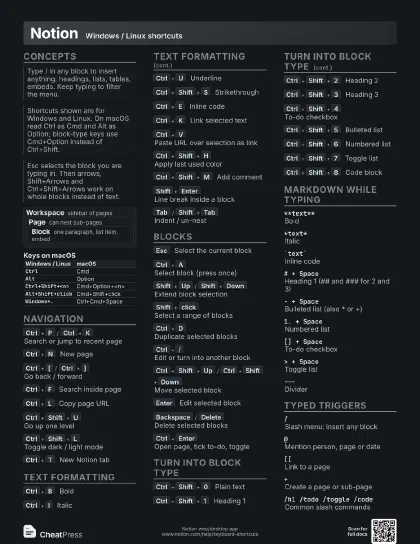
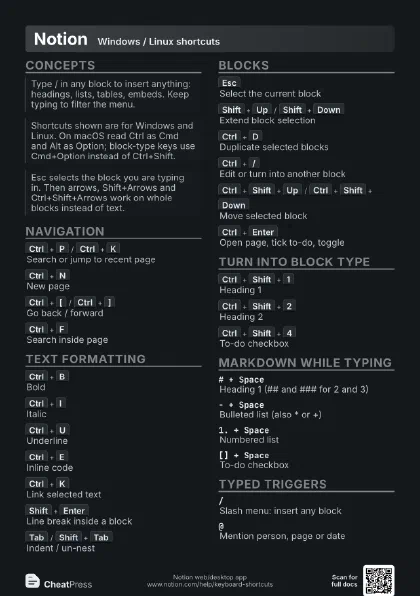
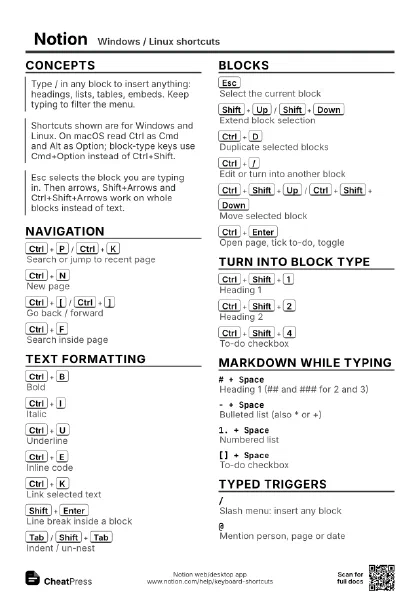
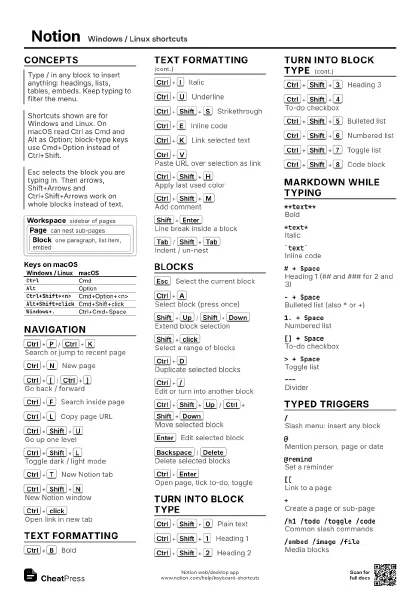
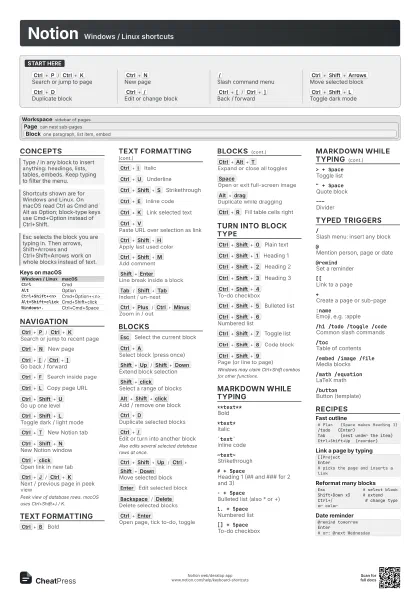
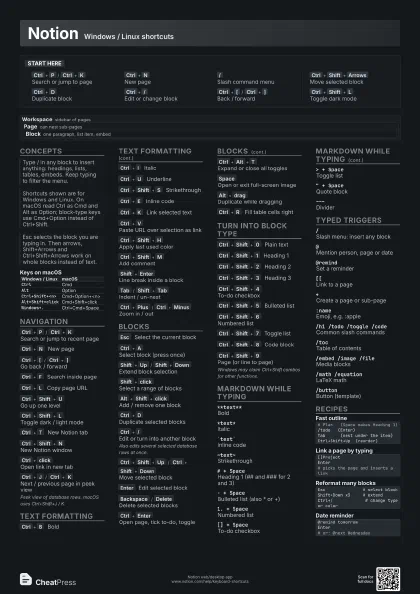
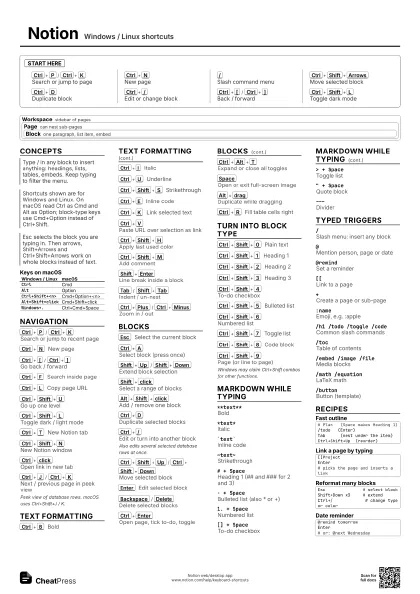
Start here
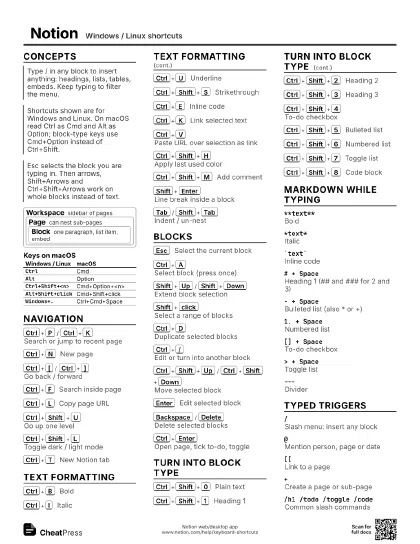
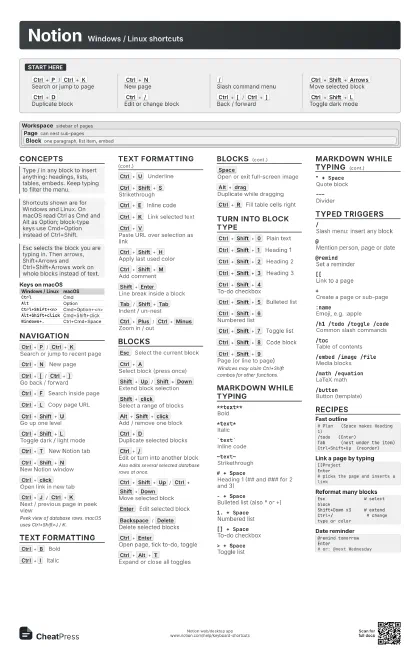
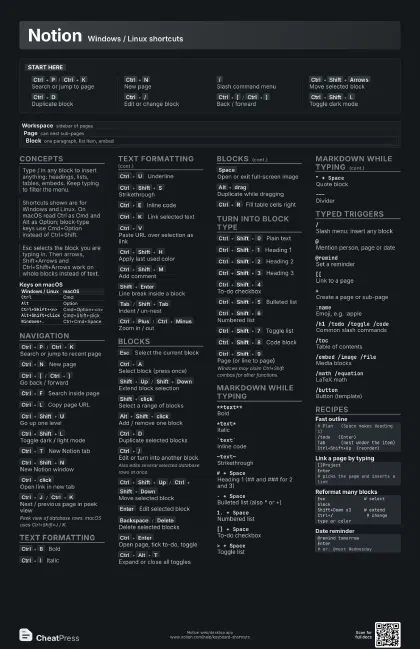
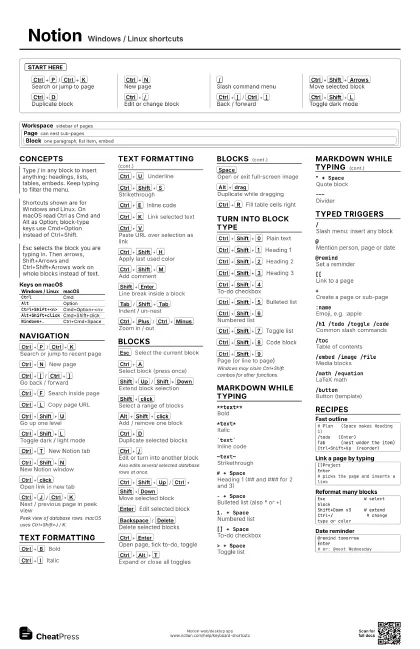
Ctrl+P
/
Ctrl+K
Search or jump to page
Ctrl+N
New page
/
Slash command menu
Ctrl+Shift+Arrows
Move selected block
Ctrl+D
Duplicate block
Ctrl+/
Edit or change block
Ctrl+[
/
Ctrl+]
Back / forward
Ctrl+Shift+L
Toggle dark mode
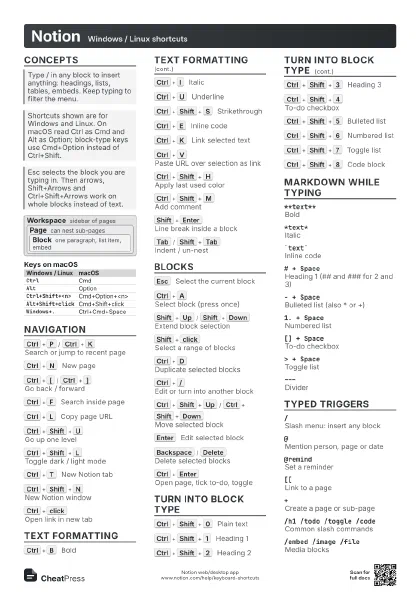
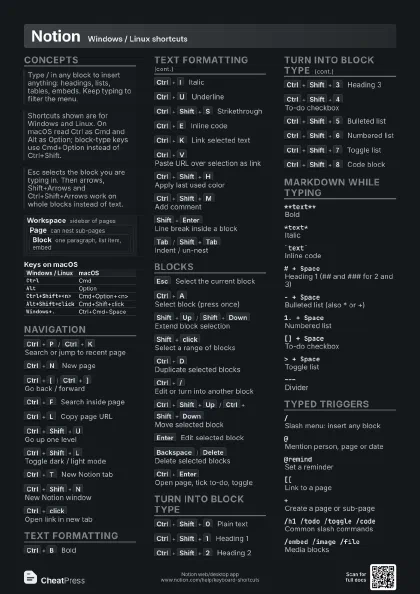
Concepts
Workspace sidebar of pages
Page can nest sub-pages
Block
one paragraph, list item, embed
| Windows / Linux | macOS |
|---|---|
Ctrl |
Cmd |
Alt |
Option |
Ctrl+Shift+<n> |
Cmd+Option+<n> |
Alt+Shift+click |
Cmd+Shift+click |
Windows+. |
Ctrl+Cmd+Space |
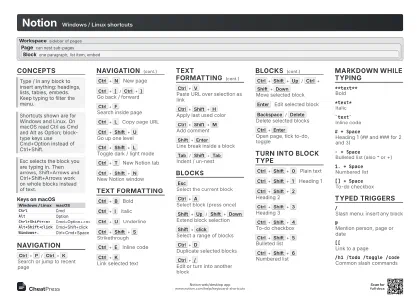
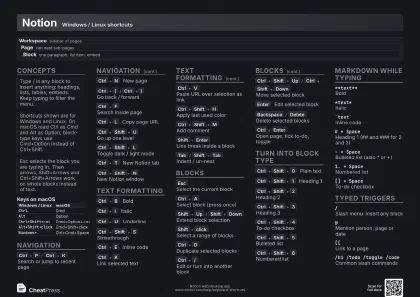
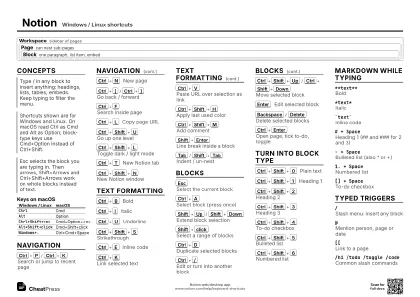
Navigation
Ctrl+P
/
Ctrl+K
Search or jump to recent page
Ctrl+N
New page
Ctrl+[
/
Ctrl+]
Go back / forward
Ctrl+F
Search inside page
Ctrl+L
Copy page URL
Ctrl+Shift+U
Go up one level
Ctrl+Shift+L
Toggle dark / light mode
Ctrl+T
New Notion tab
Ctrl+Shift+N
New Notion window
Ctrl+click
Open link in new tab
Ctrl+J
/
Ctrl+K
Next / previous page in peek view
Peek view of database rows. macOS uses Ctrl+Shift+J /
K.
Text formatting
Ctrl+B
Bold
Ctrl+I
Italic
Ctrl+U
Underline
Ctrl+Shift+S
Strikethrough
Ctrl+E
Inline code
Ctrl+K
Link selected text
Ctrl+V
Paste URL over selection as link
Ctrl+Shift+H
Apply last used color
Ctrl+Shift+M
Add comment
Shift+Enter
Line break inside a block
Tab
/
Shift+Tab
Indent / un-nest
Ctrl+Plus
/
Ctrl+Minus
Zoom in / out
Blocks
Esc
Select the current block
Ctrl+A
Select block (press once)
Shift+Up
/
Shift+Down
Extend block selection
Shift+click
Select a range of blocks
Alt+Shift+click
Add / remove one block
Ctrl+D
Duplicate selected blocks
Ctrl+/
Edit or turn into another block
Also edits several selected database rows at once.
Ctrl+Shift+Up
/
Ctrl+Shift+Down
Move selected block
Enter
Edit selected block
Backspace
/
Delete
Delete selected blocks
Ctrl+Enter
Open page, tick to-do, toggle
Ctrl+Alt+T
Expand or close all toggles
Space
Open or exit full-screen image
Alt+drag
Duplicate while dragging
Ctrl+R
Fill table cells right
Turn into block type
Ctrl+Shift+0
Plain text
Ctrl+Shift+1
Heading 1
Ctrl+Shift+2
Heading 2
Ctrl+Shift+3
Heading 3
Ctrl+Shift+4
To-do checkbox
Ctrl+Shift+5
Bulleted list
Ctrl+Shift+6
Numbered list
Ctrl+Shift+7
Toggle list
Ctrl+Shift+8
Code block
Ctrl+Shift+9
Page (or line to page)
Windows may claim Ctrl+Shift combos for other functions.
Markdown while typing
**text**Bold
*text*Italic
`text`Inline code
~text~Strikethrough
# + SpaceHeading 1 (## and ### for 2 and 3)
- + SpaceBulleted list (also * or +)
1. + SpaceNumbered list
[] + SpaceTo-do checkbox
> + Space
Toggle list
" + Space
Quote block
---Divider
Typed triggers
/Slash menu: insert any block
@Mention person, page or date
@remindSet a reminder
[[Link to a page
+Create a page or sub-page
:nameEmoji, e.g. :apple
/h1 /todo /toggle /code
Common slash commands
/tocTable of contents
/embed /image /file
Media blocks
/math /equationLaTeX math
/buttonButton (template)
Recipes
# Plan (Space makes Heading 1)/todo (Enter)Tab (nest under the item)Ctrl+Shift+Up (reorder)[[ProjectEnter# picks the page and inserts a linkEsc # select blockShift+Down x3 # extendCtrl+/ # change type or color@remind tomorrowEnter# or: @next Wednesday