Cheat
Slack Windows / Linux shortcuts
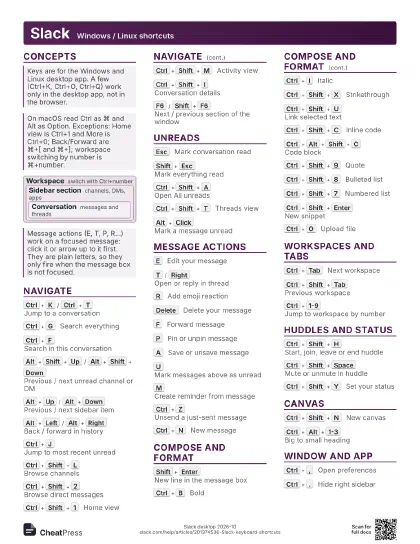
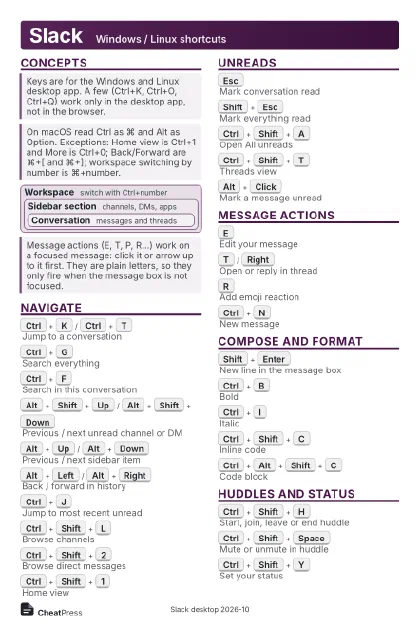 Light · Postcard
102 × 152 mm · PDF
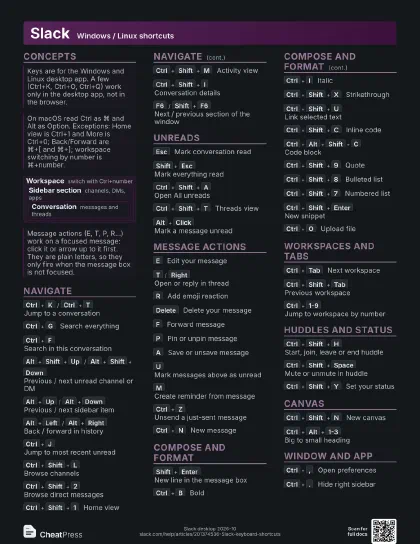
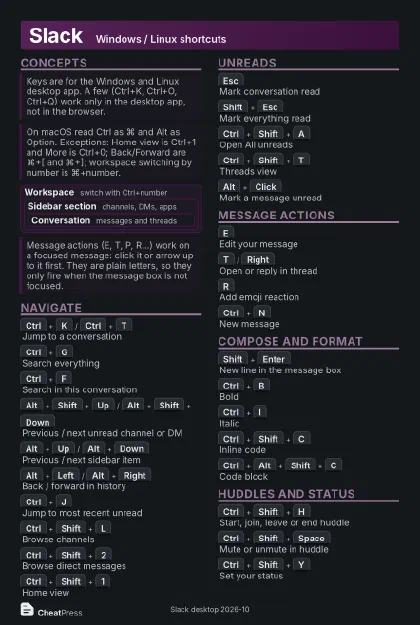 Dark · Postcard
102 × 152 mm · PDF
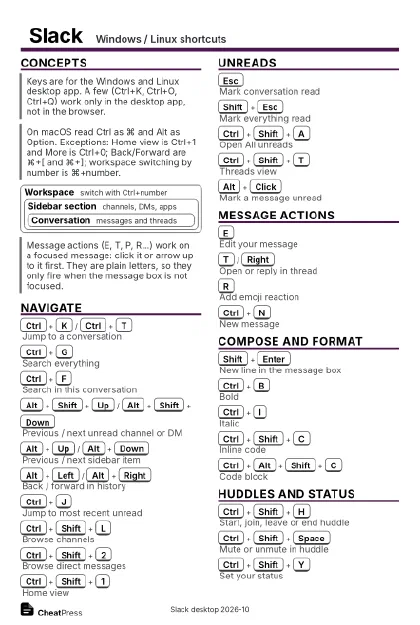 Ink saver · Postcard
102 × 152 mm · PDF
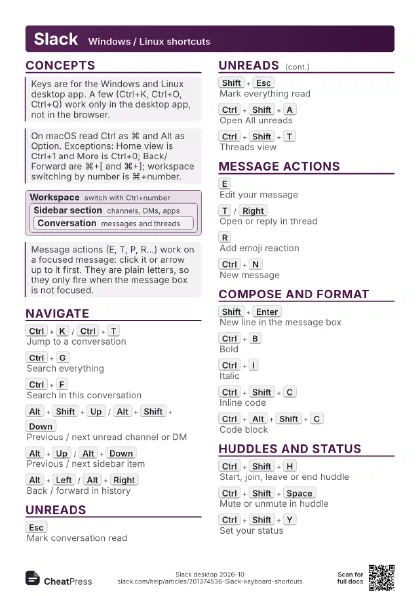
 Light · A4 landscape
297 × 210 mm · PDF
 Dark · A4 landscape
297 × 210 mm · PDF
 Ink saver · A4 landscape
297 × 210 mm · PDF
 Light · A3 landscape
420 × 297 mm · PDF
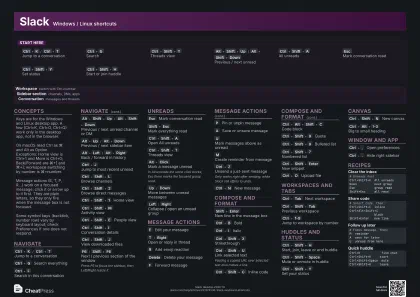 Dark · A3 landscape
420 × 297 mm · PDF
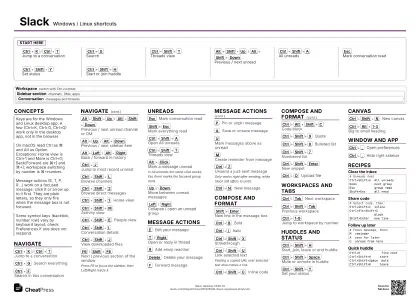 Ink saver · A3 landscape
420 × 297 mm · PDF
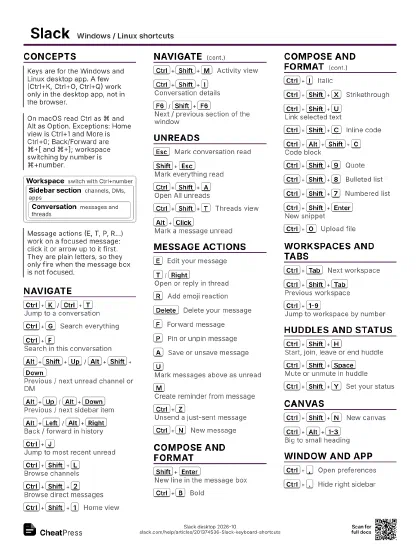
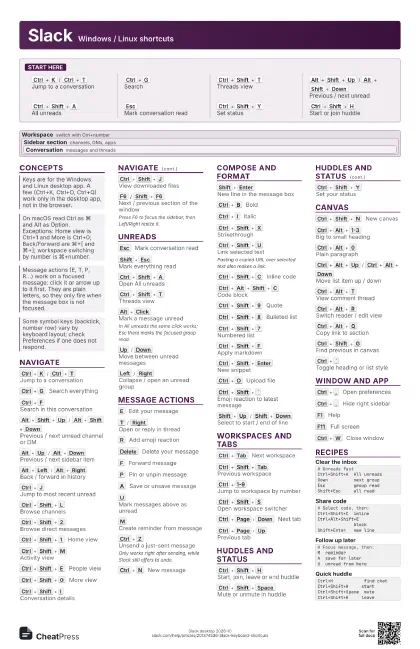
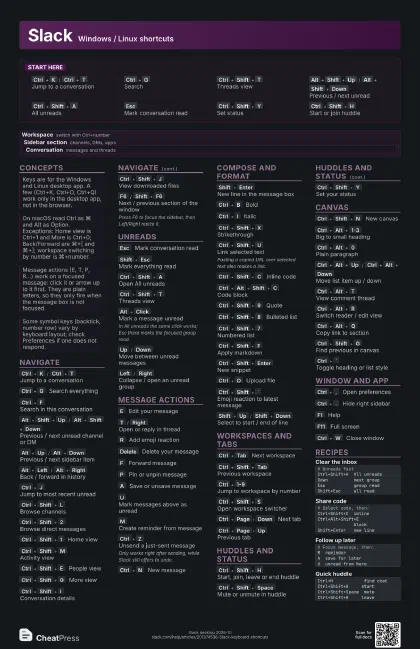
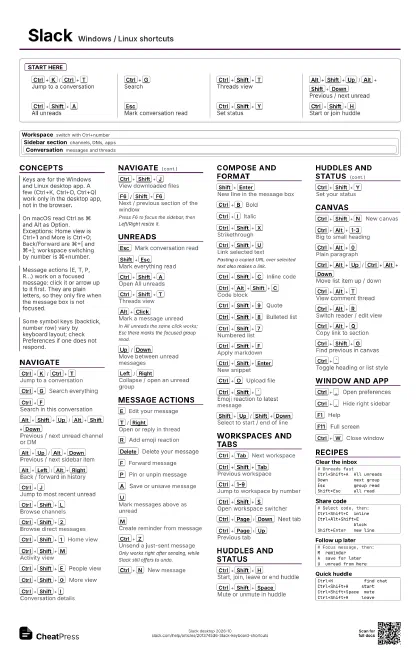
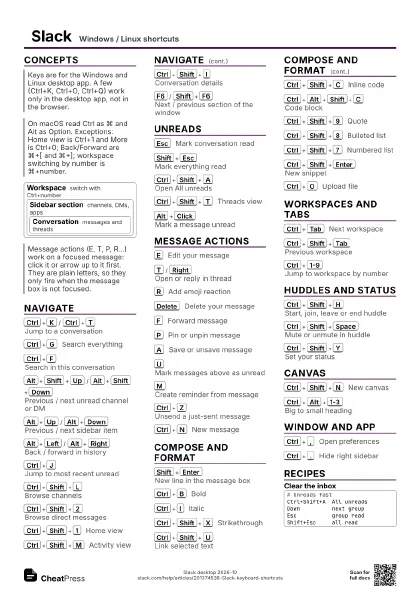
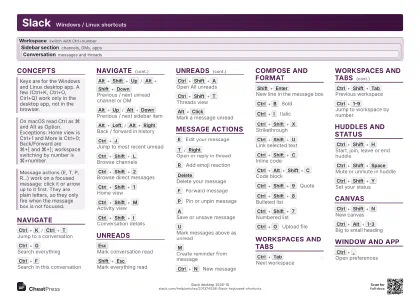
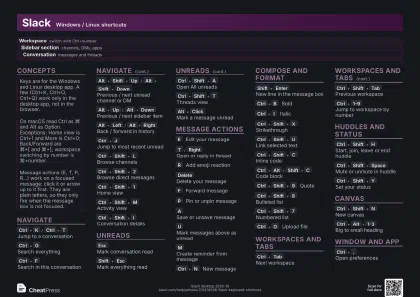
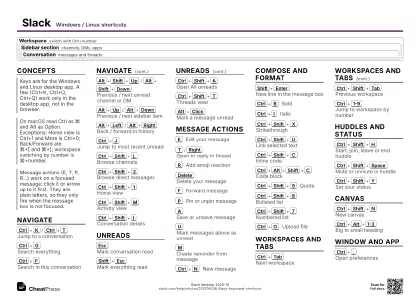
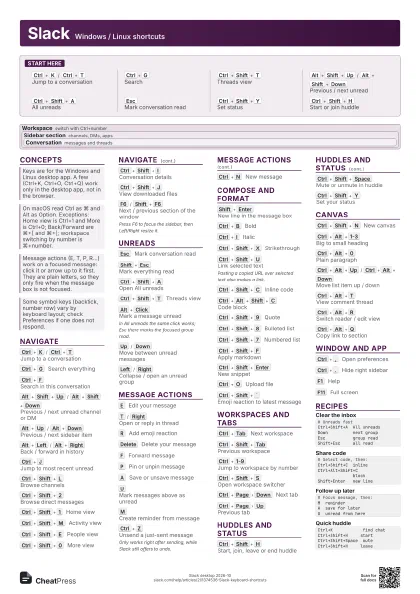
Start here
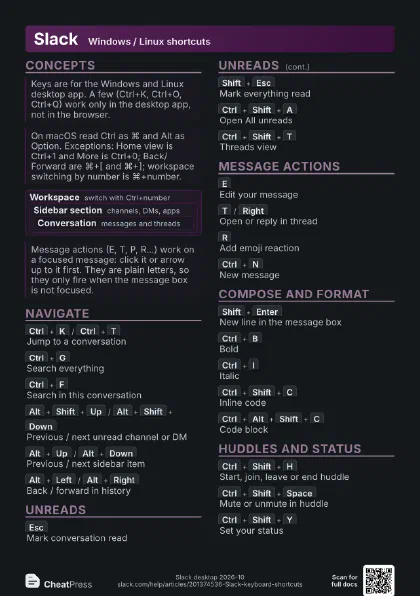
Ctrl+K
/
Ctrl+T
Jump to a conversation
Ctrl+G
Search
Ctrl+Shift+T
Threads view
Alt+Shift+Up
/
Alt+Shift+Down
Previous / next unread
Ctrl+Shift+A
All unreads
Esc
Mark conversation read
Ctrl+Shift+Y
Set status
Ctrl+Shift+H
Start or join huddle
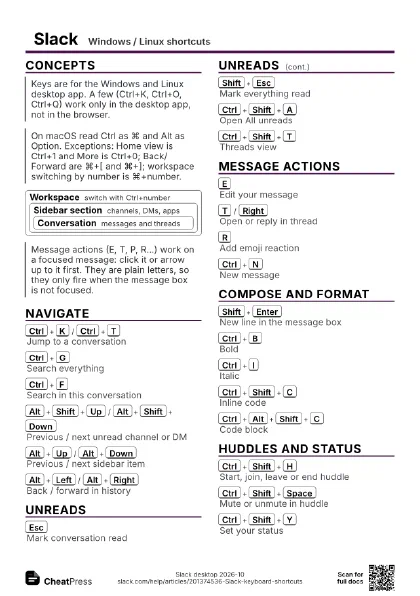
Concepts
Workspace
switch with Ctrl+number
Sidebar section
channels, DMs, apps
Conversation
messages and threads
Navigate
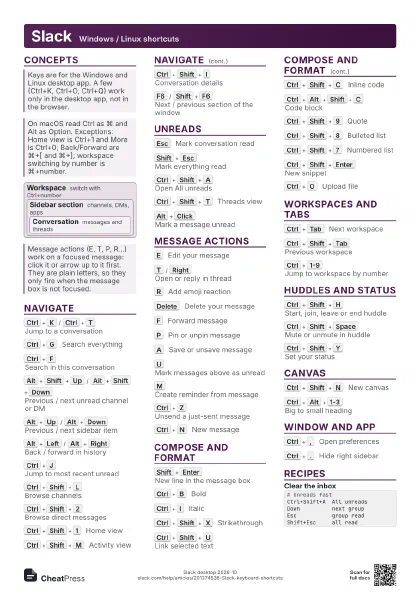
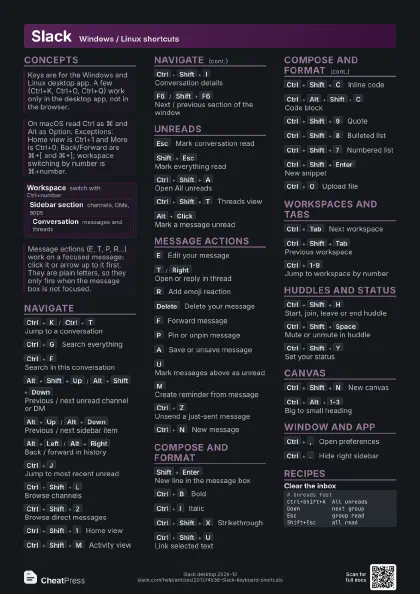
Ctrl+K
/
Ctrl+T
Jump to a conversation
Ctrl+G
Search everything
Ctrl+F
Search in this conversation
Alt+Shift+Up
/
Alt+Shift+Down
Previous / next unread channel or DM
Alt+Up
/
Alt+Down
Previous / next sidebar item
Alt+Left
/
Alt+Right
Back / forward in history
Ctrl+J
Jump to most recent unread
Ctrl+Shift+L
Browse channels
Ctrl+Shift+2
Browse direct messages
Ctrl+Shift+1
Home view
Ctrl+Shift+M
Activity view
Ctrl+Shift+E
People view
Ctrl+Shift+0
More view
Ctrl+Shift+I
Conversation details
Ctrl+Shift+J
View downloaded files
F6
/
Shift+F6
Next / previous section of the window
Press F6 to focus the sidebar, then Left/Right resize it.
Unreads
Esc
Mark conversation read
Shift+Esc
Mark everything read
Ctrl+Shift+A
Open All unreads
Ctrl+Shift+T
Threads view
Alt+Click
Mark a message unread
In All unreads the same click works; Esc there marks the
focused group read.
Up
/
Down
Move between unread messages
Left
/
Right
Collapse / open an unread group
Message actions
E
Edit your message
T
/
Right
Open or reply in thread
R
Add emoji reaction
Delete
Delete your message
F
Forward message
P
Pin or unpin message
A
Save or unsave message
U
Mark messages above as unread
M
Create reminder from message
Ctrl+Z
Unsend a just-sent message
Only works right after sending, while Slack still offers to
undo.
Ctrl+N
New message
Compose and format
Shift+Enter
New line in the message box
Ctrl+B
Bold
Ctrl+I
Italic
Ctrl+Shift+X
Strikethrough
Ctrl+Shift+U
Link selected text
Pasting a copied URL over selected text also makes a link.
Ctrl+Shift+C
Inline code
Ctrl+Alt+Shift+C
Code block
Ctrl+Shift+9
Quote
Ctrl+Shift+8
Bulleted list
Ctrl+Shift+7
Numbered list
Ctrl+Shift+F
Apply markdown
Ctrl+Shift+Enter
New snippet
Ctrl+O
Upload file
Ctrl+Shift+`
Emoji reaction to latest message
Shift+Up
/
Shift+Down
Select to start / end of line
Workspaces and tabs
Ctrl+Tab
Next workspace
Ctrl+Shift+Tab
Previous workspace
Ctrl+1-9
Jump to workspace by number
Ctrl+Shift+S
Open workspace switcher
Ctrl+Page
Down
Next tab
Ctrl+Page
Up
Previous tab
Huddles and status
Ctrl+Shift+H
Start, join, leave or end huddle
Ctrl+Shift+Space
Mute or unmute in huddle
Ctrl+Shift+Y
Set your status
Canvas
Ctrl+Shift+N
New canvas
Ctrl+Alt+1-3
Big to small heading
Ctrl+Alt+0
Plain paragraph
Ctrl+Alt+Up
/
Ctrl+Alt+Down
Move list item up / down
Ctrl+Alt+T
View comment thread
Ctrl+Alt+R
Switch reader / edit view
Ctrl+Alt+Q
Copy link to section
Ctrl+Shift+G
Find previous in canvas
Ctrl+`
Toggle heading or list style
Window and app
Ctrl+,
Open preferences
Ctrl+.
Hide right sidebar
F1
Help
F11
Full screen
Ctrl+W
Close window
Ctrl+Shift+W
Reopen closed window
Ctrl+Q
Quit Slack
Recipes
# Unreads fastCtrl+Shift+A All unreadsDown next groupEsc group readShift+Esc all read# Select code, then:Ctrl+Shift+C inlineCtrl+Alt+Shift+C blockShift+Enter new line# Focus message, then:M reminderA save for laterU unread from hereCtrl+K find chatCtrl+Shift+H startCtrl+Shift+Space muteCtrl+Shift+H leave