Cheat
LXC Classic Linux containers
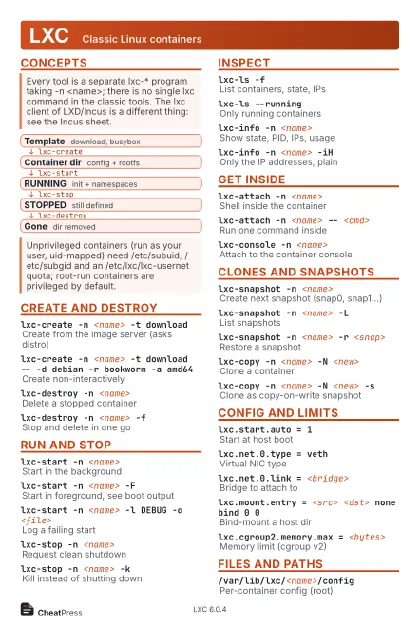 Light · Postcard
102 × 152 mm · PDF
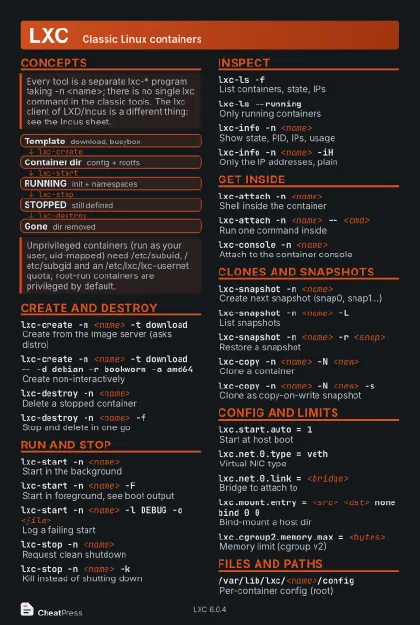 Dark · Postcard
102 × 152 mm · PDF
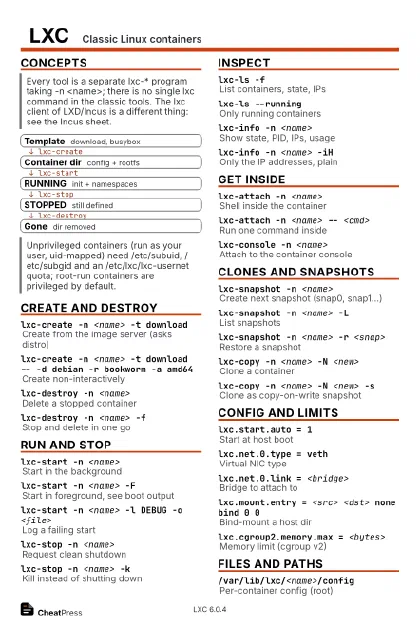 Ink saver · Postcard
102 × 152 mm · PDF
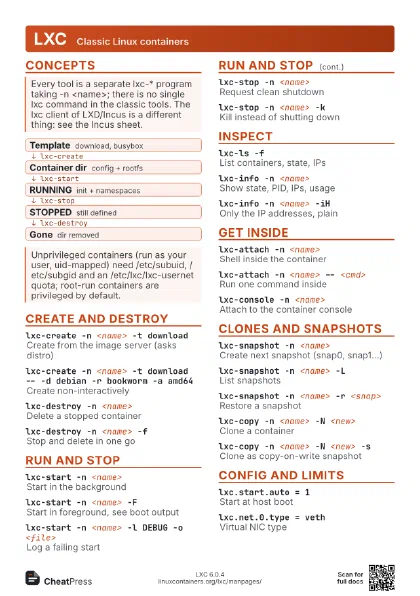
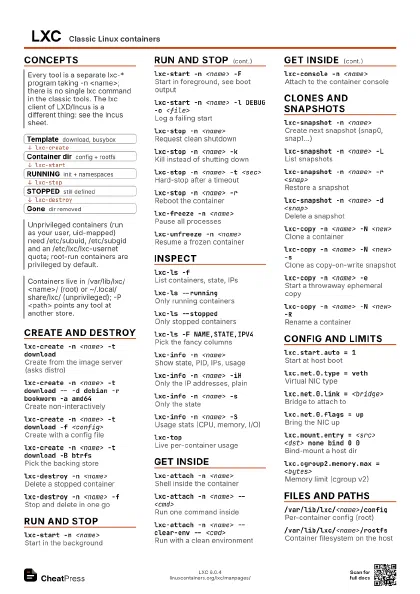
 Light · A4 landscape
297 × 210 mm · PDF
 Dark · A4 landscape
297 × 210 mm · PDF
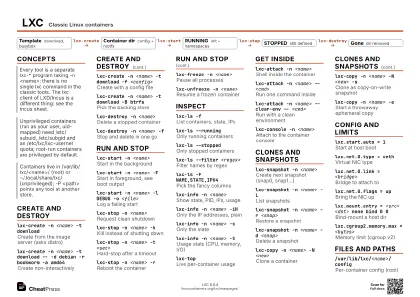 Ink saver · A4 landscape
297 × 210 mm · PDF


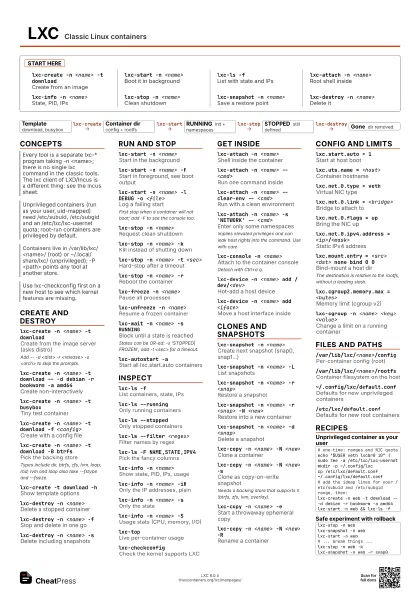
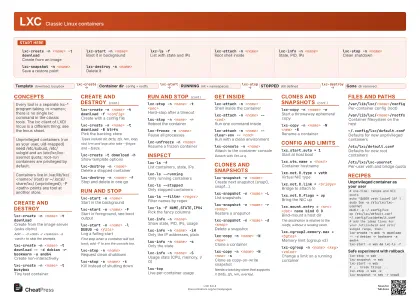 Light · A3 landscape
420 × 297 mm · PDF
 Dark · A3 landscape
420 × 297 mm · PDF
 Ink saver · A3 landscape
420 × 297 mm · PDF





Start here
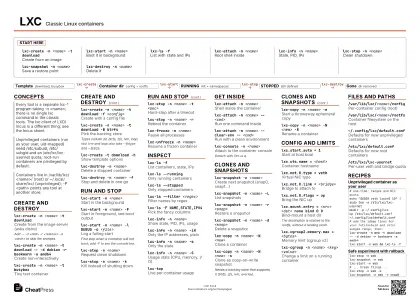
lxc-create -n <name> -t download
Create from an image
lxc-start -n <name>
Boot it in background
lxc-ls -fList with state and IPs
lxc-attach -n <name>
Root shell inside
lxc-info -n <name>
State, PID, IPs
lxc-stop -n <name>
Clean shutdown
lxc-snapshot -n <name>
Save a restore point
lxc-destroy -n <name>
Delete it
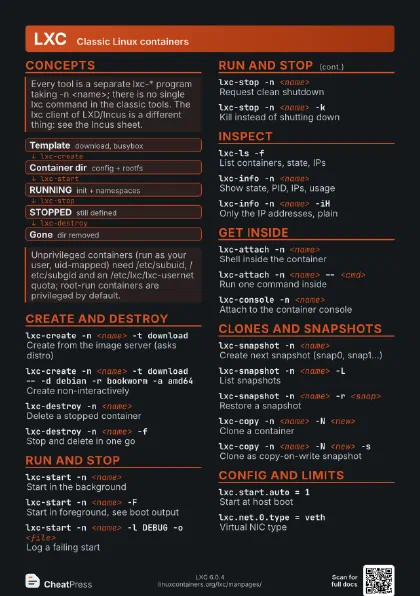
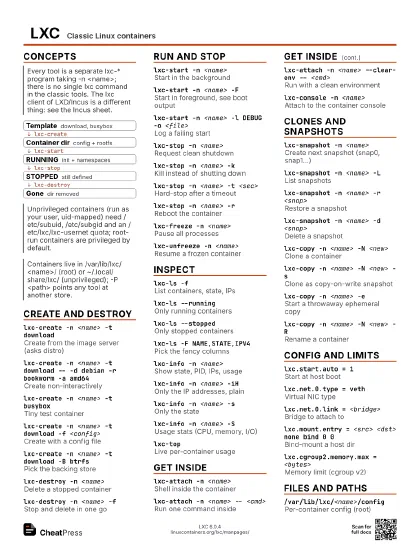
Concepts
- Template download, busybox
- Container dir config + rootfs
- RUNNING init + namespaces
- STOPPED still defined
- Gone dir removed
Create and destroy
lxc-create -n <name> -t download
Create from the image server (asks distro)
Add -- -d <dist> -r <release> -a <arch> to
skip the prompts.
lxc-create -n <name> -t download -- -d debian -r
                    bookworm -a amd64
Create non-interactively
lxc-create -n <name> -t busybox
Tiny test container
lxc-create -n <name> -t download -f
                    <config>
Create with a config file
lxc-create -n <name> -t download -B btrfs
Pick the backing store
Types include dir, btrfs, zfs, lvm, loop, rbd; lvm and loop
also take --fstype and --fssize.
lxc-create -n <name> -t download -P
                    <path>
Use another container path
lxc-create -t download -h
Show template options
lxc-destroy -n <name>
Delete a stopped container
lxc-destroy -n <name> -f
Stop and delete in one go
lxc-destroy -n <name> -s
Delete including snapshots
Run and stop
lxc-start -n <name>
Start in the background
lxc-start -n <name> -F
Start in foreground, see boot output
lxc-start -n <name> -l DEBUG -o <file>
Log a failing start
First stop when a container will not boot; add -F to see the
console too.
lxc-start -n <name> -s
                    lxc.uts.name=<host>
Override a config key at start
lxc-stop -n <name>
Request clean shutdown
lxc-stop -n <name> -k
Kill instead of shutting down
lxc-stop -n <name> -t <sec>
Hard-stop after a timeout
lxc-stop -n <name> -r
Reboot the container
lxc-stop -n <name> -W
Do not wait for it to finish
lxc-freeze -n <name>
Pause all processes
lxc-unfreeze -n <name>
Resume a frozen container
lxc-wait -n <name> -s RUNNING
Block until a state is reached
States can be OR-ed: -s 'STOPPED|FROZEN'; add -t
<sec> for a timeout.
lxc-execute -n <name> -- <cmd>
Run one command in a throwaway container
lxc-autostart -a
Start all lxc.start.auto containers
lxc-autostart -L -a
Preview autostart order and delays
Inspect
lxc-ls -fList containers, state, IPs
lxc-ls --running
Only running containers
lxc-ls --stopped
Only stopped containers
lxc-ls --filter <regex>
Filter names by regex
lxc-ls -F NAME,STATE,IPV4
Pick the fancy columns
lxc-ls --nesting=<n>
Include nested containers
lxc-info -n <name>
Show state, PID, IPs, usage
lxc-info -n <name> -iH
Only the IP addresses, plain
lxc-info -n <name> -s
Only the state
lxc-info -n <name> -S
Usage stats (CPU, memory, I/O)
lxc-info -n <name> -c lxc.net.0.type
Read a running config key
lxc-topLive per-container usage
lxc-top -s c -rSort by CPU, descending
lxc-monitor -n <regex>
Watch state changes
lxc-checkconfigCheck the kernel supports LXC
lxc-config -lList host config items
Get inside
lxc-attach -n <name>
Shell inside the container
lxc-attach -n <name> -- <cmd>
Run one command inside
lxc-attach -n <name> -u <uid> -g <gid> --
                    <cmd>
Run as another uid/gid
lxc-attach -n <name> --clear-env -- <cmd>
Run with a clean environment
lxc-attach -n <name> -v <KEY>=<val> --
                    <cmd>
Set a variable for the command
lxc-attach -n <name> -s 'NETWORK' --
                    <cmd>
Enter only some namespaces
Implies elevated privileges and can leak host rights into the
command. Use with care.
lxc-console -n <name>
Attach to the container console
Detach with Ctrl+a q.
lxc-console -n <name> -t <n>
Connect to tty number n
lxc-console -n <name> -e '^b'
Change the escape prefix
lxc-device -n <name> add /dev/<dev>
Hot-add a host device
lxc-device -n <name> add <iface>
Move a host interface inside
Clones and snapshots
lxc-snapshot -n <name>
Create next snapshot (snap0, snap1...)
lxc-snapshot -n <name> -L
List snapshots
lxc-snapshot -n <name> -r <snap>
Restore a snapshot
lxc-snapshot -n <name> -r <snap> -N
                    <new>
Restore into a new container
lxc-snapshot -n <name> -d <snap>
Delete a snapshot
lxc-snapshot -n <name> -c <file>
Attach a comment file
lxc-copy -n <name> -N <new>
Clone a container
lxc-copy -n <name> -N <new> -s
Clone as copy-on-write snapshot
Needs a backing store that supports it (btrfs, zfs, lvm,
overlay).
lxc-copy -n <name> -e
Start a throwaway ephemeral copy
lxc-copy -n <name> -N <new> -R
Rename a container
lxc-copy -n <name> -N <new> -K -M
Keep hostname and MAC address
lxc-copy -n <name> -e -m
                    bind=<src>:<dst>
Ephemeral with a bind mount
lxc-checkpoint -n <name> -D <dir> -s
Dump running state and stop (CRIU)
lxc-checkpoint -n <name> -D <dir> -r
Restore from a dump
Config and limits
lxc.start.auto = 1
Start at host boot
lxc.start.delay = <sec>
Wait after starting this one
lxc.uts.name = <host>
Container hostname
lxc.net.0.type = veth
Virtual NIC type
lxc.net.0.link = <bridge>
Bridge to attach to
lxc.net.0.flags = up
Bring the NIC up
lxc.net.0.ipv4.address = <ip>/<mask>
Static IPv4 address
lxc.mount.entry = <src> <dst> none bind 0
                    0
Bind-mount a host dir
The destination is relative to the rootfs, without a leading
slash.
lxc.cgroup2.memory.max = <bytes>
Memory limit (cgroup v2)
lxc.cgroup2.cpu.max = <quota> <period>
CPU limit (cgroup v2)
lxc.cgroup2.devices.allow = <rule>
Allow a device by rule
lxc.idmap = u 0 100000 65536
Map container uids to host uids
lxc.include = <file>
Include another config file
lxc.apparmor.profile = unconfined
Drop AppArmor confinement
lxc-cgroup -n <name> <key> <value>
Change a limit on a running container
lxc-cgroup -n <name> <key>
Read a cgroup value
Files and paths
/var/lib/lxc/<name>/config
Per-container config (root)
/var/lib/lxc/<name>/rootfs
Container filesystem on the host
~/.config/lxc/default.conf
Defaults for new unprivileged containers
/etc/lxc/default.conf
Defaults for new root containers
/etc/lxc/lxc-usernet
Per-user veth and bridge quota
/etc/subuid /etc/subgid
Per-user uid and gid ranges
lxc-config lxc.lxcpath
Print the default container path
Recipes
# one-time: ranges and NIC quotaecho "$USER veth lxcbr0 10" | sudo tee -a /etc/lxc/lxc-usernetmkdir -p ~/.config/lxccp /etc/lxc/default.conf ~/.config/lxc/default.conf# add the idmap lines for your /etc/subuid and /etc/subgid range, then:lxc-create -n web -t download -- -d debian -r bookworm -a amd64lxc-start -n web && lxc-ls -flxc-start -n weblxc-wait -n web -s RUNNING -t 30lxc-attach -n web -- apt-get updatelxc-info -n web -iHlxc-stop -n weblxc-snapshot -n weblxc-start -n web# ... break things ...lxc-stop -n web -klxc-snapshot -n web -r snap0# /var/lib/lxc/web/configlxc.start.auto = 1lxc.start.delay = 5lxc.cgroup2.memory.max = 536870912# then: lxc-autostart -L -a