Cheat
LVM Logical volumes
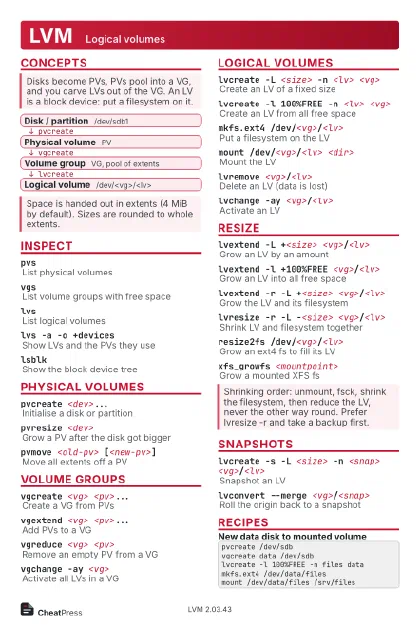 Light · Postcard
102 × 152 mm · PDF
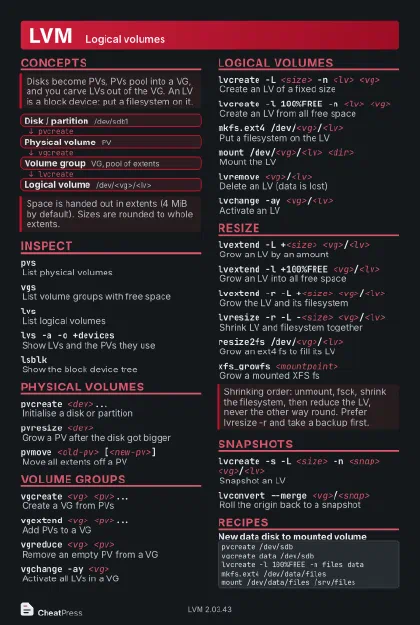 Dark · Postcard
102 × 152 mm · PDF
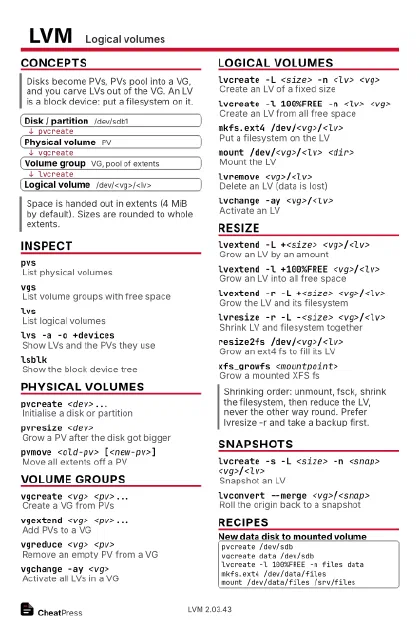 Ink saver · Postcard
102 × 152 mm · PDF
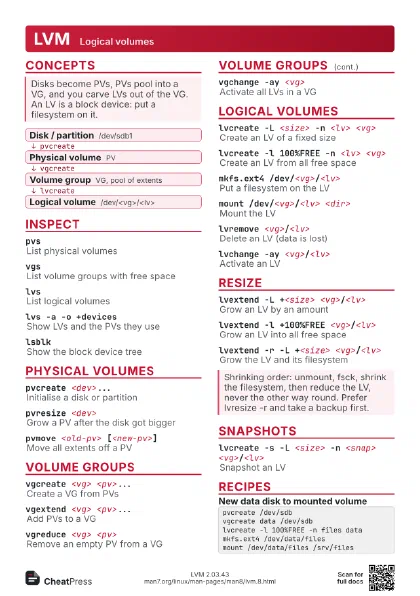
 Light · A4 landscape
297 × 210 mm · PDF
 Dark · A4 landscape
297 × 210 mm · PDF
 Ink saver · A4 landscape
297 × 210 mm · PDF
 Light · A3 landscape
420 × 297 mm · PDF
 Dark · A3 landscape
420 × 297 mm · PDF
 Ink saver · A3 landscape
420 × 297 mm · PDF
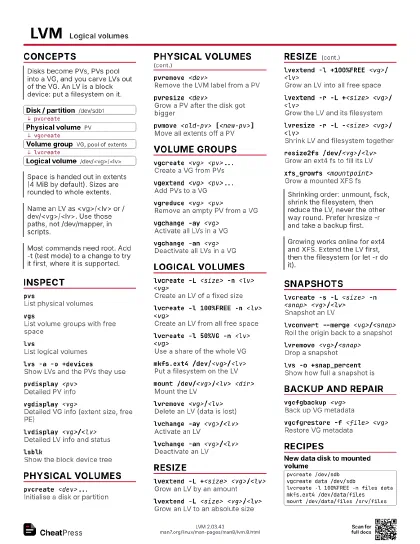
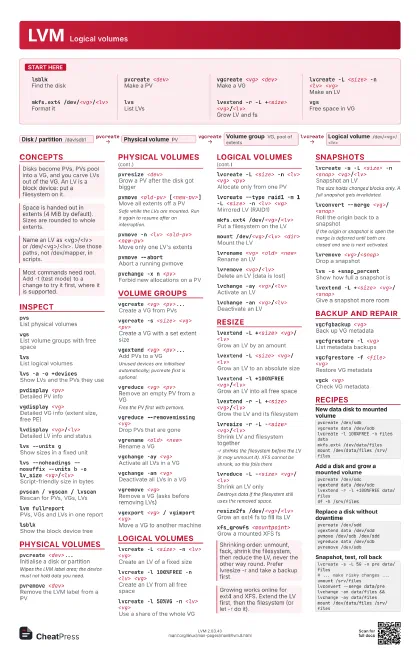
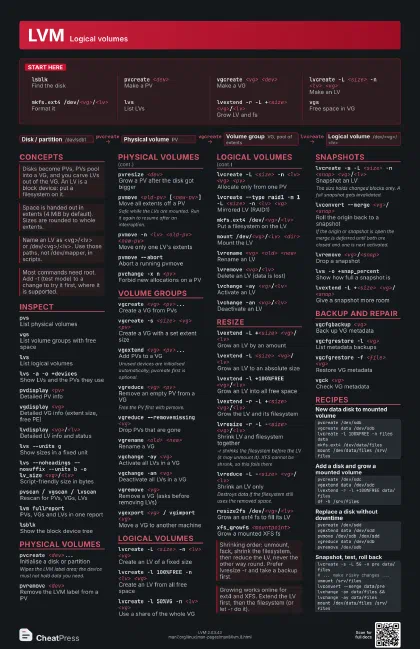
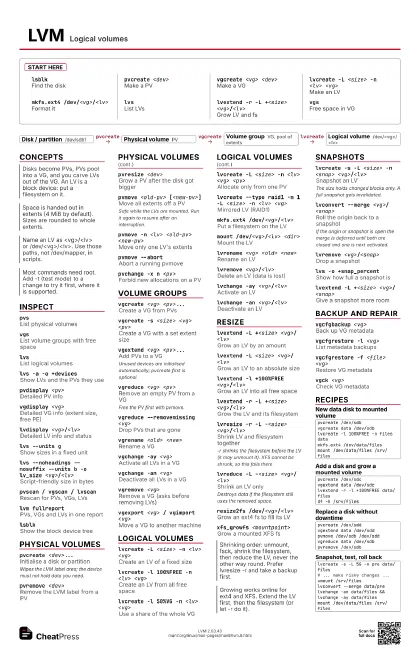
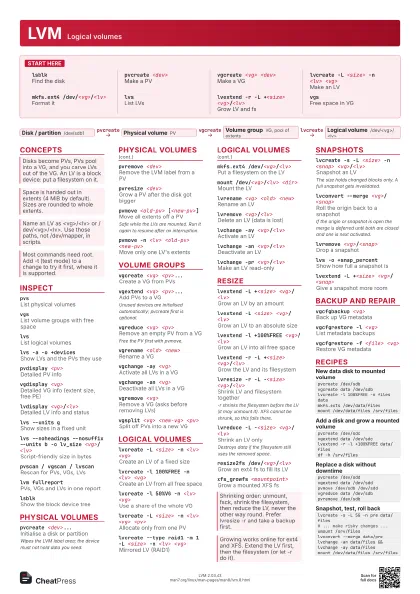
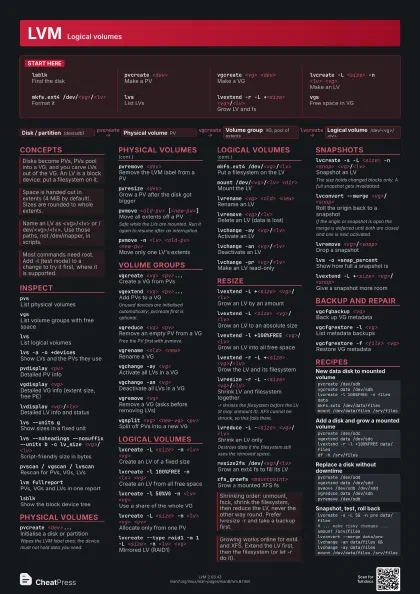
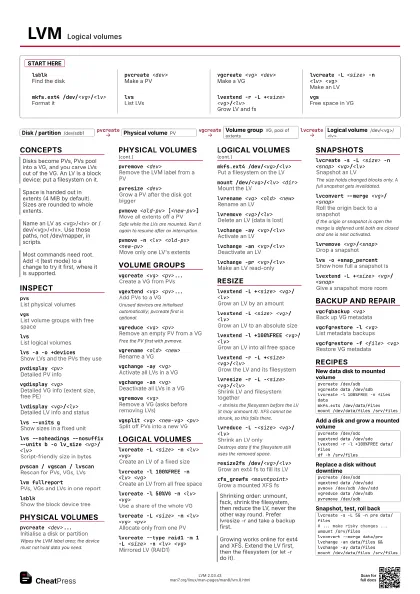
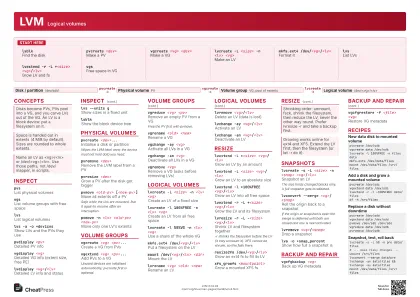
Start here
lsblkFind the disk
pvcreate <dev>
Make a PV
vgcreate <vg> <dev>
Make a VG
lvcreate -L <size> -n <lv> <vg>
Make an LV
mkfs.ext4 /dev/<vg>/<lv>
Format it
lvsList LVs
lvextend -r -L +<size>
                    <vg>/<lv>
Grow LV and fs
vgsFree space in VG
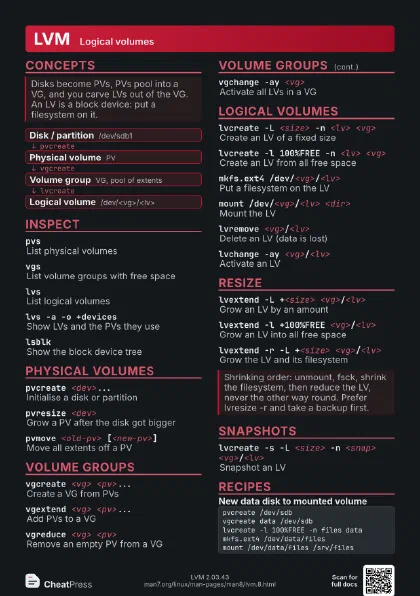
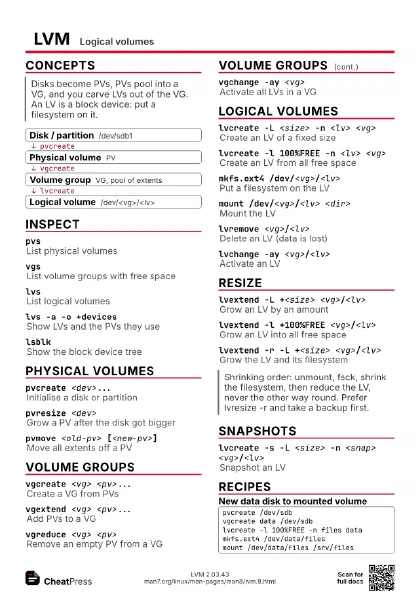
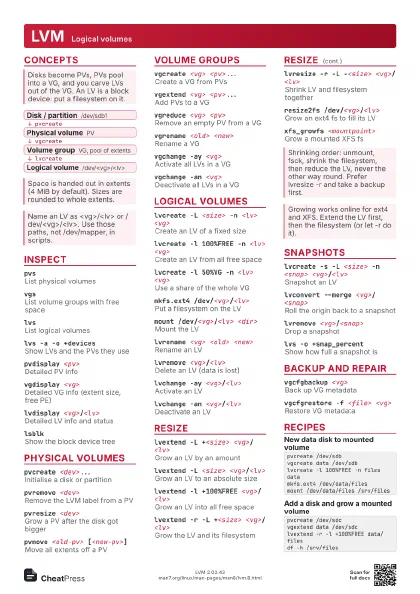
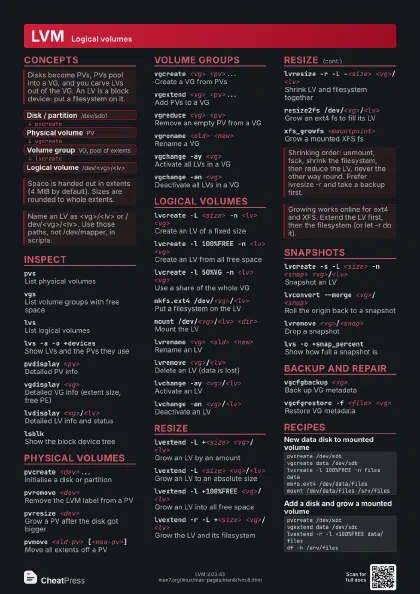
Concepts
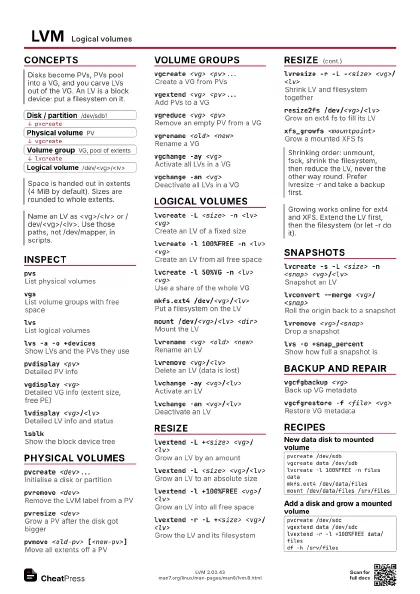
- Disk / partition /dev/sdb1
- Physical volume PV
- Volume group VG, pool of extents
- Logical volume /dev/<vg>/<lv>
Inspect
pvsList physical volumes
vgsList volume groups with free space
lvsList logical volumes
lvs -a -o +devices
Show LVs and the PVs they use
pvdisplay <pv>
Detailed PV info
vgdisplay <vg>
Detailed VG info (extent size, free PE)
lvdisplay <vg>/<lv>
Detailed LV info and status
lvs --units gShow sizes in a fixed unit
lvs --noheadings --nosuffix --units b -o lv_size
                    <vg>/<lv>
Script-friendly size in bytes
pvscan / vgscan / lvscan
Rescan for PVs, VGs, LVs
lvm fullreportPVs, VGs and LVs in one report
lsblkShow the block device tree
Physical volumes
pvcreate <dev>...
Initialise a disk or partition
Wipes the LVM label area; the device must not hold data you
need.
pvremove <dev>
Remove the LVM label from a PV
pvresize <dev>
Grow a PV after the disk got bigger
pvmove <old-pv> [<new-pv>]
Move all extents off a PV
Safe while the LVs are mounted. Run it again to resume after
an interruption.
pvmove -n <lv> <old-pv> <new-pv>
Move only one LV's extents
pvmove --abortAbort a running pvmove
pvchange -x n <pv>
Forbid new allocations on a PV
Volume groups
vgcreate <vg> <pv>...
Create a VG from PVs
vgcreate -s <size> <vg> <pv>
Create a VG with a set extent size
vgextend <vg> <pv>...
Add PVs to a VG
Unused devices are initialised automatically; pvcreate first
is optional.
vgreduce <vg> <pv>
Remove an empty PV from a VG
Free the PV first with pvmove.
vgreduce --removemissing <vg>
Drop PVs that are gone
vgrename <old> <new>
Rename a VG
vgchange -ay <vg>
Activate all LVs in a VG
vgchange -an <vg>
Deactivate all LVs in a VG
vgremove <vg>
Remove a VG (asks before removing LVs)
vgexport <vg> / vgimport <vg>
Move a VG to another machine
vgsplit <vg> <new-vg> <pv>
Split off PVs into a new VG
vgmerge <vg> <vg2>
Merge an inactive VG into another
Logical volumes
lvcreate -L <size> -n <lv> <vg>
Create an LV of a fixed size
lvcreate -l 100%FREE -n <lv> <vg>
Create an LV from all free space
lvcreate -l 50%VG -n <lv> <vg>
Use a share of the whole VG
lvcreate -L <size> -n <lv> <vg>
                    <pv>
Allocate only from one PV
lvcreate -i <n> -L <size> -n <lv>
                    <vg>
Striped LV over n PVs
lvcreate --type raid1 -m 1 -L <size> -n <lv>
                    <vg>
Mirrored LV (RAID1)
mkfs.ext4 /dev/<vg>/<lv>
Put a filesystem on the LV
mount /dev/<vg>/<lv> <dir>
Mount the LV
lvrename <vg> <old> <new>
Rename an LV
lvremove <vg>/<lv>
Delete an LV (data is lost)
lvchange -ay <vg>/<lv>
Activate an LV
lvchange -an <vg>/<lv>
Deactivate an LV
lvchange -pr <vg>/<lv>
Make an LV read-only
Resize
lvextend -L +<size> <vg>/<lv>
Grow an LV by an amount
lvextend -L <size> <vg>/<lv>
Grow an LV to an absolute size
lvextend -l +100%FREE <vg>/<lv>
Grow an LV into all free space
lvextend -r -L +<size>
                    <vg>/<lv>
Grow the LV and its filesystem
lvresize -r -L -<size> <vg>/<lv>
Shrink LV and filesystem together
-r shrinks the filesystem before the LV (it may unmount it).
XFS cannot be shrunk, so this fails there.
lvreduce -L -<size> <vg>/<lv>
Shrink an LV only
Destroys data if the filesystem still uses the removed space.
resize2fs /dev/<vg>/<lv>
Grow an ext4 fs to fill its LV
xfs_growfs <mountpoint>
Grow a mounted XFS fs
Snapshots
lvcreate -s -L <size> -n <snap>
                    <vg>/<lv>
Snapshot an LV
The size holds changed blocks only. A full snapshot gets
invalidated.
lvconvert --merge <vg>/<snap>
Roll the origin back to a snapshot
If the origin or snapshot is open the merge is deferred until
both are closed and one is next activated.
lvremove <vg>/<snap>
Drop a snapshot
lvs -o +snap_percent
Show how full a snapshot is
lvextend -L +<size> <vg>/<snap>
Give a snapshot more room
lvcreate -V <size> --thinpool <pool> -n
                    <lv> <vg>
Thin LV in an existing pool
lvcreate -s -n <snap>
                    <vg>/<thin-lv>
Thin snapshot (no size needed)
Thin snapshots skip activation by default; use lvchange -ay
-K.
Backup and repair
vgcfgbackup <vg>
Back up VG metadata
vgcfgrestore -l <vg>
List metadata backups
vgcfgrestore -f <file> <vg>
Restore VG metadata
vgck <vg>Check VG metadata
lvmdevicesList devices LVM may use
lvmdevices --adddev <dev>
Allow a device in the devices file
lvmconfig --typeconfig diff
Show settings changed from default
Recipes
pvcreate /dev/sdbvgcreate data /dev/sdblvcreate -l 100%FREE -n files datamkfs.ext4 /dev/data/filesmount /dev/data/files /srv/filespvcreate /dev/sdcvgextend data /dev/sdclvextend -r -l +100%FREE data/filesdf -h /srv/filespvcreate /dev/sddvgextend data /dev/sddpvmove /dev/sdb /dev/sddvgreduce data /dev/sdbpvremove /dev/sdblvcreate -s -L 5G -n pre data/files# ... make risky changes ...umount /srv/fileslvconvert --merge data/prelvchange -an data/files && lvchange -ay data/filesmount /dev/data/files /srv/files