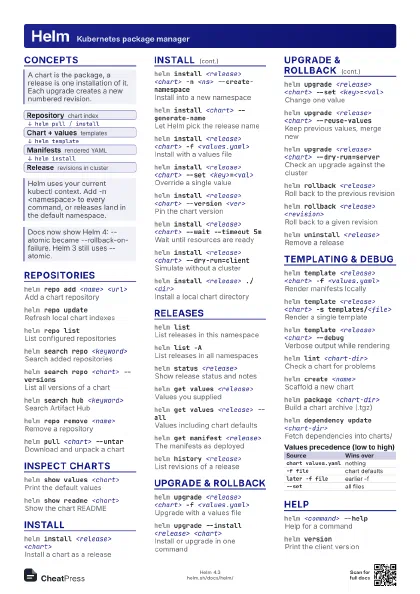
Cheat
Linkerd Service mesh CLI
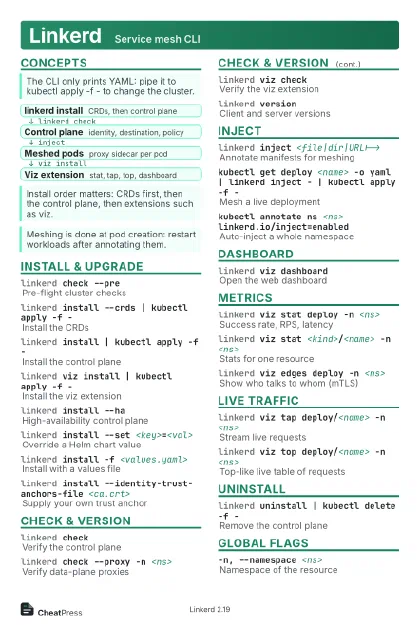 Light · Postcard
102 × 152 mm · PDF
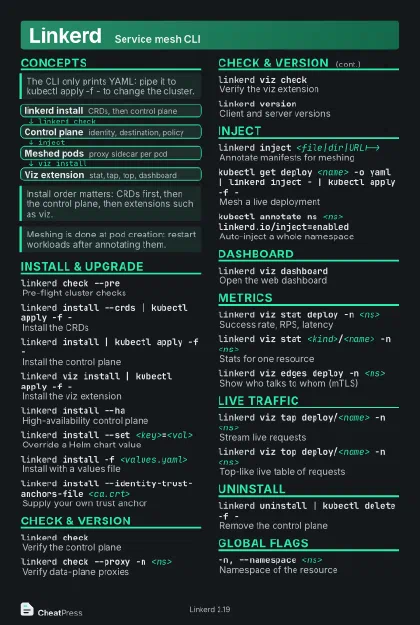 Dark · Postcard
102 × 152 mm · PDF
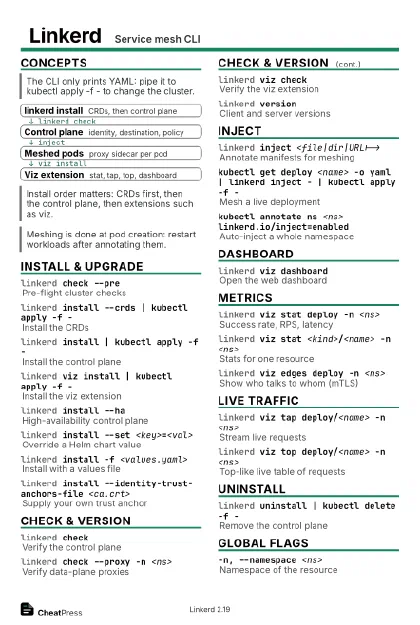 Ink saver · Postcard
102 × 152 mm · PDF





 Light · A4 landscape
297 × 210 mm · PDF
 Dark · A4 landscape
297 × 210 mm · PDF
 Ink saver · A4 landscape
297 × 210 mm · PDF



 Light · A3 landscape
420 × 297 mm · PDF
 Dark · A3 landscape
420 × 297 mm · PDF
 Ink saver · A3 landscape
420 × 297 mm · PDF






Start here
linkerd check --pre
Can it install here?
linkerd install --crds | kubectl apply -f -
Install CRDs
linkerd install | kubectl apply -f -
Install control plane
linkerd checkIs it healthy?
linkerd viz install | kubectl apply -f -
Add metrics
kubectl get deploy -n <ns> -o yaml | linkerd inject -
                    | kubectl apply -f -
Mesh a namespace
linkerd viz stat deploy -n <ns>
Success, RPS, latency
linkerd viz dashboard
Open the web UI
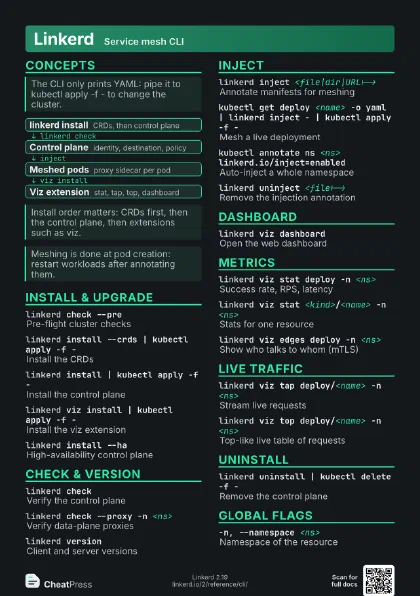
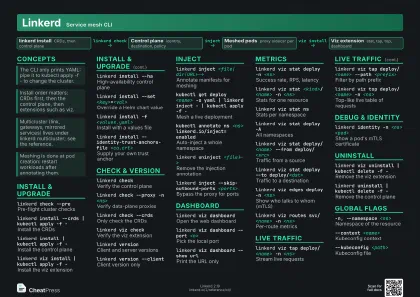
Concepts
- linkerd install CRDs, then control plane
- Control plane identity, destination, policy
- Meshed pods proxy sidecar per pod
- Viz extension stat, tap, top, dashboard
Install & Upgrade
linkerd check --pre
Pre-flight cluster checks
linkerd install --crds | kubectl apply -f -
Install the CRDs
linkerd install | kubectl apply -f -
Install the control plane
linkerd viz install | kubectl apply -f -
Install the viz extension
linkerd install --ha
High-availability control plane
linkerd install --set <key>=<val>
Override a Helm chart value
linkerd install -f <values.yaml>
Install with a values file
linkerd install --identity-trust-anchors-file
                    <ca.crt>
Supply your own trust anchor
Needs the issuer cert and key too
(--identity-issuer-certificate-file,
--identity-issuer-key-file).
linkerd install --linkerd-cni-enabled
Use the CNI plugin, not init containers
linkerd upgrade | kubectl apply -f -
Render an upgrade for the control plane
linkerd install -o json
Print JSON, not YAML
Check & Version
linkerd checkVerify the control plane
linkerd check --proxy -n <ns>
Verify data-plane proxies
linkerd check --crds
Only check the CRDs
linkerd viz check
Verify the viz extension
linkerd check --wait <dur>
Wait until checks pass
linkerd check -o short
Compact output
linkerd versionClient and server versions
linkerd version --client
Client version only
Inject
linkerd inject <file|dir|URL|->
Annotate manifests for meshing
kubectl get deploy <name> -o yaml | linkerd inject -
                    | kubectl apply -f -
Mesh a live deployment
kubectl annotate ns <ns>
                    linkerd.io/inject=enabled
Auto-inject a whole namespace
Only pods created afterwards get a proxy: run kubectl rollout
restart.
linkerd uninject <file|->
Remove the injection annotation
linkerd inject --manual <file>
Embed the proxy spec in the output
linkerd inject --skip-outbound-ports <ports>
Bypass the proxy for ports
linkerd inject --opaque-ports <ports>
Treat ports as opaque TCP
linkerd inject --native-sidecar <file>
Use a native sidecar container
linkerd inject --ingress <file>
Enable proxy ingress mode
Dashboard
linkerd viz dashboard
Open the web dashboard
linkerd viz dashboard --port <n>
Pick the local port
linkerd viz dashboard --show url
Print the URL only
linkerd viz dashboard --address <ip>
Bind to another address
Metrics
linkerd viz stat deploy -n <ns>
Success rate, RPS, latency
linkerd viz stat <kind>/<name> -n
                    <ns>
Stats for one resource
linkerd viz stat ns
Stats per namespace
linkerd viz stat deploy -A
All namespaces
linkerd viz stat deploy/<name> --from
                    deploy/<src>
Traffic from a source
linkerd viz stat deploy --to deploy/<dst>
Traffic to a destination
linkerd viz stat deploy -t <window>
Time window, 15s minimum
linkerd viz stat deploy -l <selector>
Filter by label
linkerd viz stat deploy -o wide
More columns (TCP, percentiles)
linkerd viz stat deploy --unmeshed
Include unmeshed pods
linkerd viz edges deploy -n <ns>
Show who talks to whom (mTLS)
linkerd viz routes svc/<name> -n <ns>
Per-route metrics
Needs a ServiceProfile for the service; see linkerd viz
profile.
linkerd viz authz deploy/<name> -n <ns>
Traffic per authorization policy
Live Traffic
linkerd viz tap deploy/<name> -n <ns>
Stream live requests
linkerd viz tap deploy/<name> --path
                    <prefix>
Filter by path prefix
linkerd viz tap deploy/<name> --method
                    <verb>
Filter by HTTP method
linkerd viz tap deploy/<name> --to
                    deploy/<dst>
Only requests to a target
linkerd viz tap deploy/<name> -o json
JSON output
linkerd viz tap deploy/<name> --max-rps
                    <n>
Cap sampled requests per second
linkerd viz top deploy/<name> -n <ns>
Top-like live table of requests
linkerd viz top deploy/<name> --routes
Group by route, not path
linkerd viz top deploy/<name> --hide-sources
Hide the source column
Debug & Identity
linkerd identity -n <ns> <pod>
Show a pod's mTLS certificate
linkerd diagnostics proxy-metrics -n <ns>
                    <kind>/<name>
Raw proxy metrics
linkerd diagnostics endpoints <authority>
Endpoints the control plane resolves
linkerd diagnostics policy <resource>
                    <port>
Inspect effective policy
linkerd viz profile -n <ns> <svc> --tap
                    deploy/<name> --tap-duration 10s
Draft a ServiceProfile from tap
Uninstall
linkerd viz uninstall | kubectl delete -f -
Remove the viz extension
linkerd uninstall | kubectl delete -f -
Remove the control plane
Uninstall extensions first; add --force if injected pods
remain.
kubectl get deploy -A -o yaml | linkerd uninject - |
                    kubectl apply -f -
Strip injection cluster-wide
Global Flags
-n, --namespace <ns>
Namespace of the resource
--context <name>
Kubeconfig context
--kubeconfig <path>
Kubeconfig file
-L, --linkerd-namespace <ns>
Where Linkerd is installed
--verboseDebug logging
Recipes
linkerd check --prelinkerd install --crds | kubectl apply -f -linkerd install | kubectl apply -f -linkerd checklinkerd viz install | kubectl apply -f -linkerd viz checkkubectl annotate ns <ns> linkerd.io/inject=enabledkubectl rollout restart deploy -n <ns>linkerd check --proxy -n <ns>linkerd viz stat deploy -n <ns>linkerd viz stat deploy -n <ns>linkerd viz edges deploy -n <ns>linkerd viz tap deploy/<name> -n <ns> --to deploy/<dst>linkerd viz uninstall | kubectl delete -f -linkerd uninstall | kubectl delete -f -