Cheat
LibreOffice Impress Windows / Linux shortcuts
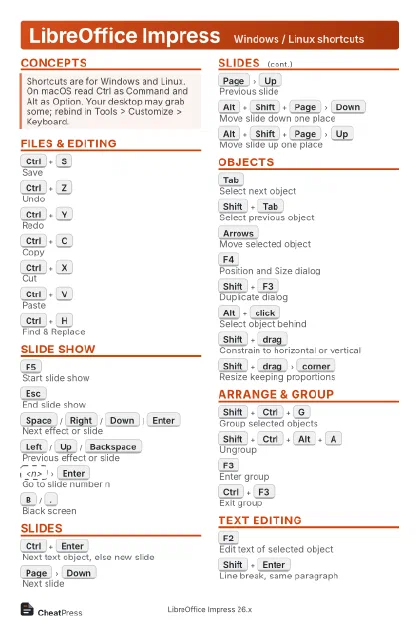 Light · Postcard
102 × 152 mm · PDF
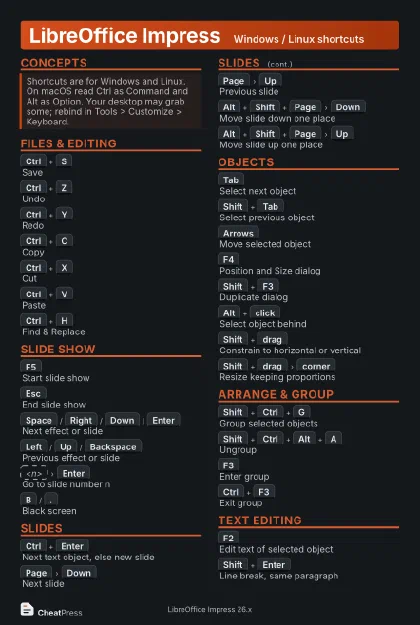 Dark · Postcard
102 × 152 mm · PDF
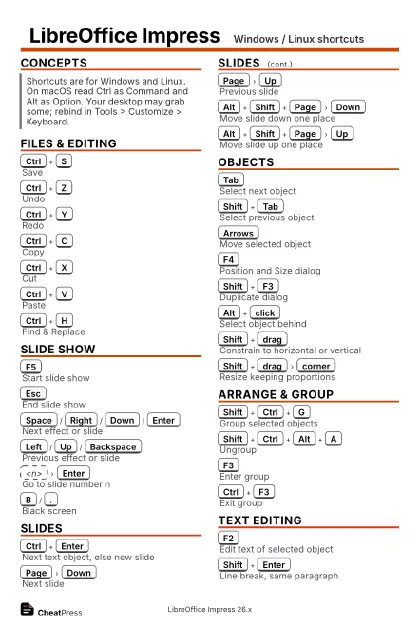 Ink saver · Postcard
102 × 152 mm · PDF
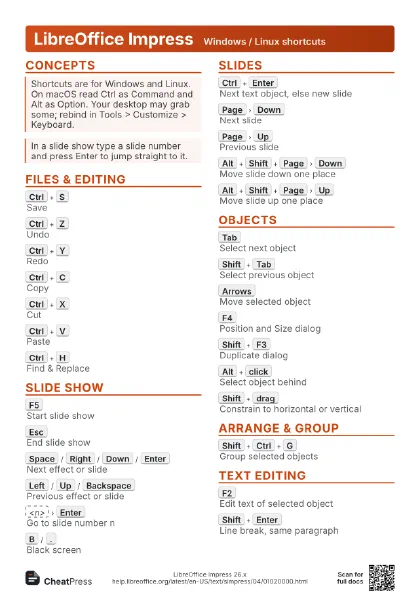
 Light · A4 landscape
297 × 210 mm · PDF
 Dark · A4 landscape
297 × 210 mm · PDF
 Ink saver · A4 landscape
297 × 210 mm · PDF
 Light · A3 landscape
420 × 297 mm · PDF
 Dark · A3 landscape
420 × 297 mm · PDF
 Ink saver · A3 landscape
420 × 297 mm · PDF
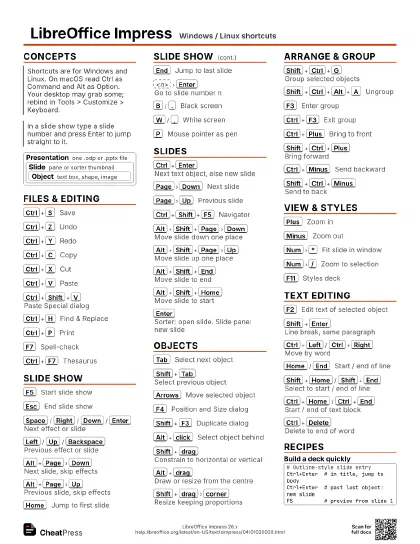
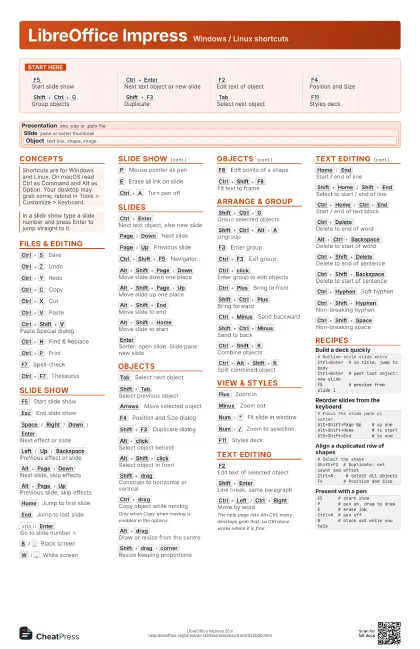
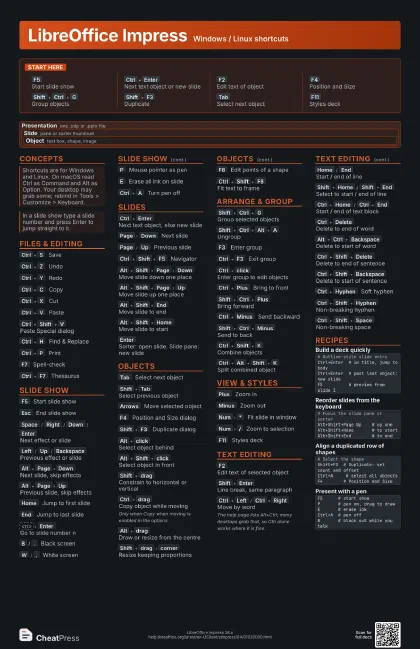
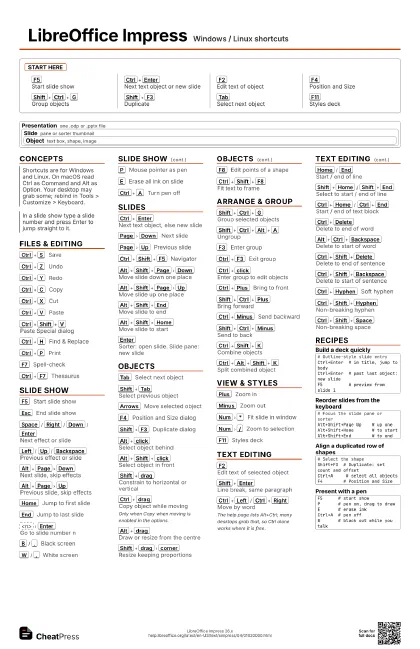
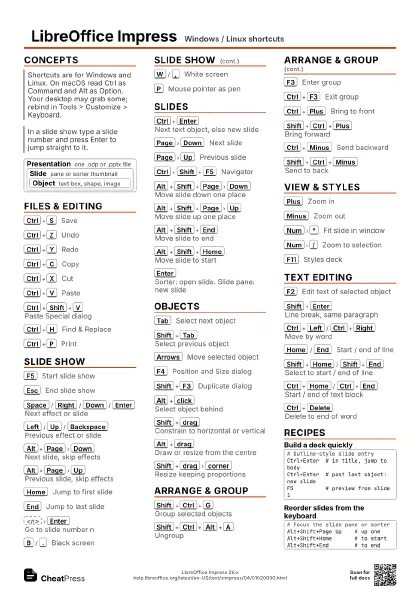
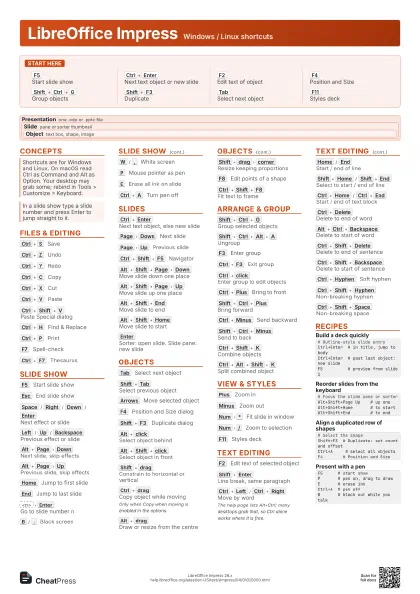
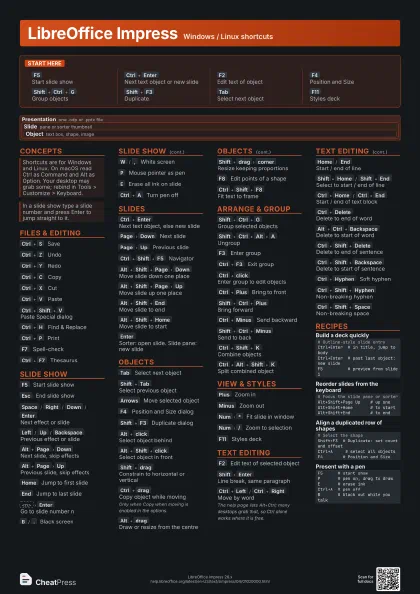
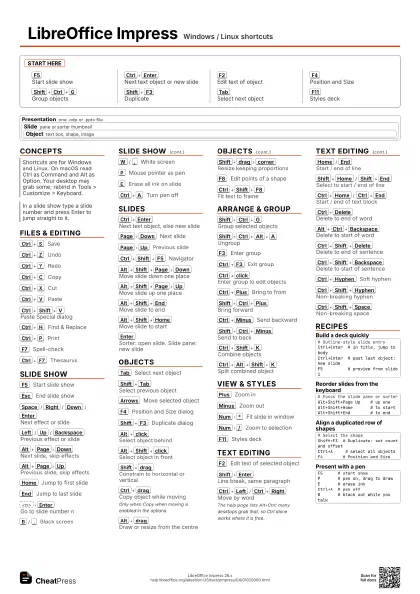
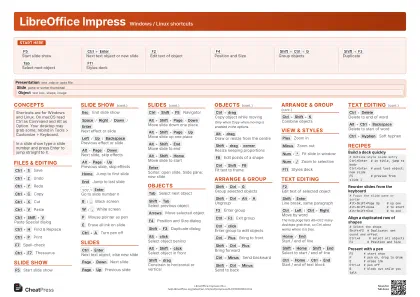
Start here
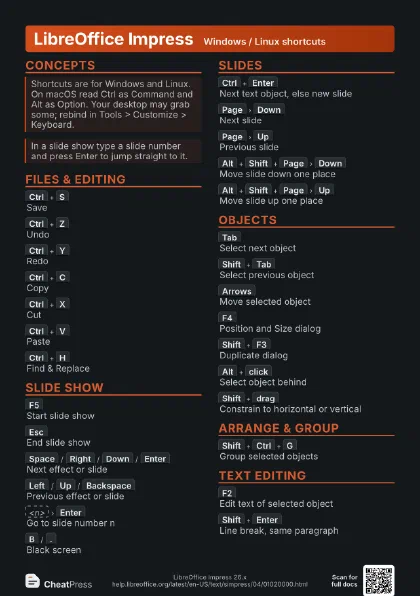
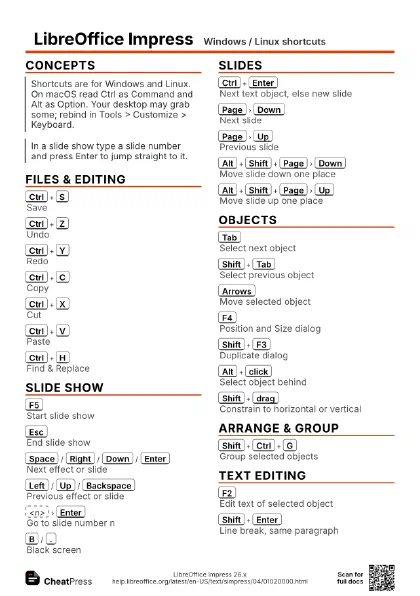
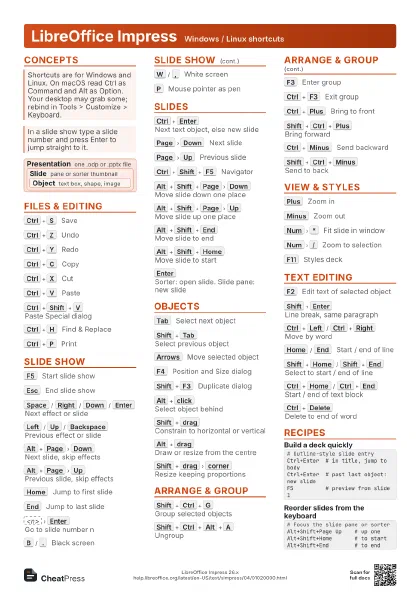
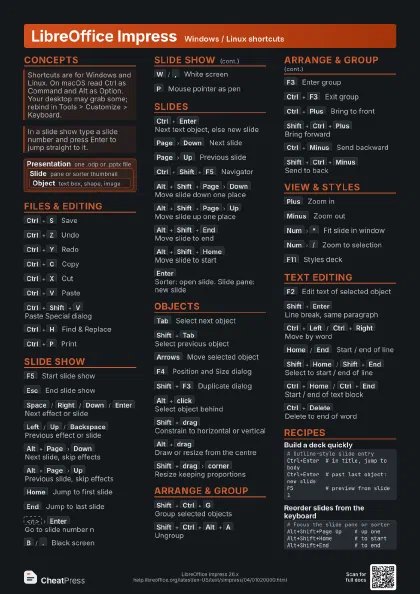
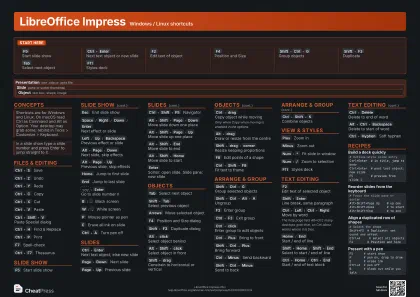
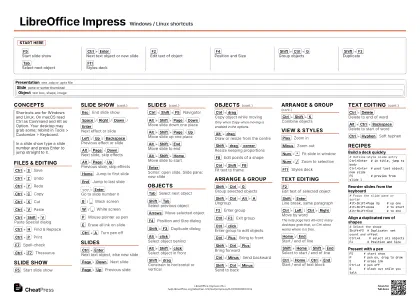
F5
Start slide show
Ctrl+Enter
Next text object or new slide
F2
Edit text of object
F4
Position and Size
Shift+Ctrl+G
Group objects
Shift+F3
Duplicate
Tab
Select next object
F11
Styles deck
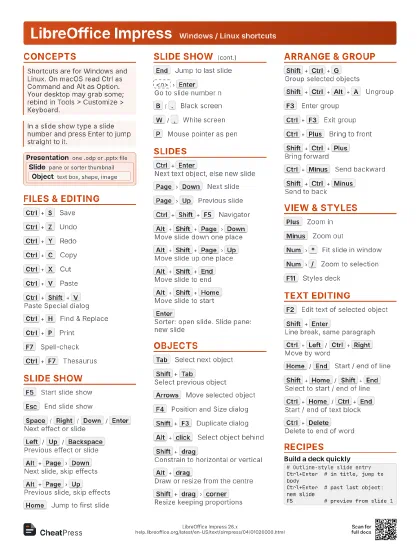
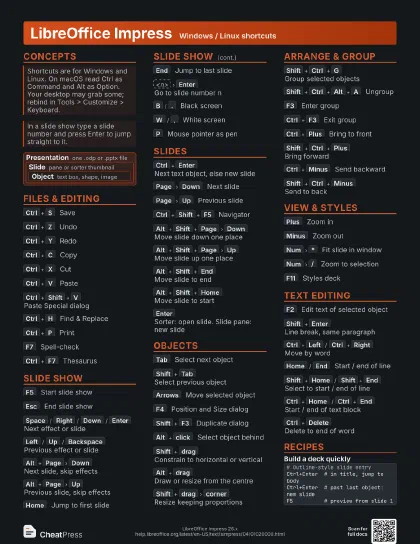
Concepts
Presentation
one .odp or .pptx file
Slide
pane or sorter thumbnail
Object
text box, shape, image
Files & Editing
Ctrl+S
Save
Ctrl+Z
Undo
Ctrl+Y
Redo
Ctrl+C
Copy
Ctrl+X
Cut
Ctrl+V
Paste
Ctrl+Shift+V
Paste Special dialog
Ctrl+H
Find & Replace
Ctrl+P
Print
F7
Spell-check
Ctrl+F7
Thesaurus
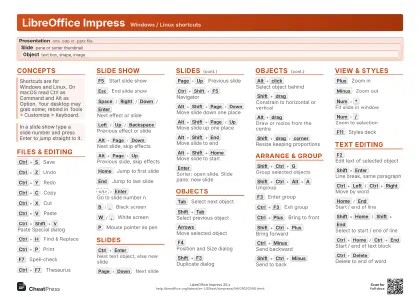
Slide Show
F5
Start slide show
Esc
End slide show
Space
/
Right
/
Down
/
Enter
Next effect or slide
Left
/
Up
/
Backspace
Previous effect or slide
Alt+Page
Down
Next slide, skip effects
Alt+Page
Up
Previous slide, skip effects
Home
Jump to first slide
End
Jump to last slide
<n>
Enter
Go to slide number n
B
/
.
Black screen
W
/
,
White screen
P
Mouse pointer as pen
E
Erase all ink on slide
Ctrl+A
Turn pen off
Slides
Ctrl+Enter
Next text object, else new slide
Page
Down
Next slide
Page
Up
Previous slide
Ctrl+Shift+F5
Navigator
Alt+Shift+Page
Down
Move slide down one place
Alt+Shift+Page
Up
Move slide up one place
Alt+Shift+End
Move slide to end
Alt+Shift+Home
Move slide to start
Enter
Sorter: open slide. Slide pane: new slide
Objects
Tab
Select next object
Shift+Tab
Select previous object
Arrows
Move selected object
F4
Position and Size dialog
Shift+F3
Duplicate dialog
Alt+click
Select object behind
Alt+Shift+click
Select object in front
Shift+drag
Constrain to horizontal or vertical
Ctrl+drag
Copy object while moving
Only when Copy when moving is enabled in the options.
Alt+drag
Draw or resize from the centre
Shift+drag
corner
Resize keeping proportions
F8
Edit points of a shape
Ctrl+Shift+F8
Fit text to frame
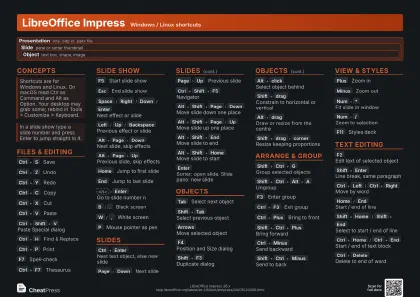
Arrange & Group
Shift+Ctrl+G
Group selected objects
Shift+Ctrl+Alt+A
Ungroup
F3
Enter group
Ctrl+F3
Exit group
Ctrl+click
Enter group to edit objects
Ctrl+Plus
Bring to front
Shift+Ctrl+Plus
Bring forward
Ctrl+Minus
Send backward
Shift+Ctrl+Minus
Send to back
Ctrl+Shift+K
Combine objects
Ctrl+Alt+Shift+K
Split combined object
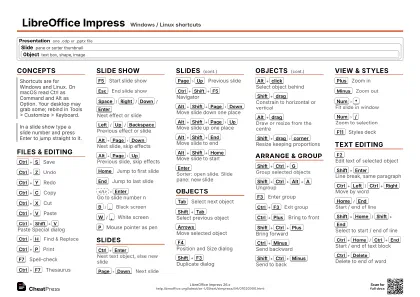
View & Styles
Plus
Zoom in
Minus
Zoom out
Num
*
Fit slide in window
Num
/
Zoom to selection
F11
Styles deck
Text Editing
F2
Edit text of selected object
Shift+Enter
Line break, same paragraph
Ctrl+Left
/
Ctrl+Right
Move by word
The help page lists Alt+Ctrl; many desktops grab that, so
Ctrl alone works where it is free.
Home
/
End
Start / end of line
Shift+Home
/
Shift+End
Select to start / end of line
Ctrl+Home
/
Ctrl+End
Start / end of text block
Ctrl+Delete
Delete to end of word
Alt+Ctrl+Backspace
Delete to start of word
Ctrl+Shift+Delete
Delete to end of sentence
Ctrl+Shift+Backspace
Delete to start of sentence
Ctrl+Hyphen
Soft hyphen
Ctrl+Shift+Hyphen
Non-breaking hyphen
Ctrl+Shift+Space
Non-breaking space
Recipes
# Outline-style slide entryCtrl+Enter # in title, jump to bodyCtrl+Enter # past last object: new slideF5 # preview from slide 1# Focus the slide pane or sorterAlt+Shift+Page Up # up oneAlt+Shift+Home # to startAlt+Shift+End # to end# Select the shapeShift+F3 # Duplicate: set count and offsetCtrl+A # select all objectsF4 # Position and SizeF5 # start showP # pen on, drag to drawE # erase inkCtrl+A # pen offB # black out while you talk