Cheat
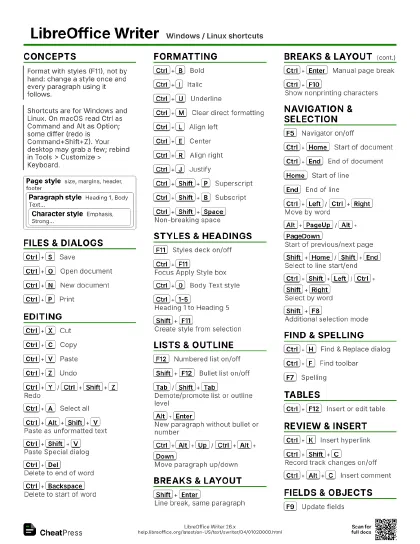
LibreOffice Writer Windows / Linux shortcuts
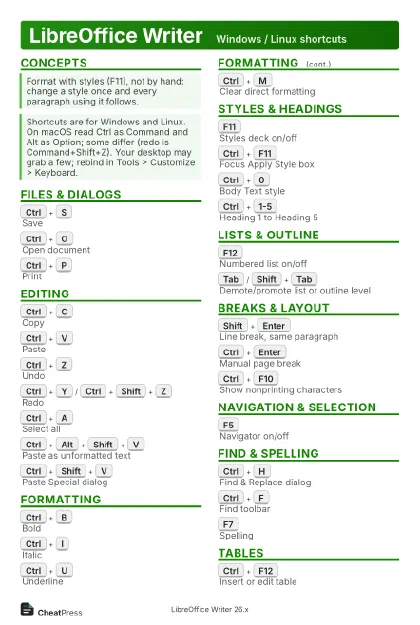 Light · Postcard
102 × 152 mm · PDF
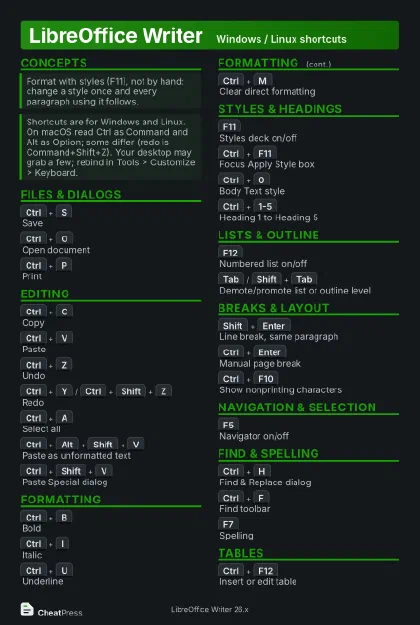 Dark · Postcard
102 × 152 mm · PDF
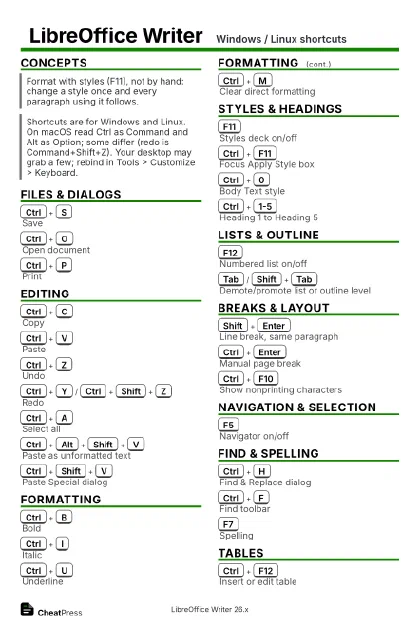 Ink saver · Postcard
102 × 152 mm · PDF
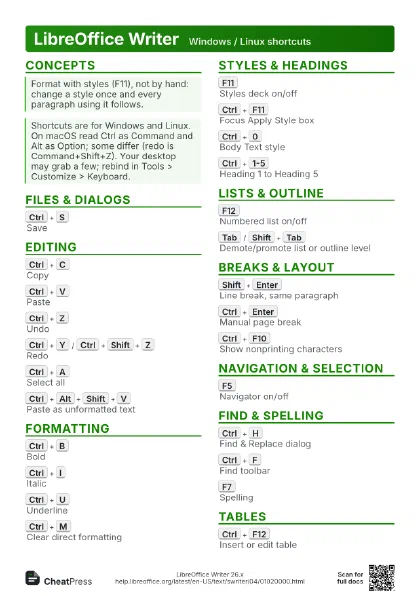
 Light · A4 landscape
297 × 210 mm · PDF
 Dark · A4 landscape
297 × 210 mm · PDF
 Ink saver · A4 landscape
297 × 210 mm · PDF
 Light · A3 landscape
420 × 297 mm · PDF
 Dark · A3 landscape
420 × 297 mm · PDF
 Ink saver · A3 landscape
420 × 297 mm · PDF
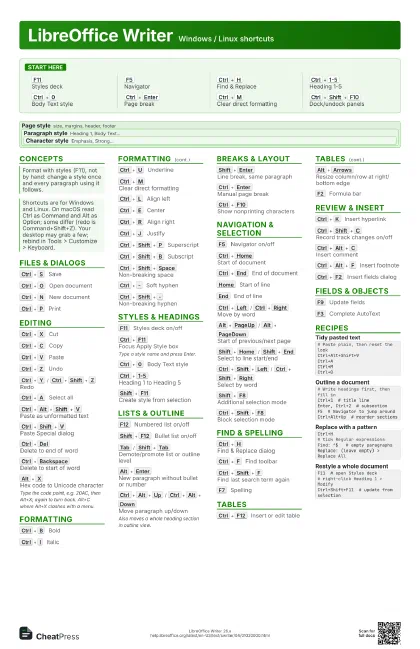
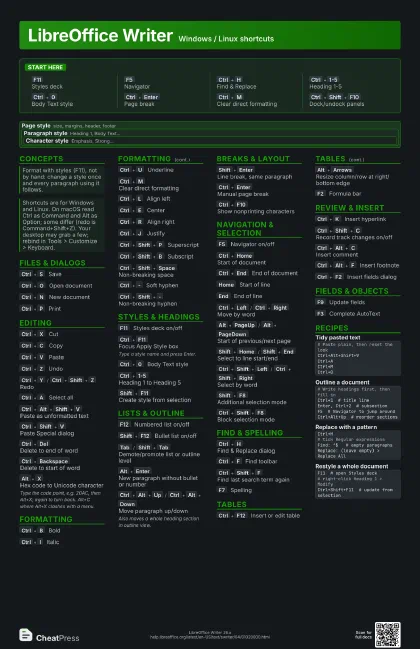
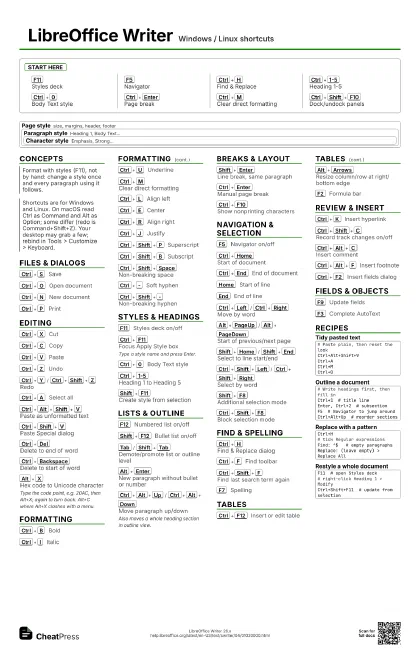
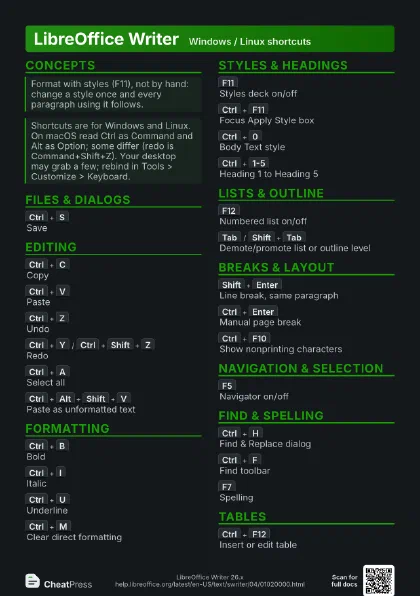
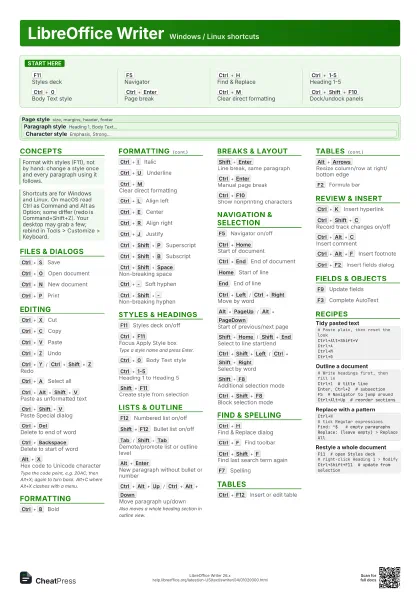
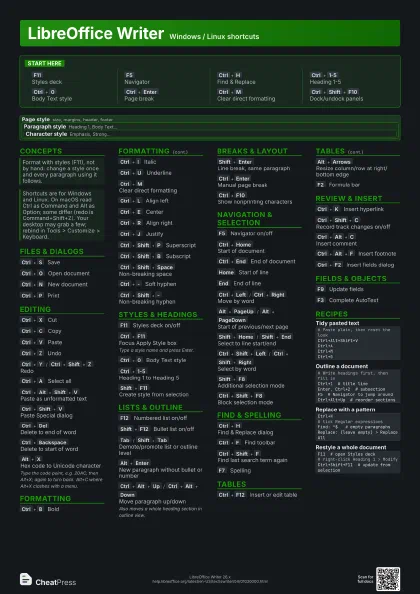
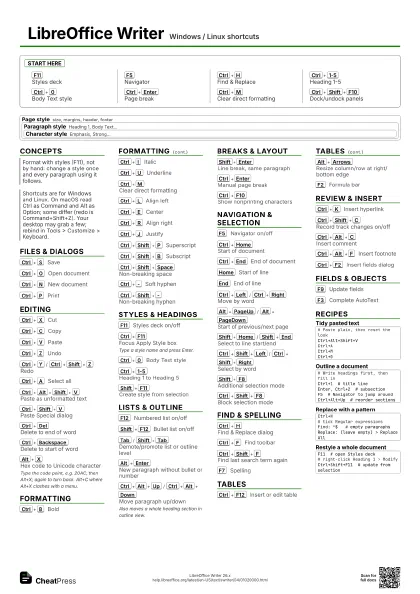
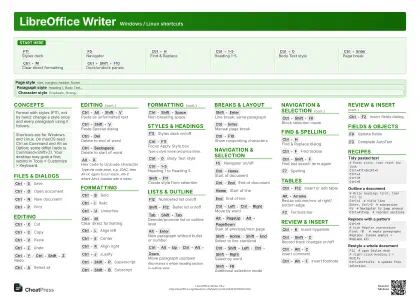
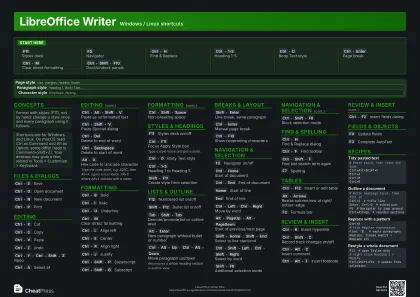
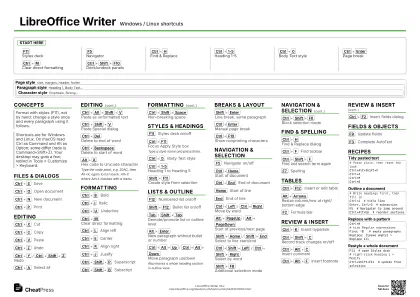
Start here
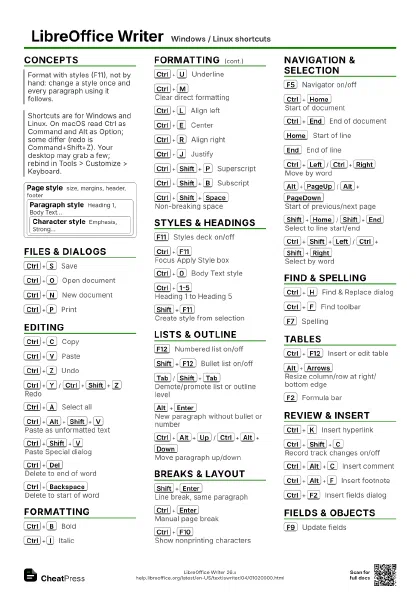
F11
Styles deck
F5
Navigator
Ctrl+H
Find & Replace
Ctrl+1-5
Heading 1-5
Ctrl+0
Body Text style
Ctrl+Enter
Page break
Ctrl+M
Clear direct formatting
Ctrl+Shift+F10
Dock/undock panels
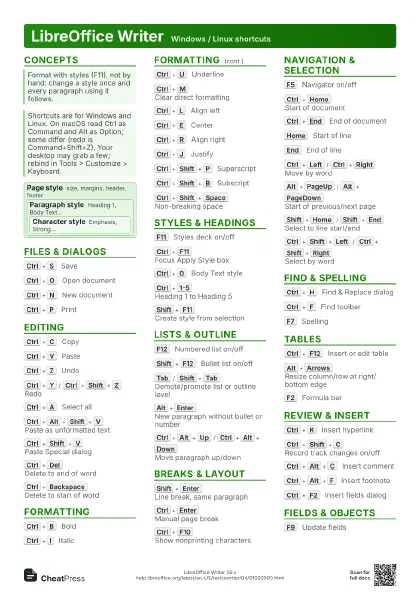
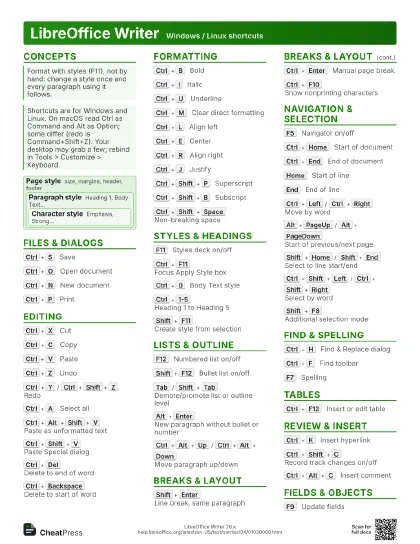
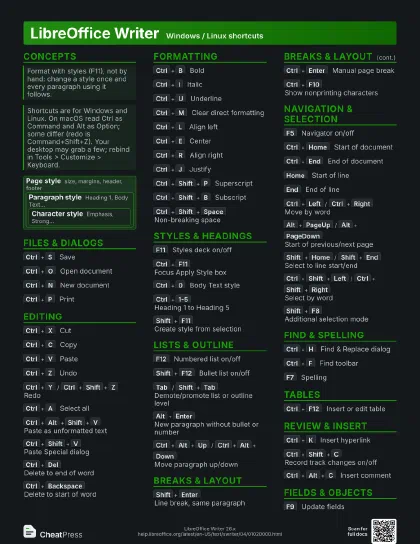
Concepts
Page style
size, margins, header, footer
Paragraph style
Heading 1, Body Text...
Character style
Emphasis, Strong...
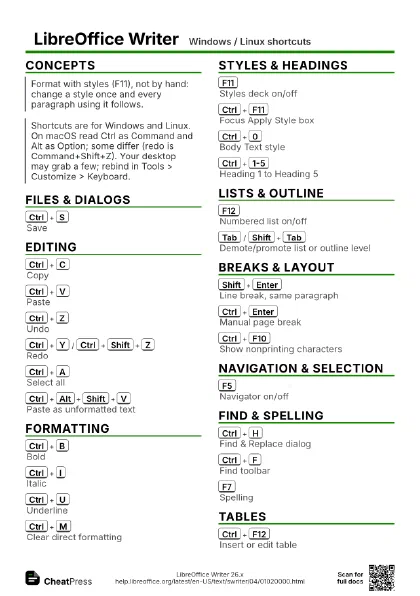
Files & Dialogs
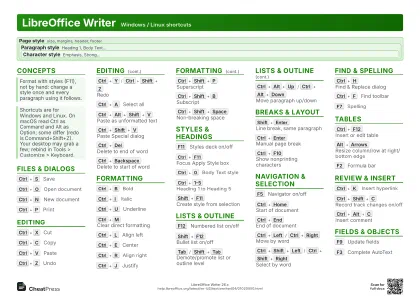
Ctrl+S
Save
Ctrl+O
Open document
Ctrl+N
New document
Ctrl+P
Print
Editing
Ctrl+X
Cut
Ctrl+C
Copy
Ctrl+V
Paste
Ctrl+Z
Undo
Ctrl+Y
/
Ctrl+Shift+Z
Redo
Ctrl+A
Select all
Ctrl+Alt+Shift+V
Paste as unformatted text
Ctrl+Shift+V
Paste Special dialog
Ctrl+Del
Delete to end of word
Ctrl+Backspace
Delete to start of word
Alt+X
Hex code to Unicode character
Type the code point, e.g. 20AC, then Alt+X; again to turn
back. Alt+C where Alt+X clashes with a menu.
Formatting
Ctrl+B
Bold
Ctrl+I
Italic
Ctrl+U
Underline
Ctrl+M
Clear direct formatting
Ctrl+L
Align left
Ctrl+E
Center
Ctrl+R
Align right
Ctrl+J
Justify
Ctrl+Shift+P
Superscript
Ctrl+Shift+B
Subscript
Ctrl+Shift+Space
Non-breaking space
Ctrl+-
Soft hyphen
Ctrl+Shift+-
Non-breaking hyphen
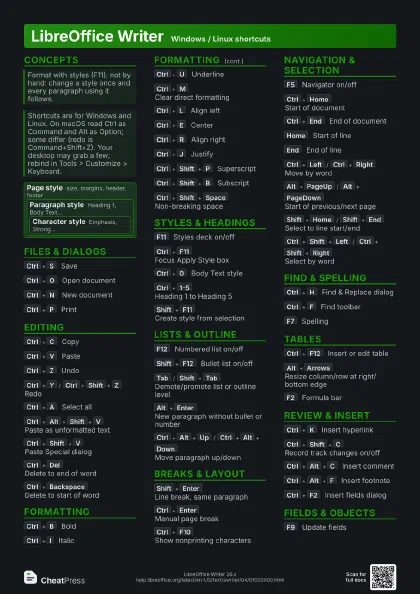
Styles & Headings
F11
Styles deck on/off
Ctrl+F11
Focus Apply Style box
Type a style name and press Enter.
Ctrl+0
Body Text style
Ctrl+1-5
Heading 1 to Heading 5
Shift+F11
Create style from selection
Lists & Outline
F12
Numbered list on/off
Shift+F12
Bullet list on/off
Tab
/
Shift+Tab
Demote/promote list or outline level
Alt+Enter
New paragraph without bullet or number
Ctrl+Alt+Up
/
Ctrl+Alt+Down
Move paragraph up/down
Also moves a whole heading section in outline view.
Breaks & Layout
Shift+Enter
Line break, same paragraph
Ctrl+Enter
Manual page break
Ctrl+F10
Show nonprinting characters
Navigation & Selection
F5
Navigator on/off
Ctrl+Home
Start of document
Ctrl+End
End of document
Home
Start of line
End
End of line
Ctrl+Left
/
Ctrl+Right
Move by word
Alt+PageUp
/
Alt+PageDown
Start of previous/next page
Shift+Home
/
Shift+End
Select to line start/end
Ctrl+Shift+Left
/
Ctrl+Shift+Right
Select by word
Shift+F8
Additional selection mode
Ctrl+Shift+F8
Block selection mode
Find & Spelling
Ctrl+H
Find & Replace dialog
Ctrl+F
Find toolbar
Ctrl+Shift+F
Find last search term again
F7
Spelling
Tables
Ctrl+F12
Insert or edit table
Alt+Arrows
Resize column/row at right/bottom edge
F2
Formula bar
Review & Insert
Ctrl+K
Insert hyperlink
Ctrl+Shift+C
Record track changes on/off
Ctrl+Alt+C
Insert comment
Ctrl+Alt+F
Insert footnote
Ctrl+F2
Insert fields dialog
Fields & Objects
F9
Update fields
F3
Complete AutoText
Recipes
# Paste plain, then reset the lookCtrl+Alt+Shift+VCtrl+ACtrl+MCtrl+0# Write headings first, then fill inCtrl+1 # title lineEnter, Ctrl+2 # subsectionF5 # Navigator to jump aroundCtrl+Alt+Up # reorder sectionsCtrl+H# tick Regular expressionsFind: ^$ # empty paragraphsReplace: (leave empty) > Replace AllF11 # open Styles deck# right-click Heading 1 > ModifyCtrl+Shift+F11 # update from selection