Cheat
less Terminal pager
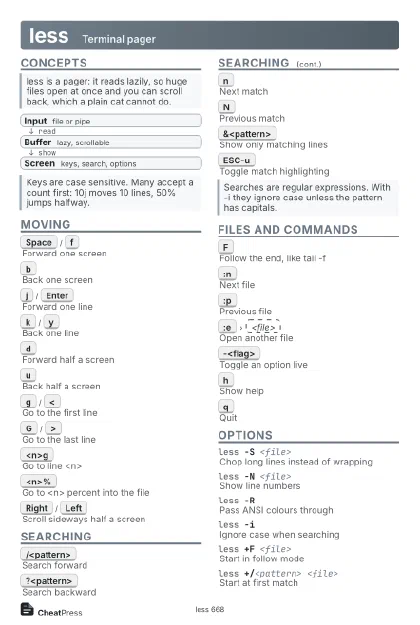 Light · Postcard
102 × 152 mm · PDF
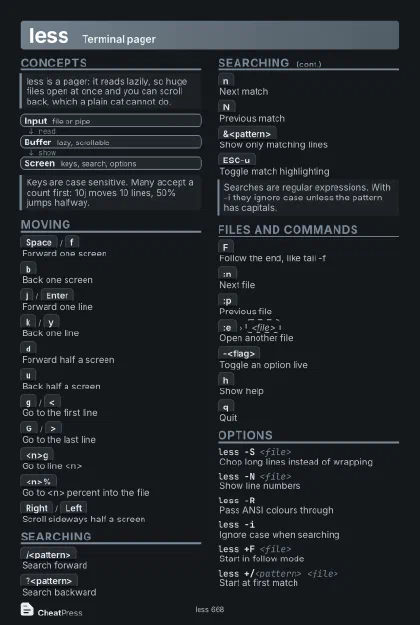 Dark · Postcard
102 × 152 mm · PDF
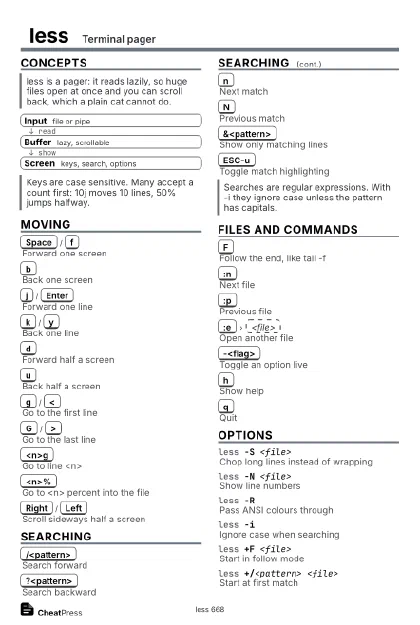 Ink saver · Postcard
102 × 152 mm · PDF
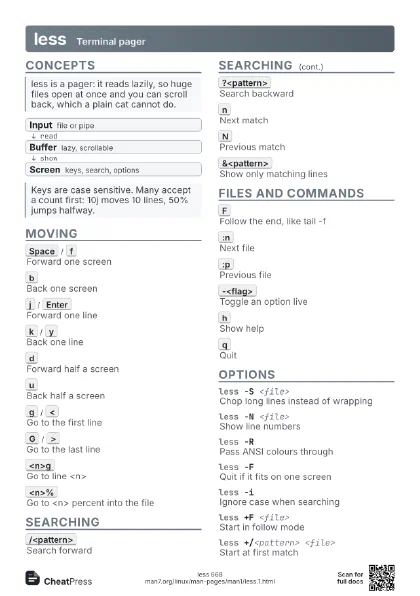
 Light · A4 landscape
297 × 210 mm · PDF
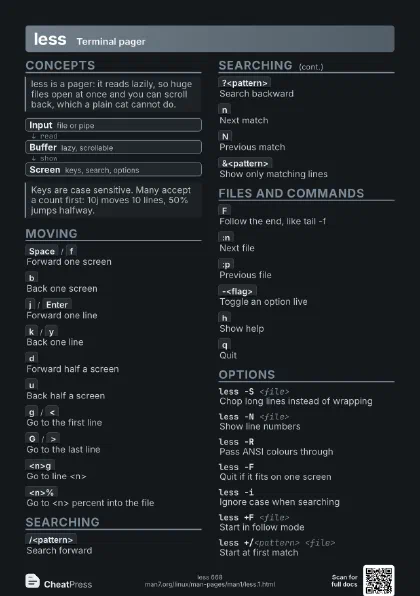
 Dark · A4 landscape
297 × 210 mm · PDF
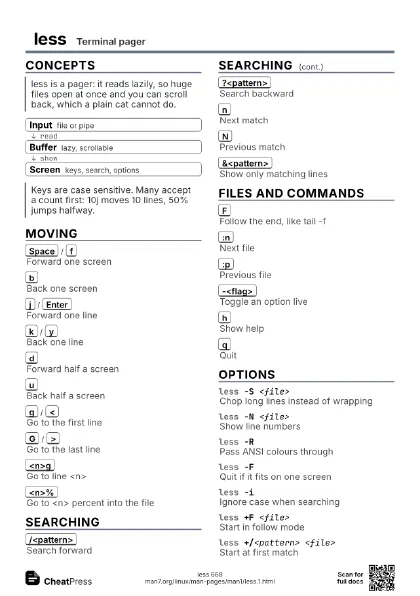
 Ink saver · A4 landscape
297 × 210 mm · PDF
 Light · A3 landscape
420 × 297 mm · PDF
 Dark · A3 landscape
420 × 297 mm · PDF
 Ink saver · A3 landscape
420 × 297 mm · PDF
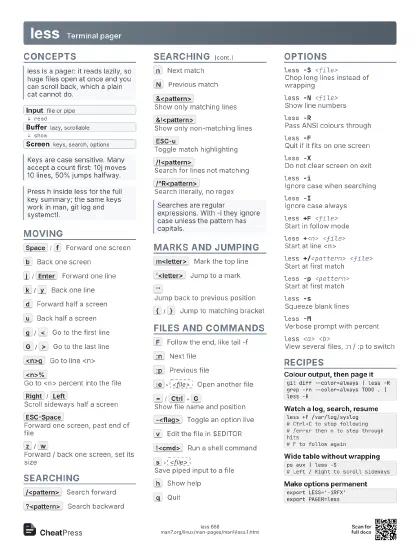
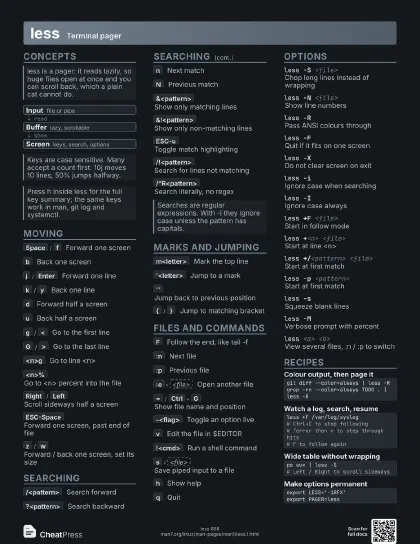
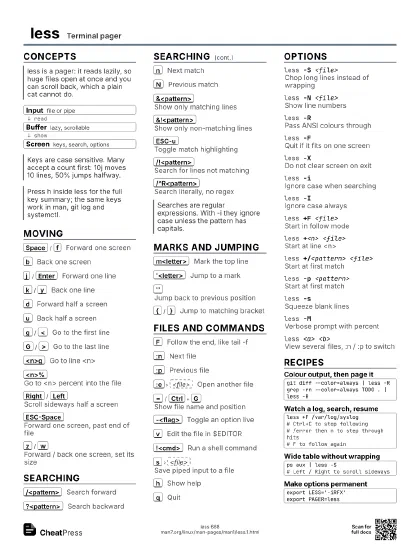
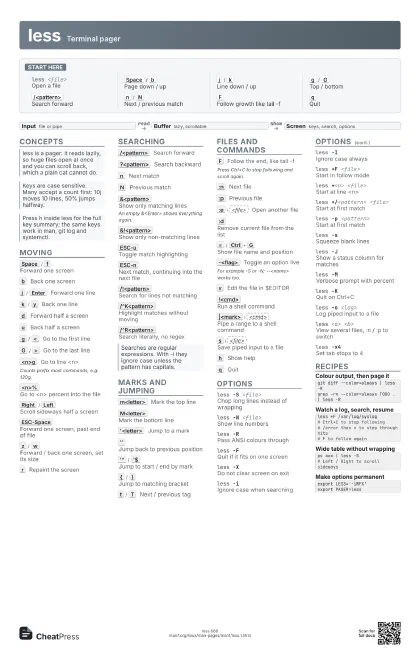
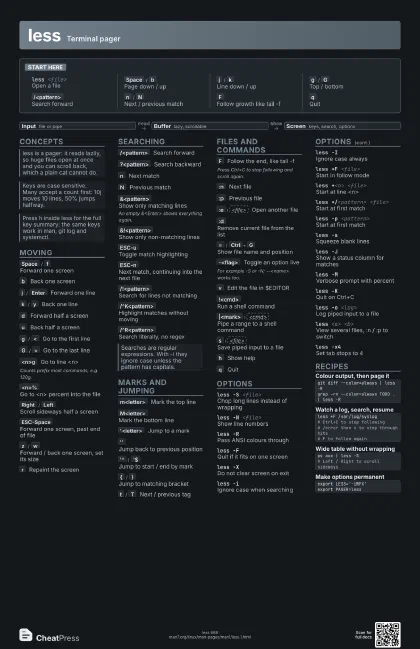
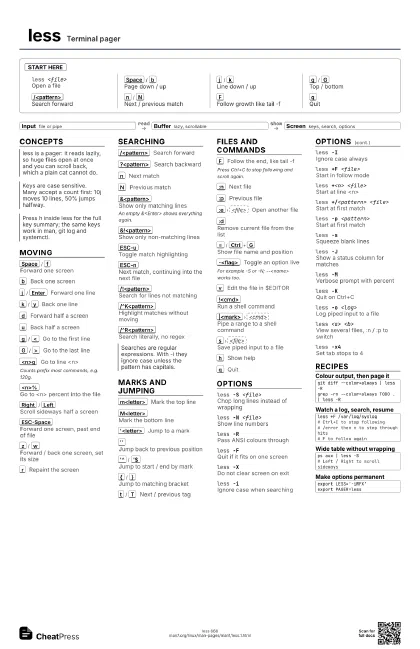
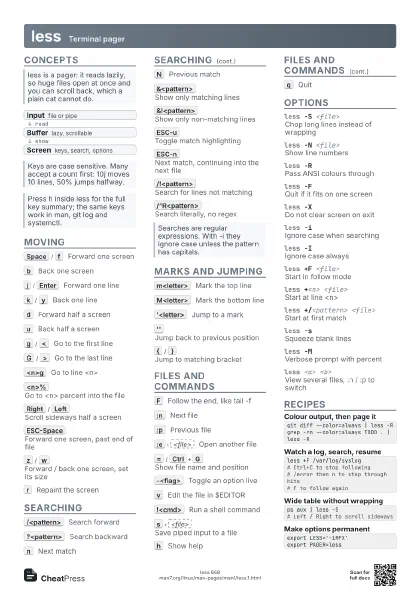
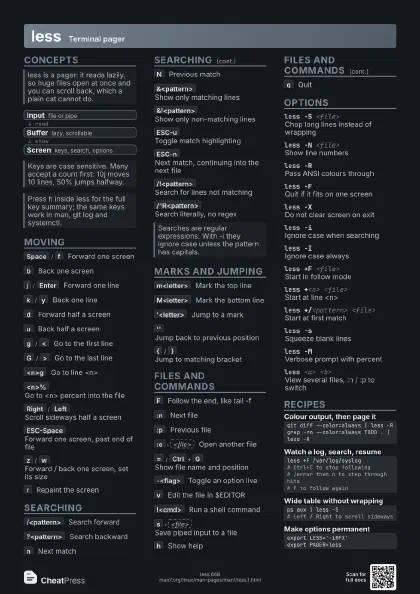
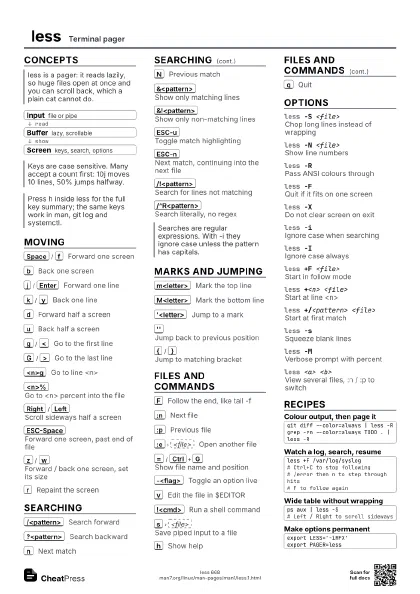
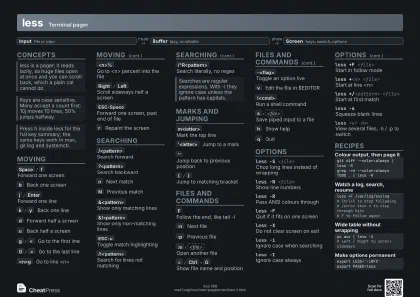
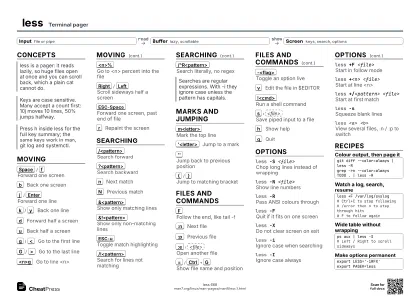
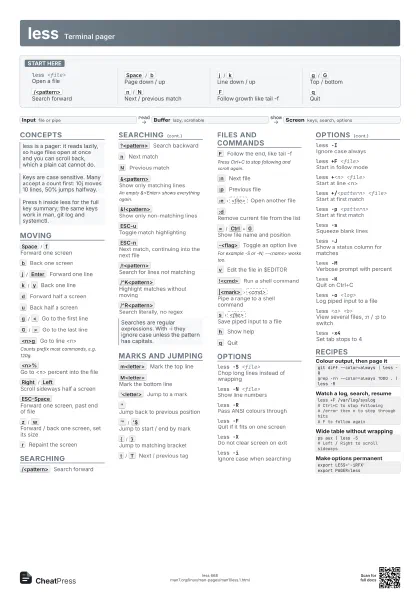
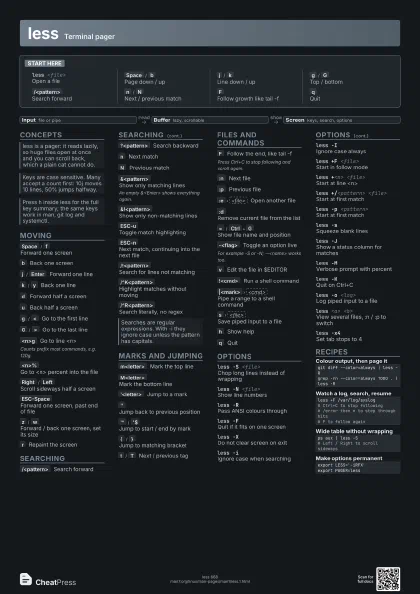
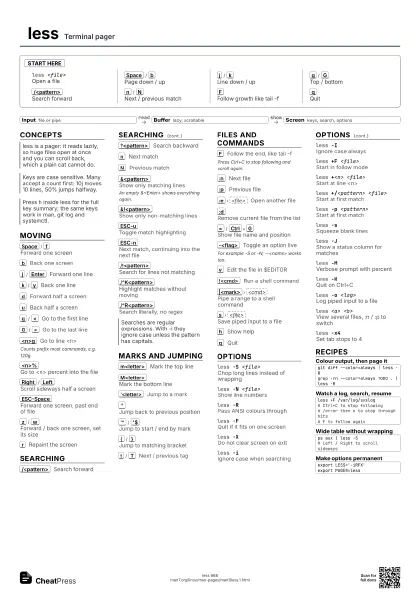
Start here
less <file>
Open a file
Space
/
b
Page down / up
j
/
k
Line down / up
g
/
G
Top / bottom
/<pattern>
Search forward
n
/
N
Next / previous match
F
Follow growth like tail -f
q
Quit
Concepts
- Input file or pipe
- Buffer lazy, scrollable
- Screen keys, search, options
Moving
Space
/
f
Forward one screen
b
Back one screen
j
/
Enter
Forward one line
k
/
y
Back one line
d
Forward half a screen
u
Back half a screen
g
/
<
Go to the first line
G
/
>
Go to the last line
<n>g
Go to line <n>
Counts prefix most commands, e.g. 120g.
<n>%
Go to <n> percent into the file
Right
/
Left
Scroll sideways half a screen
ESC-Space
Forward one screen, past end of file
z
/
w
Forward / back one screen, set its size
r
Repaint the screen
Searching
/<pattern>
Search forward
?<pattern>
Search backward
n
Next match
N
Previous match
&<pattern>
Show only matching lines
An empty &<Enter> shows everything again.
&!<pattern>
Show only non-matching lines
ESC-u
Toggle match highlighting
ESC-n
Next match, continuing into the next file
/!<pattern>
Search for lines not matching
/^K<pattern>
Highlight matches without moving
/^R<pattern>
Search literally, no regex
Marks and Jumping
m<letter>
Mark the top line
M<letter>
Mark the bottom line
'<letter>
Jump to a mark
''
Jump back to previous position
'^
/
'$
Jump to start / end by mark
{
/
}
Jump to matching bracket
t
/
T
Next / previous tag
Files and Commands
F
Follow the end, like tail -f
Press Ctrl+C to stop following and scroll again.
:n
Next file
:p
Previous file
:e
<file>
Open another file
:d
Remove current file from the list
=
/
Ctrl+G
Show file name and position
-<flag>
Toggle an option live
For example -S or -N; --<name> works too.
v
Edit the file in $EDITOR
!<cmd>
Run a shell command
|<mark>
<cmd>
Pipe a range to a shell command
s
<file>
Save piped input to a file
h
Show help
q
Quit
Options
less -S <file>
Chop long lines instead of wrapping
less -N <file>
Show line numbers
less -RPass ANSI colours through
less -FQuit if it fits on one screen
less -XDo not clear screen on exit
less -iIgnore case when searching
less -IIgnore case always
less +F <file>
Start in follow mode
less +<n> <file>
Start at line <n>
less +/<pattern> <file>
Start at first match
less -p <pattern>
Start at first match
less -sSqueeze blank lines
less -JShow a status column for matches
less -MVerbose prompt with percent
less -KQuit on Ctrl+C
less -o <log>
Log piped input to a file
less <a> <b>
View several files, :n / :p to switch
less -x4Set tab stops to 4
Recipes
git diff --color=always | less -Rgrep -rn --color=always TODO . | less -Rless +F /var/log/syslog# Ctrl+C to stop following# /error then n to step through hits# F to follow againps aux | less -S# Left / Right to scroll sidewaysexport LESS='-iRFX'export PAGER=less