Cheat
IPython Interactive Python shell
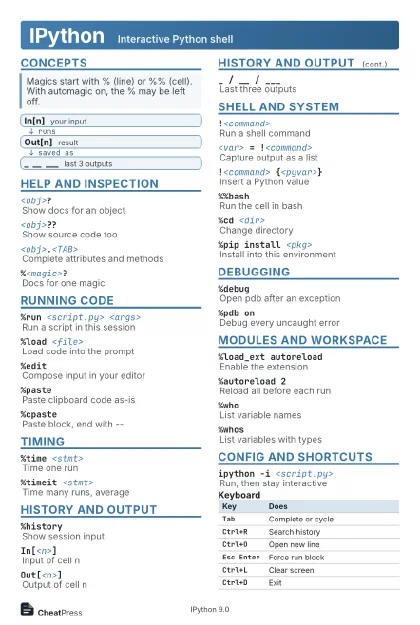 Light · Postcard
102 × 152 mm · PDF
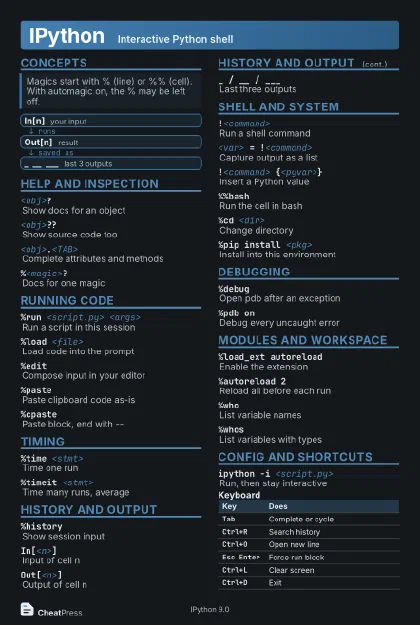 Dark · Postcard
102 × 152 mm · PDF
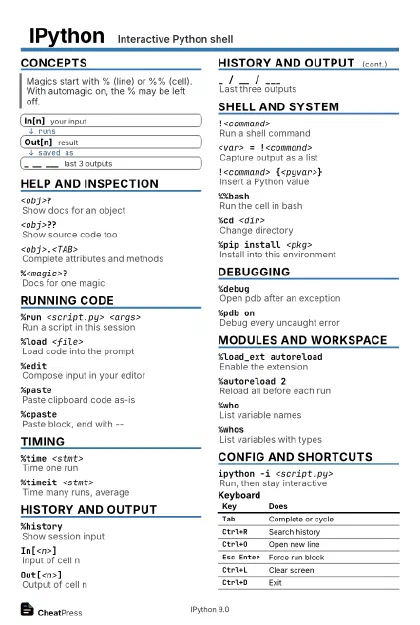 Ink saver · Postcard
102 × 152 mm · PDF
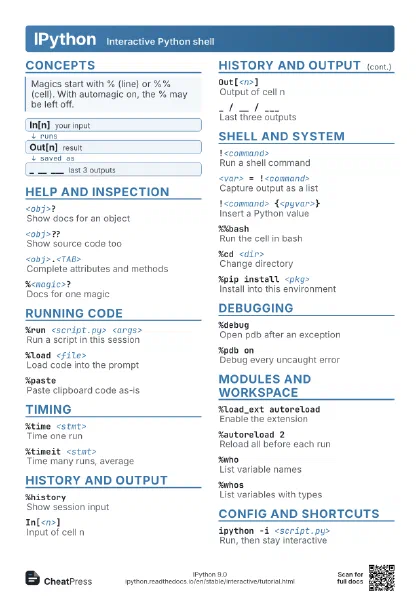
 Light · A4 landscape
297 × 210 mm · PDF
 Dark · A4 landscape
297 × 210 mm · PDF
 Ink saver · A4 landscape
297 × 210 mm · PDF
 Light · A3 landscape
420 × 297 mm · PDF
 Dark · A3 landscape
420 × 297 mm · PDF
 Ink saver · A3 landscape
420 × 297 mm · PDF
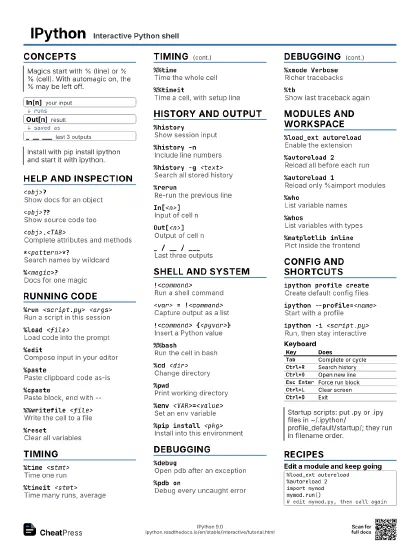
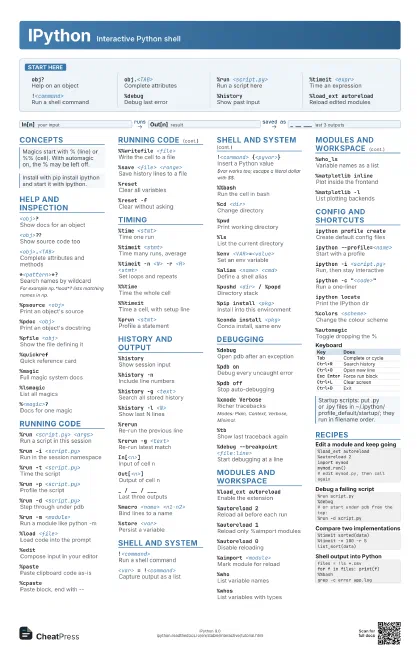
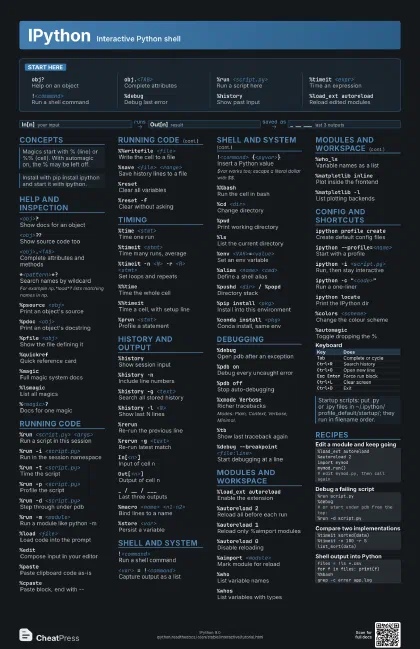
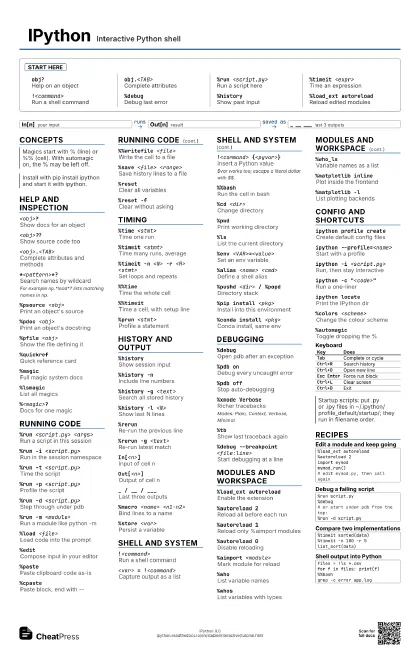
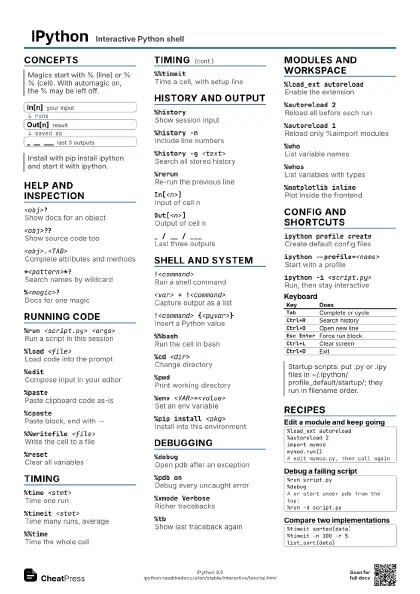
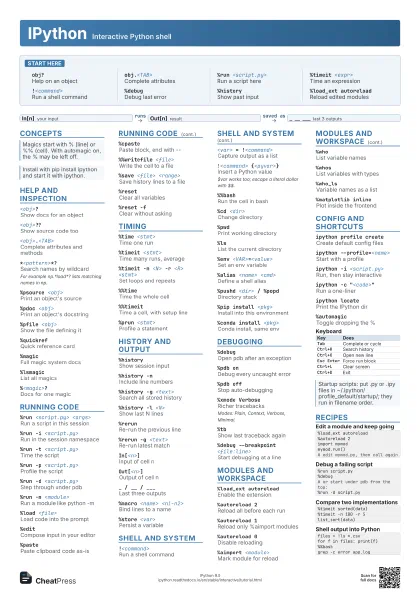
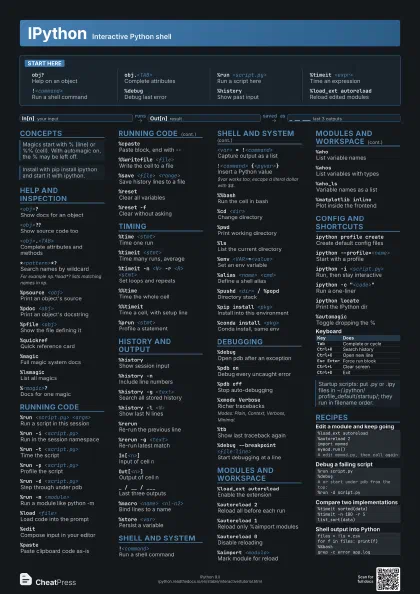
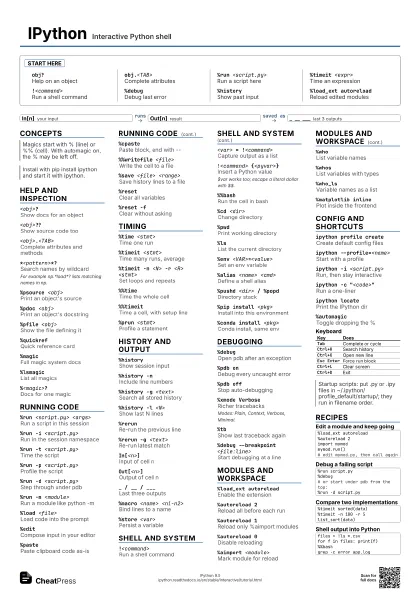
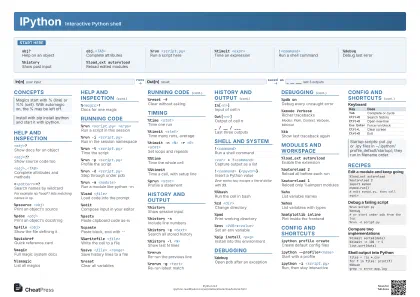
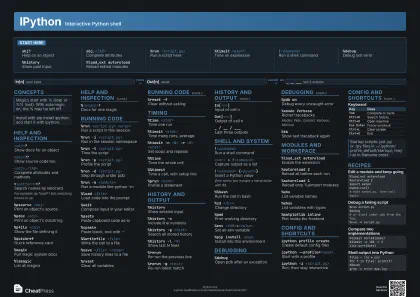
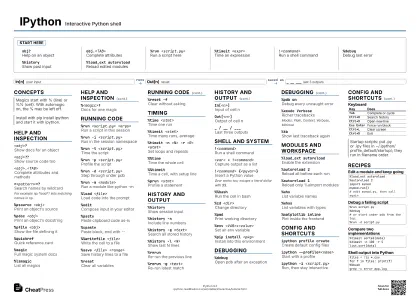
Start here
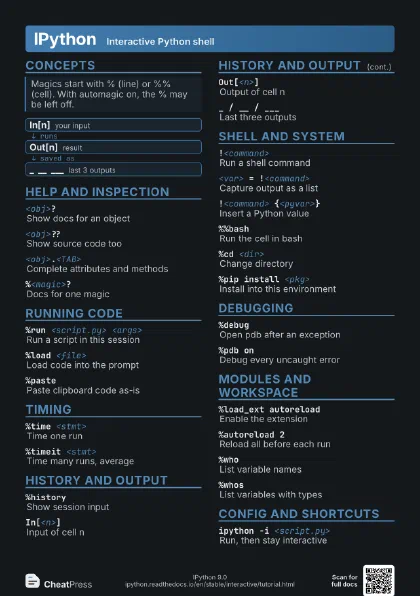
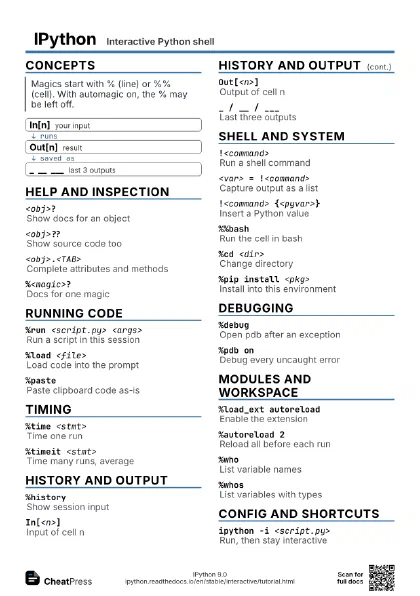
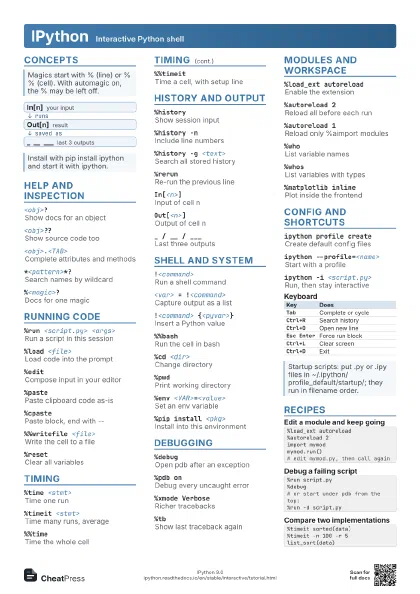
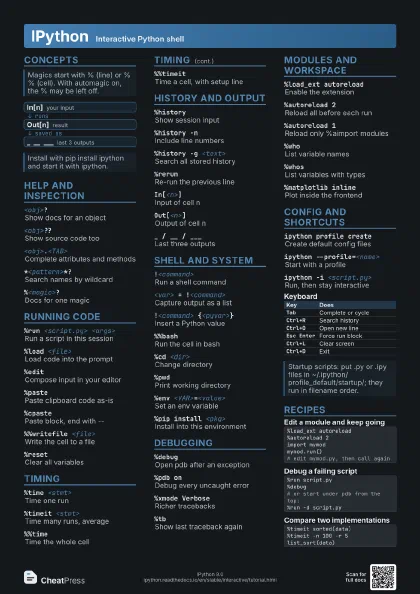
obj?Help on an object
obj.<TAB>Complete attributes
%run <script.py>
Run a script here
%timeit <expr>
Time an expression
!<command>
Run a shell command
%debugDebug last error
%historyShow past input
%load_ext autoreload
Reload edited modules
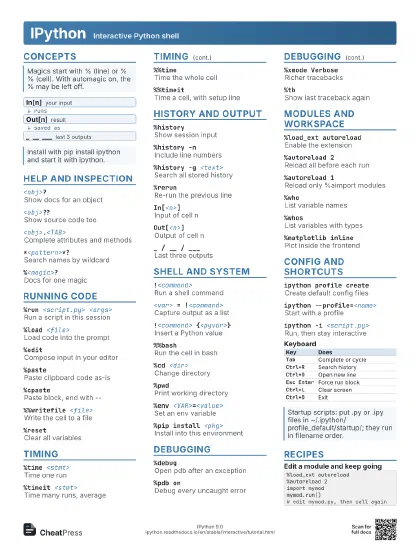
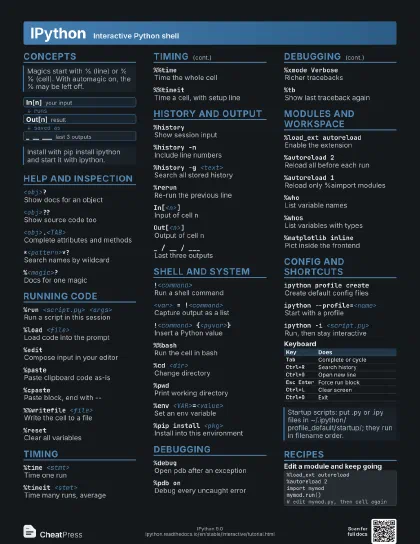
Concepts
- In[n] your input
- Out[n] result
- _ __ ___ last 3 outputs
Help and inspection
<obj>?Show docs for an object
<obj>??Show source code too
<obj>.<TAB>
Complete attributes and methods
*<pattern>*?
Search names by wildcard
For example np.*load*? lists matching names in np.
%psource <obj>
Print an object's source
%pdoc <obj>
Print an object's docstring
%pfile <obj>
Show the file defining it
%quickrefQuick reference card
%magicFull magic system docs
%lsmagicList all magics
%<magic>?Docs for one magic
Running code
%run <script.py> <args>
Run a script in this session
%run -i <script.py>
Run in the session namespace
%run -t <script.py>
Time the script
%run -p <script.py>
Profile the script
%run -d <script.py>
Step through under pdb
%run -m <module>
Run a module like python -m
%load <file>
Load code into the prompt
%editCompose input in your editor
%pastePaste clipboard code as-is
%cpastePaste block, end with --
%%writefile <file>
Write the cell to a file
%save <file> <range>
Save history lines to a file
%resetClear all variables
%reset -fClear without asking
Timing
%time <stmt>
Time one run
%timeit <stmt>
Time many runs, average
%timeit -n <N> -r <R> <stmt>
Set loops and repeats
%%timeTime the whole cell
%%timeitTime a cell, with setup line
%prun <stmt>
Profile a statement
History and output
%historyShow session input
%history -nInclude line numbers
%history -g <text>
Search all stored history
%history -l <N>
Show last N lines
%rerunRe-run the previous line
%rerun -g <text>
Re-run latest match
In[<n>]Input of cell n
Out[<n>]Output of cell n
_ / __ / ___Last three outputs
%macro <name> <n1-n2>
Bind lines to a name
%store <var>
Persist a variable
Shell and system
!<command>
Run a shell command
<var> = !<command>
Capture output as a list
!<command> {<pyvar>}
Insert a Python value
$var works too; escape a literal dollar with $$.
%%bashRun the cell in bash
%cd <dir>Change directory
%pwdPrint working directory
%lsList the current directory
%env <VAR>=<value>
Set an env variable
%alias <name> <cmd>
Define a shell alias
%pushd <dir> / %popd
Directory stack
%pip install <pkg>
Install into this environment
%conda install <pkg>
Conda install, same env
Debugging
%debugOpen pdb after an exception
%pdb onDebug every uncaught error
%pdb offStop auto-debugging
%xmode VerboseRicher tracebacks
Modes: Plain, Context, Verbose, Minimal.
%tbShow last traceback again
%debug --breakpoint <file:line>
Start debugging at a line
Modules and workspace
%load_ext autoreload
Enable the extension
%autoreload 2Reload all before each run
%autoreload 1Reload only %aimport modules
%autoreload 0Disable reloading
%aimport <module>
Mark module for reload
%whoList variable names
%whosList variables with types
%who_lsVariable names as a list
%matplotlib inline
Plot inside the frontend
%matplotlib -lList plotting backends
Config and shortcuts
ipython profile create
Create default config files
ipython --profile=<name>
Start with a profile
ipython -i <script.py>
Run, then stay interactive
ipython -c "<code>"
Run a one-liner
ipython locatePrint the IPython dir
%colors <scheme>
Change the colour scheme
%automagicToggle dropping the %
| Key | Does |
|---|---|
Tab |
Complete or cycle |
Ctrl+R |
Search history |
Ctrl+O |
Open new line |
Esc Enter |
Force run block |
Ctrl+L |
Clear screen |
Ctrl+D |
Exit |
Recipes
%load_ext autoreload%autoreload 2import mymodmymod.run()# edit mymod.py, then call again%run script.py%debug# or start under pdb from the top:%run -d script.py%timeit sorted(data)%timeit -n 100 -r 5 list_sort(data)files = !ls *.csvfor f in files: print(f)%%bashgrep -c error app.log