Cheat
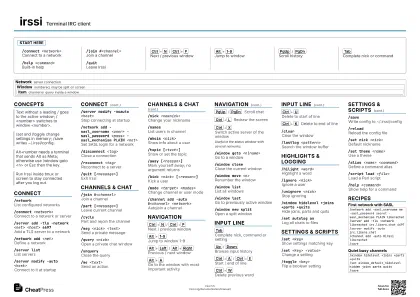
irssi Terminal IRC client
 Light · Postcard
102 × 152 mm · PDF
 Dark · Postcard
102 × 152 mm · PDF
 Ink saver · Postcard
102 × 152 mm · PDF
 Light · A4 landscape
297 × 210 mm · PDF
 Dark · A4 landscape
297 × 210 mm · PDF
 Ink saver · A4 landscape
297 × 210 mm · PDF
 Light · A3 landscape
420 × 297 mm · PDF
 Dark · A3 landscape
420 × 297 mm · PDF
 Ink saver · A3 landscape
420 × 297 mm · PDF
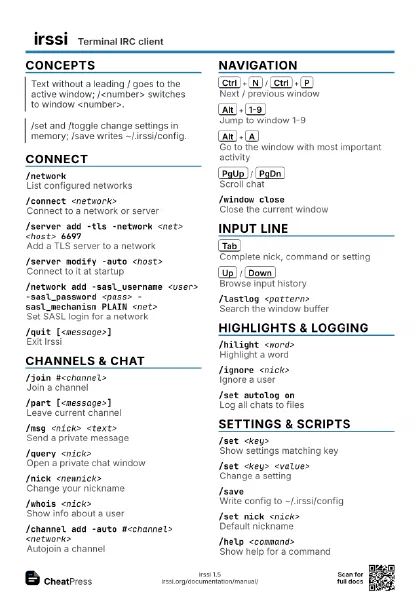
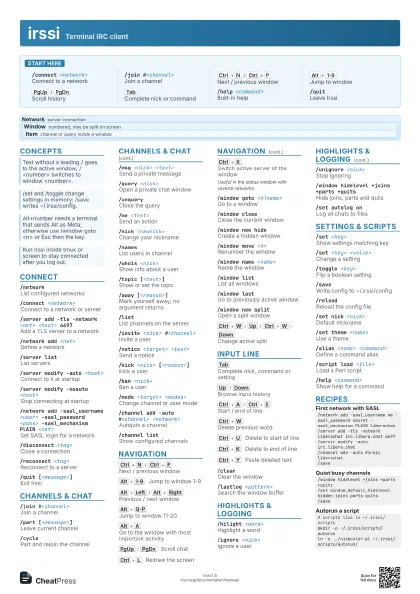
Start here
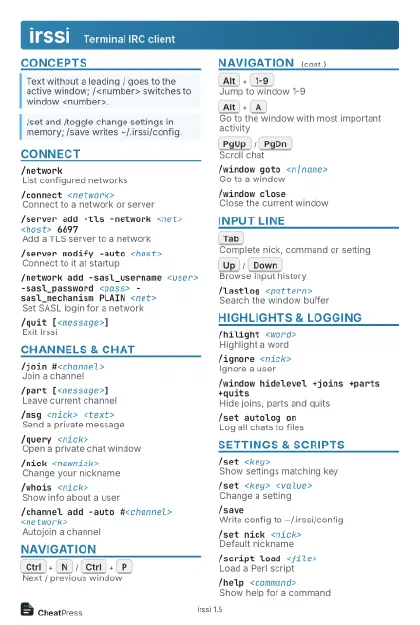
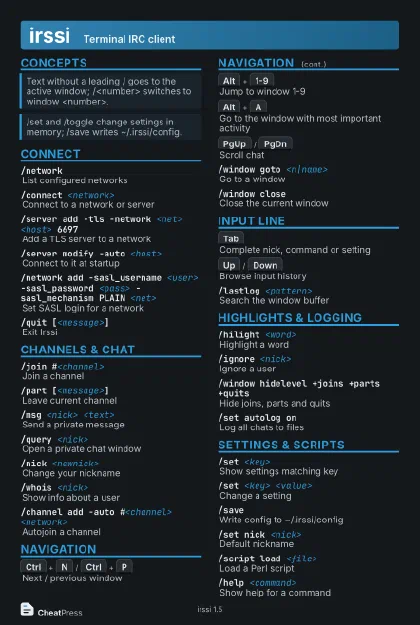
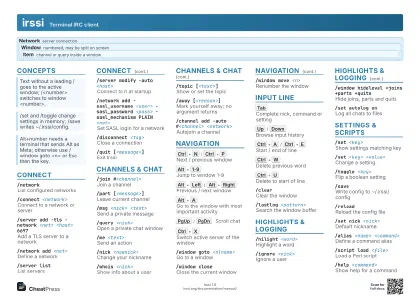
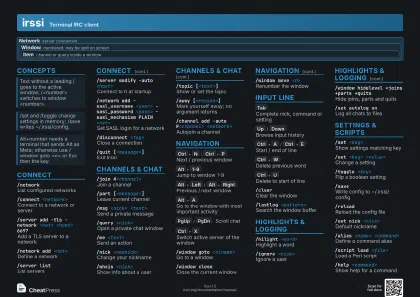
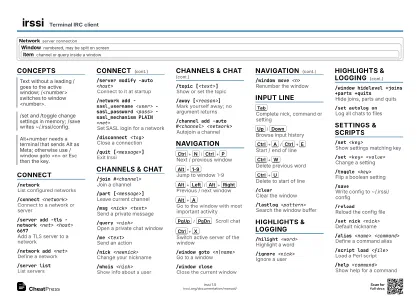
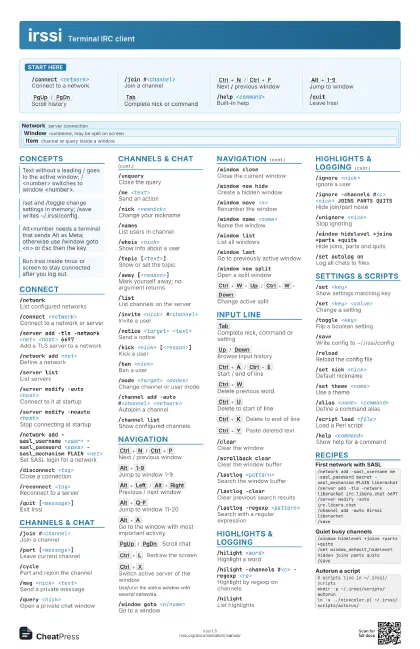
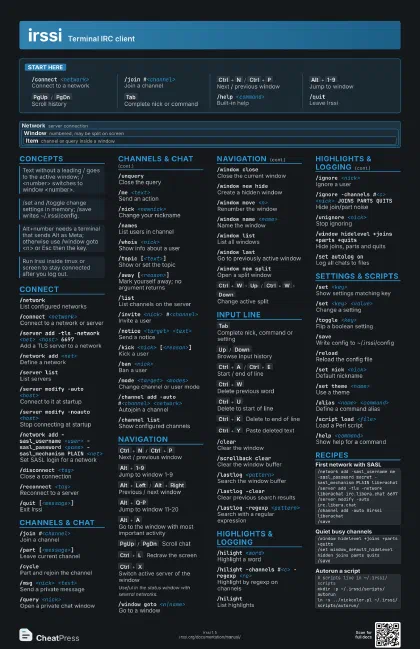
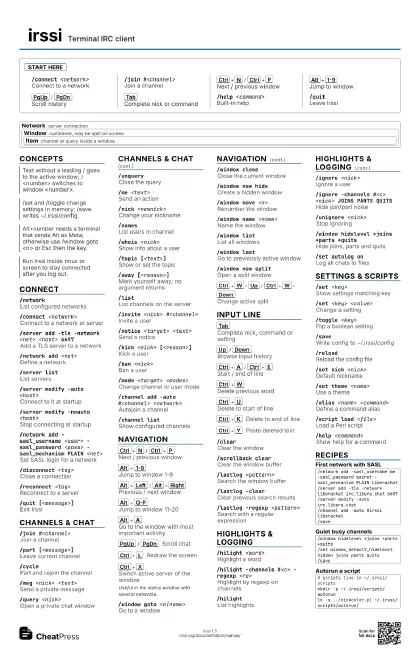
/connect <network>
Connect to a network
/join #<channel>
Join a channel
Ctrl+N
/
Ctrl+P
Next / previous window
Alt+1-9
Jump to window
PgUp
/
PgDn
Scroll history
Tab
Complete nick or command
/help <command>
Built-in help
/quitLeave Irssi
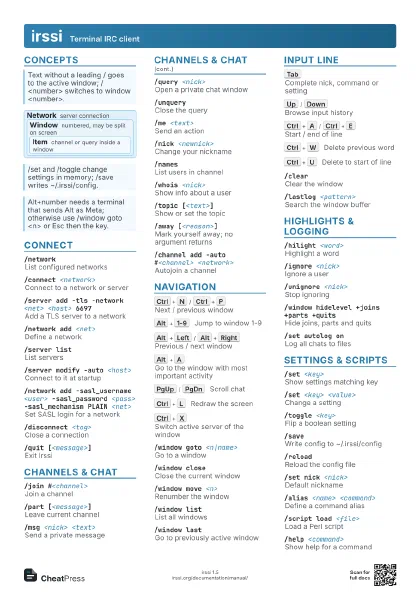
Concepts
Network server connection
Window
numbered, may be split on screen
Item
channel or query inside a window
Connect
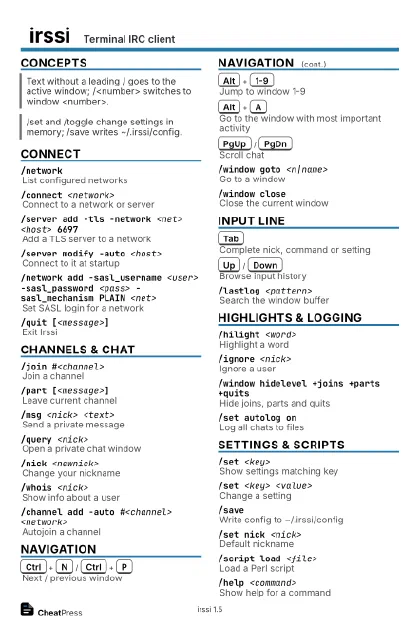
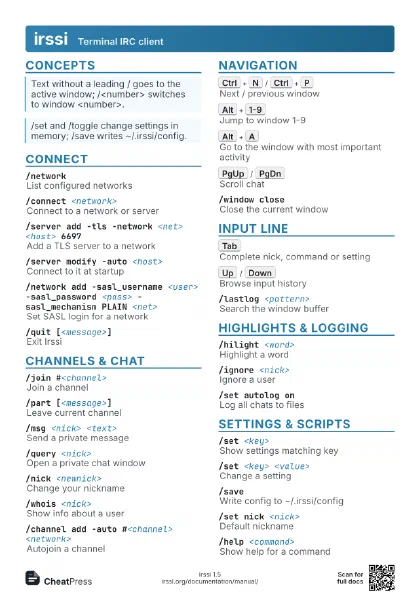
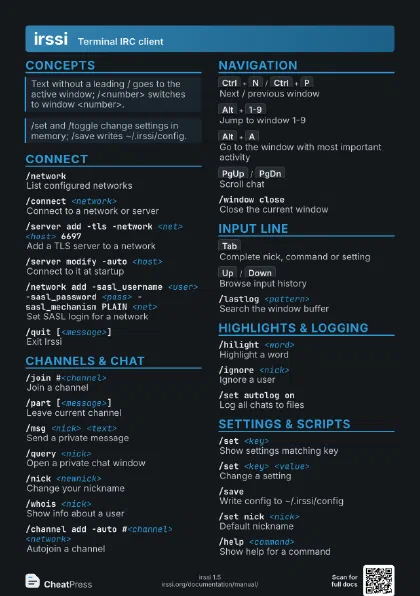
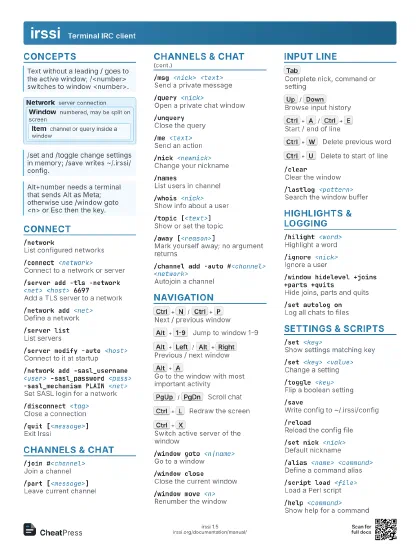
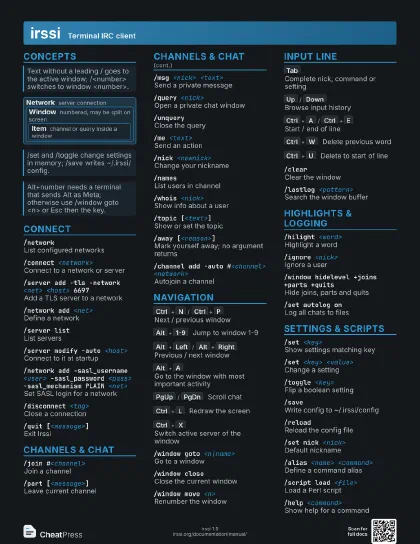
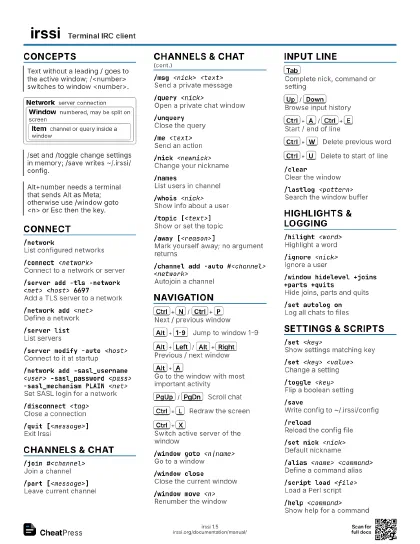
/networkList configured networks
/connect <network>
Connect to a network or server
/server add -tls -network <net> <host>
                    6697
Add a TLS server to a network
/network add <net>
Define a network
/server listList servers
/server modify -auto <host>
Connect to it at startup
/server modify -noauto <host>
Stop connecting at startup
/network add -sasl_username <user> -sasl_password
                    <pass> -sasl_mechanism PLAIN <net>
Set SASL login for a network
/disconnect <tag>
Close a connection
/reconnect <tag>
Reconnect to a server
/quit [<message>]
Exit Irssi
Channels & Chat
/join #<channel>
Join a channel
/part [<message>]
Leave current channel
/cyclePart and rejoin the channel
/msg <nick> <text>
Send a private message
/query <nick>
Open a private chat window
/unqueryClose the query
/me <text>
Send an action
/nick <newnick>
Change your nickname
/namesList users in channel
/whois <nick>
Show info about a user
/topic [<text>]
Show or set the topic
/away [<reason>]
Mark yourself away; no argument returns
/listList channels on the server
/invite <nick> #<channel>
Invite a user
/notice <target> <text>
Send a notice
/kick <nick> [<reason>]
Kick a user
/ban <nick>
Ban a user
/mode <target> <modes>
Change channel or user mode
/channel add -auto #<channel> <network>
Autojoin a channel
/channel listShow configured channels
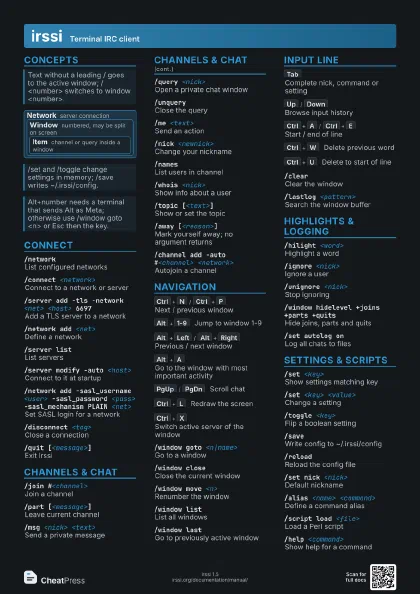
Navigation
Ctrl+N
/
Ctrl+P
Next / previous window
Alt+1-9
Jump to window 1-9
Alt+Left
/
Alt+Right
Previous / next window
Alt+Q-P
Jump to window 11-20
Alt+A
Go to the window with most important activity
PgUp
/
PgDn
Scroll chat
Ctrl+L
Redraw the screen
Ctrl+X
Switch active server of the window
Useful in the status window with several networks.
/window goto <n|name>
Go to a window
/window closeClose the current window
/window new hide
Create a hidden window
/window move <n>
Renumber the window
/window name <name>
Name the window
/window listList all windows
/window lastGo to previously active window
/window new split
Open a split window
Ctrl+W
Up
/
Ctrl+W
Down
Change active split
/window grow / shrink
Resize the split
/window balanceEqualize split sizes
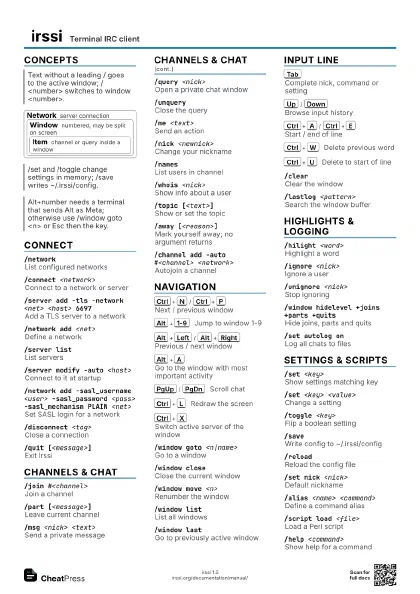
Input Line
Tab
Complete nick, command or setting
Up
/
Down
Browse input history
Ctrl+A
/
Ctrl+E
Start / end of line
Ctrl+W
Delete previous word
Ctrl+U
Delete to start of line
Ctrl+K
Delete to end of line
Ctrl+Y
Paste deleted text
/clearClear the window
/scrollback clear
Clear the window buffer
/lastlog <pattern>
Search the window buffer
/lastlog -clearClear previous search results
/lastlog -regexp <pattern>
Search with a regular expression
/echo <text>
Print text locally
Highlights & Logging
/hilight <word>
Highlight a word
/hilight -channels #<c> -regexp <re>
Highlight by regexp on channels
/hilightList highlights
/ignore <nick>
Ignore a user
/ignore -channels #<c> <nick> JOINS PARTS
                    QUITS
Hide join/part noise
/unignore <nick>
Stop ignoring
/window hidelevel +joins +parts +quits
Hide joins, parts and quits
/window level -all +msgs
Set which levels the window shows
/set autolog onLog all chats to files
/set autolog_path <path>
Where logs are saved
/window log on <file>
Log one window to a file
/notify <nick>
Tell me when a nick comes online
Settings & Scripts
/set <key>
Show settings matching key
/set <key> <value>
Change a setting
/toggle <key>
Flip a boolean setting
/saveWrite config to ~/.irssi/config
/reloadReload the config file
/set nick <nick>
Default nickname
/set theme <name>
Use a theme
/alias <name> <command>
Define a command alias
/bind <key> <command>
Bind a key
/bind -listList bindable commands
/statusbarConfigure status bars
/script load <file>
Load a Perl script
/script unload <name>
Unload a script
/script listList loaded scripts
/help <command>
Show help for a command
/versionShow Irssi version
Recipes
/network add -sasl_username me -sasl_password secret -sasl_mechanism PLAIN liberachat/server add -tls -network liberachat irc.libera.chat 6697/server modify -auto irc.libera.chat/channel add -auto #irssi liberachat/save/window hidelevel +joins +parts +quits/set window_default_hidelevel hidden joins parts quits/save# scripts live in ~/.irssi/scriptsmkdir -p ~/.irssi/scripts/autorunln -s ../nickcolor.pl ~/.irssi/scripts/autorun//lastlog -regexp error|fail/lastlog -clear