Cheat
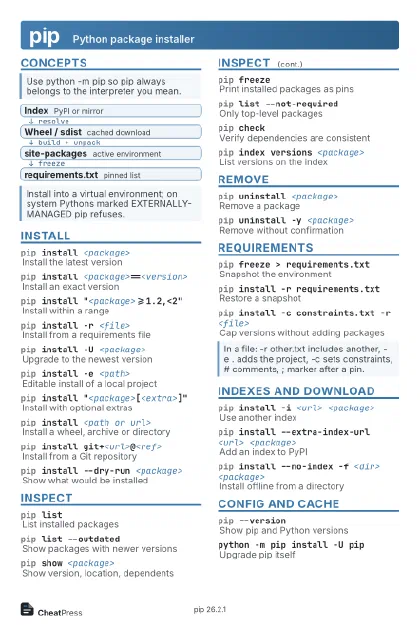
pip Python package installer
 Light · Postcard
102 × 152 mm · PDF
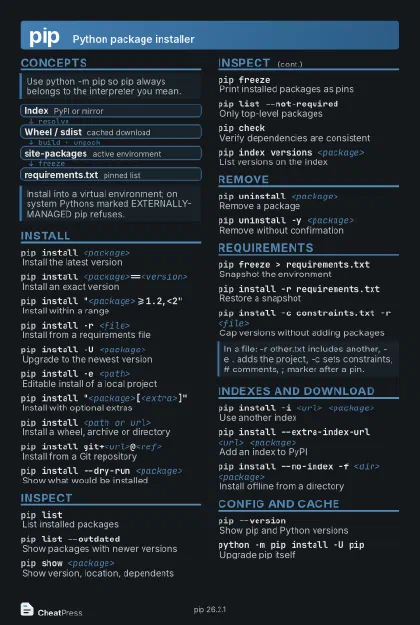 Dark · Postcard
102 × 152 mm · PDF
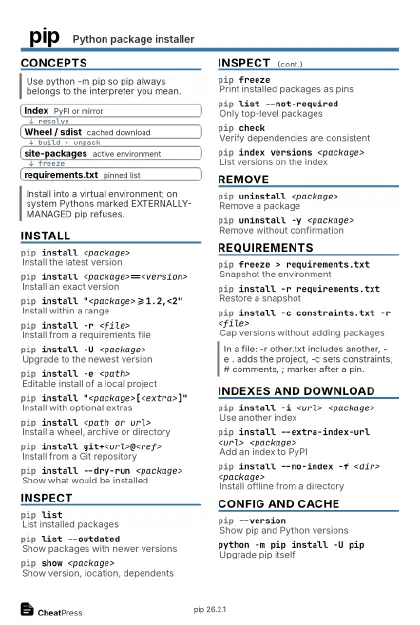 Ink saver · Postcard
102 × 152 mm · PDF
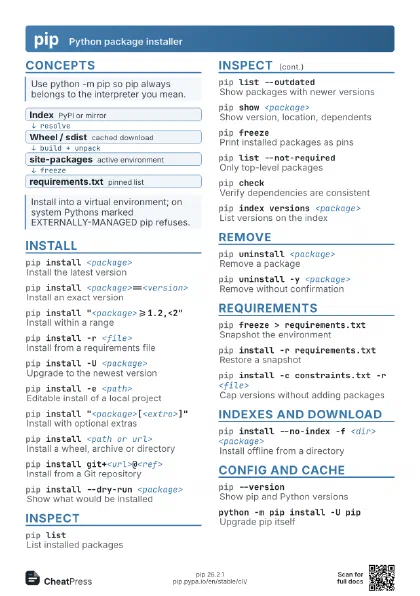
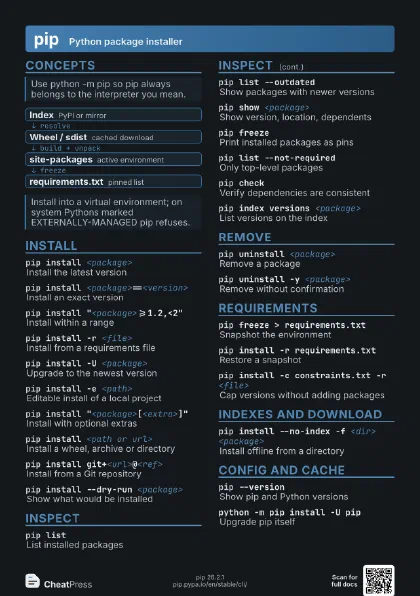
 Light · A4 landscape
297 × 210 mm · PDF
 Dark · A4 landscape
297 × 210 mm · PDF
 Ink saver · A4 landscape
297 × 210 mm · PDF
 Light · A3 landscape
420 × 297 mm · PDF
 Dark · A3 landscape
420 × 297 mm · PDF
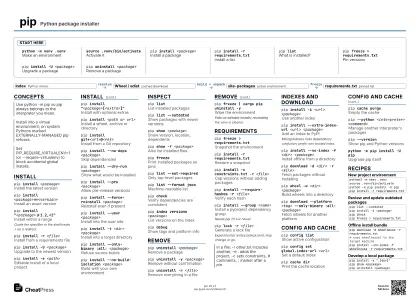 Ink saver · A3 landscape
420 × 297 mm · PDF
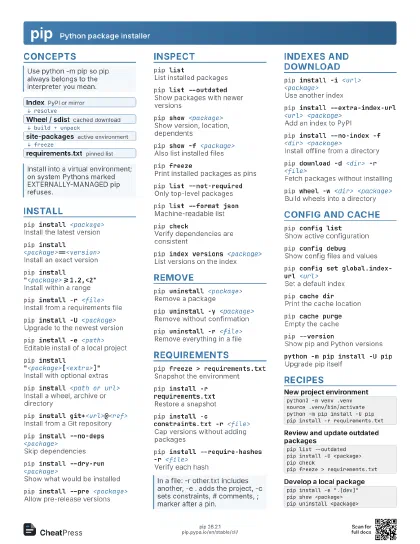
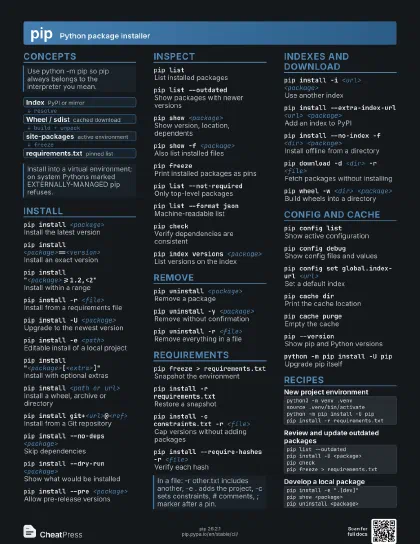
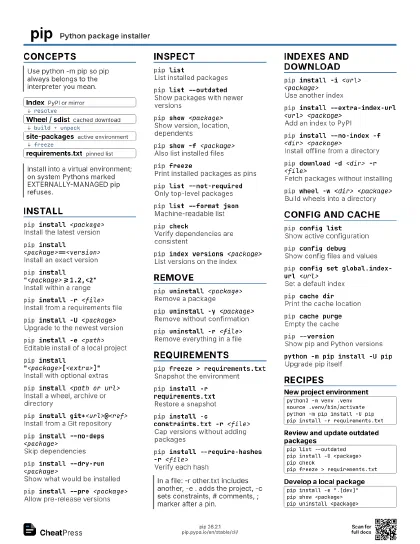
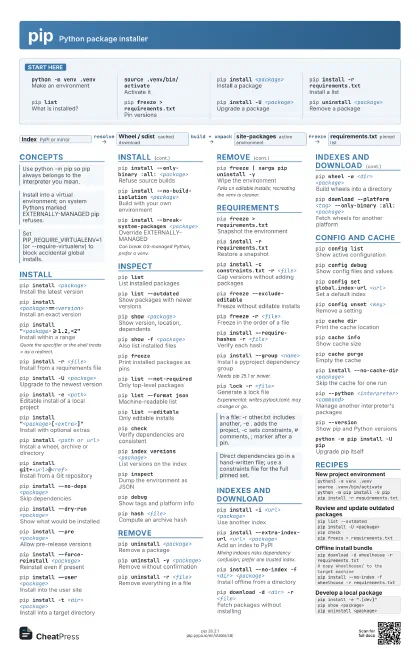
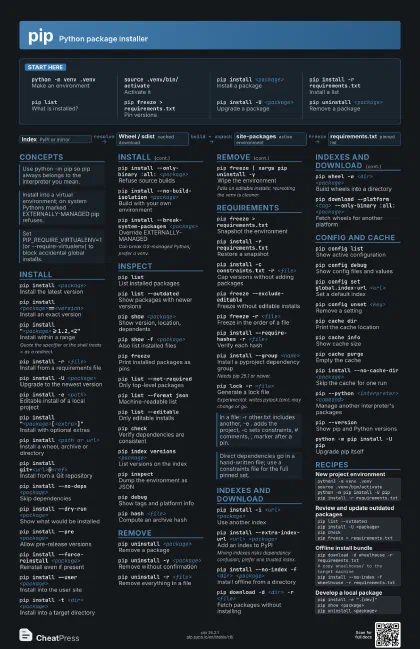
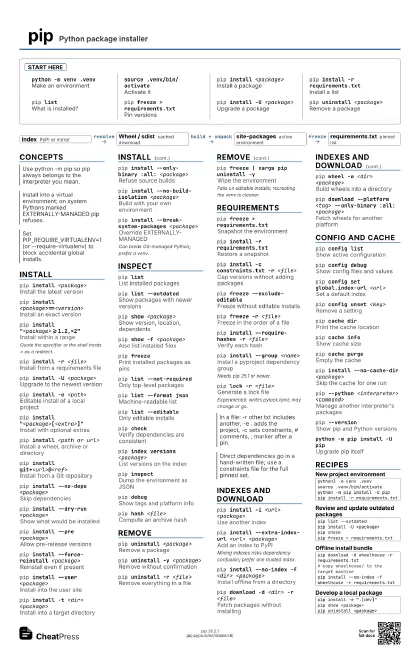
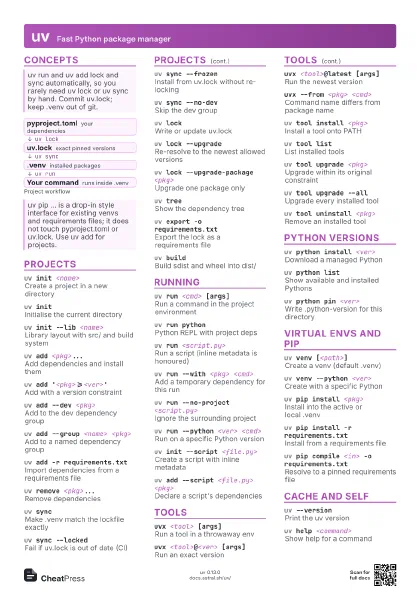
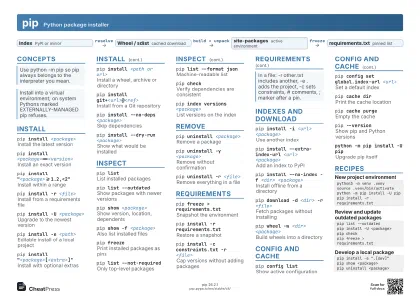
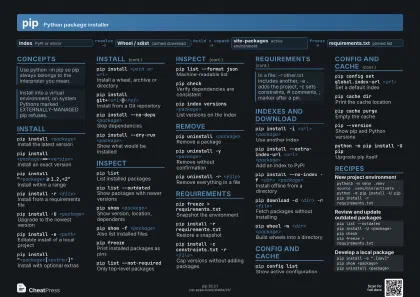
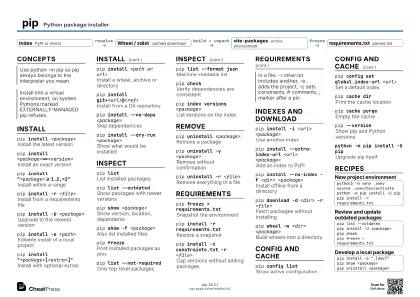
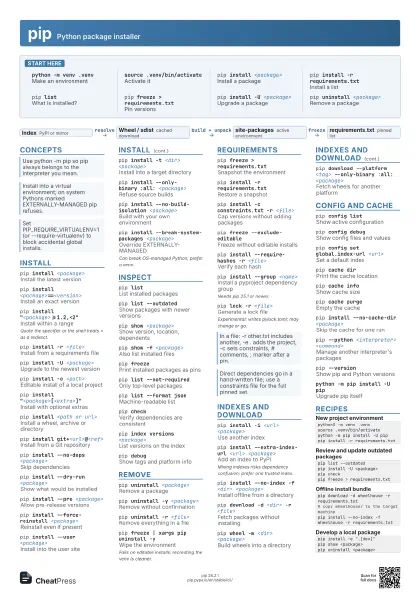
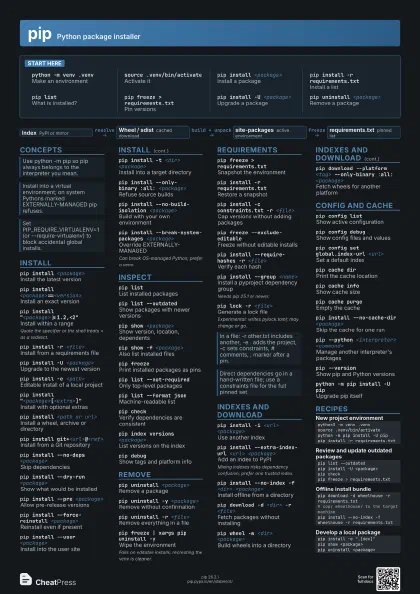
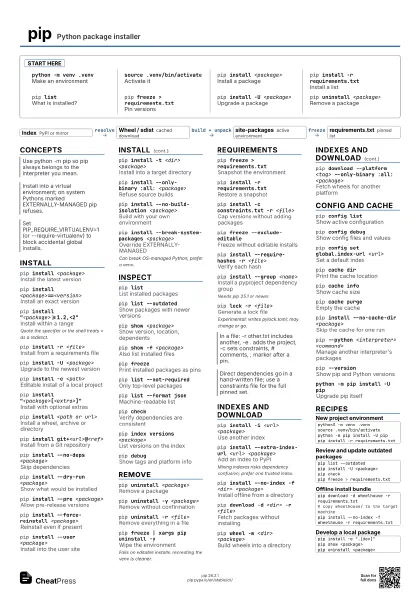
Start here
python -m venv .venv
Make an environment
source .venv/bin/activate
Activate it
pip install <package>
Install a package
pip install -r requirements.txt
Install a list
pip listWhat is installed?
pip freeze > requirements.txt
Pin versions
pip install -U <package>
Upgrade a package
pip uninstall <package>
Remove a package
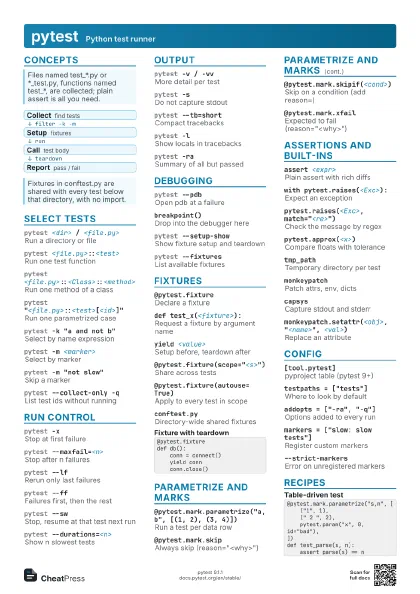
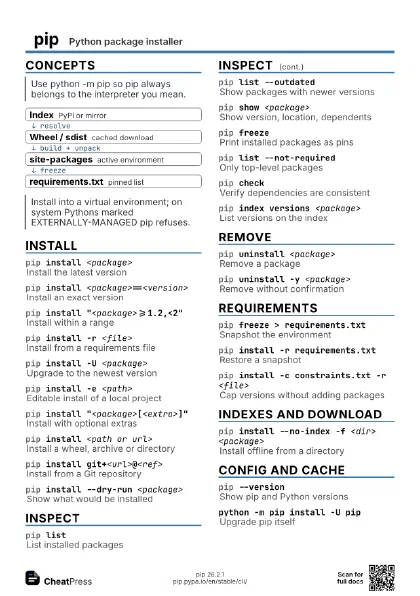
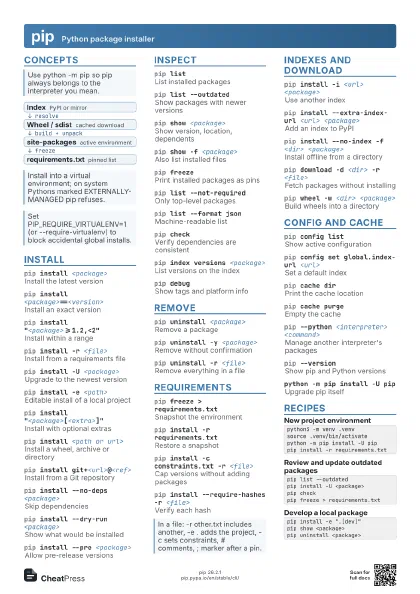
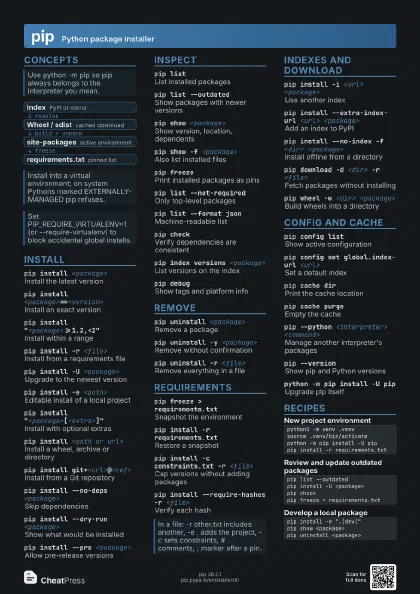
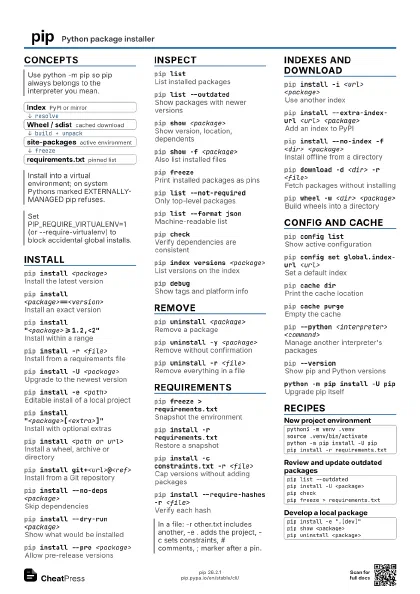
Concepts
- Index PyPI or mirror
- Wheel / sdist cached download
- site-packages active environment
- requirements.txt pinned list
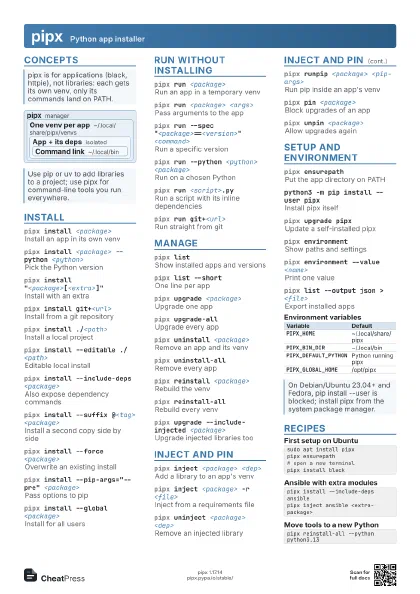
Install
pip install <package>
Install the latest version
pip install <package>==<version>
Install an exact version
pip install "<package>>=1.2,<2"
Install within a range
Quote the specifier or the shell treats > as a redirect.
pip install -r <file>
Install from a requirements file
pip install -U <package>
Upgrade to the newest version
pip install -e <path>
Editable install of a local project
pip install "<package>[<extra>]"
Install with optional extras
pip install <path or url>
Install a wheel, archive or directory
pip install git+<url>@<ref>
Install from a Git repository
pip install --no-deps <package>
Skip dependencies
pip install --dry-run <package>
Show what would be installed
pip install --pre <package>
Allow pre-release versions
pip install --force-reinstall <package>
Reinstall even if present
pip install --user <package>
Install into the user site
pip install -t <dir> <package>
Install into a target directory
pip install --only-binary :all: <package>
Refuse source builds
pip install --no-build-isolation <package>
Build with your own environment
pip install --break-system-packages <package>
Override EXTERNALLY-MANAGED
Can break OS-managed Python; prefer a venv.
Inspect
pip listList installed packages
pip list --outdated
Show packages with newer versions
pip show <package>
Show version, location, dependents
pip show -f <package>
Also list installed files
pip freezePrint installed packages as pins
pip list --not-required
Only top-level packages
pip list --format json
Machine-readable list
pip list --editable
Only editable installs
pip checkVerify dependencies are consistent
pip index versions <package>
List versions on the index
pip inspectDump the environment as JSON
pip debugShow tags and platform info
pip hash <file>
Compute an archive hash
Remove
pip uninstall <package>
Remove a package
pip uninstall -y <package>
Remove without confirmation
pip uninstall -r <file>
Remove everything in a file
pip freeze | xargs pip uninstall -y
Wipe the environment
Fails on editable installs; recreating the venv is cleaner.
Requirements
pip freeze > requirements.txt
Snapshot the environment
pip install -r requirements.txt
Restore a snapshot
pip install -c constraints.txt -r <file>
Cap versions without adding packages
pip freeze --exclude-editable
Freeze without editable installs
pip freeze -r <file>
Freeze in the order of a file
pip install --require-hashes -r <file>
Verify each hash
pip install --group <name>
Install a pyproject dependency group
Needs pip 25.1 or newer.
pip lock -r <file>
Generate a lock file
Experimental: writes pylock.toml; may change or go.
Indexes and download
pip install -i <url> <package>
Use another index
pip install --extra-index-url <url>
                    <package>
Add an index to PyPI
Mixing indexes risks dependency confusion; prefer one trusted
index.
pip install --no-index -f <dir> <package>
Install offline from a directory
pip download -d <dir> -r <file>
Fetch packages without installing
pip wheel -w <dir> <package>
Build wheels into a directory
pip download --platform <tag> --only-binary :all:
                    <package>
Fetch wheels for another platform
pip install --trusted-host <host>
                    <package>
Accept an insecure host
Config and cache
pip config listShow active configuration
pip config debug
Show config files and values
pip config set global.index-url <url>
Set a default index
pip config unset <key>
Remove a setting
pip cache dirPrint the cache location
pip cache infoShow cache size
pip cache purgeEmpty the cache
pip install --no-cache-dir <package>
Skip the cache for one run
pip --isolated <command>
Ignore env vars and config
pip --python <interpreter> <command>
Manage another interpreter's packages
pip --versionShow pip and Python versions
python -m pip install -U pip
Upgrade pip itself
Recipes
python3 -m venv .venvsource .venv/bin/activatepython -m pip install -U pippip install -r requirements.txtpip list --outdatedpip install -U <package>pip checkpip freeze > requirements.txtpip download -d wheelhouse -r requirements.txt# copy wheelhouse/ to the target machinepip install --no-index -f wheelhouse -r requirements.txtpip install -e ".[dev]"pip show <package>pip uninstall <package>