Cheat
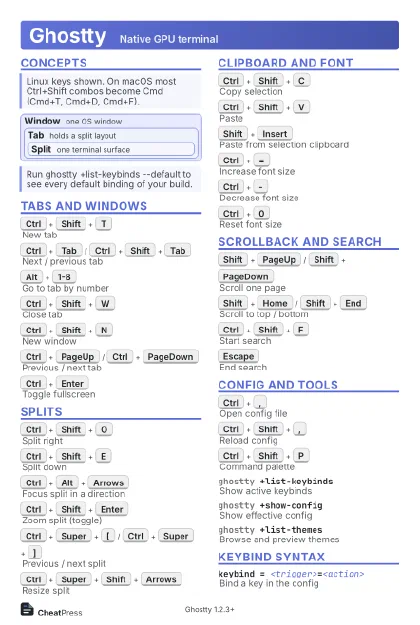
Ghostty Native GPU terminal
 Light · Postcard
102 × 152 mm · PDF
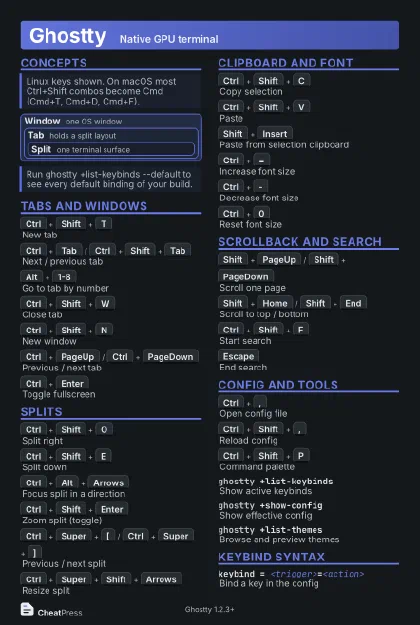 Dark · Postcard
102 × 152 mm · PDF
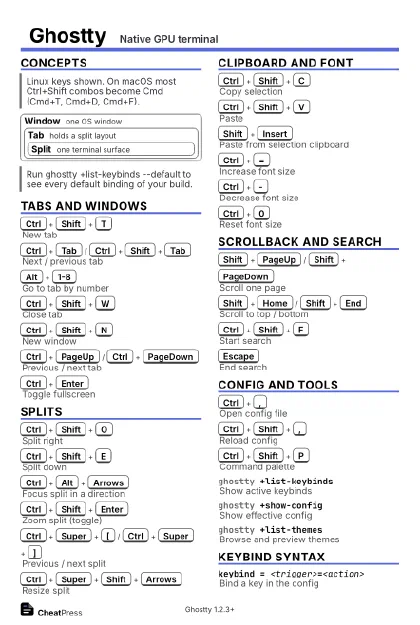 Ink saver · Postcard
102 × 152 mm · PDF
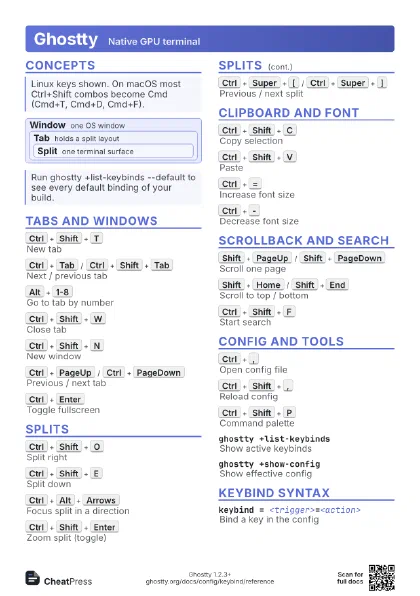
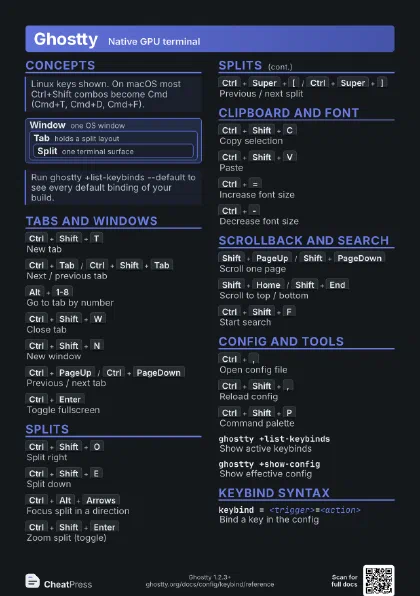
 Light · A4 landscape
297 × 210 mm · PDF
 Dark · A4 landscape
297 × 210 mm · PDF
 Ink saver · A4 landscape
297 × 210 mm · PDF
 Light · A3 landscape
420 × 297 mm · PDF
 Dark · A3 landscape
420 × 297 mm · PDF
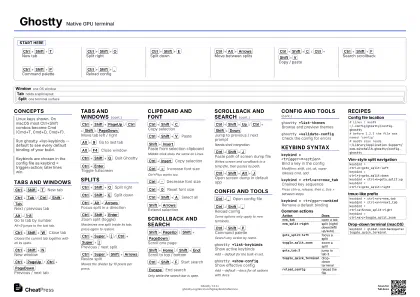 Ink saver · A3 landscape
420 × 297 mm · PDF
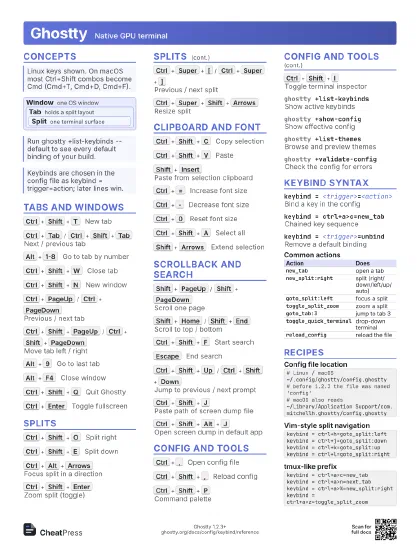
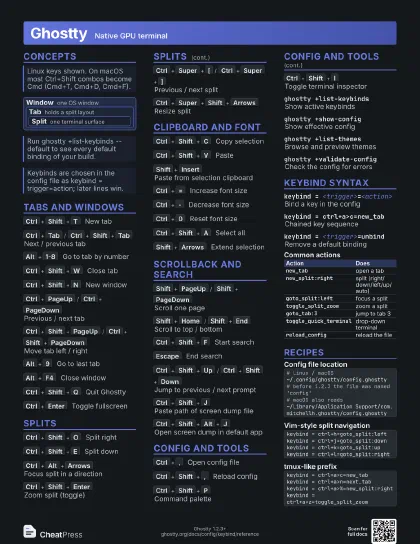
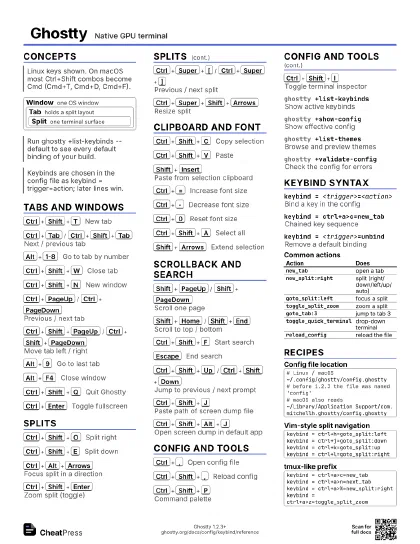
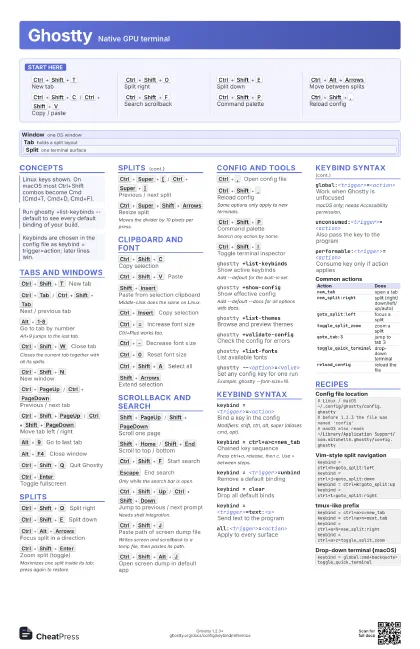
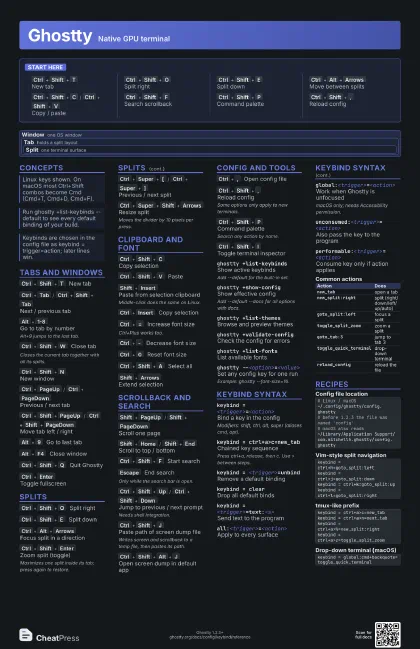
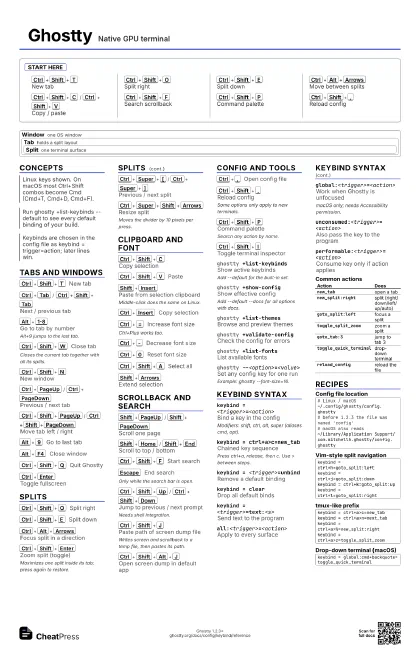
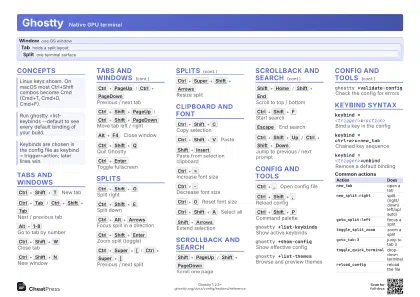
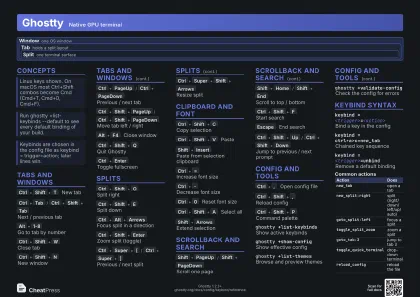
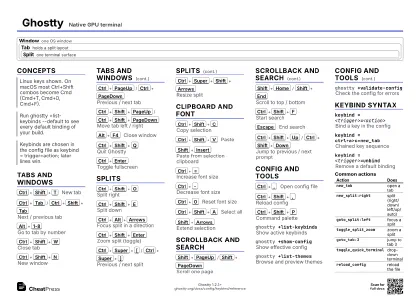
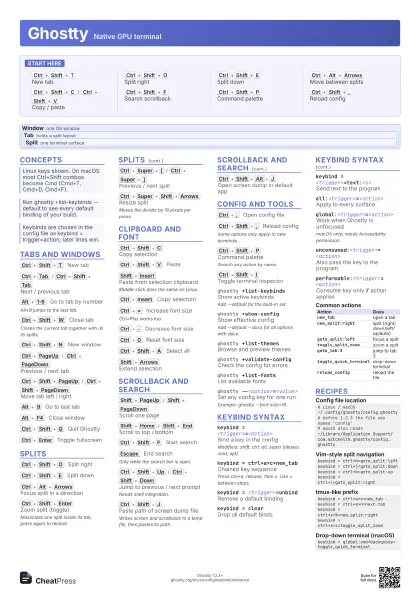
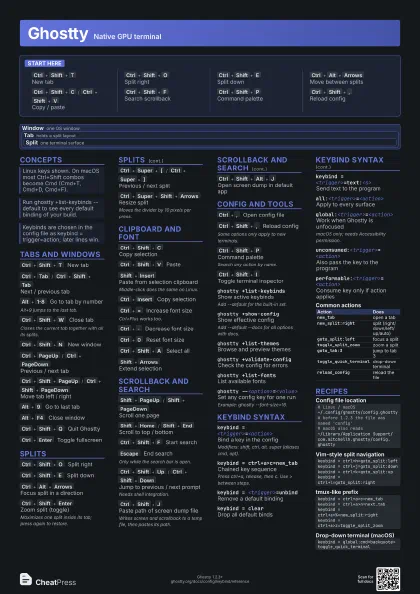
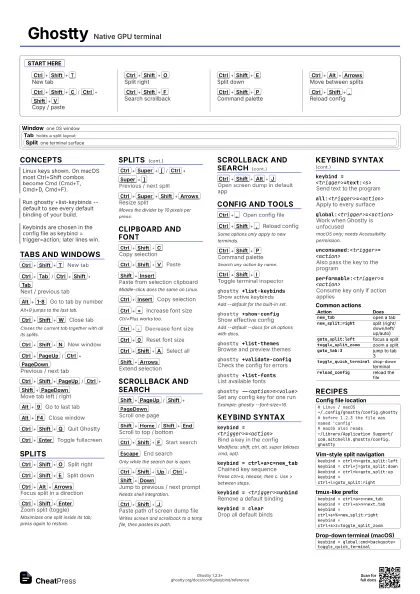
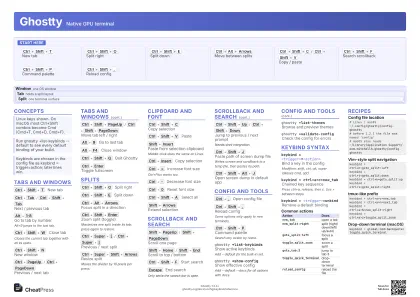
Start here
Ctrl+Shift+T
New tab
Ctrl+Shift+O
Split right
Ctrl+Shift+E
Split down
Ctrl+Alt+Arrows
Move between splits
Ctrl+Shift+C
/
Ctrl+Shift+V
Copy / paste
Ctrl+Shift+F
Search scrollback
Ctrl+Shift+P
Command palette
Ctrl+Shift+,
Reload config
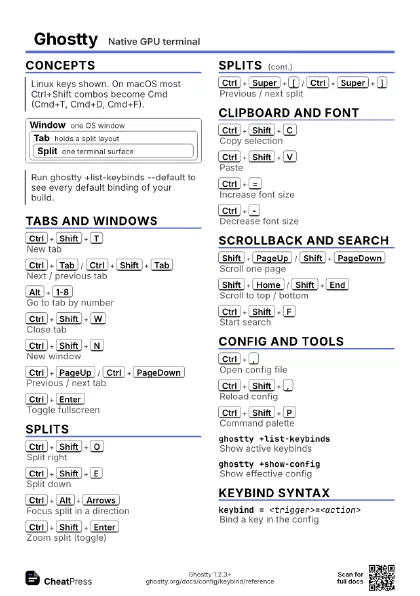
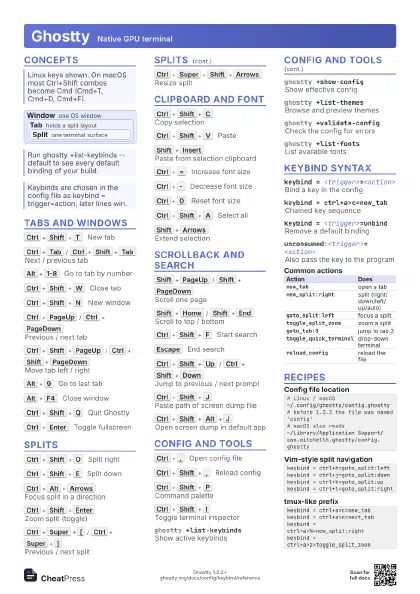
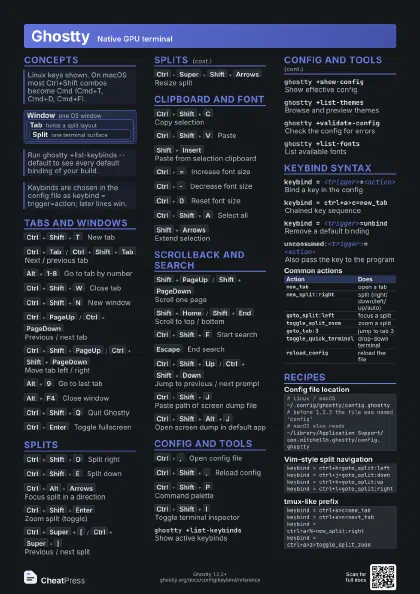
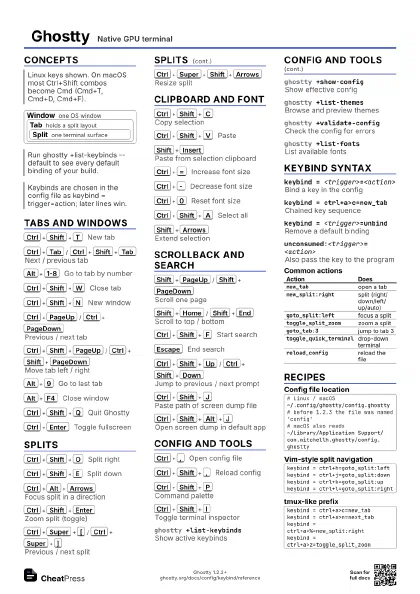
Concepts
Window one OS window
Tab holds a split layout
Split one terminal surface
Tabs and Windows
Ctrl+Shift+T
New tab
Ctrl+Tab
/
Ctrl+Shift+Tab
Next / previous tab
Alt+1-8
Go to tab by number
Alt+9 jumps to the last tab.
Ctrl+Shift+W
Close tab
Closes the current tab together with all its splits.
Ctrl+Shift+N
New window
Ctrl+PageUp
/
Ctrl+PageDown
Previous / next tab
Ctrl+Shift+PageUp
/
Ctrl+Shift+PageDown
Move tab left / right
Alt+9
Go to last tab
Alt+F4
Close window
Ctrl+Shift+Q
Quit Ghostty
Ctrl+Enter
Toggle fullscreen
Splits
Ctrl+Shift+O
Split right
Ctrl+Shift+E
Split down
Ctrl+Alt+Arrows
Focus split in a direction
Ctrl+Shift+Enter
Zoom split (toggle)
Maximizes one split inside its tab; press again to restore.
Ctrl+Super+[
/
Ctrl+Super+]
Previous / next split
Ctrl+Super+Shift+Arrows
Resize split
Moves the divider by 10 pixels per press.
Clipboard and Font
Ctrl+Shift+C
Copy selection
Ctrl+Shift+V
Paste
Shift+Insert
Paste from selection clipboard
Middle-click does the same on Linux.
Ctrl+Insert
Copy selection
Ctrl+=
Increase font size
Ctrl+Plus works too.
Ctrl+-
Decrease font size
Ctrl+0
Reset font size
Ctrl+Shift+A
Select all
Shift+Arrows
Extend selection
Scrollback and Search
Shift+PageUp
/
Shift+PageDown
Scroll one page
Shift+Home
/
Shift+End
Scroll to top / bottom
Ctrl+Shift+F
Start search
Escape
End search
Only while the search bar is open.
Ctrl+Shift+Up
/
Ctrl+Shift+Down
Jump to previous / next prompt
Needs shell integration.
Ctrl+Shift+J
Paste path of screen dump file
Writes screen and scrollback to a temp file, then pastes its
path.
Ctrl+Shift+Alt+J
Open screen dump in default app
Config and Tools
Ctrl+,
Open config file
Ctrl+Shift+,
Reload config
Some options only apply to new terminals.
Ctrl+Shift+P
Command palette
Search any action by name.
Ctrl+Shift+I
Toggle terminal inspector
ghostty +list-keybinds
Show active keybinds
Add --default for the built-in set.
ghostty +show-config
Show effective config
Add --default --docs for all options with docs.
ghostty +list-themes
Browse and preview themes
ghostty +validate-config
Check the config for errors
ghostty +list-fonts
List available fonts
ghostty --<option>=<value>
Set any config key for one run
Example: ghostty --font-size=16.
Keybind Syntax
keybind = <trigger>=<action>
Bind a key in the config
Modifiers: shift, ctrl, alt, super (aliases cmd, opt).
keybind = ctrl+a>c=new_tab
Chained key sequence
Press ctrl+a, release, then c. Use > between steps.
keybind = <trigger>=unbind
Remove a default binding
keybind = clearDrop all default binds
keybind = <trigger>=text:<s>
Send text to the program
all:<trigger>=<action>
Apply to every surface
global:<trigger>=<action>
Work when Ghostty is unfocused
macOS only; needs Accessibility permission.
unconsumed:<trigger>=<action>
Also pass the key to the program
performable:<trigger>=<action>
Consume key only if action applies
| Action | Does |
|---|---|
new_tab |
open a tab |
new_split:right |
split (right/down/left/up/auto) |
goto_split:left |
focus a split |
toggle_split_zoom |
zoom a split |
goto_tab:3 |
jump to tab 3 |
toggle_quick_terminal |
drop-down terminal |
reload_config |
reload the file |
Recipes
# Linux / macOS~/.config/ghostty/config.ghostty# before 1.2.3 the file was named 'config'# macOS also reads~/Library/Application Support/com.mitchellh.ghostty/config.ghosttykeybind = ctrl+h=goto_split:leftkeybind = ctrl+j=goto_split:downkeybind = ctrl+k=goto_split:upkeybind = ctrl+l=goto_split:rightkeybind = ctrl+a>c=new_tabkeybind = ctrl+a>n=next_tabkeybind = ctrl+a>%=new_split:rightkeybind = ctrl+a>z=toggle_split_zoomkeybind = global:cmd+backquote=toggle_quick_terminal