Cheat
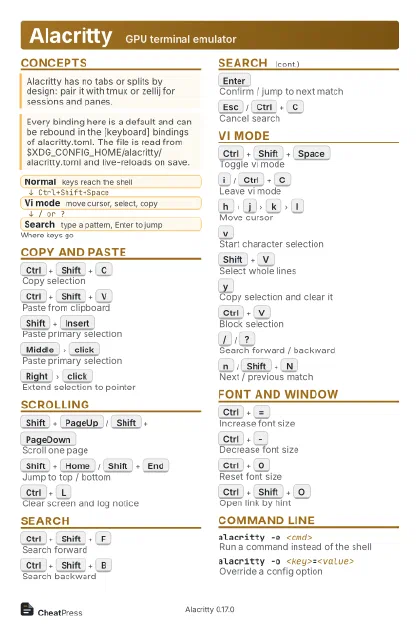
Alacritty GPU terminal emulator
 Light · Postcard
102 × 152 mm · PDF
 Dark · Postcard
102 × 152 mm · PDF
 Ink saver · Postcard
102 × 152 mm · PDF
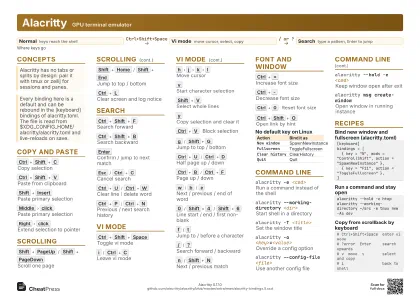 Light · A4 landscape
297 × 210 mm · PDF
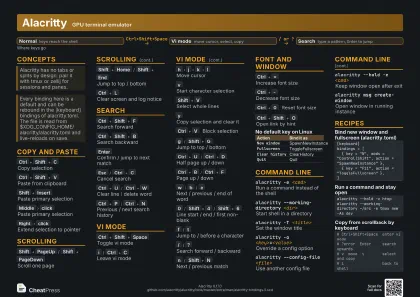 Dark · A4 landscape
297 × 210 mm · PDF
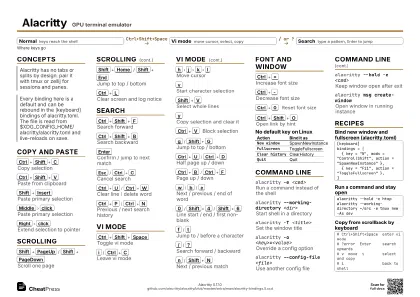 Ink saver · A4 landscape
297 × 210 mm · PDF
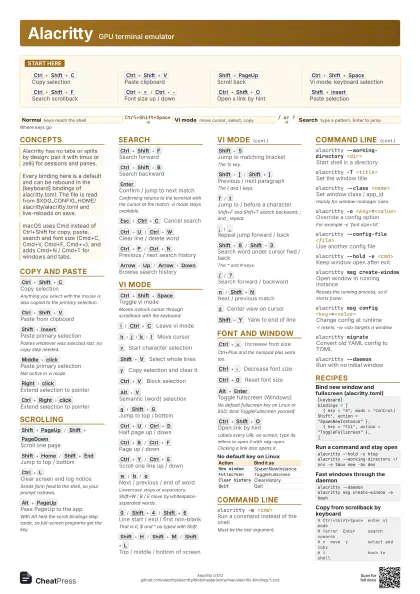
 Light · A3 landscape
420 × 297 mm · PDF
 Dark · A3 landscape
420 × 297 mm · PDF
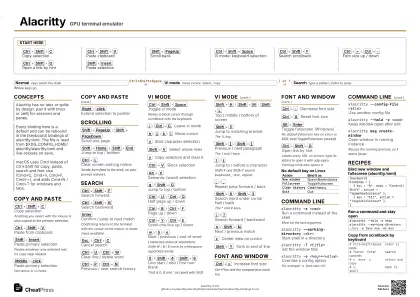 Ink saver · A3 landscape
420 × 297 mm · PDF
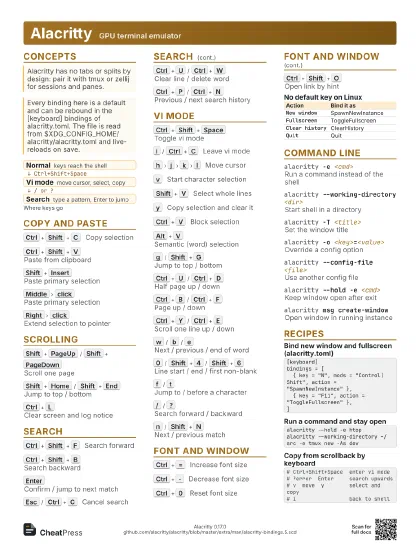
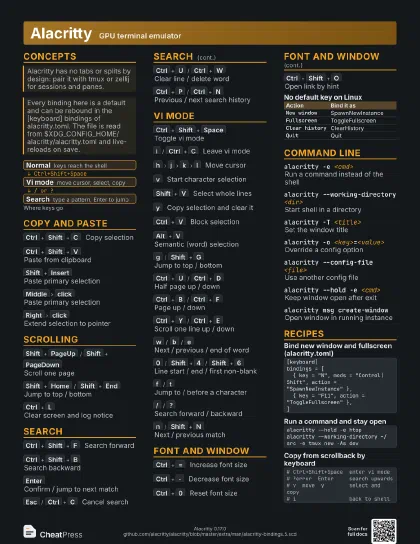
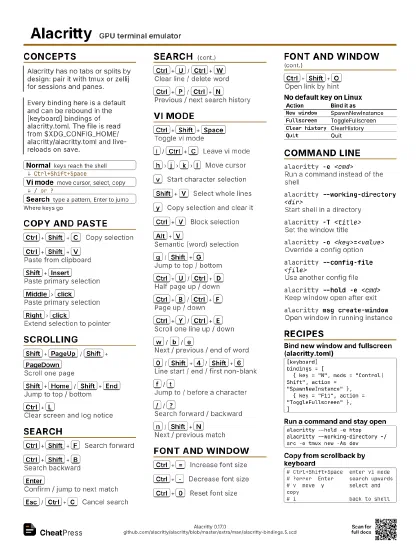
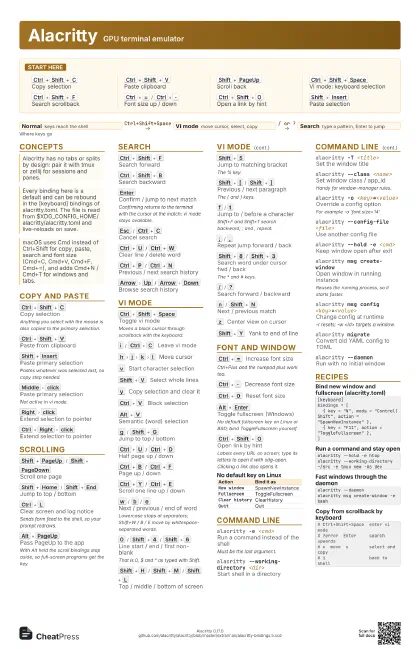
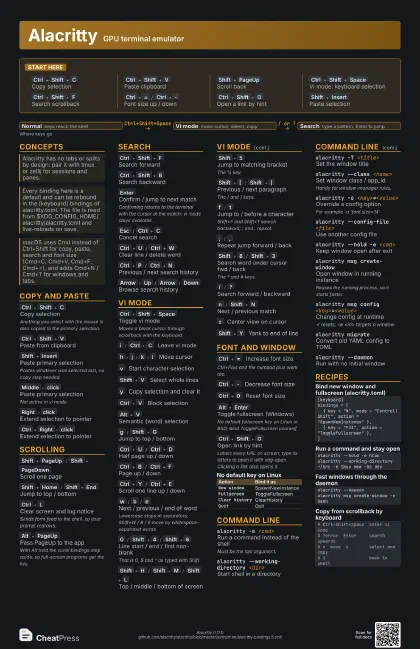
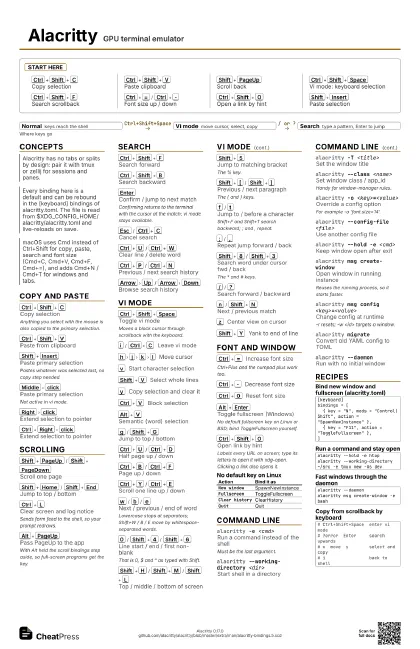
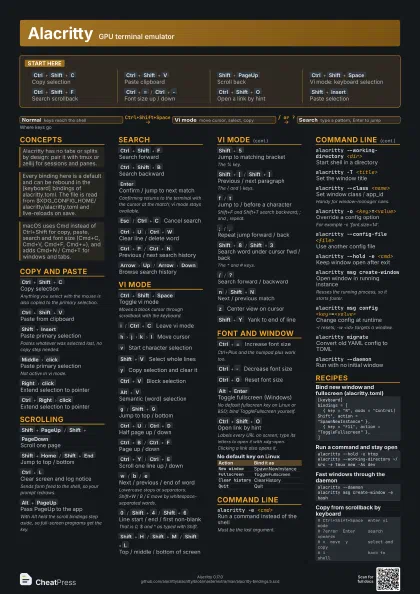
Start here
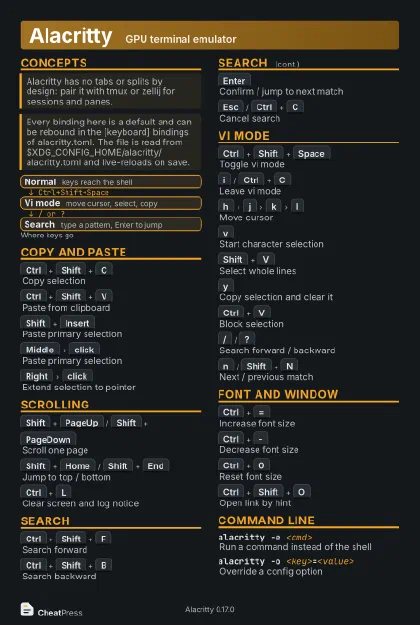
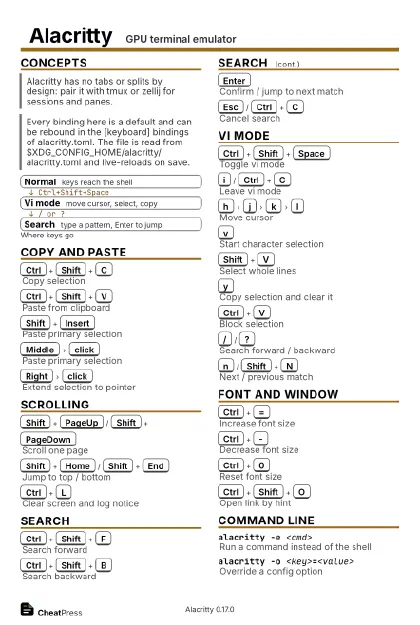
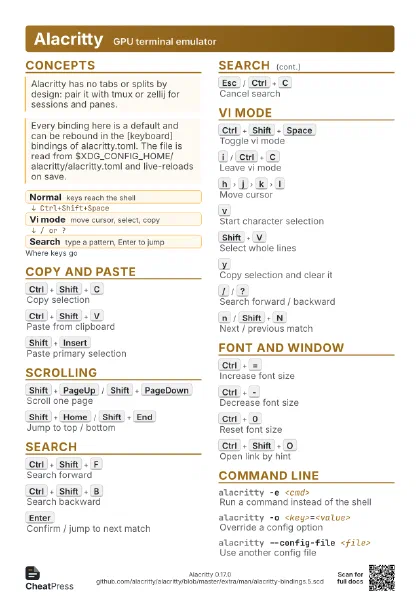
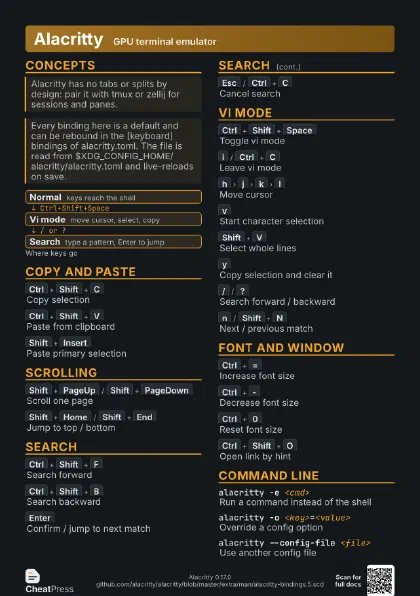
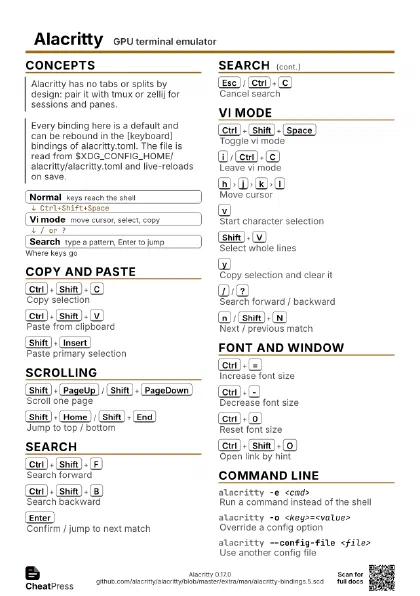
Ctrl+Shift+C
Copy selection
Ctrl+Shift+V
Paste clipboard
Shift+PageUp
Scroll back
Ctrl+Shift+Space
Vi mode: keyboard selection
Ctrl+Shift+F
Search scrollback
Ctrl+=
/
Ctrl+-
Font size up / down
Ctrl+Shift+O
Open a link by hint
Shift+Insert
Paste selection
Concepts
- Normal keys reach the shell
- Vi mode move cursor, select, copy
- Search type a pattern, Enter to jump
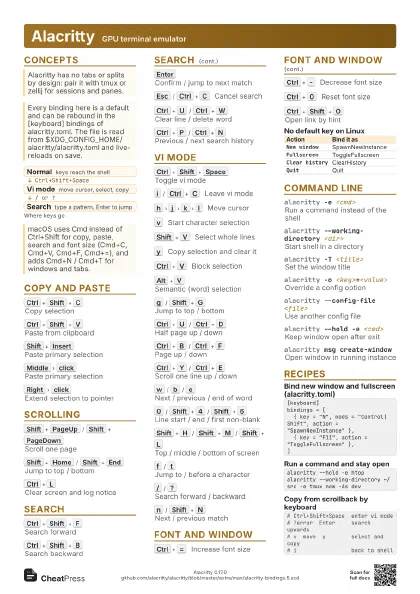
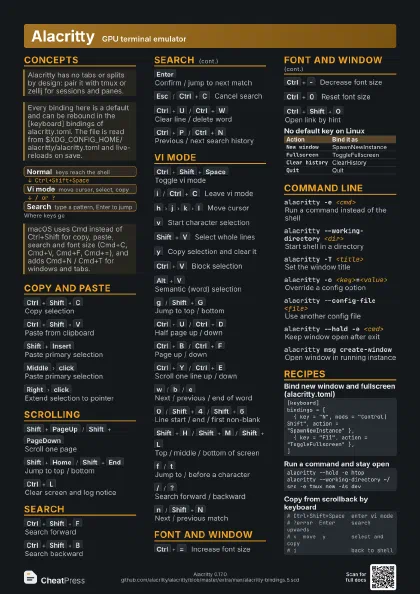
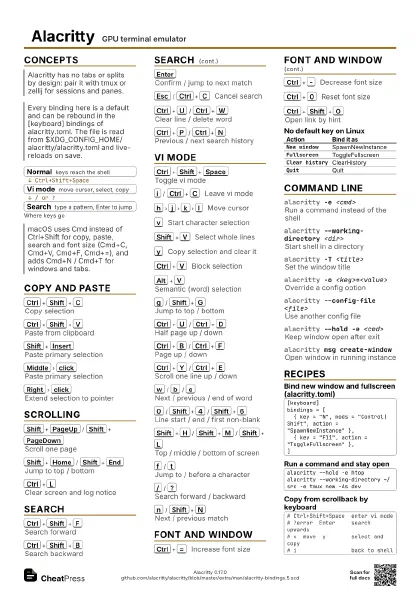
Copy and Paste
Ctrl+Shift+C
Copy selection
Anything you select with the mouse is also copied to the
primary selection.
Ctrl+Shift+V
Paste from clipboard
Shift+Insert
Paste primary selection
Pastes whatever was selected last, no copy step needed.
Middle
click
Paste primary selection
Not active in vi mode.
Right
click
Extend selection to pointer
Ctrl+Right
click
Extend selection to pointer
Scrolling
Shift+PageUp
/
Shift+PageDown
Scroll one page
Shift+Home
/
Shift+End
Jump to top / bottom
Ctrl+L
Clear screen and log notice
Sends form feed to the shell, so your prompt redraws.
Alt+PageUp
Pass PageUp to the app
With Alt held the scroll bindings step aside, so full-screen
programs get the key.
Search
Ctrl+Shift+F
Search forward
Ctrl+Shift+B
Search backward
Enter
Confirm / jump to next match
Confirming returns to the terminal with the cursor at the
match; vi mode stays available.
Esc
/
Ctrl+C
Cancel search
Ctrl+U
/
Ctrl+W
Clear line / delete word
Ctrl+P
/
Ctrl+N
Previous / next search history
Arrow
Up
/
Arrow
Down
Browse search history
Vi Mode
Ctrl+Shift+Space
Toggle vi mode
Moves a block cursor through scrollback with the keyboard.
i
/
Ctrl+C
Leave vi mode
h
j
k
l
Move cursor
v
Start character selection
Shift+V
Select whole lines
y
Copy selection and clear it
Ctrl+V
Block selection
Alt+V
Semantic (word) selection
g
/
Shift+G
Jump to top / bottom
Ctrl+U
/
Ctrl+D
Half page up / down
Ctrl+B
/
Ctrl+F
Page up / down
Ctrl+Y
/
Ctrl+E
Scroll one line up / down
w
/
b
/
e
Next / previous / end of word
Lowercase stops at separators; Shift+W / B / E move by
whitespace-separated words.
0
/
Shift+4
/
Shift+6
Line start / end / first non-blank
That is 0, $ and ^ as typed with Shift.
Shift+H
/
Shift+M
/
Shift+L
Top / middle / bottom of screen
Shift+5
Jump to matching bracket
The % key.
Shift+[
/
Shift+]
Previous / next paragraph
The { and } keys.
f
/
t
Jump to / before a character
Shift+F and Shift+T search backward; ; and , repeat.
;
/
,
Repeat jump forward / back
Shift+8
/
Shift+3
Search word under cursor fwd / back
The * and # keys.
/
/
?
Search forward / backward
n
/
Shift+N
Next / previous match
z
Center view on cursor
Shift+Y
Yank to end of line
Font and Window
Ctrl+=
Increase font size
Ctrl+Plus and the numpad plus work too.
Ctrl+-
Decrease font size
Ctrl+0
Reset font size
Alt+Enter
Toggle fullscreen (Windows)
No default fullscreen key on Linux or BSD; bind
ToggleFullscreen yourself.
Ctrl+Shift+O
Open link by hint
Labels every URL on screen; type its letters to open it with
xdg-open. Clicking a link also opens it.
| Action | Bind it as |
|---|---|
New window |
SpawnNewInstance |
Fullscreen |
ToggleFullscreen |
Clear history |
ClearHistory |
Quit |
Quit |
Command Line
alacritty -e <cmd>
Run a command instead of the shell
Must be the last argument.
alacritty --working-directory <dir>
Start shell in a directory
alacritty -T <title>
Set the window title
alacritty --class <name>
Set window class / app_id
Handy for window-manager rules.
alacritty -o <key>=<value>
Override a config option
For example -o 'font.size=14'.
alacritty --config-file <file>
Use another config file
alacritty --hold -e <cmd>
Keep window open after exit
alacritty msg create-window
Open window in running instance
Reuses the running process, so it starts faster.
alacritty msg config <key>=<value>
Change config at runtime
-r resets; -w <id> targets a window.
alacritty migrate
Convert old YAML config to TOML
alacritty --daemon
Run with no initial window
Recipes
[keyboard]bindings = [ { key = "N", mods = "Control|Shift", action = "SpawnNewInstance" }, { key = "F11", action = "ToggleFullscreen" },]alacritty --hold -e htopalacritty --working-directory ~/src -e tmux new -As devalacritty --daemonalacritty msg create-window -e bash# Ctrl+Shift+Space enter vi mode# ?error Enter search upwards# v move y select and copy# i back to shell