Cheat
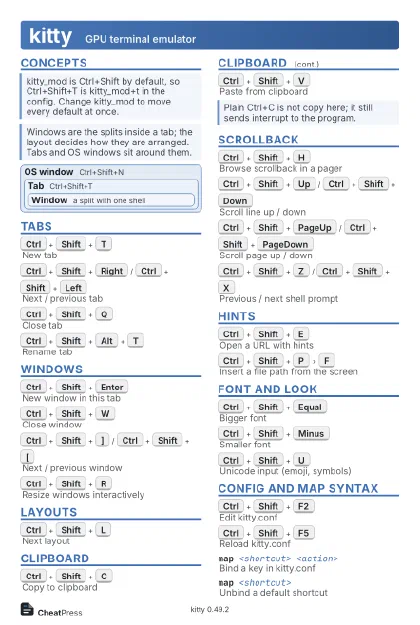
kitty GPU terminal emulator
 Light · Postcard
102 × 152 mm · PDF
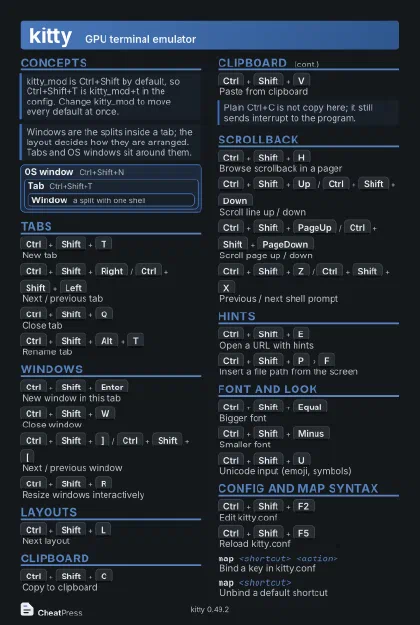 Dark · Postcard
102 × 152 mm · PDF
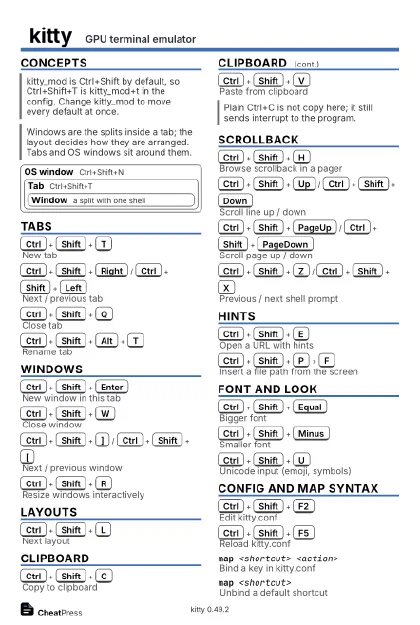 Ink saver · Postcard
102 × 152 mm · PDF
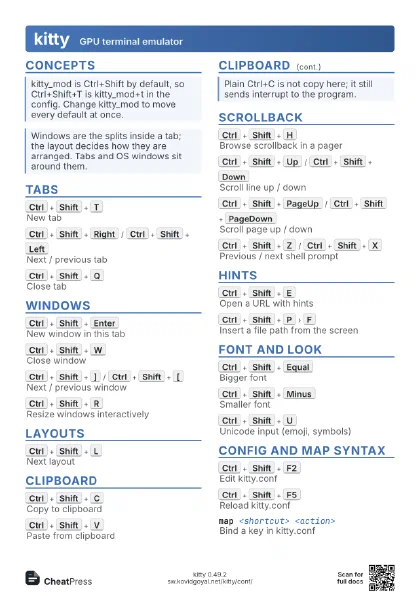
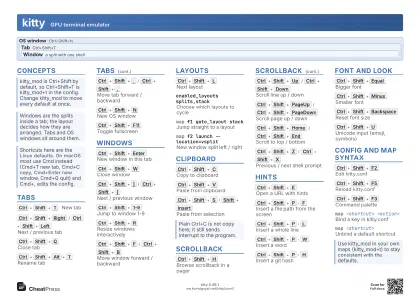 Light · A4 landscape
297 × 210 mm · PDF
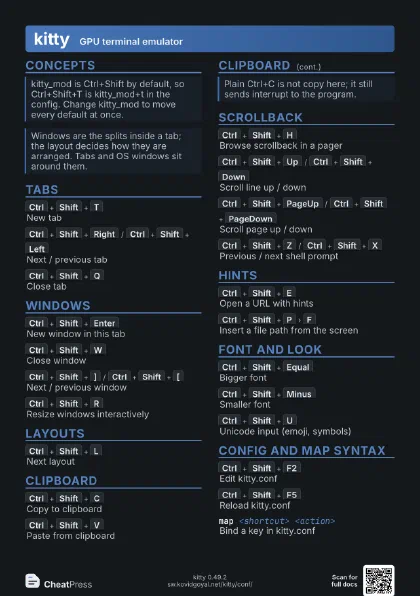
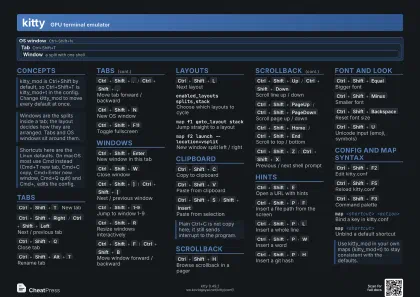 Dark · A4 landscape
297 × 210 mm · PDF
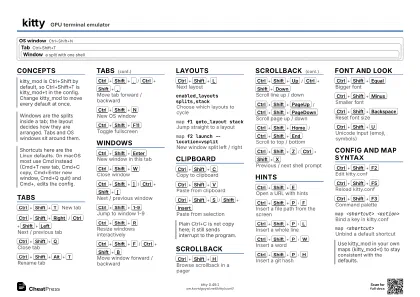 Ink saver · A4 landscape
297 × 210 mm · PDF
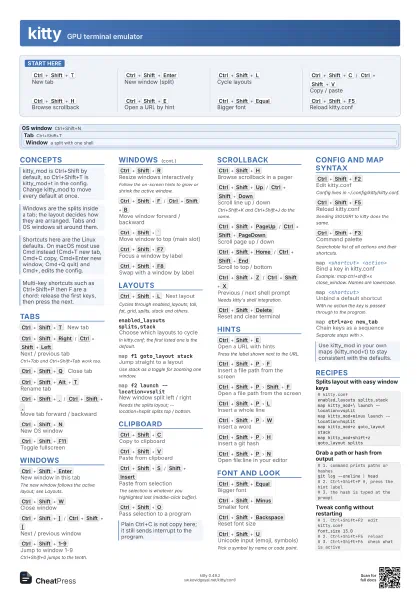
 Light · A3 landscape
420 × 297 mm · PDF
 Dark · A3 landscape
420 × 297 mm · PDF
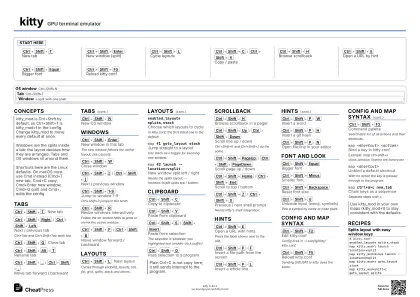 Ink saver · A3 landscape
420 × 297 mm · PDF
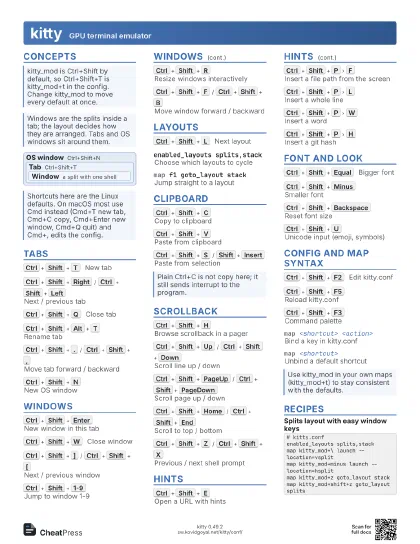
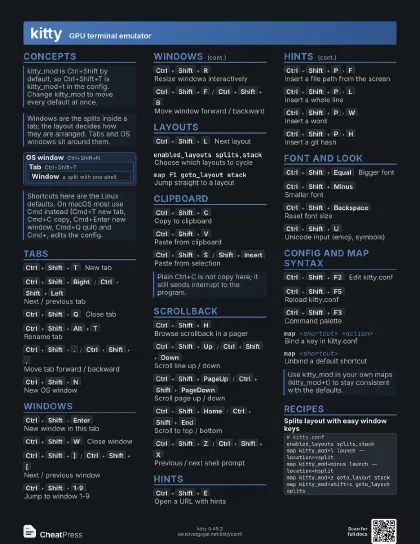
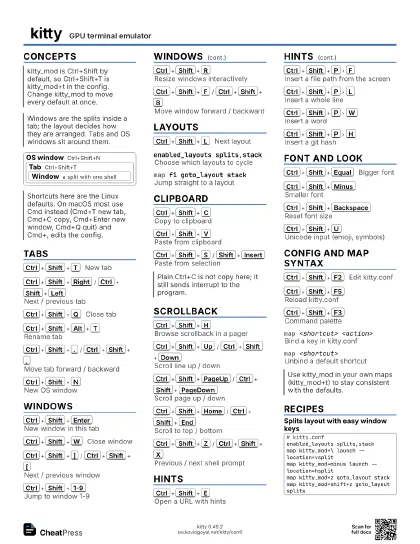
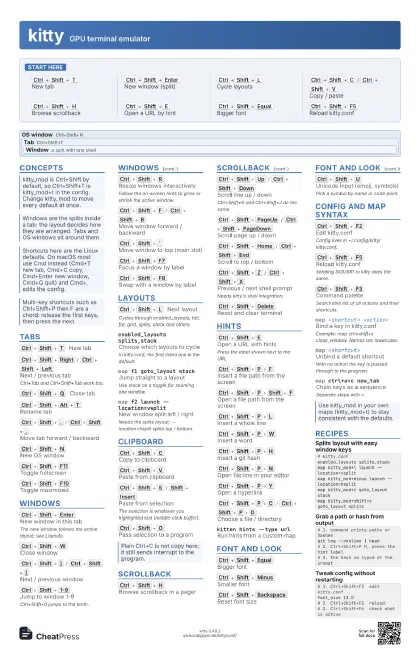
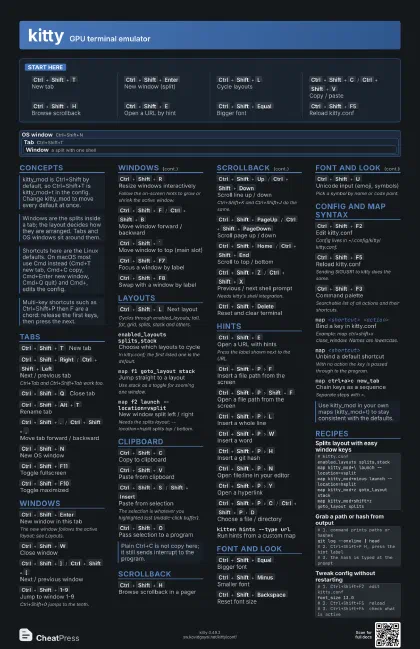
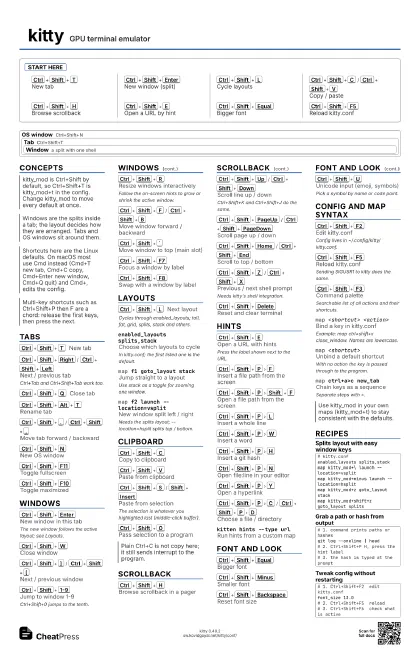
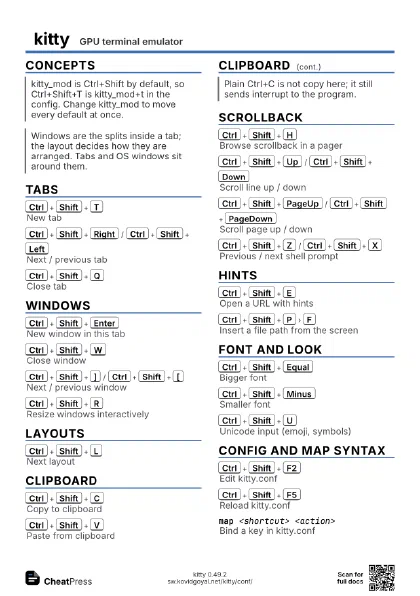
Start here
Ctrl+Shift+T
New tab
Ctrl+Shift+Enter
New window (split)
Ctrl+Shift+L
Cycle layouts
Ctrl+Shift+C
/
Ctrl+Shift+V
Copy / paste
Ctrl+Shift+H
Browse scrollback
Ctrl+Shift+E
Open a URL by hint
Ctrl+Shift+Equal
Bigger font
Ctrl+Shift+F5
Reload kitty.conf
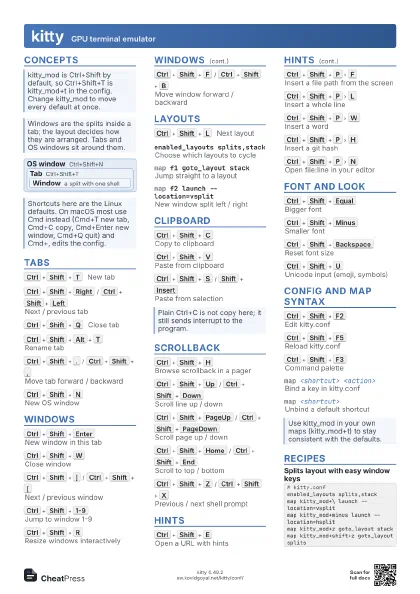
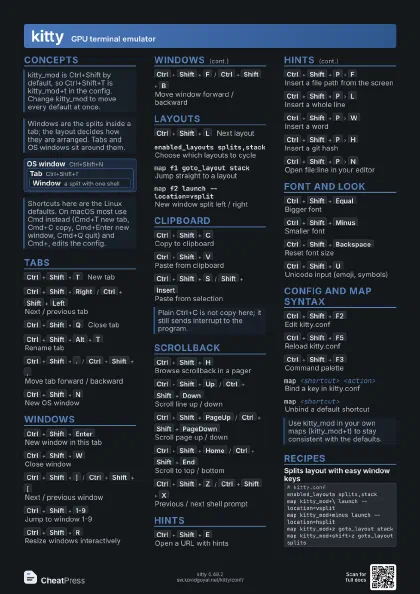
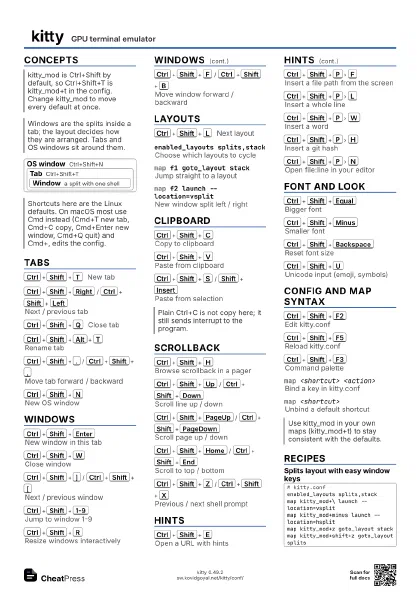
Concepts
OS window Ctrl+Shift+N
Tab Ctrl+Shift+T
Window
a split with one shell
Tabs
Ctrl+Shift+T
New tab
Ctrl+Shift+Right
/
Ctrl+Shift+Left
Next / previous tab
Ctrl+Tab and Ctrl+Shift+Tab work too.
Ctrl+Shift+Q
Close tab
Ctrl+Shift+Alt+T
Rename tab
Ctrl+Shift+.
/
Ctrl+Shift+,
Move tab forward / backward
Ctrl+Shift+N
New OS window
Ctrl+Shift+F11
Toggle fullscreen
Ctrl+Shift+F10
Toggle maximized
Windows
Ctrl+Shift+Enter
New window in this tab
The new window follows the active layout; see Layouts.
Ctrl+Shift+W
Close window
Ctrl+Shift+]
/
Ctrl+Shift+[
Next / previous window
Ctrl+Shift+1-9
Jump to window 1-9
Ctrl+Shift+0 jumps to the tenth.
Ctrl+Shift+R
Resize windows interactively
Follow the on-screen hints to grow or shrink the active
window.
Ctrl+Shift+F
/
Ctrl+Shift+B
Move window forward / backward
Ctrl+Shift+`
Move window to top (main slot)
Ctrl+Shift+F7
Focus a window by label
Ctrl+Shift+F8
Swap with a window by label
Layouts
Ctrl+Shift+L
Next layout
Cycles through enabled_layouts; tall, fat, grid, splits, stack
and others.
enabled_layouts splits,stack
Choose which layouts to cycle
In kitty.conf; the first listed one is the default.
map f1 goto_layout stack
Jump straight to a layout
Use stack as a toggle for zooming one window.
map f2 launch --location=vsplit
New window split left / right
Needs the splits layout; --location=hsplit splits top /
bottom.
Clipboard
Ctrl+Shift+C
Copy to clipboard
Ctrl+Shift+V
Paste from clipboard
Ctrl+Shift+S
/
Shift+Insert
Paste from selection
The selection is whatever you highlighted last (middle-click
buffer).
Ctrl+Shift+O
Pass selection to a program
Scrollback
Ctrl+Shift+H
Browse scrollback in a pager
Ctrl+Shift+Up
/
Ctrl+Shift+Down
Scroll line up / down
Ctrl+Shift+K and Ctrl+Shift+J do the same.
Ctrl+Shift+PageUp
/
Ctrl+Shift+PageDown
Scroll page up / down
Ctrl+Shift+Home
/
Ctrl+Shift+End
Scroll to top / bottom
Ctrl+Shift+Z
/
Ctrl+Shift+X
Previous / next shell prompt
Needs kitty's shell integration.
Ctrl+Shift+Delete
Reset and clear terminal
Hints
Ctrl+Shift+E
Open a URL with hints
Press the label shown next to the URL.
Ctrl+Shift+P
F
Insert a file path from the screen
Ctrl+Shift+P
Shift+F
Open a file path from the screen
Ctrl+Shift+P
L
Insert a whole line
Ctrl+Shift+P
W
Insert a word
Ctrl+Shift+P
H
Insert a git hash
Ctrl+Shift+P
N
Open file:line in your editor
Ctrl+Shift+P
Y
Open a hyperlink
Ctrl+Shift+P
C
/
Ctrl+Shift+P
D
Choose a file / directory
kitten hints --type url
Run hints from a custom map
Font and Look
Ctrl+Shift+Equal
Bigger font
Ctrl+Shift+Minus
Smaller font
Ctrl+Shift+Backspace
Reset font size
Ctrl+Shift+U
Unicode input (emoji, symbols)
Pick a symbol by name or code point.
Ctrl+Shift+A
M
/
Ctrl+Shift+A
L
More / less background opacity
Needs dynamic_background_opacity yes.
Ctrl+Shift+A
1
Opacity fully opaque
Ctrl+Shift+A
D
Opacity back to default
Config and Map Syntax
Ctrl+Shift+F2
Edit kitty.conf
Config lives in ~/.config/kitty/kitty.conf.
Ctrl+Shift+F5
Reload kitty.conf
Sending SIGUSR1 to kitty does the same.
Ctrl+Shift+F6
Show the effective configuration
Ctrl+Shift+F3
Command palette
Searchable list of all actions and their shortcuts.
Ctrl+Shift+F1
Open the kitty overview docs
Ctrl+Shift+Escape
Open kitty shell
map <shortcut> <action>
Bind a key in kitty.conf
Example: map ctrl+shift+x close_window. Names are
lowercase.
map <shortcut>
Unbind a default shortcut
With no action the key is passed through to the program.
map ctrl+a>c new_tab
Chain keys as a sequence
Separate steps with >.
map f1 combine : <a> : <b>
Run several actions at once
Actions are separated by colons.
map --allow-fallback=shifted,ascii <key>
                    <action>
Match shifted or ASCII form of a key
Recipes
# kitty.confenabled_layouts splits,stackmap kitty_mod+\ launch --location=vsplitmap kitty_mod+minus launch --location=hsplitmap kitty_mod+z goto_layout stackmap kitty_mod+shift+z goto_layout splits# kitty.confmap ctrl+insert copy_to_clipboardmap shift+insert paste_from_clipboard# 1. command prints paths or hashesgit log --oneline | head# 2. Ctrl+Shift+P H, press the hint label# 3. the hash is typed at the prompt# 1. Ctrl+Shift+F2 edit kitty.conffont_size 13.0# 2. Ctrl+Shift+F5 reload# 3. Ctrl+Shift+F6 check what is active