Cheat
feh Fast image viewer
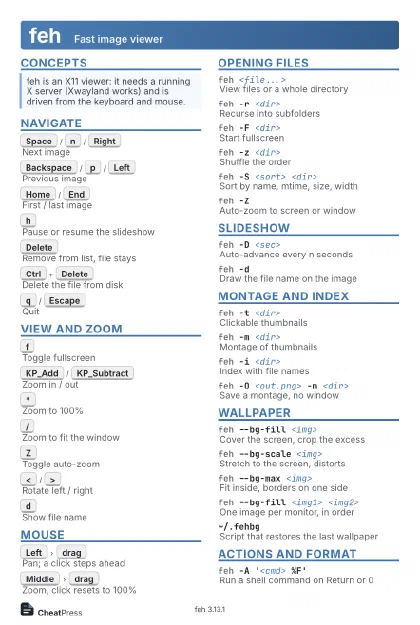 Light · Postcard
102 × 152 mm · PDF
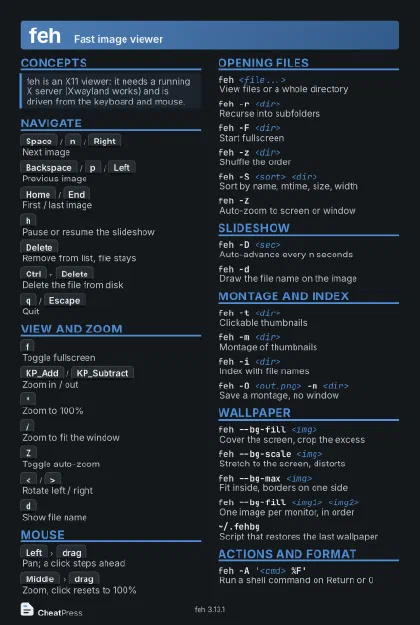 Dark · Postcard
102 × 152 mm · PDF
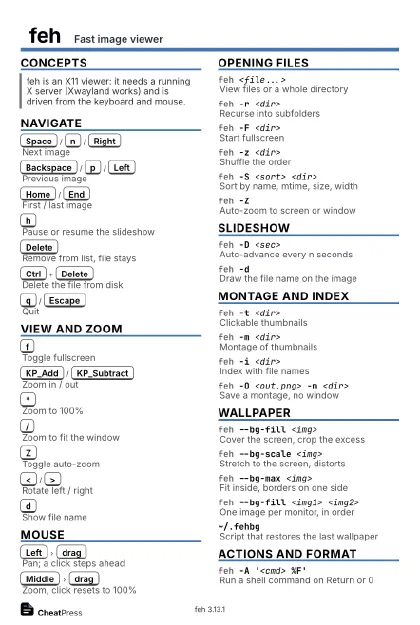 Ink saver · Postcard
102 × 152 mm · PDF
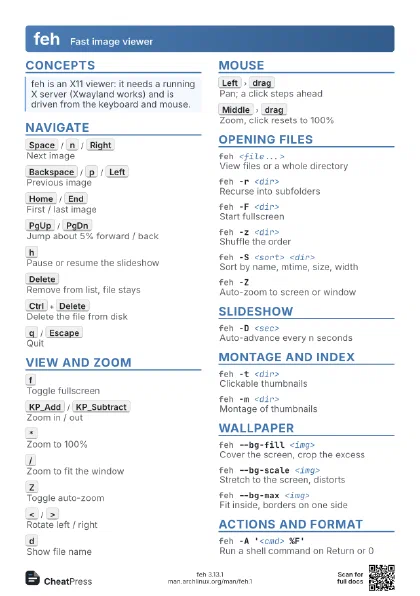
 Light · A4 landscape
297 × 210 mm · PDF
 Dark · A4 landscape
297 × 210 mm · PDF
 Ink saver · A4 landscape
297 × 210 mm · PDF
 Light · A3 landscape
420 × 297 mm · PDF
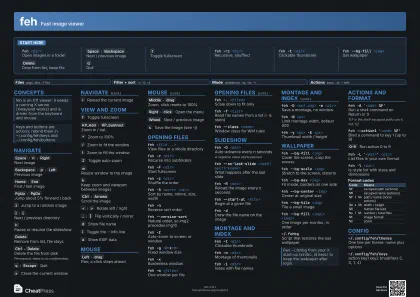 Dark · A3 landscape
420 × 297 mm · PDF
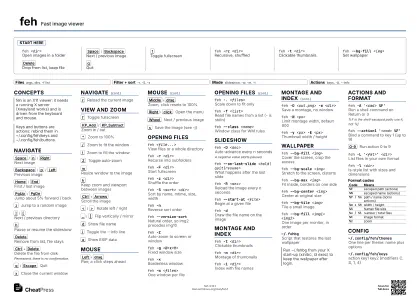 Ink saver · A3 landscape
420 × 297 mm · PDF
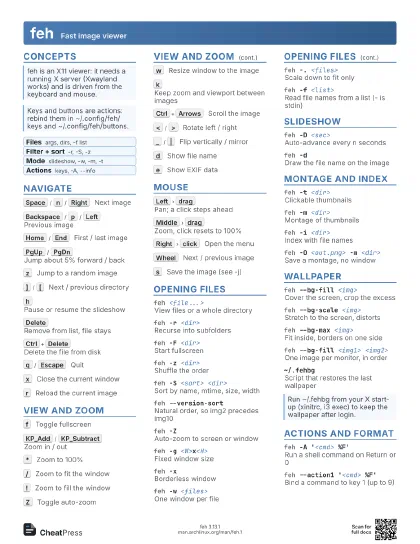
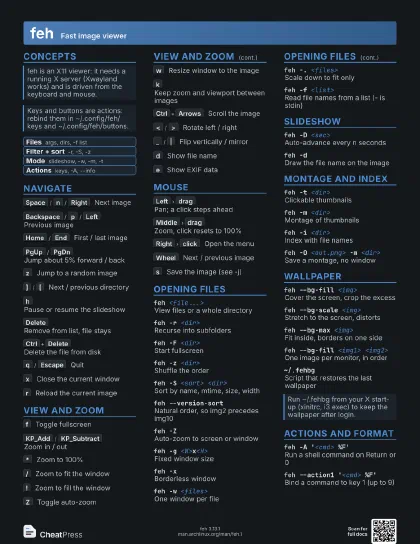
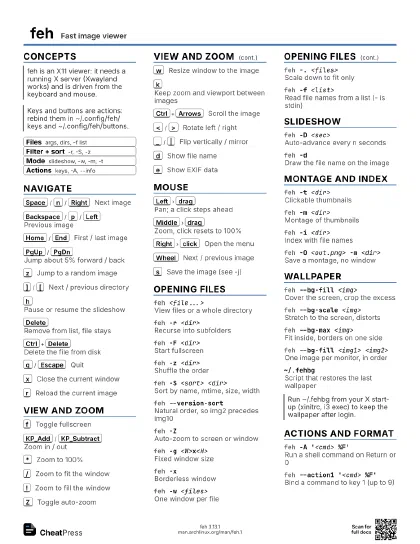
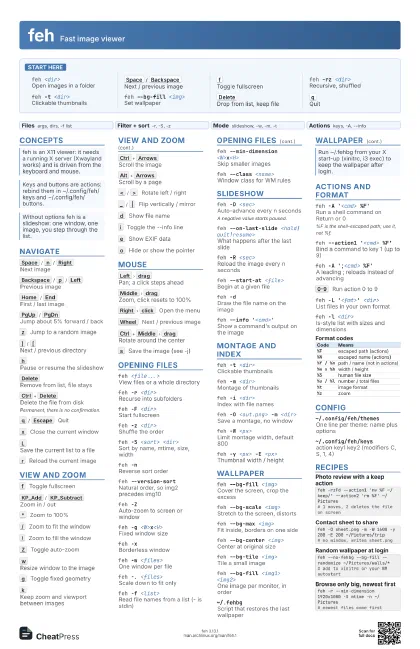
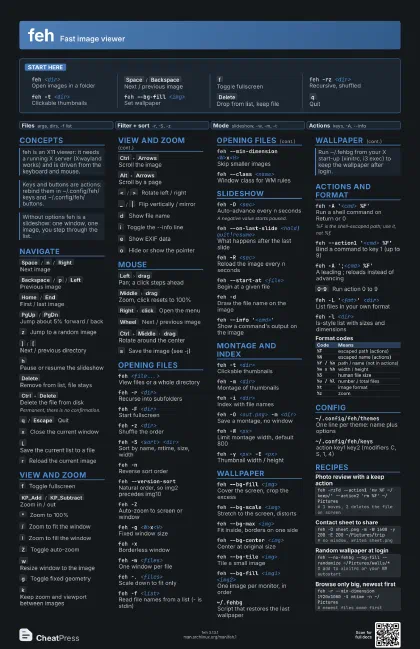
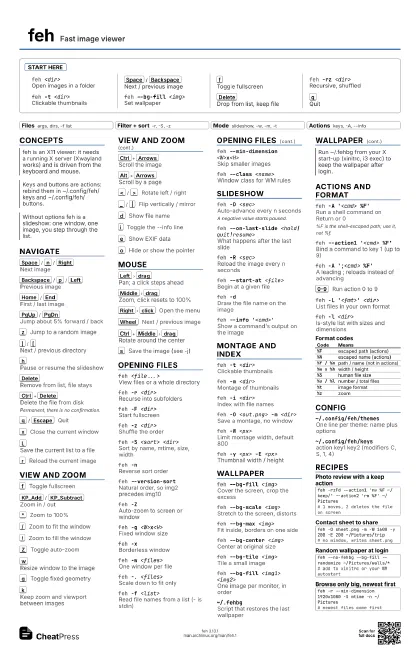
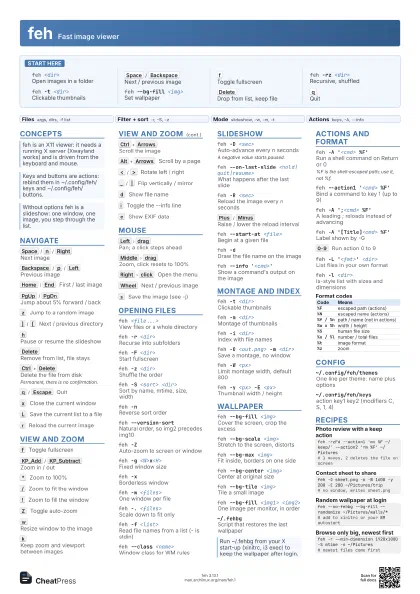
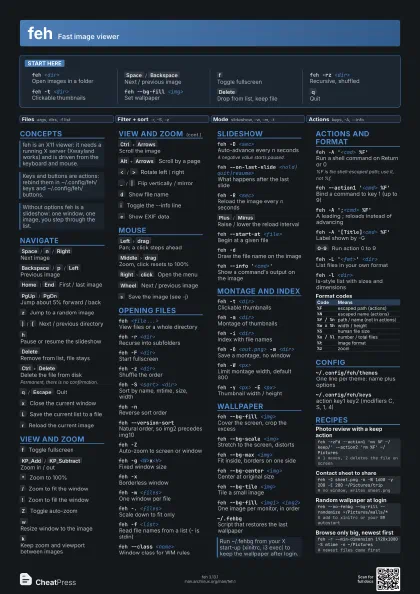
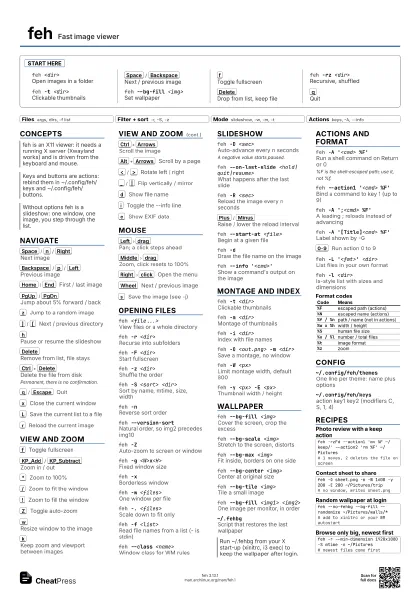
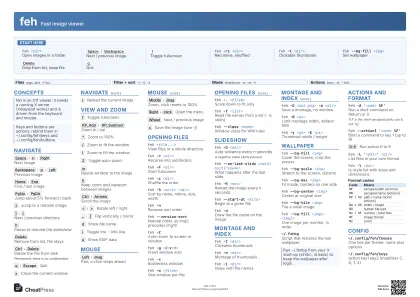
Start here
feh <dir>Open images in a folder
Space
/
Backspace
Next / previous image
f
Toggle fullscreen
feh -rz <dir>
Recursive, shuffled
feh -t <dir>
Clickable thumbnails
feh --bg-fill <img>
Set wallpaper
Delete
Drop from list, keep file
q
Quit
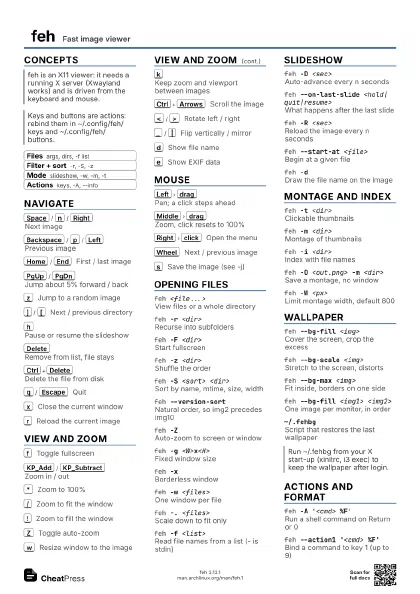
Concepts
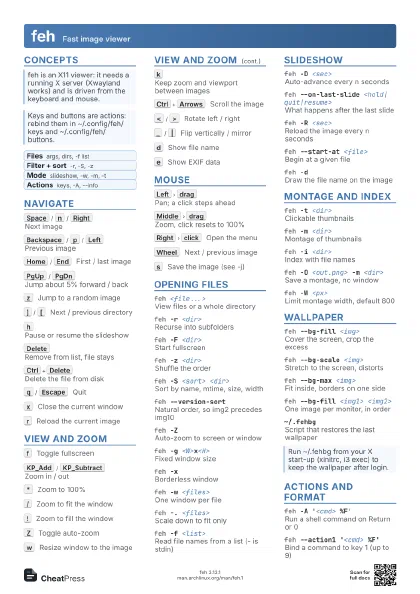
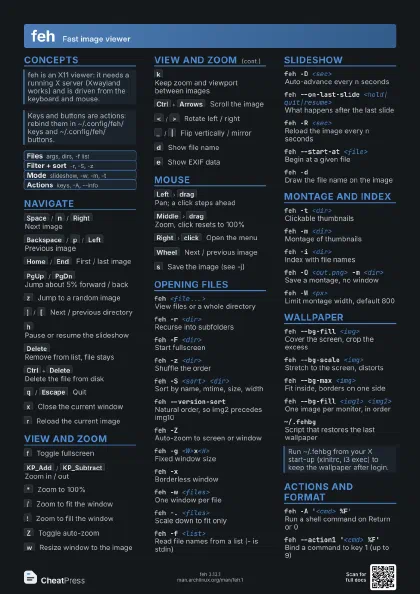
- Files args, dirs, -f list
- Filter + sort -r, -S, -z
- Mode slideshow, -w, -m, -t
- Actions keys, -A, --info
Navigate
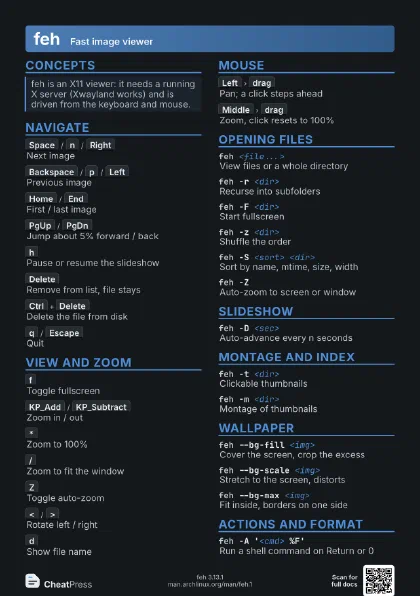
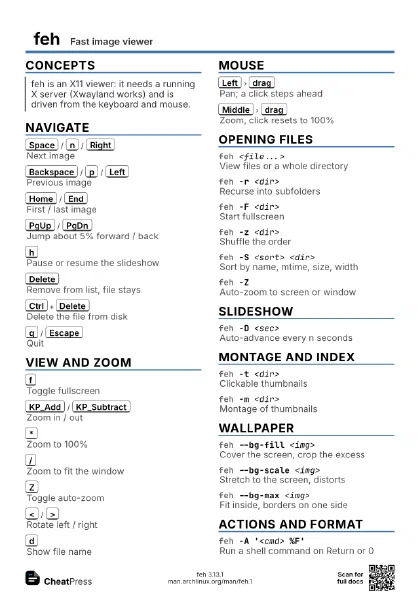
Space
/
n
/
Right
Next image
Backspace
/
p
/
Left
Previous image
Home
/
End
First / last image
PgUp
/
PgDn
Jump about 5% forward / back
z
Jump to a random image
]
/
[
Next / previous directory
h
Pause or resume the slideshow
Delete
Remove from list, file stays
Ctrl+Delete
Delete the file from disk
Permanent, there is no confirmation.
q
/
Escape
Quit
x
Close the current window
L
Save the current list to a file
r
Reload the current image
View and zoom
f
Toggle fullscreen
KP_Add
/
KP_Subtract
Zoom in / out
*
Zoom to 100%
/
Zoom to fit the window
!
Zoom to fill the window
Z
Toggle auto-zoom
w
Resize window to the image
g
Toggle fixed geometry
k
Keep zoom and viewport between images
Ctrl+Arrows
Scroll the image
Alt+Arrows
Scroll by a page
<
/
>
Rotate left / right
_
/
|
Flip vertically / mirror
d
Show file name
i
Toggle the --info line
e
Show EXIF data
o
Hide or show the pointer
Mouse
Left
drag
Pan; a click steps ahead
Middle
drag
Zoom, click resets to 100%
Right
click
Open the menu
Wheel
Next / previous image
Ctrl+Left
drag
Blur / sharpen
Ctrl+Middle
drag
Rotate around the center
s
Save the image (see -j)
m
Toggle the menu
Opening files
feh <file...>
View files or a whole directory
feh -r <dir>
Recurse into subfolders
feh -F <dir>
Start fullscreen
feh -z <dir>
Shuffle the order
feh -S <sort> <dir>
Sort by name, mtime, size, width
feh -nReverse sort order
feh --version-sort
Natural order, so img2 precedes img10
feh -ZAuto-zoom to screen or window
feh -g <W>x<H>
Fixed window size
feh -xBorderless window
feh -w <files>
One window per file
feh -. <files>
Scale down to fit only
feh -f <list>
Read file names from a list (- is stdin)
feh --min-dimension <W>x<H>
Skip smaller images
feh -B <style>
Background: default, checks or a color
feh -pPrescan and drop unloadable files
feh -T <theme>
Load a named option set
feh --class <name>
Window class for WM rules
Slideshow
feh -D <sec>
Auto-advance every n seconds
A negative value starts paused.
feh --on-last-slide <hold|quit|resume>
What happens after the last slide
feh -R <sec>
Reload the image every n seconds
Plus
/
Minus
Raise / lower the reload interval
feh --start-at <file>
Begin at a given file
feh -dDraw the file name on the image
feh --draw-exifDraw EXIF data on the image
feh --info '<cmd>'
Show a command's output on the image
kill -USR1 <pid>
Signal: next slide (-USR2 previous)
Montage and index
feh -t <dir>
Clickable thumbnails
feh -m <dir>
Montage of thumbnails
feh -i <dir>
Index with file names
feh -O <out.png> -m <dir>
Save a montage, no window
feh -o <out.png> -m <dir>
Save the montage and show it
feh -W <px>
Limit montage width, default 800
feh -y <px> -E <px>
Thumbnail width / height
feh --index-info '<fmt>'
Text under each index thumbnail
Wallpaper
feh --bg-fill <img>
Cover the screen, crop the excess
feh --bg-scale <img>
Stretch to the screen, distorts
feh --bg-max <img>
Fit inside, borders on one side
feh --bg-center <img>
Center at original size
feh --bg-tile <img>
Tile a small image
feh --bg-fill <img1> <img2>
One image per monitor, in order
feh --no-fehbgDo not write ~/.fehbg
~/.fehbgScript that restores the last wallpaper
feh --image-bg <color> --bg-max <img>
Border color for max and center
Actions and format
feh -A '<cmd> %F'
Run a shell command on Return or 0
%F is the shell-escaped path; use it, not %f.
feh --action1 '<cmd> %F'
Bind a command to key 1 (up to 9)
feh -A ';<cmd> %F'
A leading ; reloads instead of advancing
feh -A '[Title]<cmd> %F'
Label shown by -G
feh -GDraw the action list on the image
a
Toggle the action list
0-9
Run action 0 to 9
feh -L '<fmt>' <dir>
List files in your own format
feh -l <dir>
ls-style list with sizes and dimensions
feh -U <dir>
List loadable files
| Code | Means |
|---|---|
%F |
escaped path (actions) |
%N |
escaped name (actions) |
%f / %n |
path / name (not in actions) |
%w x %h |
width / height |
%S |
human file size |
%u / %l |
number / total files |
%t |
image format |
%z |
zoom |
Config
~/.config/feh/themes
One line per theme: name plus options
~/.config/feh/keys
action key1 key2 (modifiers C, S, 1, 4)
~/.config/feh/buttons
action binding, e.g. C-1
Recipes
feh -rzFd --action1 'mv %F ~/keep/' --action2 'rm %F' ~/Pictures# 1 moves, 2 deletes the file on screenfeh -O sheet.png -m -W 1600 -y 200 -E 200 ~/Pictures/trip# no window, writes sheet.pngfeh --no-fehbg --bg-fill --randomize ~/Pictures/walls/*# add to xinitrc or your WM autostartfeh -r --min-dimension 1920x1080 -S mtime -n ~/Pictures# newest files come first