Cheat
Emacs Extensible text editor
 Light · Postcard
102 × 152 mm · PDF
 Dark · Postcard
102 × 152 mm · PDF
 Ink saver · Postcard
102 × 152 mm · PDF
 Light · A4 landscape
297 × 210 mm · PDF
 Dark · A4 landscape
297 × 210 mm · PDF
 Ink saver · A4 landscape
297 × 210 mm · PDF
 Light · A3 landscape
420 × 297 mm · PDF
 Dark · A3 landscape
420 × 297 mm · PDF
 Ink saver · A3 landscape
420 × 297 mm · PDF
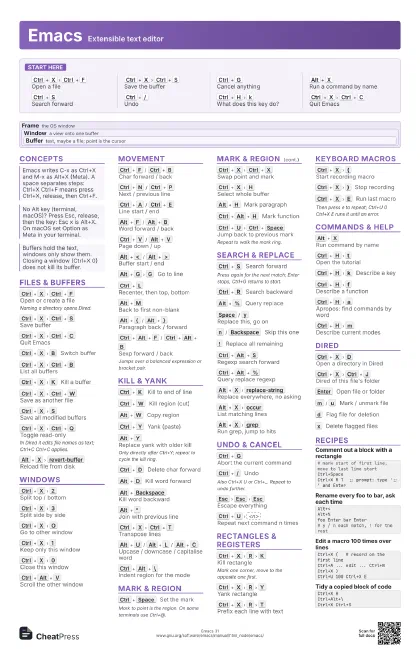
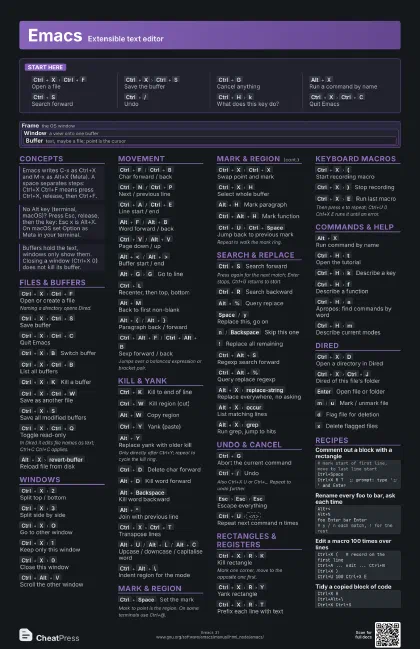
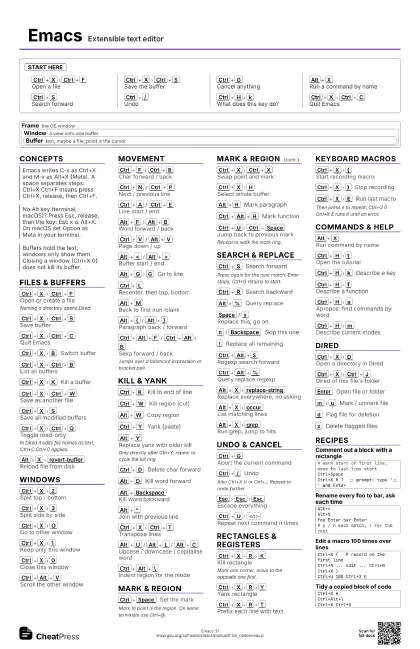
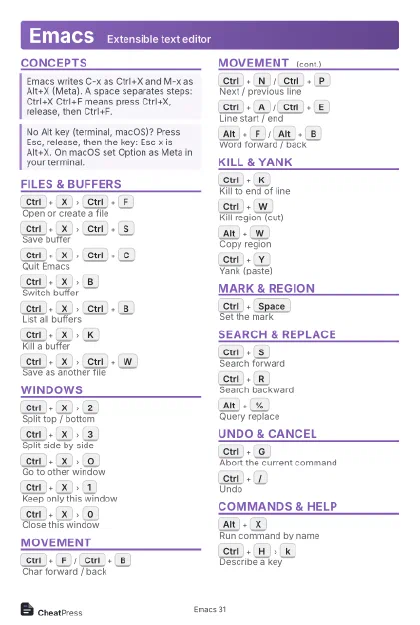
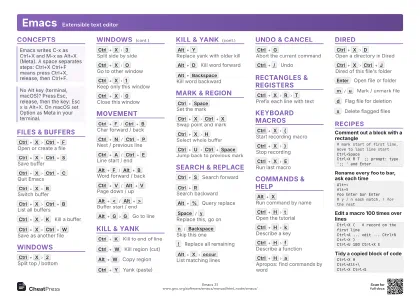
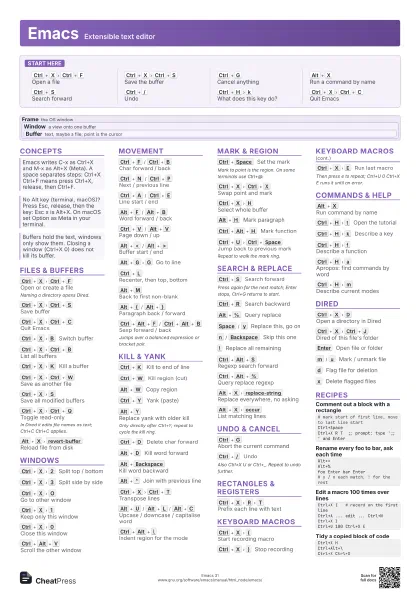
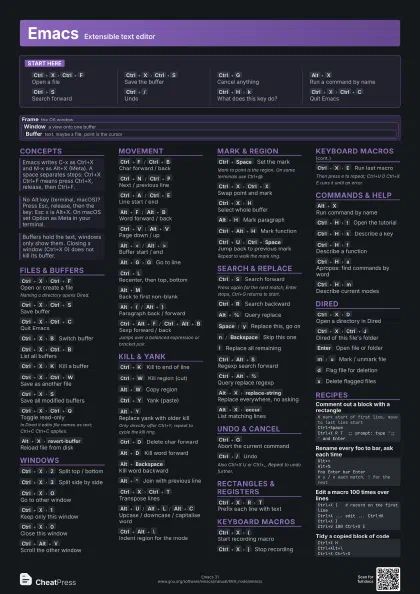
Start here
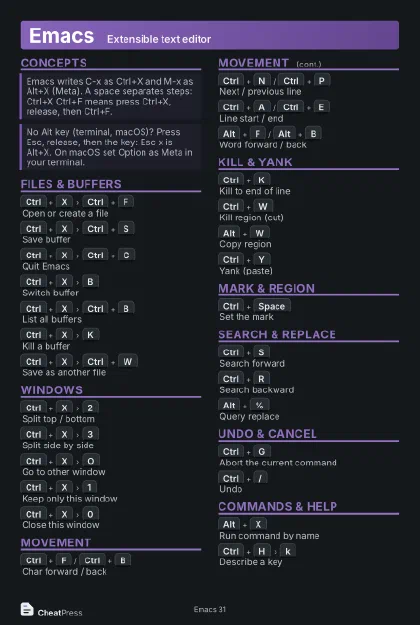
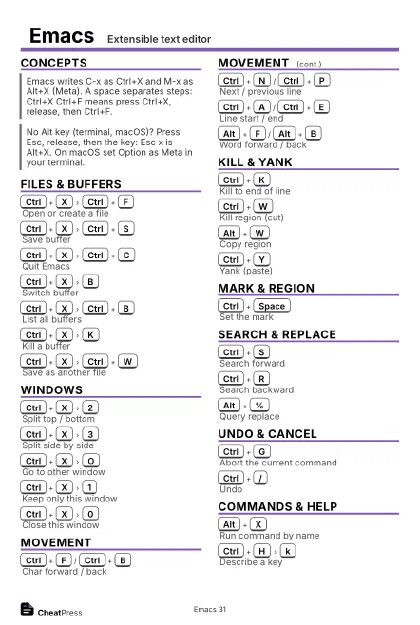
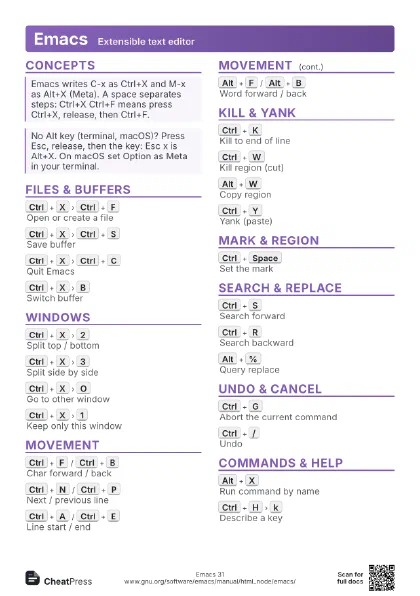
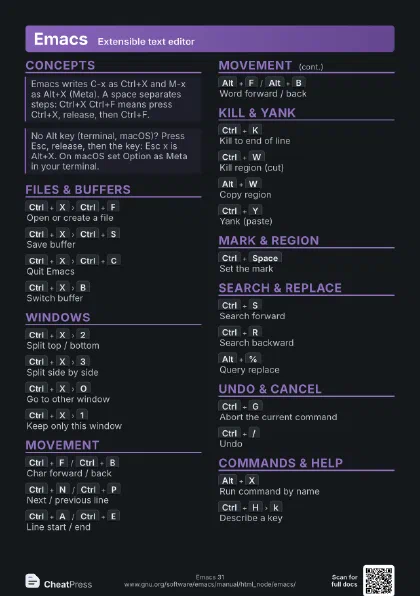
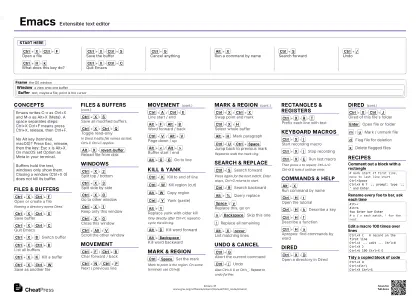
Ctrl+X
Ctrl+F
Open a file
Ctrl+X
Ctrl+S
Save the buffer
Ctrl+G
Cancel anything
Alt+X
Run a command by name
Ctrl+S
Search forward
Ctrl+/
Undo
Ctrl+H
k
What does this key do?
Ctrl+X
Ctrl+C
Quit Emacs
Concepts
Frame the OS window
Window
a view onto one buffer
Buffer
text, maybe a file; point is the cursor
Files & Buffers
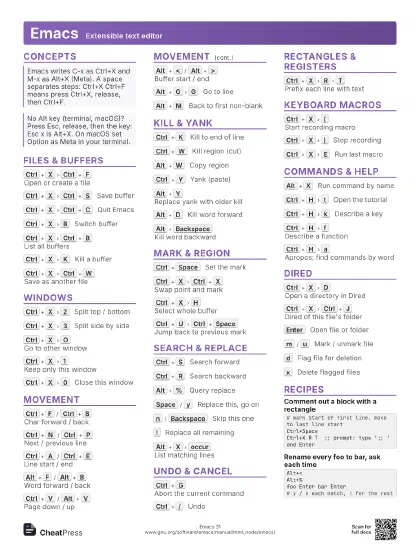
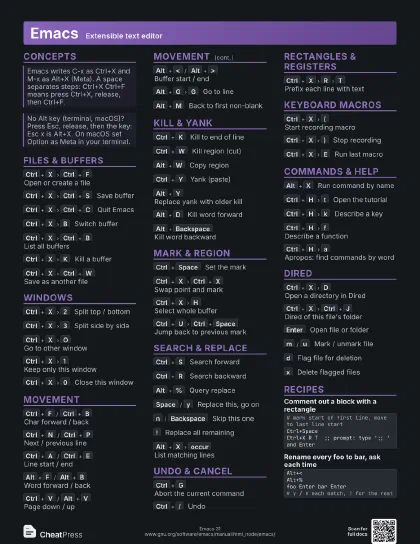
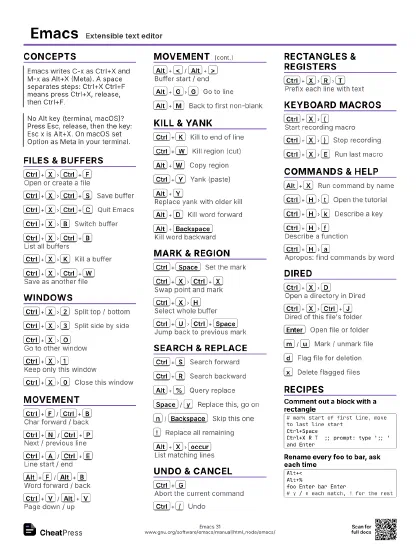
Ctrl+X
Ctrl+F
Open or create a file
Naming a directory opens Dired.
Ctrl+X
Ctrl+S
Save buffer
Ctrl+X
Ctrl+C
Quit Emacs
Ctrl+X
B
Switch buffer
Ctrl+X
Ctrl+B
List all buffers
Ctrl+X
K
Kill a buffer
Ctrl+X
Ctrl+W
Save as another file
Ctrl+X
S
Save all modified buffers
Ctrl+X
Ctrl+Q
Toggle read-only
In Dired it edits file names as text; Ctrl+C Ctrl+C
applies.
Alt+X
revert-buffer
Reload file from disk
Windows
Ctrl+X
2
Split top / bottom
Ctrl+X
3
Split side by side
Ctrl+X
O
Go to other window
Ctrl+X
1
Keep only this window
Ctrl+X
0
Close this window
Ctrl+Alt+V
Scroll the other window
Movement
Ctrl+F
/
Ctrl+B
Char forward / back
Ctrl+N
/
Ctrl+P
Next / previous line
Ctrl+A
/
Ctrl+E
Line start / end
Alt+F
/
Alt+B
Word forward / back
Ctrl+V
/
Alt+V
Page down / up
Alt+<
/
Alt+>
Buffer start / end
Alt+G
G
Go to line
Ctrl+L
Recenter, then top, bottom
Alt+M
Back to first non-blank
Alt+{
/
Alt+}
Paragraph back / forward
Ctrl+Alt+F
/
Ctrl+Alt+B
Sexp forward / back
Jumps over a balanced expression or bracket pair.
Kill & Yank
Ctrl+K
Kill to end of line
Ctrl+W
Kill region (cut)
Alt+W
Copy region
Ctrl+Y
Yank (paste)
Alt+Y
Replace yank with older kill
Only directly after Ctrl+Y; repeat to cycle the kill ring.
Ctrl+D
Delete char forward
Alt+D
Kill word forward
Alt+Backspace
Kill word backward
Alt+^
Join with previous line
Ctrl+X
Ctrl+T
Transpose lines
Alt+U
/
Alt+L
/
Alt+C
Upcase / downcase / capitalise word
Ctrl+Alt+\
Indent region for the mode
Mark & Region
Ctrl+Space
Set the mark
Mark to point is the region. On some terminals use Ctrl+@.
Ctrl+X
Ctrl+X
Swap point and mark
Ctrl+X
H
Select whole buffer
Alt+H
Mark paragraph
Ctrl+Alt+H
Mark function
Ctrl+U
Ctrl+Space
Jump back to previous mark
Repeat to walk the mark ring.
Search & Replace
Ctrl+S
Search forward
Press again for the next match; Enter stops, Ctrl+G
returns to start.
Ctrl+R
Search backward
Alt+%
Query replace
Space
/
y
Replace this, go on
n
/
Backspace
Skip this one
!
Replace all remaining
Ctrl+Alt+S
Regexp search forward
Ctrl+Alt+%
Query replace regexp
Alt+X
replace-string
Replace everywhere, no asking
Alt+X
occur
List matching lines
Alt+X
grep
Run grep, jump to hits
Undo & Cancel
Ctrl+G
Abort the current command
Ctrl+/
Undo
Also Ctrl+X U or Ctrl+_. Repeat to undo further.
Esc
Esc
Esc
Escape everything
Ctrl+U
<n>
Repeat next command n times
Rectangles & Registers
Ctrl+X
R
K
Kill rectangle
Mark one corner, move to the opposite one first.
Ctrl+X
R
Y
Yank rectangle
Ctrl+X
R
T
Prefix each line with text
Ctrl+X
R
S
Save region in register
Ctrl+X
R
I
Insert register contents
Keyboard Macros
Ctrl+X
(
Start recording macro
Ctrl+X
)
Stop recording
Ctrl+X
E
Run last macro
Then press e to repeat; Ctrl+U 0 Ctrl+X E runs it
until an error.
Commands & Help
Alt+X
Run command by name
Ctrl+H
t
Open the tutorial
Ctrl+H
k
Describe a key
Ctrl+H
f
Describe a function
Ctrl+H
a
Apropos: find commands by word
Ctrl+H
m
Describe current modes
Ctrl+H
v
Describe a variable
Ctrl+H
i
Open Info manuals
Alt+:
Evaluate a Lisp expression
Ctrl+X
Ctrl+E
Eval Lisp before point
Alt+!
Run a shell command
Alt+X
shell
Start a shell in a buffer
Alt+/
Expand previous word dynamically
Alt+X
customize
Open the settings UI
Dired
Ctrl+X
D
Open a directory in Dired
Ctrl+X
Ctrl+J
Dired of this file's folder
Enter
Open file or folder
^
Go up a directory
m
/
u
Mark / unmark file
d
Flag file for deletion
x
Delete flagged files
R
Rename or move file
C
Copy file
Shift+=
Create directory
Recipes
# mark start of first line, move to last line startCtrl+SpaceCtrl+X R T ;; prompt: type ';; ' and EnterAlt+< Alt+%foo Enter bar Enter# y / n each match, ! for the restCtrl+X ( # record on the first lineCtrl+A ... edit ... Ctrl+NCtrl+X )Ctrl+U 100 Ctrl+X ECtrl+X HCtrl+Alt+\Ctrl+X Ctrl+S