Cheat
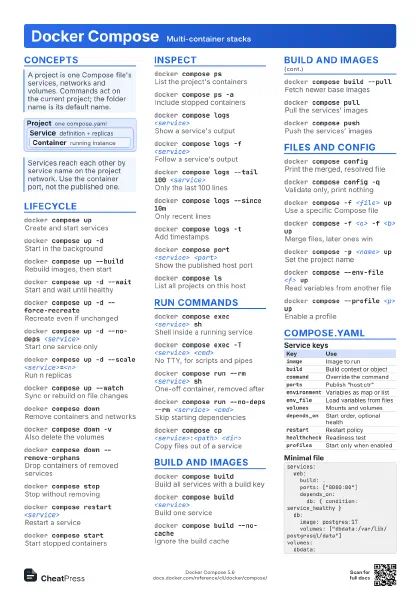
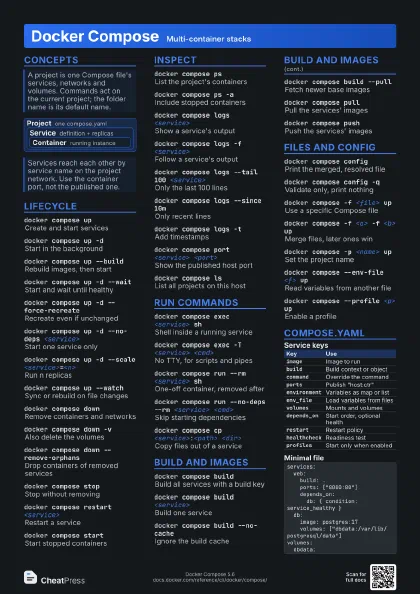
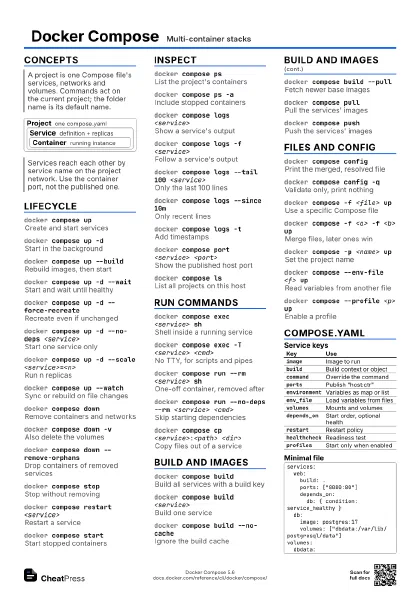
Docker Compose Multi-container stacks
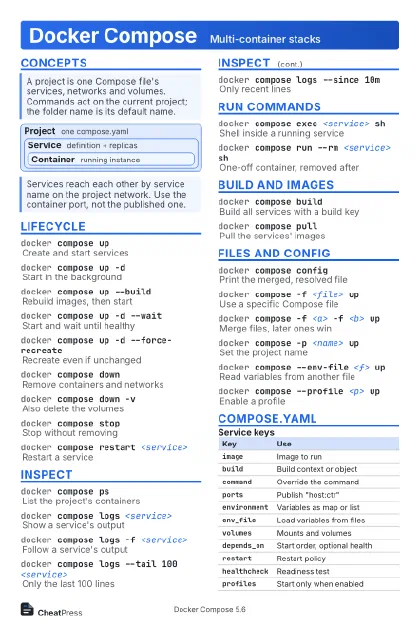 Light · Postcard
102 × 152 mm · PDF
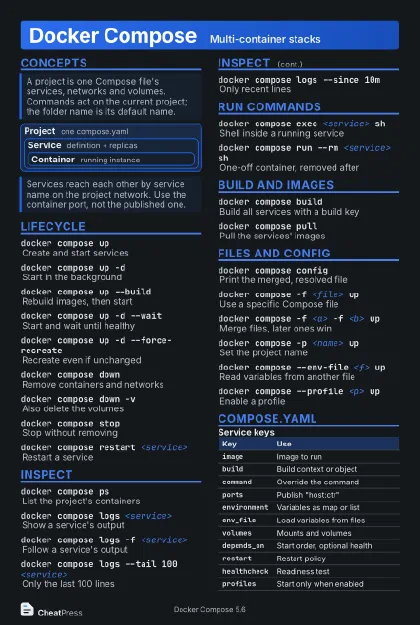 Dark · Postcard
102 × 152 mm · PDF
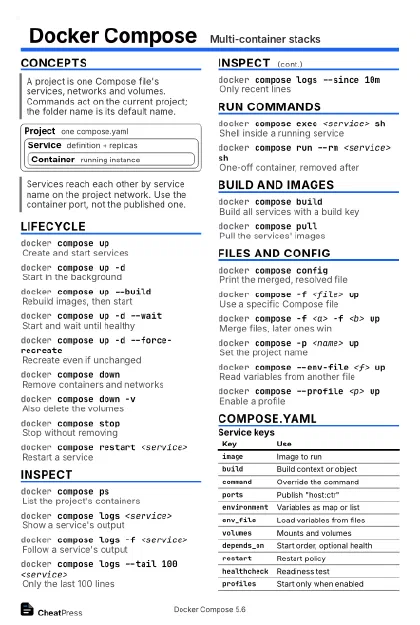 Ink saver · Postcard
102 × 152 mm · PDF
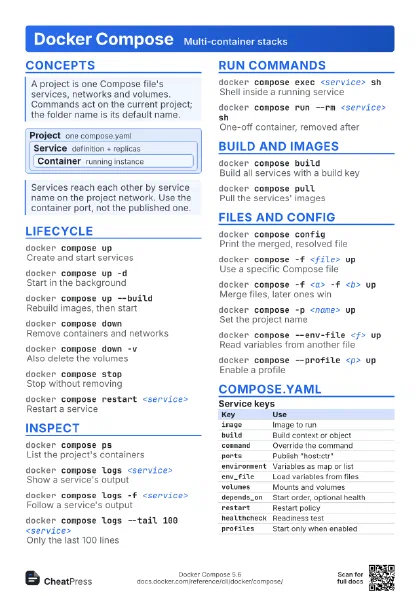
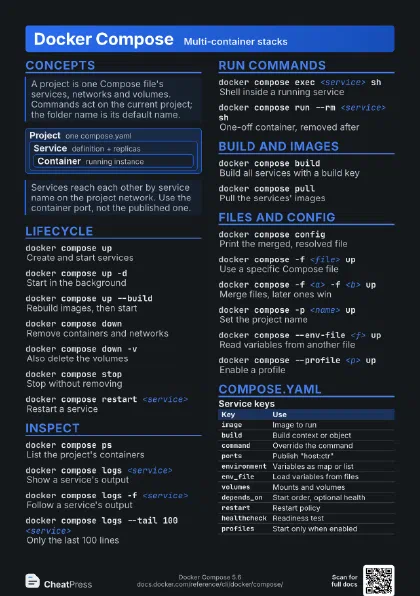
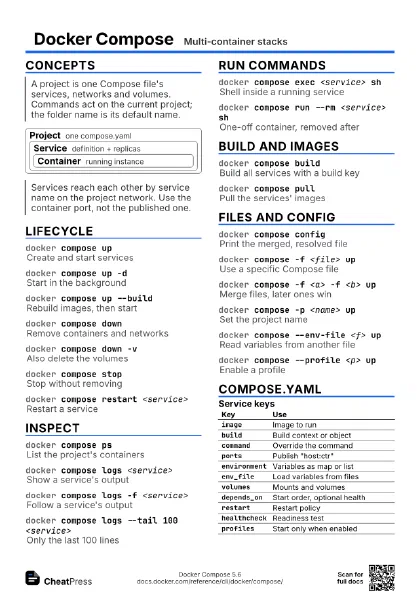
 Light · A4 landscape
297 × 210 mm · PDF
 Dark · A4 landscape
297 × 210 mm · PDF
 Ink saver · A4 landscape
297 × 210 mm · PDF
 Light · A3 landscape
420 × 297 mm · PDF
 Dark · A3 landscape
420 × 297 mm · PDF
 Ink saver · A3 landscape
420 × 297 mm · PDF
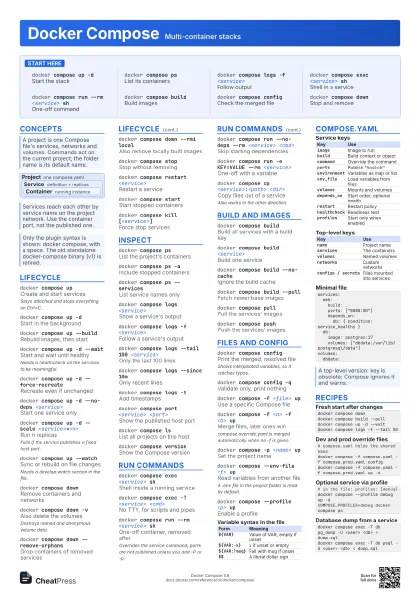
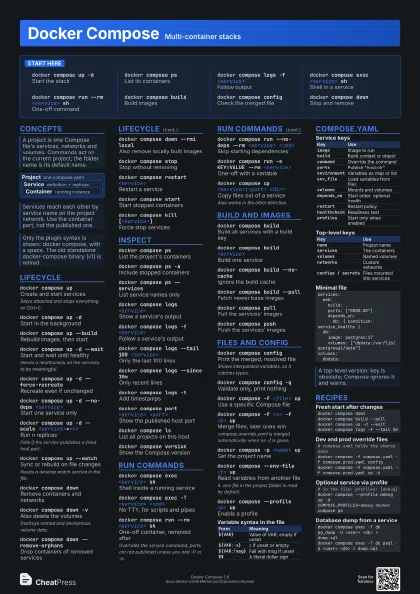
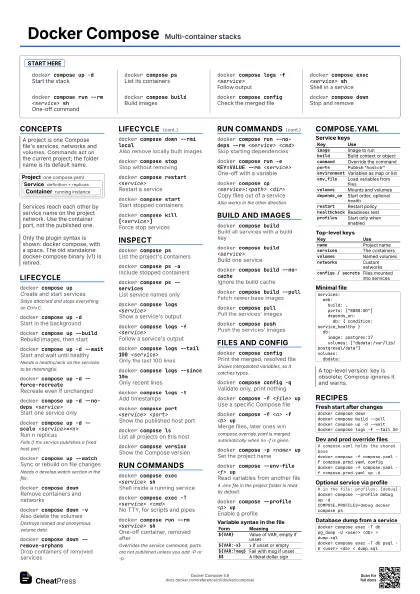
Start here
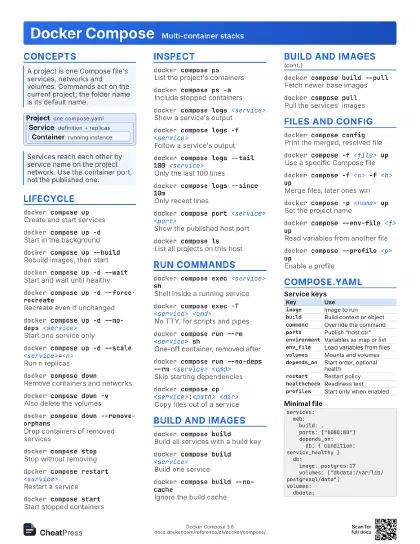
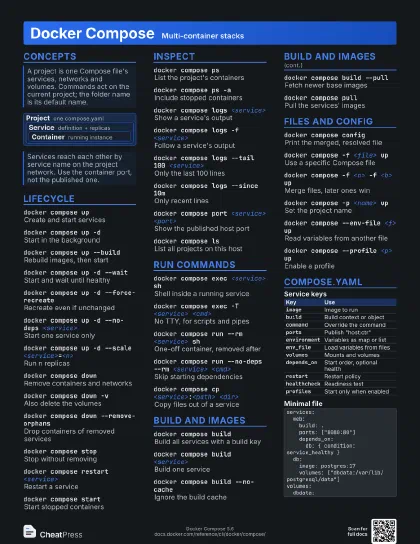
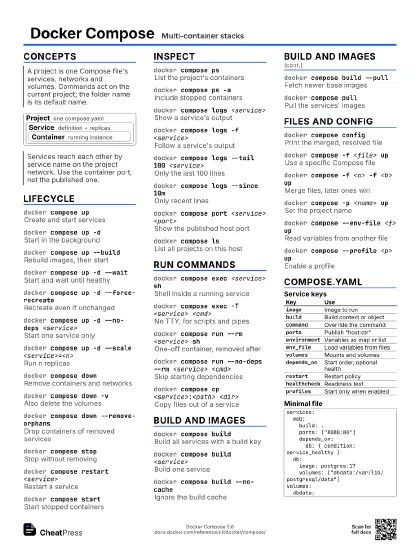
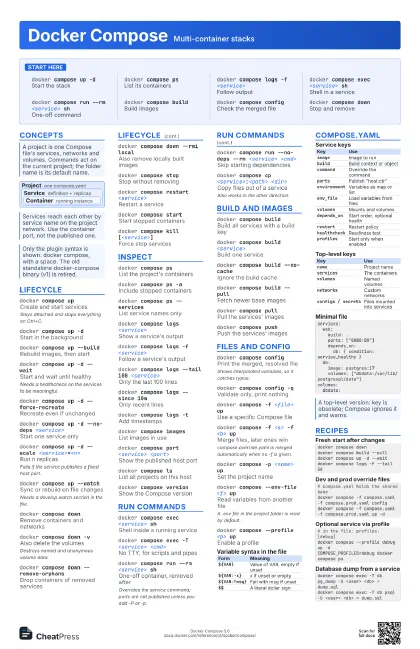
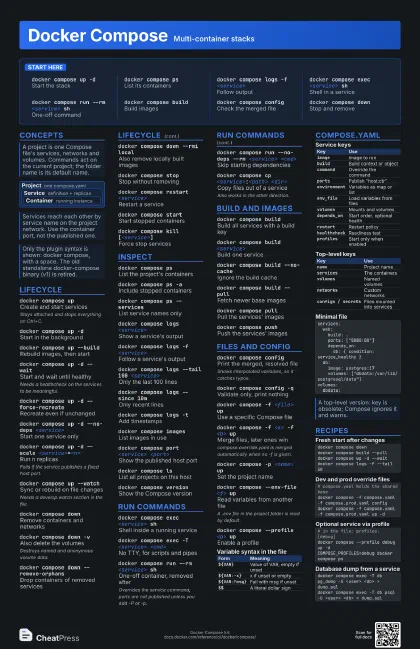
docker compose up -d
Start the stack
docker compose ps
List its containers
docker compose logs -f <service>
Follow output
docker compose exec <service> sh
Shell in a service
docker compose run --rm <service> sh
One-off command
docker compose build
Build images
docker compose config
Check the merged file
docker compose down
Stop and remove
Concepts
Project one compose.yaml
Service
definition + replicas
Container running instance
Lifecycle
docker compose up
Create and start services
Stays attached and stops everything on Ctrl+C.
docker compose up -d
Start in the background
docker compose up --build
Rebuild images, then start
docker compose up -d --wait
Start and wait until healthy
Needs a healthcheck on the services to be meaningful.
docker compose up -d --force-recreate
Recreate even if unchanged
docker compose up -d --no-deps <service>
Start one service only
docker compose up -d --scale
                    <service>=<n>
Run n replicas
Fails if the service publishes a fixed host port.
docker compose up --watch
Sync or rebuild on file changes
Needs a develop.watch section in the file.
docker compose down
Remove containers and networks
docker compose down -v
Also delete the volumes
Destroys named and anonymous volume data.
docker compose down --remove-orphans
Drop containers of removed services
docker compose down --rmi local
Also remove locally built images
docker compose stop
Stop without removing
docker compose restart <service>
Restart a service
docker compose start
Start stopped containers
docker compose pause / unpause [<service>]
Freeze or resume services
docker compose kill [<service>]
Force stop services
docker compose create
Create containers without starting
Inspect
docker compose ps
List the project's containers
docker compose ps -a
Include stopped containers
docker compose ps --services
List service names only
docker compose logs <service>
Show a service's output
docker compose logs -f <service>
Follow a service's output
docker compose logs --tail 100 <service>
Only the last 100 lines
docker compose logs --since 10m
Only recent lines
docker compose logs -t
Add timestamps
docker compose top
Show processes of each service
docker compose images
List images in use
docker compose port <service> <port>
Show the published host port
docker compose events
Stream container events
docker compose ls
List all projects on this host
docker compose version
Show the Compose version
Run commands
docker compose exec <service> sh
Shell inside a running service
docker compose exec -T <service> <cmd>
No TTY, for scripts and pipes
docker compose exec -u <user> <service>
                    <cmd>
Run as another user
docker compose exec -e KEY=VALUE <service>
                    <cmd>
Set a variable for one command
docker compose run --rm <service> sh
One-off container, removed after
Overrides the service command; ports are not published unless
you add -P or -p.
docker compose run --no-deps --rm <service>
                    <cmd>
Skip starting dependencies
docker compose run -e KEY=VALUE --rm <service>
One-off with a variable
docker compose run --entrypoint <cmd> --rm
                    <service>
Replace the entrypoint
docker compose cp <service>:<path>
                    <dir>
Copy files out of a service
Also works in the other direction.
docker compose attach <service>
Attach to the main process
Build and images
docker compose build
Build all services with a build key
docker compose build <service>
Build one service
docker compose build --no-cache
Ignore the build cache
docker compose build --pull
Fetch newer base images
docker compose build --build-arg KEY=VALUE
Set a build argument
docker compose pull
Pull the services' images
docker compose pull --ignore-buildable
Skip images that are built locally
docker compose push
Push the services' images
docker compose up -d --pull always
Pull before starting
Files and config
docker compose config
Print the merged, resolved file
Shows interpolated variables, so it catches typos.
docker compose config -q
Validate only, print nothing
docker compose config --services
List service names
docker compose -f <file> up
Use a specific Compose file
docker compose -f <a> -f <b> up
Merge files, later ones win
compose.override.yaml is merged automatically when no -f is
given.
docker compose -p <name> up
Set the project name
docker compose --env-file <f> up
Read variables from another file
A .env file in the project folder is read by default.
docker compose --profile <p> up
Enable a profile
docker compose --project-directory <dir> up
Resolve relative paths elsewhere
docker compose --dry-run up
Show what would happen
docker compose --progress plain up
Plain build and pull output
COMPOSE_FILE=a.yaml:b.yaml
Default files, colon-separated
Also COMPOSE_PROJECT_NAME and COMPOSE_PROFILES.
| Form | Meaning |
|---|---|
${VAR} |
Value of VAR, empty if unset |
${VAR:-x} |
x if unset or empty |
${VAR:?msg} |
Fail with msg if unset |
$$ |
A literal dollar sign |
compose.yaml
| Key | Use |
|---|---|
image |
Image to run |
build |
Build context or object |
command |
Override the command |
ports |
Publish "host:ctr" |
environment |
Variables as map or list |
env_file |
Load variables from files |
volumes |
Mounts and volumes |
depends_on |
Start order, optional health |
restart |
Restart policy |
healthcheck |
Readiness test |
profiles |
Start only when enabled |
| Key | Use |
|---|---|
name |
Project name |
services |
The containers |
volumes |
Named volumes |
networks |
Custom networks |
configs / secrets |
Files mounted into services |
services: web: build: . ports: ["8080:80"] depends_on: db: { condition: service_healthy } db: image: postgres:17 volumes: ["dbdata:/var/lib/postgresql/data"]volumes: dbdata:Recipes
docker compose downdocker compose build --pulldocker compose up -d --waitdocker compose logs -f --tail 50# compose.yaml holds the shared basedocker compose -f compose.yaml -f compose.prod.yaml configdocker compose -f compose.yaml -f compose.prod.yaml up -d# in the file: profiles: [debug]docker compose --profile debug up -dCOMPOSE_PROFILES=debug docker compose psdocker compose exec -T db pg_dump -U <user> <db> > dump.sqldocker compose exec -T db psql -U <user> <db> < dump.sql