Cheat
croc Simple file transfer
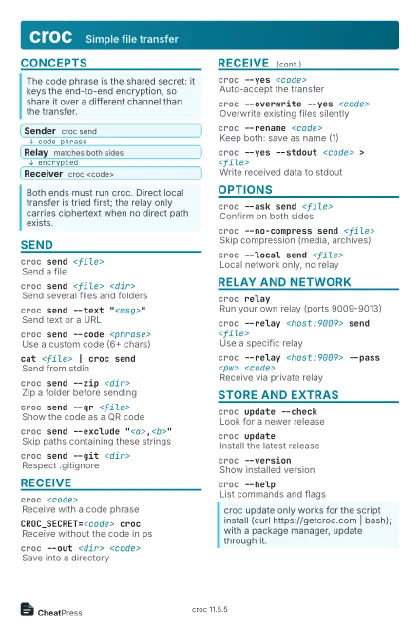 Light · Postcard
102 × 152 mm · PDF
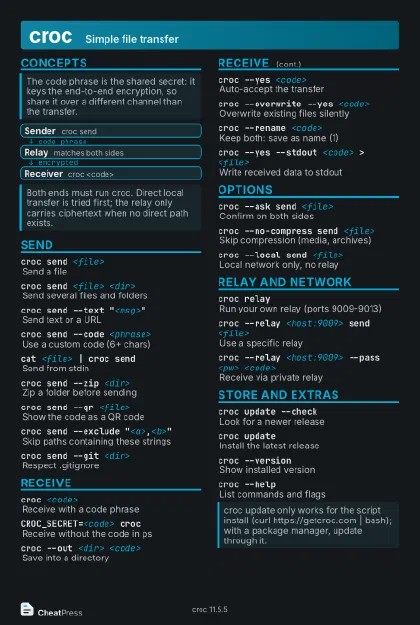 Dark · Postcard
102 × 152 mm · PDF
 Ink saver · Postcard
102 × 152 mm · PDF
 Light · A4 landscape
297 × 210 mm · PDF
 Dark · A4 landscape
297 × 210 mm · PDF
 Ink saver · A4 landscape
297 × 210 mm · PDF
 Light · A3 landscape
420 × 297 mm · PDF
 Dark · A3 landscape
420 × 297 mm · PDF
 Ink saver · A3 landscape
420 × 297 mm · PDF
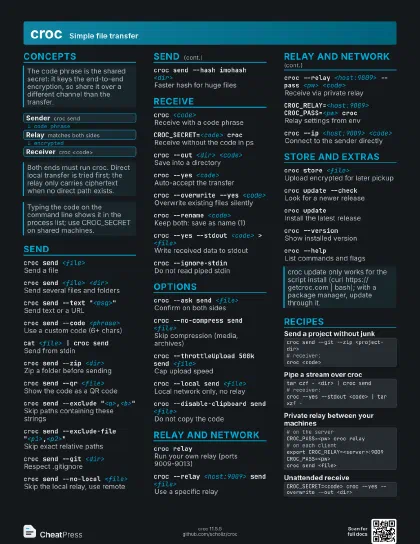
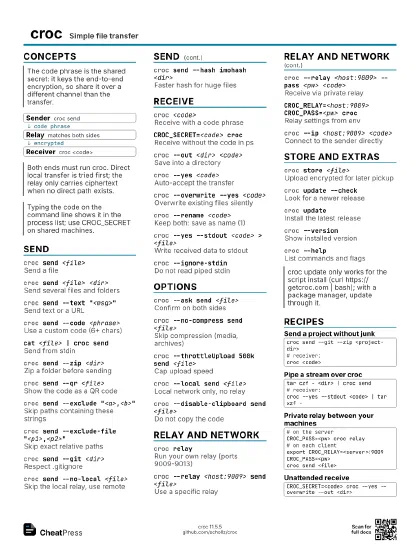
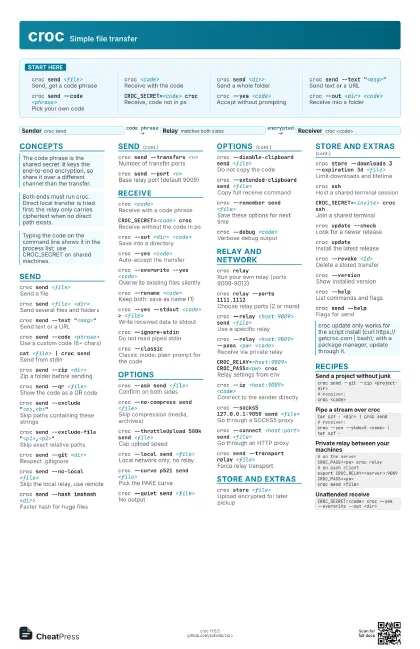
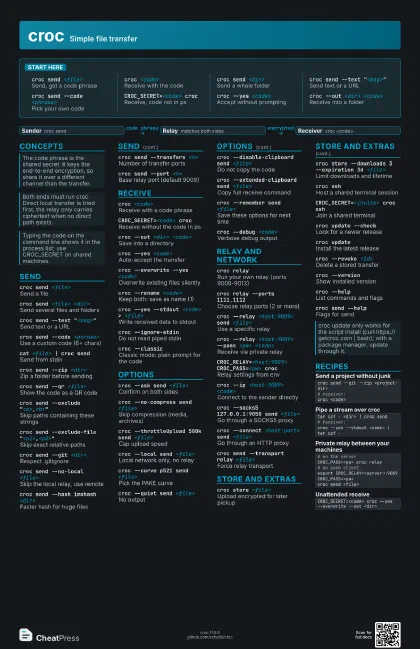
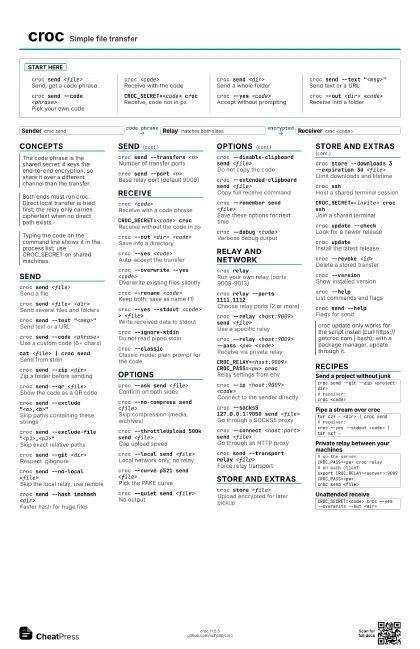
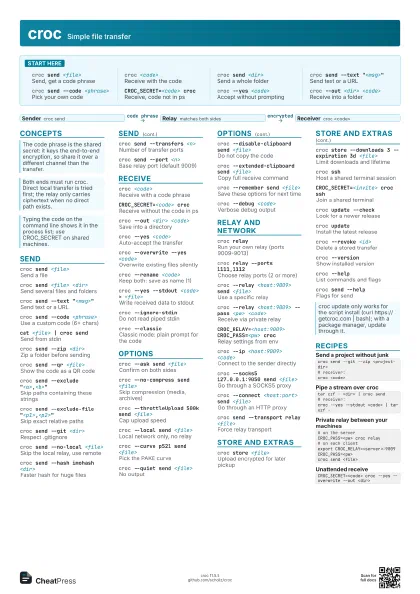
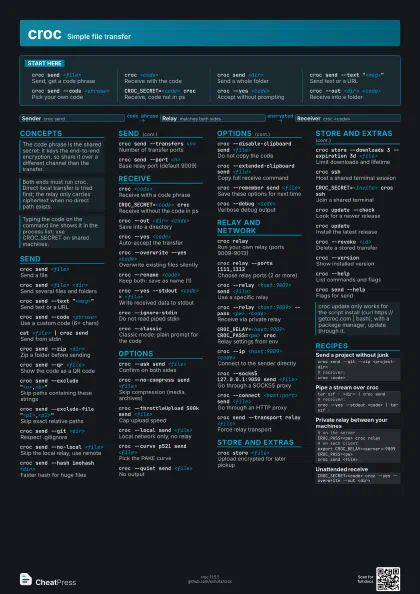
Start here
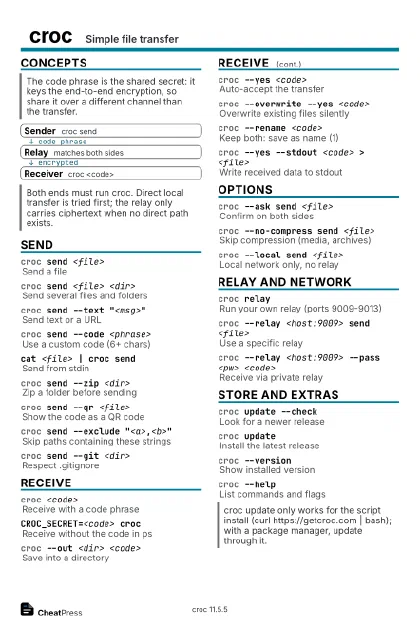
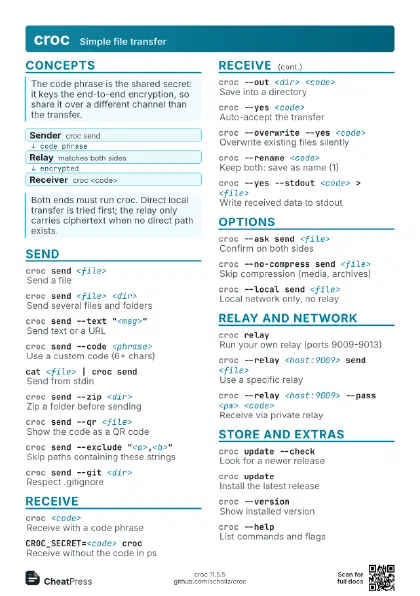
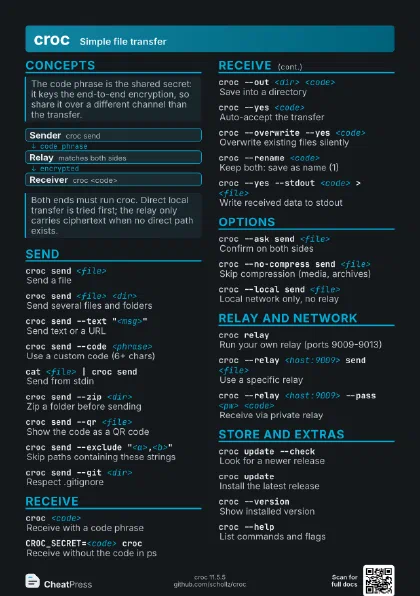
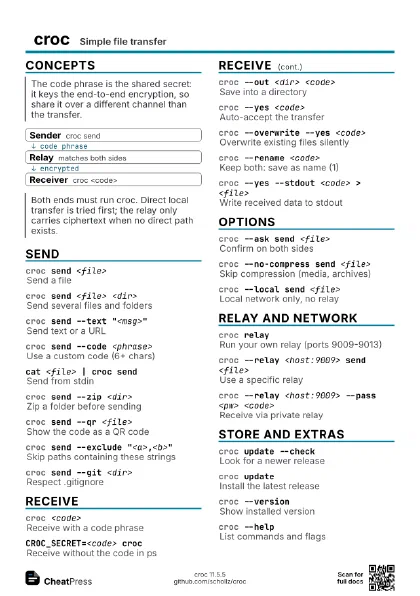
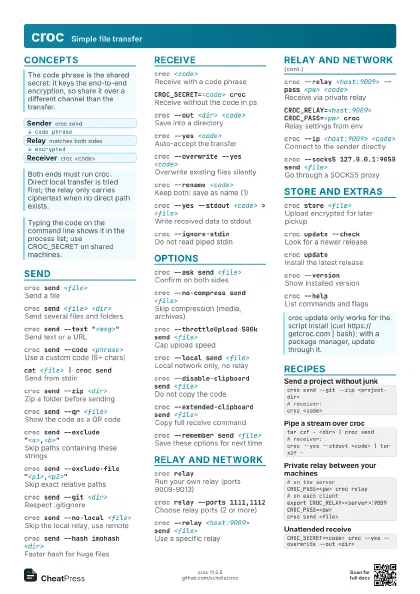
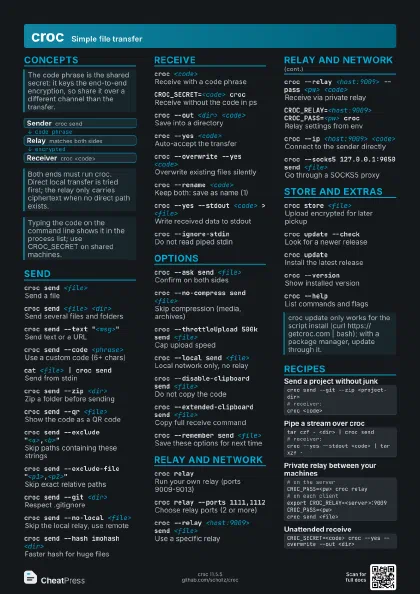
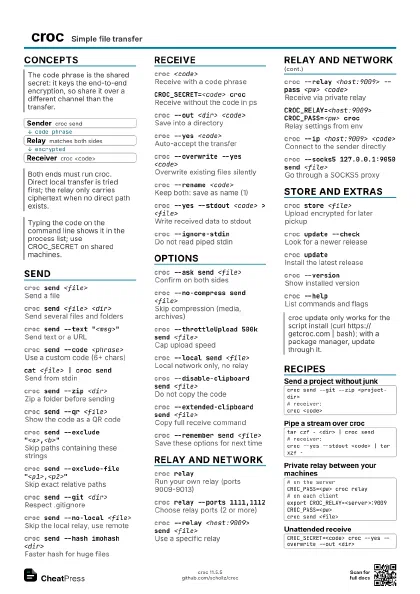
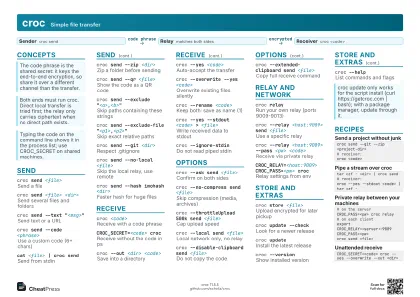
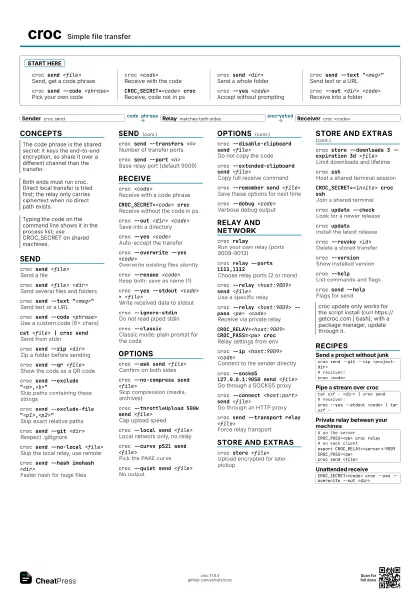
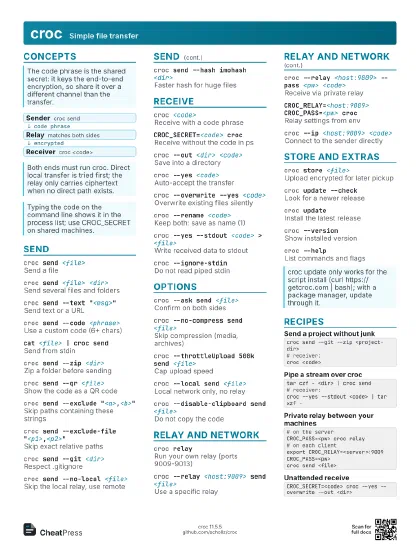
croc send <file>
Send, get a code phrase
croc <code>
Receive with the code
croc send <dir>
Send a whole folder
croc send --text "<msg>"
Send text or a URL
croc send --code <phrase>
Pick your own code
CROC_SECRET=<code> croc
Receive, code not in ps
croc --yes <code>
Accept without prompting
croc --out <dir> <code>
Receive into a folder
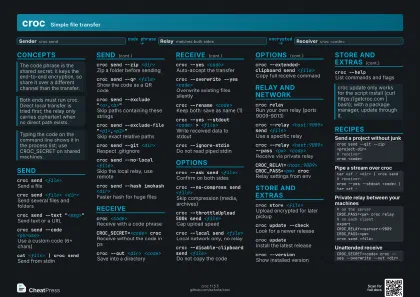
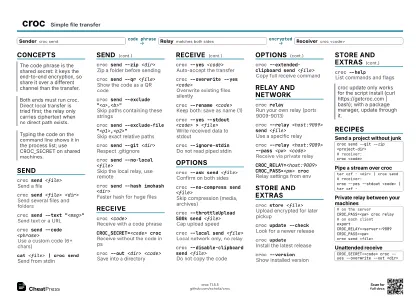
Concepts
- Sender croc send
- Relay matches both sides
- Receiver croc <code>
Send
croc send <file>
Send a file
croc send <file> <dir>
Send several files and folders
croc send --text "<msg>"
Send text or a URL
croc send --code <phrase>
Use a custom code (6+ chars)
cat <file> | croc send
Send from stdin
croc send --zip <dir>
Zip a folder before sending
croc send --qr <file>
Show the code as a QR code
croc send --exclude "<a>,<b>"
Skip paths containing these strings
croc send --exclude-file
                    "<p1>,<p2>"
Skip exact relative paths
croc send --git <dir>
Respect .gitignore
croc send --no-local <file>
Skip the local relay, use remote
croc send --hash imohash <dir>
Faster hash for huge files
croc send --transfers <n>
Number of transfer ports
croc send --port <n>
Base relay port (default 9009)
Receive
croc <code>
Receive with a code phrase
CROC_SECRET=<code> croc
Receive without the code in ps
croc --out <dir> <code>
Save into a directory
croc --yes <code>
Auto-accept the transfer
croc --overwrite --yes <code>
Overwrite existing files silently
croc --rename <code>
Keep both: save as name (1)
croc --yes --stdout <code> > <file>
Write received data to stdout
croc --ignore-stdin
Do not read piped stdin
croc --classicClassic mode: plain prompt for the code
Options
croc --ask send <file>
Confirm on both sides
croc --no-compress send <file>
Skip compression (media, archives)
croc --throttleUpload 500k send <file>
Cap upload speed
croc --local send <file>
Local network only, no relay
croc --curve p521 send <file>
Pick the PAKE curve
croc --quiet send <file>
No output
croc --disable-clipboard send <file>
Do not copy the code
croc --extended-clipboard send <file>
Copy full receive command
croc --remember send <file>
Save these options for next time
croc --debug <code>
Verbose debug output
Relay and network
croc relayRun your own relay (ports 9009-9013)
croc relay --ports 1111,1112
Choose relay ports (2 or more)
croc --relay <host:9009> send <file>
Use a specific relay
croc --relay <host:9009> --pass <pw>
                    <code>
Receive via private relay
CROC_RELAY=<host:9009> CROC_PASS=<pw>
                    croc
Relay settings from env
croc --ip <host:9009> <code>
Connect to the sender directly
croc --socks5 127.0.0.1:9050 send <file>
Go through a SOCKS5 proxy
croc --connect <host:port> send <file>
Go through an HTTP proxy
croc send --transport relay <file>
Force relay transport
Store and extras
croc store <file>
Upload encrypted for later pickup
croc store --downloads 3 --expiration 3d <file>
Limit downloads and lifetime
croc sshHost a shared terminal session
CROC_SECRET=<invite> croc ssh
Join a shared terminal
croc update --check
Look for a newer release
croc updateInstall the latest release
croc --revoke <id>
Delete a stored transfer
croc --versionShow installed version
croc --helpList commands and flags
croc send --help
Flags for send
Recipes
croc send --git --zip <project-dir># receiver:croc <code>tar czf - <dir> | croc send# receiver:croc --yes --stdout <code> | tar xzf -# on the serverCROC_PASS=<pw> croc relay# on each clientexport CROC_RELAY=<server>:9009 CROC_PASS=<pw>croc send <file>CROC_SECRET=<code> croc --yes --overwrite --out <dir>