Cheat
bottom Graphical system monitor
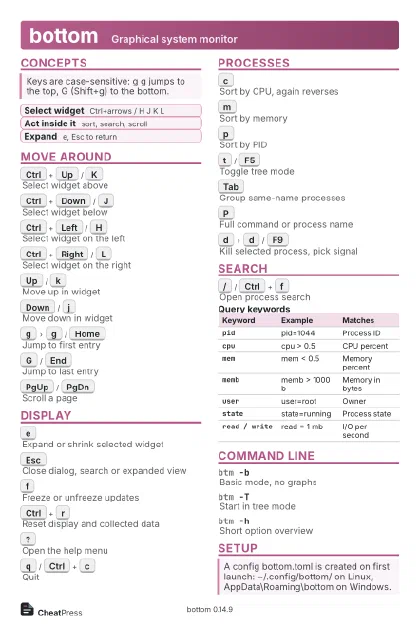 Light · Postcard
102 × 152 mm · PDF
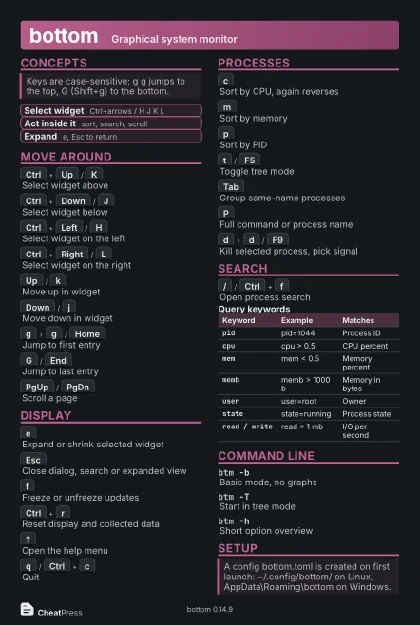 Dark · Postcard
102 × 152 mm · PDF
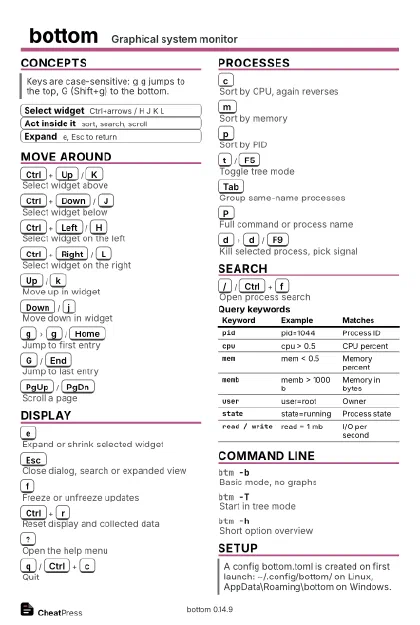 Ink saver · Postcard
102 × 152 mm · PDF
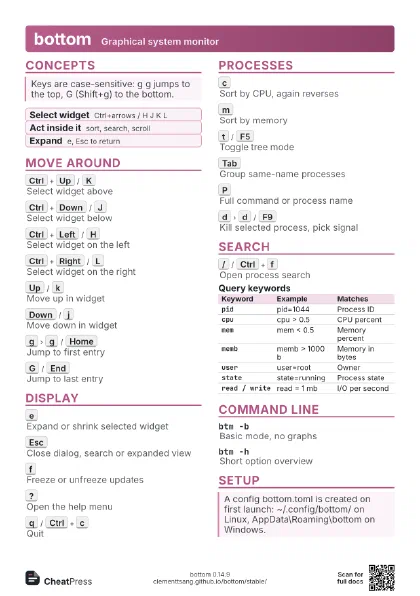
 Light · A4 landscape
297 × 210 mm · PDF
 Dark · A4 landscape
297 × 210 mm · PDF
 Ink saver · A4 landscape
297 × 210 mm · PDF
 Light · A3 landscape
420 × 297 mm · PDF
 Dark · A3 landscape
420 × 297 mm · PDF
 Ink saver · A3 landscape
420 × 297 mm · PDF
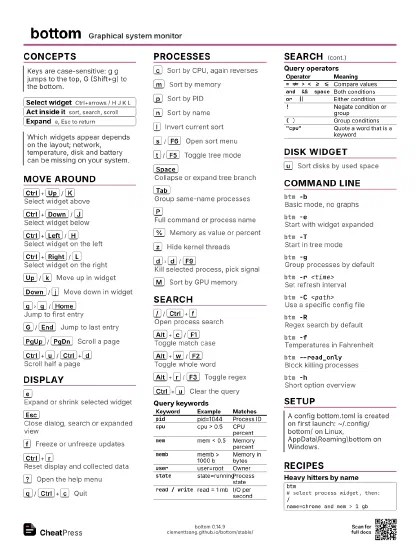
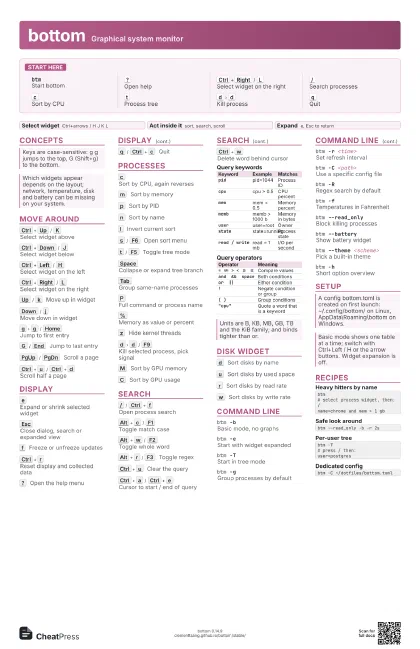
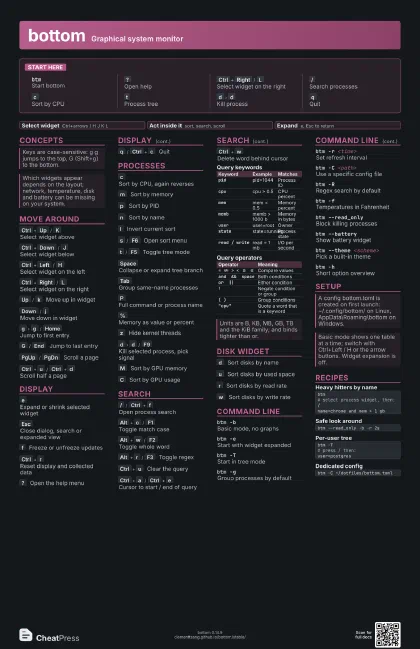
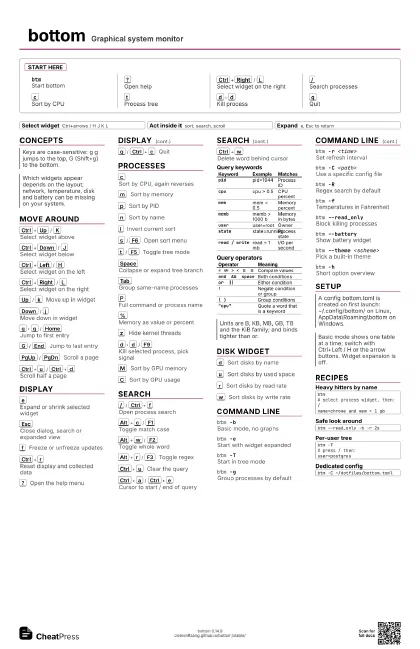
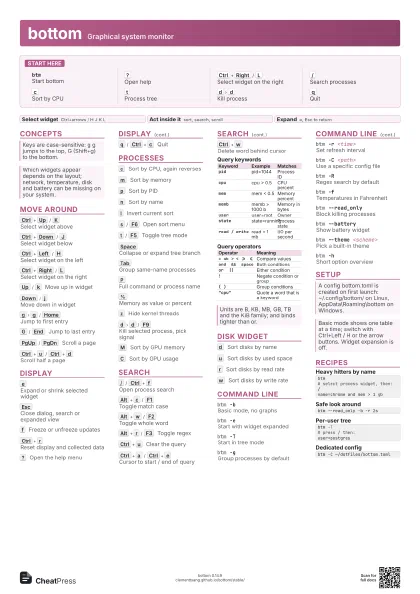
Start here
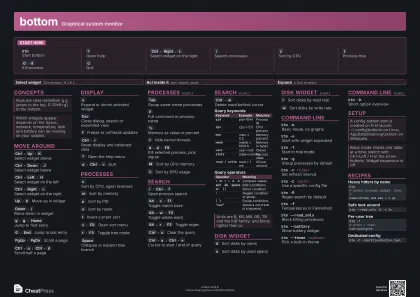
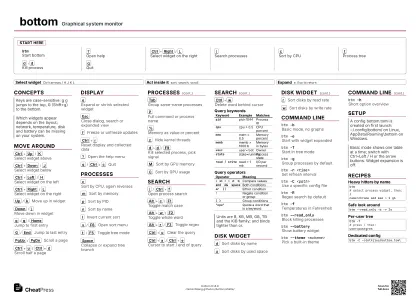
btmStart bottom
?
Open help
Ctrl+Right
/
L
Select widget on the right
/
Search processes
c
Sort by CPU
t
Process tree
d
d
Kill process
q
Quit
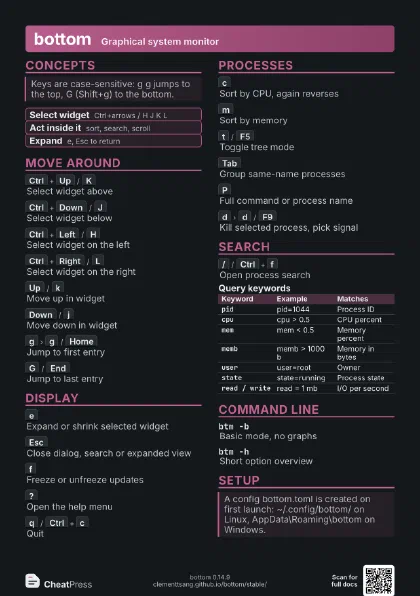
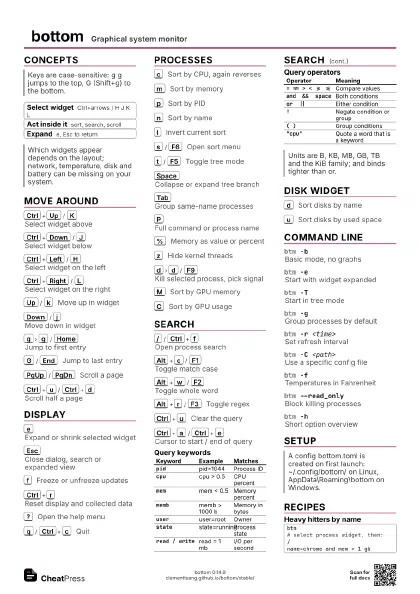
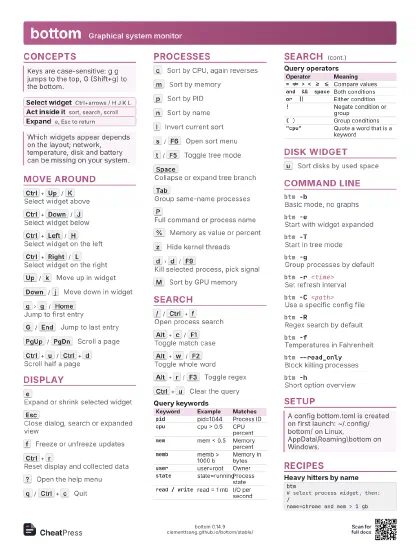
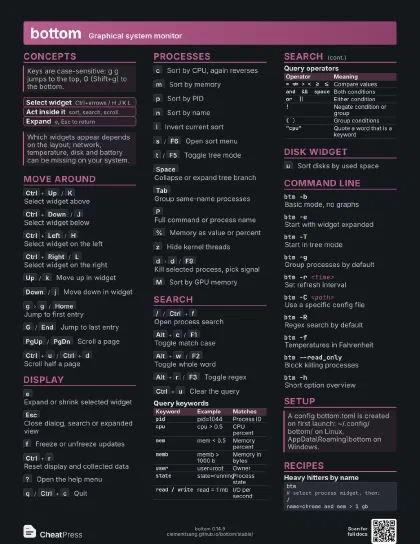
Concepts
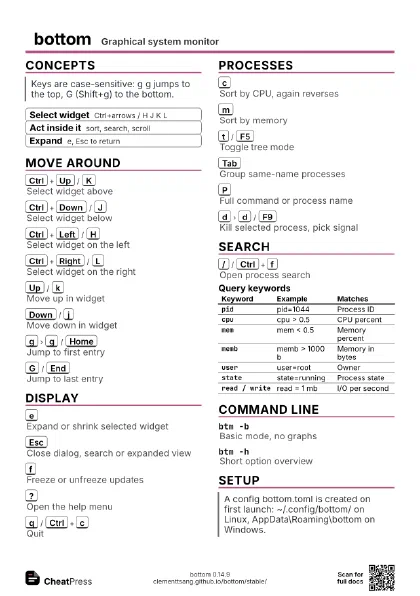
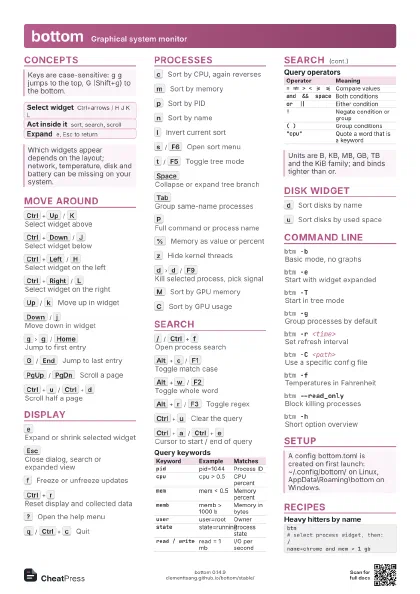
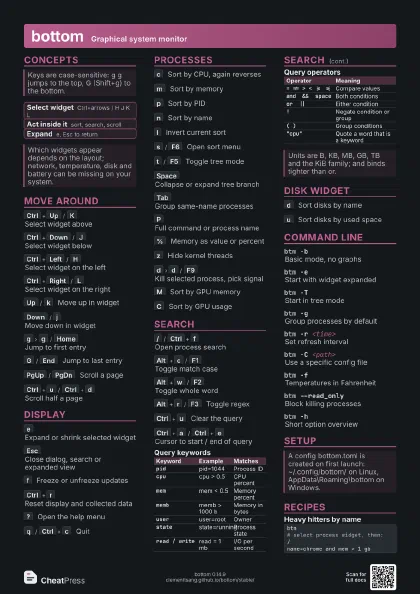
- Select widget Ctrl+arrows / H J K L
- Act inside it sort, search, scroll
- Expand e, Esc to return
Move around
Ctrl+Up
/
K
Select widget above
Ctrl+Down
/
J
Select widget below
Ctrl+Left
/
H
Select widget on the left
Ctrl+Right
/
L
Select widget on the right
Up
/
k
Move up in widget
Down
/
j
Move down in widget
g
g
/
Home
Jump to first entry
G
/
End
Jump to last entry
PgUp
/
PgDn
Scroll a page
Ctrl+u
/
Ctrl+d
Scroll half a page
Display
e
Expand or shrink selected widget
Esc
Close dialog, search or expanded view
f
Freeze or unfreeze updates
Ctrl+r
Reset display and collected data
?
Open the help menu
q
/
Ctrl+c
Quit
Processes
c
Sort by CPU, again reverses
m
Sort by memory
p
Sort by PID
n
Sort by name
I
Invert current sort
s
/
F6
Open sort menu
t
/
F5
Toggle tree mode
Space
Collapse or expand tree branch
Tab
Group same-name processes
P
Full command or process name
%
Memory as value or percent
z
Hide kernel threads
d
d
/
F9
Kill selected process, pick signal
M
Sort by GPU memory
C
Sort by GPU usage
Search
/
/
Ctrl+f
Open process search
Alt+c
/
F1
Toggle match case
Alt+w
/
F2
Toggle whole word
Alt+r
/
F3
Toggle regex
Ctrl+u
Clear the query
Ctrl+a
/
Ctrl+e
Cursor to start / end of query
Ctrl+w
Delete word behind cursor
| Keyword | Example | Matches |
|---|---|---|
pid |
pid=1044 | Process ID |
cpu |
cpu > 0.5 | CPU percent |
mem |
mem < 0.5 | Memory percent |
memb |
memb > 1000 b | Memory in bytes |
user |
user=root | Owner |
state |
state=running | Process state |
read / write |
read = 1 mb | I/O per second |
| Operator | Meaning |
|---|---|
= != > < >= <= |
Compare values |
and && space |
Both conditions |
or || |
Either condition |
! |
Negate condition or group |
( ) |
Group conditions |
"cpu" |
Quote a word that is a keyword |
Disk widget
d
Sort disks by name
u
Sort disks by used space
r
Sort disks by read rate
w
Sort disks by write rate
Command line
btm -bBasic mode, no graphs
btm -eStart with widget expanded
btm -TStart in tree mode
btm -gGroup processes by default
btm -r <time>
Set refresh interval
btm -C <path>
Use a specific config file
btm -RRegex search by default
btm -fTemperatures in Fahrenheit
btm --read_onlyBlock killing processes
btm --batteryShow battery widget
btm --theme <scheme>
Pick a built-in theme
btm -hShort option overview
Setup
Recipes
btm# select process widget, then:/name=chrome and mem > 1 gbbtm --read_only -b -r 2sbtm -T# press / then:user=postgresbtm -C ~/dotfiles/bottom.toml