Cheat
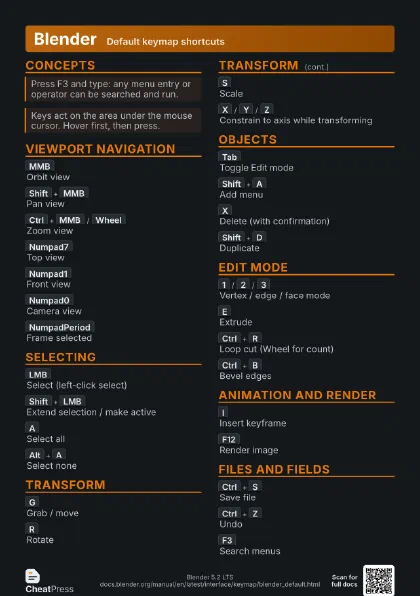
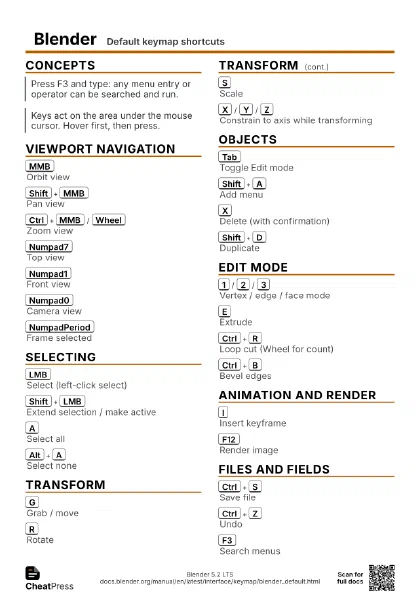
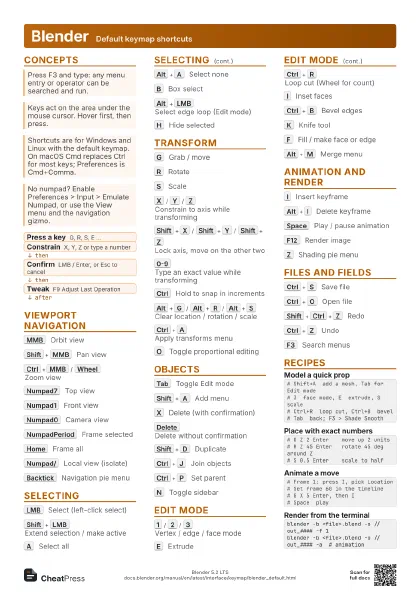
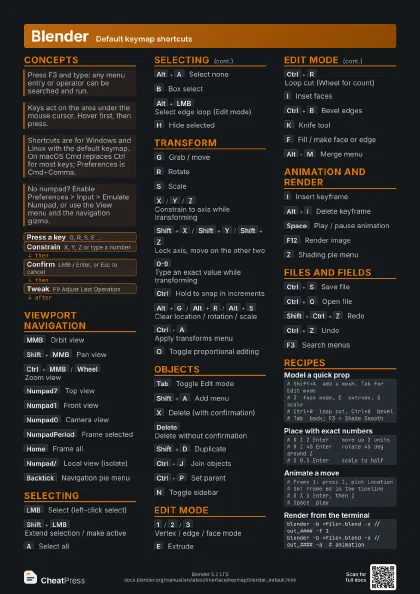
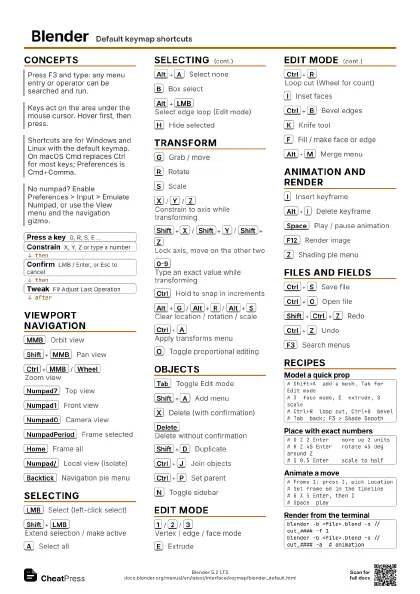
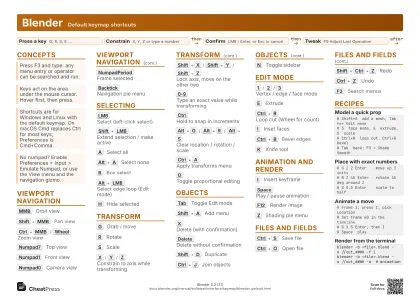
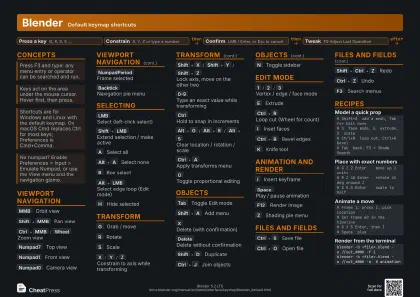
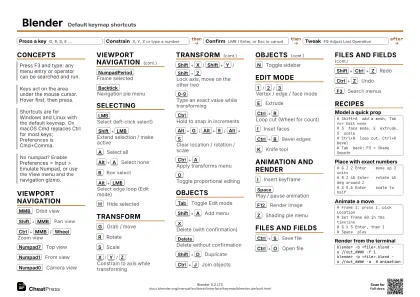
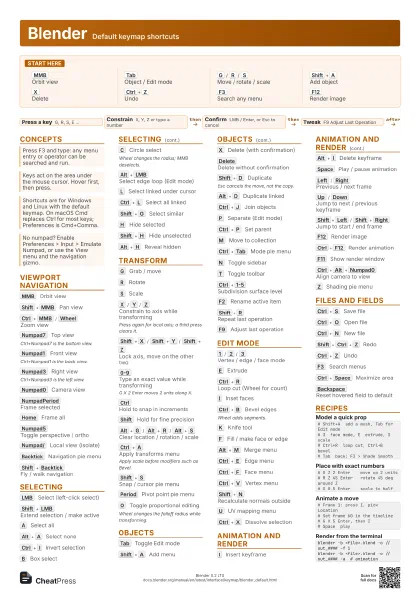
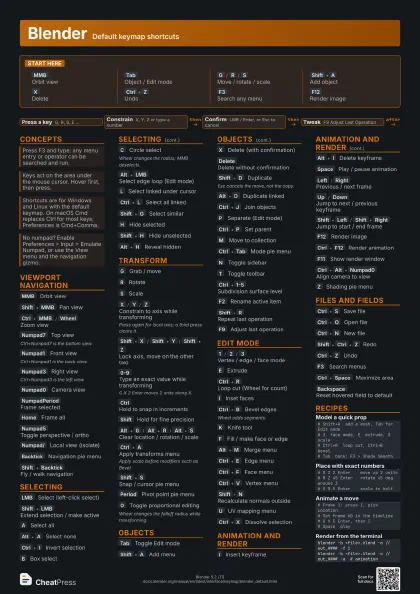
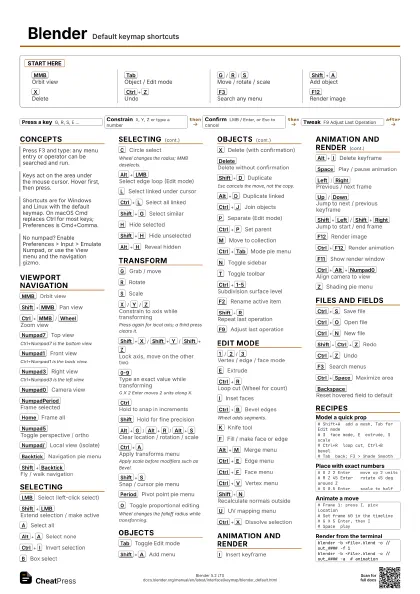
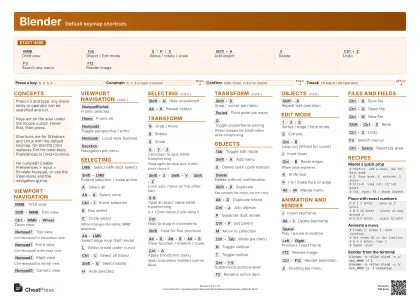
Blender Default keymap shortcuts
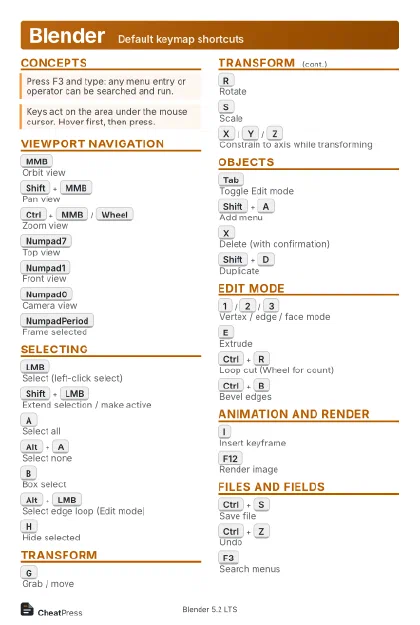 Light · Postcard
102 × 152 mm · PDF
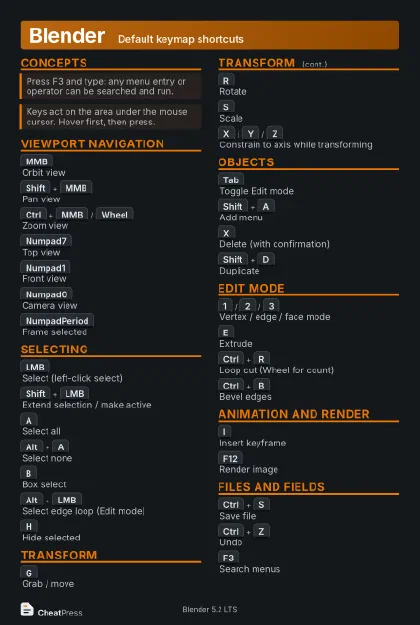 Dark · Postcard
102 × 152 mm · PDF
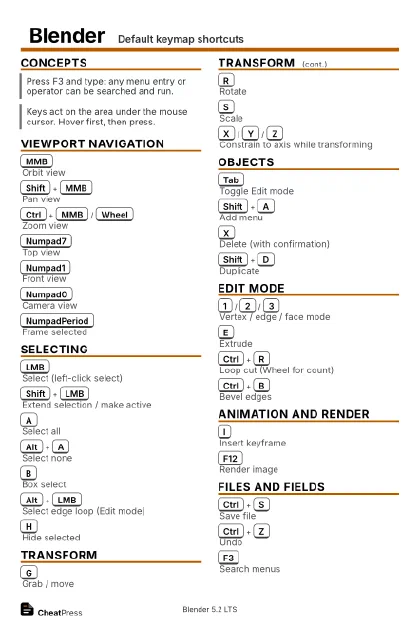 Ink saver · Postcard
102 × 152 mm · PDF
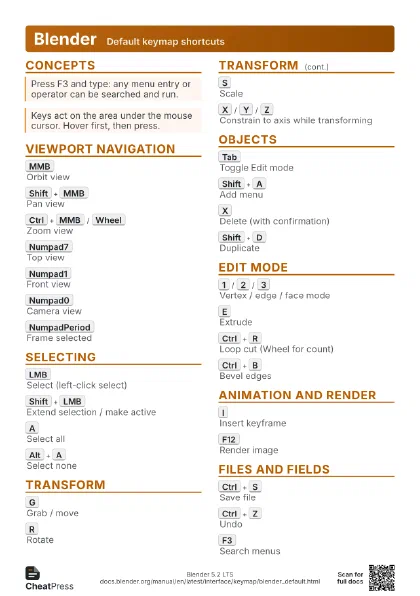
 Light · A4 landscape
297 × 210 mm · PDF
 Dark · A4 landscape
297 × 210 mm · PDF
 Ink saver · A4 landscape
297 × 210 mm · PDF
 Light · A3 landscape
420 × 297 mm · PDF
 Dark · A3 landscape
420 × 297 mm · PDF
 Ink saver · A3 landscape
420 × 297 mm · PDF
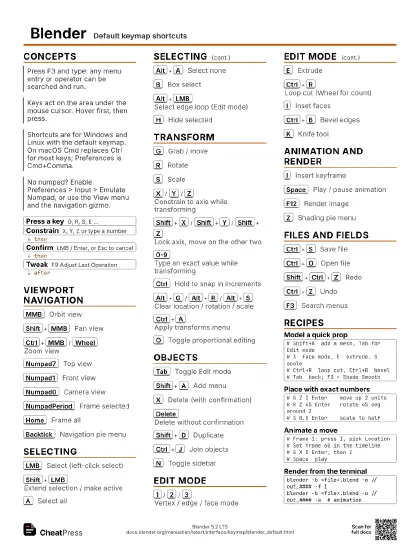
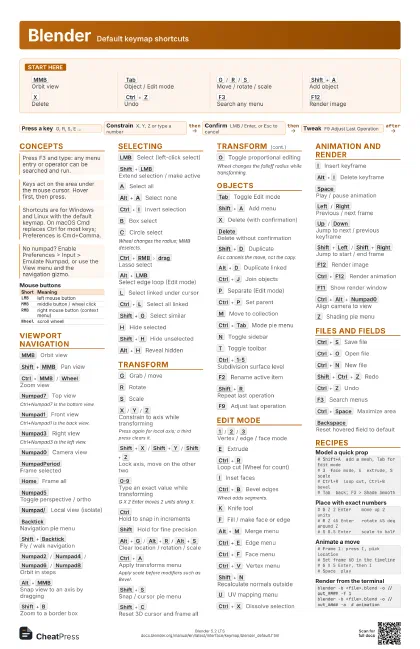
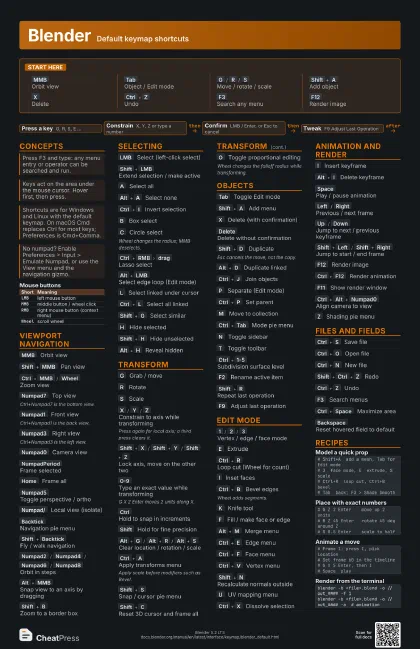
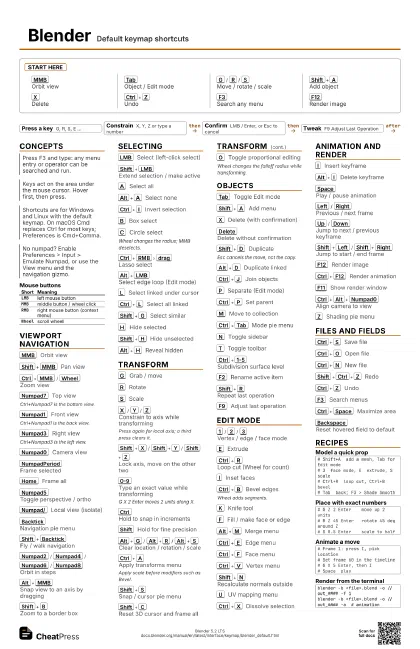
Start here
MMB
Orbit view
Tab
Object / Edit mode
G
/
R
/
S
Move / rotate / scale
Shift+A
Add object
X
Delete
Ctrl+Z
Undo
F3
Search any menu
F12
Render image
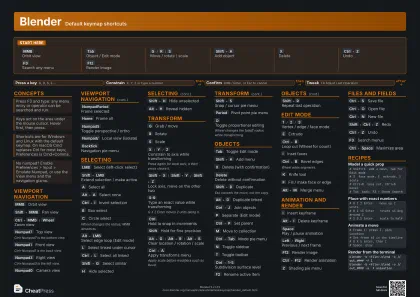
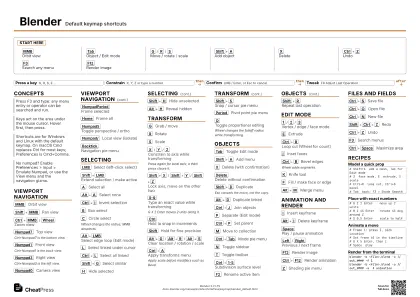
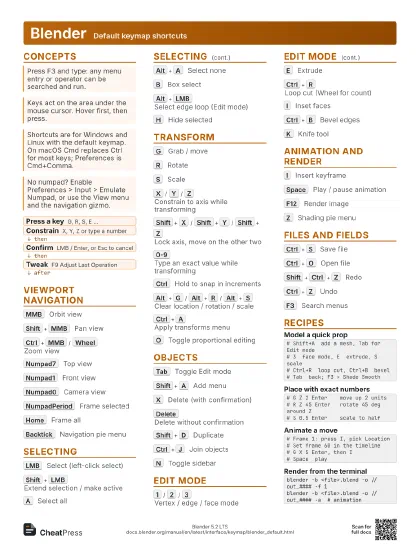
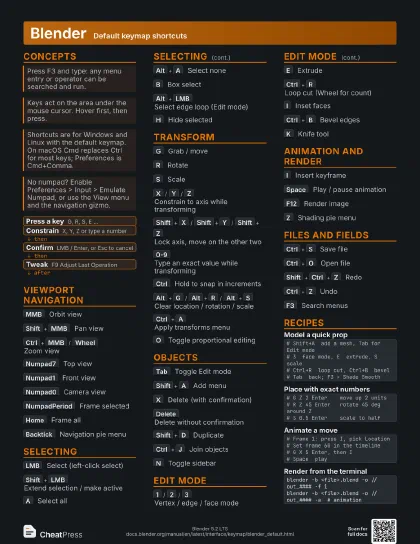
Concepts
- Press a key G, R, S, E ...
- Constrain X, Y, Z or type a number
- Confirm LMB / Enter, or Esc to cancel
- Tweak F9 Adjust Last Operation
| Short | Meaning |
|---|---|
LMB |
left mouse button |
MMB |
middle button / wheel click |
RMB |
right mouse button (context menu) |
Wheel |
scroll wheel |
Viewport navigation
MMB
Orbit view
Shift+MMB
Pan view
Ctrl+MMB
/
Wheel
Zoom view
Numpad7
Top view
Ctrl+Numpad7 is the bottom view.
Numpad1
Front view
Ctrl+Numpad1 is the back view.
Numpad3
Right view
Ctrl+Numpad3 is the left view.
Numpad0
Camera view
NumpadPeriod
Frame selected
Home
Frame all
Numpad5
Toggle perspective / ortho
Numpad/
Local view (isolate)
Backtick
Navigation pie menu
Shift+Backtick
Fly / walk navigation
Numpad2
/
Numpad4
/
Numpad6
/
Numpad8
Orbit in steps
Alt+MMB
Snap view to an axis by dragging
Shift+B
Zoom to a border box
Ctrl+Backtick
Toggle gizmos
Selecting
LMB
Select (left-click select)
Shift+LMB
Extend selection / make active
A
Select all
Alt+A
Select none
Ctrl+I
Invert selection
B
Box select
C
Circle select
Wheel changes the radius; MMB deselects.
Ctrl+RMB
drag
Lasso select
Alt+LMB
Select edge loop (Edit mode)
Ctrl+NumpadPlus
/
Ctrl+NumpadMinus
Grow / shrink selection
L
Select linked under cursor
Ctrl+L
Select all linked
Shift+G
Select similar
H
Hide selected
Shift+H
Hide unselected
Alt+H
Reveal hidden
Transform
G
Grab / move
R
Rotate
S
Scale
X
/
Y
/
Z
Constrain to axis while transforming
Press again for local axis; a third press clears it.
Shift+X
/
Shift+Y
/
Shift+Z
Lock axis, move on the other two
0-9
Type an exact value while transforming
G X 2 Enter moves 2 units along X.
Ctrl
Hold to snap in increments
Shift
Hold for fine precision
Alt+G
/
Alt+R
/
Alt+S
Clear location / rotation / scale
Ctrl+A
Apply transforms menu
Apply scale before modifiers such as Bevel.
Shift+S
Snap / cursor pie menu
Shift+C
Reset 3D cursor and frame all
Period
Pivot point pie menu
Shift+Tab
Toggle snapping
O
Toggle proportional editing
Wheel changes the falloff radius while transforming.
Objects
Tab
Toggle Edit mode
Shift+A
Add menu
X
Delete (with confirmation)
Delete
Delete without confirmation
Shift+D
Duplicate
Esc cancels the move, not the copy.
Alt+D
Duplicate linked
Ctrl+J
Join objects
P
Separate (Edit mode)
Ctrl+P
Set parent
Alt+P
Clear parent
M
Move to collection
Ctrl+Tab
Mode pie menu
N
Toggle sidebar
T
Toggle toolbar
Ctrl+1-5
Subdivision surface level
F2
Rename active item
Alt+Z
Toggle X-ray
Shift+R
Repeat last operation
F9
Adjust last operation
Edit mode
1
/
2
/
3
Vertex / edge / face mode
E
Extrude
Ctrl+R
Loop cut (Wheel for count)
I
Inset faces
Ctrl+B
Bevel edges
Wheel adds segments.
Shift+Ctrl+B
Bevel vertices
K
Knife tool
F
Fill / make face or edge
Alt+M
Merge menu
Ctrl+E
Edge menu
Ctrl+F
Face menu
Ctrl+V
Vertex menu
Alt+E
Extrude menu
Alt+N
Normals menu
Shift+N
Recalculate normals outside
Shift+E
Edge crease
Alt+S
Shrink / fatten
U
UV mapping menu
Ctrl+M
Mirror
Ctrl+T
Triangulate faces
J
Connect vertices
Ctrl+X
Dissolve selection
Animation and render
I
Insert keyframe
Alt+I
Delete keyframe
Space
Play / pause animation
Left
/
Right
Previous / next frame
Up
/
Down
Jump to next / previous keyframe
Shift+Left
/
Shift+Right
Jump to start / end frame
Shift+Ctrl+Space
Play in reverse
Shift+Alt+I
Clear all keyframes
Ctrl+D
Assign driver (hover a field)
F12
Render image
Ctrl+F12
Render animation
F11
Show render window
Esc
Close render window / cancel render
Ctrl+Alt+Numpad0
Align camera to view
Z
Shading pie menu
Files and fields
Ctrl+S
Save file
Ctrl+O
Open file
Ctrl+N
New file
Shift+Ctrl+Z
Redo
Ctrl+Z
Undo
Ctrl+Q
Quit
F1
Context help
F3
Search menus
Ctrl+PageUp
/
Ctrl+PageDown
Previous / next workspace
Q
Quick favorites
Ctrl+Space
Maximize area
Backspace
Reset hovered field to default
Ctrl+C
Copy hovered field value
Ctrl+Alt+C
Copy whole vector or color
Alt
Apply field edit to all selected
Shift+Ctrl+C
Copy relative data path
Recipes
# Shift+A add a mesh, Tab for Edit mode# 3 face mode, E extrude, S scale# Ctrl+R loop cut, Ctrl+B bevel# Tab back; F3 > Shade Smooth# G Z 2 Enter move up 2 units# R Z 45 Enter rotate 45 deg around Z# S 0.5 Enter scale to half# Frame 1: press I, pick Location# Set frame 60 in the timeline# G X 5 Enter, then I# Space playblender -b <file>.blend -o //out_#### -f 1blender -b <file>.blend -o //out_#### -a # animation