Cheat
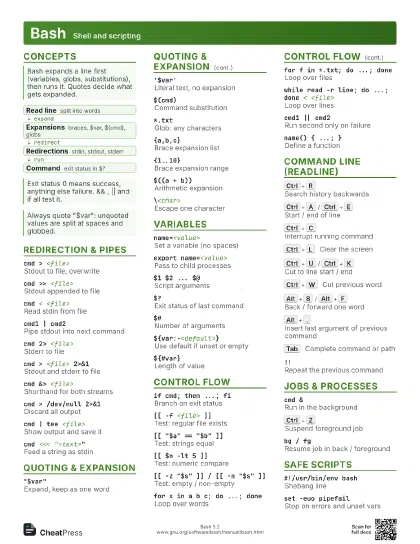
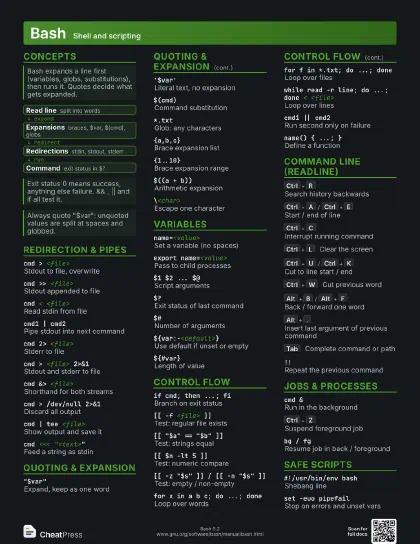
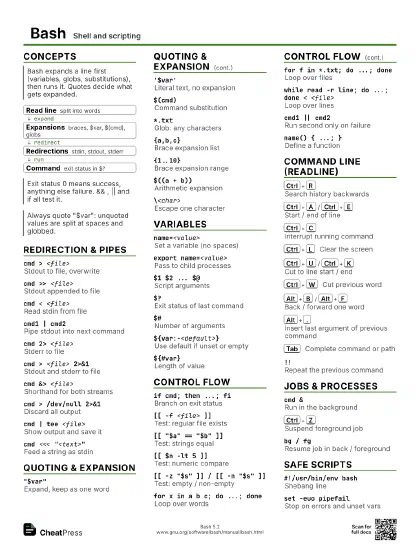
Bash Shell and scripting
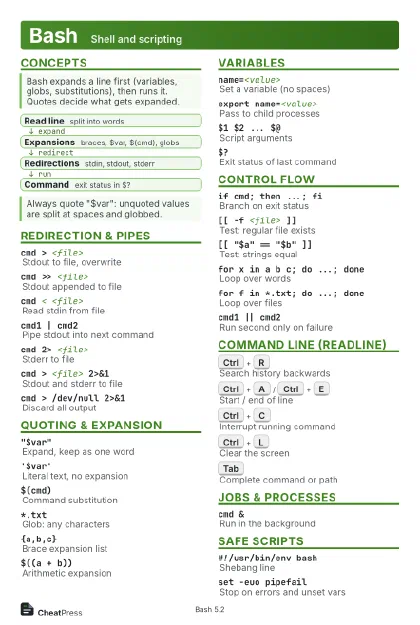 Light · Postcard
102 × 152 mm · PDF
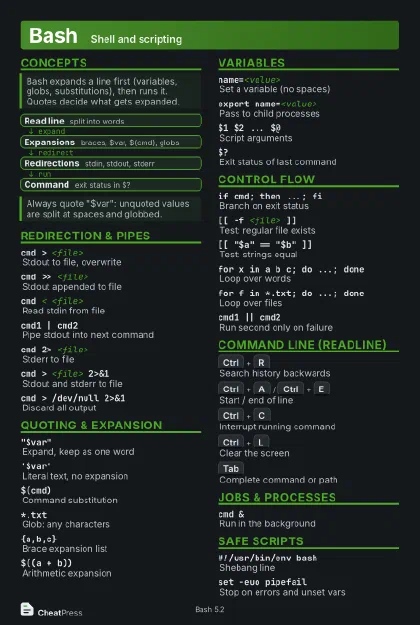 Dark · Postcard
102 × 152 mm · PDF
 Ink saver · Postcard
102 × 152 mm · PDF
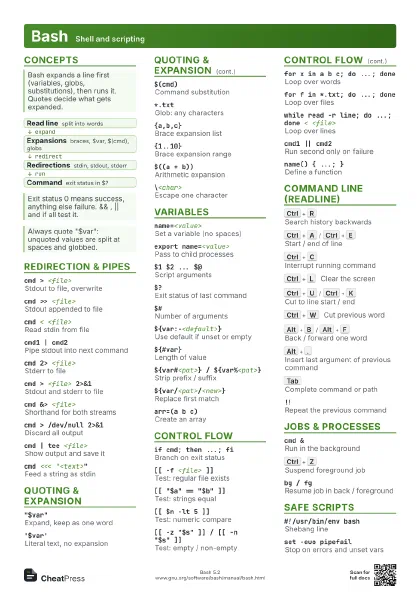
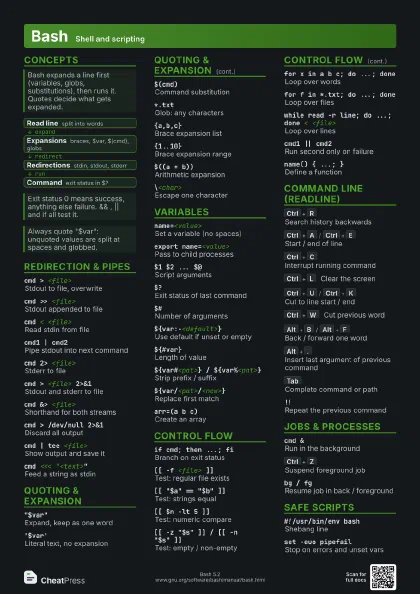
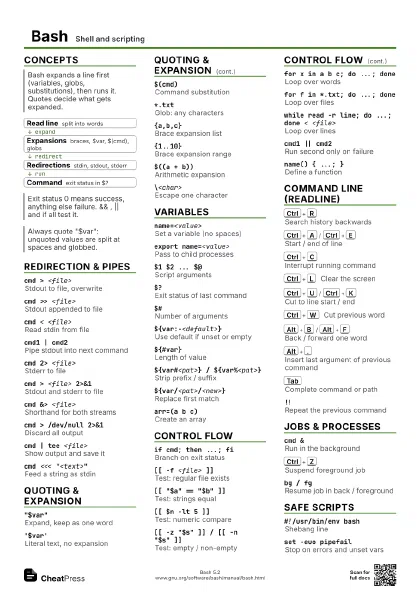
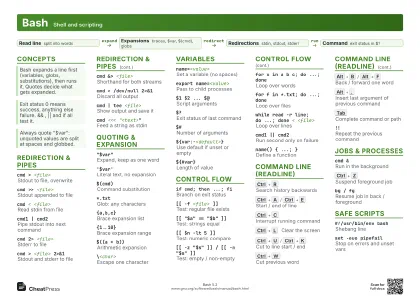 Light · A4 landscape
297 × 210 mm · PDF
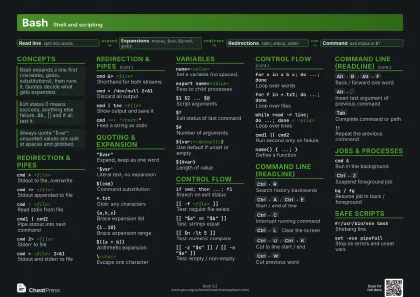 Dark · A4 landscape
297 × 210 mm · PDF
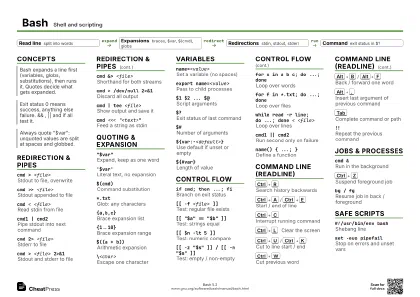 Ink saver · A4 landscape
297 × 210 mm · PDF
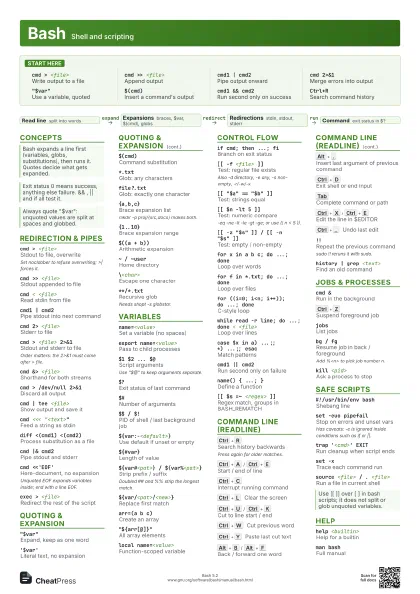
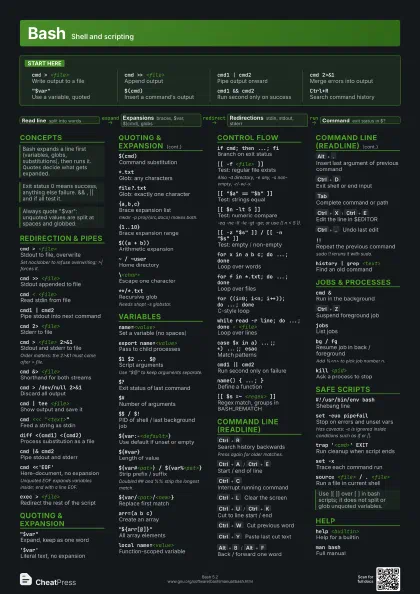
 Light · A3 landscape
420 × 297 mm · PDF
 Dark · A3 landscape
420 × 297 mm · PDF
 Ink saver · A3 landscape
420 × 297 mm · PDF
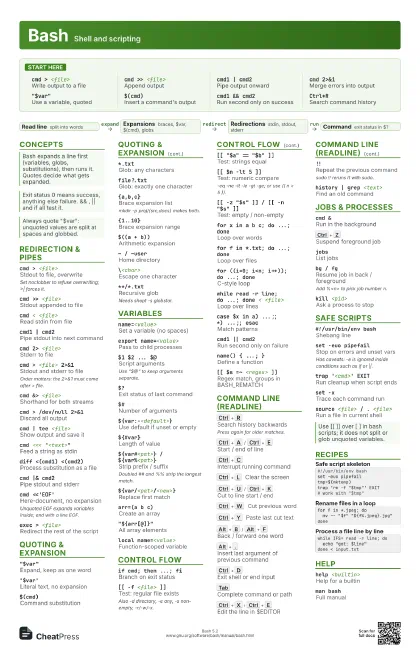
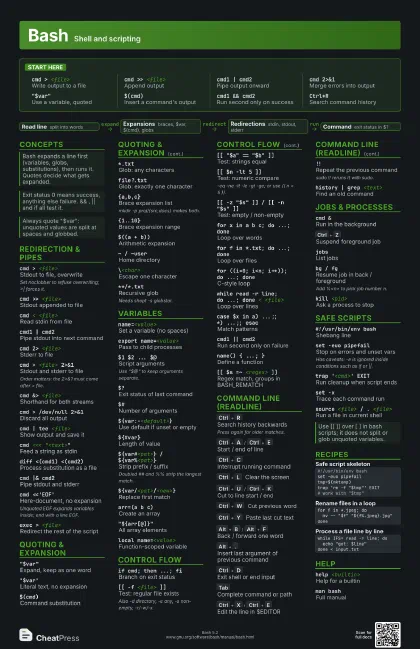
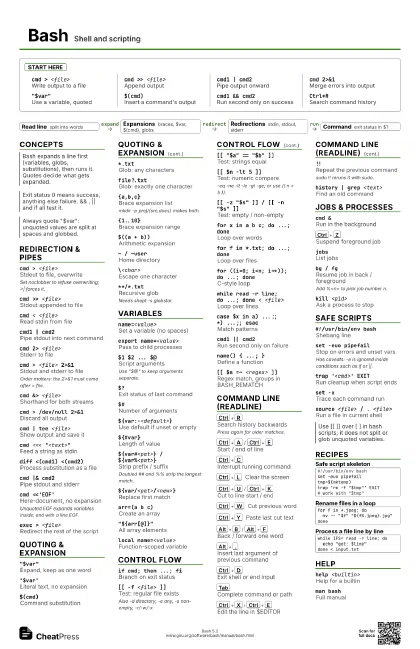
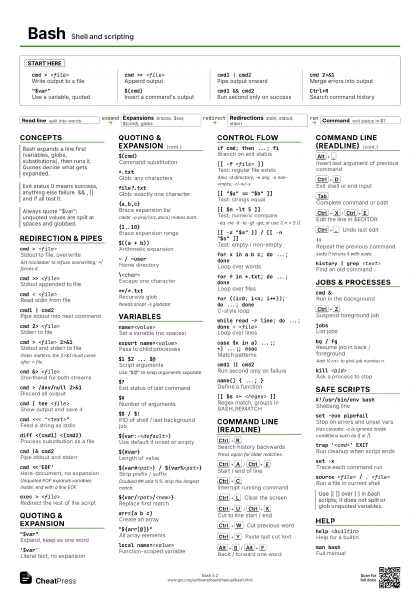
Start here
cmd > <file>
Write output to a file
cmd >> <file>
Append output
cmd1 | cmd2Pipe output onward
cmd 2>&1Merge errors into output
"$var"Use a variable, quoted
$(cmd)Insert a command's output
cmd1 && cmd2
Run second only on success
Ctrl+RSearch command history
Concepts
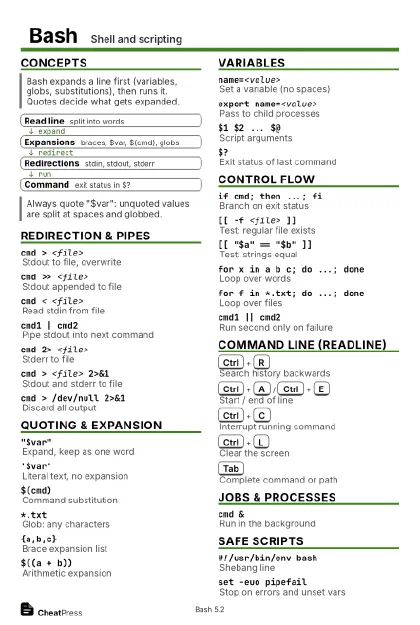
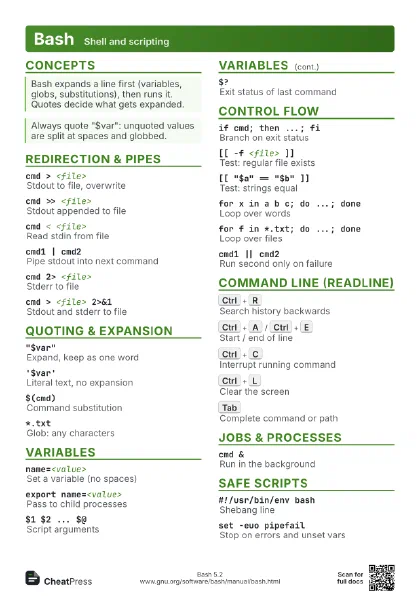
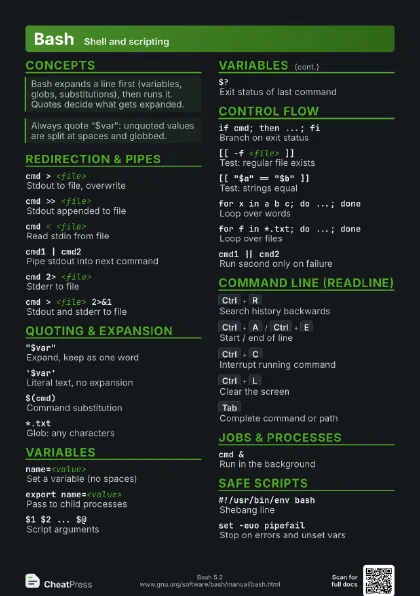
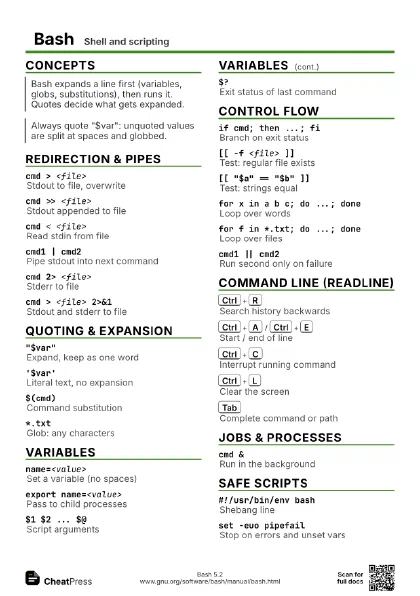
- Read line split into words
- Expansions braces, $var, $(cmd), globs
- Redirections stdin, stdout, stderr
- Command exit status in $?
Redirection & Pipes
cmd > <file>
Stdout to file, overwrite
Set noclobber to refuse overwriting; >| forces it.
cmd >> <file>
Stdout appended to file
cmd < <file>
Read stdin from file
cmd1 | cmd2Pipe stdout into next command
cmd 2> <file>
Stderr to file
cmd > <file> 2>&1
Stdout and stderr to file
Order matters: the 2>&1 must come after > file.
cmd &> <file>
Shorthand for both streams
cmd > /dev/null 2>&1
Discard all output
cmd | tee <file>
Show output and save it
cmd <<< "<text>"
Feed a string as stdin
diff <(cmd1) <(cmd2)
Process substitution as a file
cmd |& cmd2Pipe stdout and stderr
cmd <<'EOF'
Here-document, no expansion
Unquoted EOF expands variables inside; end with a line EOF.
exec > <file>
Redirect the rest of the script
Quoting & Expansion
"$var"Expand, keep as one word
'$var'Literal text, no expansion
$(cmd)Command substitution
*.txtGlob: any characters
file?.txtGlob: exactly one character
{a,b,c}Brace expansion list
mkdir -p proj/{src,docs} makes both.
{1..10}Brace expansion range
$((a + b))Arithmetic expansion
~ / ~userHome directory
\<char>Escape one character
$'a\tb'ANSI-C quoting (tab, newline)
**/*.txtRecursive glob
Needs shopt -s globstar.
Variables
name=<value>
Set a variable (no spaces)
export name=<value>
Pass to child processes
$1 $2 ... $@Script arguments
Use "$@" to keep arguments separate.
$?Exit status of last command
$#Number of arguments
$$ / $!PID of shell / last background job
${var:-<default>}
Use default if unset or empty
${var:=<default>}
Assign default if unset or empty
${#var}Length of value
${var#<pat>} / ${var%<pat>}
Strip prefix / suffix
Doubled ## and %% strip the longest match.
${var/<pat>/<new>}
Replace first match
${var^^} / ${var,,}
Upper / lower case
arr=(a b c)Create an array
"${arr[@]}"
All array elements
declare -A mapAssociative array
local name=<value>
Function-scoped variable
Control Flow
if cmd; then ...; fi
Branch on exit status
[[ -f <file> ]]
Test: regular file exists
Also -d directory, -e any, -s non-empty, -r/-w/-x.
[[ "$a" == "$b" ]]
Test: strings equal
[[ $n -lt 5 ]]Test: numeric compare
-eq -ne -lt -le -gt -ge; or use (( n < 5 )).
[[ -z "$s" ]] / [[ -n "$s" ]]
Test: empty / non-empty
for x in a b c; do ...; done
Loop over words
for f in *.txt; do ...; done
Loop over files
for ((i=0; i<n; i++)); do ...; done
C-style loop
while read -r line; do ...; done < <file>
Loop over lines
case $x in a) ...;; *) ...;; esac
Match patterns
cmd1 || cmd2Run second only on failure
name() { ...; }Define a function
break / continue
Leave / skip loop iteration
[[ $s =~ <regex> ]]
Regex match, groups in BASH_REMATCH
Command Line (Readline)
Ctrl+R
Search history backwards
Press again for older matches.
Ctrl+A
/
Ctrl+E
Start / end of line
Ctrl+C
Interrupt running command
Ctrl+L
Clear the screen
Ctrl+U
/
Ctrl+K
Cut to line start / end
Ctrl+W
Cut previous word
Ctrl+Y
Paste last cut text
Alt+B
/
Alt+F
Back / forward one word
Alt+.
Insert last argument of previous command
Ctrl+D
Exit shell or end input
Tab
Complete command or path
Ctrl+X
Ctrl+E
Edit the line in $EDITOR
Ctrl+_
Undo last edit
Alt+D
Delete next word
!!Repeat the previous command
sudo !! reruns it with sudo.
!$Last argument of previous command
history | grep <text>
Find an old command
^<old>^<new>
Rerun last command with a fix
Jobs & Processes
cmd &Run in the background
Ctrl+Z
Suspend foreground job
jobsList jobs
bg / fgResume job in back / foreground
Add %<n> to pick job number n.
kill <pid>
Ask a process to stop
waitWait for background jobs
nohup cmd &Keep running after logout
cmd1; cmd2Run one after the other
time cmdMeasure how long it takes
Safe Scripts
#!/usr/bin/env bash
Shebang line
set -euo pipefail
Stop on errors and unset vars
Has caveats: -e is ignored inside conditions such as if or ||.
trap '<cmd>' EXIT
Run cleanup when script ends
set -xTrace each command run
shellcheck <script>
Lint a script (separate tool)
source <file> / . <file>
Run a file in current shell
read -r -p "<prompt>" var
Ask for input
command -v <name>
Check that a command exists
Recipes
#!/usr/bin/env bashset -euo pipefailtmp=$(mktemp)trap 'rm -f "$tmp"' EXIT# work with "$tmp"for f in *.jpeg; do mv -- "$f" "${f%.jpeg}.jpg"donewhile IFS= read -r line; do echo "got: $line"done < input.txt./job.sh > run.log 2>&1 &tail -f run.logHelp
help <builtin>
Help for a builtin
man bashFull manual
type <name>
Is it alias, builtin or file?