Cheat
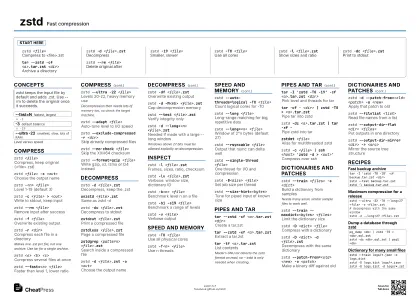
zstd Fast compression
 Light · Postcard
102 × 152 mm · PDF
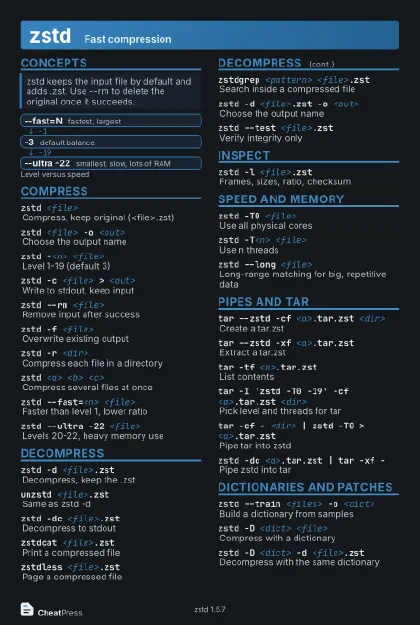 Dark · Postcard
102 × 152 mm · PDF
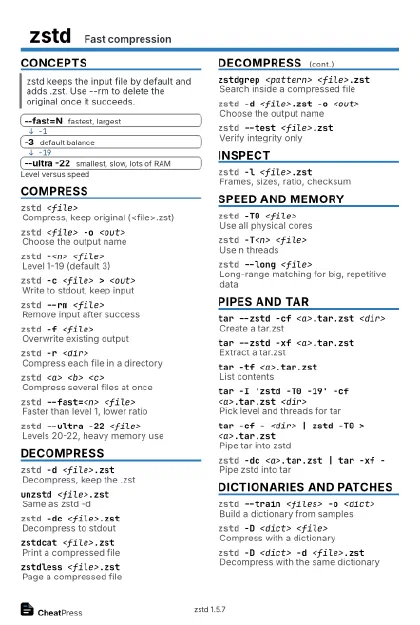 Ink saver · Postcard
102 × 152 mm · PDF
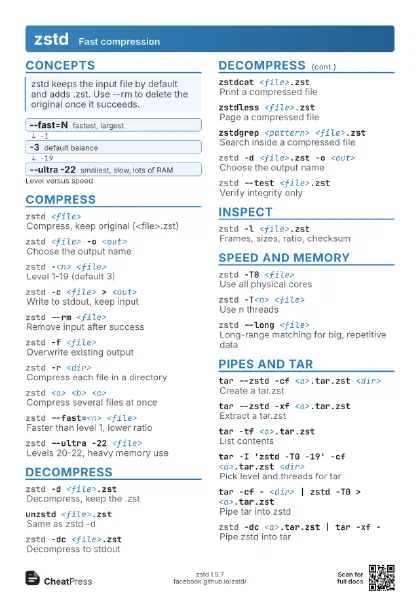
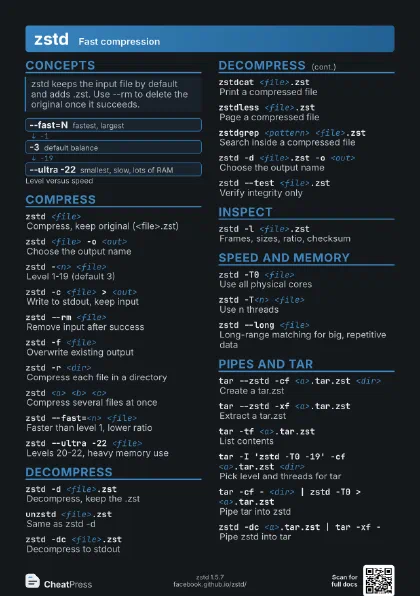
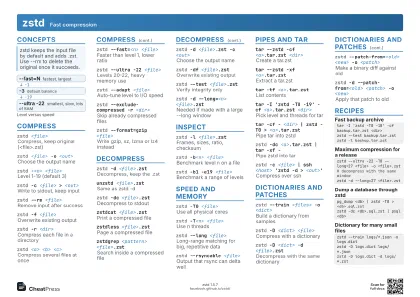 Light · A4 landscape
297 × 210 mm · PDF
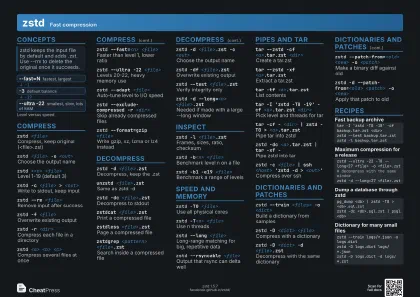 Dark · A4 landscape
297 × 210 mm · PDF
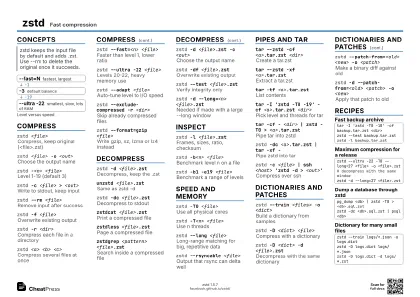 Ink saver · A4 landscape
297 × 210 mm · PDF
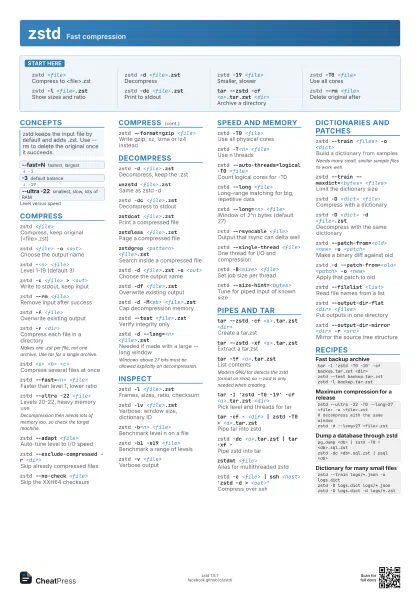
 Light · A3 landscape
420 × 297 mm · PDF
 Dark · A3 landscape
420 × 297 mm · PDF
 Ink saver · A3 landscape
420 × 297 mm · PDF
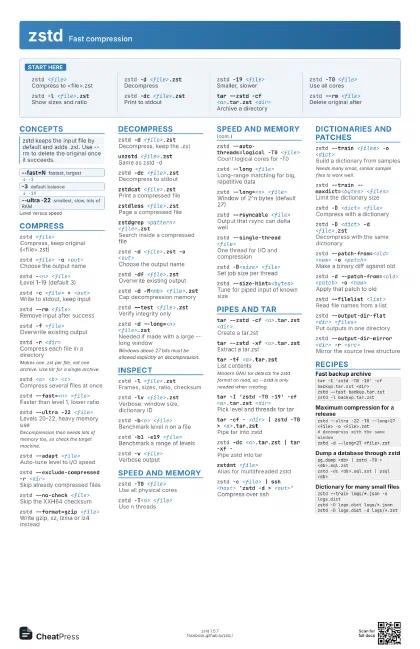
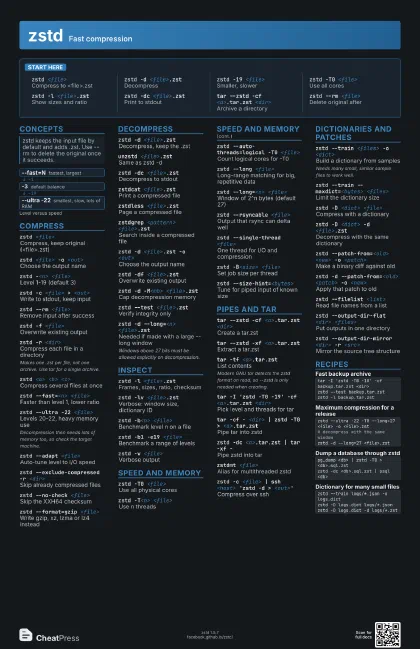
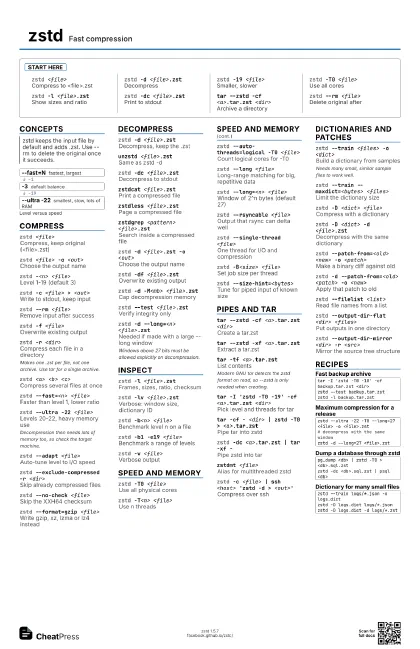
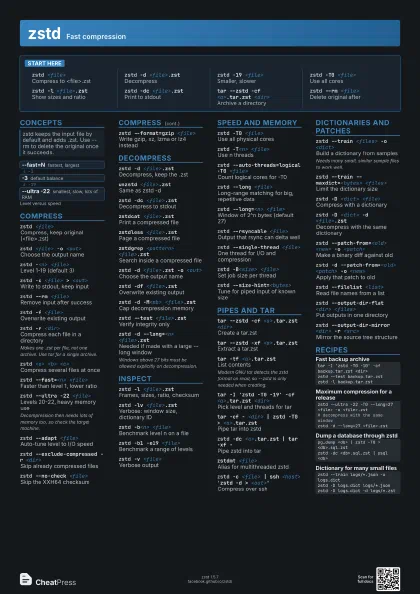
Start here
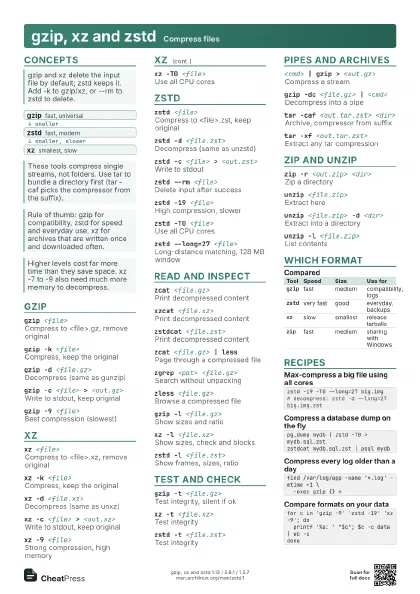
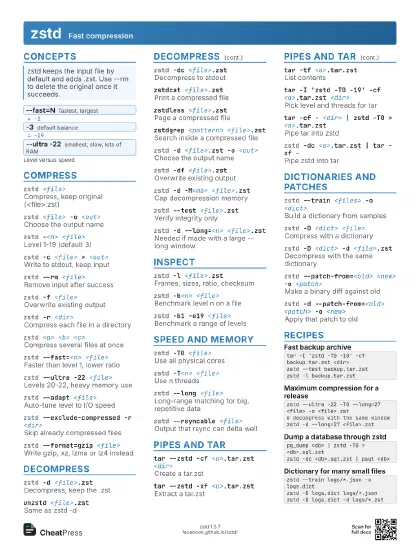
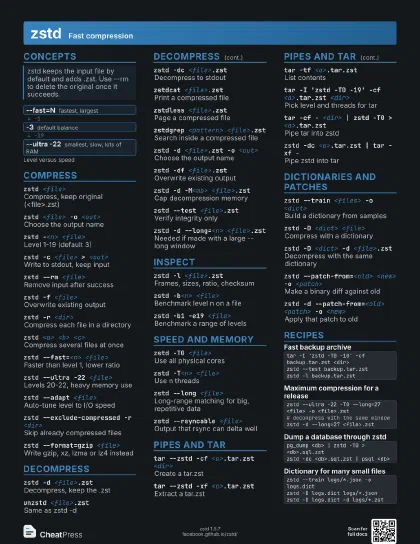
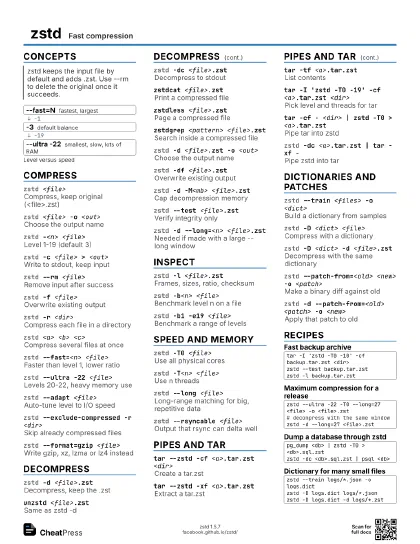
zstd <file>
Compress to <file>.zst
zstd -d <file>.zst
Decompress
zstd -19 <file>
Smaller, slower
zstd -T0 <file>
Use all cores
zstd -l <file>.zst
Show sizes and ratio
zstd -dc <file>.zst
Print to stdout
tar --zstd -cf <a>.tar.zst <dir>
Archive a directory
zstd --rm <file>
Delete original after
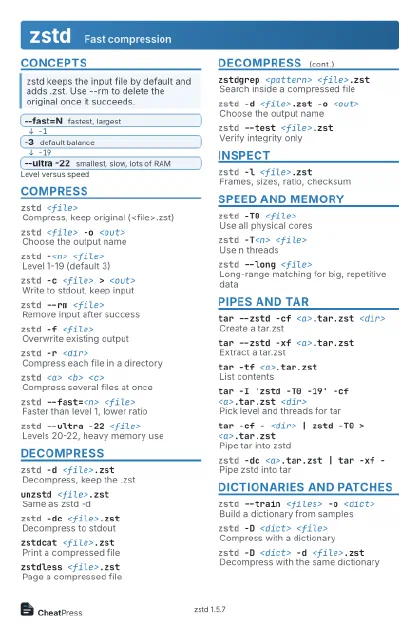
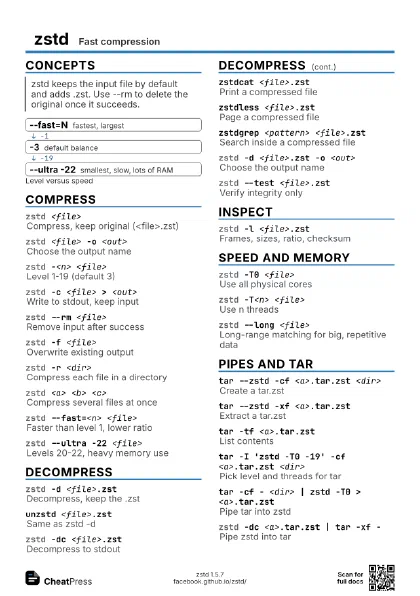
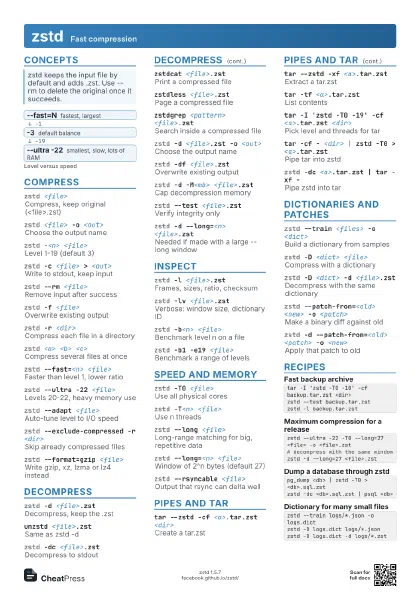
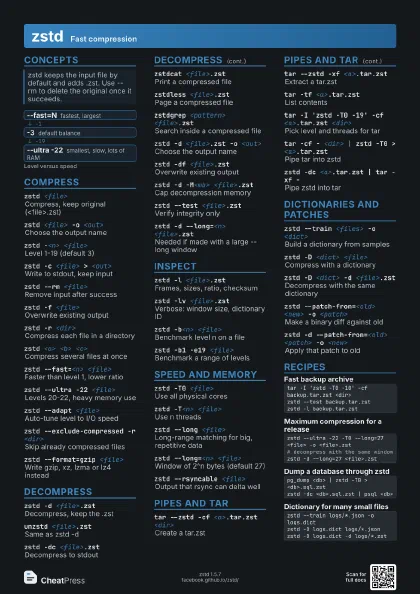
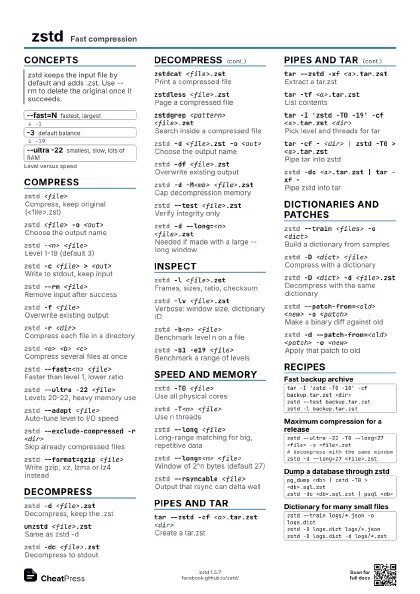
Concepts
- --fast=N fastest, largest
- -3 default balance
- --ultra -22 smallest, slow, lots of RAM
Compress
zstd <file>
Compress, keep original (<file>.zst)
zstd <file> -o <out>
Choose the output name
zstd -<n> <file>
Level 1-19 (default 3)
zstd -c <file> > <out>
Write to stdout, keep input
zstd --rm <file>
Remove input after success
zstd -f <file>
Overwrite existing output
zstd -r <dir>
Compress each file in a directory
Makes one .zst per file, not one archive. Use tar for a single
archive.
zstd <a> <b> <c>
Compress several files at once
zstd --fast=<n> <file>
Faster than level 1, lower ratio
zstd --ultra -22 <file>
Levels 20-22, heavy memory use
Decompression then needs lots of memory too, so check the
target machine.
zstd --adapt <file>
Auto-tune level to I/O speed
zstd --exclude-compressed -r <dir>
Skip already compressed files
zstd --no-check <file>
Skip the XXH64 checksum
zstd --format=gzip <file>
Write gzip, xz, lzma or lz4 instead
Decompress
zstd -d <file>.zst
Decompress, keep the .zst
unzstd <file>.zst
Same as zstd -d
zstd -dc <file>.zst
Decompress to stdout
zstdcat <file>.zst
Print a compressed file
zstdless <file>.zst
Page a compressed file
zstdgrep <pattern> <file>.zst
Search inside a compressed file
zstd -d <file>.zst -o <out>
Choose the output name
zstd -df <file>.zst
Overwrite existing output
zstd -d -M<mb> <file>.zst
Cap decompression memory
zstd --test <file>.zst
Verify integrity only
zstd -d --long=<n> <file>.zst
Needed if made with a large --long window
Windows above 27 bits must be allowed explicitly on
decompression.
Inspect
zstd -l <file>.zst
Frames, sizes, ratio, checksum
zstd -lv <file>.zst
Verbose: window size, dictionary ID
zstd -b<n> <file>
Benchmark level n on a file
zstd -b1 -e19 <file>
Benchmark a range of levels
zstd -v <file>
Verbose output
Speed and memory
zstd -T0 <file>
Use all physical cores
zstd -T<n> <file>
Use n threads
zstd --auto-threads=logical -T0 <file>
Count logical cores for -T0
zstd --long <file>
Long-range matching for big, repetitive data
zstd --long=<n> <file>
Window of 2^n bytes (default 27)
zstd --rsyncable <file>
Output that rsync can delta well
zstd --single-thread <file>
One thread for I/O and compression
zstd -B<size> <file>
Set job size per thread
zstd --size-hint=<bytes>
Tune for piped input of known size
Pipes and tar
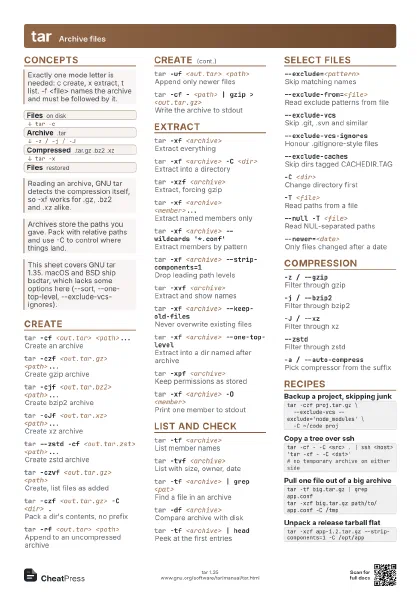
tar --zstd -cf <a>.tar.zst <dir>
Create a tar.zst
tar --zstd -xf <a>.tar.zst
Extract a tar.zst
tar -tf <a>.tar.zst
List contents
Modern GNU tar detects the zstd format on read, so --zstd is
only needed when creating.
tar -I 'zstd -T0 -19' -cf <a>.tar.zst
                    <dir>
Pick level and threads for tar
tar -cf - <dir> | zstd -T0 >
                    <a>.tar.zst
Pipe tar into zstd
zstd -dc <a>.tar.zst | tar -xf -
Pipe zstd into tar
zstdmt <file>
Alias for multithreaded zstd
zstd -c <file> | ssh <host> 'zstd -d >
                    <out>'
Compress over ssh
Dictionaries and patches
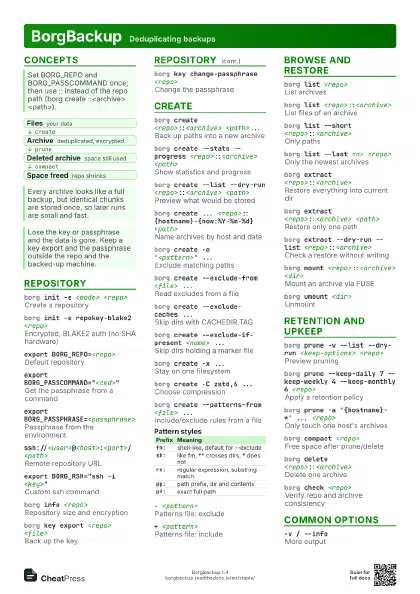
zstd --train <files> -o <dict>
Build a dictionary from samples
Needs many small, similar sample files to work well.
zstd --train --maxdict=<bytes> <files>
Limit the dictionary size
zstd -D <dict> <file>
Compress with a dictionary
zstd -D <dict> -d <file>.zst
Decompress with the same dictionary
zstd --patch-from=<old> <new> -o
                    <patch>
Make a binary diff against old
zstd -d --patch-from=<old> <patch> -o
                    <new>
Apply that patch to old
zstd --filelist <list>
Read file names from a list
zstd --output-dir-flat <dir> <files>
Put outputs in one directory
zstd --output-dir-mirror <dir> -r <src>
Mirror the source tree structure
Recipes
tar -I 'zstd -T0 -10' -cf backup.tar.zst <dir>zstd --test backup.tar.zstzstd -l backup.tar.zstzstd --ultra -22 -T0 --long=27 <file> -o <file>.zst# decompress with the same windowzstd -d --long=27 <file>.zstpg_dump <db> | zstd -T0 > <db>.sql.zstzstd -dc <db>.sql.zst | psql <db>zstd --train logs/*.json -o logs.dictzstd -D logs.dict logs/*.jsonzstd -D logs.dict -d logs/*.zst