Cheat
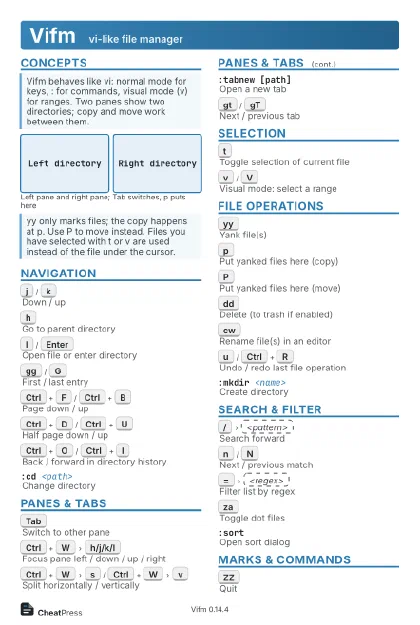
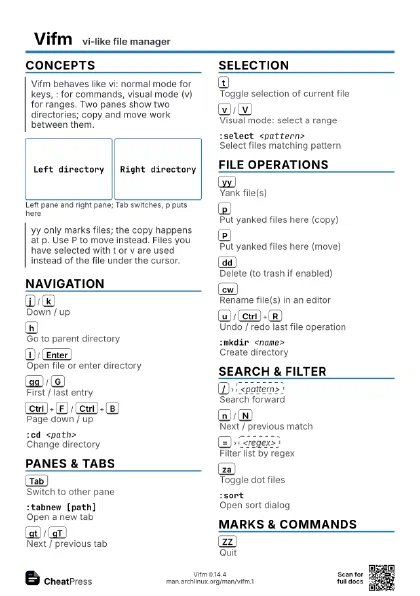
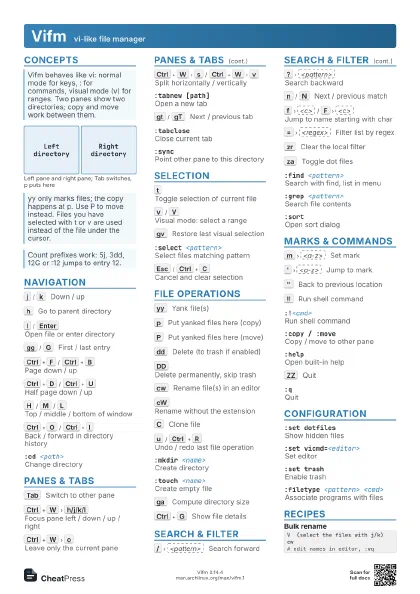
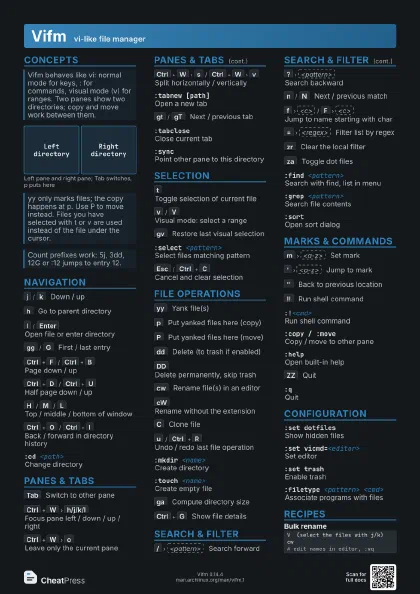
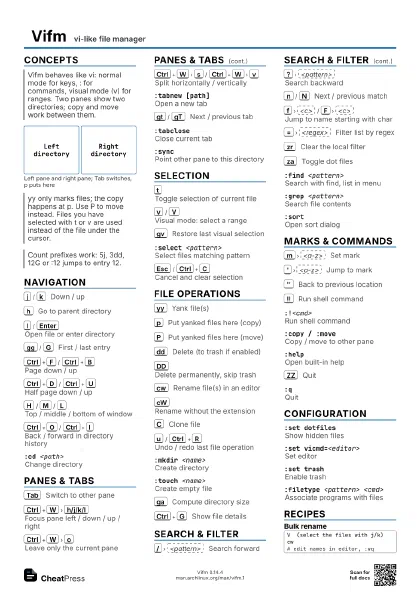
Vifm vi-like file manager
 Light · Postcard
102 × 152 mm · PDF
 Dark · Postcard
102 × 152 mm · PDF
 Ink saver · Postcard
102 × 152 mm · PDF
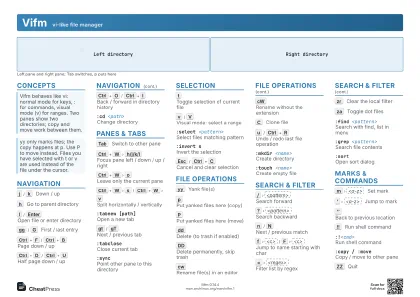 Light · A4 landscape
297 × 210 mm · PDF
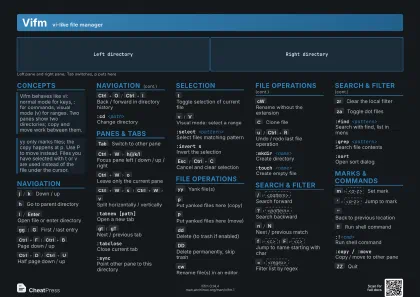 Dark · A4 landscape
297 × 210 mm · PDF
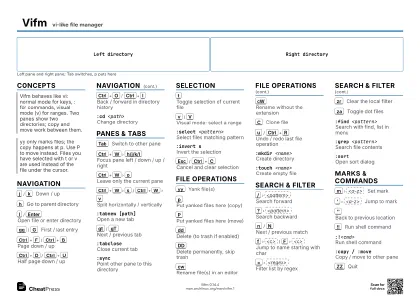 Ink saver · A4 landscape
297 × 210 mm · PDF
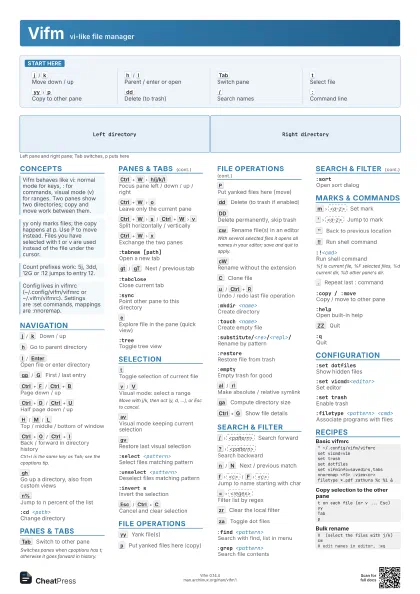
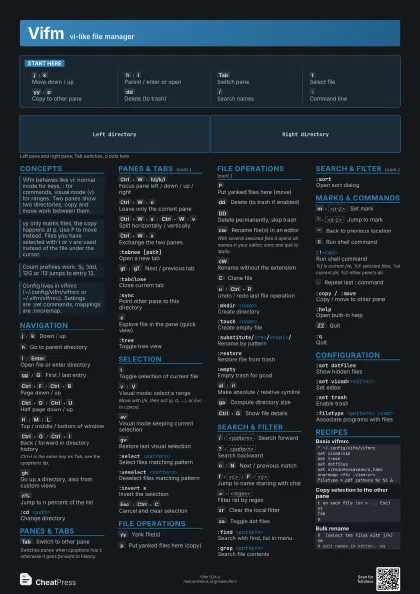
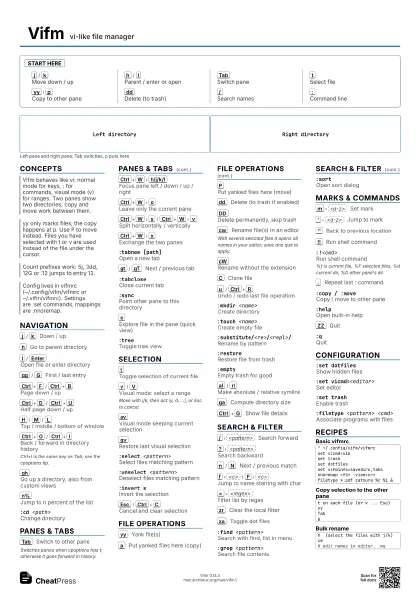
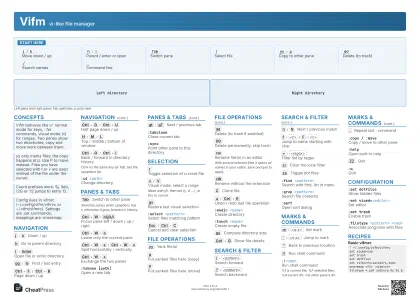 Light · A3 landscape
420 × 297 mm · PDF
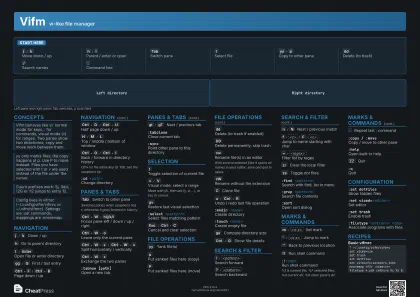 Dark · A3 landscape
420 × 297 mm · PDF
 Ink saver · A3 landscape
420 × 297 mm · PDF
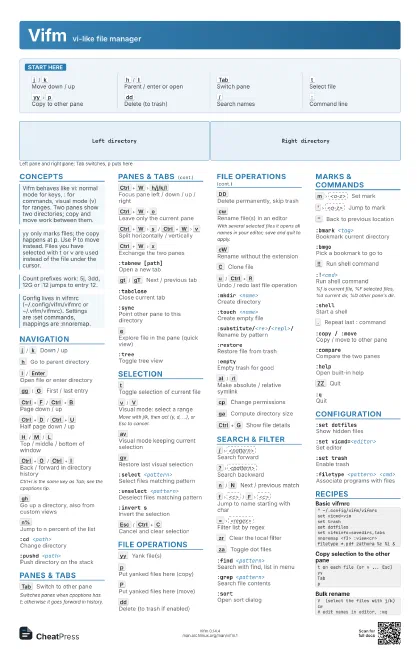
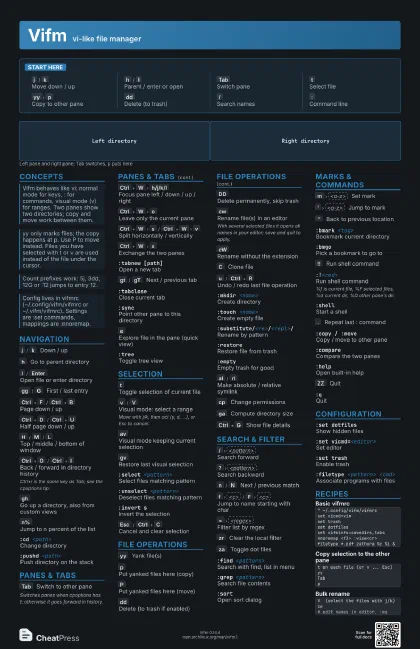
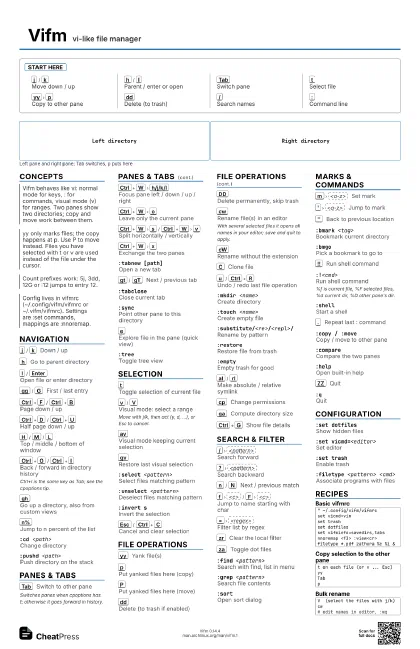
Start here
j
/
k
Move down / up
h
/
l
Parent / enter or open
Tab
Switch pane
t
Select file
yy
p
Copy to other pane
dd
Delete (to trash)
/
Search names
:
Command line
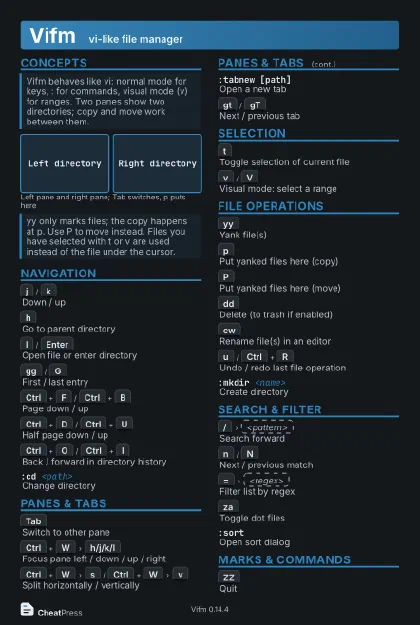
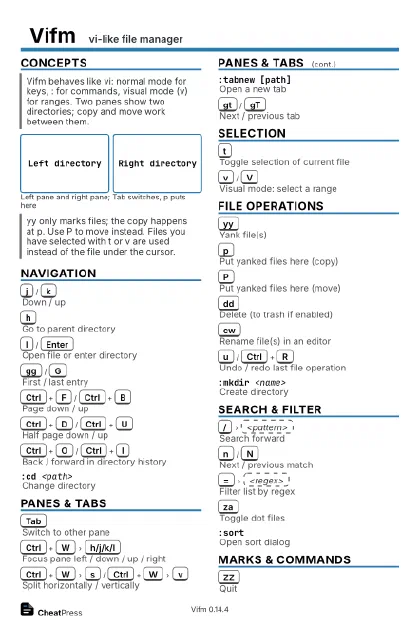
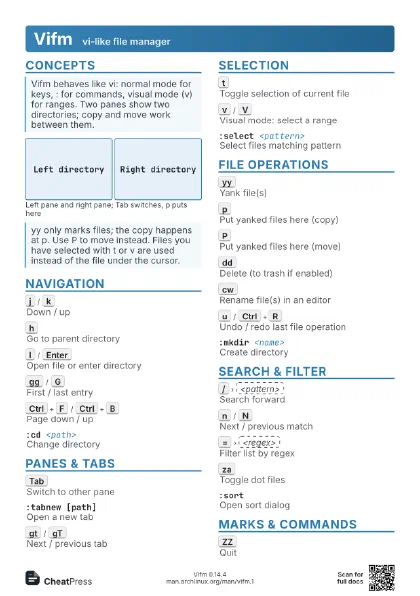
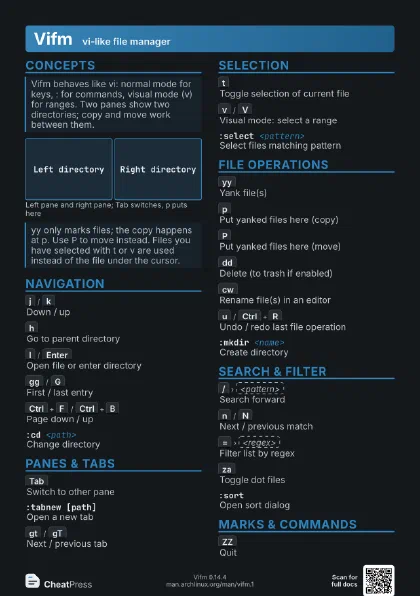
Concepts
Left directory
Right directory
Navigation
j
/
k
Down / up
h
Go to parent directory
l
/
Enter
Open file or enter directory
gg
/
G
First / last entry
Ctrl+F
/
Ctrl+B
Page down / up
Ctrl+D
/
Ctrl+U
Half page down / up
H
/
M
/
L
Top / middle / bottom of window
Ctrl+O
/
Ctrl+I
Back / forward in directory history
Ctrl+I is the same key as Tab; see the cpoptions tip.
gh
Go up a directory, also from custom views
n%
Jump to n percent of the list
:cd <path>
Change directory
:pushd <path>
Push directory on the stack
:popdPop directory from the stack
:siblnext / :siblprev
Next / previous sibling directory
Panes & Tabs
Tab
Switch to other pane
Switches panes when cpoptions has t; otherwise it goes forward
in history.
Ctrl+W
h/j/k/l
Focus pane left / down / up / right
Ctrl+W
o
Leave only the current pane
Ctrl+W
s
/
Ctrl+W
v
Split horizontally / vertically
Ctrl+W
x
Exchange the two panes
Ctrl+W
|
Maximise current pane
Ctrl+W
=
Equal pane sizes
Ctrl+W
z
Close preview or view mode
:tabnew [path]Open a new tab
gt
/
gT
Next / previous tab
:tabcloseClose current tab
:tabname <name>
Name current tab
:tabonlyClose all other tabs
:syncPoint other pane to this directory
:onlyShow a single pane
e
Explore file in the pane (quick view)
:treeToggle tree view
Selection
t
Toggle selection of current file
v
/
V
Visual mode: select a range
Move with j/k, then act (y, d, ...), or Esc to cancel.
av
Visual mode keeping current selection
gv
Restore last visual selection
gs
Restore saved selection
:select <pattern>
Select files matching pattern
:unselect <pattern>
Deselect files matching pattern
:invert sInvert the selection
Esc
/
Ctrl+C
Cancel and clear selection
[s
/
]s
Previous / next selected entry
File Operations
yy
Yank file(s)
p
Put yanked files here (copy)
P
Put yanked files here (move)
dd
Delete (to trash if enabled)
DD
Delete permanently, skip trash
cw
Rename file(s) in an editor
With several selected files it opens all names in your editor;
save and quit to apply.
cW
Rename without the extension
C
Clone file
u
/
Ctrl+R
Undo / redo last file operation
:mkdir <name>
Create directory
:touch <name>
Create empty file
:rename!Rename recursively in an editor
:substitute/<re>/<repl>/
Rename by pattern
:restoreRestore file from trash
:emptyEmpty trash for good
al
/
rl
Make absolute / relative symlink
cp
Change permissions
Ctrl+A
/
Ctrl+X
Increment / decrement number in name
ga
Compute directory size
Ctrl+G
Show file details
Search & Filter
/
<pattern>
Search forward
?
<pattern>
Search backward
n
/
N
Next / previous match
f
<c>
/
F
<c>
Jump to name starting with char
;
/
,
Repeat f / F forward / back
=
<regex>
Filter list by regex
zr
Clear the local filter
za
Toggle dot files
zf
Hide selected files permanently
:find <pattern>
Search with find, list in menu
:grep <pattern>
Search file contents
:locate <pattern>
Search via locate
:sortOpen sort dialog
Marks & Commands
m
<a-z>
Set mark
'
<a-z>
Jump to mark
''
Back to previous location
:marksList marks
:bmark <tag>
Bookmark current directory
:bmgoPick a bookmark to go to
!!
Run shell command
:!<cmd>Run shell command
%f is current file, %F selected files, %d current dir, %D
other pane's dir.
:shellStart a shell
q:
Edit command line in editor
.
Repeat last : command
:copy / :moveCopy / move to other pane
:compareCompare the two panes
:helpOpen built-in help
:historyShow history
ZZ
Quit
ZQ
Quit without saving state
:qQuit
Configuration
:set dotfilesShow hidden files
:set vicmd=<editor>
Set editor
:set trashEnable trash
:set vifminfo=...
What to remember between runs
:filetype <pattern> <cmd>
Associate programs with files
:fileviewer <pattern> <cmd>
Preview command for files
:nnoremap <keys> <cmd>
Map a normal-mode key
:command <name> <cmd>
Define user command
:colorscheme <name>
Switch color scheme
:source <file>
Run commands from file
:restartReload config and state
Recipes
" ~/.config/vifm/vifmrcset vicmd=vimset trashset dotfilesset vifminfo=savedirs,tabsnnoremap <f3> :view<cr>filetype *.pdf zathura %c %i &t on each file (or v ... Esc)yyTabpV (select the files with j/k)cw# edit names in editor, :wqvifm --remote -c 'cd /srv'vifm --server-list