Cheat
Velero Kubernetes backup
 Light · Postcard
102 × 152 mm · PDF
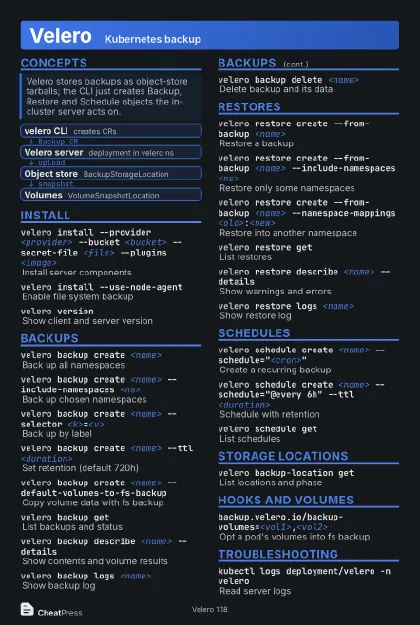 Dark · Postcard
102 × 152 mm · PDF
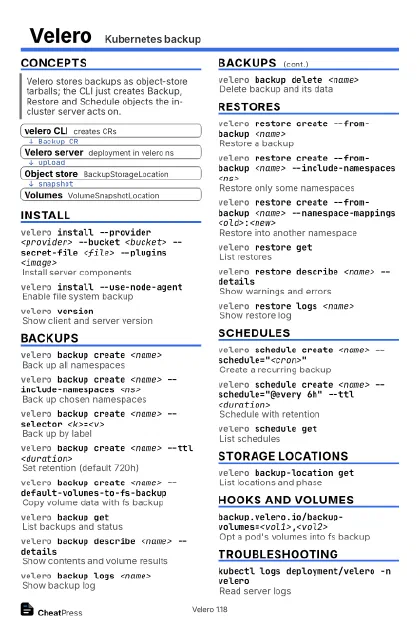 Ink saver · Postcard
102 × 152 mm · PDF
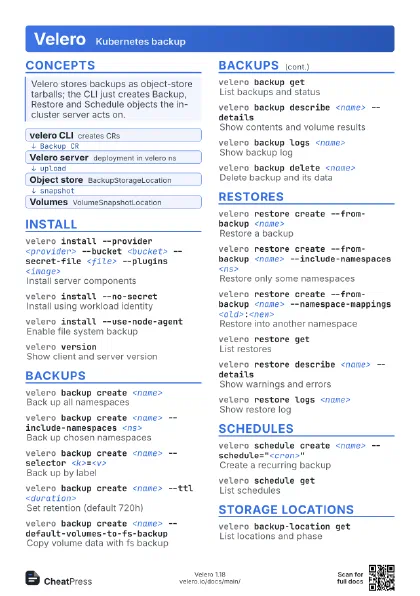
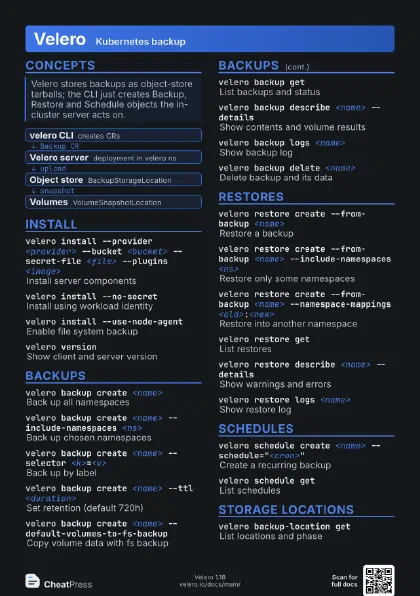
 Light · A4 landscape
297 × 210 mm · PDF
 Dark · A4 landscape
297 × 210 mm · PDF
 Ink saver · A4 landscape
297 × 210 mm · PDF
 Light · A3 landscape
420 × 297 mm · PDF
 Dark · A3 landscape
420 × 297 mm · PDF
 Ink saver · A3 landscape
420 × 297 mm · PDF
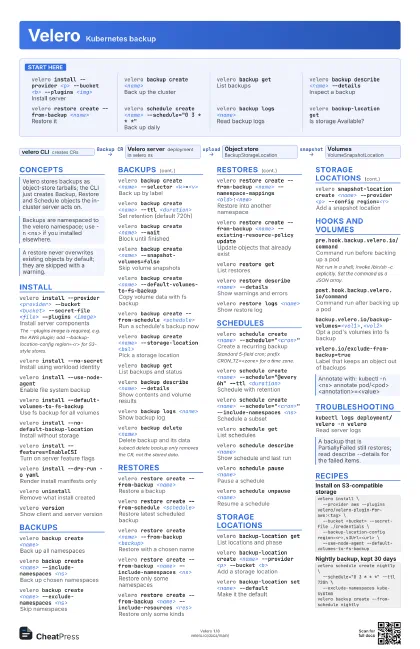
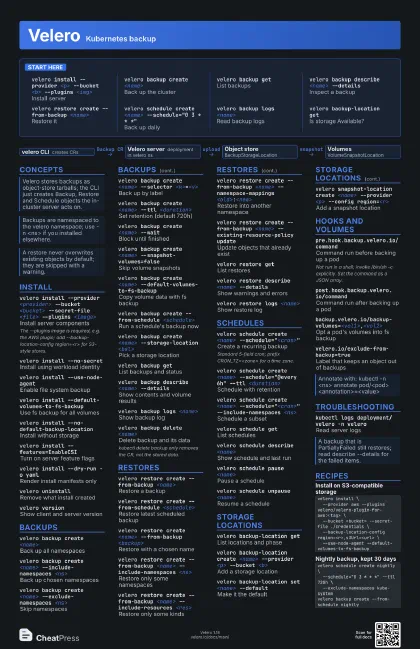
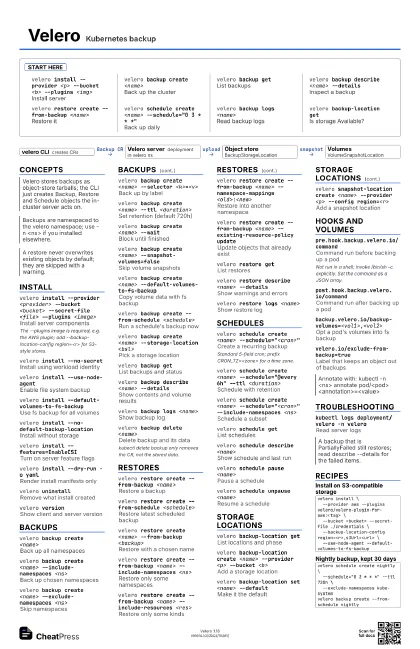
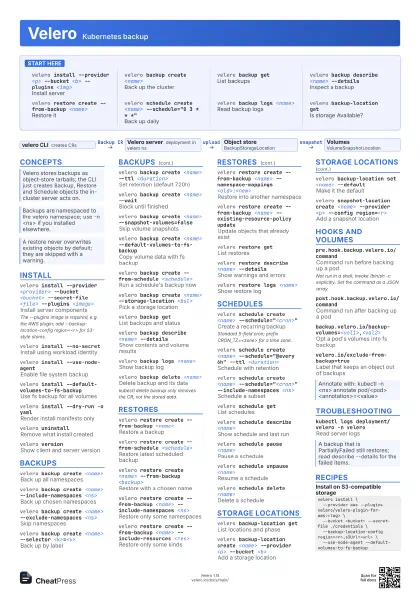
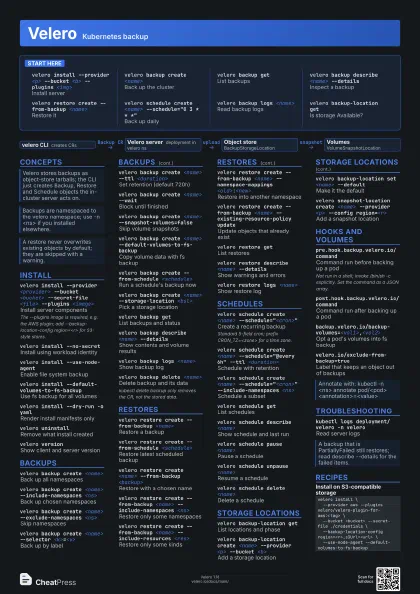
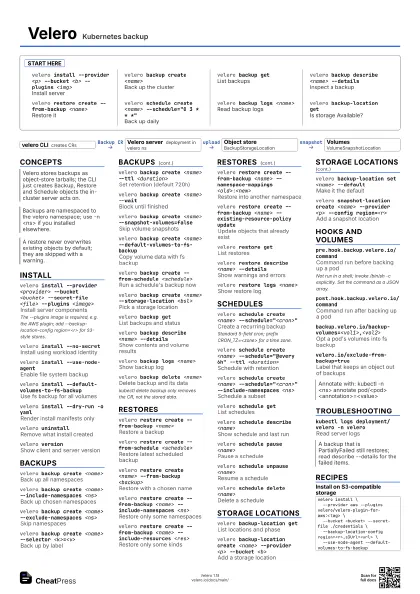
Start here
velero install --provider <p> --bucket <b>
                    --plugins <img>
Install server
velero backup create <name>
Back up the cluster
velero backup get
List backups
velero backup describe <name> --details
Inspect a backup
velero restore create --from-backup <name>
Restore it
velero schedule create <name> --schedule="0 3 * *
                    *"
Back up daily
velero backup logs <name>
Read backup logs
velero backup-location get
Is storage Available?
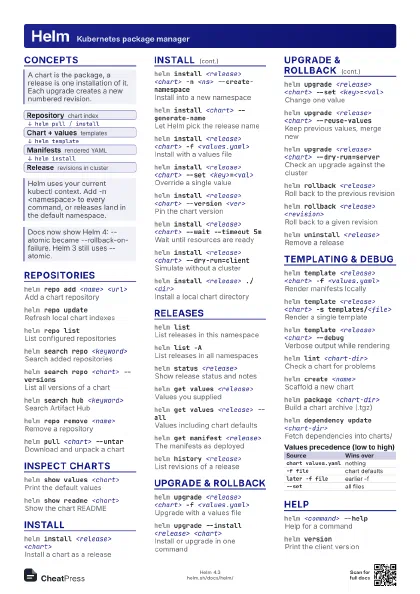
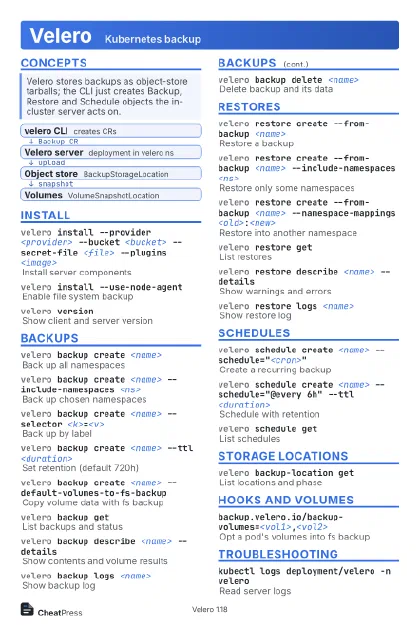
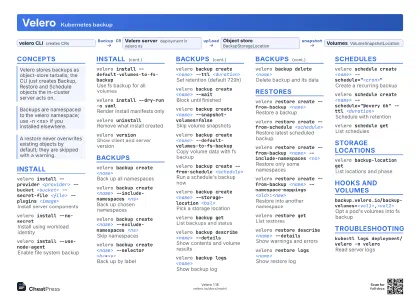
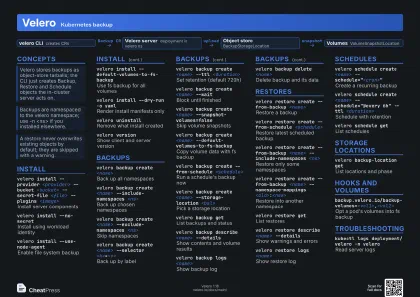
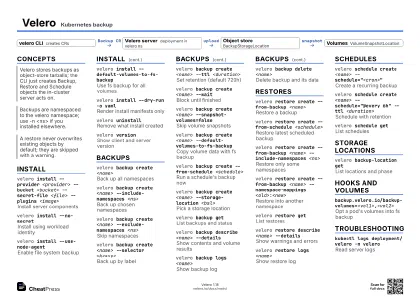
Concepts
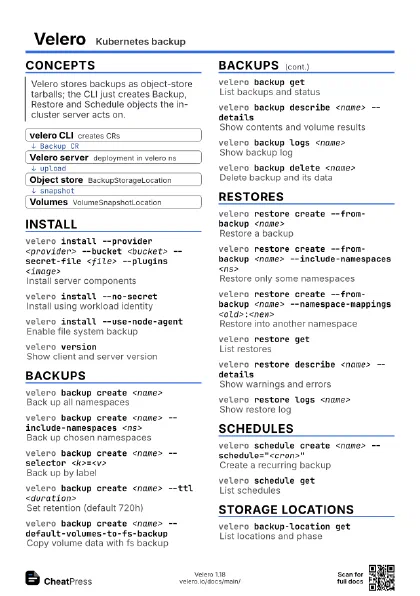
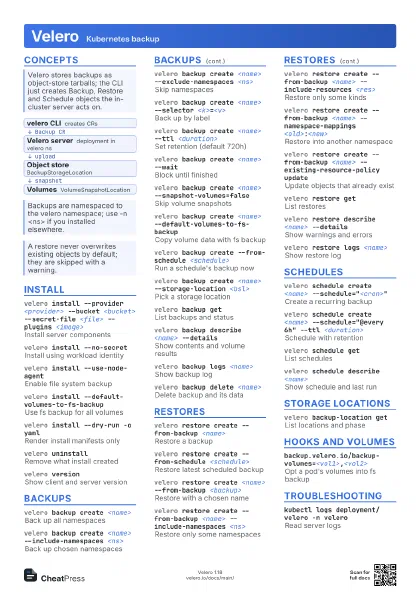
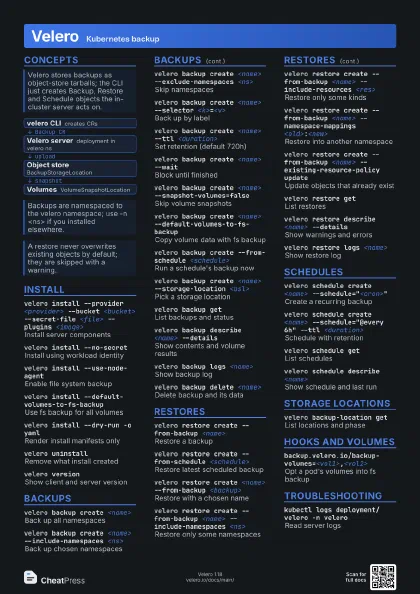
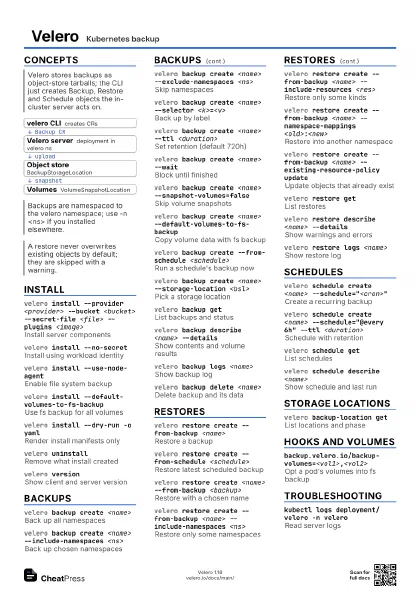
- velero CLI creates CRs
- Velero server deployment in velero ns
- Object store BackupStorageLocation
- Volumes VolumeSnapshotLocation
Install
velero install --provider <provider> --bucket
                    <bucket> --secret-file <file> --plugins
                    <image>
Install server components
The --plugins image is required, e.g. the AWS plugin; add
--backup-location-config region=<r> for S3-style stores.
velero install --no-secret
Install using workload identity
velero install --use-node-agent
Enable file system backup
velero install --default-volumes-to-fs-backup
Use fs backup for all volumes
velero install --no-default-backup-location
Install without storage
velero install --features=EnableCSI
Turn on server feature flags
velero install --dry-run -o yaml
Render install manifests only
velero uninstall
Remove what install created
velero versionShow client and server version
Backups
velero backup create <name>
Back up all namespaces
velero backup create <name> --include-namespaces
                    <ns>
Back up chosen namespaces
velero backup create <name> --exclude-namespaces
                    <ns>
Skip namespaces
velero backup create <name> --selector
                    <k>=<v>
Back up by label
velero backup create <name> --or-selector
                    "<a>=<b> or <c>=<d>"
Match any of several labels
velero backup create <name> --ttl
                    <duration>
Set retention (default 720h)
velero backup create <name> --wait
Block until finished
velero backup create <name>
                    --snapshot-volumes=false
Skip volume snapshots
velero backup create <name>
                    --default-volumes-to-fs-backup
Copy volume data with fs backup
velero backup create --from-schedule <schedule>
Run a schedule's backup now
velero backup create <name>
                    --include-cluster-resources=true
Include cluster-scoped objects
velero backup create <name> --ordered-resources
                    'pods=<ns>/<pod>'
Back up objects in a set order
velero backup create <name> --storage-location
                    <bsl>
Pick a storage location
velero backup get
List backups and status
velero backup describe <name> --details
Show contents and volume results
velero backup logs <name>
Show backup log
velero backup delete <name>
Delete backup and its data
kubectl delete backup only removes the CR, not the stored
data.
velero backup download <name>
Download a backup tarball
Restores
velero restore create --from-backup <name>
Restore a backup
velero restore create --from-schedule
                    <schedule>
Restore latest scheduled backup
velero restore create <name> --from-backup
                    <backup>
Restore with a chosen name
velero restore create --from-backup <name>
                    --include-namespaces <ns>
Restore only some namespaces
velero restore create --from-backup <name>
                    --include-resources <res>
Restore only some kinds
velero restore create --from-backup <name>
                    --namespace-mappings <old>:<new>
Restore into another namespace
velero restore create --from-backup <name>
                    --existing-resource-policy update
Update objects that already exist
velero restore create --from-backup <name> --selector
                    <k>=<v>
Restore by label
velero restore create --from-backup <name>
                    --preserve-nodeports
Keep Service nodePorts
velero restore create --from-backup <name>
                    --restore-volumes=false
Skip volume data
velero restore get
List restores
velero restore describe <name> --details
Show warnings and errors
velero restore logs <name>
Show restore log
velero restore delete <name>
Delete restore record
Schedules
velero schedule create <name>
                    --schedule="<cron>"
Create a recurring backup
Standard 5-field cron; prefix CRON_TZ=<zone> for a time
zone.
velero schedule create <name> --schedule="@every
                    6h" --ttl <duration>
Schedule with retention
velero schedule create <name>
                    --schedule="<cron>" --include-namespaces
                    <ns>
Schedule a subset
velero schedule get
List schedules
velero schedule describe <name>
Show schedule and last run
velero schedule pause <name>
Pause a schedule
velero schedule unpause <name>
Resume a schedule
velero schedule delete <name>
Delete a schedule
Storage locations
velero backup-location get
List locations and phase
velero backup-location create <name> --provider
                    <p> --bucket <b>
Add a storage location
velero backup-location create <name> --provider
                    <p> --bucket <b> --config region=<r>
Add with provider options
velero backup-location create <name> --provider
                    <p> --bucket <b>
                    --credential=<secret>=<key>
Use a separate secret
velero backup-location set <name> --default
Make it the default
velero snapshot-location create <name> --provider
                    <p> --config region=<r>
Add a snapshot location
Hooks and volumes
pre.hook.backup.velero.io/command
Command run before backing up a pod
Not run in a shell; invoke /bin/sh -c explicitly. Set the
command as a JSON array.
post.hook.backup.velero.io/command
Command run after backing up a pod
pre.hook.backup.velero.io/container
Container for the pre-hook
pre.hook.backup.velero.io/on-error
Fail or Continue on hook error
pre.hook.backup.velero.io/timeout
Hook time limit (default 30s)
post.hook.restore.velero.io/command
Command run in restored pod
init.hook.restore.velero.io/container-image
Init container image on restore
backup.velero.io/backup-volumes=<vol1>,<vol2>
Opt a pod's volumes into fs backup
backup.velero.io/backup-volumes-excludes=<vol>
Opt a volume out of fs backup
velero.io/exclude-from-backup=true
Label that keeps an object out of backups
Troubleshooting
velero debugCollect a support bundle
kubectl logs deployment/velero -n velero
Read server logs
kubectl edit deployment/velero -n velero
Add --log-level debug to args
kubectl get backupstoragelocations.velero.io -n velero -o
                    yaml
Inspect location status
kubectl delete backup <name> -n velero
Remove a backup stuck InProgress
Recipes
velero install \ --provider aws --plugins velero/velero-plugin-for-aws:<tag> \ --bucket <bucket> --secret-file ./credentials \ --backup-location-config region=<r>,s3Url=<url> \ --use-node-agent --default-volumes-to-fs-backupvelero schedule create nightly \ --schedule="0 3 * * *" --ttl 720h \ --exclude-namespaces kube-systemvelero backup create --from-schedule nightly# same bucket, read-only on the target clustervelero backup create mig --include-namespaces appvelero restore create --from-backup mig \ --namespace-mappings app:app-new --waitkubectl -n <ns> annotate pod/<db> \ pre.hook.backup.velero.io/command='["/sbin/fsfreeze","--freeze","/var/lib/db"]' \ post.hook.backup.velero.io/command='["/sbin/fsfreeze","--unfreeze","/var/lib/db"]'