Cheat
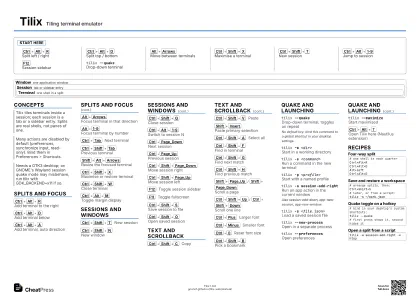
Tilix Tiling terminal emulator
 Light · Postcard
102 × 152 mm · PDF
 Dark · Postcard
102 × 152 mm · PDF
 Ink saver · Postcard
102 × 152 mm · PDF
 Light · A4 landscape
297 × 210 mm · PDF
 Dark · A4 landscape
297 × 210 mm · PDF
 Ink saver · A4 landscape
297 × 210 mm · PDF
 Light · A3 landscape
420 × 297 mm · PDF
 Dark · A3 landscape
420 × 297 mm · PDF
 Ink saver · A3 landscape
420 × 297 mm · PDF
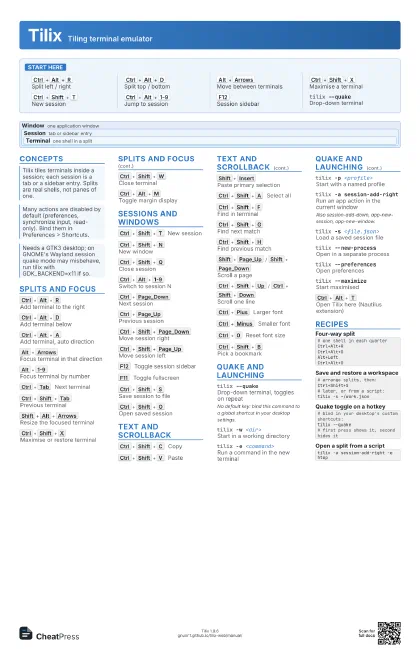
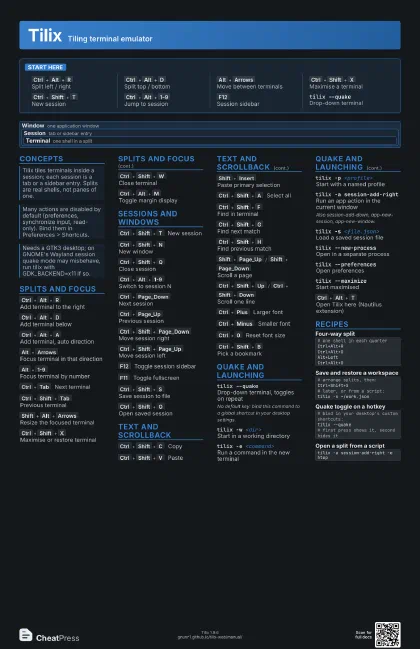
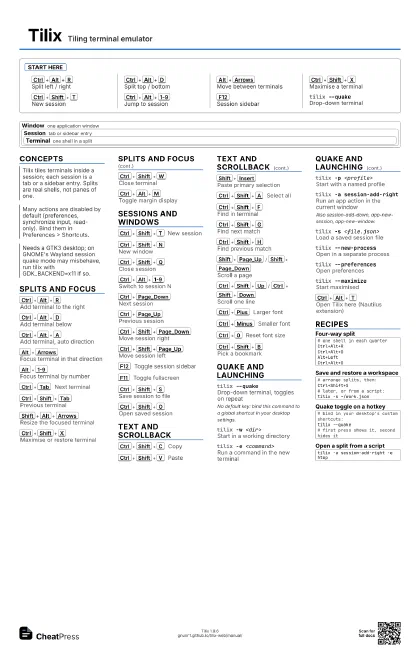
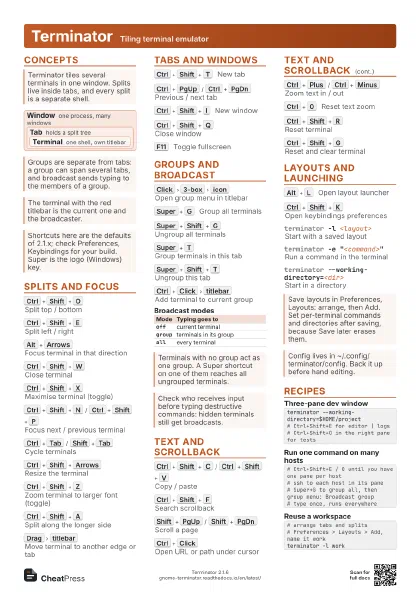
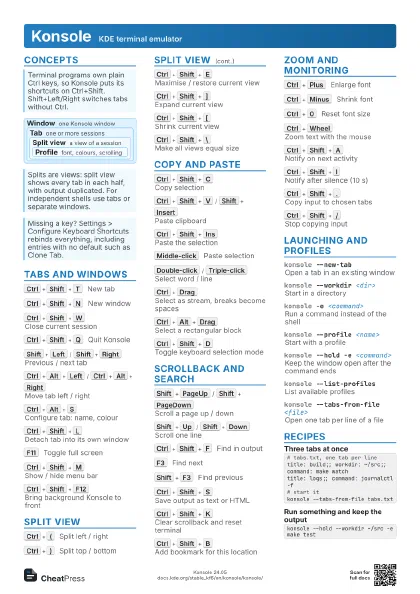
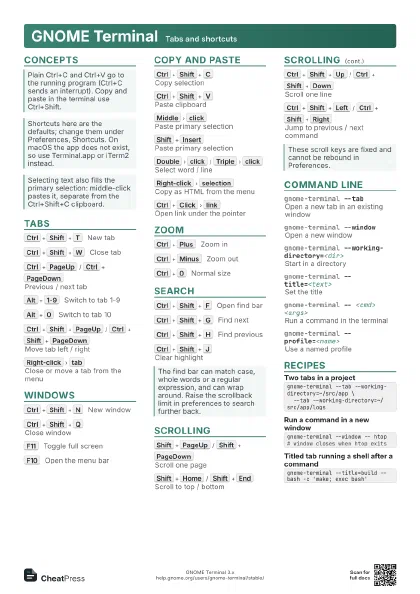
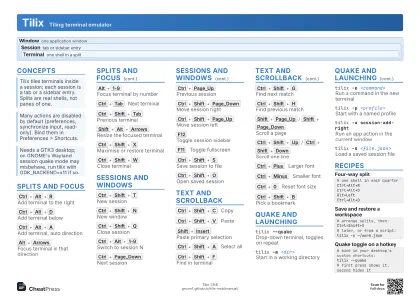
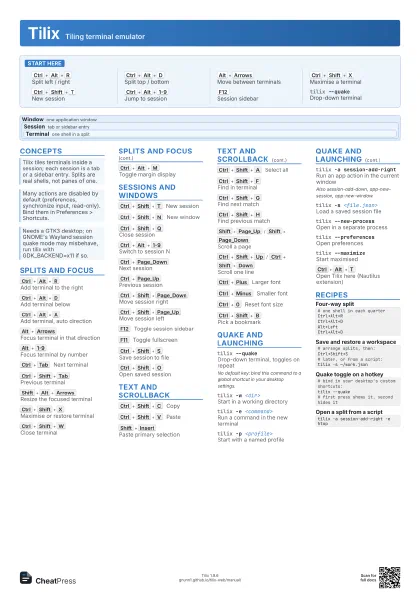
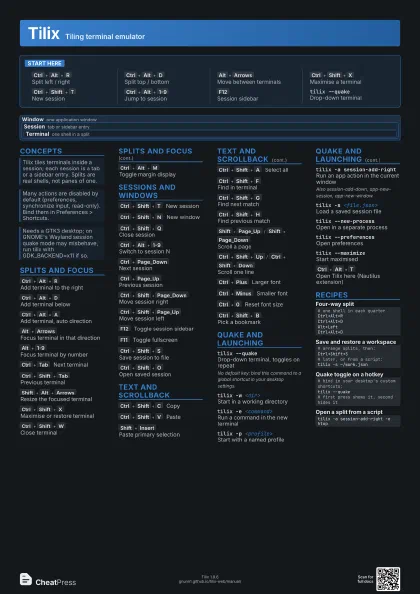
Start here
Ctrl+Alt+R
Split left / right
Ctrl+Alt+D
Split top / bottom
Alt+Arrows
Move between terminals
Ctrl+Shift+X
Maximise a terminal
Ctrl+Shift+T
New session
Ctrl+Alt+1-9
Jump to session
F12
Session sidebar
tilix --quakeDrop-down terminal
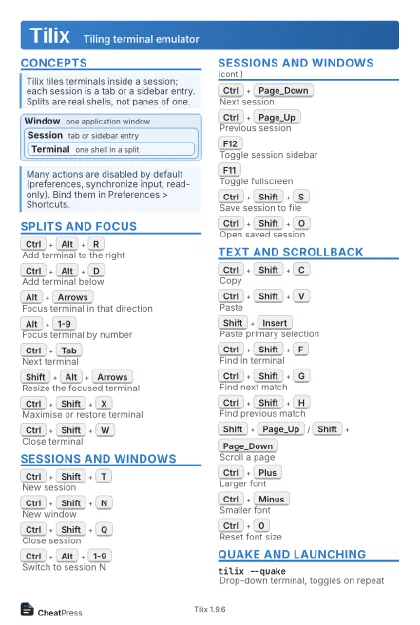
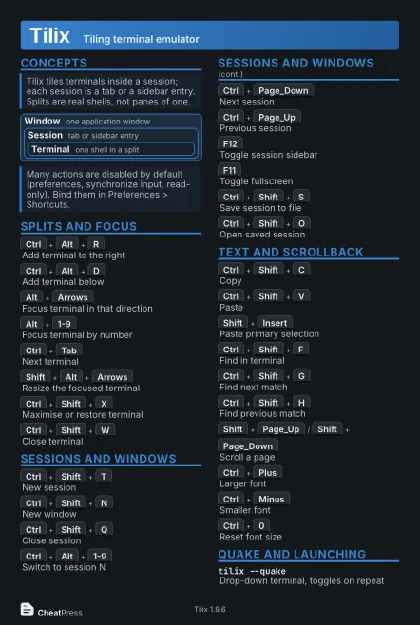
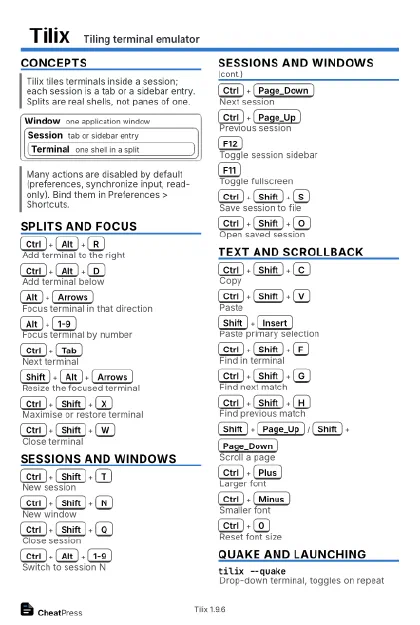
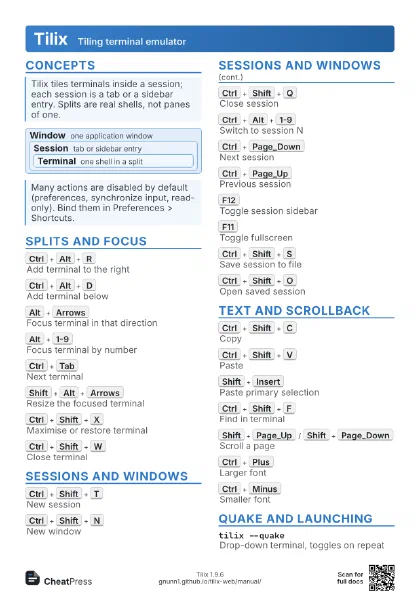
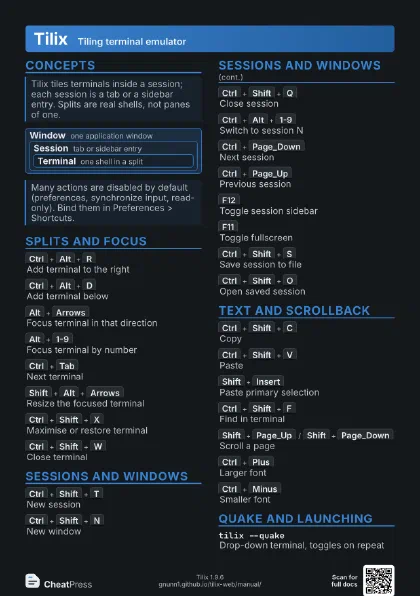
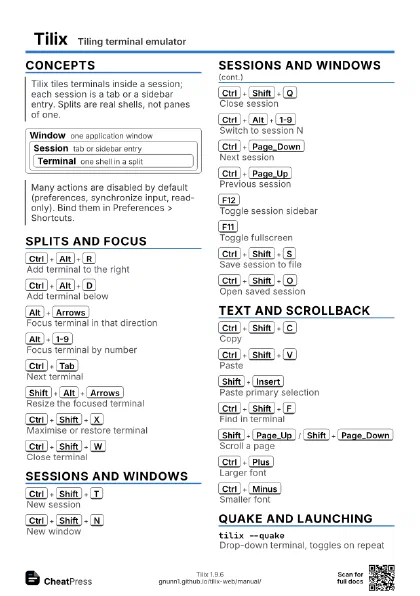
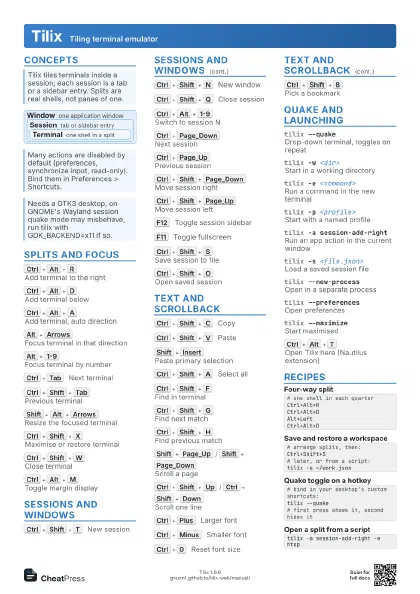
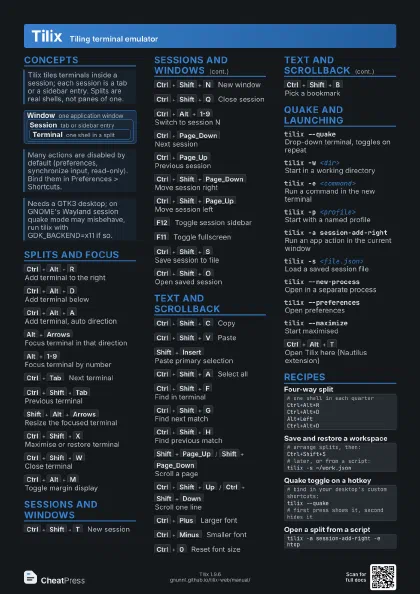
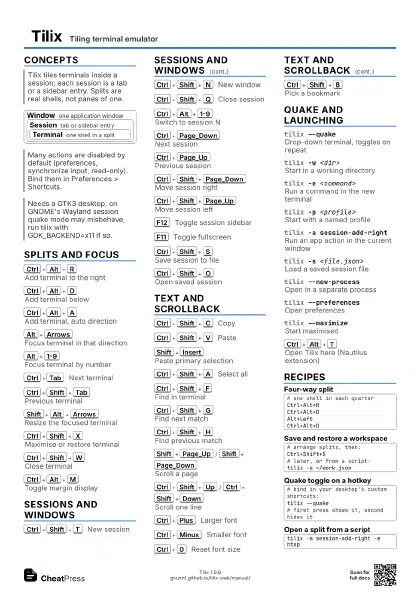
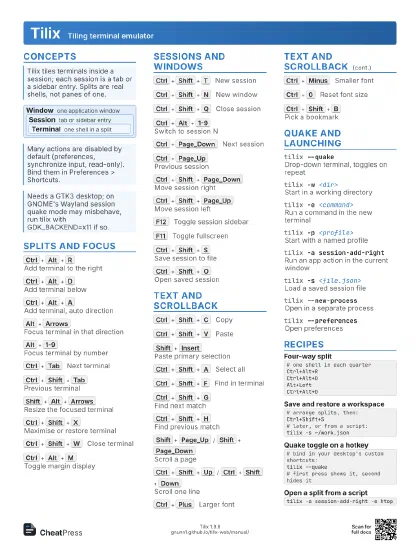
Concepts
Window one application window
Session tab or sidebar entry
Terminal
one shell in a split
Splits and Focus
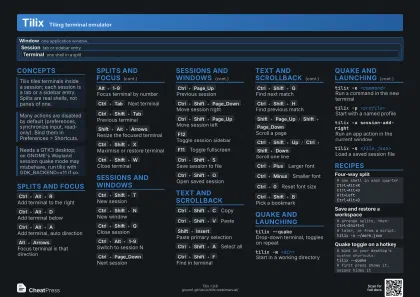
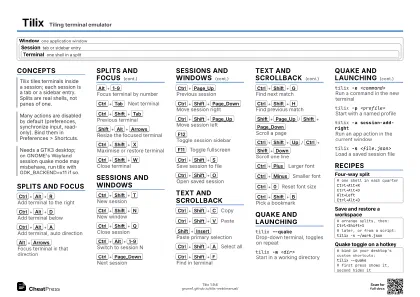
Ctrl+Alt+R
Add terminal to the right
Ctrl+Alt+D
Add terminal below
Ctrl+Alt+A
Add terminal, auto direction
Alt+Arrows
Focus terminal in that direction
Alt+1-9
Focus terminal by number
Ctrl+Tab
Next terminal
Ctrl+Shift+Tab
Previous terminal
Shift+Alt+Arrows
Resize the focused terminal
Ctrl+Shift+X
Maximise or restore terminal
Ctrl+Shift+W
Close terminal
Ctrl+Alt+M
Toggle margin display
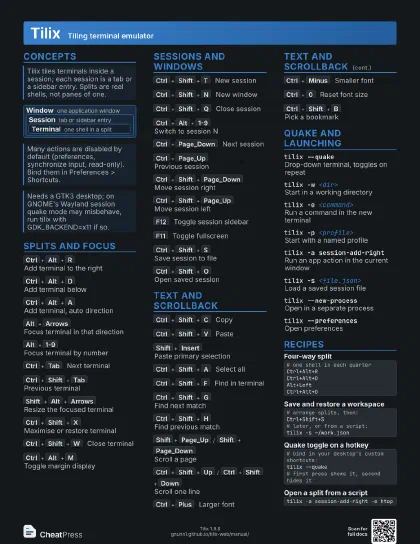
Sessions and Windows
Ctrl+Shift+T
New session
Ctrl+Shift+N
New window
Ctrl+Shift+Q
Close session
Ctrl+Alt+1-9
Switch to session N
Ctrl+Page_Down
Next session
Ctrl+Page_Up
Previous session
Ctrl+Shift+Page_Down
Move session right
Ctrl+Shift+Page_Up
Move session left
F12
Toggle session sidebar
F11
Toggle fullscreen
Ctrl+Shift+S
Save session to file
Ctrl+Shift+O
Open saved session
Text and Scrollback
Ctrl+Shift+C
Copy
Ctrl+Shift+V
Paste
Shift+Insert
Paste primary selection
Ctrl+Shift+A
Select all
Ctrl+Shift+F
Find in terminal
Ctrl+Shift+G
Find next match
Ctrl+Shift+H
Find previous match
Shift+Page_Up
/
Shift+Page_Down
Scroll a page
Ctrl+Shift+Up
/
Ctrl+Shift+Down
Scroll one line
Ctrl+Plus
Larger font
Ctrl+Minus
Smaller font
Ctrl+0
Reset font size
Ctrl+Shift+B
Pick a bookmark
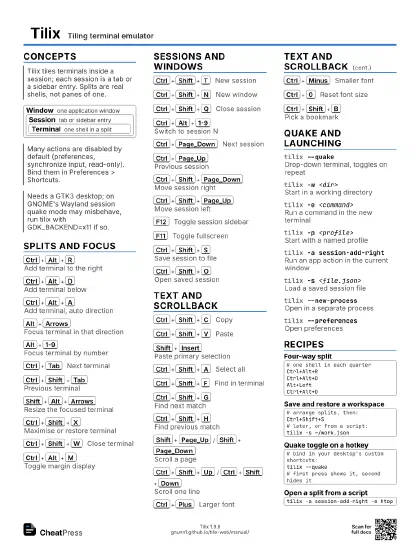
Quake and Launching
tilix --quakeDrop-down terminal, toggles on repeat
No default key: bind this command to a global shortcut in your
desktop settings.
tilix -w <dir>
Start in a working directory
tilix -e <command>
Run a command in the new terminal
tilix -p <profile>
Start with a named profile
tilix -a session-add-right
Run an app action in the current window
Also session-add-down, app-new-session, app-new-window.
tilix -s <file.json>
Load a saved session file
tilix --new-process
Open in a separate process
tilix --preferences
Open preferences
tilix --maximize
Start maximised
Ctrl+Alt+T
Open Tilix here (Nautilus extension)
Recipes
# one shell in each quarterCtrl+Alt+RCtrl+Alt+DAlt+LeftCtrl+Alt+D# arrange splits, then:Ctrl+Shift+S# later, or from a script:tilix -s ~/work.json# bind in your desktop's custom shortcuts:tilix --quake# first press shows it, second hides ittilix -a session-add-right -e htop