Cheat
The Silver Searcher Fast code search
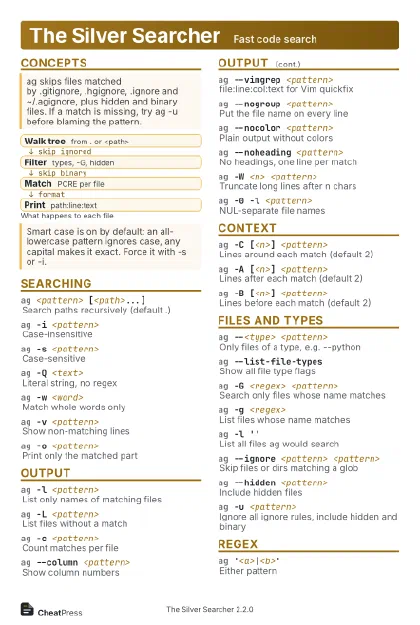 Light · Postcard
102 × 152 mm · PDF
 Dark · Postcard
102 × 152 mm · PDF
 Ink saver · Postcard
102 × 152 mm · PDF
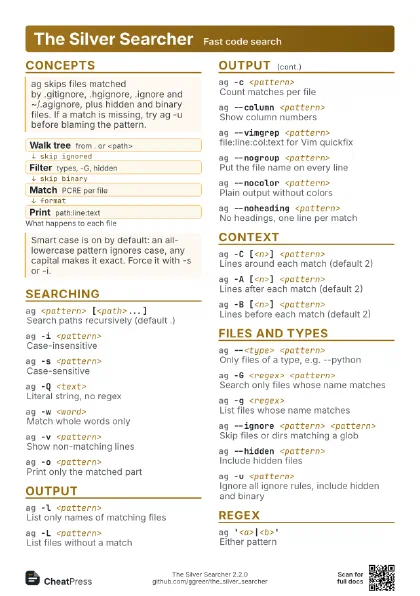
 Light · A4 landscape
297 × 210 mm · PDF
 Dark · A4 landscape
297 × 210 mm · PDF
 Ink saver · A4 landscape
297 × 210 mm · PDF
 Light · A3 landscape
420 × 297 mm · PDF
 Dark · A3 landscape
420 × 297 mm · PDF
 Ink saver · A3 landscape
420 × 297 mm · PDF
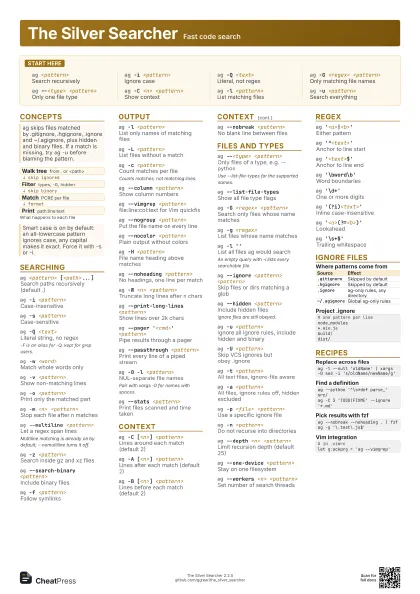
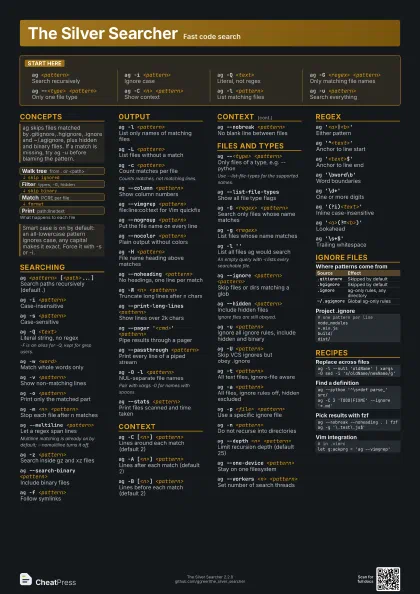
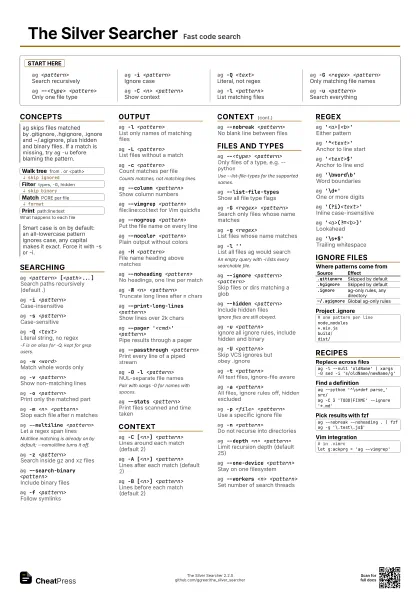
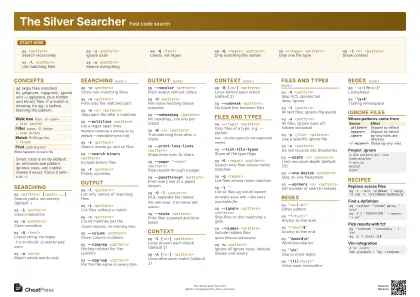
Start here
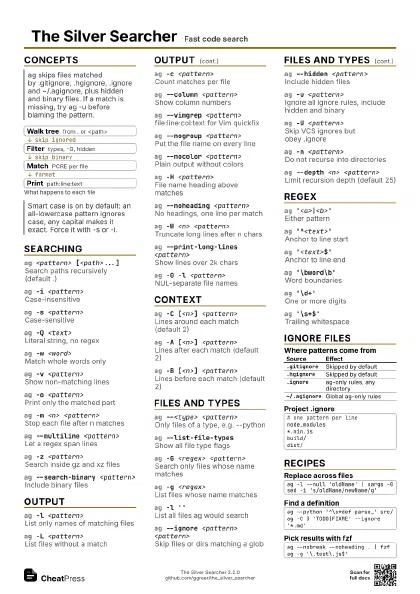
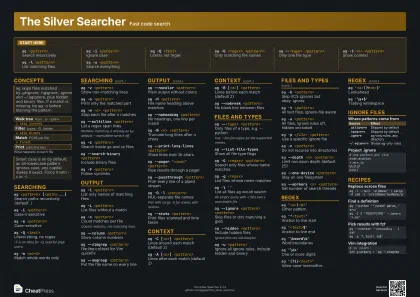
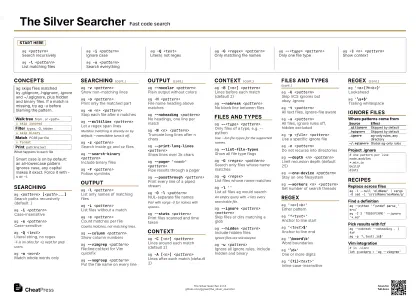
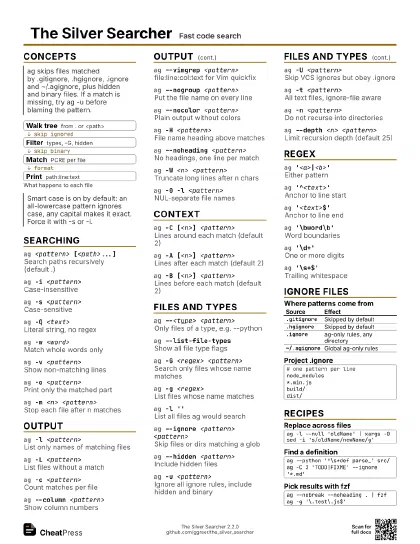
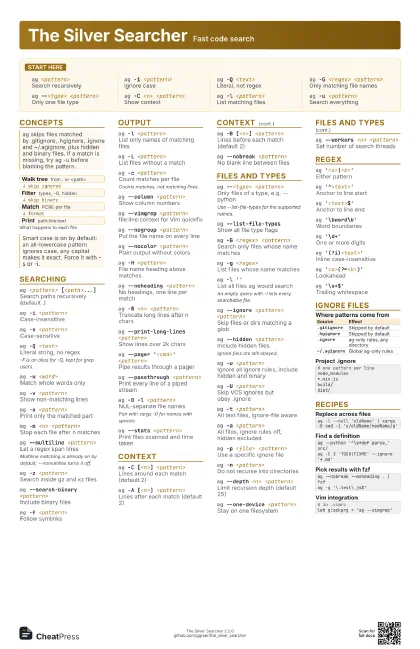
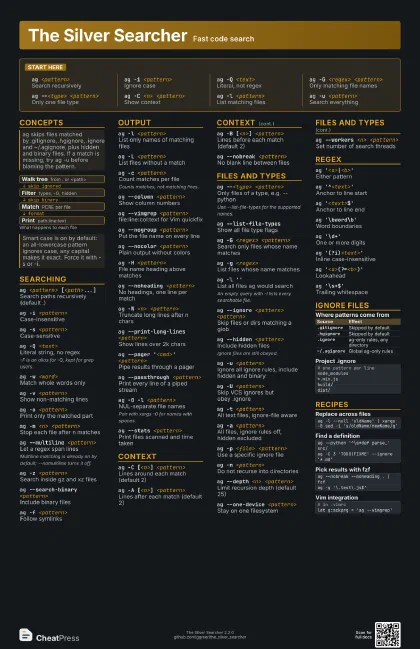
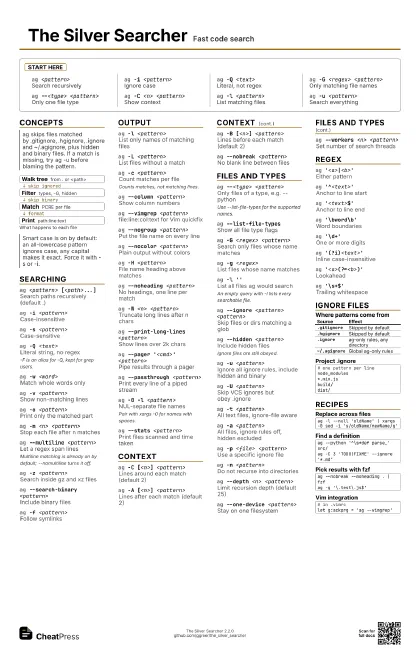
ag <pattern>
Search recursively
ag -i <pattern>
Ignore case
ag -Q <text>
Literal, not regex
ag -G <regex> <pattern>
Only matching file names
ag --<type> <pattern>
Only one file type
ag -C <n> <pattern>
Show context
ag -l <pattern>
List matching files
ag -u <pattern>
Search everything
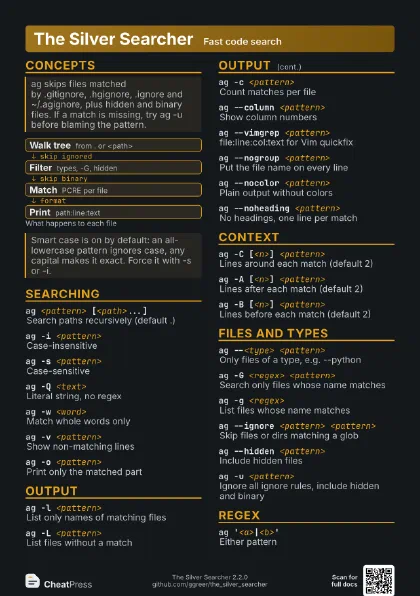
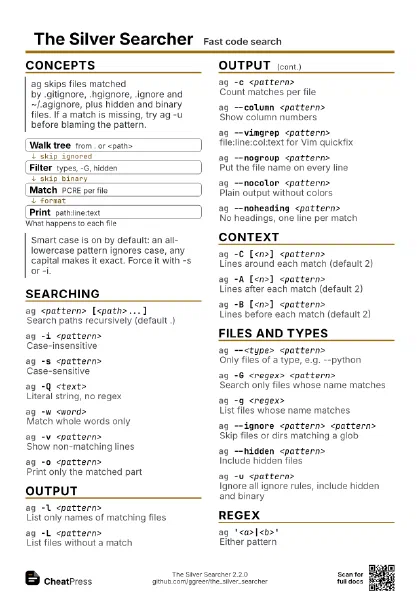
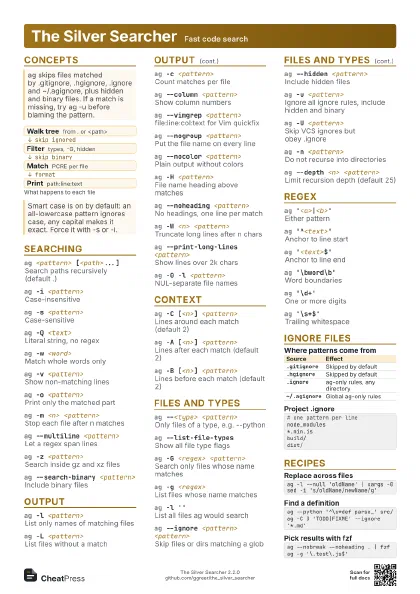
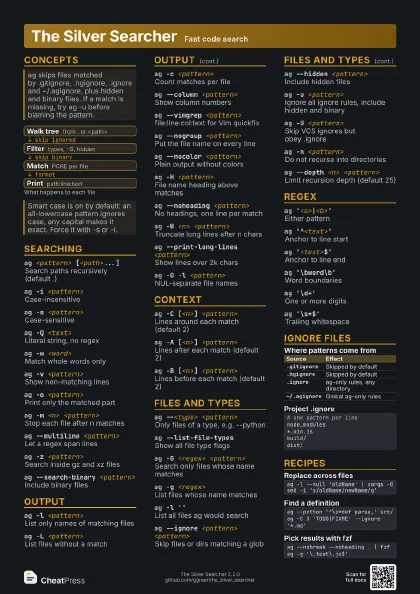
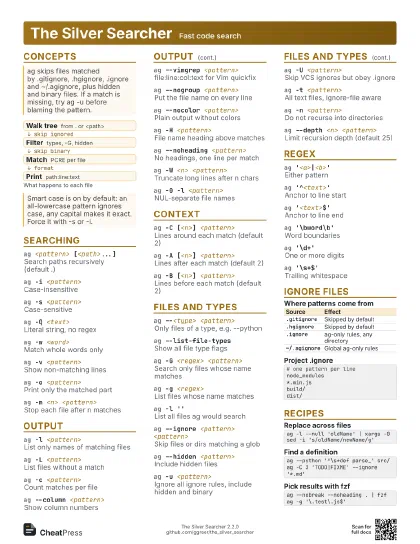
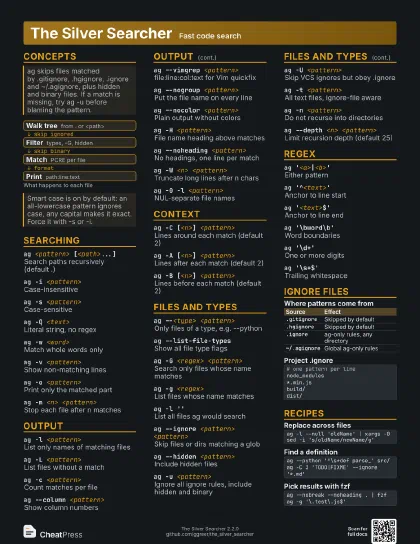
Concepts
- Walk tree from . or <path>
- Filter types, -G, hidden
- Match PCRE per file
- Print path:line:text
Searching
ag <pattern> [<path>...]
Search paths recursively (default .)
ag -i <pattern>
Case-insensitive
ag -s <pattern>
Case-sensitive
ag -Q <text>
Literal string, no regex
-F is an alias for -Q, kept for grep users.
ag -w <word>
Match whole words only
ag -v <pattern>
Show non-matching lines
ag -o <pattern>
Print only the matched part
ag -m <n> <pattern>
Stop each file after n matches
ag --multiline <pattern>
Let a regex span lines
Multiline matching is already on by default; --nomultiline
turns it off.
ag -z <pattern>
Search inside gz and xz files
ag --search-binary <pattern>
Include binary files
ag -f <pattern>
Follow symlinks
Output
ag -l <pattern>
List only names of matching files
ag -L <pattern>
List files without a match
ag -c <pattern>
Count matches per file
Counts matches, not matching lines.
ag --column <pattern>
Show column numbers
ag --vimgrep <pattern>
file:line:col:text for Vim quickfix
ag --nogroup <pattern>
Put the file name on every line
ag --nocolor <pattern>
Plain output without colors
ag -H <pattern>
File name heading above matches
ag --noheading <pattern>
No headings, one line per match
ag -W <n> <pattern>
Truncate long lines after n chars
ag --print-long-lines <pattern>
Show lines over 2k chars
ag --pager '<cmd>' <pattern>
Pipe results through a pager
ag --passthrough <pattern>
Print every line of a piped stream
ag -0 -l <pattern>
NUL-separate file names
Pair with xargs -0 for names with spaces.
ag --stats <pattern>
Print files scanned and time taken
Context
ag -C [<n>] <pattern>
Lines around each match (default 2)
ag -A [<n>] <pattern>
Lines after each match (default 2)
ag -B [<n>] <pattern>
Lines before each match (default 2)
ag --nobreak <pattern>
No blank line between files
Files and Types
ag --<type> <pattern>
Only files of a type, e.g. --python
Use --list-file-types for the supported names.
ag --list-file-types
Show all file type flags
ag -G <regex> <pattern>
Search only files whose name matches
ag -g <regex>
List files whose name matches
ag -l ''
List all files ag would search
An empty query with -l lists every searchable file.
ag --ignore <pattern> <pattern>
Skip files or dirs matching a glob
ag --hidden <pattern>
Include hidden files
Ignore files are still obeyed.
ag -u <pattern>
Ignore all ignore rules, include hidden and binary
ag -U <pattern>
Skip VCS ignores but obey .ignore
ag -t <pattern>
All text files, ignore-file aware
ag -a <pattern>
All files, ignore rules off, hidden excluded
ag -p <file> <pattern>
Use a specific ignore file
ag -n <pattern>
Do not recurse into directories
ag --depth <n> <pattern>
Limit recursion depth (default 25)
ag --one-device <pattern>
Stay on one filesystem
ag --workers <n> <pattern>
Set number of search threads
Regex
ag '<a>|<b>'
Either pattern
ag '^<text>'
Anchor to line start
ag '<text>$'
Anchor to line end
ag '\bword\b'
Word boundaries
ag '\d+'
One or more digits
ag '(?i)<text>'
Inline case-insensitive
ag '<a>(?=<b>)'
Lookahead
ag '\s+$'
Trailing whitespace
Ignore files
| Source | Effect |
|---|---|
.gitignore |
Skipped by default |
.hgignore |
Skipped by default |
.ignore |
ag-only rules, any directory |
~/.agignore |
Global ag-only rules |
# one pattern per linenode_modules*.min.jsbuild/dist/Recipes
ag -l --null 'oldName' | xargs -0 sed -i 's/oldName/newName/g'ag --python '^\s*def parse_' src/ag -C 3 'TODO|FIXME' --ignore '*.md'ag --nobreak --noheading . | fzfag -g '\.test\.js$'# in .vimrclet g:ackprg = 'ag --vimgrep'