Cheat
SOPS Encrypted secrets files
 Light · Postcard
102 × 152 mm · PDF
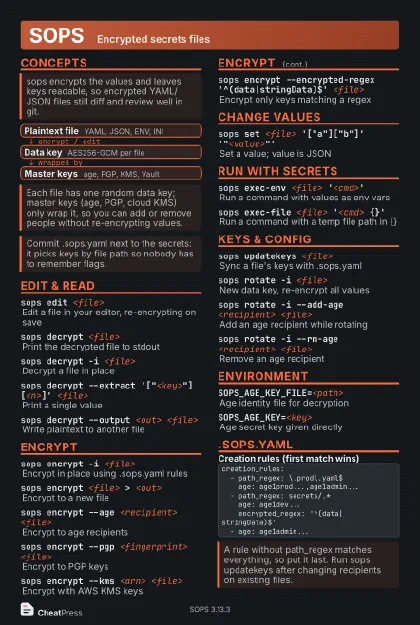 Dark · Postcard
102 × 152 mm · PDF
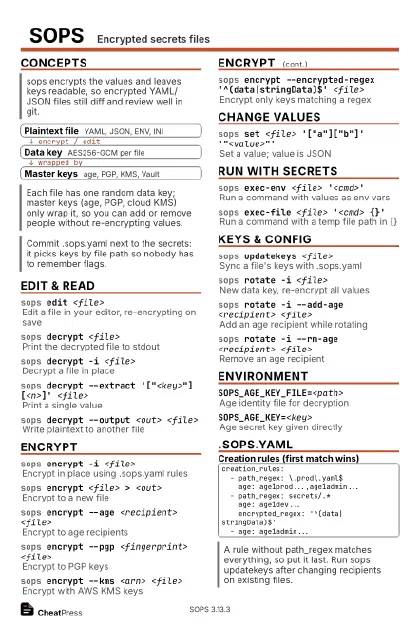 Ink saver · Postcard
102 × 152 mm · PDF
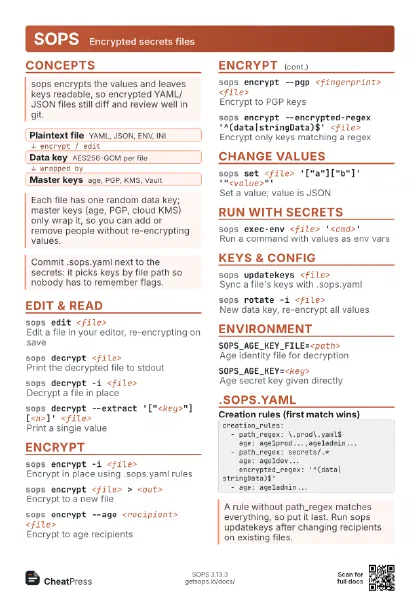
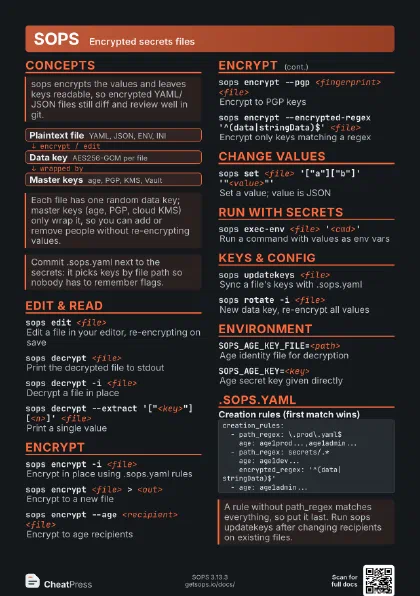
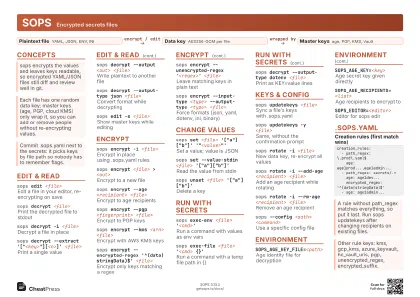 Light · A4 landscape
297 × 210 mm · PDF
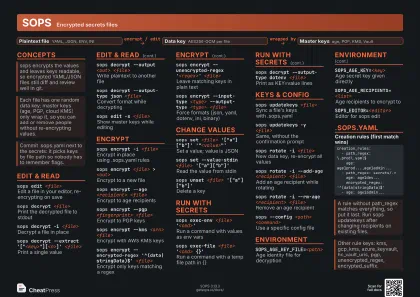 Dark · A4 landscape
297 × 210 mm · PDF
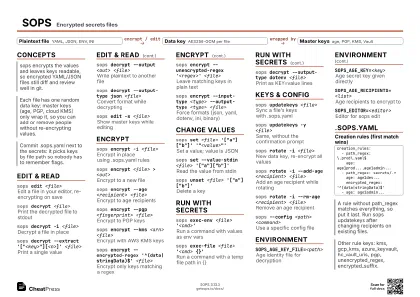 Ink saver · A4 landscape
297 × 210 mm · PDF
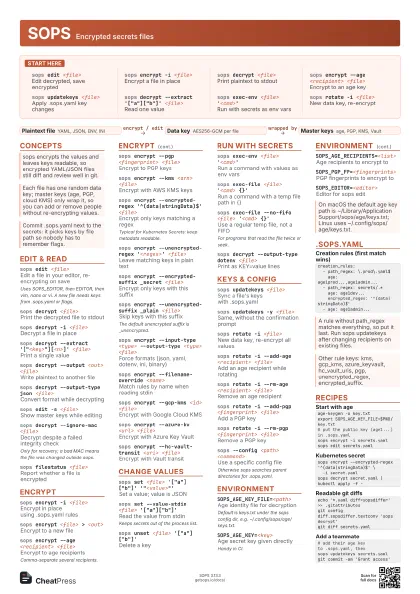
 Light · A3 landscape
420 × 297 mm · PDF
 Dark · A3 landscape
420 × 297 mm · PDF
 Ink saver · A3 landscape
420 × 297 mm · PDF
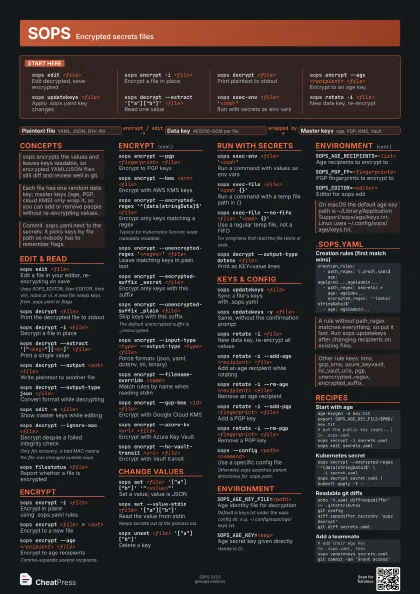
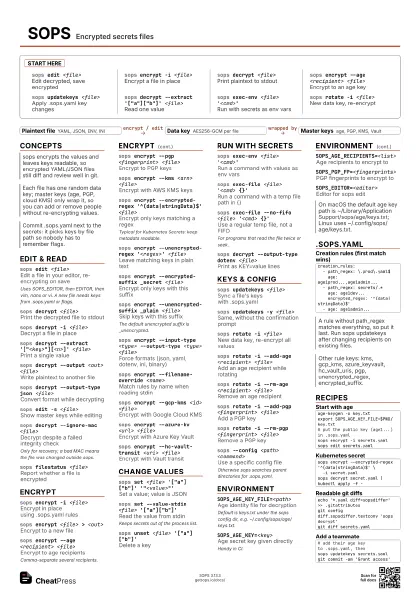
Start here
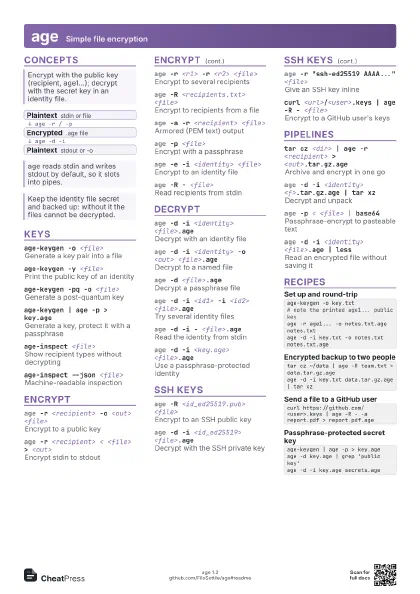
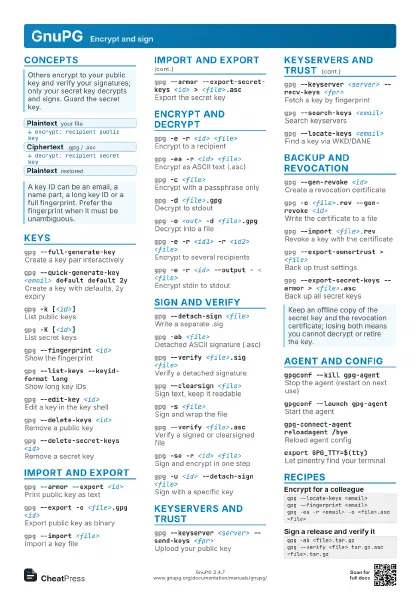
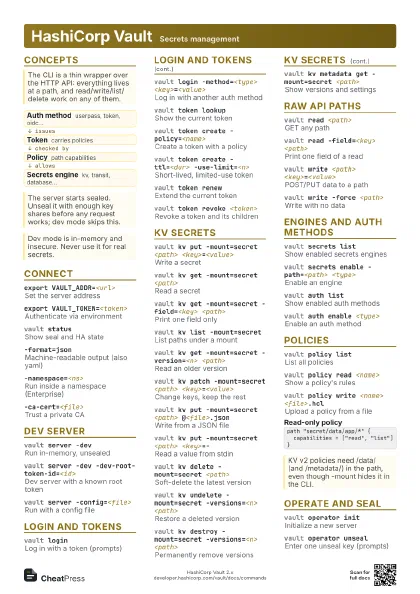
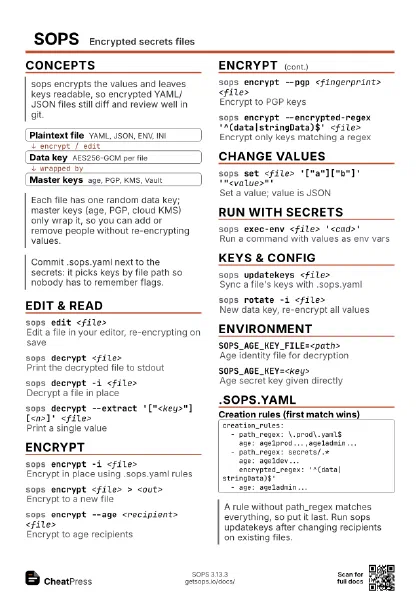
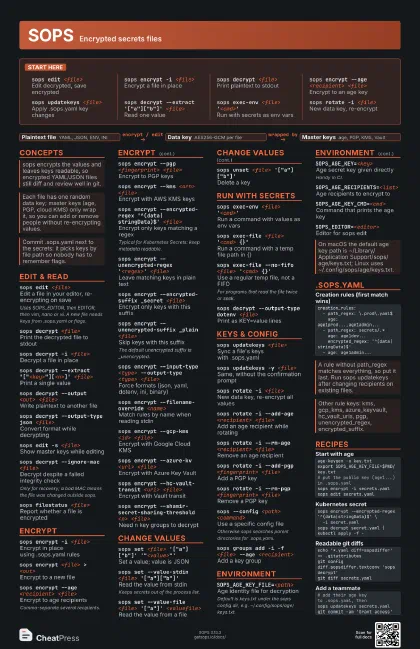
sops edit <file>
Edit decrypted, save encrypted
sops encrypt -i <file>
Encrypt a file in place
sops decrypt <file>
Print plaintext to stdout
sops encrypt --age <recipient> <file>
Encrypt to an age key
sops updatekeys <file>
Apply .sops.yaml key changes
sops decrypt --extract '["a"]["b"]'
                    <file>
Read one value
sops exec-env <file> '<cmd>'
Run with secrets as env vars
sops rotate -i <file>
New data key, re-encrypt
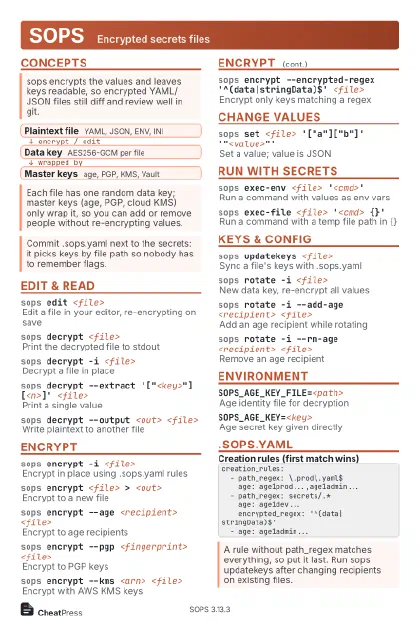
Concepts
- Plaintext file YAML, JSON, ENV, INI
- Data key AES256-GCM per file
- Master keys age, PGP, KMS, Vault
Edit & read
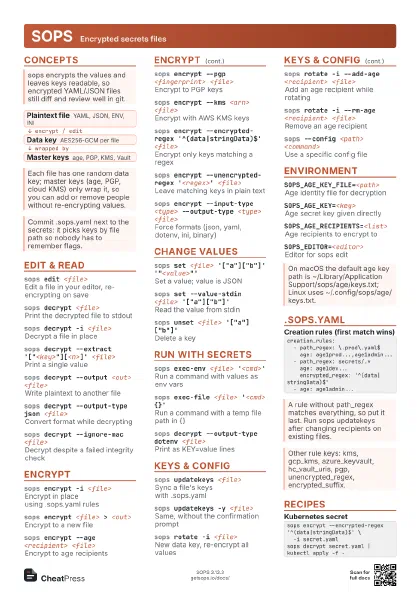
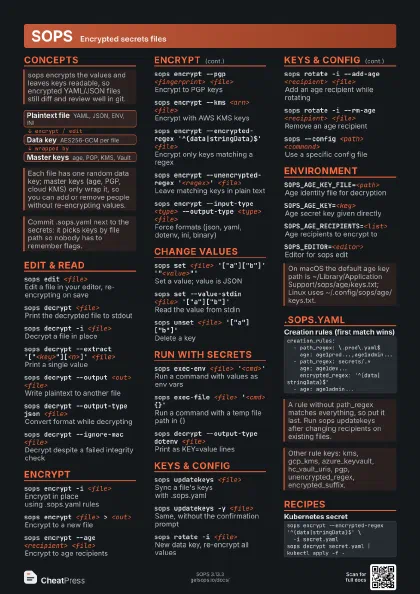
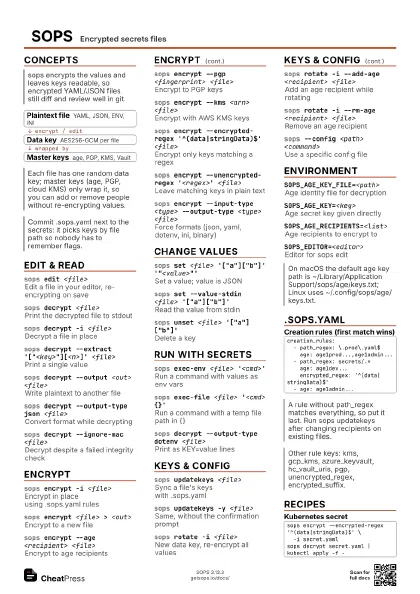
sops edit <file>
Edit a file in your editor, re-encrypting on save
Uses SOPS_EDITOR, then EDITOR, then vim, nano or vi. A new
file needs keys from .sops.yaml or flags.
sops decrypt <file>
Print the decrypted file to stdout
sops decrypt -i <file>
Decrypt a file in place
sops decrypt --extract
                    '["<key>"][<n>]'
                    <file>
Print a single value
sops decrypt --output <out> <file>
Write plaintext to another file
sops decrypt --output-type json <file>
Convert format while decrypting
sops edit -s <file>
Show master keys while editing
sops decrypt --ignore-mac <file>
Decrypt despite a failed integrity check
Only for recovery; a bad MAC means the file was changed
outside sops.
sops filestatus <file>
Report whether a file is encrypted
Encrypt
sops encrypt -i <file>
Encrypt in place using .sops.yaml rules
sops encrypt <file> > <out>
Encrypt to a new file
sops encrypt --age <recipient> <file>
Encrypt to age recipients
Comma-separate several recipients.
sops encrypt --pgp <fingerprint> <file>
Encrypt to PGP keys
sops encrypt --kms <arn> <file>
Encrypt with AWS KMS keys
sops encrypt --encrypted-regex
                    '^(data|stringData)$' <file>
Encrypt only keys matching a regex
Typical for Kubernetes Secrets: keep metadata readable.
sops encrypt --unencrypted-regex '<regex>'
                    <file>
Leave matching keys in plain text
sops encrypt --encrypted-suffix _secret <file>
Encrypt only keys with this suffix
sops encrypt --unencrypted-suffix _plain <file>
Skip keys with this suffix
The default unencrypted suffix is _unencrypted.
sops encrypt --input-type <type> --output-type
                    <type> <file>
Force formats (json, yaml, dotenv, ini, binary)
sops encrypt --filename-override <name>
Match rules by name when reading stdin
sops encrypt --gcp-kms <id> <file>
Encrypt with Google Cloud KMS
sops encrypt --azure-kv <url> <file>
Encrypt with Azure Key Vault
sops encrypt --hc-vault-transit <uri>
                    <file>
Encrypt with Vault transit
sops encrypt --shamir-secret-sharing-threshold <n>
                    <file>
Need n key groups to decrypt
Change values
sops set <file> '["a"]["b"]'
                    '"<value>"'
Set a value; value is JSON
sops set --value-stdin <file>
                    '["a"]["b"]'
Read the value from stdin
Keeps secrets out of the process list.
sops set --value-file <file> '["a"]'
                    <valuefile>
Read the value from a file
sops unset <file>
                    '["a"]["b"]'
Delete a key
Run with secrets
sops exec-env <file> '<cmd>'
Run a command with values as env vars
sops exec-env --pristine <file>
                    '<cmd>'
Only the decrypted vars, no inherited env
sops exec-file <file> '<cmd> {}'
Run a command with a temp file path in {}
sops exec-file --no-fifo <file> '<cmd>
                    {}'
Use a regular temp file, not a FIFO
For programs that read the file twice or seek.
sops decrypt --output-type dotenv <file>
Print as KEY=value lines
Keys & config
sops updatekeys <file>
Sync a file's keys with .sops.yaml
sops updatekeys -y <file>
Same, without the confirmation prompt
sops rotate -i <file>
New data key, re-encrypt all values
sops rotate -i --add-age <recipient>
                    <file>
Add an age recipient while rotating
sops rotate -i --rm-age <recipient>
                    <file>
Remove an age recipient
sops rotate -i --add-pgp <fingerprint>
                    <file>
Add a PGP key
sops rotate -i --rm-pgp <fingerprint>
                    <file>
Remove a PGP key
sops --config <path> <command>
Use a specific config file
Otherwise sops searches parent directories for .sops.yaml.
sops groups add -i -f <file> --age
                    <recipient>
Add a key group
Environment
SOPS_AGE_KEY_FILE=<path>
Age identity file for decryption
Default is keys.txt under the sops config dir, e.g.
~/.config/sops/age/keys.txt.
SOPS_AGE_KEY=<key>
Age secret key given directly
Handy in CI.
SOPS_AGE_RECIPIENTS=<list>
Age recipients to encrypt to
SOPS_AGE_KEY_CMD=<cmd>
Command that prints the age key
SOPS_AGE_SSH_PRIVATE_KEY_FILE=<path>
SSH key for decrypting ssh recipients
SOPS_PGP_FP=<fingerprints>
PGP fingerprints to encrypt to
SOPS_KMS_ARN=<arns>
AWS KMS keys to encrypt to
SOPS_EDITOR=<editor>
Editor for sops edit
SOPS_CONFIG=<path>
Config file path, same as --config
SOPS_DECRYPTION_ORDER=<types>
Key types to try first (default age,pgp)
.sops.yaml
creation_rules: - path_regex: \.prod\.yaml$ age: age1prod...,age1admin... - path_regex: secrets/.* age: age1dev... encrypted_regex: '^(data|stringData)$' - age: age1admin...creation_rules: - shamir_threshold: 2 key_groups: - age: [age1alice...] - pgp: [<fingerprint>] - age: [age1bob...]Recipes
age-keygen -o key.txtexport SOPS_AGE_KEY_FILE=$PWD/key.txt# put the public key (age1...) in .sops.yamlsops encrypt -i secrets.yamlsops edit secrets.yamlsops encrypt --encrypted-regex '^(data|stringData)$' \ -i secret.yamlsops decrypt secret.yaml | kubectl apply -f -echo '*.yaml diff=sopsdiffer' >> .gitattributesgit config diff.sopsdiffer.textconv 'sops decrypt'git diff secrets.yaml# add their age key to .sops.yaml, thensops updatekeys secrets.yamlgit commit -am 'Grant access'